
How to Write an AI Website Builder Brief: Pages, Facts, Plans and Handoff
An AI site builder will produce a full website from one sentence. A one-page brief keeps invented prices, reviews and addresses out of that draft, and it also settles the questions that decide which plan you pay for: how many pages, whose domain, where form messages go, who edits next and whether the site may ever move. This guide writes one brief, prices it in Webflow, Framer and Durable, runs the build in five steps and ends with a handoff folder the owner keeps.
By Elias Brandt · Updated 9 Oct 2026 · About 13 min read · Plan terms taken from each tool profile
The short answer
What goes in the brief? Pages and their job, one primary action, numbered approved facts, placeholders for unknowns, banned content, the form route, the domain owner and an exit route.
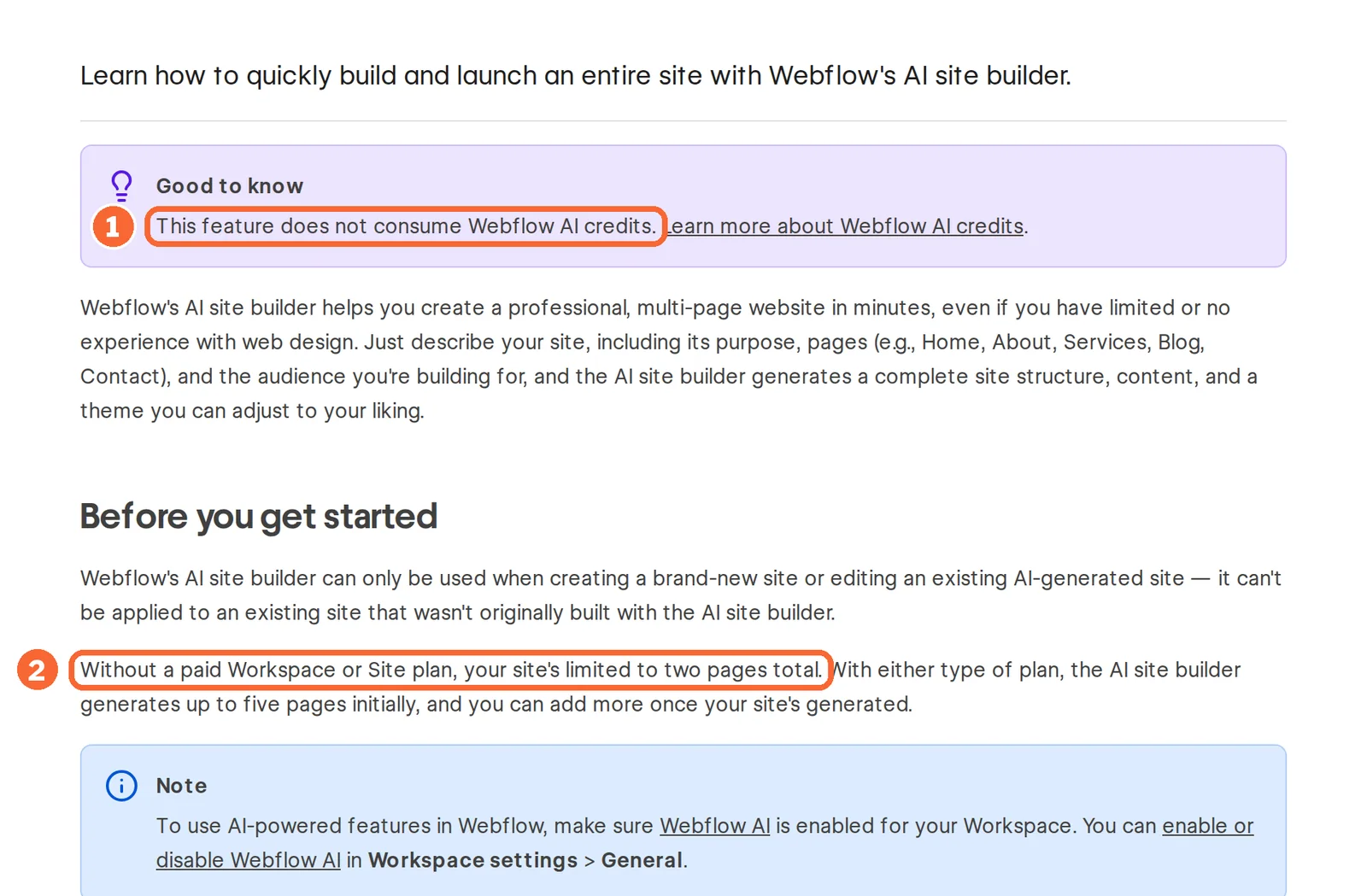
Can a free plan publish it? Webflow Starter publishes to a webflow.io subdomain, and its AI builder stops at two pages; Framer Free publishes on a Framer domain with a badge; Durable Free keeps the site as a private preview.
Might the site move later? Settle it before you choose: Webflow exports code on a paid Workspace plan, Framer’s FAQ rules out HTML export for self-hosting, and Durable documents no website export.
What should an AI website builder brief include?
Eight points, settled before you open a builder
In shortThe first five points stop the builder inventing content. The last three decide the plan, and they are the ones owners skip.
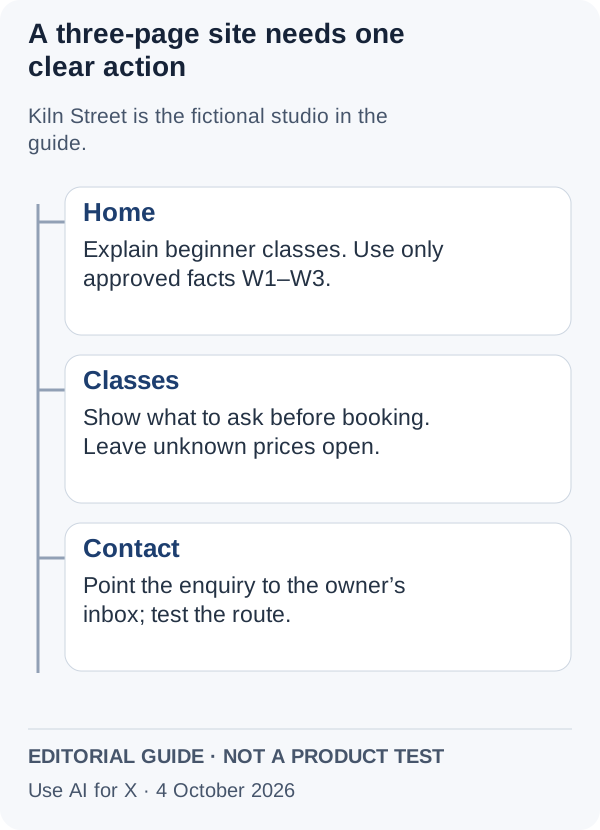
The example throughout is Kiln Street Studio, a fictional ceramics studio run by two people, which wants a three-page site where a beginner can ask about an evening class.
- Pages and their job: Home says what the studio offers, Classes says what a beginner books, Contact says how to ask a question.
- One primary action: a visitor emails the studio about a class. Every page leads to it.
- Approved facts, numbered: W1 evening wheel-throwing classes for beginners; W2 up to eight students per class; W3 bookings by email to hello@example.com.
- Unknowns, as visible placeholders: autumn term prices, whether the street address is published, and when weekend classes start.
- Banned content: reviews, awards, certifications, photos of people and any price.
- Form route: an email link at launch; a form only once its messages reach a named inbox.
- Domain and owner: who registers the domain, who holds the builder account and who edits the class list.
- Exit route: whether the site must ever move to another host.
A two-page site with an email link is a different purchase from a three-page site with a form, its own domain and an exit requirement. The plan section below prices exactly that difference.
A one-page template to paste
In shortPaste the whole brief, not a summary of it. The fact IDs let you check every generated sentence later.
Site: Kiln Street Studio (ceramics, two people)
Purpose: beginners ask about an evening class
Primary action: email hello@example.com
Pages: Home | Classes | Contact
Approved facts:
  W1 evening wheel-throwing classes for beginners
  W2 up to eight students per class
  W3 bookings by email to hello@example.com
Unknowns (show as [TO CONFIRM]):
  autumn term prices | street address | weekend start
Do not add: reviews, awards, certifications,
  photos of people, prices, opening hours
Tone: plain, warm, short sentences
Form: email link at launch, no form yet
Domain owner / account owner / editor: (names)
Exit route: may move host later? yes / no
Tone and audience belong in the brief too, but they shape wording, not facts. If the builder takes reference images, as the Framer Agent does, attach photos of the real studio rather than describing it.
Sources: How to use Framer Agents, Webflow AI site builder, Durable AI Website Builder.
Which plan does the brief need in each builder?
What each free plan can publish
In shortAll three generate a draft for free. They differ on where, and whether, that draft can go live.
| Builder | Free plan | Where the draft goes live | AI allowance on Free | What stops Kiln Street |
|---|---|---|---|---|
 Webflow Webflow | Starter: free, no time limit | A webflow.io subdomain; 2 static pages, 1 GB bandwidth, 50 form submissions | The AI site builder uses no AI credits | Without a paid plan the AI-built site is limited to two pages, so Contact has to merge into Home |
 Framer Framer | Free: EUR 0 | A free Framer domain, 1 GB bandwidth and a Made in Framer badge; no custom domain | 500 AI credits to try, one time | The studio’s own domain and a badge-free site need a paid plan |
 Durable Durable | Free: USD 0 | Nowhere: the generated site stays a private preview, with Durable branding | 5 AI images and 10 AI chat messages a month | Publishing on a durable.site subdomain or an own domain needs Launch |
Sources: Webflow pricing, Webflow AI site builder, Framer pricing, Removing the Made in Framer badge, Durable pricing, Durable domains.
The cheapest plan that covers the whole brief
In shortEach brief line mapped to the plan that covers it. Prices stay in the currency each vendor lists; EUR and USD are never added together.
| Brief line | Webflow | Framer | Durable |
|---|---|---|---|
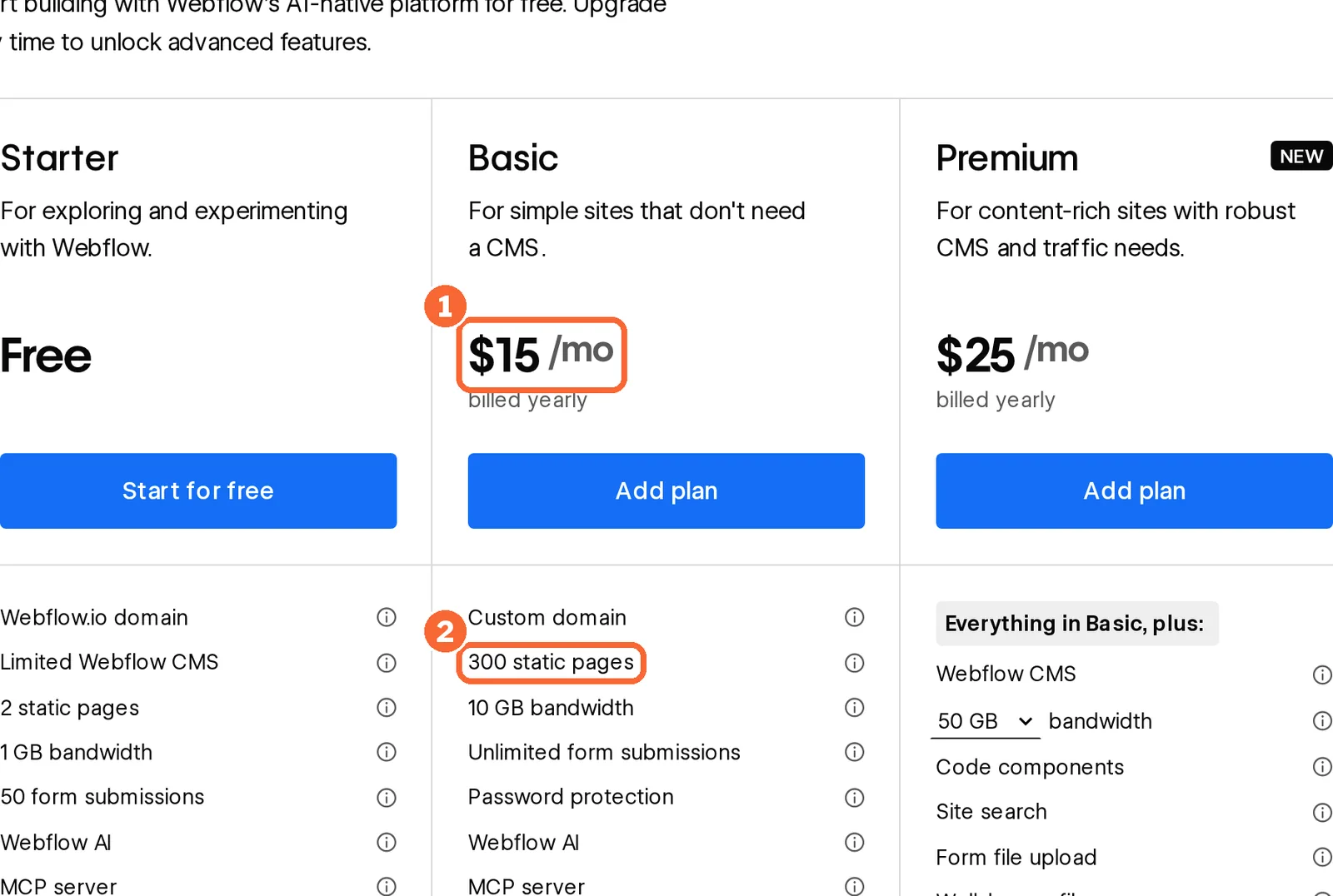
| Three AI-generated pages | Basic: a paid plan lets the AI builder start with up to five pages; Basic allows 300 static pages | Basic: 30 pages, 1,000 AI credits a month | Launch: the page count is not covered in the sources checked |
| The studio’s own domain | Basic | Basic; yearly plans include a complimentary Hover domain | Launch: own domain, or a free one up to $20 value |
| No builder badge | Not covered in the sources checked | Basic: the badge goes once the site is upgraded or a custom domain is connected | Launch: branding removed |
| Form messages to an inbox | Starter caps form submissions at 50; Basic has no cap | Form submissions can go to HubSpot, Mailchimp, Clay or a webhook; a submission cap is not covered in the sources checked | The Website Lead Agent drafts replies to contact-form messages: 2 on Free, 20 a month on Launch |
| A second person who edits | Seats are billed on the Workspace: a full seat is USD 39 a month billed yearly, a limited seat USD 15 | Each additional editor costs EUR 20 a month billed yearly (EUR 30 monthly) | Teammates can be invited on Launch; a Launch teammate limit is not covered in the sources checked |
| A possible move to another host | Code export needs a paid Workspace, such as Core at USD 19 a month billed yearly | No HTML export for self-hosting; CMS content leaves through plugins | No website export documented |
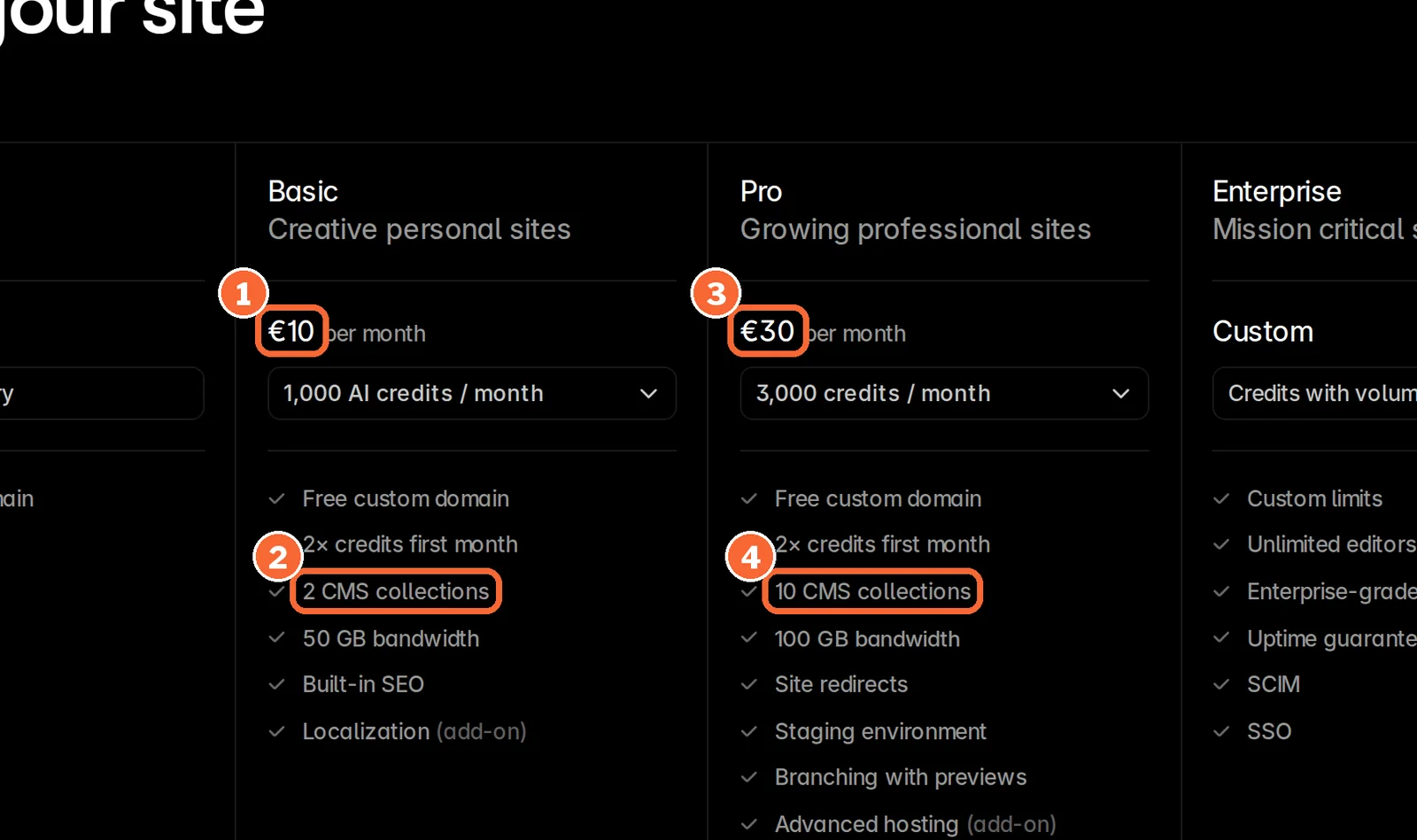
| Site plan, billed yearly | Basic, USD 15 a month: USD 180 a year (15 × 12) | Basic, EUR 10 a month: EUR 120 a year (10 × 12) | Launch, USD 22 a month: USD 264 a year (22 × 12) |
| With the exit or second-editor line | Basic plus Core Workspace: USD 34 a month, USD 408 a year (34 × 12) | Basic plus one editor: EUR 30 a month, EUR 360 a year (30 × 12) | Launch, unchanged; no website export is documented |
On monthly billing the same rows are USD 25 for Webflow Basic and USD 53 with Core Workspace (25 + 28), EUR 15 for Framer Basic and EUR 45 with one editor (15 + 30), and USD 25 for Durable Launch. Basic on Webflow has no CMS; a class list that should be edited as CMS items needs Premium, USD 25 a month billed yearly.
The deciding line for Kiln Street is the third page. If the studio can live with two pages and a webflow.io address, Webflow Starter is enough. If the site may move host later, Webflow is the only one of the three that documents a code export, at the higher of its two figures. If replies to the contact form should be drafted inside the builder, Durable Launch lists 20 lead replies a month.
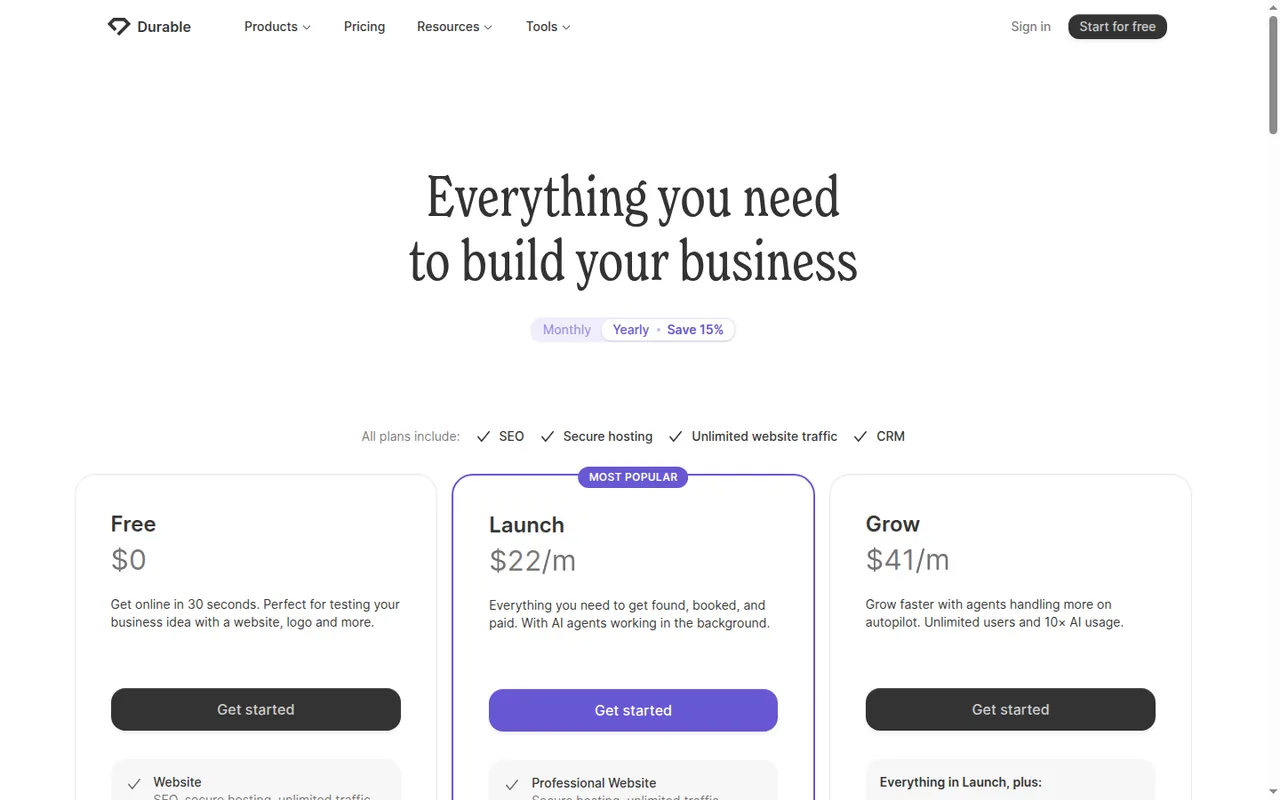
Plan names and amounts from each tool’s profile, which shows the date its plan terms were checked. Webflow and Framer add taxes at checkout.
Visit Webflow (opens in a new tab) Visit Framer (opens in a new tab) Visit Durable (opens in a new tab)
Sources: Webflow pricing, Webflow Site plans, Framer pricing, Framer custom domains, Framer integrations, Durable pricing, Durable Website Lead Agent, Durable teammates.
How do you build the site from the brief, step by step?
Step 1: Paste the brief and fix the page plan before any copy exists
In shortChange the page list while it is still a list. Deleting generated sections later costs more edits, and in Framer more credits.
- Webflow proposes pages and sections that you can reorder or replace before it builds full designs and a style guide page. It runs only on brand-new or AI-generated sites, and refining the result in Webflow uses no AI credits.
- Framer generates on the canvas from a prompt, accepts reference images and your own assets, and every Agent request draws on the workspace’s monthly AI credits.
- Durable asks three questions about the business and builds the site, which then opens in a drag-and-drop editor for layout, images, headings and fonts.
Sources: Webflow AI site builder, How to use Framer Agents, Durable AI Website Builder.
Step 2: Read every generated sentence against W1 to W3
In shortA sentence that traces to no fact ID is either a placeholder or it goes.
Step 3: Edit one section at a time, and never regenerate a corrected site
In shortScope each AI edit to one section. In Durable, a whole-site regeneration wipes every correction made so far.
| Builder | How to change one section | What an AI edit uses | The risk to avoid |
|---|---|---|---|
| Webflow | AI Assistant generates copy, CMS items and new page sections inside the Designer | AI credits pooled across the Workspace, such as 300 a month on Core; the site builder, contextual help and section design use none | An overrun is deducted from the next allotment, and unused credits expire each period |
| Framer | Select the section before prompting the Agent; the change stays inside it | Monthly AI credits: 1,000 on Basic, doubled in the first month; admins are warned at 80% | Credit-using features pause at 100% until the reset or a top-up; credits do not roll over |
| Durable | AI Partner changes text, images and bookings from a chat request and saves a draft to review before publishing | Monthly allowances, not credits: AI chat messages are 10 on Free and 1,000 on Launch | Regenerating the entire website permanently deletes the previous version and cannot be undone |
The order of steps follows from the last column: any whole-site generation happens before the fact check in Step 2, never after it. Once corrections exist, finish the remaining fixes by hand if the allowance runs out rather than regenerating.
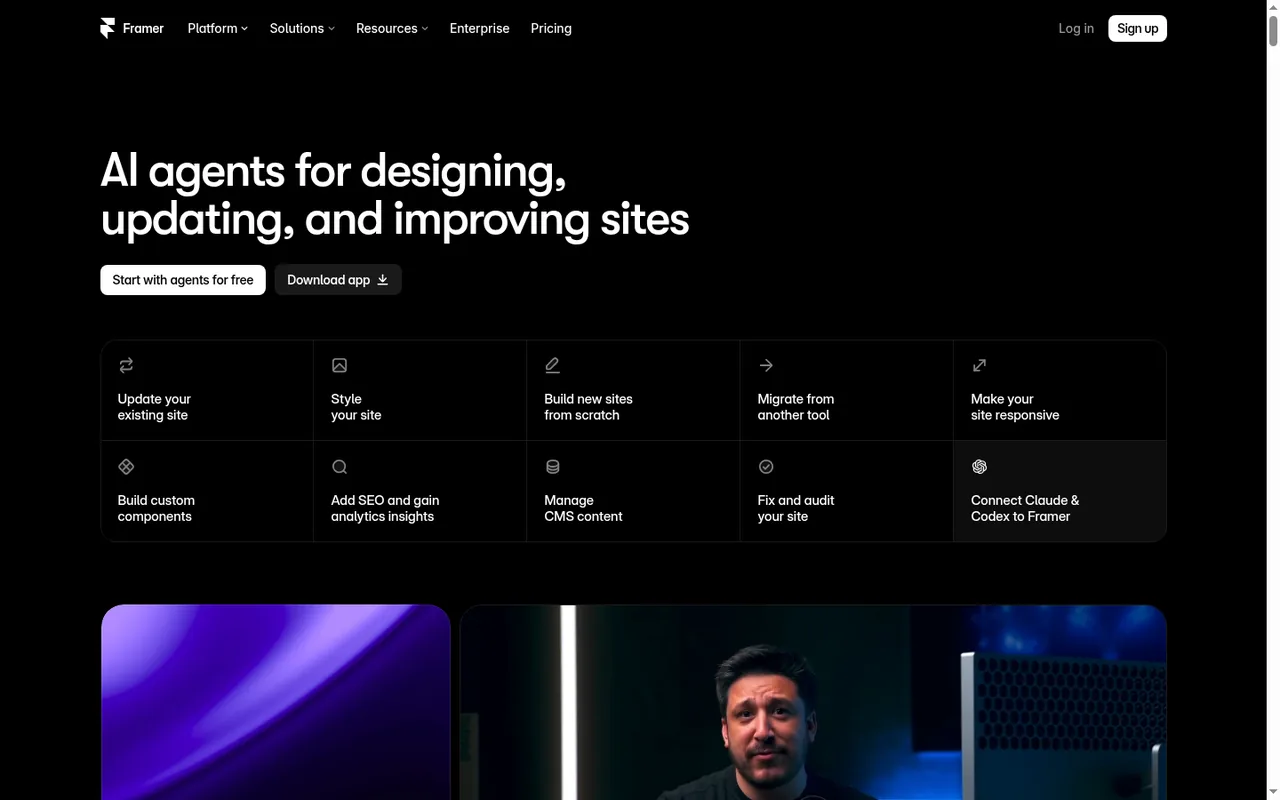
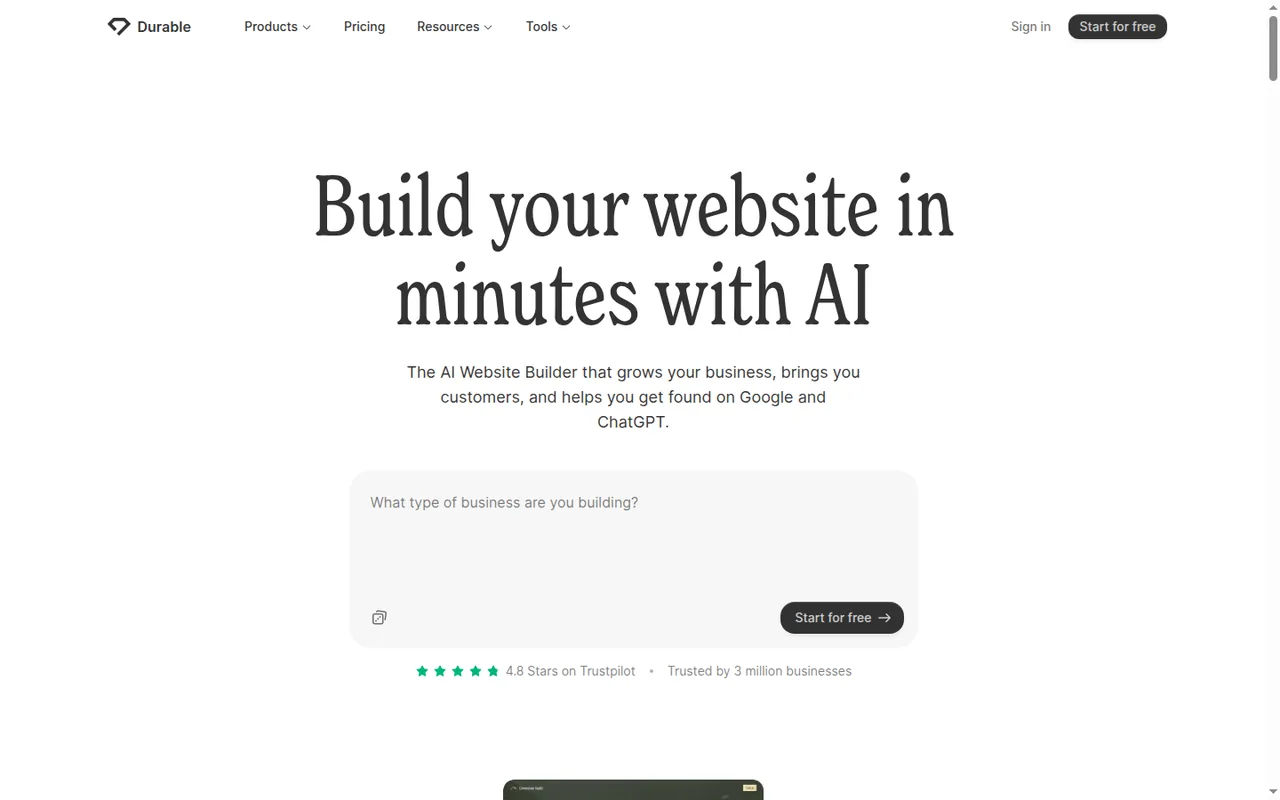
Sources: Webflow AI credits, Framer AI credits and Agent pricing, How to use Framer Agents, Durable AI Partner, Durable full-site regeneration.
Step 4: Connect the form route, analytics and domain
In shortSend one test message through the form and confirm it arrives before you remove the email link.
- Webflow: Starter accepts 50 form submissions, Basic has no cap, and form file upload needs Premium. A custom domain starts at Basic.
- Framer: help center guides cover HubSpot and Mailchimp forms, Typeform embeds and Intercom chat, and submissions can go to Clay or any service by webhook; Google Analytics, Google Tag Manager, Hotjar and Meta Pixel cover tracking. Redeeming the complimentary Hover domain on a yearly plan gives up the option to request a refund.
- Durable: paid plans register a domain through Durable or connect one you own by updating DNS records, and a Google Analytics tag goes in through custom code, site-wide in the head or body or per page in an Embed section. The Lead Agent drafts replies that you edit, approve or decline before they are sent.
Buying the domain separately keeps it independent of the builder plan. A domain bought through Durable can be transferred out only after three consecutive months of active subscription.
Sources: Webflow Site plans, Framer integrations, Framer custom domains, Framer refund policy, Durable domains, Durable custom code, Durable Google Analytics tag, Durable Website Lead Agent, Durable domain transfer policy.
Step 5: Preview, make the owner’s edit yourself, then publish
In shortBefore launch, do the edit the owner will do next term and see how many places it touches.
Preview on a phone and a desktop and follow every link to its destination, including the email link. Every Durable site has a preview domain for testing; Framer Pro adds staging and branching, and a Webflow Core Workspace adds 10 staging sites. Then change the class size from W2 in one place and note every other page that still shows the old number: that list goes into the handoff folder.
Sources: Durable domains, Framer pricing, Webflow pricing.
What should the handoff folder include?
The folder the owner keeps
In shortThe owner receives a folder, not just a login. Anyone opening it should be able to edit, pay for, or move the site.
kiln-street-handoff/
  01-brief.txt            the brief as pasted, with W1-W3
  02-approved-copy.txt    every page, fact IDs in brackets
  03-page-map.txt         Home | Classes | Contact, primary action
  04-open-questions.txt   prices, address, weekend start
  05-accounts.txt         builder account owner, plan, billing
                          cycle, domain registrar, form inbox
  06-edit-notes.txt       where the class size appears
  07-exit-route.txt       what can be exported, and how
Record the billing terms in the accounts file, because they differ: Webflow does not refund AI credits, add-ons or seats; Framer refunds within 7 days of the first purchase, or 14 days for residents of the EU and Turkey, but not used AI credits; Durable keeps a cancelled plan active to the end of the billing cycle and issues no automatic refunds.
Sources: Webflow refund policy, Framer refund policy, Durable cancellation policy.
Exit routes, builder by builder
In shortIf the brief says the site may move, this table can outweigh every design preference.
| Builder | What can leave | What it needs | What stays behind |
|---|---|---|---|
| Webflow | HTML, CSS, JavaScript and images as a ZIP, optionally with minified HTML; each CMS Collection as a CSV file | A paid Workspace plan on top of any Site plan | Dynamic parts of the site; exported code cannot be imported back into Webflow |
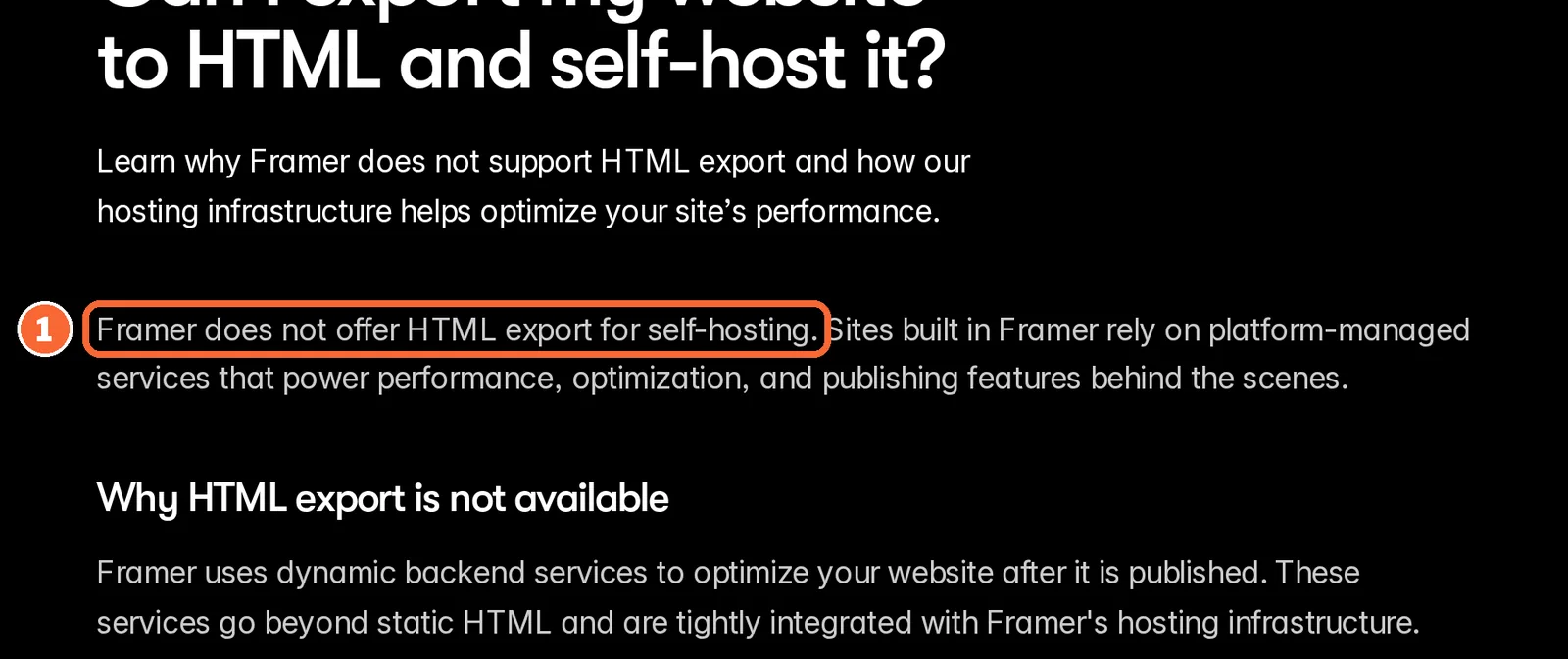
| Framer | CMS content as CSV or JSON, through plugins | A plugin; no built-in export | The published pages: the FAQ rules out HTML export for self-hosting, though one help article describes downloadable site files, so confirm with Framer |
| Durable | The customer list as a CSV file; images made in Studio | The plan needed is not covered in the sources checked | The website: no export is documented, so a move means rebuilding the pages |
The Webflow vs Framer comparison sets the two design-led builders side by side on plans, CMS and hosting for readers choosing between them.
Sources: Webflow code export, Framer HTML export FAQ, Porting your data from Framer, Durable customer CSV export.
Questions, and what this guide does not judge
Common questions
What should an AI website builder brief include?
The purpose and one action you want visitors to take, the list of pages with the job of each, and the facts the site may state, numbered so they can be checked later. Add placeholders for anything not yet confirmed, what the builder must not invent such as reviews or prices, the form route, who owns the domain and account, and whether the site may move.
Is an AI website builder free to use?
Generating a draft is free in all three builders covered here, but publishing differs. Webflow Starter goes live on a webflow.io address with two static pages, Framer Free goes live on a Framer domain with its badge, and Durable Free stays a private preview until Launch, at USD 22 a month billed yearly or USD 25 billed monthly.
Can I edit an AI-generated website without starting over?
Yes, and it is the safer route. Framer limits an Agent change to a section you select first, Webflow lets you refine the generated site in its editor without AI credits, and Durable's AI Partner saves chat-requested changes as a draft. Avoid regenerating a whole Durable site after corrections, because its help center says the previous version is then deleted permanently.
Can I use my own domain with an AI-built site?
Yes, on a paid plan in each case. Webflow needs Basic or higher, Framer a paid site plan, with a complimentary Hover domain on yearly billing, and Durable needs Launch or Grow, which can register a domain or connect one you already own through DNS records. Free plans publish only on the builder's own address or, on Durable, not at all.
Can I move an AI-built site to another builder later?
Only partly. Webflow exports the site's code as a static snapshot on a paid Workspace plan, plus CMS collections as CSV files. Framer exports CMS content through plugins, but its FAQ rules out HTML export for self-hosting. Durable documents no website export, so moving means rebuilding the pages. Decide this before you choose the builder, not after launch.
What this guide does not judge
The pages that rank for this search lead with how good the generated design looks, how closely output follows a prompt, mobile layout, SEO results and how fast a site appears. None of the vendor pages behind this guide document those in a way we can check, so no builder is ranked on them, and the same goes for ease of use.
Base44, Relume, UiChemy, Figma’s brief generator, OnePagePrompt, Wix, Elementor AI and Storyflow appear in the same results and are left out until each has a profile with checked plan terms. Replit and QuillBot have profiles here, but those do not cover their website-builder plans.
On a Framer Free project, paste the Kiln Street template from this guide into the Agent, build the three pages and publish to the free Framer domain. Then select only the Classes section and ask the Agent to change the group size from eight to six.
How this guide was made
Plans, page and AI limits, form, domain and export terms come from the Webflow, Framer and Durable profiles on this site, which cite the vendors’ pricing and help pages and carry their own check dates. Sections follow the topics the pages ranking for this search cover, limited to what the vendors document. Kiln Street Studio, the template and the site-map illustration are editorial material; no site was generated for this guide and no rating is given. See our editorial policy.

