
Taplio vs QuillBot
Plans, free access, limits and intended use side by side, taken from each vendor’s own pages. No score and no winner: the facts show where the two differ.
Change tools
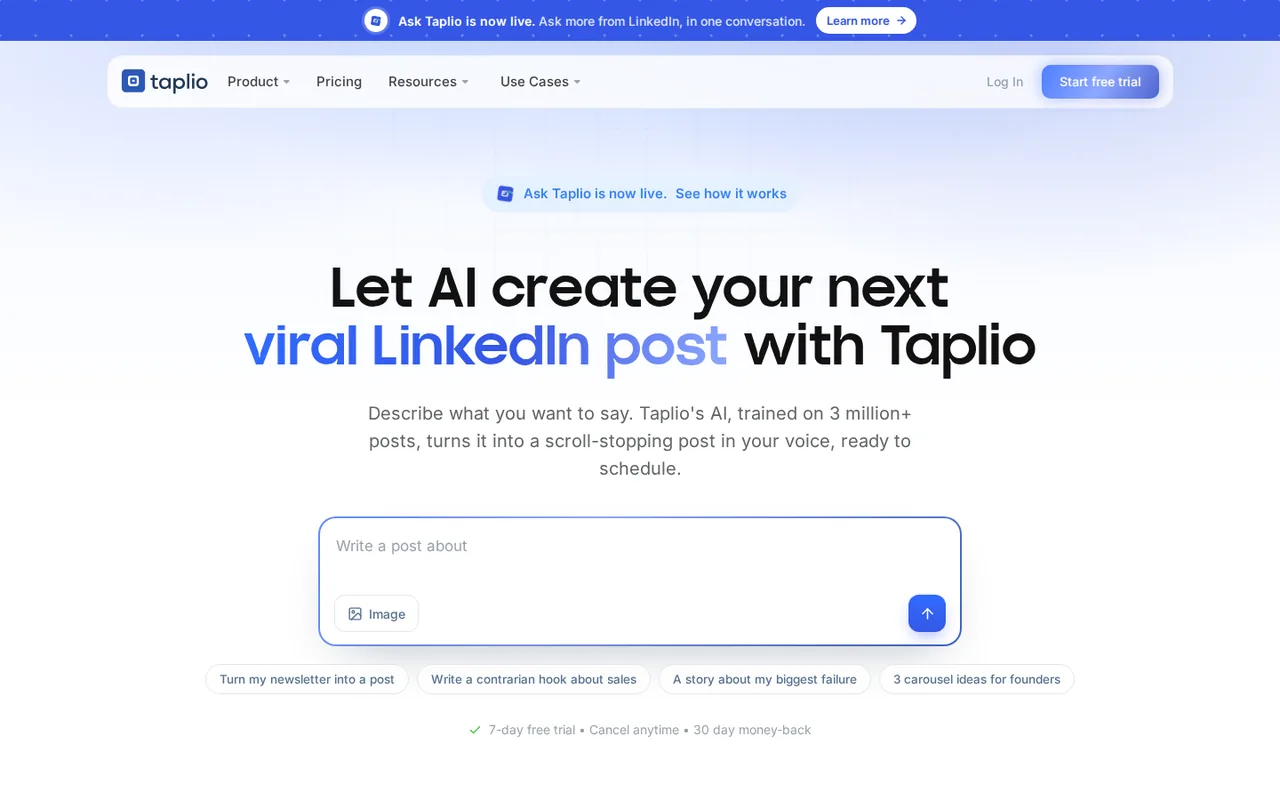
LinkedIn growth tool: AI post writer, scheduler, analytics, engagement feeds and lead outreach

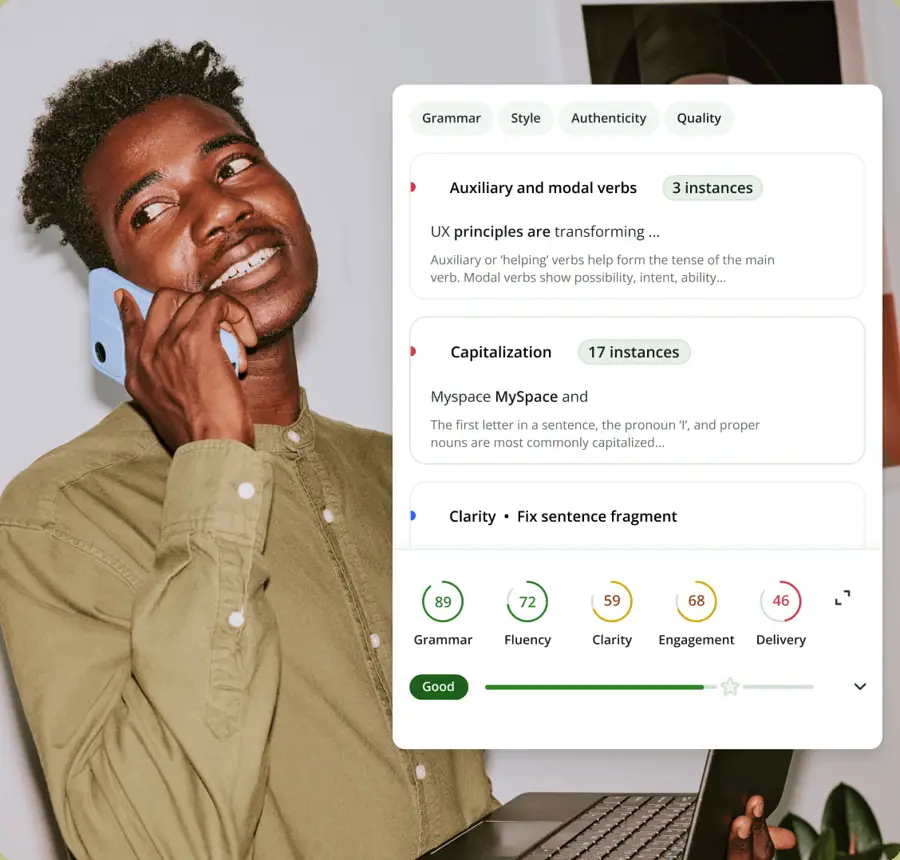
AI paraphraser with grammar, summarizer, plagiarism and AI-detection tools
- Free access
- Taplio: Free trial only
- QuillBot: Free access
- Paid from
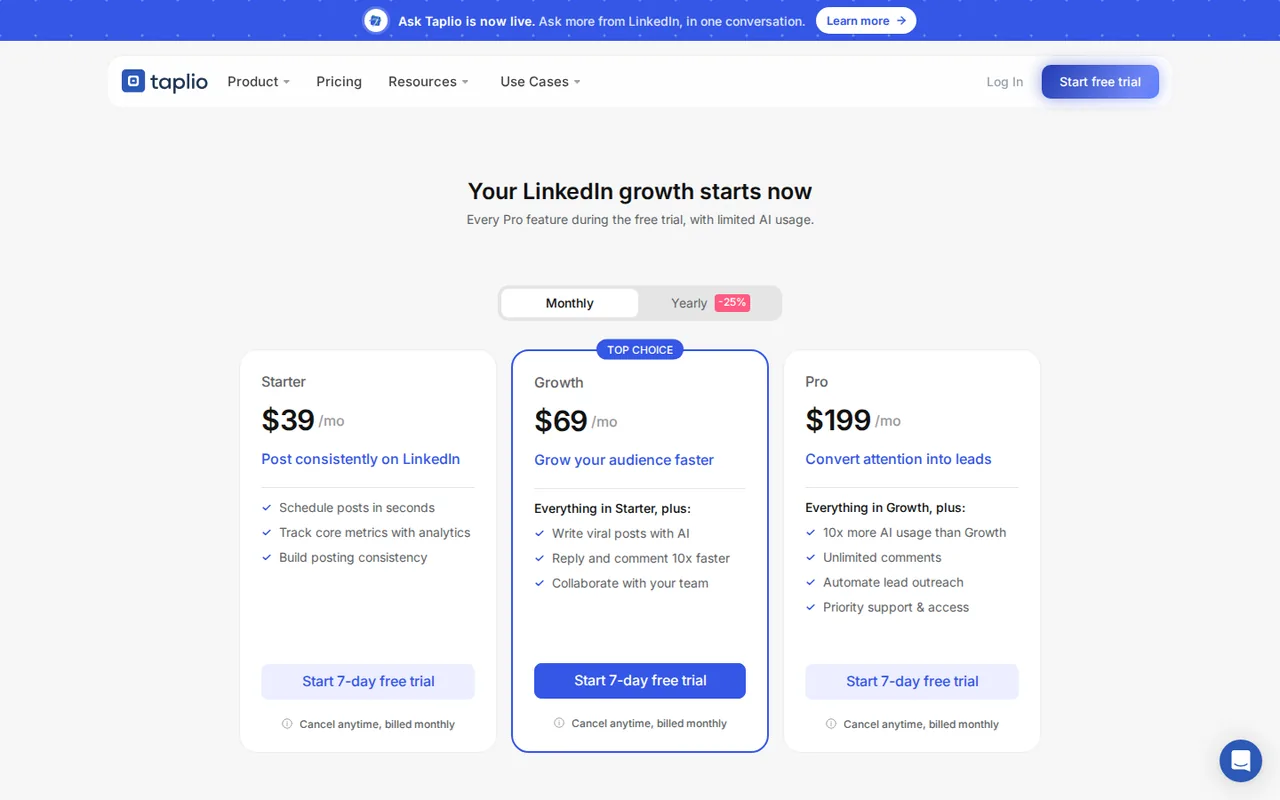
- Taplio: USD 39 per month billed monthly
- QuillBot: USD 7.50 a seat a month; $89.95 a seat billed every 12 months
- Plans listed
- Taplio: 4
- QuillBot: 3
- Public API
- Taplio: Not confirmed
- QuillBot: Not confirmed
Where Taplio and QuillBot differ
- AccessTaplio offers a free trial only, while QuillBot offers free access.
- Pricing checkPrices confirmed for Taplio; pricing review due for QuillBot.
- PlansTaplio lists 4 plans and QuillBot lists 3.
Head to head
Each value from the tool’s profile and the vendor’s own pages
| Taplio | Fact | QuillBot |
|---|---|---|
| Access and price | ||
| Free trial only7-day free trial · USD 0 for 7 days | Free accessDiffers | Free access availableFree · USD 0 |
| USD 39 per month billed monthlyStarter · $32 per month billed yearly, $384 a year | Lowest listed paid plan | USD 7.50 a seat a month; $89.95 a seat billed every 12 monthsTeam (2-10 seats) |
| 7-day free trial; Starter $39, Growth $69, Pro $199 a month, or $32, $49, $149 billed yearly | Pricing model | Free; Premium $8.33/month billed annually; Team from $7.50/seat |
| 4 | Plans listedDiffers | 3 |
| Not confirmed | Public API | Not confirmed |
| Not confirmed | Card to start | Not confirmed |
| Not confirmed | Open source | Not confirmed |
| What it is for | ||
| Creators, founders and agencies who post on LinkedIn every week and want drafting, scheduling and engagement in one tool | Built for | Students and writers who rewrite their own short passages and want to review each change |
| Writing & content | CategorySame | Writing & content |
| Platforms |
|
| Works with |
|
| How current | ||
| Profile sources checked | ||
| Prices confirmed · Oct 31, 2026 | Pricing checkDiffers | Pricing review due · Oct 7, 2026 |
Official source check for both tools. No hands-on testing and no score: “Differs” marks a documented difference, not a better tool.
Plans and prices
Taplio
Prices confirmed · Oct 31, 2026- 7-day free trialUSD 0 for 7 days
- StarterUSD 39 per month billed monthlyUSD 32 per month billed yearly, $384 a year
- GrowthUSD 69 per month billed monthlyUSD 49 per month billed yearly, $588 a year
- ProUSD 199 per month billed monthlyUSD 149 per month billed yearly, $1,788 a year
QuillBot
Pricing review due · Oct 7, 2026- FreeUSD 0
- PremiumUSD 8.33 a month billed annually
- Team (2-10 seats)USD 7.50 a seat a month; $89.95 a seat billed every 12 months
Strengths and limits
Taplio
Strengths
- Writing, scheduling and analytics in one tool: Scheduling and advanced analytics are in every plan, per the pricing page.
- Trial includes Pro features: The 7-day trial opens every Pro feature with limited AI usage.
- Works from your AI assistant: MCP integration lets Claude, ChatGPT or Manus run Taplio; the provider says nothing posts until you confirm.
Limits to plan around
- LinkedIn only: Every feature is for LinkedIn; it does not post to other networks.
- No permanent free plan: Only a 7-day trial and a free Chrome extension add-on were found.
- Refund wording conflicts: A homepage FAQ mentions a 30-day money-back policy; the Terms describe a fixed term with no refund of prepaid fees.
QuillBot
Strengths
- A usable free paraphraser: Free paraphrases up to 125 words at a time in two modes, enough to rework a sentence or short paragraph without paying.
- Changes are visible and adjustable: The synonym slider, word-level synonyms and change colors let you accept or reject edits instead of taking a whole rewritten passage.
- Team seats are cheaper per writer: The Team page lists $7.50 a seat a month for 2-10 seats billed every 12 months, below the individual $8.33 annual rate.
Limits to plan around
- Only the annual price is on the pricing page: The pricing page read showed $8.33 a month billed annually; the help center confirms monthly and quarterly plans but not their prices, and says price depends on region and currency.
- Limits differ across tools and platforms: Plagiarism checks have a monthly word cap and summaries a per-run cap even on Premium, and the pricing page says limits may vary across platforms.
- Detector results can be wrong: QuillBot's own help center says its AI detector can flag human-written text.
See both products
Start from your task, not from a winner.
Run both tools on the same real task, then compare the result, how much editing it needs and how fast it uses your plan’s allowance.
How we reviewChange this pair
Choose tools
Choose two tools below. You can replace either selection at any time.
Audio & voice
Automation
Coding
Data & spreadsheets
Images & design
Presentations
Research & sources
Video & editing
Website builders
Writing & content
Comparing tools from different categories is fine, and often useful — a writing assistant and a research tool solve different halves of the same job. The table will show you exactly where they diverge.
Questions about comparing tools
How does the comparison work?
Add two tools to the comparison tray from any tool card, then open this page. The table pulls each tool's verified plan details, platforms, strengths and limits from its profile, so both columns carry the same kind of evidence, with a separate source-check date for each tool.
Do you declare a winner?
No. The table sets two tools against each other on documented facts, not on a score. Which one wins depends on your task, your budget and your usage volume — three things we cannot see from here.
Why are some cells empty or marked unverified?
Because we could not confirm that detail on the vendor's own pages. Rather than filling the gap with a figure from elsewhere, we mark it and say why on the tool's profile.
Can I compare more than two tools?
Not at once. Two columns keep the differences readable and force a real decision. Remove either selected tool to replace it, or clear both to start a new pair.
Every figure in the table above comes from the linked profile, where the source and the verification date are listed. Browse all tools or read the editorial policy.