
remio vs Perplexity
Plans, free access, limits and intended use side by side, taken from each vendor’s own pages. No score and no winner: the facts show where the two differ.
Change tools
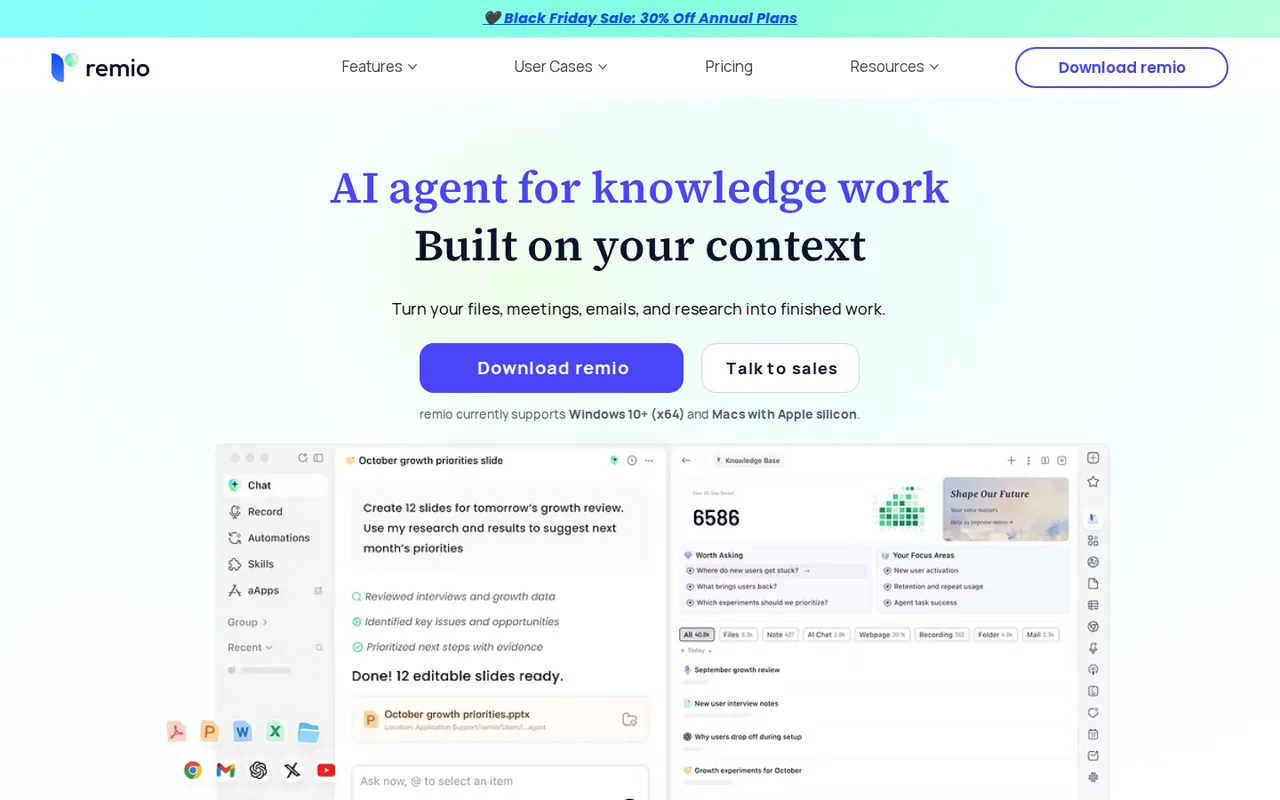
Desktop AI agent that builds context from your files, meetings, emails and web pages, then drafts documents, spreadsheets and presentations from it

From a question to sources you can open.
- Free access
- remio: Free access
- Perplexity: Free access
- Paid from
- remio: USD 13.9 per month
- Perplexity: USD 17 per month
- Plans listed
- remio: 5
- Perplexity: 7
- Public API
- remio: Not confirmed
- Perplexity: Yes
Where remio and Perplexity differ
- Pricing checkPrices confirmed for remio; pricing review due for Perplexity.
- Plansremio lists 5 plans and Perplexity lists 7.
Head to head
Each value from the tool’s profile and the vendor’s own pages
| remio | Fact | Perplexity |
|---|---|---|
| Access and price | ||
| Free access availableFree · USD 0 per month | Free accessSame | Free access availableFree |
| USD 13.9 per monthPro · billed $168 per year | Lowest listed paid plan | USD 17 per monthPro · billed annually · USD 20 billed monthly |
| Free; Pro $168 a year ($13.9 a month); BYOK $14.9 a month | Pricing model | Free + paid |
| 5 | Plans listedDiffers | 7 |
| Not confirmed | Public API | Yes |
| Not confirmed | Card to start | Not confirmed |
| Not confirmed | Open source | No |
| What it is for | ||
| Knowledge workers on Windows or an Apple-silicon Mac who want one searchable context layer across files, meetings and web pages, and who accept a 500-credit monthly allowance on the free plan | Built for | Web research with linked sources |
| Research & sources | CategorySame | Research & sources |
| Platforms |
|
| Works with |
|
| How current | ||
| Profile sources checked | ||
| Prices confirmed · Nov 11, 2026 | Pricing checkDiffers | Pricing review due · Oct 8, 2026 |
Official source check for both tools. No hands-on testing and no score: “Differs” marks a documented difference, not a better tool.
Plans and prices
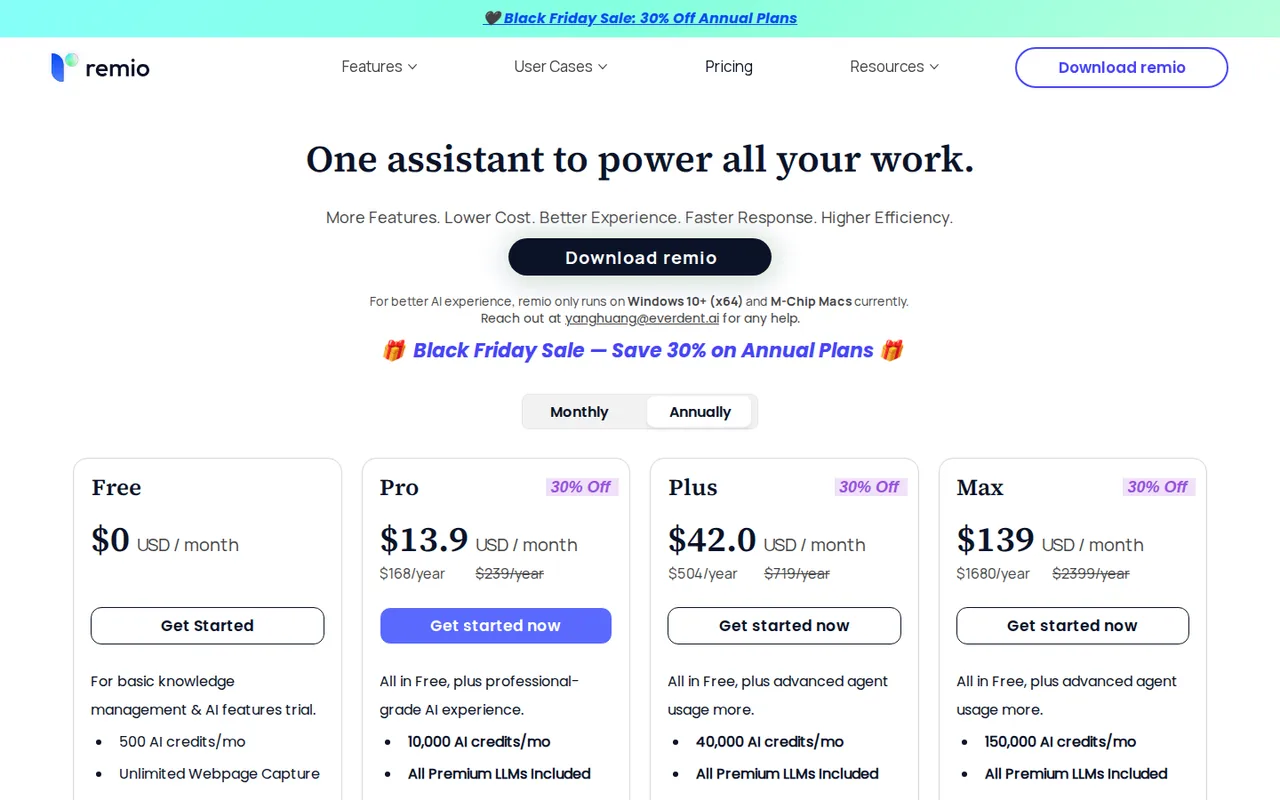
remio
Prices confirmed · Nov 11, 2026- FreeUSD 0 per month
- ProUSD 13.9 per monthbilled $168 per year
- PlusUSD 42 per monthbilled $504 per year
- MaxUSD 139 per monthbilled $1680 per year
- BYOKUSD 14.9 per month
Perplexity
Pricing review due · Oct 8, 2026- FreeFree
- ProUSD 17 per monthbilled annually · USD 20 billed monthly
- MaxUSD 167 per monthbilled annually · USD 2,000 a year; USD 200 billed monthly
- Education ProUSD 10 per month
- Enterprise ProUSD 34 per seat per monthbilled annually · USD 400 per seat a year; USD 40 per seat billed monthly
Show 2 more plans
- Enterprise MaxUSD 271 per seat per monthbilled annually · USD 3,250 per seat a year; USD 325 per seat billed monthly
- Enterprise customContact provider
Strengths and limits
remio
Strengths
- Free plan with a stated monthly allowance: The pricing page shows $0 with 500 AI credits a month, unlimited webpage capture, unlimited local file parsing and the mobile app.
- Your own model key is supported: The pricing page lists BYOK with OpenAI, Google Gemini, xAI, Anthropic and OpenRouter keys and a base-URL connection, so AI usage can run on your own account.
- Refund window is written down: The Terms allow a full refund within 72 hours of any payment, including renewals.
Limits to plan around
- Desktop only on two platforms: The homepage says remio currently supports Windows 10+ (x64) and Macs with Apple silicon, and that the mobile app needs the desktop app.
- Monthly-billing price not shown for Pro, Plus and Max: The pricing page showed only annual billing for these plans, with the per-month figure being the annual price divided by 12; no monthly-billing amount appeared.
- Credits run out and do not roll over: The Terms say unused credits expire at the end of the billing cycle. The pricing page points to Credit Packs for top-ups, while the Terms call them a possible future option.
Perplexity
Strengths
- Traceable answers: Every answer links to the web pages it drew on, so each claim can be opened and checked.
- Useful Free plan: Basic search with citations is available without a subscription.
- Built-in research tools: Research mode, Spaces and scheduled Tasks cover reports, shared workspaces and recurring alerts.
Limits to plan around
- Source links still need checking: A link shows where a sentence came from; you still have to open the page and confirm the passage and its date.
- Free research is tight: The pricing page describes Free only as limited usage, and the plan comparison table allows a single Research query a month.
- Pro and Max limits are not published as numbers: Individual plans describe weekly and monthly limits for average or advanced use, so heavy users need to watch their account usage.
See both products
Start from your task, not from a winner.
Run both tools on the same real task, then compare the result, how much editing it needs and how fast it uses your plan’s allowance.
How we reviewChange this pair
Choose tools
Choose two tools below. You can replace either selection at any time.
Audio & voice
Automation
Coding
Data & spreadsheets
Images & design
Presentations
Research & sources
Video & editing
Website builders
Writing & content
Comparing tools from different categories is fine, and often useful — a writing assistant and a research tool solve different halves of the same job. The table will show you exactly where they diverge.
Questions about comparing tools
How does the comparison work?
Add two tools to the comparison tray from any tool card, then open this page. The table pulls each tool's verified plan details, platforms, strengths and limits from its profile, so both columns carry the same kind of evidence, with a separate source-check date for each tool.
Do you declare a winner?
No. The table sets two tools against each other on documented facts, not on a score. Which one wins depends on your task, your budget and your usage volume — three things we cannot see from here.
Why are some cells empty or marked unverified?
Because we could not confirm that detail on the vendor's own pages. Rather than filling the gap with a figure from elsewhere, we mark it and say why on the tool's profile.
Can I compare more than two tools?
Not at once. Two columns keep the differences readable and force a real decision. Remove either selected tool to replace it, or clear both to start a new pair.
Every figure in the table above comes from the linked profile, where the source and the verification date are listed. Browse all tools or read the editorial policy.