
Read AI vs Audimee
Plans, free access, limits and intended use side by side, taken from each vendor’s own pages. No score and no winner: the facts show where the two differ.
Change tools
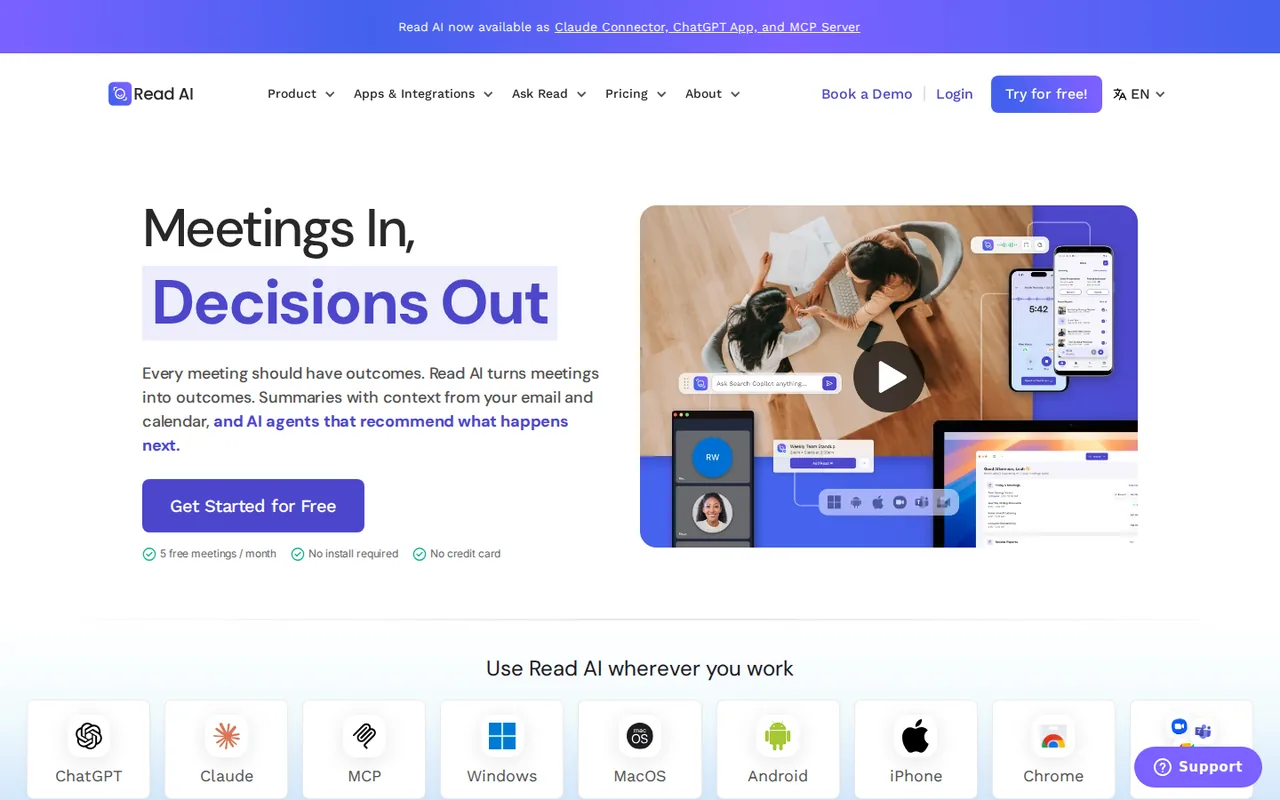
AI meeting notetaker that turns Zoom, Meet and Teams calls into summaries, action items and searchable answers, with a free plan capped at 5 meetings a month

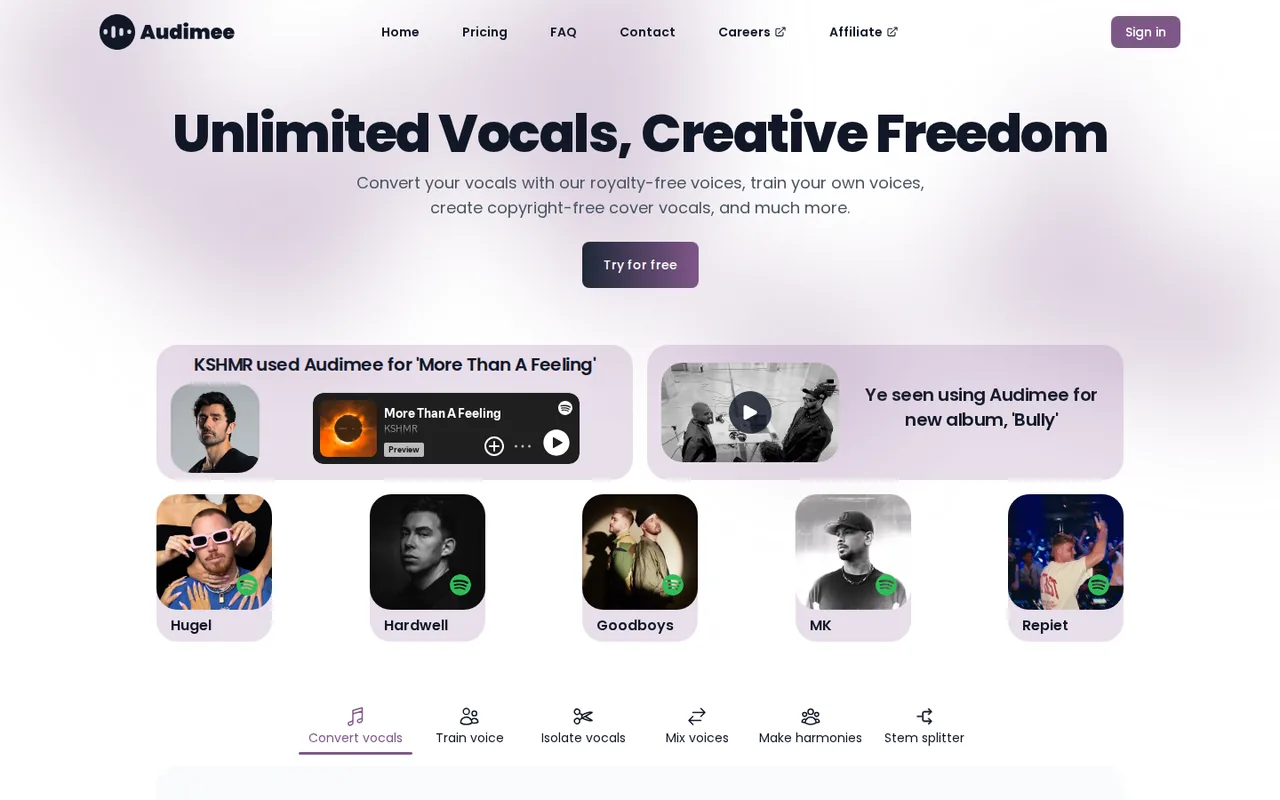
AI voice conversion that turns your vocals into royalty-free AI singer voices
- Free access
- Read AI: Free access
- Audimee: Free access
- Paid from
- Read AI: USD 15 per user per month billed annually
- Audimee: USD 9 per month billed yearly
- Plans listed
- Read AI: 4
- Audimee: 4
- Public API
- Read AI: Not confirmed
- Audimee: Not confirmed
Where Read AI and Audimee differ
On the listed facts these two look alike. The plans, limits and screenshots below show where the details part ways.
Head to head
Each value from the tool’s profile and the vendor’s own pages
| Read AI | Fact | Audimee |
|---|---|---|
| Access and price | ||
| Free access availableFree · USD 0 | Free accessSame | Free access availableFree · USD 0 |
| USD 15 per user per month billed annuallyPro · $19.75 billed monthly | Lowest listed paid plan | USD 9 per month billed yearlyStarter · $108 a year |
| Free $0; Pro $15, Enterprise $22.50, Enterprise+ $29.75 per user per month billed annually; $19.75, $29.75, $39.75 billed monthly | Pricing model | Free 15 minutes (personal use); paid from $9 a month billed yearly |
| 4 | Plans listedSame | 4 |
| Not confirmed | Public API | Not confirmed |
| Not confirmed | Card to start | Not confirmed |
| Not confirmed | Open source | Not confirmed |
| What it is for | ||
| Individuals and small teams that want automatic meeting notes and follow-ups across Zoom, Google Meet and Teams without taking notes by hand | Built for | Producers and songwriters who want to hear or release a vocal take in another singer's AI voice |
| Audio & voice | CategorySame | Audio & voice |
| Platforms |
|
| Works with |
|
| How current | ||
| Profile sources checked | ||
| Prices confirmed · Nov 13, 2026 | Pricing checkSame | Prices confirmed · Oct 30, 2026 |
Official source check for both tools. No hands-on testing and no score: “Differs” marks a documented difference, not a better tool.
Plans and prices
Read AI
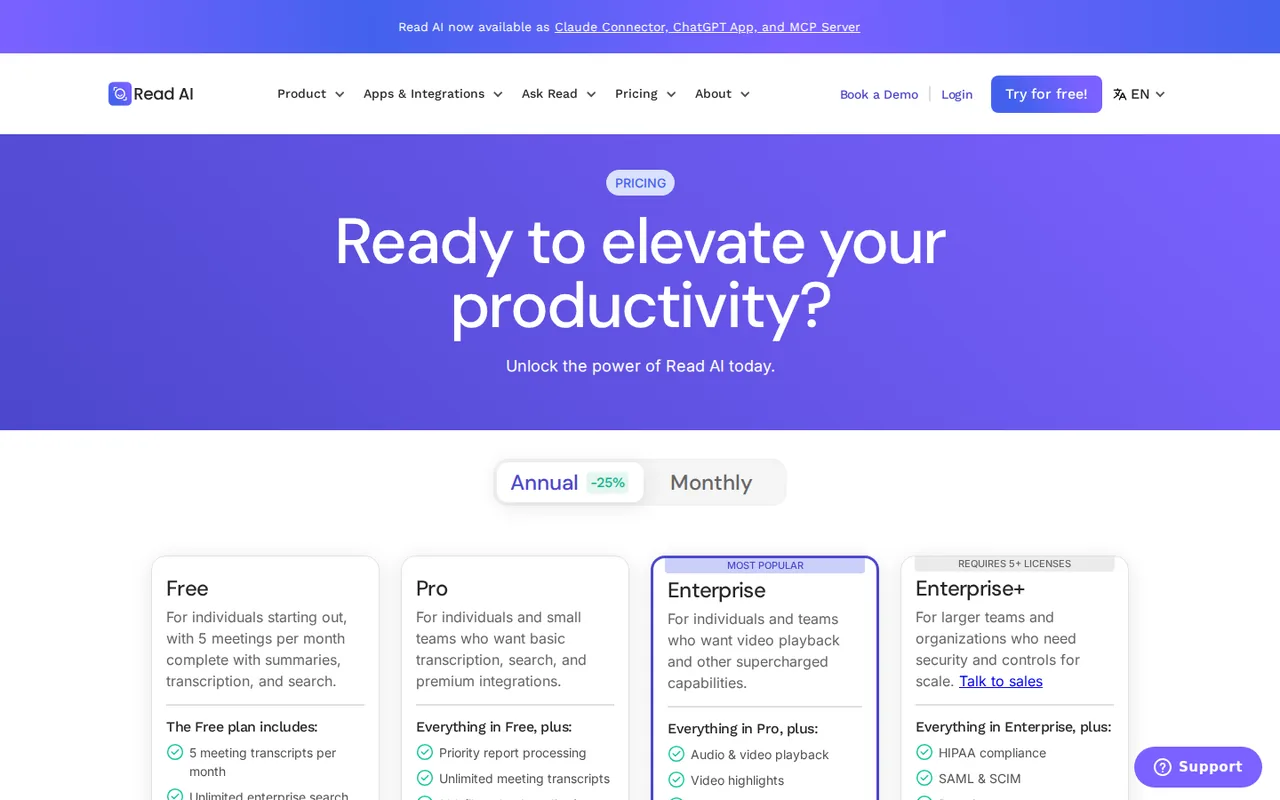
Prices confirmed · Nov 13, 2026- FreeUSD 0
- ProUSD 15 per user per month billed annuallyUSD 19.75 billed monthly
- EnterpriseUSD 22.50 per user per month billed annuallyUSD 29.75 billed monthly
- Enterprise+USD 29.75 per user per month billed annuallyUSD 39.75 billed monthly
Audimee
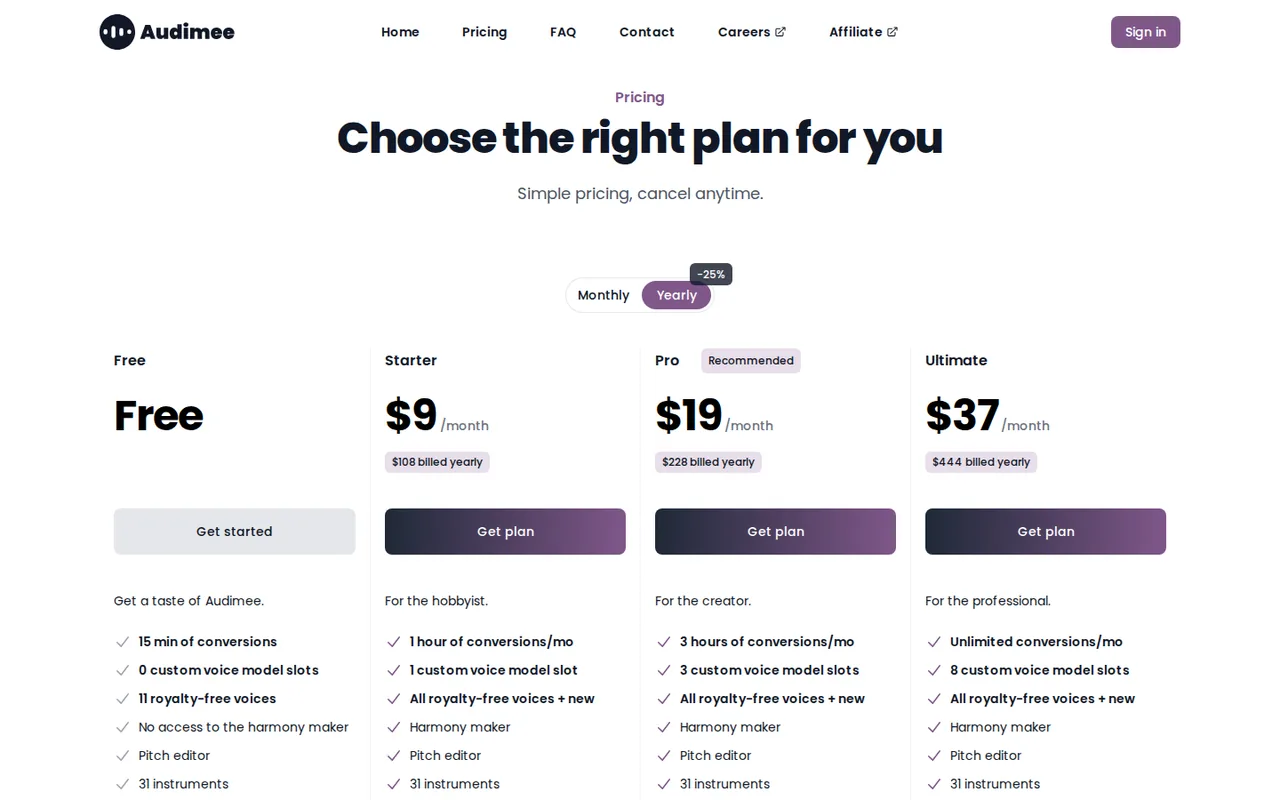
Prices confirmed · Oct 30, 2026- FreeUSD 0
- StarterUSD 9 per month billed yearlyUSD 108 a year
- ProUSD 19 per month billed yearlyUSD 228 a year
- UltimateUSD 37 per month billed yearlyUSD 444 a year
Strengths and limits
Read AI
Strengths
- Free plan with no credit card: The pricing page says the Free plan is always free and needs no credit card, and the homepage offers 5 free meetings a month with no install required.
- Works across the main meeting platforms: The homepage says Read works across Google Meet, Zoom and Microsoft Teams, and the pricing page lists support for all three.
- Paid plans have no meeting report cap: Pro and above list unlimited meeting reports, unlimited meeting transcripts and unlimited storage.
Limits to plan around
- Free is small: Free is limited to 5 meeting transcripts and reports a month, meetings of up to 1 hour and no file uploads, and Free users cannot be part of a Workspace.
- Pricing page contradicts itself in places: The plan cards say 20+ languages while the comparison table says 16+, and upload allowances are 100 file upload credits on the card but 100 minutes a month in the table; the unit is not explained.
- Licenses are per person and refunds are not offered: The FAQ says all licenses are individual, every license in a Workspace must be on the same plan, accounts cannot be shared and refunds are not offered after a missed cancellation.
Audimee
Strengths
- Clear commercial-use answer: The FAQ states paid-plan vocals can be released on streaming platforms and stay yours after cancelling.
- Royalty-free voice catalog: The homepage presents its voices as royalty-free rather than named after real artists.
- Rolls over unused time: Paid conversion time carries to the next month.
Limits to plan around
- Free is a one-off 15 minutes: The FAQ says the free allowance does not reset.
- No custom voice on Free: Free has 0 custom voice slots and no harmony maker.
- Monthly-billing prices not read: The pricing page was read in its yearly view.
See both products
Start from your task, not from a winner.
Run both tools on the same real task, then compare the result, how much editing it needs and how fast it uses your plan’s allowance.
How we reviewChange this pair
Choose tools
Choose two tools below. You can replace either selection at any time.
Audio & voice
Automation
Coding
Data & spreadsheets
Images & design
Presentations
Research & sources
Video & editing
Website builders
Writing & content
Comparing tools from different categories is fine, and often useful — a writing assistant and a research tool solve different halves of the same job. The table will show you exactly where they diverge.
Questions about comparing tools
How does the comparison work?
Add two tools to the comparison tray from any tool card, then open this page. The table pulls each tool's verified plan details, platforms, strengths and limits from its profile, so both columns carry the same kind of evidence, with a separate source-check date for each tool.
Do you declare a winner?
No. The table sets two tools against each other on documented facts, not on a score. Which one wins depends on your task, your budget and your usage volume — three things we cannot see from here.
Why are some cells empty or marked unverified?
Because we could not confirm that detail on the vendor's own pages. Rather than filling the gap with a figure from elsewhere, we mark it and say why on the tool's profile.
Can I compare more than two tools?
Not at once. Two columns keep the differences readable and force a real decision. Remove either selected tool to replace it, or clear both to start a new pair.
Every figure in the table above comes from the linked profile, where the source and the verification date are listed. Browse all tools or read the editorial policy.