

What is Read AI, in short?
Updated November 13, 2026 · By Elias Brandt · Documentation review, not tested hands-on
Pros
- Free plan with no credit card
- Works across the main meeting platforms
- Paid plans have no meeting report cap
- Capture away from the video call
Cons
- Free is small
- Pricing page contradicts itself in places
- Licenses are per person and refunds are not offered
- Security and playback features sit on higher plans
Best forIndividuals who attend a few meetings a monthSmall teams that want shared reportsOrganizations needing identity and compliance controlsNot for people who want one account shared by several users
Strengths, limits and who it suits, in full
Strengths
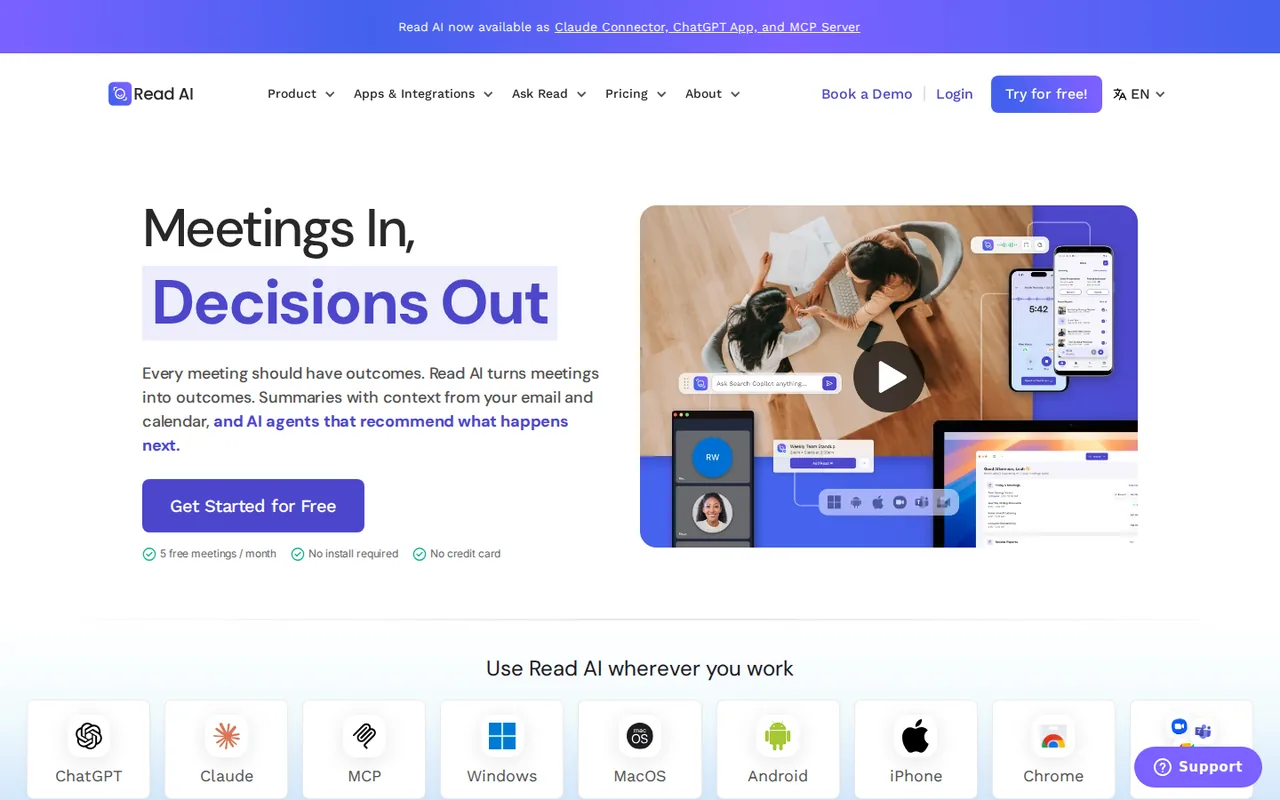
- Free plan with no credit card The pricing page says the Free plan is always free and needs no credit card, and the homepage offers 5 free meetings a month with no install required.
- Works across the main meeting platforms The homepage says Read works across Google Meet, Zoom and Microsoft Teams, and the pricing page lists support for all three.
- Paid plans have no meeting report cap Pro and above list unlimited meeting reports, unlimited meeting transcripts and unlimited storage.
- Capture away from the video call The pricing page says the Android and iOS apps capture in-person meetings and the Windows and macOS apps record meetings on the computer.
Limits
- Free is small Free is limited to 5 meeting transcripts and reports a month, meetings of up to 1 hour and no file uploads, and Free users cannot be part of a Workspace.
- Pricing page contradicts itself in places The plan cards say 20+ languages while the comparison table says 16+, and upload allowances are 100 file upload credits on the card but 100 minutes a month in the table; the unit is not explained.
- Licenses are per person and refunds are not offered The FAQ says all licenses are individual, every license in a Workspace must be on the same plan, accounts cannot be shared and refunds are not offered after a missed cancellation.
- Security and playback features sit on higher plans Playback needs Enterprise; SAML, SCIM, HIPAA support, custom retention and EU or CA hosting are listed under Enterprise+, which requires 5 or more licenses.
Who it suits
- Individuals who attend a few meetings a month Free gives 5 meetings with summaries and transcripts at $0.
- Small teams that want shared reports Pro and above include Workspace access, though every member needs a paid license on the same plan.
- Organizations needing identity and compliance controls Enterprise+ lists SAML, SCIM, domain capture, custom data retention and HIPAA support.
- Not for people who want one account shared by several users The FAQ says accounts are for a single person and sharing violates the Terms of Service.
How much does Read AI cost?
Prices confirmed · checked
Regional prices: Prices were read from the pricing page on 2026-11-13.
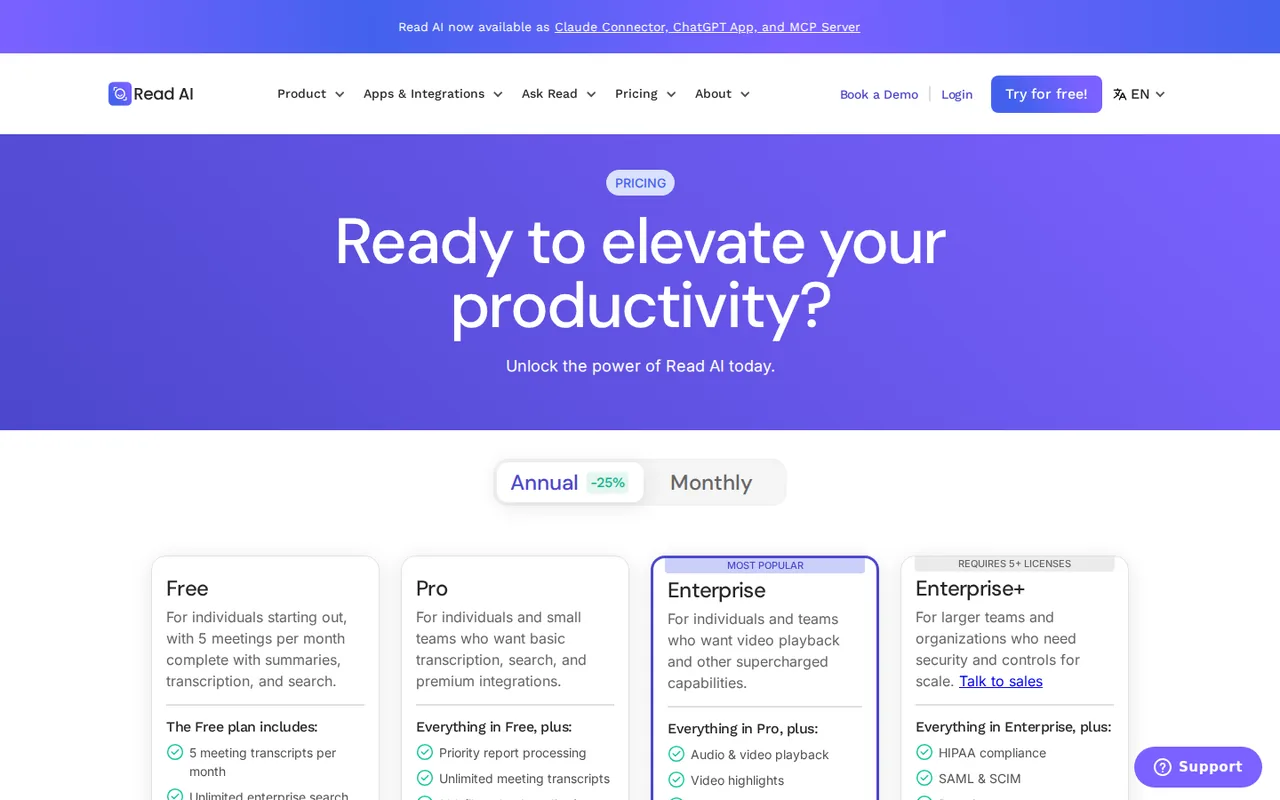
Each paid plan shows a per-user price for annual billing and a higher one for monthly billing; the page marks annual billing as 25% off. Every plan card also says 30 meetings measured per month without explaining it, so we do not state what it means. The plan cards list 20+ languages while the comparison table lists 16+, and upload allowances are called file upload credits on the cards but minutes a month in the table (100, 200 and 300), so we do not convert one into the other. The homepage shows a HIPAA Compliant badge, while the pricing page lists HIPAA compliance support only under Enterprise+; we do not say which plans are covered. The FAQ also says Read offers annual-license discounts of 10% at 100+ licenses, 15% at 500+ and 20% at 1,000+. Zoom Essential Apps access and education pricing are mentioned but were not read, so they are not priced here.
| Plan | Price | What you get |
|---|---|---|
| Free | $0 sourceFrom read.ai/plans-pricing, checked Nov 13, 2026 (opens in a new tab) | 5 meeting transcripts and reports per month, meetings up to 1 hour, summaries, Ask Read search, meeting coach, basic integrations, Windows, macOS, Android and iOS apps. No file uploads or audio and video playback. Always free, no credit card required. |
| Pro | $15 per user per month billed annually$19.75 billed monthly sourceFrom read.ai/plans-pricing, checked Nov 13, 2026 (opens in a new tab) | Everything in Free plus unlimited meeting transcripts and reports, meetings up to 4 hours, priority report processing, 100 file upload credits a month, premium integrations (Notion, Salesforce, HubSpot, Jira, Confluence, Zapier, webhooks), unlimited storage and Workspace access. |
| Enterprise | $22.50 per user per month billed annually$29.75 billed monthly sourceFrom read.ai/plans-pricing, checked Nov 13, 2026 (opens in a new tab) | Everything in Pro plus audio and video playback, video highlights, 200 file upload credits a month and premium support. |
| Enterprise+ | $29.75 per user per month billed annually$39.75 billed monthly sourceFrom read.ai/plans-pricing, checked Nov 13, 2026 (opens in a new tab) | Everything in Enterprise plus meetings up to 8 hours, 300 file upload credits a month, HIPAA compliance support, SAML and SCIM, domain capture, custom data retention policy, workspace onboarding and EU and CA hosting. Requires 5 or more licenses; the page also offers Talk to sales. |
How far does it go?
- What a five-person team pays on Pro or EnterpriseLicenses are per person and every license in a Workspace must be on the same plan, and Free users cannot join a Workspace. Five Pro licenses at $15 per user per month billed annually come to $75 a month, or $900 over twelve months; billed monthly at $19.75 they come to $98.75 a month. Five Enterprise licenses at $22.50 come to $112.50 a month billed annually. This is arithmetic on the listed per-user prices, not a quote: it covers only the license fee and the included upload credits, and the page does not price extra uploads or any overage. The 5-license minimum for Enterprise+ is the smallest team that plan allows.
Arithmetic from the published allowances above, not a usage test.
Taxes, currency and promotions can change the price you see at checkout.
Try Read AI free (opens in a new tab)
Key features
| Feature | What it does | Watch out |
|---|---|---|
| Meeting assistant that joins Zoom, Google Meet and Microsoft Teams calls and writes a report with summary, topics, action items and key questions | — | |
| Transcripts by speaker with sentiment and engagement measures, plus a personal meeting coach report | — | |
| Ask Read: search across meetings, email and messages with cited answers | — | |
| Windows, macOS, Android and iOS apps, a Chrome extension, and recording of in-person meetings from a phone | — | |
| Audio and video playback with highlights on Enterprise and above | Audio and video playback and video highlights appear first on the Enterprise plan; Free and Pro have no recording playback, only the written report and transcript. | If you need to replay what was said and shown, price Enterprise at $22.50 per user billed annually rather than Pro. |
| Free covers five meetings a month | The pricing page gives Free 5 meeting transcripts and 5 meeting reports per month, meetings of up to 1 hour, basic integrations and no file uploads. Pro and above list unlimited transcripts and reports, 4-hour meetings and unlimited storage. | Count your recurring meetings for one typical week before choosing: five a month is under two a week. |
| Premium integrations start at Pro | Free lists basic integrations. Notion, Salesforce, HubSpot, Jira, Confluence, Zapier and webhooks are listed under Pro, and the comparison table marks integrations Premium for every paid plan. | Check that the tool you route action items to is on the premium list before upgrading. |
What does the free plan cover?
The pricing page gives Free 5 meeting transcripts and 5 meeting reports a month, meetings up to 1 hour and basic integrations. File uploads and audio or video playback are not on Free, and the FAQ says Free users cannot be part of a Workspace.
Where does the pricing page disagree with itself?
The plan cards say 20+ languages and the comparison table says 16+. Upload allowances are 100, 200 and 300 file upload credits on the cards and 100, 200 and 300 minutes a month in the table. The page does not explain the units, so confirm them in the app before you plan around uploads.
What does a paid license change?
Pro and above remove the report and transcript caps and add Workspace access. The FAQ says licenses are individual, every license in a Workspace must be on one plan, and the 100+, 500+ and 1,000+ license discounts apply only to annual billing.
How to test it in a week
Proposed evaluation · not performed yet
Install the Free plan, let it join the five meetings you attend most, and compare each report against your own notes. Then check whether the 5-meeting or 1-hour limit stopped you before deciding on Pro.
Read AI alternatives
Other audio & voice tools checked with the same method. Pick by the job, not by a score.

Browser cleanup and text editing of speech

Turning instrumental recordings into editable sheet music or MIDI

Free local voice conversion and voice model training

Producers and songwriters who want to hear or release a vocal take in another singer's AI voice

Noise-free calls and bot-free notes for meetings

Separating vocals and instrument stems from a finished mix

Music creators and content makers who want voice conversion, stem separation and song tools under one credit balance

Budget MP3 narration and cloned-voice clips with a monthly quota
Used Read AI? Write the first review. Visitor opinions are moderated and kept separate from our source checks.
Frequently asked questions
Is Read AI free?
Yes. The Free plan costs $0, is always free and needs no credit card. It includes 5 meeting transcripts and reports a month and meetings up to 1 hour; it has no file uploads or playback, and Free users cannot join a Workspace.
How much does Read AI cost?
Per user per month billed annually, Pro is $15, Enterprise is $22.50 and Enterprise+ is $29.75. Billed monthly they are $19.75, $29.75 and $39.75. Enterprise+ requires at least 5 licenses.
Can a team share one Read AI account or mix plans?
No. The FAQ says each license belongs to one person, sharing an account violates the Terms of Service, and every license in a Workspace must be on the same plan. There are no admin-only licenses.
Does Read AI give refunds?
The FAQ says it does not. You can cancel before the renewal date and keep access until the end of the billing period. It accepts credit cards but not PayPal.
Sources and method2 official sources · 7 details checked · Nov 13, 2026
How we checked this profile
7 details on this page were checked against Read AI's own pages and help documentation (Nov 13, 2026).
See the checks by section7 documented
| Section | Checks | Last checked | Sources |
|---|---|---|---|
| Article text | 1 documented | read.ai | |
| Plans and prices | 5 documented | read.ai/plans-pricing | |
| Questions | 1 documented | read.ai/plans-pricing |
Sources for this profile
Official pages read on 2026-11-13: the homepage and the pricing page, including plan cards, the comparison table and the FAQ. The Terms of Service and Privacy Policy were not read, so we make no statement about data handling, recording consent or model training. SOC 2 Type 2, GDPR and HIPAA statements are the provider's own badges on the homepage. We did not create a Read AI account or run a meeting, so summary accuracy, transcript quality, bot behavior and speaker detection were not observed. The questions below are taken from the provider's own FAQ and plan pages, not from search data. Third-party listings and reviews were not used.
Sources checked Nov 13, 2026. Found something out of date? See how we correct profiles.