
Pebblely vs Sculptok
Plans, free access, limits and intended use side by side, taken from each vendor’s own pages. No score and no winner: the facts show where the two differ.
Change tools
Count credits per finished image, not per upload

Count HD downloads, not draws, before choosing a plan
- Free access
- Pebblely: No free tier
- Sculptok: Free access
- Paid from
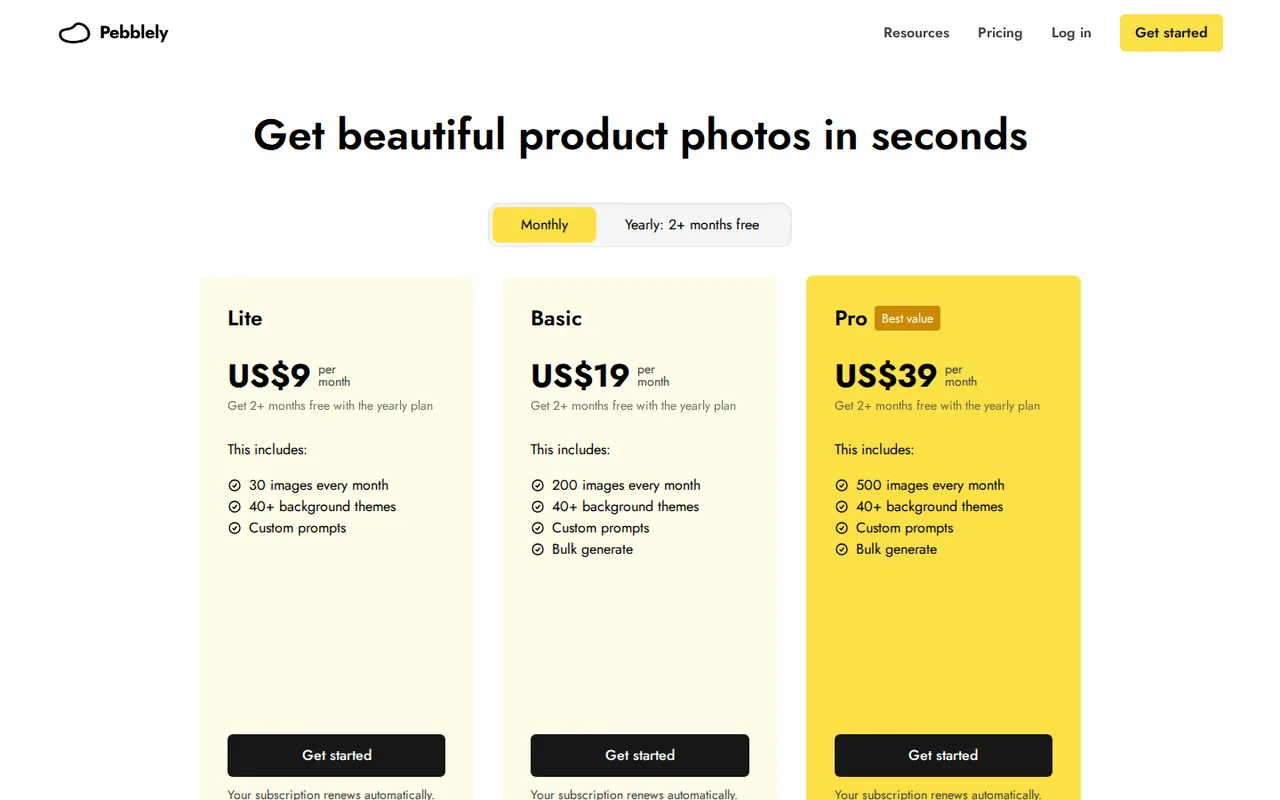
- Pebblely: USD 9 per month
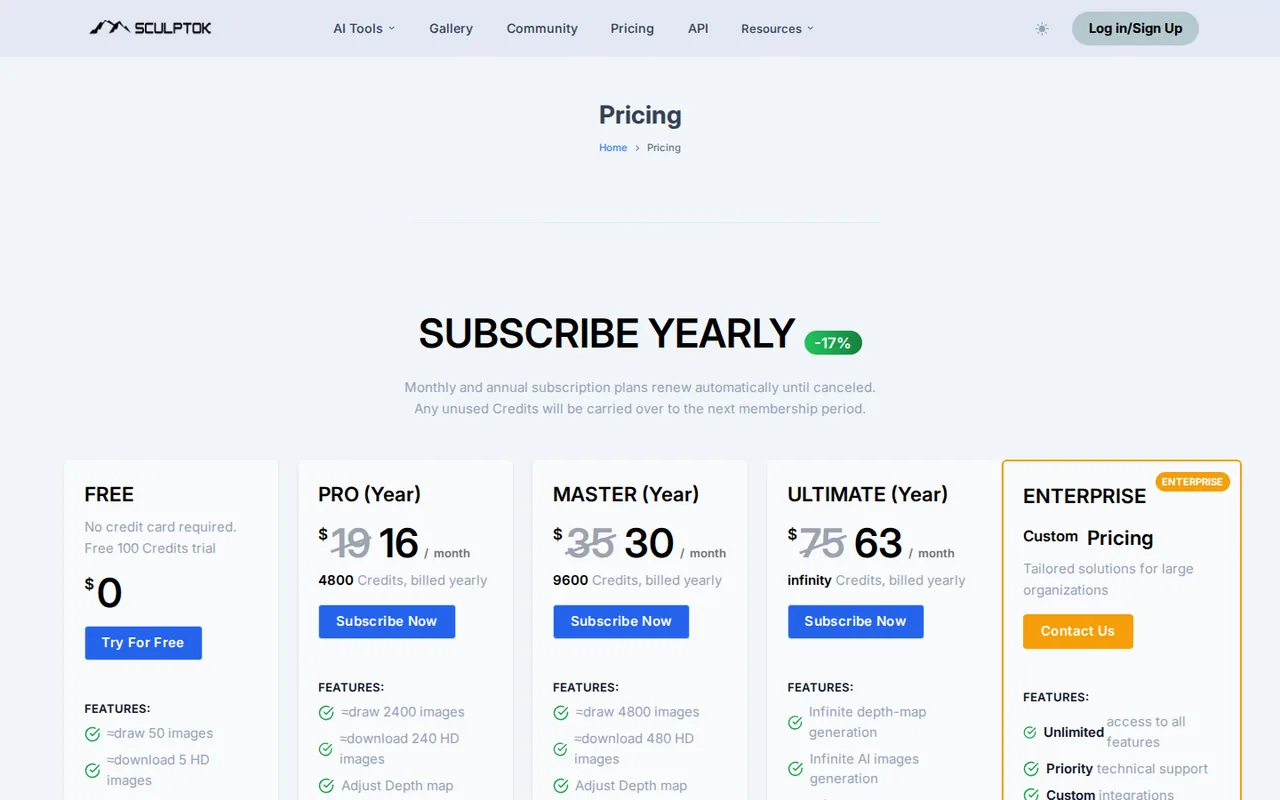
- Sculptok: USD 15 for 200
- Plans listed
- Pebblely: 3
- Sculptok: 6
- Public API
- Pebblely: Not confirmed
- Sculptok: Not confirmed
Where Pebblely and Sculptok differ
- AccessPebblely has no free tier, while Sculptok offers free access.
- PlansPebblely lists 3 plans and Sculptok lists 6.
Head to head
Each value from the tool’s profile and the vendor’s own pages
| Pebblely | Fact | Sculptok |
|---|---|---|
| Access and price | ||
| No free tier | Free accessDiffers | Free access availableFree · USD 0 |
| USD 9 per monthLite · billed monthly · or $7.5 per month, $90 billed annually | Lowest listed paid plan | USD 15 for 200Extra credits · $35 for 400 or $90 for 1,600 credits, one-time |
| No free trial; paid from $9/month | Pricing model | 100 free credits; paid from $19/month |
| 3 | Plans listedDiffers | 6 |
| Not confirmed | Public API | Not confirmed |
| Not confirmed | Card to start | Not confirmed |
| Not confirmed | Open source | Not confirmed |
| What it is for | ||
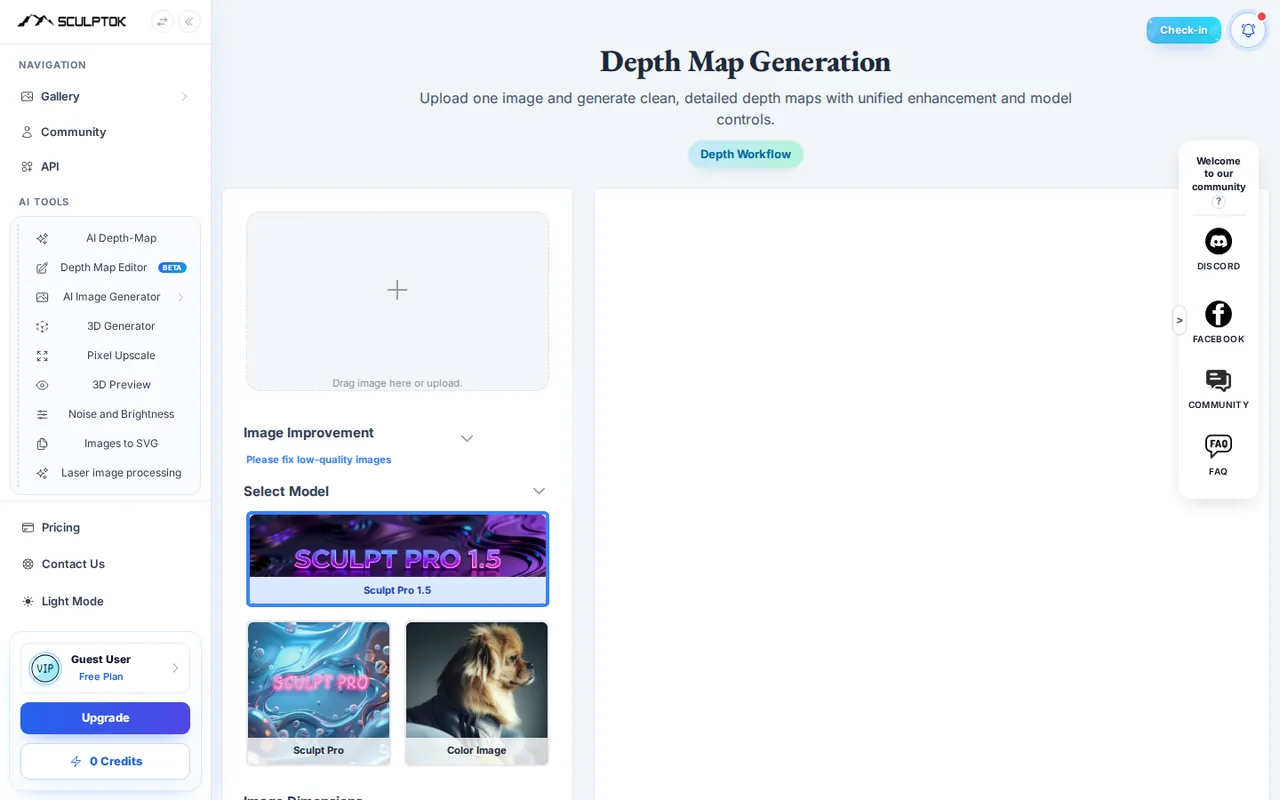
| Lifestyle scenes from existing product photos | Built for | Depth maps and relief files for laser or CNC work |
| Images & design | CategorySame | Images & design |
| Platforms |
|
| Not listed | Works with |
|
| How current | ||
| Profile sources checked | ||
| Prices confirmed · Sep 29, 2026 | Pricing checkSame | Prices confirmed · Sep 29, 2026 |
Official source check for both tools. No hands-on testing and no score: “Differs” marks a documented difference, not a better tool.
Plans and prices
Pebblely
Prices confirmed · Sep 29, 2026- LiteUSD 9 per monthbilled monthly · or $7.5 per month, $90 billed annually
- BasicUSD 19 per monthbilled monthly · or $15 per month, $179 billed annually
- ProUSD 39 per monthbilled monthly · or $32 per month, $379 billed annually
Sculptok
Prices confirmed · Sep 29, 2026- FreeUSD 0
- ProUSD 19 per monthbilled monthly · or $16 per month on yearly billing, 4,800 credits billed yearly
- MasterUSD 35 per monthbilled monthly · or $30 per month on yearly billing, 9,600 credits billed yearly
- UltimateUSD 75 per monthbilled monthly · or $63 per month on yearly billing
- EnterpriseCustom pricing
Show 1 more plan
- Extra creditsUSD 15 for 200USD 35 for 400 or $90 for 1,600 credits, one-time
Strengths and limits
Pebblely
Strengths
- Clear monthly image counts: Each plan states a fixed number of images per month, and the yearly totals are printed on the pricing page.
- No training on your images: The pricing FAQ says uploaded and generated images are not used for any AI training.
- Business use of results: The FAQ and terms say you own the images you generate and can use them for your business.
Limits to plan around
- No free trial: The current pricing FAQ says free trials are not offered, so the first test costs at least one month of Lite.
- Refunds are very limited: The FAQ rules out refunds, and the terms allow a request only if no images have been generated.
- No rights guarantee: The terms say there is no assurance that generated images do not infringe other people's intellectual property.
Sculptok
Strengths
- No card to start: New accounts receive 100 credits without payment details.
- Credits carry over while subscribed: Unused plan credits roll into the next period, and extra credit packs never expire.
- Fits existing 3D tools: Blender and ZBrush plugins plus STL export connect to modelling and CAM workflows.
Limits to plan around
- 16-bit output sits on the top plan: Large-resolution 16-bit depth maps are listed only on Ultimate.
- No refunds for AI services: The terms treat payments as final, and AI services as non-refundable.
- Short file retention: The FAQ says generated images are deleted automatically after one month.
See both products

Start from your task, not from a winner.
Run both tools on the same real task, then compare the result, how much editing it needs and how fast it uses your plan’s allowance.
How we reviewChange this pair
Choose tools
Choose two tools below. You can replace either selection at any time.
Audio & voice
Automation
Coding
Data & spreadsheets
Images & design
Presentations
Research & sources
Video & editing
Website builders
Writing & content
Comparing tools from different categories is fine, and often useful — a writing assistant and a research tool solve different halves of the same job. The table will show you exactly where they diverge.
Questions about comparing tools
How does the comparison work?
Add two tools to the comparison tray from any tool card, then open this page. The table pulls each tool's verified plan details, platforms, strengths and limits from its profile, so both columns carry the same kind of evidence, with a separate source-check date for each tool.
Do you declare a winner?
No. The table sets two tools against each other on documented facts, not on a score. Which one wins depends on your task, your budget and your usage volume — three things we cannot see from here.
Why are some cells empty or marked unverified?
Because we could not confirm that detail on the vendor's own pages. Rather than filling the gap with a figure from elsewhere, we mark it and say why on the tool's profile.
Can I compare more than two tools?
Not at once. Two columns keep the differences readable and force a real decision. Remove either selected tool to replace it, or clear both to start a new pair.
Every figure in the table above comes from the linked profile, where the source and the verification date are listed. Browse all tools or read the editorial policy.