
Sloyd vs Adobe Firefly
Plans, free access, limits and intended use side by side, taken from each vendor’s own pages. No score and no winner: the facts show where the two differ.
Change tools
The license column matters more than unlimited generations

Adobe's AI generator, with credits shared across Creative Cloud.
- Free access
- Sloyd: Free access
- Adobe Firefly: Free access
- Paid from
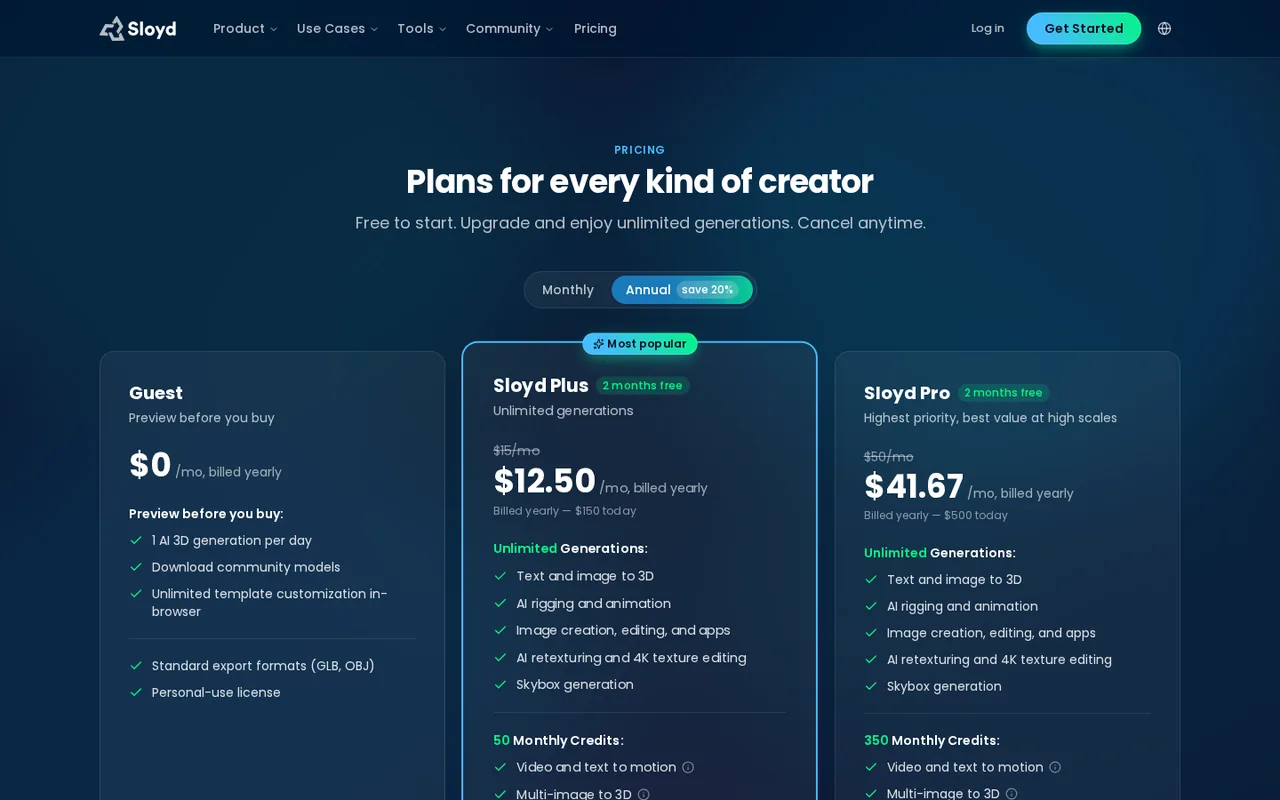
- Sloyd: USD 15 per month
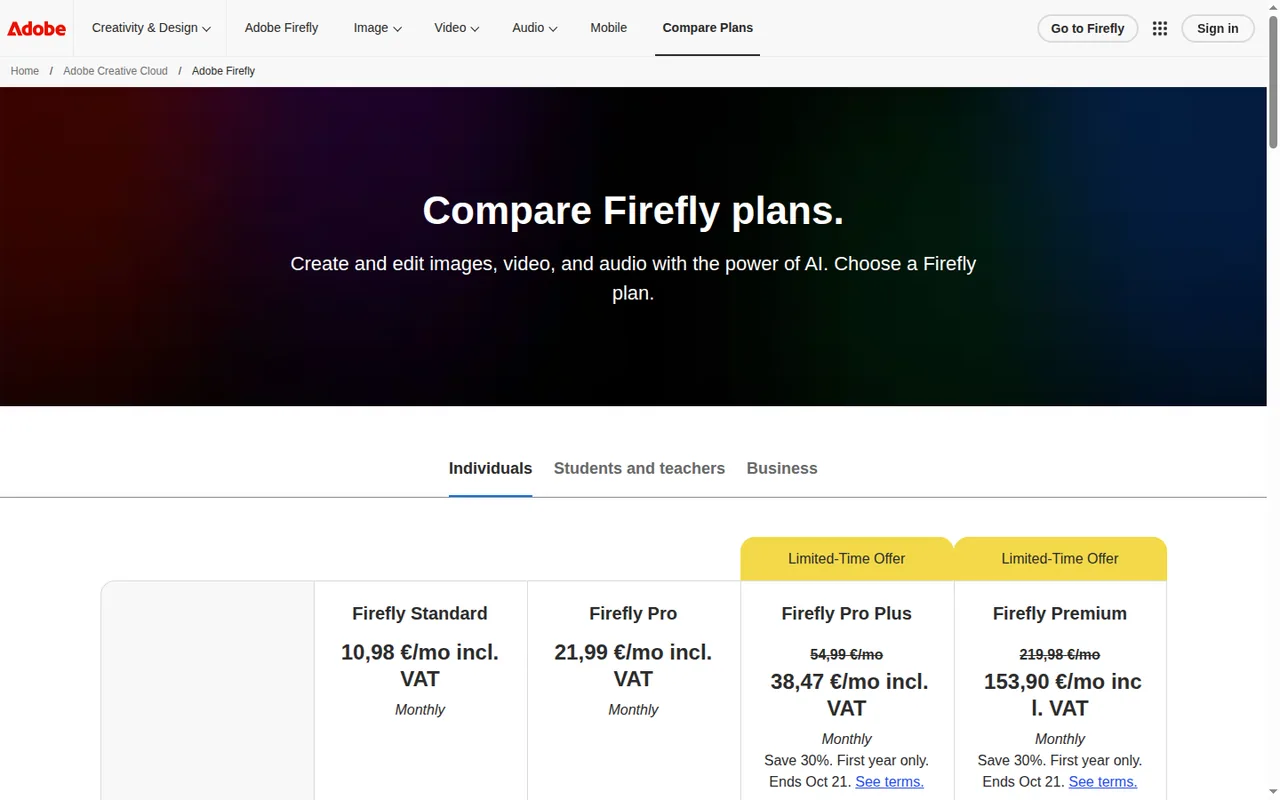
- Adobe Firefly: EUR 10.98 per month
- Plans listed
- Sloyd: 4
- Adobe Firefly: 5
- Public API
- Sloyd: Yes
- Adobe Firefly: Yes
Where Sloyd and Adobe Firefly differ
- Pricing checkPrices confirmed for Sloyd; pricing review due for Adobe Firefly.
- PlansSloyd lists 4 plans and Adobe Firefly lists 5.
Head to head
Each value from the tool’s profile and the vendor’s own pages
| Sloyd | Fact | Adobe Firefly |
|---|---|---|
| Access and price | ||
| Free access availableGuest · USD 0 | Free accessSame | Free access availableFirefly Free |
| USD 15 per monthPlus · billed monthly · or $12.50 per month, $150 billed yearly | Lowest listed paid plan | EUR 10.98 per monthFirefly Standard · incl. VAT, shown as Monthly |
| Free Guest plan; Plus from $12.50/month billed yearly | Pricing model | Free plan; paid Standard, Pro, Pro Plus and Premium |
| 4 | Plans listedDiffers | 5 |
| Yes | Public APISame | Yes |
| Not required | Card to start | Not confirmed |
| No | Open sourceSame | No |
| What it is for | ||
| Game-ready 3D assets from text or images | Built for | AI images, video and audio inside an Adobe workflow |
| Images & design | CategorySame | Images & design |
| Platforms |
|
| Works with |
|
| How current | ||
| Profile sources checked | ||
| Prices confirmed · Sep 29, 2026 | Pricing checkDiffers | Pricing review due · Sep 24, 2026 |
Official source check for both tools. No hands-on testing and no score: “Differs” marks a documented difference, not a better tool.
Plans and prices
Sloyd
Prices confirmed · Sep 29, 2026- GuestUSD 0
- PlusUSD 15 per monthbilled monthly · or $12.50 per month, $150 billed yearly
- ProUSD 50 per monthbilled monthly · or $41.67 per month, $500 billed yearly
- APIPrepaid credits, 75 credits per USD 1minimum $12 for 900 credits
Adobe Firefly
Pricing review due · Sep 24, 2026- Firefly FreeFree
- Firefly StandardEUR 10.98 per monthincl. VAT, shown as Monthly
- Firefly ProEUR 21.99 per monthincl. VAT, shown as Monthly
- Firefly Pro PlusEUR 38.47 per monthincl. VAT, first-year offer · regularly EUR 54.99 per month; offer ends Oct 21
- Firefly PremiumEUR 153.90 per monthincl. VAT, first-year offer · regularly EUR 219.98 per month; offer ends Oct 21
Strengths and limits
Sloyd
Strengths
- Unmetered core generation on paid plans: Text or image to 3D, rigging and texturing are not counted per model on Plus and Pro.
- License terms in a table: The pricing page states personal, commercial and resale rights per plan.
- Direct engine handoff: Plugins place models into common engines and 3D tools without manual import.
Limits to plan around
- Guest cannot export its own generations: Free exports are limited to community models under a personal license.
- Reselling only on Pro: Marketplace or asset store redistribution is allowed only on the $50 plan.
- Commercial 3D printing needs a custom license: The terms limit printing to personal use without a separate agreement.
Adobe Firefly
Strengths
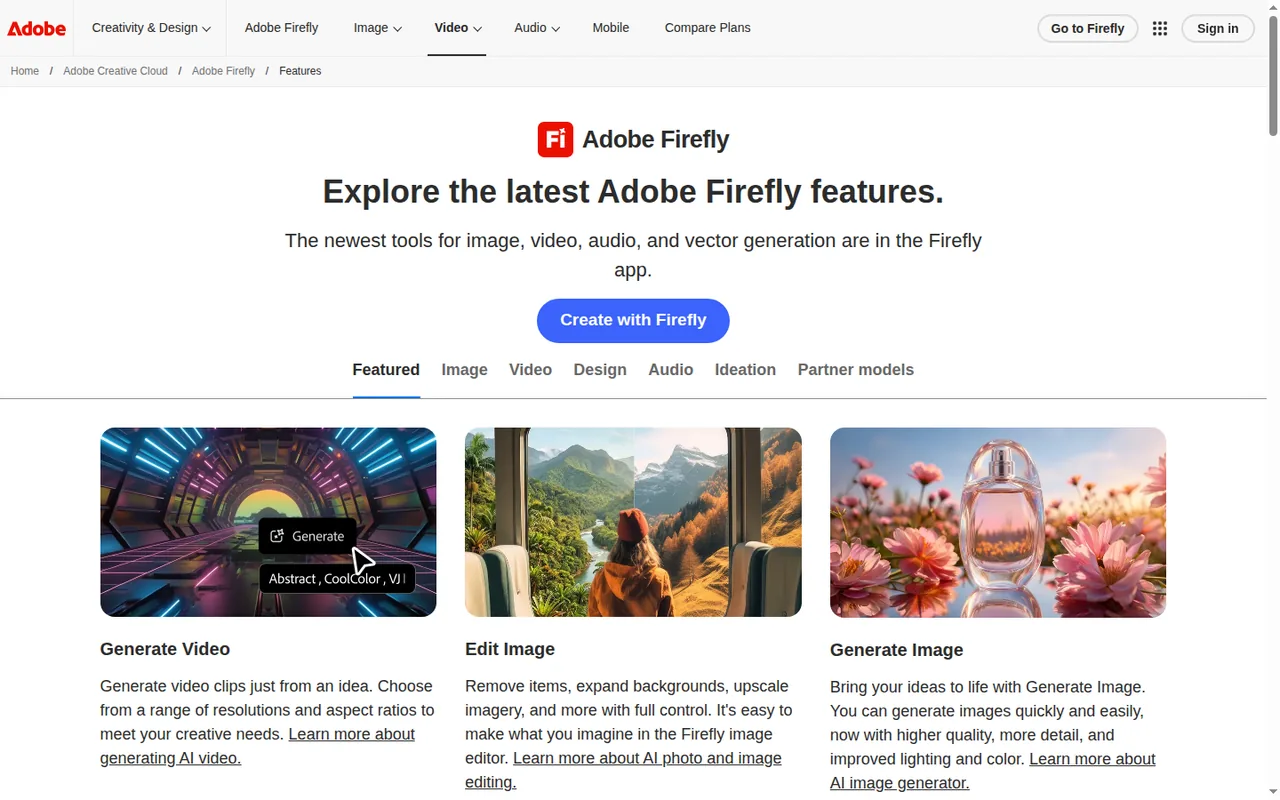
- Free daily generations: The free plan needs no subscription and gives daily generations across image, video and audio that refresh every day.
- Unlimited standard features: Every paid Firefly plan includes unlimited standard image generations such as Generative Fill without deducting credits.
- Many models in one app: Adobe and partner models for images, video and audio are available with one login and one credit balance.
Limits to plan around
- Credits do not roll over: Unused generative credits expire when the monthly allocation resets on the billing date.
- Premium features use many credits: Video, audio and partner model outputs draw credits quickly; a single five-second 1080p clip uses 500 credits.
- Free limits are not published: Adobe does not state an exact number of free daily generations and says limits are subject to change.
See both products


Start from your task, not from a winner.
Run both tools on the same real task, then compare the result, how much editing it needs and how fast it uses your plan’s allowance.
How we reviewChange this pair
Choose tools
Choose two tools below. You can replace either selection at any time.
Audio & voice
Automation
Coding
Data & spreadsheets
Images & design
Presentations
Research & sources
Video & editing
Website builders
Writing & content
Comparing tools from different categories is fine, and often useful — a writing assistant and a research tool solve different halves of the same job. The table will show you exactly where they diverge.
Questions about comparing tools
How does the comparison work?
Add two tools to the comparison tray from any tool card, then open this page. The table pulls each tool's verified plan details, platforms, strengths and limits from its profile, so both columns carry the same kind of evidence, with a separate source-check date for each tool.
Do you declare a winner?
No. The table sets two tools against each other on documented facts, not on a score. Which one wins depends on your task, your budget and your usage volume — three things we cannot see from here.
Why are some cells empty or marked unverified?
Because we could not confirm that detail on the vendor's own pages. Rather than filling the gap with a figure from elsewhere, we mark it and say why on the tool's profile.
Can I compare more than two tools?
Not at once. Two columns keep the differences readable and force a real decision. Remove either selected tool to replace it, or clear both to start a new pair.
Every figure in the table above comes from the linked profile, where the source and the verification date are listed. Browse all tools or read the editorial policy.