

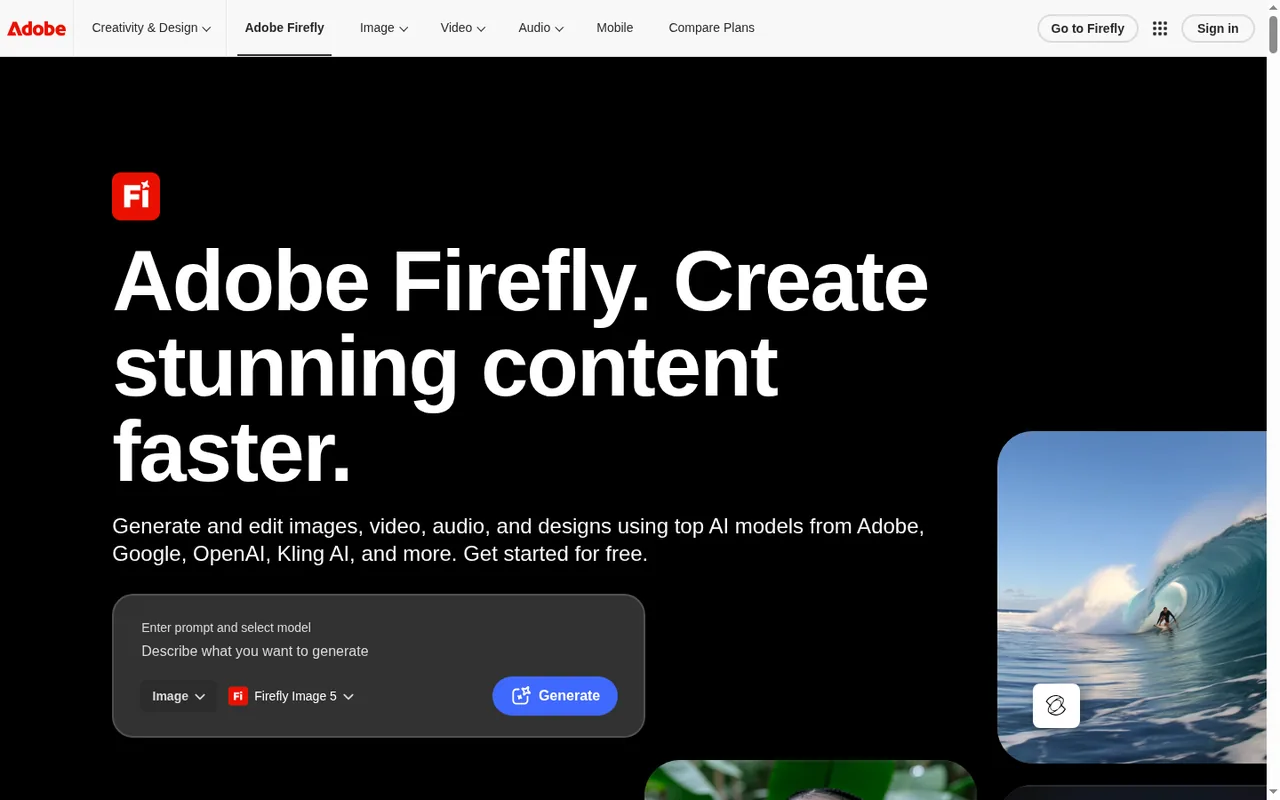
Key features
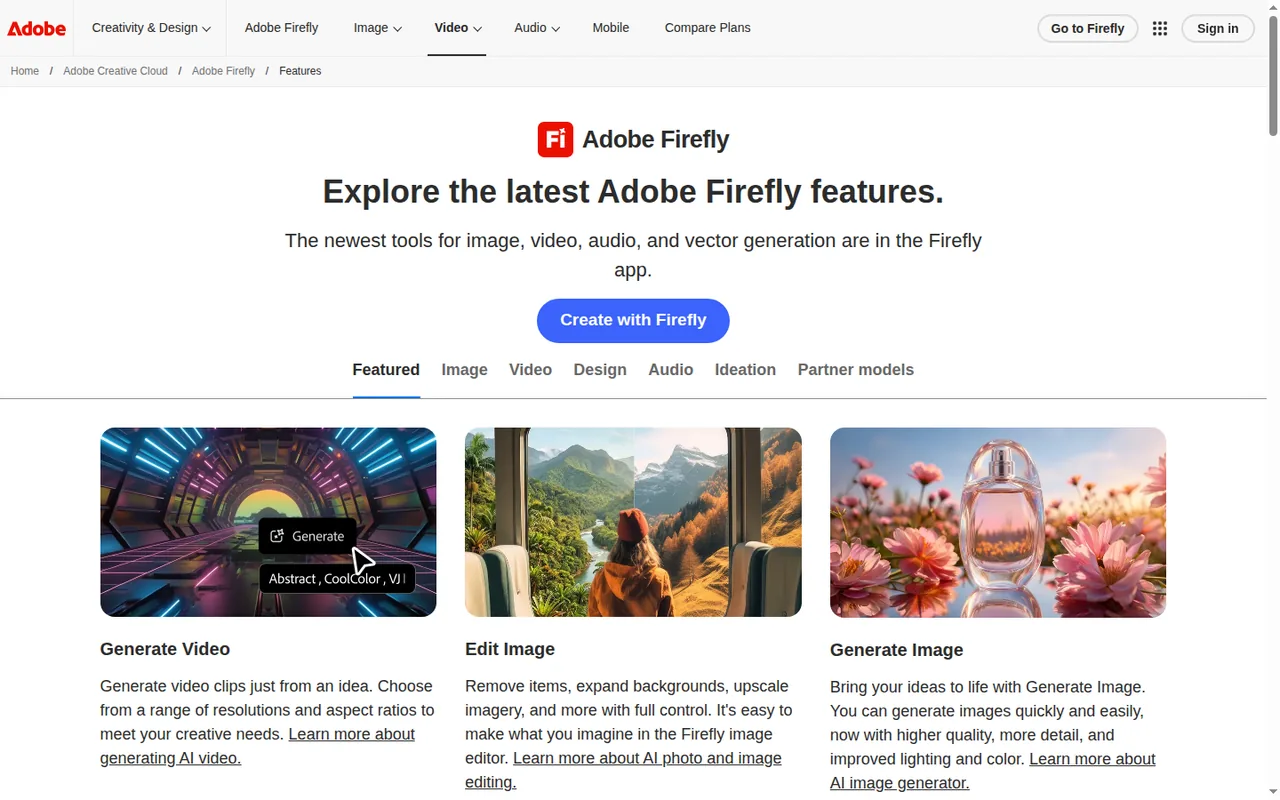
- Generate ImageCreate images from text prompts with Firefly Image models or partner models from Google, OpenAI, Black Forest Labs and others.
- Image editingRemove objects, expand backgrounds, upscale and use Generative Fill or Prompt to Edit on generated or uploaded images.
- Generate VideoTurn a text prompt or a reference image into video clips at a choice of resolutions and aspect ratios.
- Audio toolsGenerate music, sound effects and speech, and translate audio or video into other languages.
- Firefly BoardsCollect, generate and arrange ideas into mood boards or storyboards on an infinite canvas shared with teammates.
- Adobe app handoffOpen results in Photoshop, Premiere or Adobe Express, and spend the same generative credits across Creative Cloud apps.
- Generative creditsOne credit type covers standard and premium generative features across Firefly and Creative Cloud apps, and paid plans include unlimited standard image generations.
Falls short Premium features such as video, audio and partner models draw on the same balance, at rates that vary by model, output and file size.
- Partner modelsFirefly gives access to models from Google, OpenAI, Runway, Luma AI, ElevenLabs and others under one login, charged as premium features.
Falls short Adobe states that partner models are not developed by Adobe and that users must judge whether a model is appropriate for their project.
- Image downloadGenerated images download as JPG or PNG and generated videos as MP4, and results can be opened in Adobe Express for further layout work.
Falls short The technical requirements page lists a maximum download resolution of 2000x2000 pixels for images on a page last updated in September 2025; some partner models are advertised with 4K output.
- Commercial use and Content CredentialsAdobe says Firefly models are trained on licensed and public domain content, and it attaches Content Credentials to fully generated assets.
Falls short For eligible teams and enterprise customers, outputs of beta features fall outside Adobe's indemnification.
Strengths and limits
Strengths
- Free daily generations: The free plan needs no subscription and gives daily generations across image, video and audio that refresh every day.
- Unlimited standard features: Every paid Firefly plan includes unlimited standard image generations such as Generative Fill without deducting credits.
- Many models in one app: Adobe and partner models for images, video and audio are available with one login and one credit balance.
- Works with Adobe apps: Credits apply across Photoshop, Illustrator, Premiere, Lightroom and Adobe Express, and Adobe says generated content can be brought into those apps for further editing.
More limits to plan around
- Promotional pricing: Pro Plus and Premium prices are first-year offers ending October 21, after which the higher regular prices apply.
Who else is it for?
Editorial assessment, based on documented features
- Casual users trying AI imagesConsider the free plan first, because daily generations let you test prompts before choosing a paid tier.
How much does Adobe Firefly cost?
Prices confirmed · checked
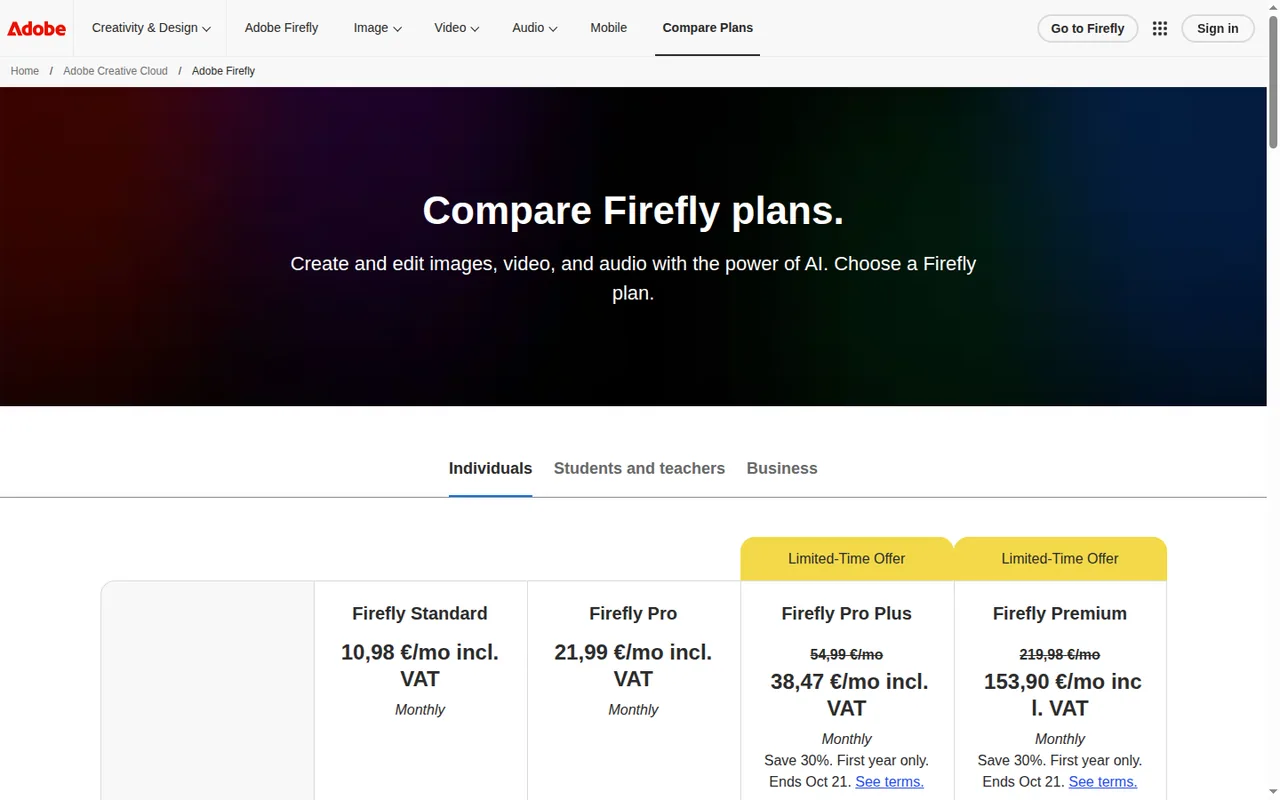
Prices are in EUR including VAT on the Individuals tab, as shown for Germany, and are labelled Monthly. The Pro Plus and Premium discounts are first-year offers for new subscribers (12-month commitment, ending October 21); check eligibility at checkout. The Business tab lists Pro, Pro Plus and Premium for teams at EUR 18.48, EUR 46.21 and EUR 184.86 per license per month excluding VAT, annual billed monthly.
Firefly Free
Free
Limited free daily generations across image, video and audio on select models; limits refresh every day.
Firefly Standard
EUR 10.98 per monthincl. VAT, shown as Monthly
2,000 monthly generative credits; unlimited standard image features; premium features with credits.
Firefly Pro
EUR 21.99 per monthincl. VAT, shown as Monthly
4,000 monthly generative credits; Adobe Express Premium; Photoshop on web and mobile.
Firefly Pro Plus
EUR 38.47 per monthincl. VAT, first-year offer · regularly EUR 54.99 per month; offer ends Oct 21
10,000 monthly generative credits; Adobe Express Premium; Photoshop on web and mobile.
Firefly Premium
EUR 153.90 per monthincl. VAT, first-year offer · regularly EUR 219.98 per month; offer ends Oct 21
50,000 monthly generative credits; unlimited Firefly Video Model use in Generate Video; Adobe Express Premium; Photoshop on web and mobile.
How far does it go?
- Firefly Standard in video secondsGenerate Video costs 100 credits per second at 1080p, so 2,000 monthly credits cover about 20 seconds of 1080p video (2,000 / 100), or about 100 seconds at 540p (2,000 / 20), which is twenty 5-second clips.
- Firefly Pro in Image 5 generationsAt 10 credits each, Pro's 4,000 monthly credits cover about 400 Firefly Image 5 generations, assuming no credits go to video or audio.
- Pro Plus for musicAt 20 credits per minute, Pro Plus's 10,000 monthly credits would cover about 500 minutes of generated music (10,000 / 20) if spent on music alone.
Arithmetic from the published allowances above, not a usage test.
Taxes, currency and promotions can change the price you see at checkout.
Which Firefly plan fits your image and video volume?
Editorial assessment
Standard image features such as Generative Fill are unlimited on every paid plan, but Firefly Image 5 and partner image models cost credits (10 per Image 5 generation), so plan size still matters if you use them. Beyond that, the choice turns on how many seconds of video and minutes of audio you expect each month, and whether you need Photoshop on web and mobile.
- Stay on Free if you only try prompts now and then and can accept an unpublished daily cap.
- Standard fits steady image work plus occasional clips: 2,000 credits cover up to 20 five-second clips at 540p (about 4 at 1080p) or 6 minutes of translation.
- Pro fits when you also want Adobe Express Premium and Photoshop on web and mobile, or twice Standard’s video volume with 4,000 credits (up to 40 clips at 540p, 8 at 1080p, or 13 minutes).
- Pro Plus fits regular video work: 10,000 credits cover up to 100 clips at 540p, or about 100 seconds of 1080p, or 33 minutes of translation a month.
- Premium fits daily video production: 50,000 credits, unlimited Firefly Video Model use in Generate Video and up to 166 minutes of translation.
- Compare elsewhere first if you do not use Adobe apps: read the Midjourney, Canva and Leonardo.Ai profiles, or browse other AI image tools.
How do generative credits work in Adobe Firefly?
Generative credits are the single currency Adobe uses for Firefly-powered features, and the same balance works in the Firefly web app, the mobile app, Photoshop, Illustrator, Premiere, Lightroom and Adobe Express. Paid plans treat standard image features as unlimited, so credits go to premium features such as Firefly Image 5, video, audio and partner models.
Premium costs vary by model, output and file size. Generate Video costs 100 credits per second at 1080p, 50 at 720p and 20 at 540p, all at 24 FPS. A Firefly Image 5 generation costs 10 credits, sound effects 10 credits per generation, music 20 credits per minute and Firefly Speech 10 credits per 1,000 characters.
Continue reading · 5 more sectionsShow lessWhat does the free plan really include? · What do the paid prices commit you to? · What happens when credits run out? …
What does the free plan really include?
Firefly Free needs no subscription and provides limited daily generations across image, video and audio with select models, including Nano Banana and Luma Ray3.14 according to the plans page. The limits refresh every day, but Adobe does not publish the number of generations and says generations, features and models may change.
Adobe’s own pages disagree on one point: a section of the credits FAQ still describes free-plan credits that are allocated on first use and expire after a month, while another section and the plans page describe daily generations. The account menu shows the remaining balance and the reset date, which settles it for your account.
What do the paid prices commit you to?
The Individuals tab shows EUR prices including VAT, each labelled Monthly. The discounted Pro Plus and Premium prices are first-year offers ending October 21 that require a 12-month commitment, apply to first-time eligible subscribers and renew at the regular price, which for Premium is EUR 219.98. The linked offer terms refer to subscribers in the United States, so check eligibility at checkout. The page does not state a commitment term for Standard and Pro.
Pro, Pro Plus and Premium on the Individuals tab also advertise unlimited generations on select models for the first year, a time-limited offer whose model list differs by plan; Standard and the Business plans do not list it. The Business tab sells Pro, Pro Plus and Premium per license on an annual plan billed monthly, with admin tools and 24×7 support.
What happens when credits run out?
Credits reset on the billing date and do not roll over, so unused credits are lost each month. At zero you can wait for the reset, upgrade to a larger plan or add a credit add-on starting at 2,000 credits, and Adobe says it will not charge for extra credits unless you buy them. Standard features stay unlimited on paid plans.
Premium subscribers who run out can queue up to 20 video generations, which process in the background with no stated completion time. Unlimited access has guardrails against scripting, account sharing and reselling, and triggering them can bring a temporary restriction.
Can you edit and export after generation?
Yes. The Firefly image editor can remove objects, expand backgrounds and upscale, and Prompt to Edit changes an image from a plain-language description. Results can be opened in Adobe Express to add text and graphics, copied into apps such as Illustrator, or taken into Photoshop and Premiere.
Adobe documents JPG and PNG for images and MP4 for video, with no PDF or PowerPoint export from Firefly itself. The technical requirements page lists a maximum image download of 2000×2000 pixels, on a page last updated September 4, 2025, while the plans page advertises 4K output on some partner image models. The web app needs Chrome, Edge or Firefox 113 or later, or Safari 17.4 or later.
Proposed evaluation · not performed yet
Use a model actually enabled in your account and check its credit quote; Free access does not cover every model. run five prompts from a real project on the free plan with Firefly Image 5 and one partner model, noting which requests hit a limit. Download the results as PNG and compare the pixel dimensions with your layouts.
How does Adobe describe commercial use and training data?
Adobe states that Firefly models are trained on licensed Adobe Stock content and public domain content, and that it does not train on subscribers’ personal or generated content.
Partner models carry different terms. Adobe says they are not developed by Adobe, that you are responsible for judging whether a model suits your project, and that availability varies by region. Beta outputs are not indemnified for eligible teams and enterprise customers.
Compare these options
Read the documented differences, then follow the links to each profile for its sources and plan details.

Adobe Firefly alternatives
Other images & design tools profiled with the same source-checked method. Pick by the job, not by a score.
| Tool | Free access | Paid plans from | Consider it for |
|---|---|---|---|
| Adobe FireflyThis profile | Free access available | EUR 10.98 per month | AI images, video and audio inside an Adobe workflow |
| Leonardo.Ai | Free access available | USD 12 per month | AI images with a daily free allowance |
| Midjourney | No free tier | USD 10 per month | AI images and short image-to-video clips from text and image prompts |
| Canva | Free access available | EUR 12 per month | AI images placed straight into templated designs |


Adobe Firefly user reviews
Visitor opinions, moderated before publishing. Separate from our source checks; we do not score tools.
Frequently asked questions
Are refunds given for failed generations?
Yes. Firefly deducts credits when a generation starts and usually returns them within minutes if it fails. In rare cases, such as video, the refund can take up to 24 hours. The balance and next reset date appear in the account menu, so check it before retrying a large video job.
Can a team share one pool of credits?
Not by default. On Creative Cloud for teams and enterprise plans, each user has their own allocation and credits are not pooled or shared. The exception is purchased Shared Credits, which Adobe offers to some enterprise customers. Budget per seat when planning heavy video work across a team.
Which partner models can I use in Firefly?
Firefly offers models from Google, OpenAI, Runway, Luma AI, ElevenLabs, Black Forest Labs and others under one Adobe login. Their outputs count as premium features and spend credits. Availability varies by region, so a model named on the plans page may be missing from your account; check the model picker before planning a project around one.
How does Adobe label images made with Firefly?
Adobe automatically attaches Content Credentials to assets whose pixels are fully generated with Firefly. These are tamper-evident metadata that record which AI tool was used, so a client or platform can read the origin of an image. Firefly's commercial-use statement rests on models trained on licensed Adobe Stock and public domain content.
Does Firefly work on phones and tablets?
Yes. Firefly runs in desktop and mobile browsers and as iOS and Android apps. The mobile app needs iOS 17.4 or Android 9.0 or later. The same generative credit balance applies on every device, and a mobile result can be continued in Photoshop or Adobe Express on another device.
What are Firefly Boards for?
Firefly Boards is an infinite canvas for collecting, generating and arranging ideas as mood boards or storyboards, shared with teammates. It suits early concept work before final assets are made in Photoshop, Premiere or Express. Boards sit alongside the image, video and audio tools in the same Firefly app.
How we checked this profile
31 details on this page were checked against Adobe Firefly's own pages and help documentation (Sep 24, 2026). 3 are still open and listed below.
See the checks by section25 documented3 editorial assessment3 open
| Section | Checks | Last checked | Sources |
|---|---|---|---|
| Article text | 6 documented 2 editorial 1 open | adobe.com/firefly.htmlhelpx.adobe.com/generative-credits-faq.htmladobe.com/plans.htmlhelpx.adobe.com/non-adobe-models-in-adobe-… | |
| Plans and prices | 9 documented 1 editorial 2 open | adobe.com/plans.htmlhelpx.adobe.com/generative-credits-faq.html | |
| Features | 5 documented | helpx.adobe.com/generative-credits-faq.htmlhelpx.adobe.com/technical-requirements.html | |
| Questions | 4 documented | helpx.adobe.com/generative-credits-faq.htmladobe.com/firefly.htmlhelpx.adobe.com/content-credentials-overvi… | |
| Platforms and integrations | 1 documented | helpx.adobe.com/technical-requirements.html |
Still open
- The free-plan allowance is described two ways by Adobe.Not confirmed · checked · Source (opens in a new tab)
- The commitment term for Standard and Pro is not confirmed.Not confirmed · checked · Source (opens in a new tab)
- The first-year unlimited-generation offer is time-limited and its model list is not fixed.Not confirmed · checked · Source (opens in a new tab)
Sources for this profile
- Adobe Firefly plansadobe.com
- Adobe Firefly product pageadobe.com
- Adobe Firefly featuresadobe.com
- Generative credits FAQhelpx.adobe.com
All 8 sources
Adobe's Firefly product, plans, features and mobile app pages, and Adobe Help Center articles on generative credits, partner models, technical requirements, sharing and Content Credentials. Prices were shown in EUR for a German location.
Sources checked Sep 24, 2026. We read the vendor's documentation; we did not test the product or score it. Found something out of date? See how we correct profiles.


