What is Descript, in short?
Descript edits recordings through their transcript. Free video exports are watermarked at 720p; paid plans raise the export resolution. Media minutes and AI credits are separate limits, so compare both against your recording volume. Audio export is not described by the video watermark restriction.
Key features
- Text-based editing of video and audio via the transcript
- Studio Sound for cleaning up recorded audio
- Custom voice cloning and overdub
- Underlord AI tools for editing and repurposing
- Translation and dubbing in 30+ languages on Business
- Screen and multitrack recording
Feature list taken from the sources listed at the foot of this profile, not from our testing.
What can you actually do with Descript?
Media allowance
The plan meters imported or recorded media per editor.
Where it falls short: Estimate source recordings, not only the length of the final edit.
Video export
Resolution and watermark rules vary by plan.
Where it falls short: Free video is 720p with a watermark; this is not a blanket ban on publishing audio.
AI allowance
AI operations use a separate credit budget.
Where it falls short: Do not assume unused media minutes provide extra AI credits.
Feature descriptions follow the sources listed at the foot of this profile; the limits are our editorial reading of what those sources do and do not promise.
Strengths and limits
Strengths
- Transcript-based editing offers a route through speech-led recordings
- Free access supports evaluating the workflow
- Video and audio have distinct export options
Limits to plan around
- Free video exports are watermarked at 720p
- Media allowances and AI credits are separate
- Seats are billed separately
- Check annual versus monthly billing before comparing prices
Derived from documented behaviour and published limits, not from a scored review.
Who is it for?
- PodcastersRecord, clean up with Studio Sound and cut by deleting text.
- Course creatorsTalking-head lessons edited without timeline skills.
- Marketing teamsOne long recording repurposed into many short clips.
- Solo creatorsA permanent free tier to learn the workflow before paying.
Our editorial judgement about fit, based on what the documented features support. The vendor makes no such claim about these groups.
How much does Descript cost?
Pricing check: Individual details checked. Check the current provider terms before subscribing.
| Plan | Price | What it covers |
|---|---|---|
| Free | $0 | One person, 60 media minutes per month, 100 one-time AI credits, 5GB storage. Video exports at 720p with a watermark; audio follows a separate export policy. |
| Hobbyist | $16/person/mo annual ($24 monthly) | 10 media hours per month, 400 AI credits, 100GB storage, 1080p watermark-free export, Studio Sound and voice cloning. |
| Creator | $24/person/mo annual ($35 monthly) | Scales to 3 seats billed separately. 30 media hours, 800 AI credits, 1TB storage, 4K export, full Underlord access and unlimited stock media. |
| Business | $50/person/mo annual ($65 monthly) | Up to 5 seats billed separately. 40 media hours, 1,500 AI credits, 2TB storage, Brand Studio, translation and dubbing in 30+ languages, priority support with SLA. |
| Enterprise | Custom | Custom media hours and AI credits, SSO and SCIM, advanced security, dedicated support and custom legal terms. |
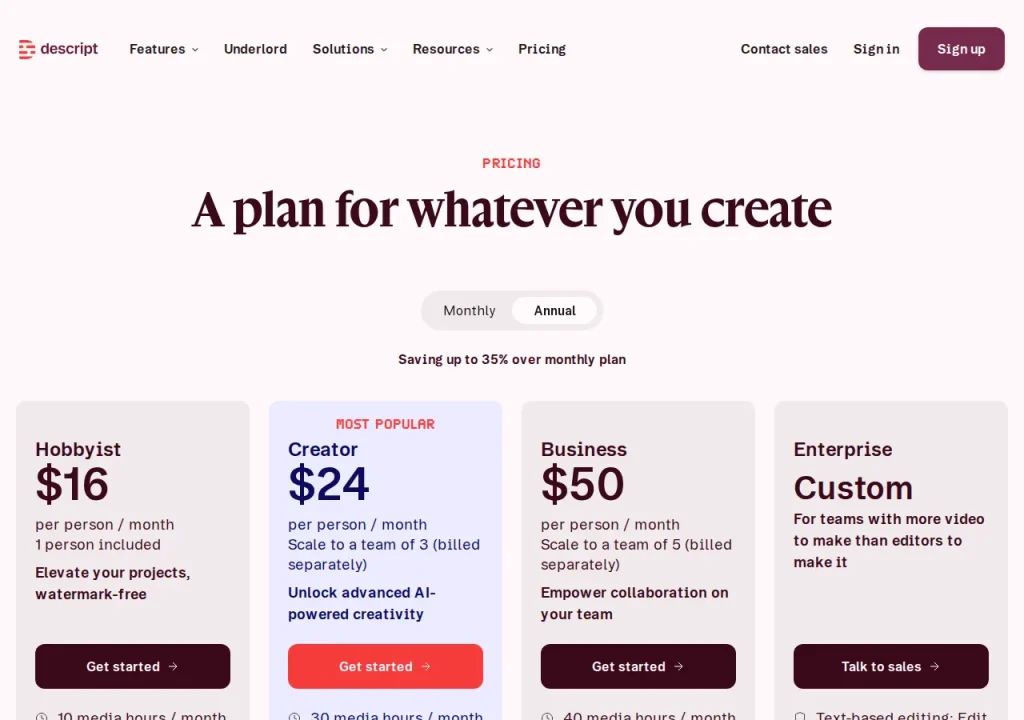
No comparable numeric price range is confirmed here. Individual plan notes may include documented amounts, but unknown billing units, unavailable figures or inconsistent terms are not converted into a single price range. See the evidence checks and original pricing source below.
What is Descript used for?
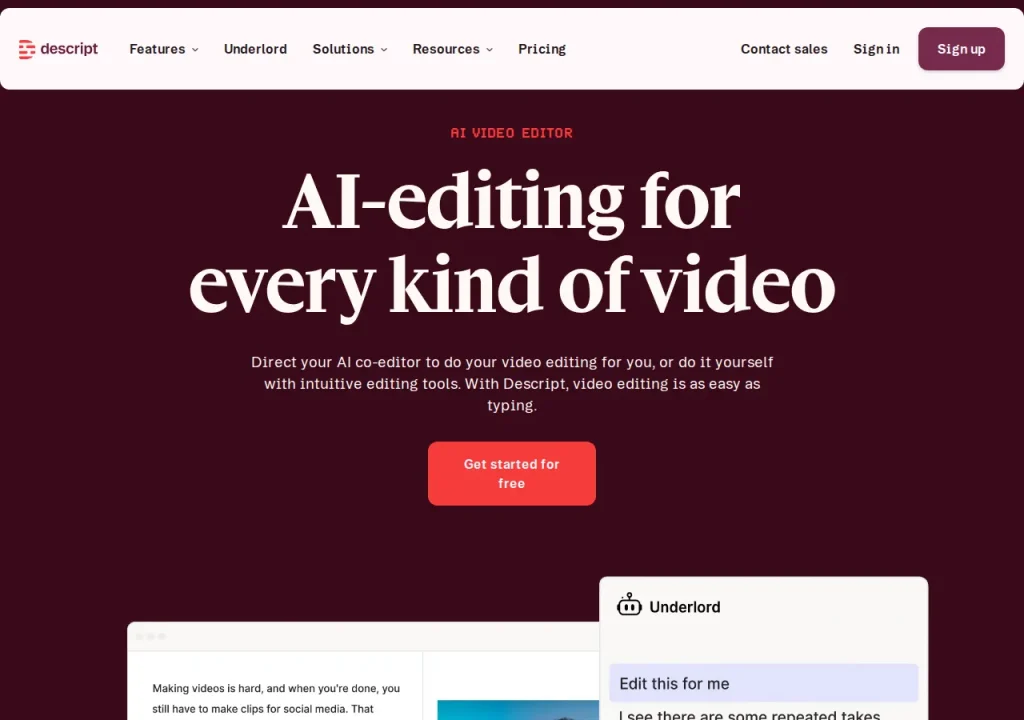
Descript turns a recording into a transcript and lets you edit the media by editing that text. Cut a sentence from the transcript and it vanishes from the video and the audio. For podcasts, interviews and talking-head footage — anything where the content is mostly someone speaking — this offers a transcript-based way to navigate and cut the recording.
That framing separates it from the rest of our video category. Tools like Runway generate footage that did not exist. Descript assumes you already recorded something and want it shorter, cleaner and published this week.
Where it fits in a workflow
It sits between recording and publishing. Record in Descript or import elsewhere, clean the audio with Studio Sound, cut filler words and false starts from the transcript, then export. Business plans add translation and dubbing in more than 30 languages, which turns one recording into several language versions rather than several shoots.
It fits poorly when the edit is driven by visuals rather than speech — music videos, heavily graded narrative work, anything where the cut follows image and rhythm instead of words. The transcript gives you no leverage there.
What are the real limits?
Media allowances are one limit to compare with your recording volume. The free plan allows 60 minutes a month, Hobbyist 10 hours, Creator 30 and Business 40. Estimate imported and recorded source material rather than only the finished runtime; multiple takes increase the volume processed.
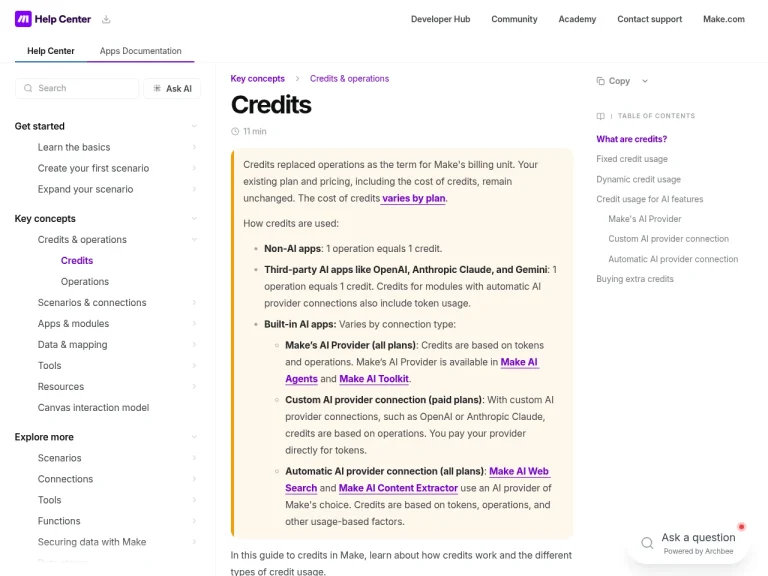
AI work is metered separately in credits on top of that cap. And seats on Creator and Business are billed individually, so a three-person team costs three times the headline figure. None of this is hidden, but it does mean the advertised monthly price is rarely what a team actually pays.
What does the free plan really give you?
Free video exports are watermarked at 720p. That may not meet a client delivery specification, but it does not mean nothing can be published: audio exports have a separate duration policy. Pick a plan against your actual format and delivery requirements.
A first task to try
Take one recording you already have and cut it twice: once in whatever you use now, once by deleting text in Descript. Time both. Then check how many of your 60 free minutes the single file consumed. Those two numbers — time saved and allowance burned — predict your real monthly cost better than the pricing page does.
Should you choose Descript?
Choose it if your output is mostly people talking and your bottleneck is edit time. The transcript workflow may suit that type of material; we have not measured editing speed or audio improvement. The full directory is at all tools if you want to scan the category first.
Look elsewhere if you need generated footage rather than edited footage, if your edits are visual rather than verbal, or if your recording volume is high enough that media-hour caps will govern your month. In that last case, price the tier you would actually need, not the one you would like to buy.
Before you commit
Check which billing toggle the pricing page is showing you — annual is the default and monthly costs roughly a third more. Count your seats, because they bill separately. Compare the tier’s media hours against a typical month of recording. Plans and limits here were read from the official pricing page in annual mode on 22 September 2026; see how it lines up against other tools on our comparisons page, and note that vendors change these terms without warning — the sources above remain the authority, as our editorial policy requires.
Which allowance will your project consume?
Track imported or recorded media separately from AI operations. Free includes 60 media minutes per month. The allowance grows on paid plans, while AI features consume a separate credit budget. Confirm each editor’s volume when adding seats. Transcript editing may suit speech-led material, but that is an editorial fit assessment rather than a measured speed claim.
Watch Descript in the vendor's own words
Published by Descript on their official YouTube channel, September 21, 2026. Nothing loads from YouTube until you press play — the preview image is served from this site. We did not produce this video and do not endorse its claims.
Official Descript channels
Collected from links published on the vendor's own website, checked September 22, 2026. Use these to verify announcements and current pricing at the source.
Frequently asked questions
Is Descript free?
Yes. Free includes 60 media minutes per month. Its video output is watermarked at 720p, while audio has a separate export policy. Whether it meets your publishing needs depends on the delivery format and specification; it is not universally unpublishable.
How much does Descript cost?
On annual billing, Hobbyist is $16 per person per month, Creator $24 and Business $50. Paying monthly raises those to $24, $35 and $65. The pricing page shows annual rates by default, so check which toggle is selected before you budget. Enterprise is quoted on request.
What are media hours in Descript?
They meter imported or recorded media processed in the service per editor. Free lists 60 minutes monthly, with higher allowances on paid plans. AI operations have a separate credit budget, so inspect both measures for your workflow.
Does the free plan add a watermark?
Free video exports have a watermark and a 720p limit. Paid plans raise the resolution and remove that video watermark. The restriction should not be applied to every audio export; evaluate the format you actually need to deliver.
What is text-based editing?
Descript connects a transcript to a recording so edits to the text can change the media. This may suit interviews and other speech-led work. We have not measured the time saved against a conventional timeline editor.
What are the alternatives to Descript?
For generative video from prompts rather than editing existing footage, Runway solves a different problem in the same category. Synthesia and HeyGen focus on avatar-led video. Choose by what you start with: a recording you need to cut, or nothing at all and a need to generate footage.
Evidence for key details
These checks apply to the individual details below. A recent check of one detail does not mean every section was reviewed again.
- Monthly media allowances are 60 minutes Free, 10 hours Hobbyist, 30 Creator and 40 Business per editor.Documented · Provider documentation · Checked . Read the source (opens in a new tab)
- Free video export is watermarked at 720p; Hobbyist offers 1080p and Creator/Business 4K without watermark.Documented · Provider documentation · Checked . Read the source (opens in a new tab)
- The comparison table lists unlimited audio export duration on every plan.Documented · Provider documentation · Checked . Read the source (opens in a new tab)
- Hobbyist has one seat, Creator supports up to three and Business up to five, billed separately.Documented · Provider documentation · Checked . Read the source (opens in a new tab)
- AI credits are a separate allowance from media minutes.Documented · Provider documentation · Checked . Read the source (opens in a new tab)
Sources for this profile
Provider pricing and limits reviewed; no editing test. Video export limits are distinguished from audio export, and per-editor allowances from a team total. Checked September 22, 2026. Found something out of date? The editorial policy explains how we correct profiles.