n8n: free to self-host if you run the servers, with Cloud from EUR 20 per month billed annually
Updated September 24, 2026 · By Elias Brandt · Documentation review, not tested hands-on
Pros
- Same product on Cloud or your servers
- Ongoing Community option
- No seat pricing
Cons
- Self-hosting is your job
- Cloud trial is temporary
- Governance costs extra
- Starter caps parallel runs
Bottom line
Self-hosted with no time limit; servers, upkeep and external services are yours to run.
You have someone who can run servers, updates and restores, because then self-hosted Community gives you ongoing free use with only hosting and upkeep as the cost.
Nobody on your team can restore an installation or trace failed runs, because self-hosting leaves all of that to you and Cloud is the safer route.
Best forTeams with a technical ownerTeams preferring managed hostingBuilders of long multi-step workflowsBuilders of AI agent workflowsTeams separating development and production
Strengths, limits and who it suits, in full
Strengths
- Same product on Cloud or your servers Managed n8n Cloud and a deployment on your own infrastructure run the same underlying product.
- Ongoing Community option Self-hosted Community can be used without a software subscription; the cost is the hosting and the time to run it.
- No seat pricing Every plan, Starter included, allows unlimited users, workflows and integrations, so adding colleagues does not change the price.
Limits
- Self-hosting is your job You provide the servers, updates and restores yourself; if nobody on the team can restore the installation or trace failed runs, Cloud is the safer start.
- Cloud trial is temporary If you don't upgrade, the 1,000-execution trial expires after 14 days and its workspace is removed; workflows can still be downloaded for 90 days after the trial ends.
- Governance costs extra SSO, environments, shared projects and Git version control need a paid plan or edition, even on your own server.
- Starter caps parallel runs Starter allows 5 concurrent executions and keeps execution logs for 7 days; Pro raises this to 20 concurrent runs and 30 days.
Who it suits
- Teams with a technical owner choose self-hosting when someone can operate, update and restore the installation and will own credentials, failed runs and change approval.
- Teams preferring managed hosting choose Cloud when n8n should run the servers while your team still owns workflow design and failures.
- Builders of long multi-step workflows per-run billing suits workflows with many steps, because a 20-step run uses the same single execution as a 2-step one.
- Builders of AI agent workflows consider it when an agent needs to combine several model providers, tools and MCP servers inside a workflow you can inspect.
- Teams separating development and production Git-backed environments need the Business or Enterprise plan, so budget for one of those from the start.
How much does n8n cost?
Prices confirmed · checked
Regional prices: Paid Cloud and Business amounts are monthly equivalents with annual billing.
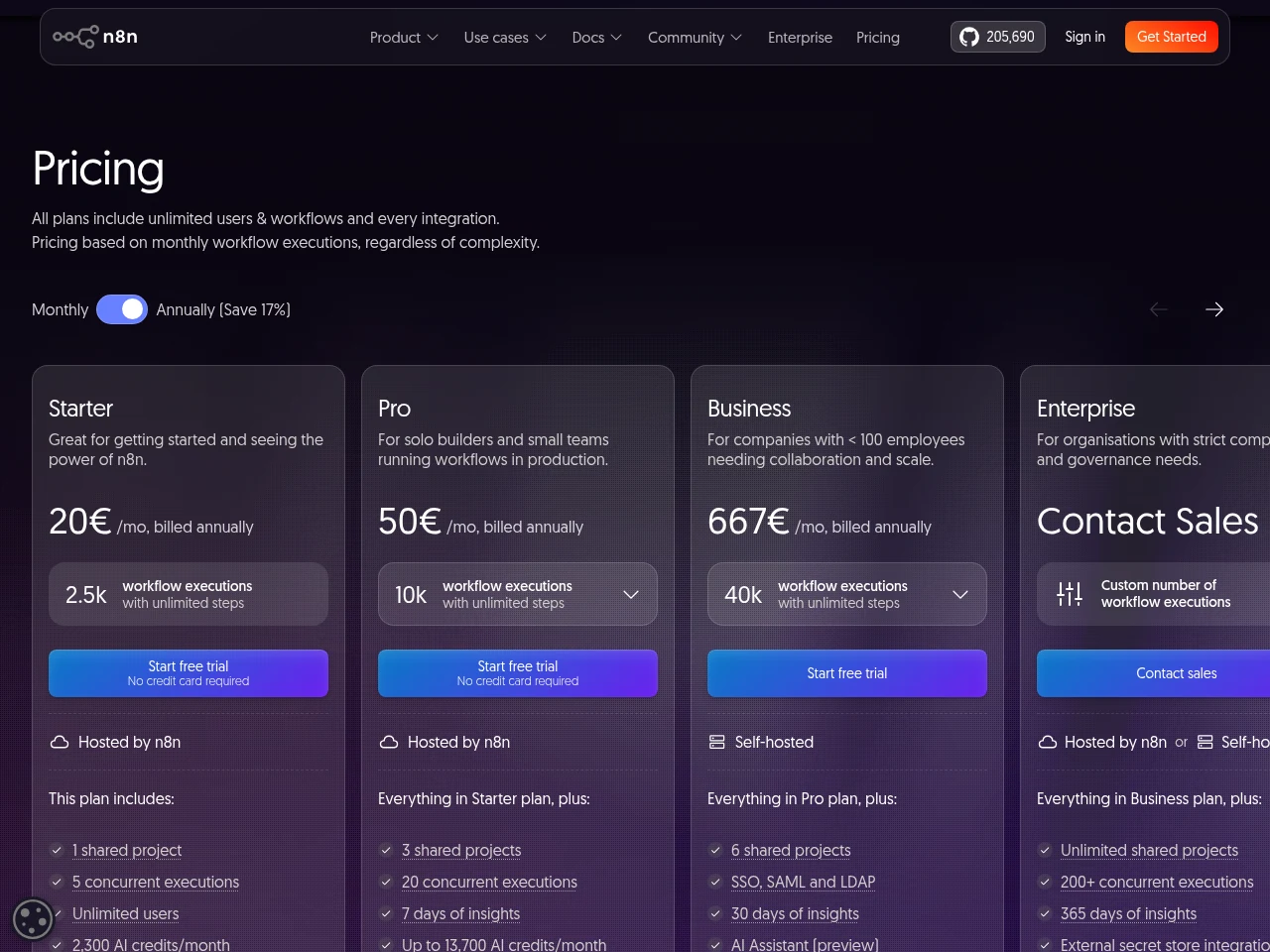
Every plan counts one execution per full workflow run with unlimited steps, and all plans include unlimited users, workflows and integrations.
| Plan | Price | What you get |
|---|---|---|
| Community | Free software sourceFrom n8n.io/pricing, checked Sep 24, 2026 (opens in a new tab) | Self-hosted with no time limit; servers, upkeep and external services are yours to run. |
| Cloud trial | 14-day trial sourceFrom n8n.io/pricing, checked Sep 24, 2026 (opens in a new tab) | Pro features, 1,000 executions, 5 concurrent runs; no card needed. |
| Starter Cloud | EUR 20 per monthbilled annually sourceFrom n8n.io/pricing, checked Sep 24, 2026 (opens in a new tab) | 2,500 executions/month, 5 concurrent executions, 1 shared project. |
| Pro Cloud | EUR 50 per monthbilled annually sourceFrom n8n.io/pricing, checked Sep 24, 2026 (opens in a new tab) | 10,000 executions/month, 20 concurrent executions, 3 shared projects. |
| Business self-hosted | EUR 667 per monthbilled annually sourceFrom n8n.io/pricing, checked Sep 24, 2026 (opens in a new tab) | 40,000 executions/month, 6 shared projects, SSO, SAML and LDAP. |
| Enterprise | Contact provider | Custom execution volume, 200+ concurrent executions, hosted by n8n or self-hosted. |
How far does it go?
- Starter in run frequencyA 30-day month has 43,200 minutes; divided by 2,500 executions, the theoretical spacing is 17.28 minutes. A whole-minute schedule should be at least 18 minutes for this 30-day example, with headroom for other runs.
- A 15-minute scheduleOne workflow that runs every 15 minutes executes 4 x 24 x 30 = 2,880 times in a 30-day month, about 380 more than Starter includes; on Pro it uses under a third of the monthly quota.
- A 10-step workflow run 100 times a daySteps are not counted, so 100 runs a day for 30 days is about 3,000 executions whether each run has 2 steps or 10: above Starter, about 30% of Pro.
Arithmetic from the published allowances above, not a usage test.
Taxes, currency and promotions can change the price you see at checkout.
Try n8n free (opens in a new tab)
Key features
| Feature | What it does | Watch out |
|---|---|---|
| Deployment choice | Run n8n in managed Cloud or on infrastructure you operate. | — |
| Workflow canvas | Create node-based workflows and run them from the editor before publishing. | — |
| Code steps | Use JavaScript or Python in a Code node; runtime and library restrictions depend on the environment. | — |
| REST API requests | Configure HTTP requests or import cURL commands to connect a REST API. | — |
| Execution inspection and retry | View accessible workflow executions, filter their status and retry failed runs. | — |
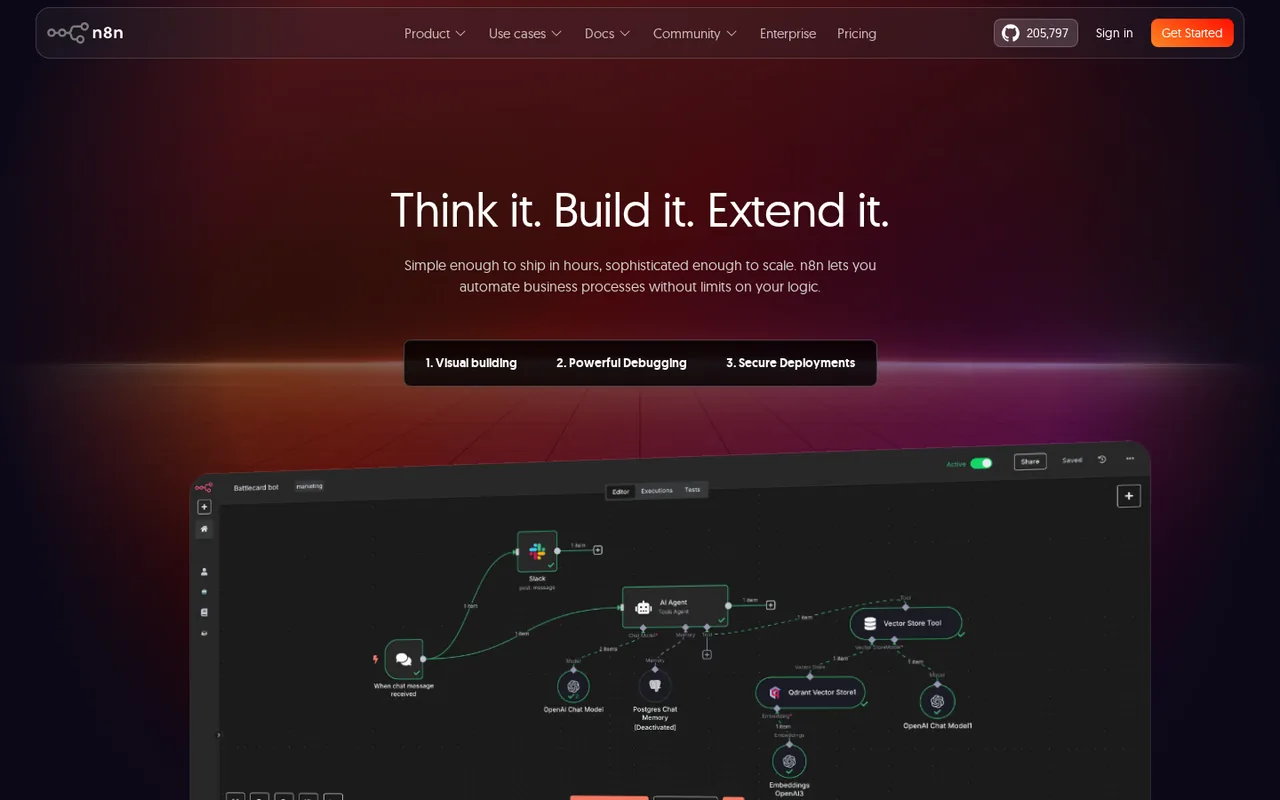
| AI agents and MCP servers | Build AI workflows that connect LLM providers such as OpenAI, Anthropic and Google, and add MCP registry servers as agent tools.AI workflows can combine models from several providers with tools and memory, and a registry MCP server can be connected to an agent after signing in; the MCP Client Tool node connects other servers manually. | The registry list changes often, some servers need provider-side setup first, and an MCP server gives the agent more room at the cost of control and extra context per call. |
| Workflow templates | Start a new workflow from a template instead of an empty canvas; self-hosted instances can point to their own template library.New workflows can start from a template, and self-hosted instances can serve a custom library by setting N8N_TEMPLATES_HOST. | n8n describes its creator program and template marketplace as ongoing work whose details are likely to change. |
| Error workflows | Assign an error workflow, starting with the Error Trigger node, that runs when an execution fails.Each workflow can name an error workflow that runs on failure, for example to send email or Slack alerts, and a Stop And Error node can force a failure under chosen conditions. | The execution ID and URL are missing from the error data when the execution is not saved or the failure happens in the trigger node. |
| Source control and environments | Link instances to a Git repository to run multiple environments backed by Git branches on Business and Enterprise plans.Instance owners and admins connect a Git repository and push or pull changes so work can move between instances backed by Git branches. | It is limited to Business and Enterprise plans, and project admins can push changes but cannot pull them. |
Which n8n plan fits your workflow volume?
Editorial assessment
Size the plan by monthly workflow runs first, then by how many runs must happen at the same time. The thresholds below come from the published plan limits.
- Community (self-hosted): fits when you have someone to run the server and you need no SSO, Git environments or shared projects.
- Starter (EUR 20): fits up to about 2,500 runs a month with no more than 5 running at once, for example a handful of hourly or webhook-driven jobs.
- Pro (EUR 50): fits up to 10,000 runs a month, 20 parallel runs, admin roles, workflow history and execution search.
- Business (self-hosted): fits when you need SSO, Git-backed environments or up to 40,000 runs; n8n aims it at companies with fewer than 100 employees.
- Enterprise: fits when you need a custom volume, 200+ concurrent runs, log streaming or external secrets, hosted by n8n or by you.
A single 17-minute schedule runs about 2,541 times in a 30-day month and exceeds 2,500. An 18-minute schedule uses 2,400, leaving only 100 executions for other triggers and retries; longer months need their own calculation.
How does per-execution billing work in practice?
An execution is one run of the whole workflow, no matter how many steps it has or how much data it processes. n8n suggests counting runs by trigger type: a daily schedule gives 30 or 31 executions a month, a schedule every 5 minutes gives about 8,600 to 8,900, and a webhook workflow runs once per incoming event. Long workflows therefore cost the same per run as short ones.
Cloud or self-hosted: who carries the work?
On n8n Cloud, n8n handles hosting, updates and scaling, and you can start without installing anything. Self-hosting means setting n8n up with npm, Docker or your own server, then providing the infrastructure and maintenance yourself. In return you control the environment and its configuration.
The free Community edition can be used indefinitely with almost the full feature set, so the real cost of self-hosting is the time someone spends keeping it running and restoring it after a failure. Paid plans are still needed for projects, workflow and credential sharing, SSO, environments, external secrets, log streaming and Git version control.
What happens to your work when the Cloud trial ends?
The trial lasts 14 days and gives Pro-plan features with Starter-level computing power, and you can upgrade at any point, paying annually or by the month. If you do nothing, the trial expires without charge and n8n removes the workspace. Your workflows stay downloadable for 90 days after the trial ends, so export anything you want to keep.
What limits apply to custom code?
The Code node runs JavaScript and Python, but library access depends on where n8n runs. On Cloud, external npm imports are unavailable and Python imports are restricted, while self-hosted instances can enable supported libraries through their configuration. Check the runtime requirements of any existing script before you plan a migration around it.
How can you try n8n on a real process during the trial?
Proposed evaluation · not performed yet
Pick one task you already do by hand, such as copying new form entries into a spreadsheet and posting a team alert. Rebuild it with test data, attach an error workflow and force one failure with the Stop And Error node to see the alert arrive. Then read the executions list after a normal day and multiply that count by 30 to see which plan the process would need.
Compare these options
Read the documented differences, then follow the links to each profile for its sources and plan details.


Is n8n worth it?
Documentation review plus dated public user reports. Documentation review, not tested hands-on. Not scored.
Worth it if
- You have someone who can run servers, updates and restores, because then self-hosted Community gives you ongoing free use with only hosting and upkeep as the cost.
- You expect to add teammates freely, since every plan allows unlimited users, workflows and integrations and the price follows execution volume instead.
- You want a managed start, because Cloud handles hosting and updates and Starter at EUR 20 per month, billed annually, covers 2,500 executions.
Probably not if
- Nobody on your team can restore an installation or trace failed runs, because self-hosting leaves all of that to you and Cloud is the safer route.
- You need SSO, environments or Git version control without paying, since those governance features sit in paid plans or editions even on your own server.
n8n alternatives
Other automation tools checked with the same method. Pick by the job, not by a score.
Visual automation for app workflows
Connecting web apps without code

Building and enriching lead lists from websites

Agent tasks that need an inspectable file handoff

Live calls where AI help is permitted

US consumers and small teams who want an assistant to make support calls, cancel subscriptions and negotiate bills, and who will check how credits and the 25% savings fee apply to their plan

Organisations on Microsoft 365 that want to automate Teams, SharePoint, Outlook and Excel work, with RPA for desktop apps

Sales, support and operations teams that want AI agents acting in their CRM and inbox with per-tool approvals
Used n8n? Write the first review. Visitor opinions are moderated and kept separate from our source checks.
Frequently asked questions
How does the n8n Cloud trial differ from the free Community edition?
The Cloud trial is a 14-day managed workspace with Pro-plan features, 1,000 executions and 5 concurrent runs, no card needed, while Community is self-hosted software with no time limit. After the trial, n8n removes the workspace unless you upgrade, and workflows stay downloadable for 90 days. With Community you run the servers, updates and restores yourself, and projects, sharing, SSO, environments and Git version control need a paid plan.
Is n8n free?
Self-hosted n8n is free through the Community edition, and registering your email in Settings > Usage and plan unlocks folders, debug in editor and custom execution data at no cost. n8n Cloud has no free plan after its trial. Budget for a server and the hours needed to update and back it up before calling self-hosting free.
What happens if I go over my execution quota?
Workflows keep running when a quota is exceeded, but overage charges may apply if you do not move to the next tier. n8n says its sales team contacts you when you are close to the limit, and unresolved overages are invoiced automatically 45 days after they occur. On Business, extra executions come in buckets of 300,000 for EUR 4,000.
Should I pay monthly or annually?
The upgrade screen lets you choose annual or monthly payment, and n8n says annual billing saves 17%. The plan prices shown on this page are the annual rates. On a monthly Business commitment you can cancel at any time and the plan ends with the billing cycle; annual commitments end at the end of the term, without pro-rata refunds.
Do the AI Assistant features have limits?
Yes, on Cloud. AI Assistant, currently in preview, comes with monthly AI credits: 2,300 on Starter and 5,700 or 13,700 on Pro, depending on plan size, while a trial includes 800. Unused credits do not roll over and extra credits cannot be bought yet. Self-hosted instances use your own model key, so no credit limit applies.
Is there a discount for small companies?
n8n runs a Start-up Plan that gives eligible companies with fewer than 20 employees 50% off the Business plan, subject to a qualification check. Business is otherwise sold as a self-hosted license for companies with fewer than 100 employees. Annual Business and Enterprise plans can also be paid by invoice or wire transfer.
Sources and method13 official sources · 51 details checked · Sep 23–24, 2026
How we checked this profile
51 details on this page were checked against n8n's own pages and help documentation (Sep 23–24, 2026).
See the checks by section44 documented7 editorial assessment
| Section | Checks | Last checked | Sources |
|---|---|---|---|
| Article text | 7 documented 3 editorial | docs.n8n.io/choose-how-to-use-n8ndocs.n8n.io/start-your-free-trialdocs.n8n.io/handle-errors-gracefullyn8n.io/pricingdocs.n8n.io/n8n-nodes-base.code | |
| Plans and prices | 8 documented | n8n.io/pricing | |
| Who it suits | 4 editorial | docs.n8n.io/choose-how-to-use-n8nn8n.io/pricing | |
| Questions | 7 documented | docs.n8n.io/choose-how-to-use-n8nn8n.io/pricing | |
| Platforms and integrations | 1 documented | docs.n8n.io/choose-how-to-use-n8n | |
| Strengths and limits | 7 documented | docs.n8n.io/choose-how-to-use-n8nn8n.io/pricingdocs.n8n.io/start-your-free-trial | |
| Features | 14 documented | docs.n8n.io/choose-how-to-use-n8ndocs.n8n.io/create-and-run-workflowsdocs.n8n.io/n8n-nodes-base.codedocs.n8n.io/n8n-nodes-base.httprequestdocs.n8n.io/view-all-executionsdocs.n8n.io/integrate-aidocs.n8n.io/mcp-serversdocs.n8n.io/use-templatesdocs.n8n.io/handle-errors-gracefullydocs.n8n.io/use-source-control-and-env… |
7 details are due for another source check.
Sources for this profile
- n8n pricingn8n.io
- Choose how to use n8ndocs.n8n.io
- Cloud trial and expirydocs.n8n.io
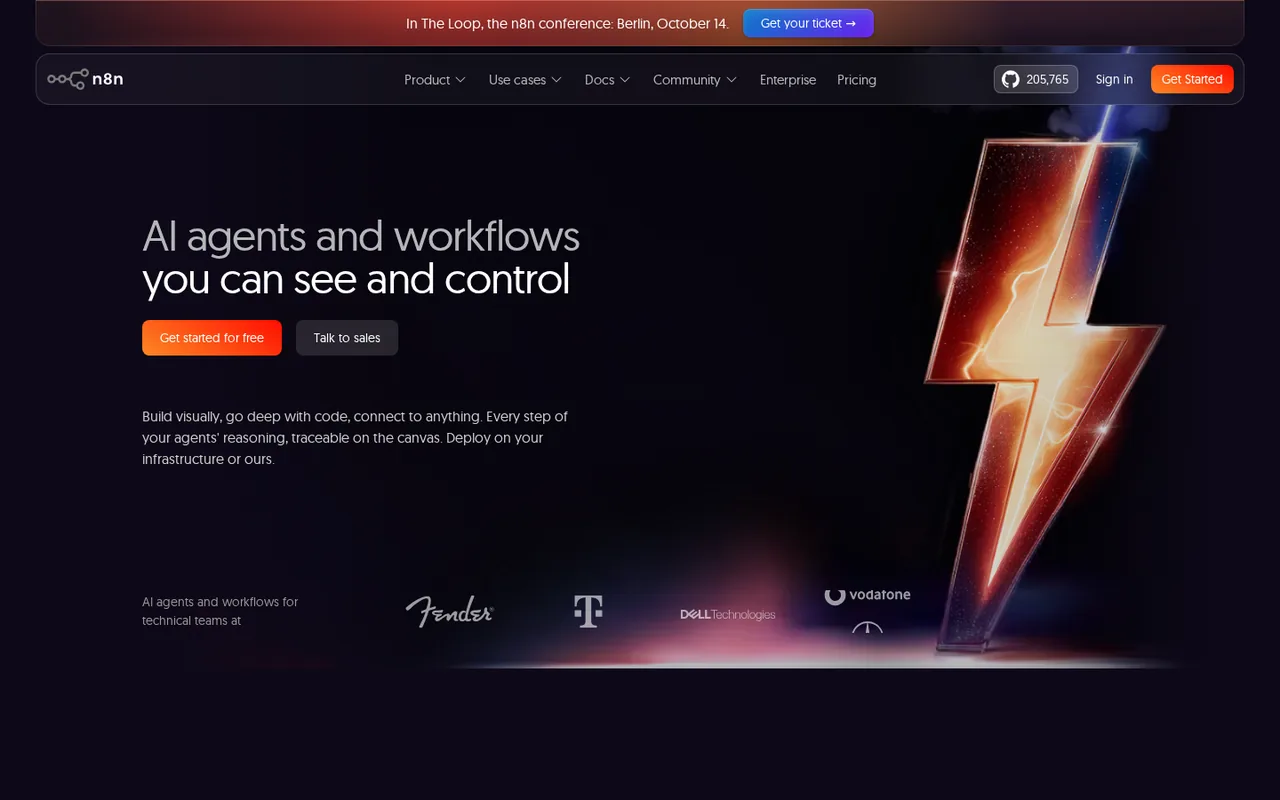
- Official product landing pagen8n.io
All 13 sources
Plans, limits and features come from n8n's pricing page and official documentation. Taxes, checkout terms and account-specific offers were not reviewed.
Sources checked Sep 23–24, 2026. Found something out of date? See how we correct profiles.