What is Pitch, in short?
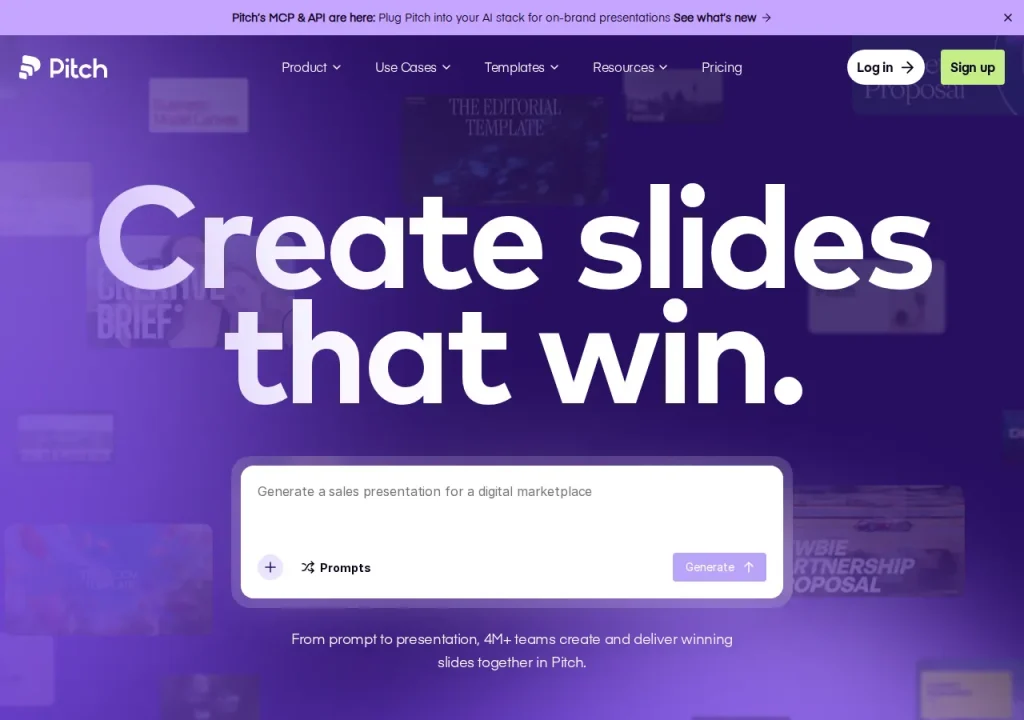
Pitch is a presentation workspace where an AI agent drafts on-brand slides and teams co-edit them in the browser. The free plan is permanent, but its 100 AI credits never renew, so your credit allowance — not the slide count — decides how much AI work you can do. Paid plans run from EUR 10 to EUR 20 per seat per month on annual billing.
Key features
- AI agent that drafts and personalises on-brand slides
- Live co-editing with slide assignments and comments
- Pitch Rooms for sharing decks and resources with clients
- Viewer analytics on opens and interaction
- Brand library for fonts, templates and approved media
- Bulk personalisation from imported customer data
Feature list taken from the sources listed at the foot of this profile, not from our testing.
What can you actually do with Pitch?
Workspace members
Free allows up to five members, while Plus allows one.
Where it falls short: Count members separately from external guests before choosing a plan.
PowerPoint export
Plus and higher plans provide PPTX output.
Where it falls short: Uploaded videos and recordings become thumbnails; animations are unsupported.
Free PDF export
Free can export PDFs with branding.
Where it falls short: A PDF is not an editable PowerPoint file.
Feature descriptions follow the sources listed at the foot of this profile; the limits are our editorial reading of what those sources do and do not promise.
Strengths and limits
Strengths
- Free supports a small shared workspace
- Paid plans add PowerPoint export
- Team and Business support larger workspaces
Limits to plan around
- Free AI credits do not renew
- Plus is restricted to one workspace member
- PPTX export does not preserve every media or animation element
- Annual credit allocation differs from assuming a monthly refill
Derived from documented behaviour and published limits, not from a scored review.
Who is it for?
- Sales teamsClient decks with viewer analytics and shared Pitch Rooms.
- AgenciesBulk personalised decks generated from one customer list.
- StartupsA permanent free plan for investor decks before any budget exists.
- Brand ownersA central library that keeps fonts and templates consistent.
Our editorial judgement about fit, based on what the documented features support. The vendor makes no such claim about these groups.
How much does Pitch cost?
Pricing check: Individual details checked. Check the current provider terms before subscribing.
| Plan | Price | What it covers |
|---|---|---|
| Free | Free | Up to five members; 100 non-renewing AI credits; branded PDF export. |
| Plus | Confirm current account price | One member; PowerPoint export. |
| Team | Confirm current account price | Up to 25 members; check per-seat credit allocation and annual versus monthly billing. |
| Business | Confirm current account price | Up to 200 members; check current feature and credit limits. |
| Enterprise | Custom | Request current terms from the provider. |
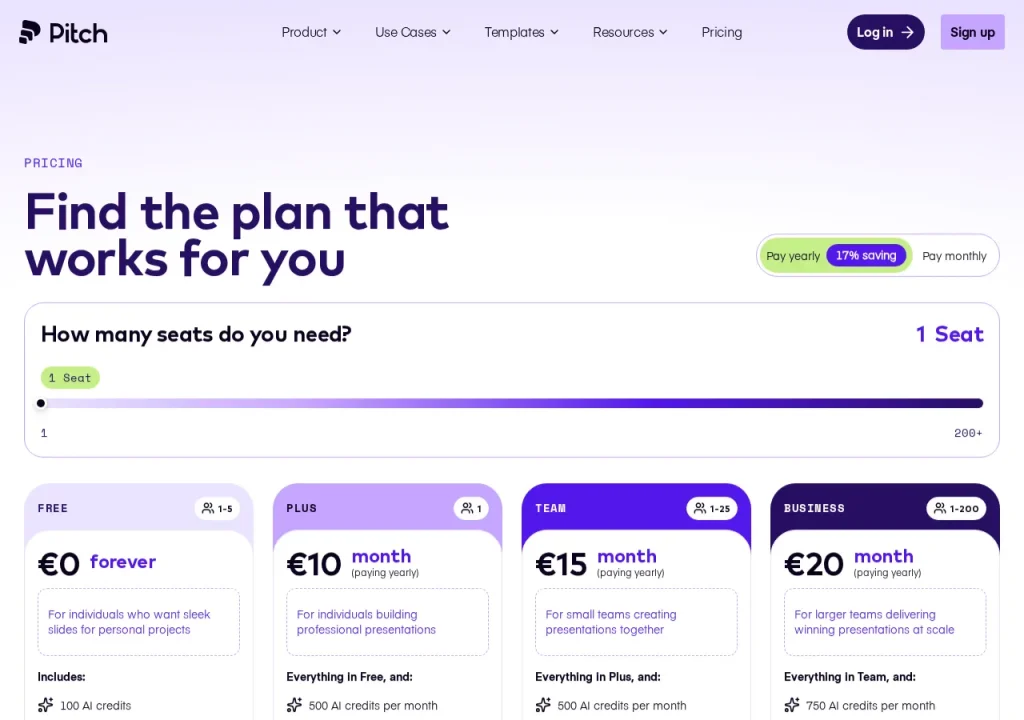
No comparable numeric price range is confirmed here. Individual plan notes may include documented amounts, but unknown billing units, unavailable figures or inconsistent terms are not converted into a single price range. See the evidence checks and original pricing source below.
What is Pitch used for?
Pitch is a browser-based presentation workspace aimed at teams who send decks to people outside their own company. An AI agent drafts slides against your brand assets, the editor keeps full design control, and the finished deck can be shared as a tracked link rather than a file. The company states that more than four million teams use it.
The distinction worth holding onto is that Pitch treats a deck as a living, shared object. When browsing the presentations category, compare file delivery with online sharing. Pitch’s analytics, advanced links and Pitch Rooms all assume the deck stays online, where you can see what happened after you sent it.
Where it fits in a workflow
It suits recurring, outward-facing decks: sales proposals, client updates, investor material. Bulk personalisation is the clearest example of its intent — import a customer list and generate a tailored deck per row, rather than duplicating one file and editing names by hand.
If colleagues need an editable PowerPoint file, Plus or a higher plan supports export. The export guide lists concrete losses: animations are unsupported, uploaded videos and recordings become thumbnails, and fonts may fall back. Check the exported deck in the destination application.
Plans and limits
Pitch publishes a free plan; Beautiful.ai advertises a card-required trial for its current Pro and Team plans. But the free plan’s generosity has a specific edge: it includes 100 AI credits that never renew.
Credit allocation needs to be read with the billing period. The paid-plan guide specifies Team credits per seat and describes an annual allocation on yearly billing. Do not assume that an annual subscription receives a new monthly pool. Free credits do not renew.
The pricing page displayed EUR during this check. Confirm the currency shown for your own account; this observation does not establish a universal currency restriction. A free trial of the paid tiers is described as available to some customers depending on their needs, so do not assume you will be offered one.
A first task to try
Take a proposal you actually have to send this month. Draft it with the AI agent, apply your brand library, then share it as a link instead of attaching a file — and watch the viewer analytics after the client opens it. Two things become clear quickly: how many credits a real deck consumes, and whether the analytics change how you follow up. If neither does, the free plan is where you should stay.
Should you choose Pitch?
Choose it if your decks leave the building and you want to know what happened to them afterwards. The combination of tracked links, Pitch Rooms and per-recipient personalisation is aimed squarely at sales and client work, so compare those sharing requirements alongside file export in the tool directory.
Look elsewhere if you mainly need tidy internal slides fast — rules-based layout tools do that with less configuration — or if PowerPoint is the required deliverable and editing must continue there. Also look elsewhere if metered AI makes you uneasy; a credit budget is a ceiling you will eventually hit mid-task.
Before you commit
Spend the free plan’s 100 credits deliberately, on one deck that matters, and note what remains. If a paid trial is available to your account, use it to inspect a PowerPoint export; otherwise check the paid export terms before purchasing. Check today’s euro rate against your own currency before you approve an annual seat count, and see how the plan you are considering stacks up on our comparisons page. Prices and plan contents here were verified on the official pricing page on 22 September 2026; vendors change them without notice, so treat the source links above as the authority — that rule is part of our editorial policy.
Which plan fits a shared workspace?
Count workspace members separately from external guests. Free allows five members, while Plus is limited to one. Team allows 25 and Business 200. Free PDF export includes branding; editable PowerPoint export is a paid feature. A solo paid plan therefore does not automatically cover a shared team workspace.
Watch Pitch in the vendor's own words

Published by Pitch on their official YouTube channel, May 27, 2026. Nothing loads from YouTube until you press play — the preview image is served from this site. We did not produce this video and do not endorse its claims.
Official Pitch channels
Collected from links published on the vendor's own website, checked September 22, 2026. Use these to verify announcements and current pricing at the source.
Frequently asked questions
Is Pitch free?
Yes. Free supports up to five workspace members and includes 100 AI credits that do not renew. It can export branded PDFs. That is different from a paid Plus workspace, which has one member and includes PowerPoint export.
How much does Pitch cost?
The pricing page displayed EUR annual-equivalent amounts in this review. Confirm the currency and billing cycle shown to your account before purchasing. Plus is a one-member plan; larger workspaces need a plan that supports their member count.
What are AI credits in Pitch?
Credits meter AI operations. Free starts with a non-renewing allowance. The paid-plan guide distinguishes per-seat allocation and yearly allowances, so do not assume that an annual subscription receives a fresh monthly pool; read the selected plan terms.
Can I export to PowerPoint?
Yes, on Plus or a higher plan. Free still supports PDF export with branding. PPTX export does not preserve everything: uploaded videos and recordings become thumbnails, animations are unsupported and fonts may change on the receiving machine.
What is a Pitch Room?
A shared space where a deck sits alongside related resources for a specific client or deal, instead of being sent as a file. Team plans list two shared rooms and Business lists unlimited ones. It is the feature that most separates Pitch from tools that simply generate slides and hand you a download.
What are the alternatives to Pitch?
Beautiful.ai is another presentation workflow in this directory. Compare workspace membership, layout control and the exact format you need to deliver. Use a representative deck to inspect export behaviour; this profile does not claim a measured quality winner.
Evidence for key details
These checks apply to the individual details below. A recent check of one detail does not mean every section was reviewed again.
- Free includes 100 AI credits that do not renew.Documented · Provider documentation · Checked . Read the source (opens in a new tab)
- Free supports five members; Plus supports one; Team supports 25; Business supports 200.Documented · Provider documentation · Checked . Read the source (opens in a new tab)
- Plus includes PowerPoint export and removal of Pitch branding.Documented · Provider documentation · Checked . Read the source (opens in a new tab)
- PPTX export omits animations; uploaded videos and recordings become thumbnails, and font availability can affect appearance.Documented · Provider documentation · Checked . Read the source (opens in a new tab)
- Free PDF exports include a Pitch watermark.Documented · Provider documentation · Checked . Read the source (opens in a new tab)
- Paid-plan documentation specifies 500 AI credits per month per Team seat, with 6,000 per seat for annual billing.Documented · Provider documentation · Checked . Pricing card describes shared team credits; preserve per-seat allocation and annual pooling rather than claiming a fresh monthly refill on annual plans. Read the source (opens in a new tab)
Sources for this profile
Provider pricing and export documentation reviewed; no export test. Prices displayed in EUR. Check seat count, billing cycle and annual credit allocation before purchase. Checked September 22, 2026. Found something out of date? The editorial policy explains how we correct profiles.