
How to Export an AI Presentation to PowerPoint, PDF or Google Slides
An AI deck can look right in the editor and still change when it leaves as a file. This guide covers Gamma, Pitch and Beautiful.ai: which plan opens each export, the clicks that produce it, what the file loses on the way, and how to check it before the recipient opens it.
By Elias Brandt · Updated 9 Oct 2026 · About 11 min read · Plan terms taken from each tool profile
The short answer
Need an editable PowerPoint for free? Gamma exports PPTX on its Free plan, with a Gamma badge until Plus. Pitch adds PowerPoint export on Plus, EUR 10 a month billed yearly; its Free plan exports a watermarked PDF.
Using Beautiful.ai? It has no free plan. Paid plans export editable PowerPoint and Google Slides; the trial needs a card.
Will the file match the editor? Not fully. Each vendor documents what its exports lose, from motion and uploaded video to fonts and visual effects, so open the exported file before sending it.
Which file does the recipient need, and which plan opens it?
Recipient need, file and plan
In shortAsk whether the recipient will edit the deck, only read it, or watch it online. That answer picks the file, and the file picks the plan.
| Recipient need | Send | Gamma | Pitch | Beautiful.ai |
|---|---|---|---|---|
| Edits text and figures in PowerPoint | Editable PPTX, plus a PDF for reference | Every plan; Free files carry the Gamma badge | Plus and higher, with speaker notes | Paid plans; fonts must be installed where the file opens |
| Edits in Google Slides | Google Slides deck | Upload the PPTX export to Google Slides | Not covered in the sources checked | Editable on Pro, Team and Enterprise; embedded audio, video and motion are lost |
| Reads or prints only | Every plan; badge on Free | Free, with a small watermark; no speaker notes or comments | Static reference that cannot play media | |
| Needs a file without vendor branding | PPTX or PDF from a paid plan | Plus or higher, active at the moment of export | Plus or higher | No free plan; branding on exports is not covered in the sources checked |
| Presents with animation | No file: present from the tool | Not covered in the sources checked | Present from Pitch, which also has an offline mode | The separate Beautiful.ai player keeps native motion offline |
| Views online, and you want to see engagement | A shared link | Links, or a site on a gamma.site address; detailed analytics on Pro | Tracked links with viewer analytics; Pitch Rooms on Team | Viewer and engagement analytics on shared presentations |
Plan conditions from each tool’s profile, which shows the date its plan terms were checked. Gamma and Pitch list prices in euros, Beautiful.ai in US dollars.
What the free routes give you
- Gamma Free exports PDF, PNG and PPTX. The “Made by Gamma” badge goes on PDF and PPTX files whenever the workspace is on Free at the time of export. Printing from the browser (Ctrl+P or Cmd+P) while signed in adds no badge, which suits a personal printed copy, not a client file.
- Pitch Free exports a compressed or a high-quality PDF with a small Pitch watermark in the bottom corner, and warns you before exporting. PowerPoint export is a paid feature.
- Beautiful.ai has no permanent free plan. The 14-day trial requires a card and charges the plan in full when it ends unless cancelled, so finish the export check inside those 14 days.
Sources: Exporting a gamma, Gamma pricing, Pitch PDF export, Pitch pricing, Beautiful.ai pricing.
How do you export the deck in each tool?
Gamma: Share, Export, then the format
In shortChoose All cards before exporting, or Gamma may export only the card you are on.
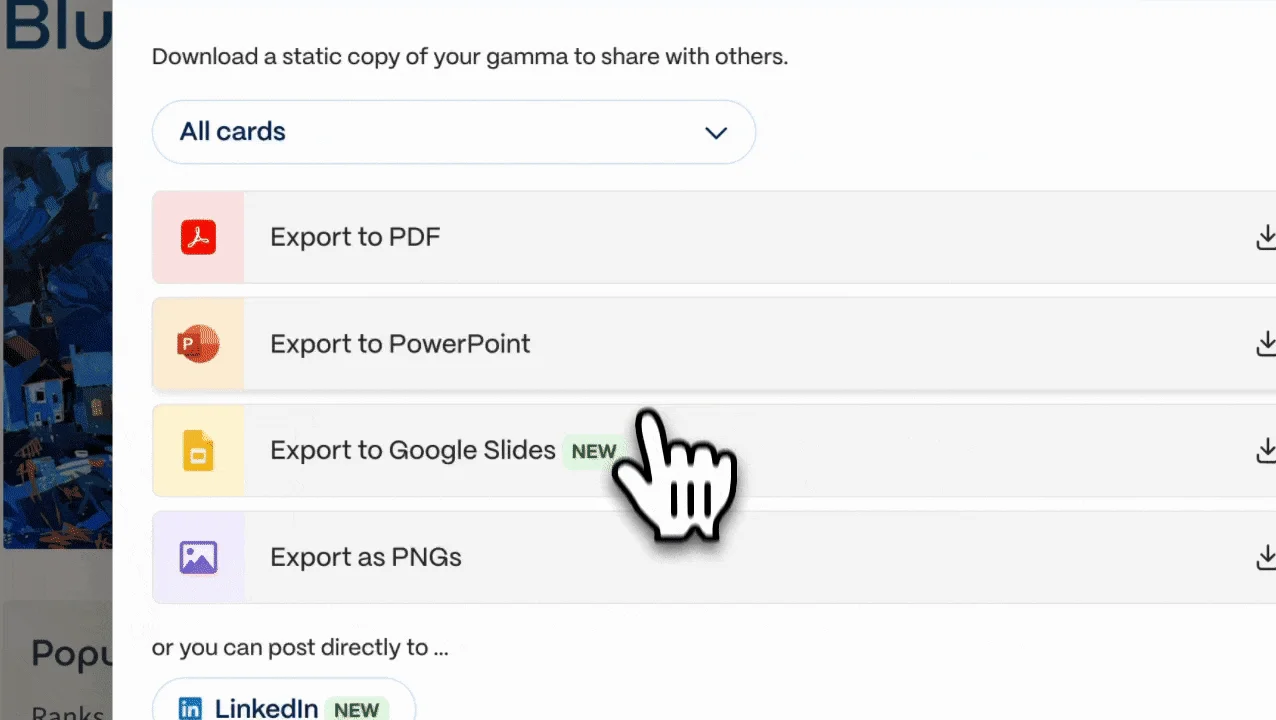
- Click Share at the top right and select Export, or open the three-dot menu and click Export.
- In the card dropdown, select All cards.
- Pick PDF, PNG or PowerPoint (PPTX). The file downloads when ready, and a copy arrives by email.
- Optional: move the image quality slider (sharper images make larger files), and leave Editable tables on so tables stay real PowerPoint tables. It is on by default on every plan.
- To send one slide, hover over it, open its three-dot menu and use the download icon.
The file follows Present Mode, not Edit Mode. Gamma embeds the theme’s heading and body fonts in the PPTX, and the export menu has an Install fonts box for the rare font that fails to embed. Decks of about 150 slides or more can fail to export: split them, export each part and merge the files outside Gamma.
See the Gamma profile for plans, limits and sources.
Visit Gamma (opens in a new tab)
Sources: Exporting a gamma, Gamma export troubleshooting.
Pitch: Share, Export, PowerPoint or PDF
In shortPowerPoint needs Plus or higher. Export from the desktop or web app, one deck at a time, while online.
- Click Share at the top right of the presentation and select Export. Ctrl+K (Cmd+K on Mac) and a search for “Export” reaches the same option.
- Choose PowerPoint, or a Compressed or High Quality PDF.
- Wait for the pop-up saying the file is ready. The desktop app asks where to save it; the web app uses the browser’s download folder.
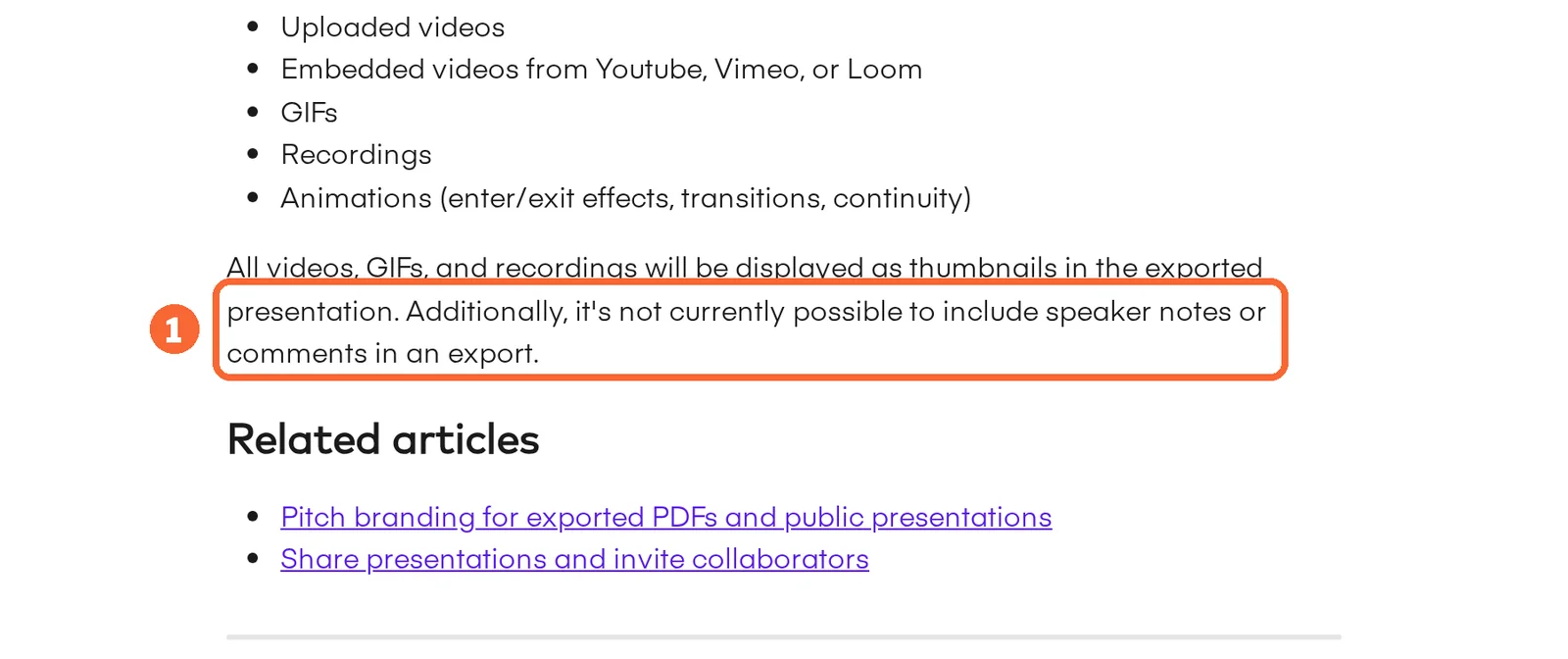
PowerPoint export is not available in the mobile app, though the mobile apps can export a PDF. Exporting offline is not possible, so export ahead of time if you will be without a connection, or present from Pitch in offline mode. There is no bulk export: a folder with several versions means several exports.
See the Pitch profile for plans, limits and sources.
Visit Pitch (opens in a new tab)
Sources: Pitch PowerPoint export, Pitch PDF export.
Beautiful.ai: editable or image-based PowerPoint
In shortPick the editable PowerPoint option for anything the recipient must change. The image-based option turns each slide into a static picture.
Paid plans export editable PPTX and an image-based PPTX. Pro, Team and Enterprise also export editable Google Slides; PDF gives a static reference. The menu path for each export is not covered in the sources checked, so follow the two help articles below for the current clicks.
Fonts must be installed on the device that opens the PPTX, so send the font list with the file. Animations and transitions built in Beautiful.ai stay behind in PowerPoint and every other external format. A deck that depends on them is presented from the tool, or offline through the separate Beautiful.ai player.
See the Beautiful.ai profile for plans, limits and sources.
Visit Beautiful.ai (opens in a new tab)
Sources: Beautiful.ai editable PowerPoint, Beautiful.ai export formats.
Starting from your own document or template
In shortIf the deck must end up in your company’s PowerPoint look, bring that look in before generating, not after export.
Gamma imports PowerPoint and Word files up to 200 MB and PDFs up to 100 MB, either as they are or restyled, and can save an imported deck as a workspace template. Some charts arrive as static images, and Excel files cannot be imported, so rebuild charts from the figures with Gamma’s chart block. Its themes hold your colours, fonts and logo. Beautiful.ai imports PowerPoint files and applies branded themes. Pitch keeps fonts, templates and approved media in a brand library, with custom fonts from Plus; PowerPoint import is not listed on its profile.
Sources: Importing into Gamma, Gamma themes, Pitch pricing, Beautiful.ai pricing.
What changes when the deck becomes a file?
What travels in each export
In shortRead down a column for your tool. A dash means the sources checked do not cover it, not that it fails.
| Capability |  Gamma Gamma |  Pitch Pitch |  Beautiful.ai Beautiful.ai |
|---|---|---|---|
| Inside the PowerPoint file | |||
| Speaker notes | OfferedPPTX and Google Slides | OfferedPPTX; not in PDF | Not listednot covered in the sources checked |
| Fonts | Offeredtheme fonts embedded | Partlymay fall back to Calibri | Partlyinstall on the device |
| Editable tables | Offeredon by default | Offeredtables supported | Not listednot covered in the sources checked |
| Charts | Partlyrender at size; editability not stated | Partlymay look different | Not listednot covered in the sources checked |
| Uploaded video and recordings | Not listednot covered in the sources checked | Not listedbecome thumbnails | Not listednot in Google Slides or PDF |
| Animations and transitions | Not listednot covered in the sources checked | Not listeddropped | Not listedstay behind |
| Slide master | Not listedblank in PowerPoint | Not listednot covered in the sources checked | Not listednot covered in the sources checked |
| Other forms of the same deck | |||
| Slides as pictures | OfferedPNG export | Not listednot covered in the sources checked | Offeredimage-based PPTX |
| Google Slides | Partlyupload the PPTX | Not listednot covered in the sources checked | PartlyPro, Team, Enterprise |
offered partly or with limits not listed on the profile.
Cells come from each tool’s profile and the export help pages it cites.
Symptom, cause and fix
In shortMost surprises are documented in advance. Match what you see in the exported file to a row.
| Symptom in the exported file | Cause in the vendor’s documentation | Fix before sending |
|---|---|---|
| Gradient headings or frosted backgrounds look flat | Gamma: some effects use fallback styles in PDF and PowerPoint | Switch those slides to flat styling, or send the PDF as the visual reference |
| Content is smaller or shifted on the page | Gamma: the Zoom to fit setting controls scaling in fixed-format exports | Toggle Zoom to fit in the export menu and export again |
| Fonts change after upload to Google Slides | Google Slides ignores fonts embedded in an uploaded PPTX | Use fonts Google Slides offers, or let the recipient edit in PowerPoint |
| Text reflows or turns into Calibri | Pitch cannot always embed the font; Beautiful.ai needs it installed | Install the fonts on the receiving computer, or list them in the folder |
| A video shows only as a still image | Pitch: uploaded videos and recordings become thumbnails | Link the video in the notes, or deliver it as its own file |
| The company master does not restyle the slides | Gamma: PowerPoint exports have no slide master; styling sits on each slide | Import your template into Gamma before generating |
| Speaker notes are missing | Pitch: PDF exports leave out notes and comments | Send the PPTX, or the notes as a separate document |
| The file is much larger than expected | Gamma: AI-generated images export as PNG | Lower the image quality slider and export again |
Sources: Exporting a gamma, Gamma export troubleshooting, Pitch PowerPoint export, Beautiful.ai editable PowerPoint, Beautiful.ai export formats.
How do you check the file and hand it over?
1. Check the content before you export
Give the generator figures, not a topic, and keep them in a plain table beside the prompt. For a board deck on three workshops with 18, 26 and 22 attendees and an unapproved budget, the chart must show those three numbers and the budget slide must say no figure exists yet. Delete any forecast, quote or reason for the change that is not in your notes. A five-slide outline also fits Gamma Free’s limit of 10 slides per prompt.
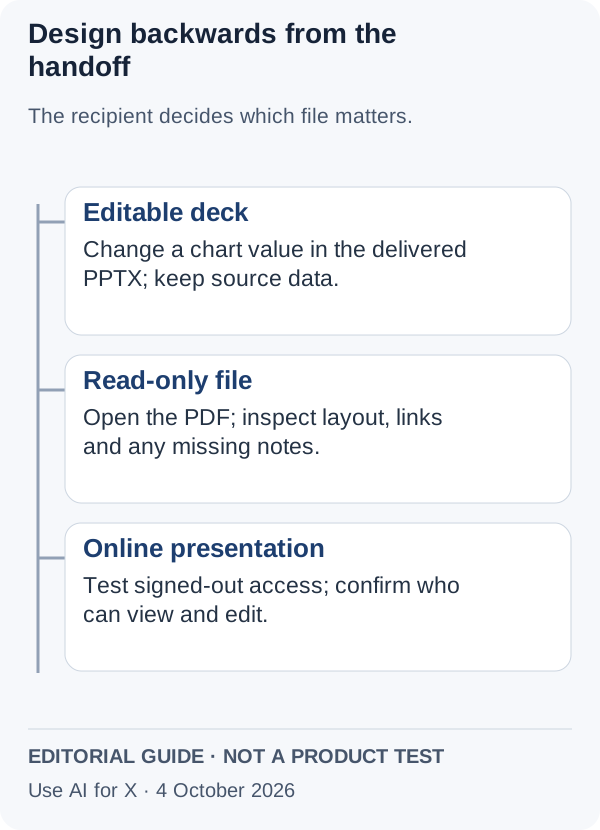
2. Open the exported file, not the editor
- Open the file in the recipient’s application, ideally on a second computer without your fonts.
- Make the recipient’s edit yourself: change one figure in a table and one text box, and see whether the layout holds.
- Compare with the reference PDF slide by slide: headings, line breaks and chart labels.
- Look for the badge or watermark if the brief asks for an unbranded file.
- Check what the format drops: notes in a Pitch PDF, motion in any external file, video in Google Slides.
3. Send a folder, not a single file
A folder lets the recipient recover from a conversion problem without coming back to you: the editable deck, the reference PDF, the data behind each chart, the notes if the chosen export dropped them with the list of fonts, and the open items with the person who must supply them.
workshop-report/
  workshop-report.pptx
  workshop-report-reference.pdf
  attendance-data.csv
  notes-and-fonts.txt
  open-items.txt
If the recipient only views the deck, a shared link replaces the folder and every viewer sees your current version. Check access from a signed-out browser before sending it.
What does an unbranded export cost if you need one only now and then?
Four client handoffs a year
In shortEach vendor bills in its own currency and period, so the totals sit side by side and are never converted.
| Tool | Plan for an unbranded PPTX | One month on its own | Four separate months, or a year |
|---|---|---|---|
| Gamma | Plus | Check the monthly price at checkout; the pricing page shows annual billing | EUR 96 per seat for the year (12 × 8), billed annually |
| Pitch | Plus, one member | EUR 12 billed monthly | EUR 48 for four months (4 × 12), against EUR 120 for a yearly Plus (12 × 10) |
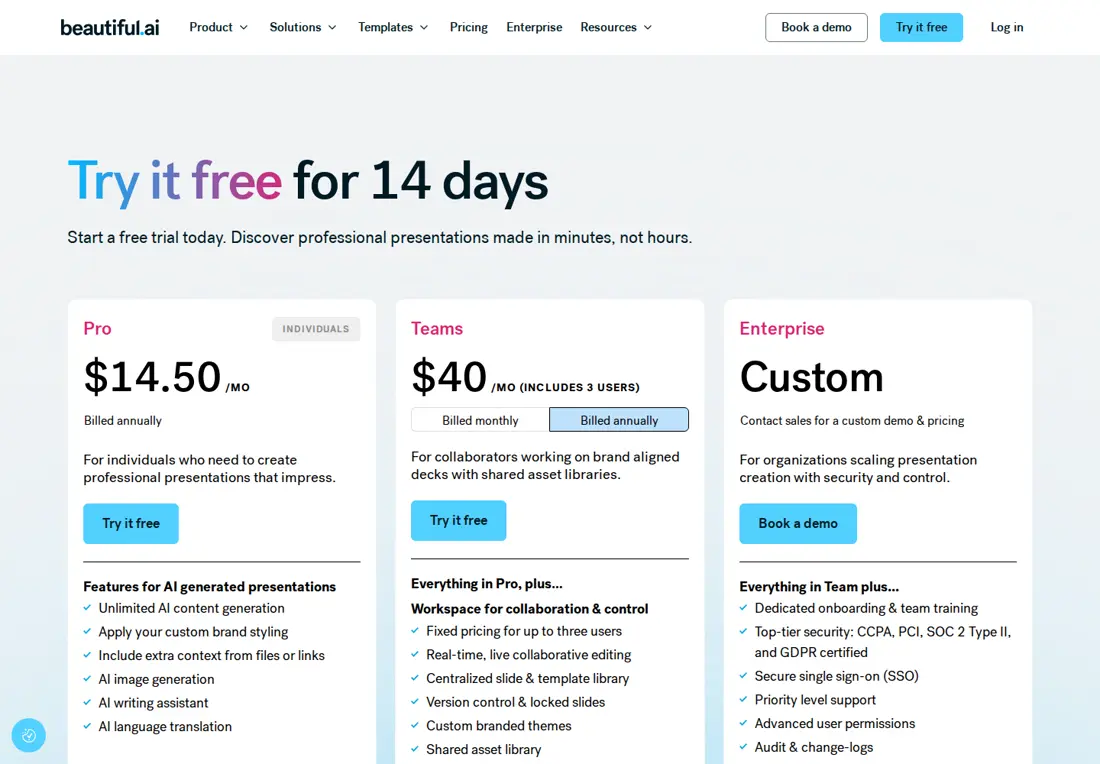
| Beautiful.ai | Pro | $45 as the monthly option | $180 for four months (4 × 45); annual Pro views show $14.50 or $12 a month, so get the checkout total |
The four-month totals assume the plan is cancelled between handoffs. Two timing rules matter more than price. Gamma stamps the badge on any export made after a paid plan lapses, so export every final file while the plan is active. Pitch Plus holds one member, so a colleague who must also export needs Team. Seat pricing for teams is worked out in Gamma vs Beautiful.ai and Beautiful.ai vs Pitch.
Sources: Gamma pricing, Pitch pricing, Beautiful.ai pricing, Beautiful.ai pricing plans.
Questions, and what this guide does not judge
Common questions
How do I export an AI presentation to PowerPoint?
In Gamma, click Share, then Export, select All cards and choose PowerPoint; this works on every plan, with a badge on Free. In Pitch, click Share, Export and PowerPoint on Plus or higher, from the desktop or web app. Beautiful.ai exports editable PowerPoint on paid plans, and the fonts need to be installed wherever the file opens.
How can I check whether a PowerPoint export contains editable objects?
Open the exported file in PowerPoint, not the editor, and make the recipient's edit yourself: change one figure in a table and one text box, then see whether the layout holds. A chart that cannot be edited is a flat picture. Gamma keeps tables as real PowerPoint tables when its table setting is on, and Beautiful.ai's image-based PowerPoint turns each slide into a static picture, so choose its editable option.
Can I make a PowerPoint presentation with AI for free?
Yes, with limits. Gamma Free starts with 400 one-time credits, drafts up to 10 slides per prompt and exports PPTX files carrying the Gamma badge. Pitch Free includes 100 AI credits that never refresh and exports only a watermarked PDF. Beautiful.ai offers a 14-day trial instead of a free plan, and the trial needs a card.
How do I make an AI deck match our company PowerPoint template?
Bring the template in before generating. Gamma can import a PowerPoint as a reusable workspace template, and its themes store your fonts, colours and logo. Restyling afterwards is harder with a Gamma export, because its slide master is blank and the styling sits on each slide. Beautiful.ai applies branded themes, and Pitch keeps approved fonts and templates in its brand library.
Does upgrading remove the Gamma badge from files I already exported?
No. The badge depends on the plan at the moment of export, not on when the deck was made, and it is never removed from earlier files. Export again after upgrading to Plus or higher. If the subscription later lapses, the workspace returns to Free and new exports carry the badge again, even for decks built on the paid plan.
Can I pay for one month just to export a single deck?
Check the refund and trial terms first. Gamma refunds only within the first 3 days of a subscription, and only if credit usage stays below the plan's threshold. Pitch offers a paid-feature trial to some customers through support, so ask which features it covers. Beautiful.ai's trial charges the plan in full on day 14 unless it is cancelled.
What this guide does not judge
How good the slides look, how accurate the generated text is, how fast each tool drafts or exports and how easy each editor feels are what most AI presentation pages advertise. The vendor pages behind this guide do not document them in a way we can check, so they are not judged here.
Presentations.ai, Manus, Genspark, AiPPT, SlidesPilot and Copilot in PowerPoint rank for this search but are left out until each has a profile with checked plan terms. More tools sit in the presentation tools category, and more pairs in comparisons.
Build the five-slide workshop deck on Gamma Free, export it as PPTX with All cards selected, and open it in PowerPoint on a second computer. Change one attendance figure in place, then upload the same file to Google Slides and compare the fonts. Testing an unbranded file on Gamma Plus or Pitch Plus is a separate, paid stage.
How this guide was made
Plans, prices and export conditions come from the Gamma, Pitch and Beautiful.ai profiles on this site, which cite the vendors’ pricing and help pages and carry their own check dates. Export steps and the behaviour of each file come from the vendors’ export help articles linked in each section. Sections follow the topics the top-ranking pages for this search cover, limited to what these sources document. No rating is given. See our editorial policy.


