Gamma vs Beautiful.ai: Credits and Web Pages or Unlimited Slides?
Both turn notes into slide decks with AI. Gamma starts free, meters its AI in credits and can publish the same draft as a document or a website. Beautiful.ai is paid after a 14-day trial, lists unlimited AI generation on paid plans and arranges its Smart Slides by layout rules. This page prices four team sizes in each tool’s own billing unit and lists which export each plan opens.
By Elias Brandt · Updated 8 Oct 2026 · About 8 min read · Plan terms taken from each tool profile
The short answer
Choose Gamma for a permanent free plan and drafts that can become slides, documents or websites; paid features have credit and plan limits. Choose Beautiful.ai for automatic slide layouts and unlimited AI generation. Its annual Pro rates and Team seat units conflict across official pricing views, so request a checkout total before deciding which subscription fits your workload.
Gamma or Beautiful.ai: which one, when?
Pick by where the deck ends up
In shortIf the material must also become a page on the web, start with Gamma. If it only ever leaves as slides and you redraft often, look at Beautiful.ai.

Gamma when the deck must also become a web page
A launch brief can be shared as slides, turned into a document and published as a site from one editor, so nothing is rebuilt in a second tool.

Beautiful.ai for a presenter who drafts constantly
With no credit meter, the hundredth regeneration costs the same as the first, which matters for weekly status reports and pitch rewrites.
Beautiful.ai Team for brand-controlled sales decks
Locked slides and a shared slide library keep reps from drifting off template, while live data links keep chart numbers current.
Gamma Business for SSO without a sales quote
Single sign-on arrives on a plan with a listed price, where Beautiful.ai reserves it for Enterprise.
Five real jobs, side by side
In shortRead across a row: the job, then what each tool allows and on which plan.
| If the job is… | Gamma | Beautiful.ai |
|---|---|---|
| Draft a 25-slide pitch deck from notes | Free generates up to 10 slides per prompt; paid plans up to 100, each slide spending credits | Unlimited AI generation on any paid seat or during the trial |
| Publish a product one-pager as a web page | Site on a gamma.site address on any plan; custom domain from Pro | No website output; share the presentation through the player link |
| Hand a client an editable PowerPoint | PPTX with embedded fonts and editable tables; Gamma badge on files exported from Free | Editable or image-based PPTX on paid plans; fonts must be installed on the client's computer |
| Keep a 5-person sales team on brand | Themes saved to the workspace; each member billed as a seat | Team: locked slides, version control, 10 workspace templates and a 50-slide library |
| Give a one-off conference talk | Monthly Plus or Pro, cancelled right after subscribing, with paid features for 30 days | USD 45 monthly option, cancellable anytime but not refundable |
The basics
In shortRead live from each profile.
| What do you need? | Gamma | Beautiful.ai |
|---|---|---|
| In short | Prompt-to-deck drafting for presentations, docs and simple sites. | Slides that lay themselves out. |
| Free access | Free access available | Free trial only |
| Plans |
|
|
| Price check | Pricing review due · Sep 24, 2026 | Some prices or terms not confirmed · Oct 24, 2026 |
| Full profile | Gamma profile | Beautiful.ai profile |
Values come from each tool’s profile and update with it, in the currency each vendor shows.
Visit Gamma (opens in a new tab) Visit Beautiful.ai (opens in a new tab)
How does each one build a deck?
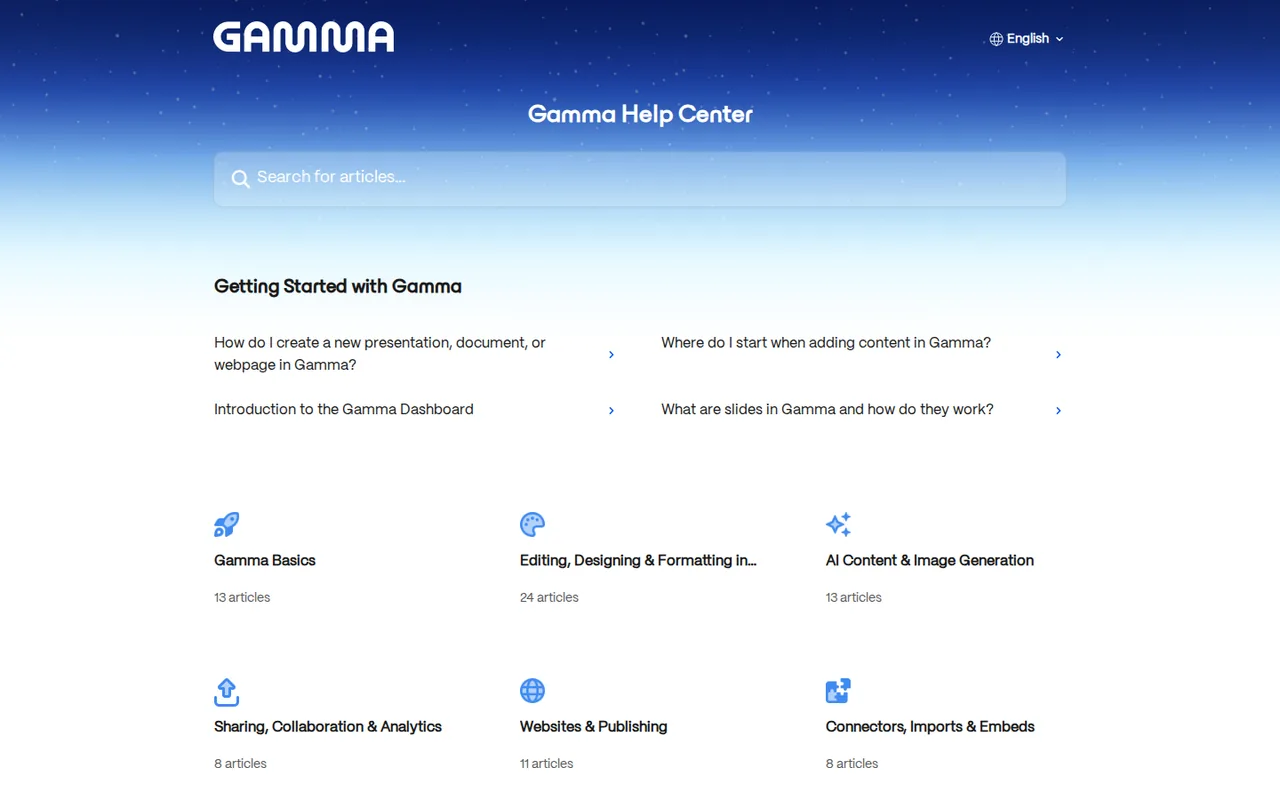
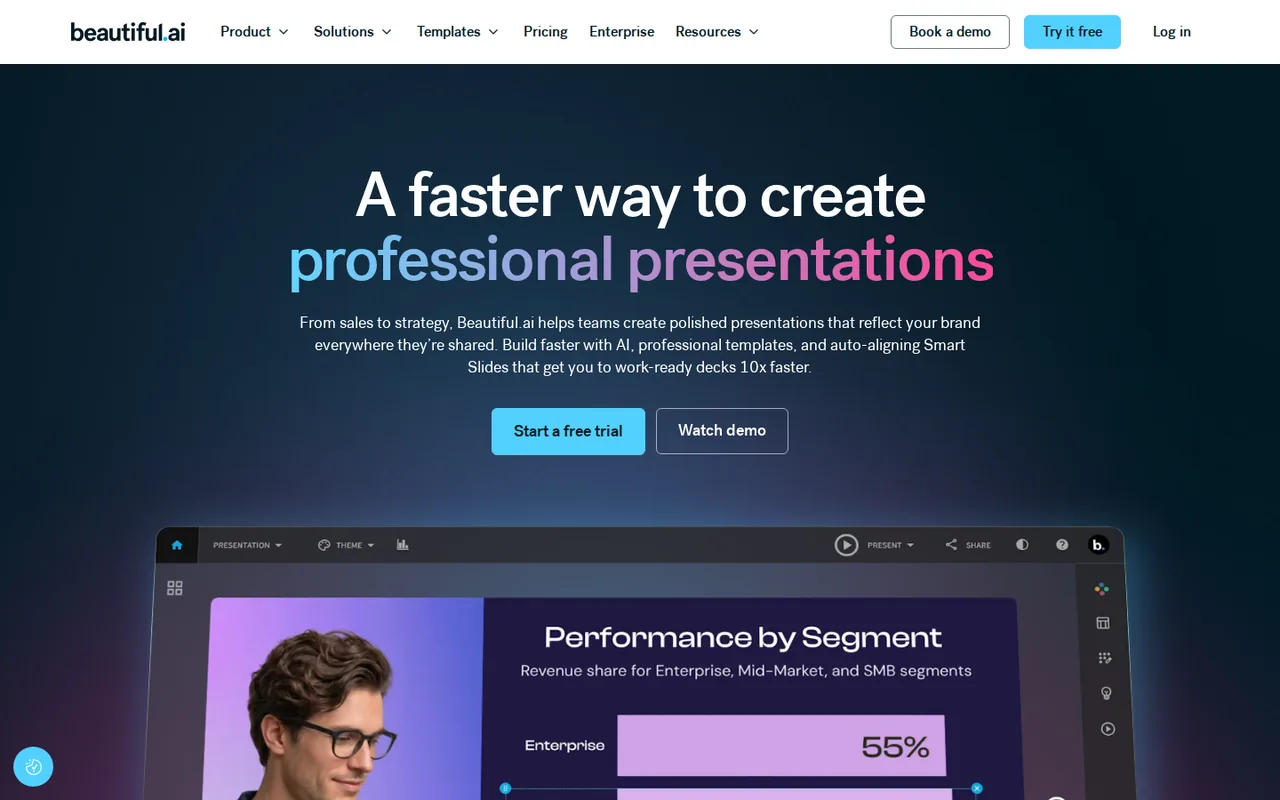
In shortBeautiful.ai fits your content into slide layouts that rearrange themselves. Gamma drafts the whole thing from a prompt or a file and lets you keep it as slides, a document or a site.
Five differences that decide it
- Free access
- Gamma Free needs no card and gives 400 one-time credits, up to 10 slides per prompt and badged PDF and PPTX exports. Beautiful.ai has no free plan: its 14-day Pro or Team trial takes a card and charges the full plan unless cancelled. Source: beautiful.ai
- AI metering
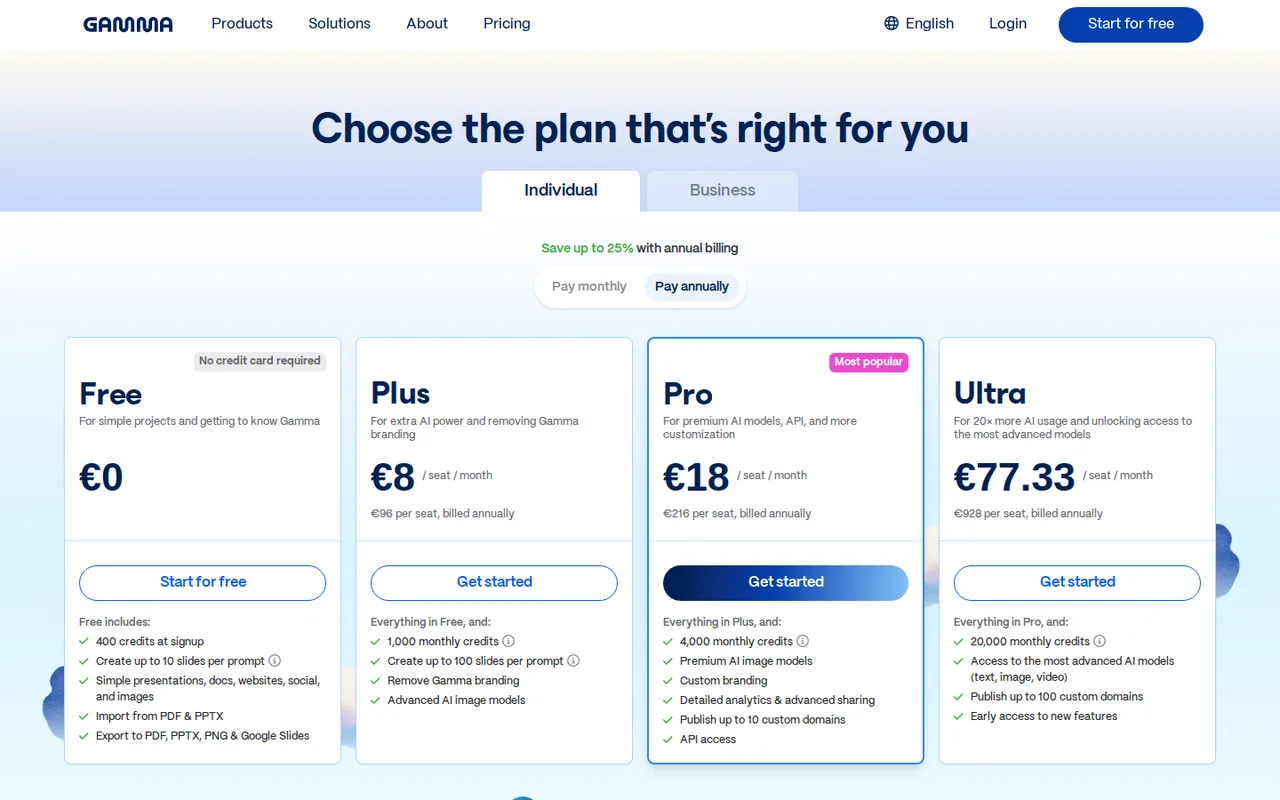
- Gamma charges credits per generated slide and image, refilling 1,000 a month on Plus and 4,000 on Pro, with rollover capped at twice the allowance. Every Beautiful.ai seat lists unlimited AI content generation. Source: help.gamma.app
- Worked example
- For five editors, the displayed USD 40 per-member monthly-equivalent rate produces USD 200 per month before tax. Gamma Business lists that basis; Beautiful.ai Team has a conflicting three-user card, so apply the multiplication only if its actual quote confirms per-user billing. Source: beautiful.ai
- Output types
- Gamma turns one prompt into a presentation, document, social post or website, published on gamma.site or, from Pro, up to 10 custom domains. Beautiful.ai produces slide presentations, shared through its player or exported. Source: help.gamma.app
- Refunds
- Gamma refunds within 3 days of subscribing if credit use stays below the plan threshold, under 200 credits on Plus. Beautiful.ai monthly subscriptions are non-refundable, and annual ones may get a partial refund if requested within 24 hours, less a processing fee. Source: help.gamma.app
Layout rules against an agent that drafts
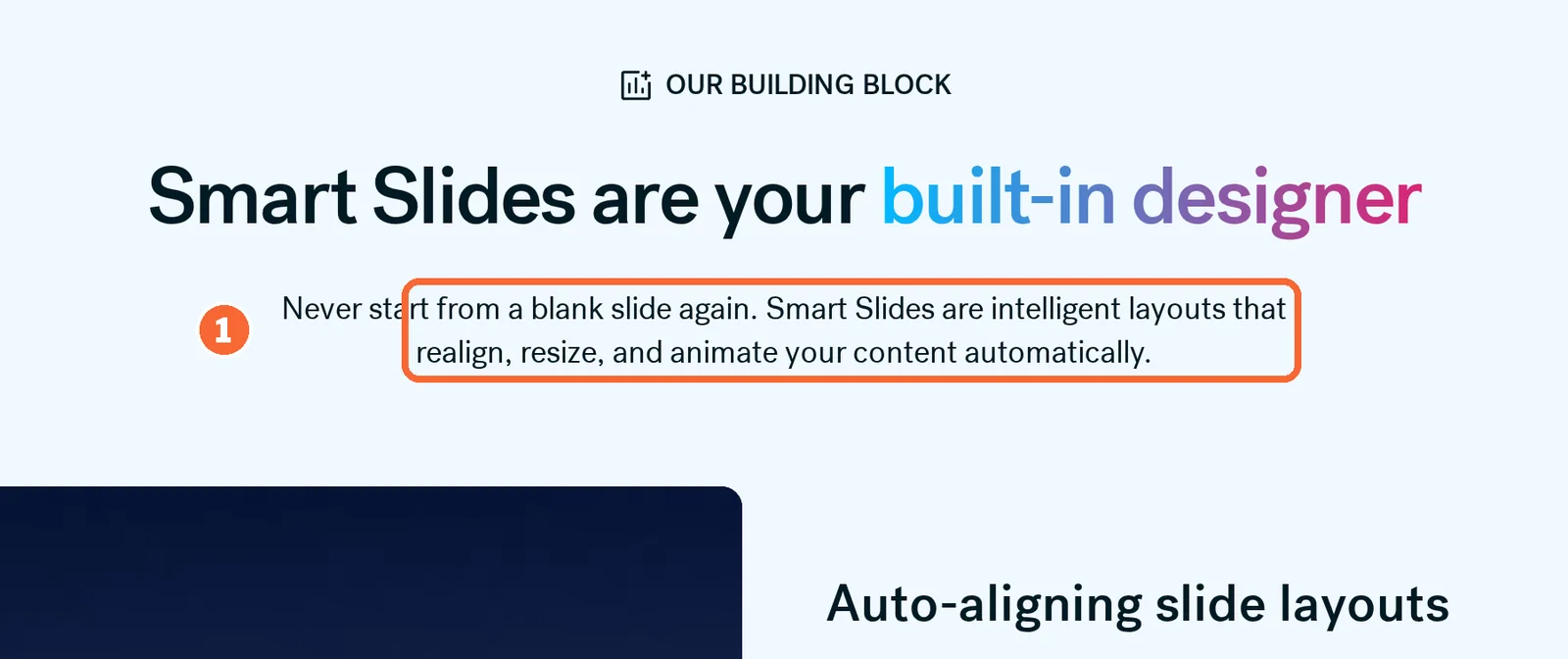
Beautiful.ai starts from a slide type. More than 300 Smart Slide layouts are on offer, and the arrangement shifts as text, images or data go in. A slide that needs exact placement can switch to a blank Classic Slide, which drops the automatic layout for that slide.
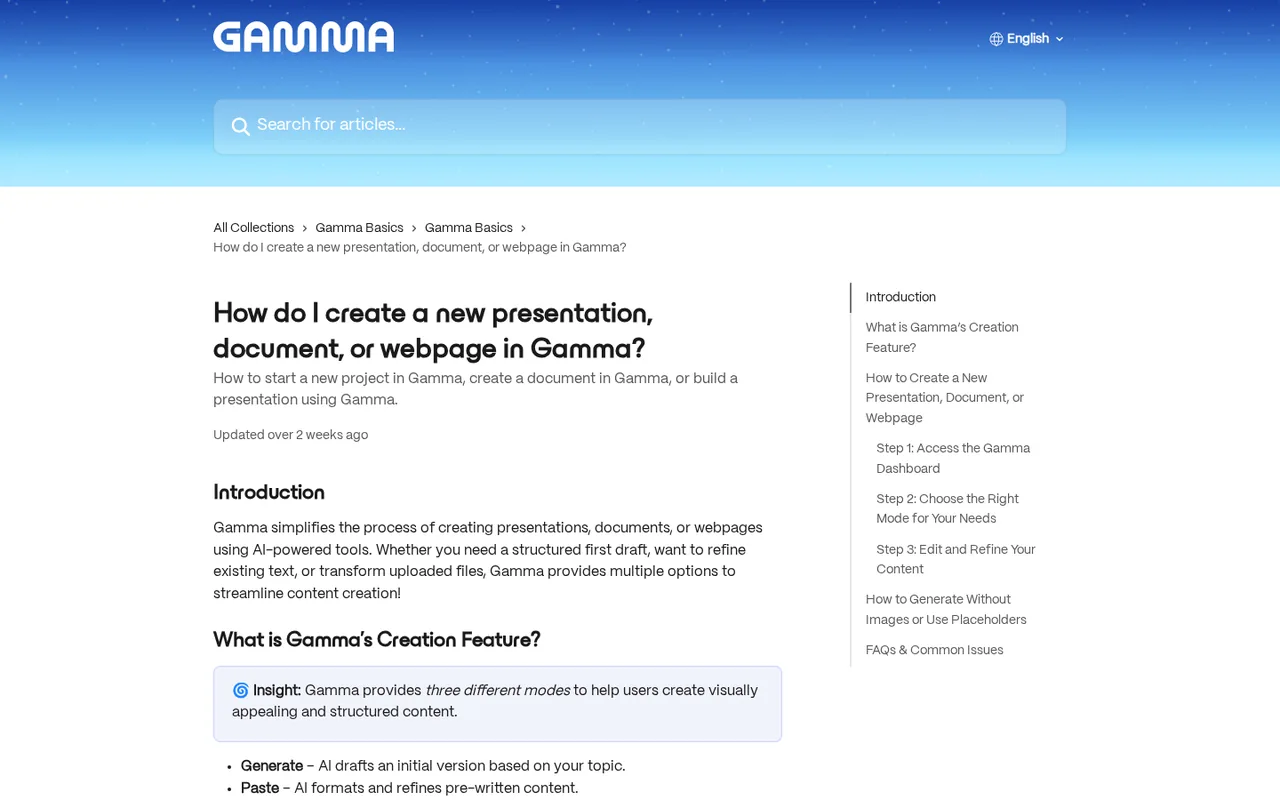
Gamma starts from a description. Its agent asks clarifying questions, shows a plan for approval and then builds slides, text and images; slides beyond the per-prompt cap can be added with the agent or by hand. For images, Gamma shows the credit cost of the chosen model before it generates, so a cheaper model can be picked first.
For brand control, both use reusable themes. Gamma saves colours, fonts and logos to the workspace and adds custom branding on Pro; Plus is the first plan without the Gamma badge.
Sources: Create with Agent in Gamma, Gamma themes, Beautiful.ai pricing.
Feature matrix
In shortFourteen capabilities marked from the two profiles; file formats are in the export table further down. A dash means the profile does not cover it, not that the tool lacks it.
| Capability |  Gamma Gamma |  Beautiful.ai Beautiful.ai |
|---|---|---|
| Drafting | ||
| Deck from a prompt | Offeredagent; 10 slides a prompt on Free, 100 paid | Offeredunlimited AI content generation, paid plans |
| Layout that rearranges itself | Not listednot covered in the sources checked | OfferedSmart Slides, 300+ layouts |
| Import PowerPoint | Offeredfaithfully or restyled | Offered |
| Import Word, PDF or a web page | Offered | Not listednot covered in the sources checked |
| Brand themes | Offeredsaved to the workspace; custom branding on Pro | Offeredbranded themes |
| Output | ||
| Documents and websites | Offeredgamma.site on every plan | Not listednot covered in the sources checked |
| Offline playback with animation | Not listednot covered in the sources checked | OfferedOffline Player, from a ZIP export |
| Teams and sharing | ||
| Real-time co-editing | Not listednot covered in the sources checked | PartlyTeam plan |
| Shared slide and template library | Not listednot covered in the sources checked | PartlyTeam, 2 to 20 seats |
| Viewer analytics | Partlydetailed analytics on Pro | Offeredviewer and engagement analytics |
| Single sign-on | PartlyBusiness, at a listed price | PartlyEnterprise, by quote |
| Shared AI credit pool | PartlyBusiness and Enterprise | Not listedno credit balance on paid plans |
| Access | ||
| API or automation connectors | OfferedAPI from Pro; Zapier, Make, n8n and MCP create new gammas only | PartlyAPI documented; plan not stated |
| Phone apps | OfferediOS and Android | Not listedweb only on the profile |
offered partly or with limits not listed on the profile.
What does each cost, for one editor or twenty?
In shortBoth bill per person. Gamma’s individual plans are in euros and its Business plan in dollars; Beautiful.ai is in dollars, with official pages that disagree on the price.
What each price list says
Price per month on yearly billing, from the Gamma profile. Bars compare plans of this tool only.
| Plan | What the official pages show |
|---|---|
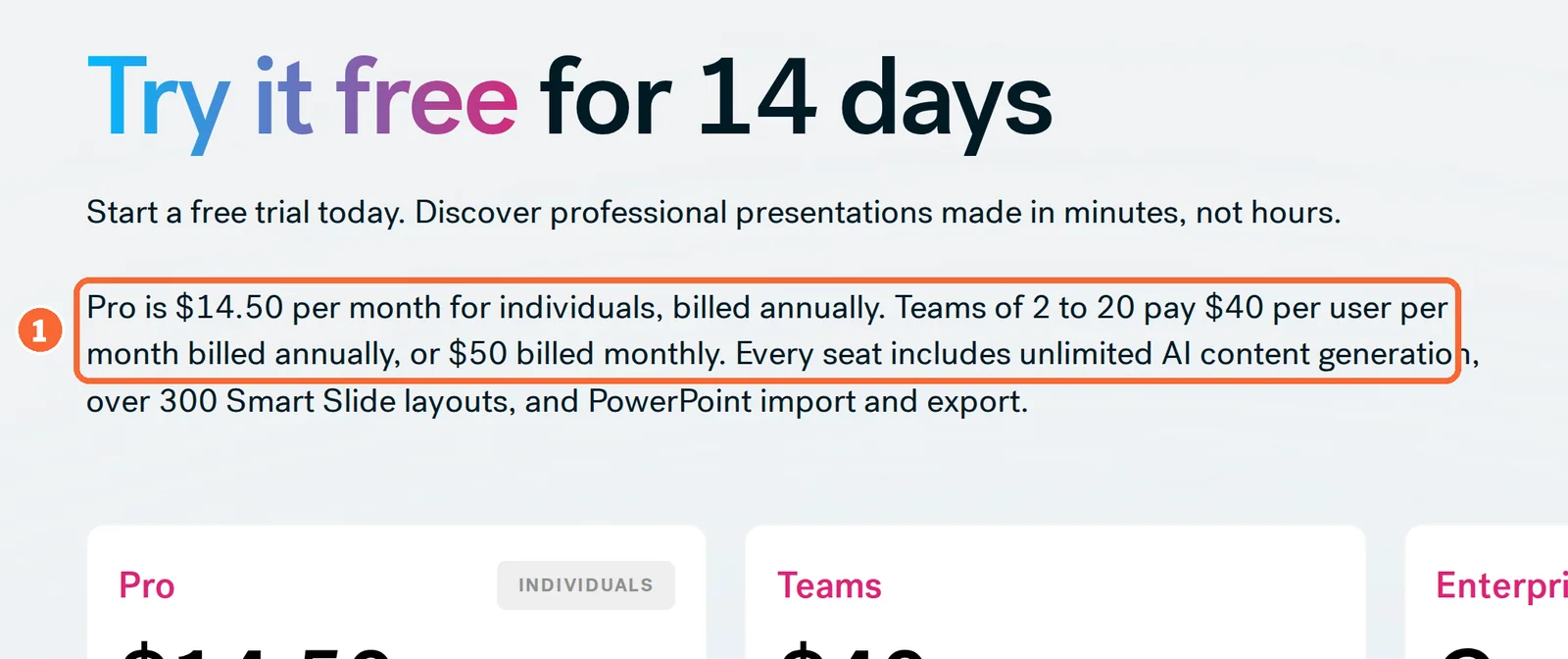
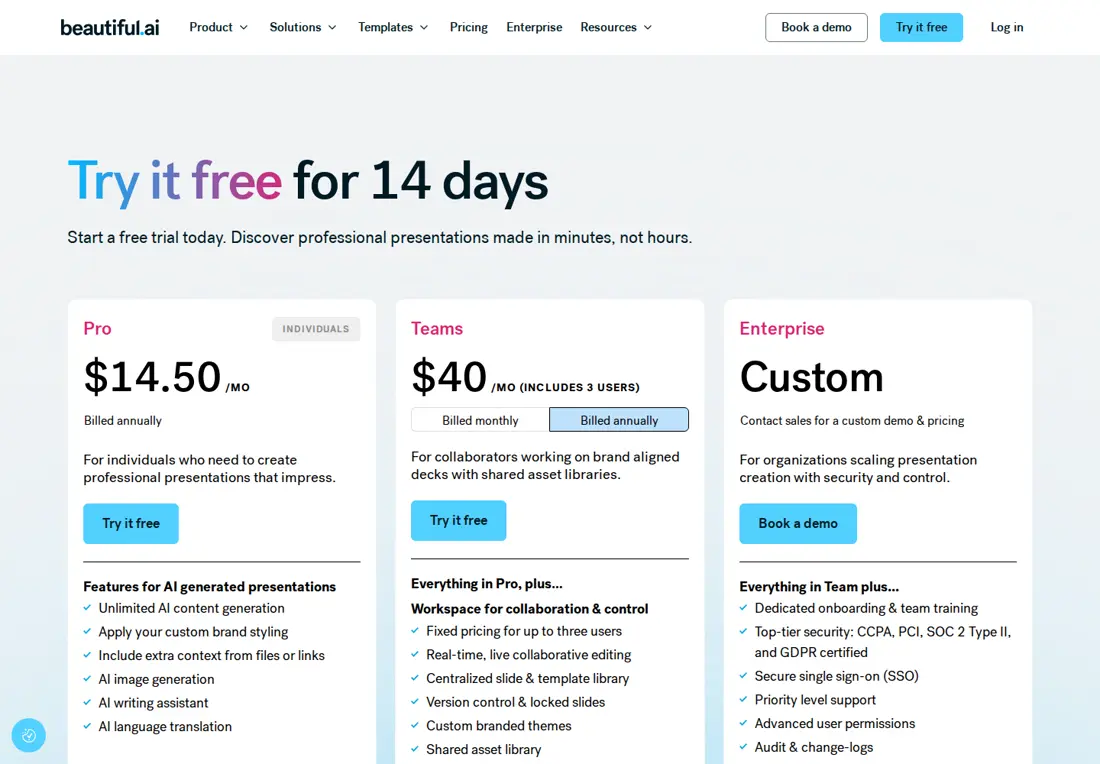
| Pro, annual | $14.50 a month on one view, $12 on another; one user |
| Team, annual | A card that includes 3 users at $40 a month; other wording says $40 per user, or $50 per user billed monthly |
| Pro, monthly | $45 a month |
| Enterprise | Quoted by sales |
Gamma’s bars are per seat on annual billing; its monthly-billing prices were not shown on the page checked, and Business is listed in its help center at $40 per member a month, billed annually. Until a Beautiful.ai checkout shows the total for your seat count, its figures are a range, not a price.
Sources: Gamma pricing, Gamma for business, Beautiful.ai pricing, Beautiful.ai pricing plans.
Seats priced for four team sizes
In shortMonthly amounts on annual billing, before tax, each in the vendor’s own currency. Only Gamma Business and Beautiful.ai Team are in the same currency.
| Editors | Gamma Plus · Pro (EUR) | Gamma Business (USD) | Beautiful.ai (USD) |
|---|---|---|---|
| 1 | EUR 8 · EUR 18 | $40 | Pro: $14.50 or $12, depending on the page |
| 3 | EUR 24 · EUR 54 | $120 | Team: $40 if three users are included, $120 if per user |
| 10 | EUR 80 · EUR 180 | $400 | Team: $400 if per user; the three-user card does not cover ten |
| 20 | EUR 160 · EUR 360 | $800 | Team: $800 if per user; the top of Team’s 2 to 20 seats |
| 21 or more | Per member; a seat ceiling is not covered in the sources checked | Per member; a seat ceiling is not covered in the sources checked | Enterprise, quoted by sales |
Arithmetic on the per-seat prices on each profile: Gamma Plus EUR 8, Pro EUR 18, Business $40 per member; Beautiful.ai Team at $40 per user where that reading applies.
On the per-user reading, Gamma Business and Beautiful.ai Team cost the same per editor, so the list price does not separate them; what the seat includes does. Gamma Business adds single sign-on, a shared credit pool and up to 100 custom domains. Beautiful.ai Team adds live co-editing and a central slide and template library, and its single sign-on sits with Enterprise.
How far Gamma’s AI allowance stretches
In shortBeautiful.ai has no credit balance on its paid plans. On Gamma, the plan sets both the monthly refill and the most you can bank.
| Gamma plan | AI credits | Most plan credits held at once |
|---|---|---|
| Free | 400 at signup, once; 200 more per referral | 2,000: eight referrals on top of the first 400 |
| Plus | 1,000 a month, per seat | 2,000 (2 × 1,000) |
| Pro | 4,000 a month, per seat | 8,000 (2 × 4,000) |
| Ultra | 20,000 a month, per seat | 40,000 (2 × 20,000) |
| Business | Stated two ways in the help center: 6,000 per member, or 10k | Not covered in the sources checked; a workspace pool adds to each member’s own credits |
Paid-plan credits roll over up to twice the monthly allowance; purchased credits are counted separately. Gamma’s sources give no fixed credit rate per slide and say rates can change, so the table gives ceilings, not decks.
Sources: How Gamma credits work, Gamma per-member billing.
What can you hand over: a file, a link or a web page?
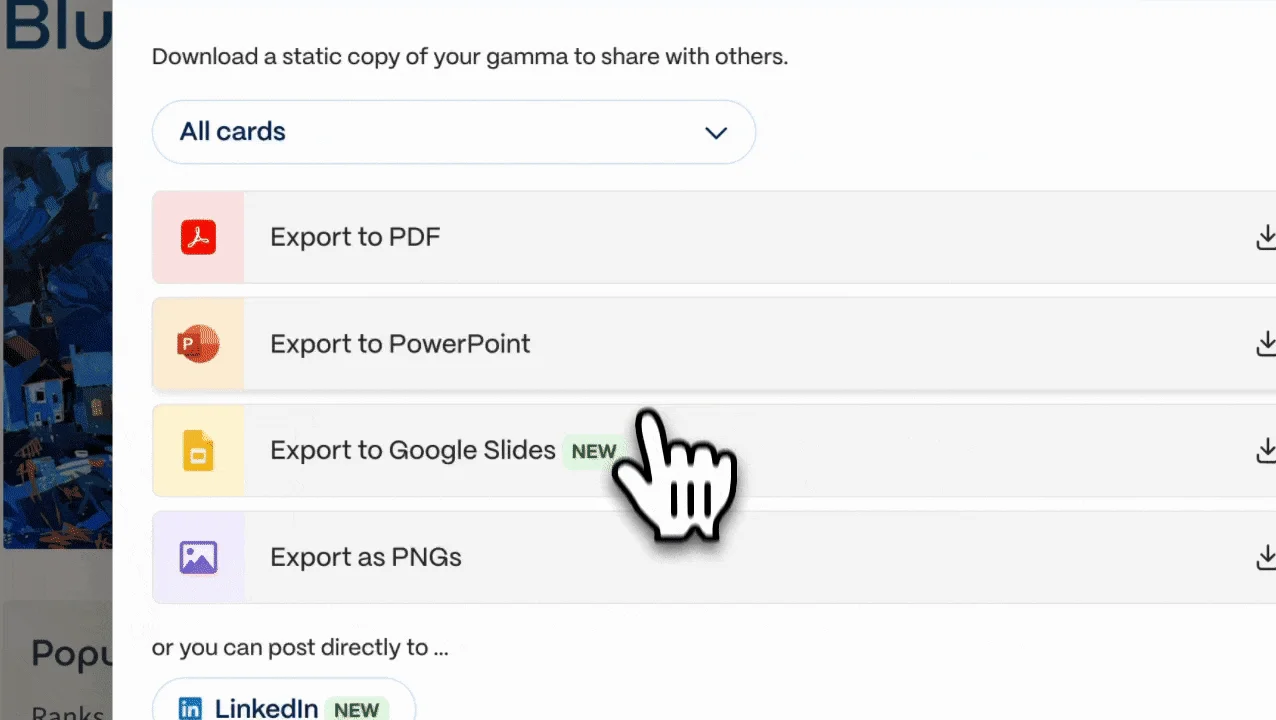
In shortGamma exports on every plan, including Free, and can publish to the web. Beautiful.ai exports only on paid plans and stays with slide formats.
Export, format by format, and the plan that opens it
| Format | Gamma | Beautiful.ai |
|---|---|---|
| Editable PowerPoint | Every plan; Free files carry the Gamma badge. Fonts are embedded and tables can stay editable | Pro, Team and Enterprise. Fonts must be installed on the presenting computer; notes come along and skipped slides can be left out |
| PowerPoint as images | Not covered in the sources checked | Paid plans: each slide becomes a static picture |
| Every plan; badge on Free | A static reference that cannot play media | |
| PNG images | Every plan | Not covered in the sources checked |
| Google Slides | Upload the PPTX export | Editable on Pro, Team and Enterprise; embedded audio, video and motion are lost |
| Word | Not supported on any plan | Not covered in the sources checked |
| Offline presenting with motion | Not covered in the sources checked | Offline Player runs the exported ZIP and keeps native animations |
| What changes on the way | Files follow Present Mode; gradient headings and frosted backgrounds fall back; gammas of around 150 slides or more can fail to export | Animations and transitions stay behind in external formats |
From the export help pages cited on each profile. Beautiful.ai has no free plan, so every export in its column needs a paid plan or the card-backed trial.
Sources: Exporting a gamma, Beautiful.ai export formats, Beautiful.ai editable PowerPoint.
Sharing as a link or a site
Gamma’s link controls rise with the plan. Any plan can publish to a gamma.site address; Pro adds custom domains, password protection for shared docs, web discoverability and detailed analytics. Published sites themselves cannot be password protected, so material that must stay private belongs in a protected doc rather than a site. Beautiful.ai shares the presentation from the tool itself and reports how viewers engage with it.
Sources: Gamma sharing settings, Publishing a Gamma site.
Videos, questions and what this page does not judge
Official videos
In shortFrom each vendor’s YouTube channel. They load only when you press play.


Common questions
Which is cheaper, Gamma or Beautiful.ai?
Confirm the same billing period, currency, tax basis and actual editor count at checkout. Beautiful.ai has conflicting official Pro rates and Team seat units, so a single quoted price is not reliable for comparison. Gamma prices its individual plans in euros, which cannot be divided by a dollar quote to declare a saving; Gamma Business and Beautiful.ai Team are both listed in dollars.
What happens to my presentations if I stop paying?
A lapsed Gamma subscription drops the account to Free, resets plan credits to the 400 Free allotment and keeps purchased credits for one year; your gammas remain available with premium features disabled. Beautiful.ai lets you keep using Pro until the paid period ends, and deleting the account entirely is a separate step handled from its FAQ page.
Can I bring existing PowerPoint files into either tool?
Yes. Gamma imports PowerPoint, Word and PDF files up to 200 MB each, 100 MB for PDFs, either faithfully or restyled, though some charts arrive as static images and Excel files are not accepted. Beautiful.ai lists PowerPoint import on every seat, which lets a team move an old deck in before rebuilding it with Smart Slides.
How much text can one AI generation take?
Gamma caps the input of a first generation by tokens: 50,000 on Free and 100,000 on Plus and Pro, so a long report may need trimming or splitting before it becomes a deck. Beautiful.ai can take extra context from files or links during AI generation, and its paid plans set no credit balance for those drafts.
Is there a student or education plan?
Beautiful.ai offers students with a valid .edu email address a free year through its education page, which removes the card-required trial problem for coursework. On Gamma the no-cost route is Free: 400 signup credits, then 200 more for each referral up to a 2,000-credit balance.
What this page does not judge
Pages ranking for this comparison also rate which editor is easier to learn, whose templates and AI images look better, how fast a draft appears and what users say about support. That needs hands-on use or survey data, which neither profile holds, so none of it is ranked here. The check below measures it on your own deck.
Take one outline of about ten slides with a chart and your brand font. Generate it on Gamma Free and note how many of the 400 signup credits it used, then build the same outline in the Beautiful.ai trial and count the slides you had to fix by hand. Export both as PowerPoint, open them on the computer that will present, and cancel the trial before day 14 if you do not keep it.
How this comparison was made
Plans, credits, limits and export terms come from the Gamma and Beautiful.ai profiles on this site, which cite the vendors’ pricing and help pages and carry their own check dates; tables marked as live are read from those profiles each time the page loads. Sections follow the topics the pages ranking for this search cover, limited to what the vendors document. No rating is given and no price is converted. See our editorial policy.