Pitch: client decks shared as tracked links with AI drafting, but the 100 free AI credits never renew
Updated September 24, 2026 · By Elias Brandt · Documentation review, not tested hands-on
Pros
- Free supports a small shared workspace
- Paid plans add unbranded PowerPoint export
- Team and Business support larger workspaces
Cons
- Free AI credits do not renew
- Plus is restricted to one workspace member
- PowerPoint export drops media and animation
- Yearly credits arrive as one annual pool
- Built around decks that stay online
Bottom line
Up to 5 members and 2 guests; 100 AI credits once, which do not refresh; branded PDF export.
You send decks to clients and want to see when they open them, because Pitch Rooms and link analytics are built for that.
PowerPoint must remain your working file, because the link-based sharing features lose most of their value there.
Best forSales teamsAgenciesStartupsCustomer success teams
Strengths, limits and who it suits, in full
Strengths
- Free supports a small shared workspace Up to five members can work together without paying.
- Paid plans add unbranded PowerPoint export Plus and higher export PPTX files with speaker notes and no Pitch branding.
- Team and Business support larger workspaces Seats scale to 25 and 200 members with shared rooms and advanced links.
Limits
- Free AI credits do not renew The 100 free credits are spent once; after that, AI drafting needs a paid plan or bought credits.
- Plus is restricted to one workspace member A solo subscription cannot host colleagues, so a shared workspace starts at Team pricing.
- PowerPoint export drops media and animation Uploaded videos and recordings become thumbnails, transitions are lost and fonts may fall back.
- Yearly credits arrive as one annual pool Annual Team and Business seats receive a yearly allocation instead of a monthly refill.
- Built around decks that stay online If PowerPoint must stay the working file, the link-based sharing features lose most of their value.
Who it suits
- Sales teams Client decks with viewer analytics and shared Pitch Rooms.
- Agencies Bulk personalised decks generated from one customer list.
- Startups A permanent free plan for investor decks before any budget exists.
- Customer success teams Recurring client updates shared as links, with engagement visible for each account.
How much does Pitch cost?
Prices confirmed · checked
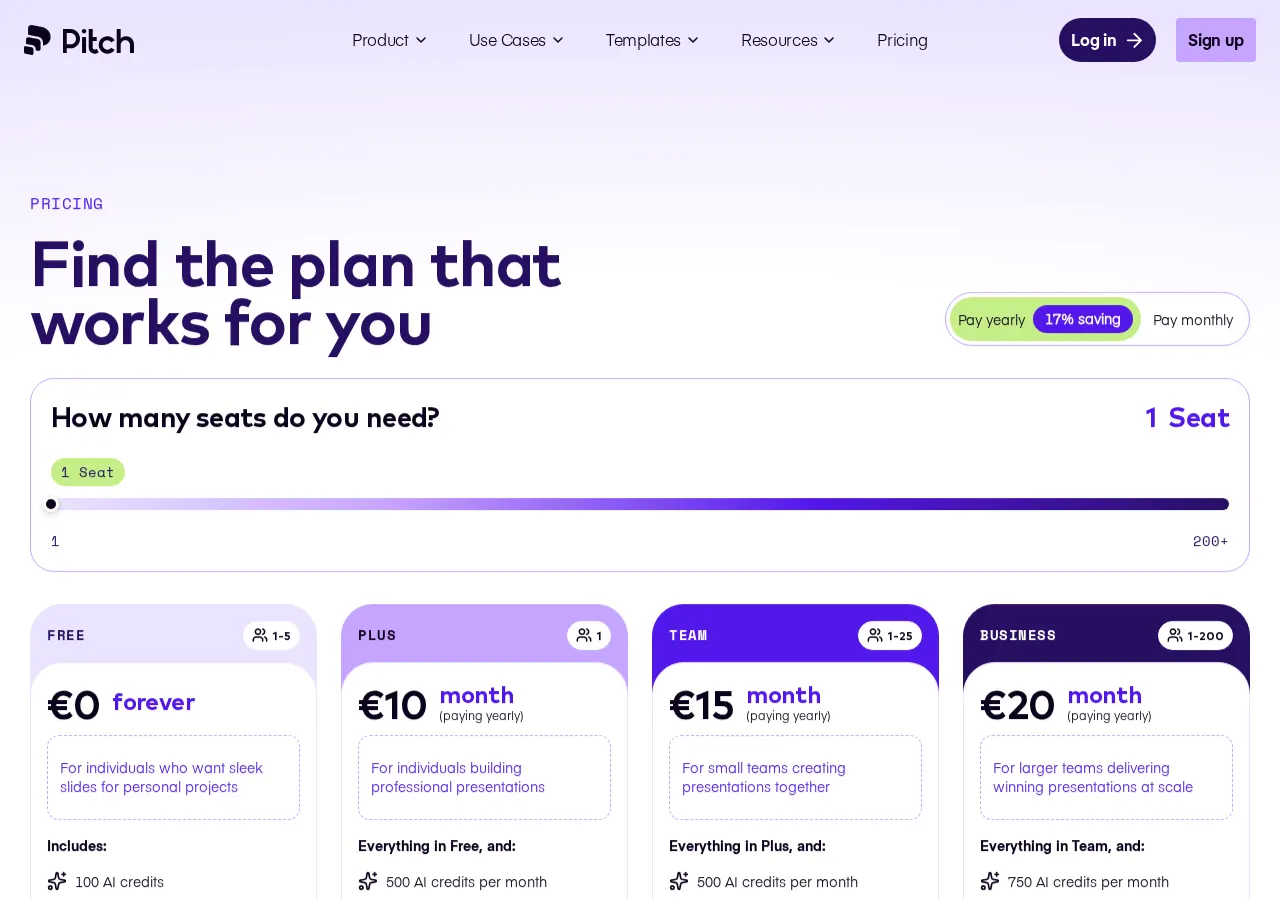
Regional prices: Prices were shown in EUR on Pitch's official pricing page for one seat; Team and Business prices multiply with the number of seats.
Paying yearly is advertised as a 17% saving over monthly billing. Other currencies and local tax may change the total.
| Plan | Price | What you get |
|---|---|---|
| Free | Freeforever sourceFrom pitch.com/pricing, checked Sep 24, 2026 (opens in a new tab) | Up to 5 members and 2 guests; 100 AI credits once, which do not refresh; branded PDF export. |
| Plus | EUR 10 per monthbilled annually · EUR 12 billed monthly sourceFrom pitch.com/pricing, checked Sep 24, 2026 (opens in a new tab) | One member; 500 AI credits per month; PowerPoint export, custom fonts and video uploads. |
| Team | EUR 15 per seat per monthbilled annually · EUR 18 per seat billed monthly sourceFrom pitch.com/pricing, checked Sep 24, 2026 (opens in a new tab) | Up to 25 members; 500 credits per seat per month; 25 advanced links, 3 teamspaces, 2 Pitch Rooms. |
| Business | EUR 20 per seat per monthbilled annually · EUR 24 per seat billed monthly sourceFrom pitch.com/pricing, checked Sep 24, 2026 (opens in a new tab) | Up to 200 members; 750 credits per seat per month; unlimited guests, advanced links and rooms. |
| Enterprise | Customcontact sales | From 30 members; SAML SSO and SCIM, dedicated success manager, invoiced billing. |
How far does it go?
- Free credits against a Plus monthFree's 100 one-time credits are a fifth of Plus's 500-credit monthly allowance; on monthly billing, twelve renewals bring 6,000 credits (500 × 12), sixty times the Free allowance.
- A five-seat Team, yearly or monthlyAssuming five seats, Team costs EUR 75 a month on annual billing (5 × 15), or EUR 900 a year; paid monthly at EUR 18 per seat the same seats cost EUR 1,080 over twelve months, EUR 180 more.
- Shared credit pool for five seatsAssuming five yearly seats, Team gives the workspace about 30,000 credits for the year (5 × 6,000) and Business about 45,000 (5 × 9,000).
Arithmetic from the published allowances above, not a usage test.
Taxes, currency and promotions can change the price you see at checkout.
Try Pitch free (opens in a new tab)
Key features
| Feature | What it does | Watch out |
|---|---|---|
| AI agent that drafts and personalises on-brand slides | Describe a deck and the agent generates slides from your brand assets, with full design control afterwards. | — |
| Live co-editing with slide assignments and comments | Several people edit one deck at the same time, each owning assigned slides and leaving comments. | — |
| Pitch Rooms for sharing decks and resources with clients | One link gives a client the deck plus related material, and shows how they engage with it. | — |
| Viewer analytics on opens and interaction | Track when a shared deck is opened so you know when to follow up. | — |
| Brand library for fonts, templates and approved media | Shared templates and assets keep a whole team's decks consistent. | — |
| Bulk personalisation from imported customer data | Import customer data and generate a tailored deck for each account instead of editing copies by hand. | — |
| Workspace members | Free allows up to five members, Plus one, Team 25 and Business 200. | External guests are counted separately and have their own limits per plan. |
| PowerPoint export | Plus and higher plans export editable PPTX files with speaker notes. | Decks export one at a time. |
| Free PDF export | Free can export PDFs, with a small watermark. | A PDF is not an editable file and drops speaker notes and comments. |
| AI credits | Paid plans include an allowance per seat that resets at each renewal, and extra credits can be bought. | On yearly Team and Business billing the allowance arrives as one annual pool rather than a monthly refill. |
Which Pitch plan fits your team size and AI use?
Editorial assessment
The member limit decides the plan first, and the AI credit allowance decides it second. Pitch counts workspace members separately from external guests, so a solo paid plan does not cover a shared workspace.
- FreeFree
enough for up to five people who mostly edit by hand and can live with branded PDFs.
- PlusEUR 10 per month
for one person who needs PowerPoint files without Pitch branding, custom fonts, video uploads or a monthly AI allowance.
- TeamEUR 15 per seat per month
for two to 25 members who share client work and want advanced links and shared Pitch Rooms.
- BusinessEUR 20 per seat per month
once you pass 25 members, need unlimited guests or rooms, or run heavy AI drafting at 750 credits per seat each month.
- EnterpriseCustom
required above 200 members and available from 30, mainly for SAML SSO, SCIM and invoiced billing.
Compare this with Beautiful.ai, which advertises a card-required trial rather than a permanent free plan; the Beautiful.ai vs Pitch comparison sets their plans side by side. You can also browse the presentations category.
How do Pitch AI credits renew on monthly and annual billing?
Paid credits reset at every renewal, so the billing cycle changes how the allowance arrives. A monthly Team seat gets its 500 credits each month, while a yearly Team seat receives 6,000 credits for the whole year; Business works the same way at 9,000 per seat per year. Plus lists 500 credits a month; its guide says they reset at each renewal, monthly or annual, but gives no separate yearly figure. On the pricing page, credits are described as shared across the whole team, and extra credits can be bought.
In practice, an annual team can spend heavily in a launch month and less later, but it cannot count on a fresh pool every month.
What does Pitch do with a deck after you send it?
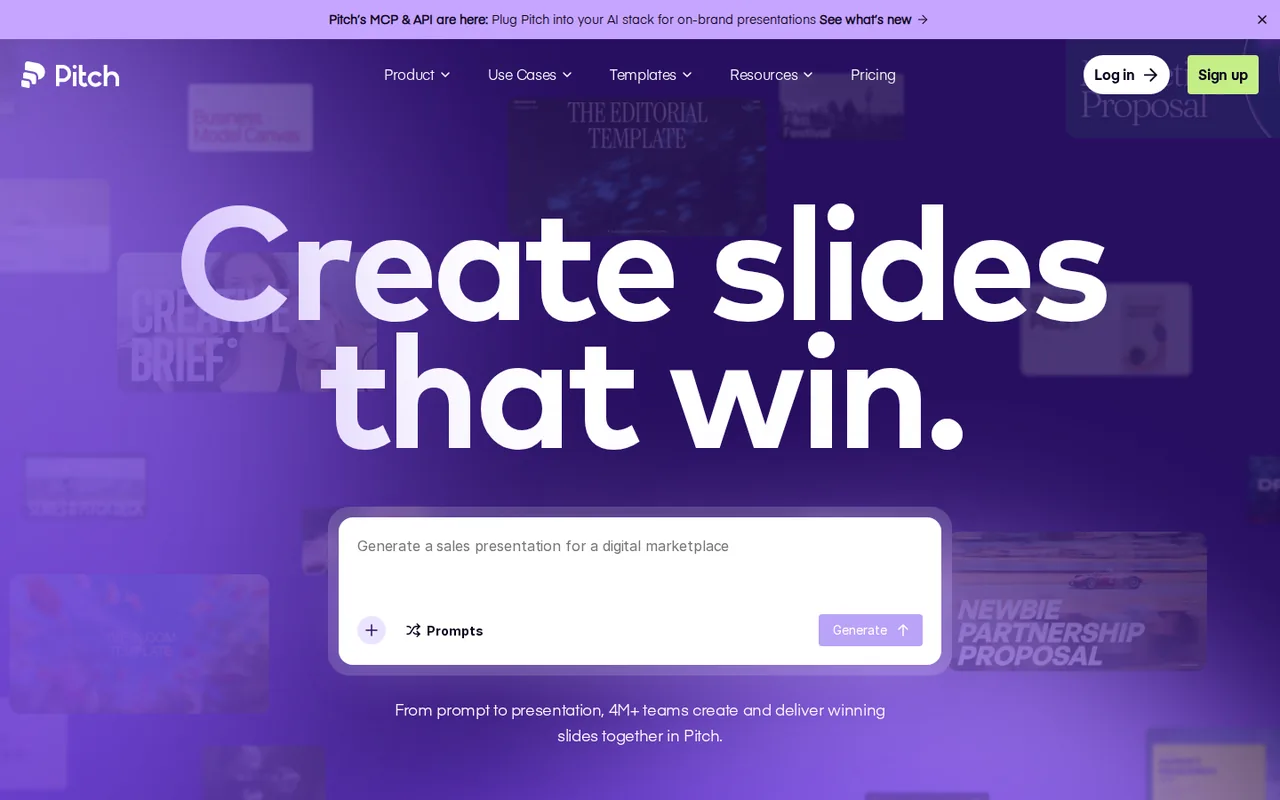
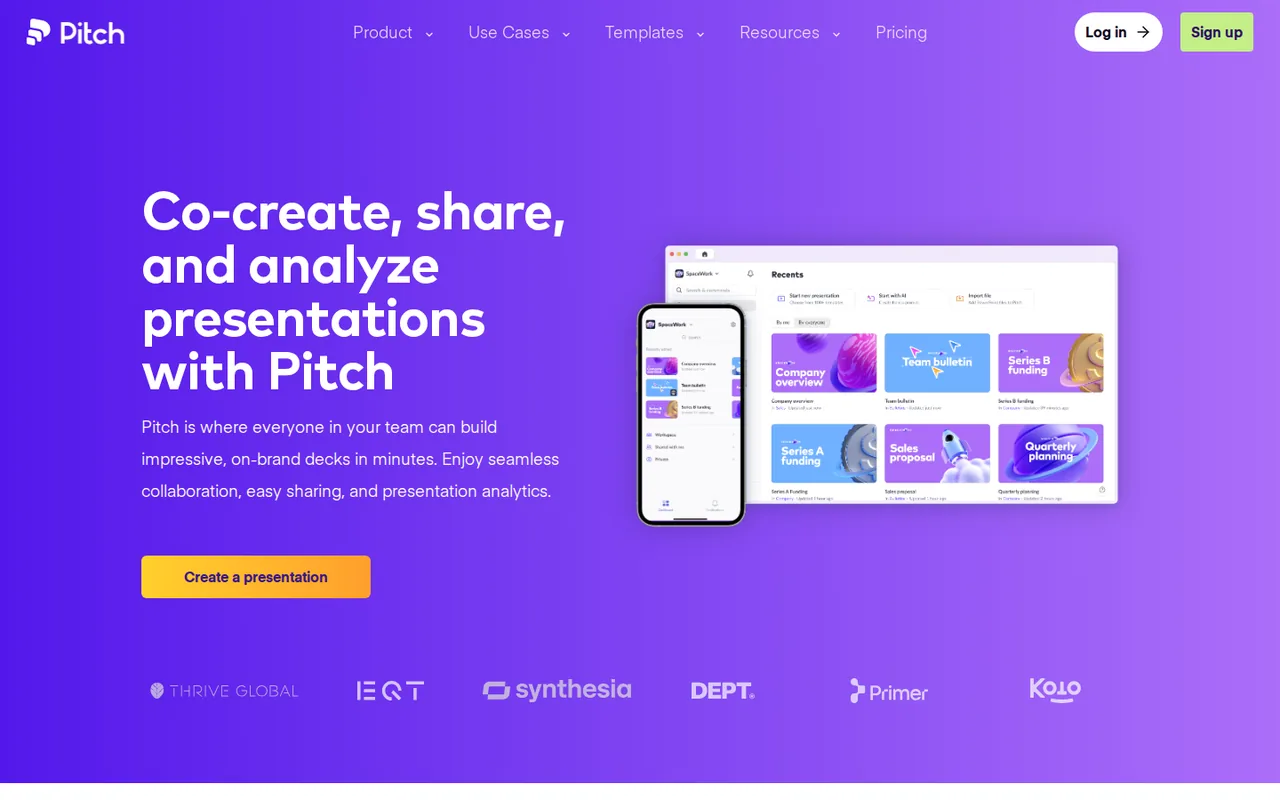
Pitch is a browser-based presentation workspace aimed at teams who send decks to people outside their company. An AI agent drafts slides against your brand assets, the editor keeps full design control, and the finished deck can be shared as a link instead of a file. Viewer analytics, advanced links and Pitch Rooms all assume the deck stays online, where you can see when a client opened it.
That suits recurring, outward-facing decks such as sales proposals, client updates and investor material. Bulk personalisation is the clearest example: import customer data and generate a tailored deck per row, rather than duplicating one file and editing names by hand.
What changes when a Pitch deck leaves as PowerPoint or PDF?
Editable PowerPoint export starts on Plus and carries no added Pitch branding. The export guide lists what does not survive: animations, including transitions, are unsupported, uploaded videos and recordings become thumbnails, and fonts can fall back to Calibri unless they are installed on the receiving computer. Speaker notes do come across, but decks export one at a time.
PDF export is available on every plan; on Free it adds a small Pitch watermark in the bottom corner. PDFs also turn videos, GIFs and recordings into thumbnails and cannot include speaker notes or comments.
How can you see whether Pitch is worth paying for?
Proposed evaluation · not performed yet
Take a proposal you must send this month, draft it with the AI agent, apply your brand library and share it as a link. Note how many of the free credits one real deck uses and whether the viewer analytics change how you follow up. On Free, finish the test with the shared link or branded PDF. Use a paid account with the required export enabled for a separate PowerPoint handoff; stop if the client requires an editable file that your account cannot produce.
If you only need tidy internal slides, or PowerPoint must remain the working file, a file-first tool may suit better; see the tool directory and the comparisons page. Corrections follow our editorial policy.
Compare these options
Read the documented differences, then follow the links to each profile for its sources and plan details.

Is Pitch worth it?
Documentation review plus dated public user reports. Documentation review, not tested hands-on. Not scored.
Worth it if
- You send decks to clients and want to see when they open them, because Pitch Rooms and link analytics are built for that.
- You need up to five people to co-edit decks for free and can accept Pitch branding on PDFs and embeds.
- You hand over PowerPoint files, since Plus and higher export PPTX with speaker notes and without Pitch branding.
Probably not if
- PowerPoint must remain your working file, because the link-based sharing features lose most of their value there.
- You expect free AI drafting to last, because the 100 free credits are spent once and do not refresh.
- You need a shared workspace on a solo subscription, since Plus allows one member and teams start at the Team plan.
Pitch alternatives
Other presentations tools checked with the same method. Pick by the job, not by a score.
Recurring decks and fast drafts

AI first drafts of decks, documents and simple websites

Turning written text into editable business diagrams

Generating an on-brand deck from a prompt and rehearsing it before you present

Sending personalized sales decks as tracked web links instead of PowerPoint files

Turning notes and reports into diagrams inside one document

Turning existing documents into editable PowerPoint decks

Turning a topic or document into an interactive AI-taught lesson
Used Pitch? Write the first review. Visitor opinions are moderated and kept separate from our source checks.
Frequently asked questions
Is Pitch AI free to use?
Yes, with a limit. Pitch's Free plan is free forever for one to five members and includes unlimited presentations, but its AI agent runs on 100 credits granted once that do not renew. After that, AI drafting needs a paid plan: Plus costs EUR 10 a month on yearly billing and includes 500 credits a month. Free PDF exports carry Pitch branding, and PowerPoint export is not included.
How much does Pitch cost?
On the official pricing page, Plus costs EUR 10 a month on yearly billing or EUR 12 monthly. Team costs EUR 15 or EUR 18 per seat, and Business EUR 20 or EUR 24 per seat. Enterprise is quoted on request. Prices appeared in EUR; your currency and local tax can change the total.
Can I buy more AI credits in Pitch?
Yes. The paid-plan guide says extra credits can be purchased on Plus, Team and Business once the included amount is used up. Business raises the included amount to 750 credits per seat a month, against 500 on Team, so weigh a one-off top-up against moving every seat from EUR 15 to EUR 20 on yearly billing.
What is a Pitch Room?
A Pitch Room shares decks and related resources with a client through one link and shows how the client engages with that content. Team includes two shared rooms and Business an unlimited number; Free and Plus do not list rooms. Editorial assessment: it reflects Pitch's focus on keeping decks online rather than sending files.
Does Pitch offer a free trial of paid plans?
A paid-feature trial is available only to some customers after contacting support. Ask which features and expiry date apply to your account, especially when evaluating a client delivery requirement. Keep any promised access in the trial record; a working Free editor alone is not evidence that premium exports or uploads are enabled.
What are the alternatives to Pitch?
Gamma is the closest match if you want a free plan and AI-drafted decks that can also become documents or web pages. Beautiful.ai suits you if automatic layouts matter more and a paid plan after a 14-day, card-required trial is acceptable. Either way, compare member limits and the file format your clients expect.
Sources and method6 official sources · 21 details checked · Sep 22–24, 2026
How we checked this profile
21 details on this page were checked against Pitch's own pages and help documentation (Sep 22–24, 2026).
See the checks by section20 documented1 editorial assessment
| Section | Checks | Last checked | Sources |
|---|---|---|---|
| Plans and prices | 6 documented | pitch.com/pricinghelp.pitch.com/13621309-pitch-plans-and-p… | |
| Features | 3 documented | help.pitch.com/13621309-pitch-plans-and-p…help.pitch.com/3551638-export-a-presentat…pitch.com | |
| Strengths and limits | 2 documented | help.pitch.com/9364636-learn-about-our-pa…help.pitch.com/6713988-export-a-presentat… | |
| Article text | 6 documented | help.pitch.com/9364636-learn-about-our-pa…pitch.com/pricinghelp.pitch.com/6713988-export-a-presentat…help.pitch.com/3551638-export-a-presentat…pitch.com | |
| Questions | 3 documented 1 editorial | help.pitch.com/9364636-learn-about-our-pa…pitch.com/pricingpitch.com |
5 details are due for another source check.
Sources for this profile
- Official pricing pagepitch.com
- Official sitepitch.com
- Pitch plans and pricinghelp.pitch.com
- Learn about paid planshelp.pitch.com
Pricing, plan limits, AI credit rules and export behaviour come from Pitch's pricing page and help center. Prices were shown in EUR for one seat.
Sources checked Sep 22–24, 2026. Found something out of date? Our editorial policy explains how we correct profiles.