Canva vs Adobe Firefly: AI Uses Inside a Layout or Credits per Output
Both meter AI work by the month on their paid plans. Canva drops the result into a sized design with templates and Brand Kits, and counts estimated uses. Firefly works on the pixels, offers Adobe and partner models, and charges credits for premium work. This page counts the same month of work in both meters and lists the files each one hands over.
By Elias Brandt · Updated 8 Oct 2026 · About 7 min read · Plan terms taken from each tool profile
The short answer
Choose Canva if the image must end up in a finished layout such as a post, flyer or deck, you need PDF, PPTX or SVG export, and about 200 Premium AI uses a month on Pro is enough. Choose Firefly if you generate more than that, edit in Photoshop, need video priced per second, or want Content Credentials on fully generated images.
Canva or Adobe Firefly: which one, when?
Pick by what you hand over at the end
In shortA finished post, flyer or deck points to Canva; photo edits, video and sound point to Firefly.

Canva for posts, flyers and decks
A generated picture lands on a sized template with Brand Kit styling, and Magic Layers turns a flat result into editable parts, so text changes need no second generation.
Firefly for retouching and extending photos
Generative Fill, object removal and background expansion cost no credits on paid plans, and from Pro the file carries on in Photoshop on web and mobile.
Firefly when motion or sound is part of the brief
Video, music, sound effects and speech share one published credit table, so a monthly budget can be set in seconds and minutes instead of estimated uses.
Four everyday jobs, side by side
In shortRead across a row: the job, then what each tool does and what it spends.
| If the job is… | Canva | Adobe Firefly |
|---|---|---|
| Turn a prompt into a branded A4 flyer | Generate inside the flyer template, apply Brand Kit fonts and colours, download as PDF Print | Generate the image, lay it out in Adobe Express (Premium included from Firefly Pro), download the picture as JPG or PNG |
| Change the headline baked into a flat AI image | Magic Layers splits it into editable layers; a beta tool that draws on the Premium allowance | Prompt to Edit or Generative Fill in the Firefly editor, with no credits spent on a paid plan |
| Make a 10-second 1080p product clip | Text to Video draws on the shared Premium or Ultra allowance | 1,000 credits (10 x 100), half of Standard's 2,000 a month |
| Send a deck to a client who works in PowerPoint | PPTX download, although animations and embedded videos may not play in Microsoft apps | No PPTX export; images go into the deck as JPG or PNG files |

The basics
In shortRead live from each profile.
| What do you need? | Canva | Adobe Firefly |
|---|---|---|
| In short | Templates, brand kits and AI generation in one editor. | Adobe's AI generator, with credits shared across Creative Cloud. |
| Free access | Free access available | Free access available |
| Plans |
|
|
| Price check | Prices confirmed · Oct 2, 2026 | Pricing review due · Sep 24, 2026 |
| Full profile | Canva profile | Adobe Firefly profile |
Values come from each tool’s profile and update with it, in the currency each vendor shows.
Visit Canva (opens in a new tab) Visit Adobe Firefly (opens in a new tab)
How does each one handle an AI image?
In shortCanva starts from the page and fits the image into it. Firefly starts from the pixels and passes the file on to other Adobe apps.
Five differences that decide it
- Billing unit
- Canva counts AI uses from one monthly allowance per member, published as estimates for simple tasks: Pro gets up to 200 Premium or 20 Ultra uses. Firefly spends credits only on premium work, such as 10 per Firefly Image 5 generation, while standard image features are unlimited on paid plans. Source: canva.com
- Worked example
- Assuming one person makes 150 AI images a month, Canva Free's 20 uses fall short and Pro's estimated 200 cover it at EUR 12 a month billed monthly. On Firefly Standard, at EUR 10.98 a month including VAT, standard generations use no credits, and even 150 Image 5 generations take 1,500 of 2,000 credits (150 x 10). Source: helpx.adobe.com
- Free access
- Canva Free gives up to 20 Standard or Premium uses a month, reset on the first of the month at midnight UTC, with no Ultra quality. Firefly Free gives daily generations on select models and does not publish how many. Source: adobe.com
- Export
- Canva downloads JPG, PNG, SVG, PDF, PPTX, GIF and MP4, though transparent PNG, SVG and CMYK need a paid plan. Firefly saves images as JPG or PNG, capped at 2000x2000 on its technical page though some partner models advertise 4K, and video as MP4, with no PDF or PPTX. Source: canva.com
- Teams
- Neither pools usage by default. Canva Business costs EUR 17 per person a month billed monthly, with up to 400 Premium uses each. Firefly Business licenses start at EUR 18.48 a month excluding VAT on an annual plan billed monthly, and only purchased enterprise Shared Credits are pooled. Source: canva.com
Feature matrix
In shortThirteen capabilities marked from the two profiles. A dash means the profile does not cover it, not that the tool lacks it.
| Capability |  Canva Canva |  Adobe Firefly Adobe Firefly |
|---|---|---|
| Making images | ||
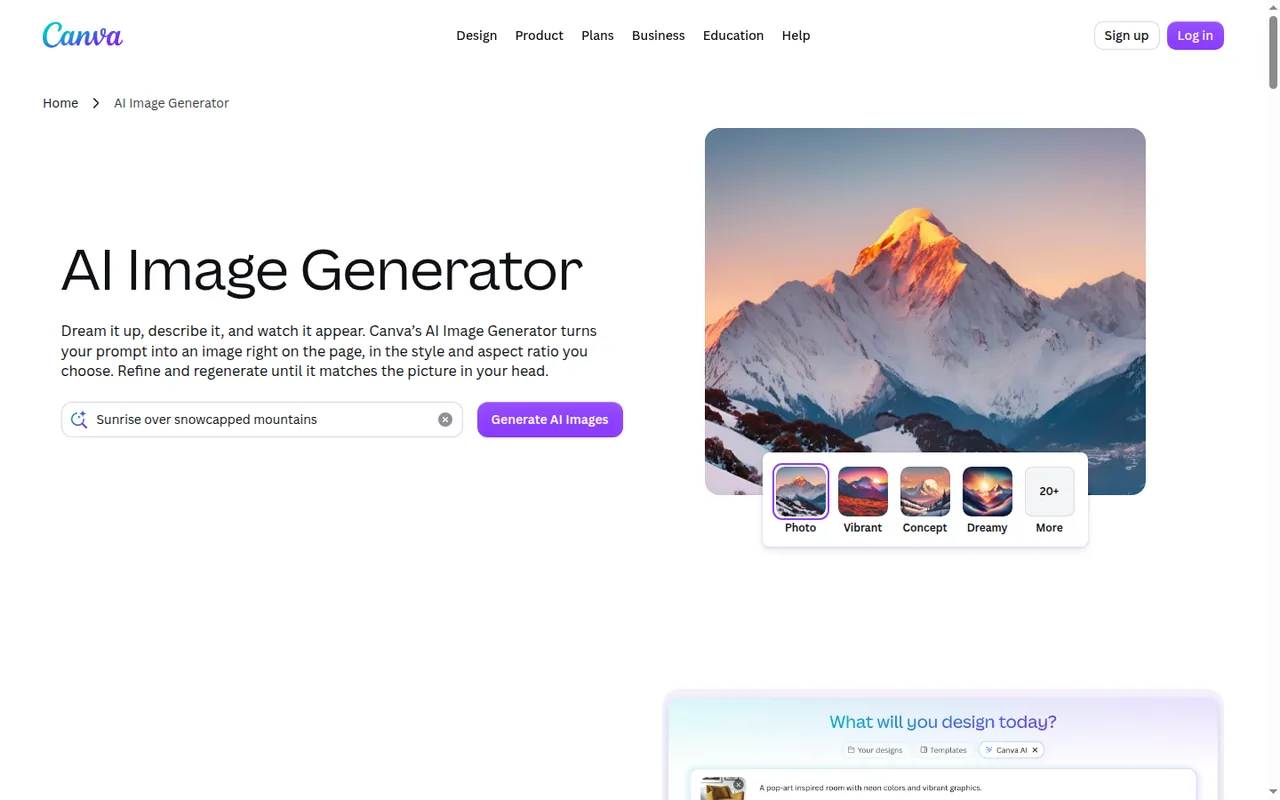
| Image from a text prompt | Offered10+ preset styles, chosen aspect ratio | OfferedFirefly Image or partner models |
| Choose the model | Partlyquality tier only: Standard, Premium or Ultra | OfferedGoogle, OpenAI, Black Forest Labs and others |
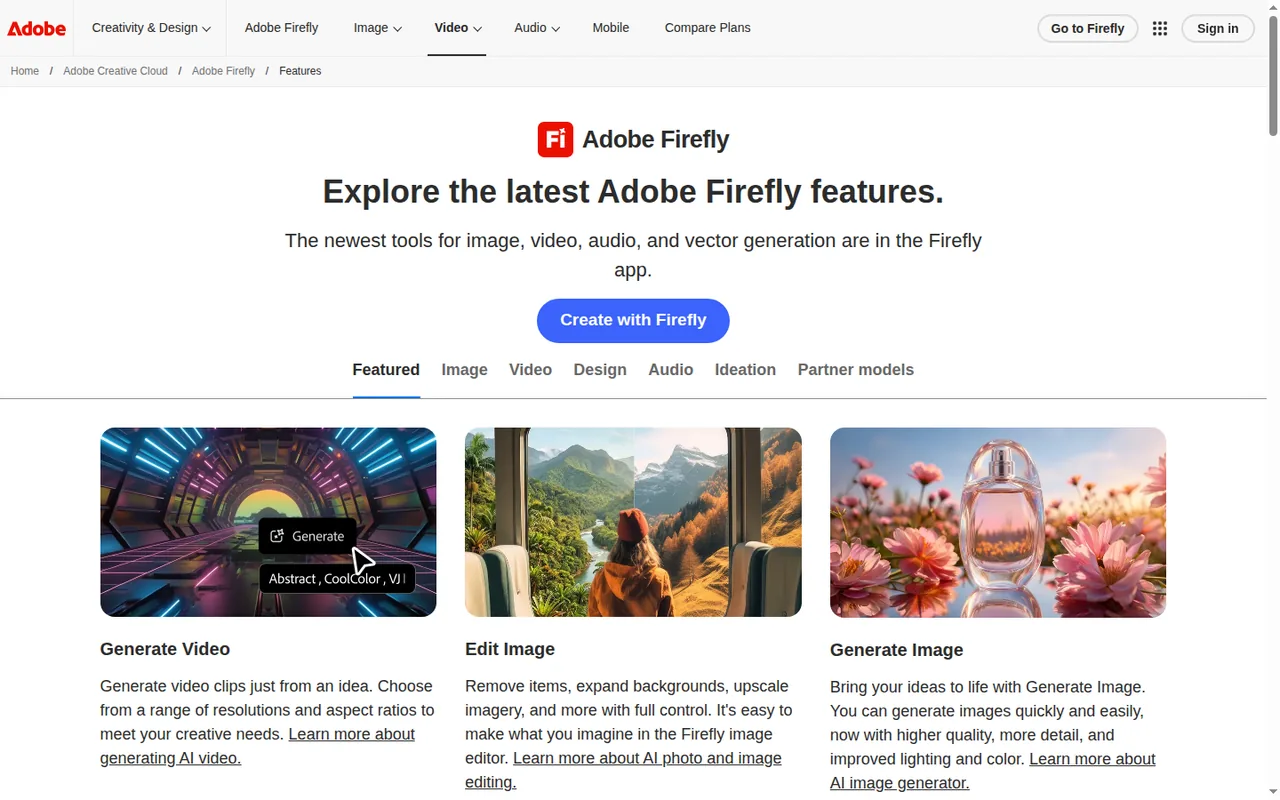
| Fill or change part of an image | Not listednot covered in the sources checked | OfferedGenerative Fill, no credits on paid plans |
| Split a flat image into editable layers | PartlyMagic Layers, beta, uses the allowance | Not listednot covered in the sources checked |
| Layout and brand | ||
| Templates | Offered1.6M+ on Free, 3.6M+ on Pro | Partlylayout in Adobe Express; Premium from Pro |
| Draft a whole design from a prompt | Offeredpresentations, social posts, flyers | Not listednot covered in the sources checked |
| Brand Kits | Offered1 on Free, 5 on Pro, 100 on Business | Not listednot covered in the sources checked |
| Mood boards and storyboards | Not listednot covered in the sources checked | OfferedFirefly Boards, shared with teammates |
| Video and sound | ||
| Video from a prompt | OfferedText to Video, from the same allowance | Offeredtext or reference image, 20 to 100 credits a second |
| Music, sound effects and speech | Not listednot covered in the sources checked | Offeredmusic at 20 credits a minute |
| Translate audio or video | Not listednot covered in the sources checked | Offeredup to 6 minutes on Standard, 166 on Premium |
| Handing it on | ||
| Continue in Photoshop | Not listednot covered in the sources checked | OfferedPhotoshop on web and mobile from Pro |
| Desktop app | OfferedWindows 10 and later, Mac | Not listedbrowser on desktop; iOS and Android apps |
offered partly or with limits not listed on the profile.
Sources: Canva AI Image Generator, Canva Magic Layers, Adobe Firefly features.
What does a month of AI cost in uses and credits?
In shortCanva counts estimated uses from one allowance per member; Firefly charges credits only for premium work. Count your month first, then pick the plan.
The units, row by row
| Work | Canva | Adobe Firefly |
|---|---|---|
| A standard-quality image or edit on a paid plan | Outside the allowance, subject to fair use | No credits: standard image features are unlimited |
| One premium-quality image | One of the estimated Premium uses; complex prompts lower the real count | 10 credits for Firefly Image 5; partner models vary by model and output |
| Five seconds of video | From the Premium or Ultra allowance; a per-clip rate is not covered in the sources checked | 100 credits at 540p, 250 at 720p, 500 at 1080p |
| Splitting a flat image into layers | Magic Layers draws on the allowance | Not covered in the sources checked |
Sources: Canva AI usage, Canva AI quality tiers, Adobe generative credits FAQ.
Four monthly loads, counted
In shortSame work, two meters, on the entry paid plans: Canva Pro and Firefly Standard.
| Load | Canva Pro: about 200 Premium uses | Firefly Standard: 2,000 credits |
|---|---|---|
| 30 premium images, one a day | 30 uses: past Free’s 20, inside Pro | None on standard models, or 300 on Image 5 (30 × 10) |
| The same plus four 5-second clips at 720p | 30 uses plus the clips, at an unpublished rate | 1,300 (300 + 4 × 250) |
| The same, clips at 1080p | No resolution rate in the sources checked | 2,300 (300 + 4 × 500): past Standard, inside Pro’s 4,000 |
| 300 premium images, ten a day | Past Pro’s estimate; inside Business’s 400 per member, or AI Pass on Pro at USD 100 a month for 40 times the allowance | 3,000 on Image 5, inside Pro’s 4,000; none on standard models |
Arithmetic on the rates above for a 30-day month. Canva’s counts are its own estimates for simple tasks, so the real number of uses can be lower. Past the allowance, Canva Business can buy one-off top-ups; Firefly sells a larger plan or a credit add-on from 2,000 credits.
Sources: Canva AI Pass, Canva AI top-ups, Adobe Firefly plans.
What each plan costs
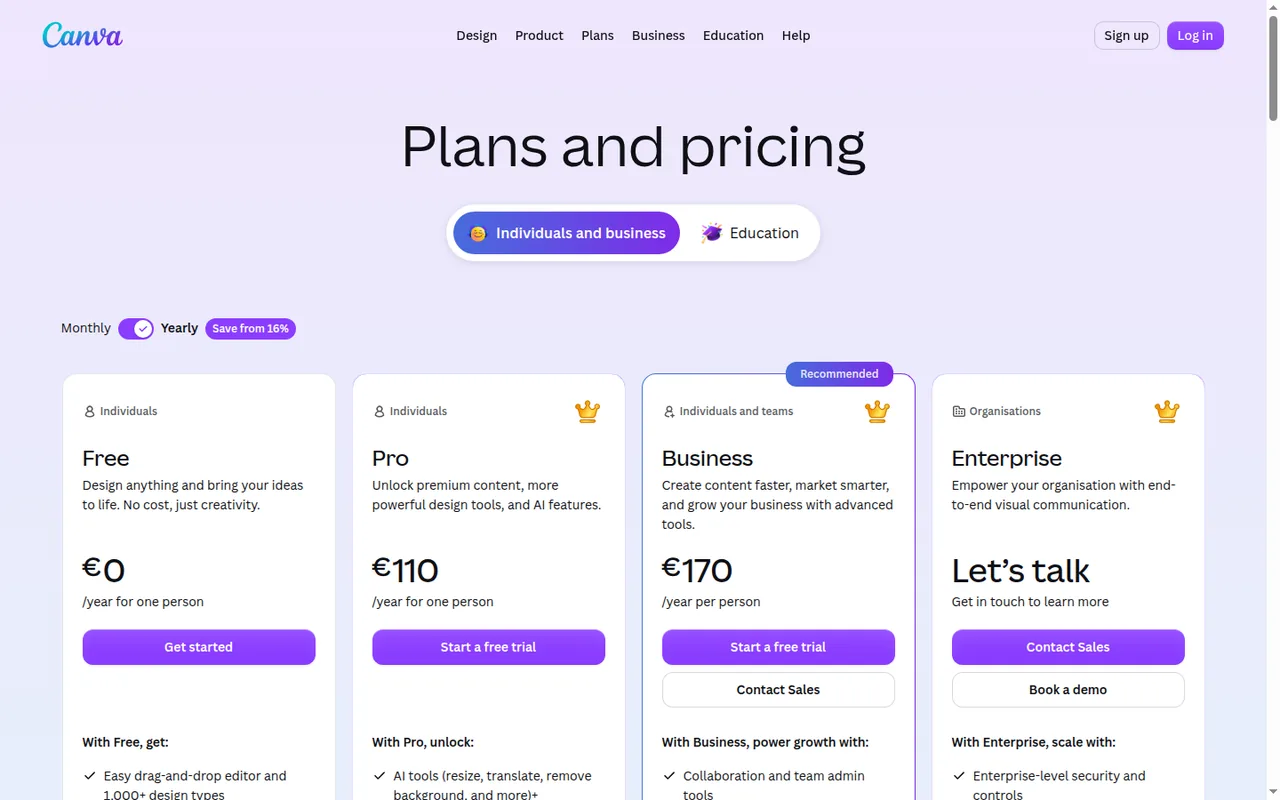
Price per month, as each plan is first listed, from the Canva profile. Bars compare plans of this tool only.
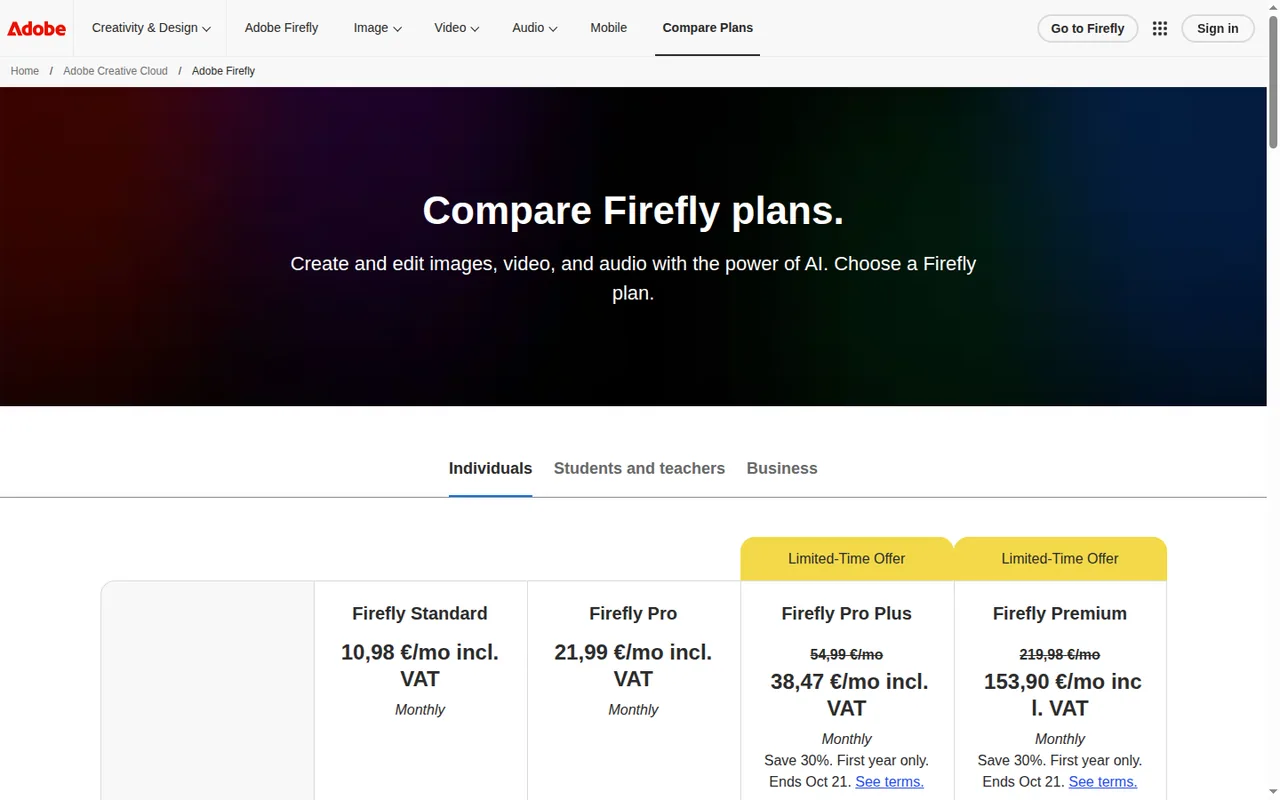
Price per month on monthly billing, from the Adobe Firefly profile. Bars compare plans of this tool only.
Canva prices are as its en_gb page shows them to a visitor in Germany, without a VAT statement; Firefly prices include VAT. Two higher Firefly plans are left off the chart, both at first-year offer prices: Pro Plus at EUR 38.47 a month (regularly EUR 54.99) with 10,000 credits, and Premium at EUR 153.90 (regularly EUR 219.98) with 50,000 credits and unlimited Firefly Video Model use in Generate Video. Canva charges AI Pass in US dollars, so it is not drawn on the euro chart.
A team of five for a year
| Canva Business | Firefly Pro, Business tab | |
|---|---|---|
| Price per seat | EUR 17 a month billed monthly, or EUR 170 a year | EUR 18.48 a month excluding VAT, annual plan billed monthly |
| Five seats, twelve months | EUR 850 on yearly billing (5 × 170); EUR 1,020 on monthly (5 × 17 × 12) | EUR 1,108.80 excluding VAT (5 × 18.48 × 12) |
| AI per seat | Up to 400 Premium or 40 Ultra uses each | Credit amount for business licences not covered in the sources checked |
Arithmetic on the per-seat prices in each profile. Canva’s page gives no VAT statement and Adobe’s business price excludes VAT, so the two totals are not like for like until checkout.
What files and rights come with the result?
In shortCanva hands over a finished document; Firefly hands over the image or clip itself, with an origin label when every pixel is generated.
Download formats
| File | Canva | Adobe Firefly |
|---|---|---|
| Images | JPG and PNG; transparent PNG on paid plans | JPG and PNG, up to 2000 × 2000 pixels on the technical page; some partner models are advertised with 4K |
| Vector | SVG on paid plans | Not covered in the sources checked |
| PDF Standard and PDF Print; CMYK and compression on paid plans | Not covered in the sources checked | |
| Office files | PPTX for presentations, DOCX for Canva Docs, CSV and XLSX for Sheets | Not covered in the sources checked |
| Motion | GIF and MP4 | MP4 |
If a printer asks for 300 pixels per inch, a 2,000-pixel side prints at about 6.7 inches, or 17 cm (2,000 / 300). A full A4 page at that density needs about 2,480 × 3,508 pixels, so a Firefly image at the listed maximum covers about four-fifths of its width. Canva gives no pixel size for generated images; check the file before printing from either.
Sources: Canva download file types, Firefly technical requirements, Adobe Firefly product page.
Rights and labels
| Canva | Adobe Firefly | |
|---|---|---|
| Commercial use | Allowed for personal and commercial projects | Adobe ties its commercial-use position to the training data below |
| Ownership | Yours as far as the law allows, though the US and many other jurisdictions give AI-made works no copyright, and output may resemble existing designs | Not covered in the sources checked |
| Training data | Some image tools run on a Leonardo.Ai model; training data not covered in the sources checked | Firefly models: licensed Adobe Stock and public domain content, not users’ personal or generated content; partner models are not developed by Adobe |
| Origin label | Not covered in the sources checked | Content Credentials on assets whose pixels are all generated with Firefly |
| Indemnification | Not covered in the sources checked | Beta feature outputs fall outside it for eligible teams and enterprise customers |
When a client asks where an image came from, Firefly’s Content Credentials are the only documented label of the two, and Adobe applies them only when every pixel is generated with Firefly. Neither source promises a one-of-a-kind result, and Adobe leaves the choice of a suitable partner model to you.
Sources: Canva copyright ownership, Canva AI FAQ, Content Credentials overview, Partner models in Adobe products.
Video, questions and what this page does not judge
Official video
In shortFrom Canva’s YouTube channel; it loads only when you press play. The Adobe Firefly profile lists no official video yet.
Common questions
Which is cheaper, Canva or Adobe Firefly?
At entry level they are close: Canva Pro shows EUR 12 a month billed monthly or EUR 110 a year, while Firefly Standard shows EUR 10.98 a month including VAT. Standard lacks the Photoshop and Express Premium bundle that arrives with Firefly Pro at EUR 21.99. Canva's page does not say whether VAT is included, so compare checkout totals.
Can I try the paid AI volume before paying?
Not fully on either. A Canva Pro or Business trial is allowed once per account and payment method, but it carries only the Free-size allowance, and AI Pass cannot be added during it. Firefly's route is its Free plan, with select models and an unpublished daily cap, so it shows model fit but not the monthly credit volume of a paid plan.
Do unused uses or credits carry over?
No. Canva resets paid allowances on each monthly billing date, even on yearly plans. Firefly credits lapse at the billing date too, but a generation that fails is refunded, usually within minutes and occasionally after up to 24 hours for video, so retries after an error do not double the cost.
Can I combine the two tools?
Yes, through files. Firefly downloads JPG or PNG, and Canva's Magic Layers accepts uploaded flat images, with JPEG or PNG recommended, so a Firefly picture can become an editable Canva design. Each step then bills in its own tool: Firefly credits for the generation, Canva's Premium allowance for the layer split.
Can admins limit AI use across a team?
Canva lets team and school admins control who can use AI features, although Canva AI cannot be switched off completely; Enterprise adds SSO and SCIM provisioning. Firefly's Business tab sells licenses with admin tools and 24x7 support, and its unlimited features have guardrails against scripting, account sharing and reselling that can bring temporary restrictions.
What this page does not judge
Image quality, ease of use and speed are what many comparisons rank on, but neither profile documents them in a way we can check, and we have not produced the same work in both tools.
Take one campaign brief. On Canva Pro and Firefly Standard, make a square post image and a 5-second clip. Record the allowance or credits each step used, the formats offered at download and the pixel size of the final image, and note any step you could not do in either.
How this comparison was made
Plans, units, formats and terms come from the Canva and Adobe Firefly profiles on this site, which cite the vendors’ pricing, help and product pages and carry their own check dates; tables marked as live are read from those profiles each time the page loads. Sections follow the topics the top-ranking pages cover, limited to what the vendors document. No rating is given. See our editorial policy.