AI Product Image Variations Without Changing the Product
Canva, Adobe Firefly, Midjourney and Leonardo.Ai can all turn one product photo into new scenes, but they touch the product differently. This guide shows which feature does the work in each, the steps that keep the item itself untouched, what a batch costs in each tool’s own unit, and who can see the files before launch.
By Elias Brandt · Updated 15 Oct 2026 · About 14 min read · Plan terms taken from each tool profile
The short answer
Which tool makes the variations? Canva generates scenes inside a design where your photo stays a layer. Firefly edits around an uploaded photo with Generative Fill and background expansion. Midjourney and Leonardo.Ai generate new images from your reference photos.
Will the product stay exactly the same? Only on the composite route, where AI makes the backdrop and your real photo is placed on top. Anything generated from references needs a check against the original.
Can you start for free? Canva, Firefly and Leonardo.Ai have free plans with small allowances; Midjourney has no free trial on its website or Discord.
Which AI tool can make product image variations?
Keep the photo, or let the model redraw it?
In shortDecide this first. It sets how much of the product the AI is allowed to touch.
A variant shows the same item in a new setting. There are two ways to get there, and the choice decides which checks you need afterwards.
| Route | What the AI touches | Fits | Where it runs |
|---|---|---|---|
| Composite | Only the scene. Your real product photo sits on its own layer on top | Shop listings, marketplace images, anything a buyer judges the item by | Canva designs; Firefly Generative Fill and background expansion around an uploaded photo |
| Reference-guided generation | The whole image. The model draws the product again from your reference photos | Mood boards, ad concepts, social teasers labelled as illustrations | Midjourney Edit Model (up to four references); Leonardo.Ai Omni editing (up to six, by model) or a trained Element |
Sources: Canva Magic Layers, Adobe Firefly, Midjourney Edit Model, Leonardo.Ai Omni editing.
The four tools at a glance
In shortFind the feature that does the variation in each tool, then read the catch before you build a batch around it.
| Tool | Feature that makes the variation | Free access | First paid plan | Catch to check |
|---|---|---|---|---|
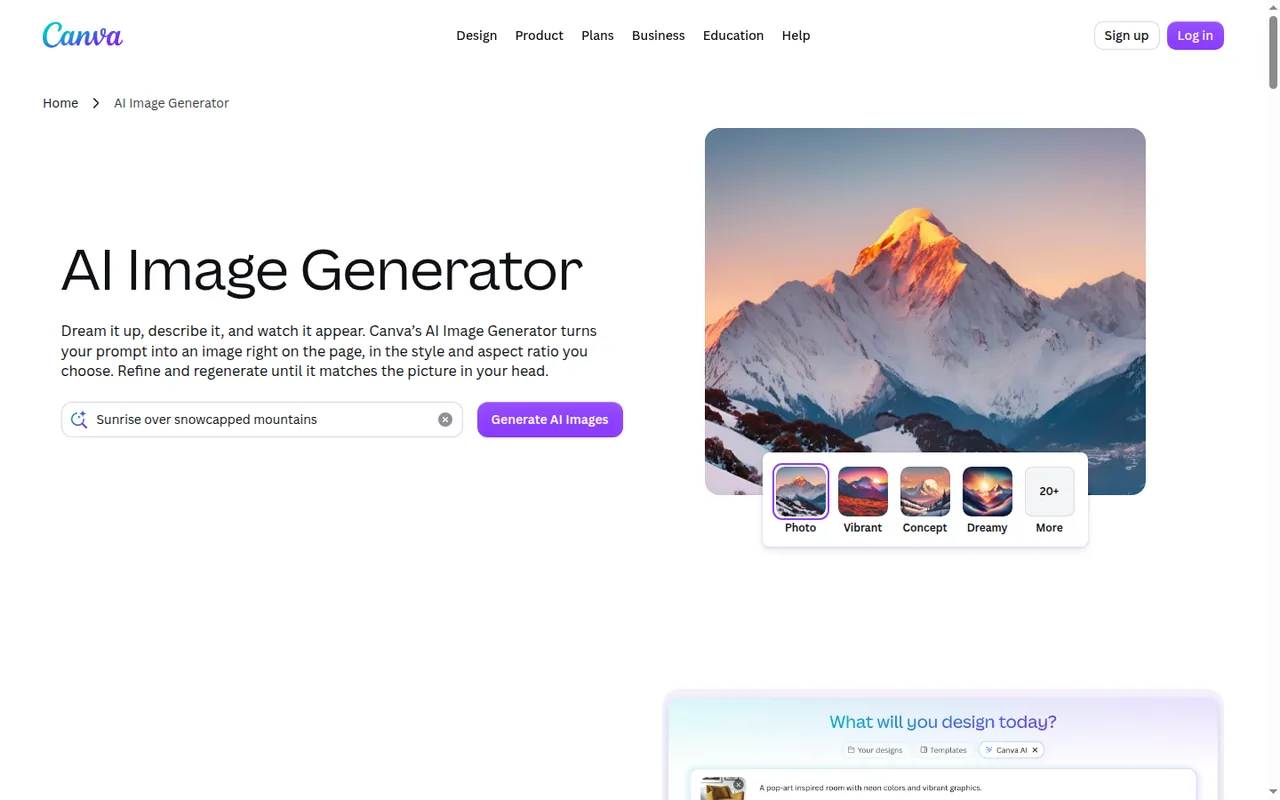
 Canva Canva | AI Image Generator, from a prompt or reference photo, with 10+ styles and a chosen aspect ratio; Magic Layers (beta) splits a flat image into editable layers | Up to 20 Standard or Premium AI uses a month, an estimate | Pro, EUR 12 per month billed monthly | Transparent PNG export needs a paid plan |
 Adobe Firefly Adobe Firefly | Generate Image, plus Generative Fill, Prompt to Edit and background expansion on uploaded images | Limited daily generations; Adobe does not publish the number | Standard, EUR 10.98 per month incl. VAT, 2,000 credits | Images download at up to 2000 x 2000 pixels |
 Midjourney Midjourney | Edit Model: written edits, up to four reference images per job, inpainting and outpainting | No free trial on midjourney.com or Discord | Basic, USD 10 per month, 200 Fast minutes | Work can appear on the public Explore page unless Stealth mode is on |
 Leonardo.Ai Leonardo.Ai | Image generation from a prompt or starting image; Omni editing with references; Elements trained on your own images | 150 tokens a day, generations public | Essential, USD 12 per month, 8,500 tokens | Private generation needs a paid plan |
Plan names and amounts from each tool’s profile, which shows the date its plan terms were checked. Canva and Firefly list euro prices for a German visitor; Midjourney and Leonardo.Ai list US dollars.
- See the Canva profile for plans, limits and sources.
- See the Adobe Firefly profile for plans, limits and sources.
- See the Midjourney profile for plans, limits and sources.
- See the Leonardo.Ai profile for plans, limits and sources.
Visit Canva (opens in a new tab) Visit Adobe Firefly (opens in a new tab) Visit Midjourney (opens in a new tab) Visit Leonardo.Ai (opens in a new tab)
Sources: Canva AI Image Generator, Canva pricing, Adobe Firefly plans, Firefly technical requirements, Midjourney free trials, Midjourney plans, Leonardo.Ai pricing, Leonardo.Ai private and public images.
What should you prepare before the first prompt?
The input pack
In shortMost rejected variants trace back to a brief that never said what was fixed. Write it down and keep it open next to every result.
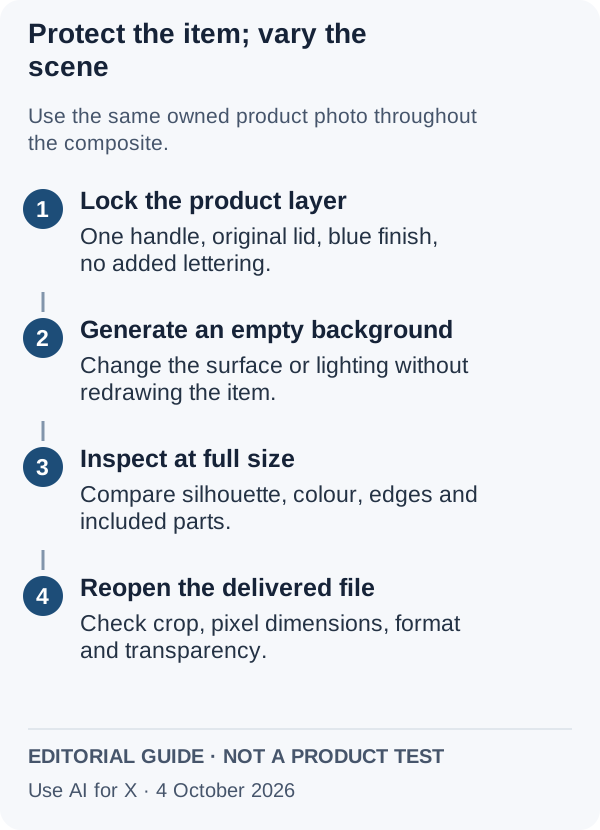
The examples use a fictional matte blue travel mug with one handle, a straight body and a plain screw lid, photographed on a pale grey sheet. Keep unreleased products away from any account whose generations are public by default.
| Part of the pack | What goes in it | For the blue mug |
|---|---|---|
| Reference photos | The approved master, full frame and unfiltered, plus one side view | Front and side shots on the grey sheet |
| Locked attributes | Everything a buyer would notice if it changed | One handle on the right, lid outline, body proportions, blue finish, no logo |
| Allowed changes | The variation types: backdrop, surface, light direction, camera distance, crop, props that are clearly not the product | Oak counter, window light, a closer crop |
| Forbidden additions | Anything a buyer might expect in the box or read as a claim | Lettering on the mug, a straw, a second lid, a second colour |
| Output spec | Pixel size, file type and whether the background must be transparent, from the shop or ad platform | Square PNG with a transparent version |
Check the output spec against each tool
In shortWrite the output spec before choosing a tool, because file limits rule some out.
| Tool | Largest image listed | Formats | Transparent background |
|---|---|---|---|
| Canva | Not covered in the sources checked | JPG, PNG, SVG, PDF and more; bulk download of up to 200 designs on paid plans | Transparent PNG and SVG on paid plans only |
| Adobe Firefly | 2000 x 2000 pixels per download | JPG or PNG | Not covered in the sources checked |
| Midjourney | 2048 x 2048 after Subtle or Creative upscaling of a 1:1 image; HD images start there and cannot be upscaled again | Not covered in the sources checked for still images | The Editor can save a transparent PNG of erased areas |
| Leonardo.Ai | Up to 105 MP with Pro Upscaler on paid plans | Pro Upscaler saves 8-bit JPEG only, so no transparency | Images generated with Transparency come as PNG only |
None of the four documents a large transparent PNG in one step. The usual split is to enlarge an approved composite in one tool and cut it out in another, then check the edges again in the final file.
Sources: Canva download file types, Canva download or purchase, Firefly technical requirements, Midjourney Upscalers, Midjourney Editor, Leonardo.Ai Pro Upscaler, Leonardo.Ai Transparency.
How do you make product image variations, step by step?
In shortFive steps, one change at a time, so a defect points to the step that caused it. Each lists what the four tools offer and the plan limit.
Step 1: Separate the product from its background
Work in the tool you will composite in, so the product never has to be re-cut. If the cut-out must leave that tool, the export format decides the plan.
| Tool | How the product is separated | Plan limit |
|---|---|---|
| Canva | Magic Layers splits an uploaded flat image into editable layers | Beta; each use counts toward the monthly AI allowance. Transparent PNG export needs a paid plan |
| Adobe Firefly | Not needed: Generative Fill and background expansion change the area around the uploaded photo | Standard features such as Generative Fill do not deduct credits on paid plans |
| Midjourney | Erase the background in the Editor and save a transparent PNG of the erased areas | No free trial; Basic is USD 10 per month |
| Leonardo.Ai | Background removal sits alongside generation; remove.bg, also part of Canva, is moving its API to Leonardo.Ai | Plan limit not covered in the sources checked |
Sources: Canva Magic Layers, Canva download file types, Adobe generative credits FAQ, Midjourney Editor, Leonardo.Ai remove.bg API news.
Step 2: Generate the scene, not the product
Prompt for the setting only, for example: a pale oak kitchen counter, soft window light from the left, shallow depth of field, empty space in the centre. Leaving the product out of the prompt means the model is never asked to draw it. Record the prompt, model and settings for every scene you keep.
| Tool | Where the empty scene comes from | What it costs |
|---|---|---|
| Canva | AI Image Generator inside the design, with a style and aspect ratio | On Free, one of the monthly AI uses; Ultra quality is paid-only |
| Adobe Firefly | Generate Image with a Firefly Image model or a partner model | 10 credits per Firefly Image 5 generation; partner models use premium credits at rates that vary |
| Midjourney | A prompt in the Imagine bar returns four images | About one Fast GPU minute per image prompt |
| Leonardo.Ai | Image generation with a chosen model or automatic selection | Token cost depends on model, size, references and number of images, and is shown before you generate; Free has stricter prompt filtering |
Sources: Canva AI Image Generator, Canva AI usage, Adobe generative credits FAQ, Partner models in Adobe products, Midjourney GPU speed, Leonardo.Ai tokens FAQ.
Step 3: Put the real product back and match the light
Place the product layer on the scene, then set scale and shadow by hand so the light direction agrees with the backdrop.
| Tool | Where the composite is assembled | Hand-off |
|---|---|---|
| Canva | In the same design, with Brand Kit colours, fonts and logos for any text around the product | Stays in Canva until export |
| Adobe Firefly | Around the uploaded photo itself | Results open in Photoshop, Premiere or Adobe Express; Pro includes Photoshop on web and mobile |
| Midjourney | Edit Model inpainting and outpainting around the image | Placing a separate product layer is not covered in the sources checked |
| Leonardo.Ai | Edit in Canva sends a generated image to Canva as a new design | Individual accounts only, one image at a time, no paid plan needed on either service |
Sources: Canva Brand Kits, Adobe Firefly, Adobe Firefly plans, Leonardo.Ai Edit in Canva.
Step 4: Make the next variant by changing one thing
Change only the backdrop, the light or the crop per variant, never two at once. New angles or a whole range in one look need reference-guided generation instead, and every output then needs the step 5 check. If that route used Google’s Whisk, it has ended; Is Whisk AI Discontinued? What Replaced It in Flow gives the dated record and the tools that take reference images.
| Tool | Reference route | Limit |
|---|---|---|
| Midjourney | Edit Model generates from up to four reference images and edits from written instructions | Not compatible with --tile; results cannot be used with Remix |
| Leonardo.Ai | Omni editing takes up to six reference images | The number depends on the model |
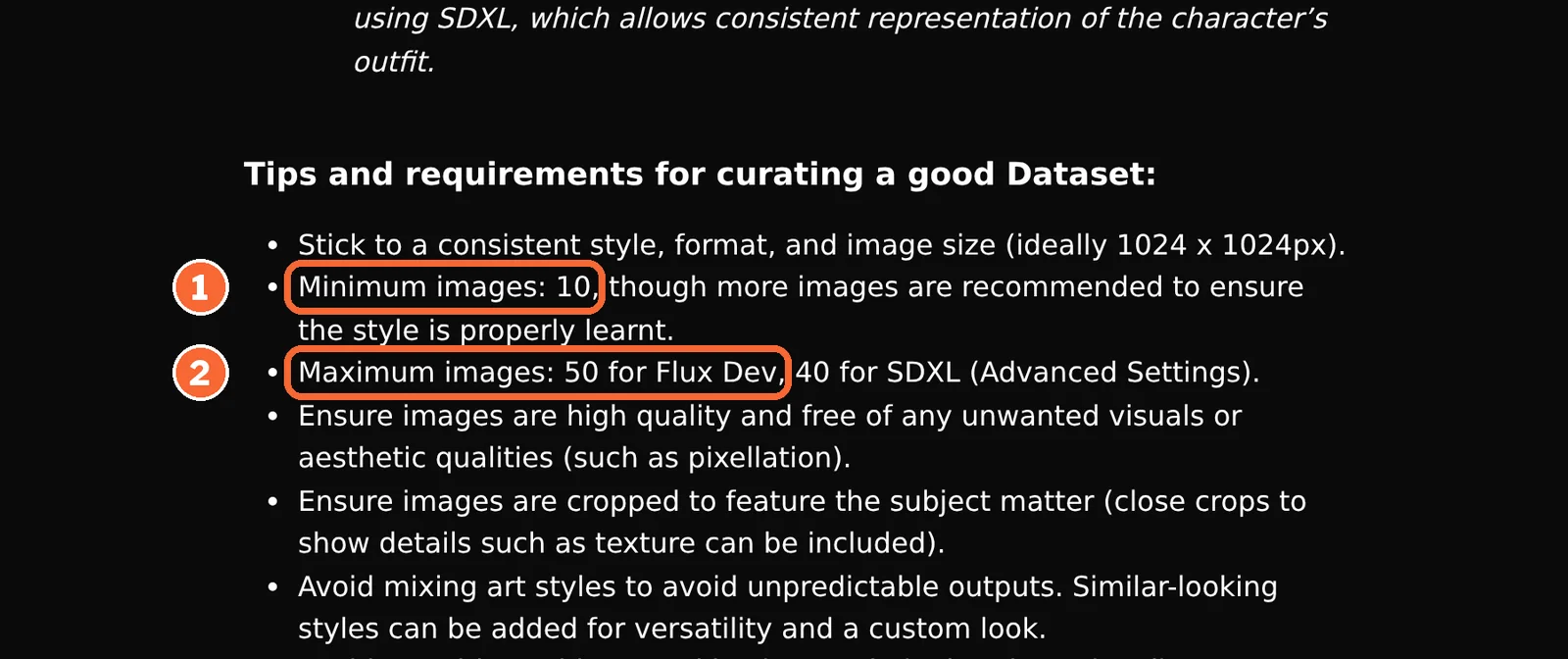
| Leonardo.Ai | An Element (a LoRA-style custom model) trained on 10 to 50 images of the product | Essential, Premium and Ultimate list 10, 20 and 50 personal AI models; Elements are limited on Free; trained models cannot be downloaded |
| Canva | AI Image Generator accepts a reference photo | How closely the result follows it is not covered in the sources checked |
| Adobe Firefly | Prompt to Edit on the uploaded photo | Reference-image limits are not covered in the sources checked |
Sources: Midjourney Edit Model, Leonardo.Ai Omni editing, Leonardo.Ai Elements training, Leonardo.Ai pricing, Canva AI Image Generator.
Step 5: Check, then upscale, then export
Compare each result at 100% zoom with the locked-attribute list before judging mood or style. An upscaler enlarges whatever is there, including a slightly wrong lid, so check before enlarging, not after. Then download through an option your plan allows and inspect the file itself, not the editor preview.
| Failure | How it shows | Fix |
|---|---|---|
| Product redrawn | Extra handle, changed lid, bent body | Go back to the composite route; on the reference route add the side view and reject rather than retouch |
| Invented lettering | Small text on the mug or box | Regenerate the scene; never keep invented text on a product image |
| Colour drift | Blue turns teal under warm light | Cool the scene light rather than recolouring the product |
| Wrong file | JPEG where transparency was needed, or too few pixels | Re-export on a plan that allows the format; enlarge only an approved composite |
The delivery folder
Keep rejected files out of it entirely; a folder that feeds a shop is often bulk-uploaded later.
reference/     master photo and side view used for checking
approved/      mug-blue_oak-counter_1x1_v02.png and the rest
record.csv     tool, plan, model, prompt, reference, attempts
checklist.csv  locked attributes, a tick per file, reviewer
notes.txt      composite on the real photo, or generated illustration
Sources: Midjourney Upscalers, Leonardo.Ai Pro Upscaler, Canva download file types, Canva download or purchase.
How many variations does each plan cover?
Six scenes, three attempts each, six upscales
In shortCount attempts, not accepted images. The same batch is priced below in each tool’s own unit; units are never converted into each other.
| Tool | 18 scene generations | Six upscales | Plan that covers it |
|---|---|---|---|
| Canva | 18 Premium uses of Free’s estimated 20; Canva says real counts run lower with complex prompts or mixed tools | Not covered in the sources checked | Pro: up to 200 Premium uses, about 7 a day; Standard AI tools stop counting on paid plans, subject to fair use |
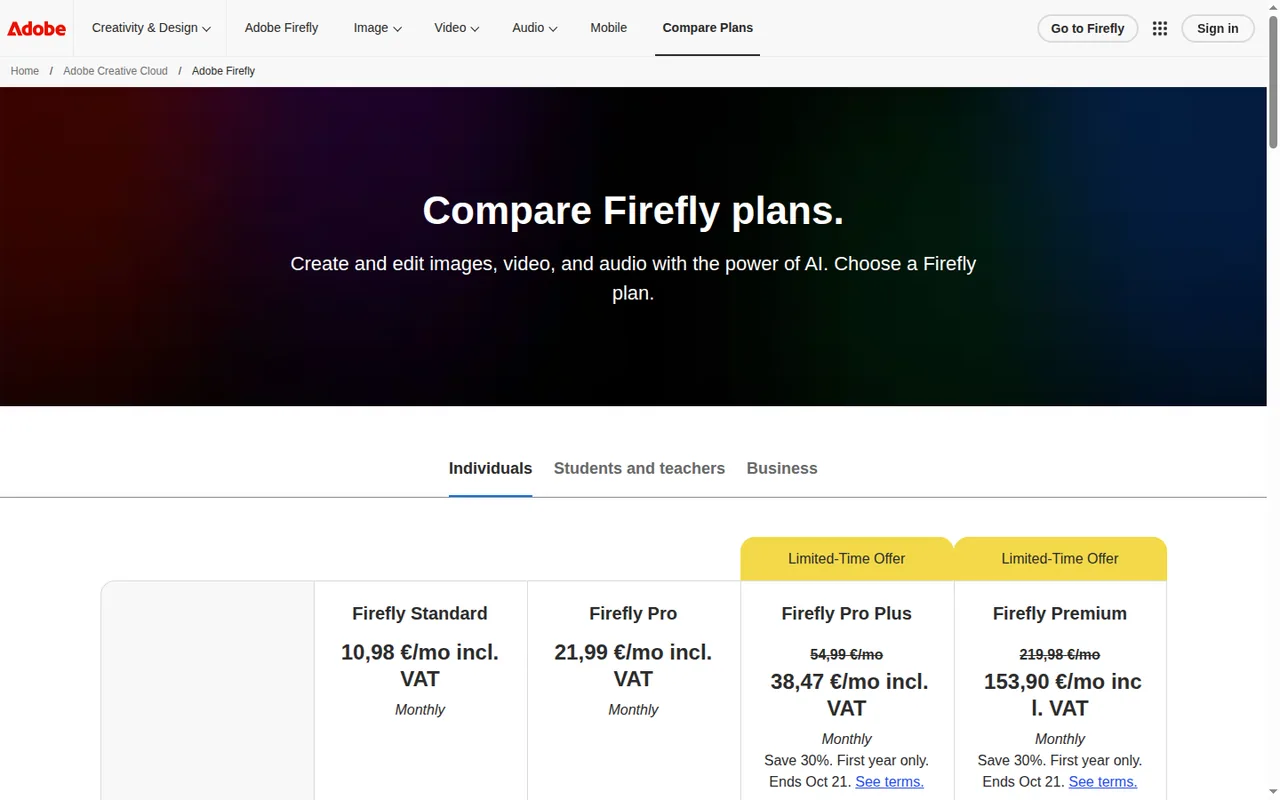
| Adobe Firefly | At 10 credits per Firefly Image 5 generation, 180 credits; Generative Fill on paid plans deducts none | Not covered in the sources checked | Standard: 2,000 credits a month. Free cannot be planned, because the daily number is not published |
| Midjourney | About 18 Fast minutes, returning 72 images at four per prompt | Not covered in the sources checked | Basic: 200 Fast minutes, about 200 image prompts |
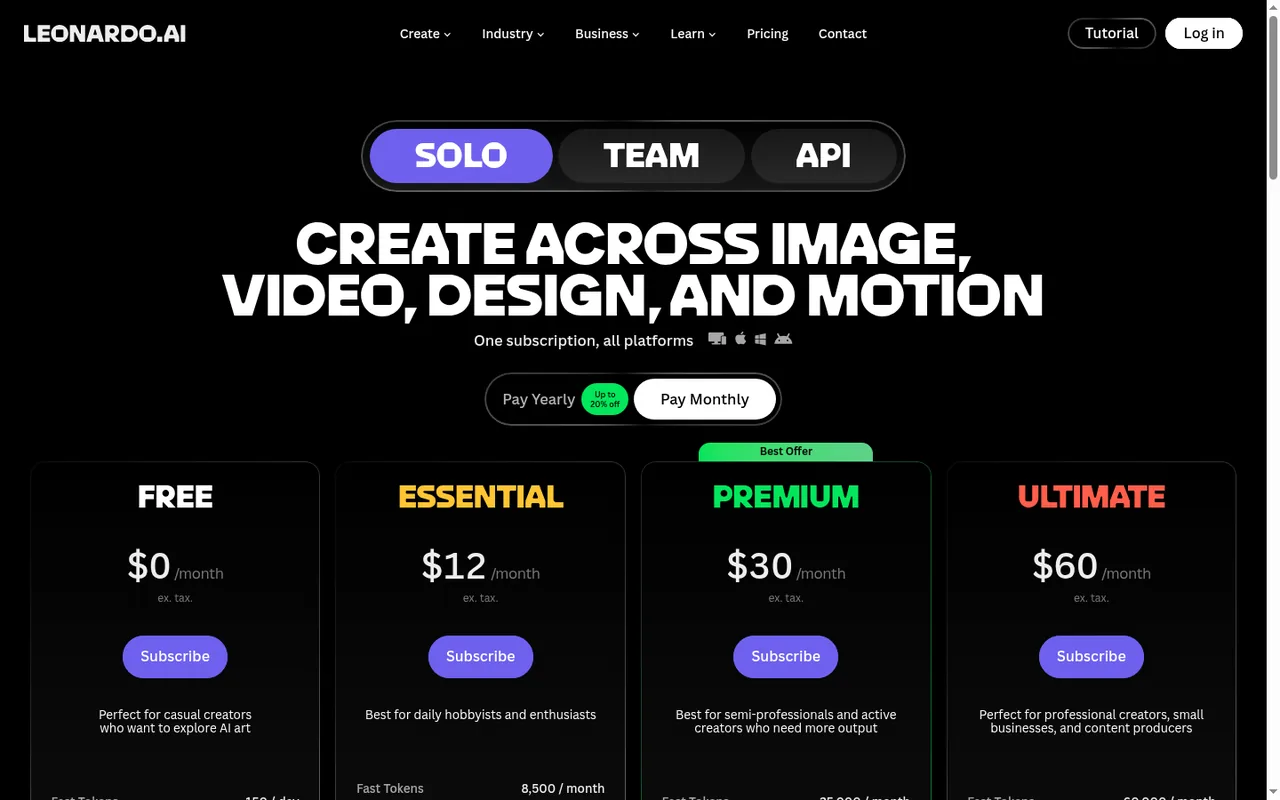
| Leonardo.Ai | Cost per image depends on model, size, references and image count; not covered in the sources checked as a fixed figure | 438 to 7,266 tokens (6 x 73 to 6 x 1,211), paid plans only | Essential: 8,500 tokens a month, with unused tokens banked up to 25,500 |
If the batch slips: Canva’s paid allowance resets on the billing date, Free on the first of the month. Firefly credits and Midjourney Fast time do not roll over. Leonardo.Ai Free gives 150 tokens a day that expire unused, which suits spreading a batch across several days.
Sources: Canva AI usage, Adobe generative credits FAQ, Adobe Firefly plans, Midjourney GPU speed, Midjourney plans, Leonardo.Ai tokens FAQ, Leonardo.Ai Pro Upscaler, Leonardo.Ai pricing.
When a second person edits
In shortSeats change the arithmetic as soon as two people work on the same batch.
| Tool | Sharing rule | Parallel work |
|---|---|---|
| Canva | Pro is for one person; Business bills per member, EUR 17 a month each, and every member keeps a separate allowance | Not covered in the sources checked |
| Adobe Firefly | Credits are not pooled across users on teams plans, except purchased Shared Credits for some enterprise customers | Not covered in the sources checked |
| Midjourney | One user per account; no seat or admin management and no SSO | 3 Fast image jobs at once on Basic and Standard, 12 on Pro and Mega |
| Leonardo.Ai | Teams start at 3 seats, USD 24 per seat on Starter, with a shared token pool | 2 simultaneous generations on Essential, 3 on Premium, 6 on Ultimate |
Sources: Canva pricing, Adobe generative credits FAQ, Midjourney plans, Leonardo.Ai pricing.
Can you sell with AI product images, and who sees them first?
Who can see a variant before launch
In shortTwo of the four tools show new work publicly unless you pay for privacy. Settle this before uploading an unreleased product.
| Tool | Default visibility | How to keep it private | Removing it later |
|---|---|---|---|
| Canva | Not covered in the sources checked | Not covered in the sources checked | Not covered in the sources checked |
| Adobe Firefly | Not covered in the sources checked | Not covered in the sources checked | Not covered in the sources checked |
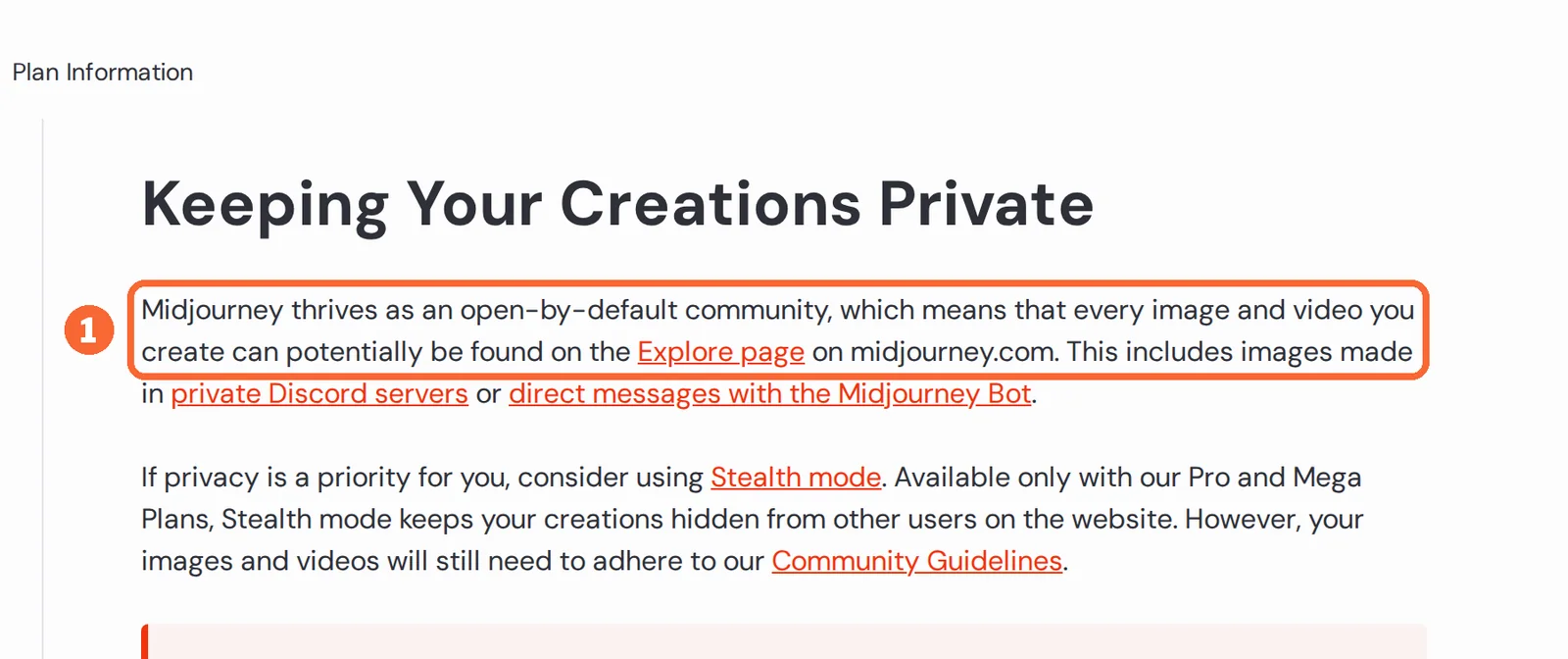
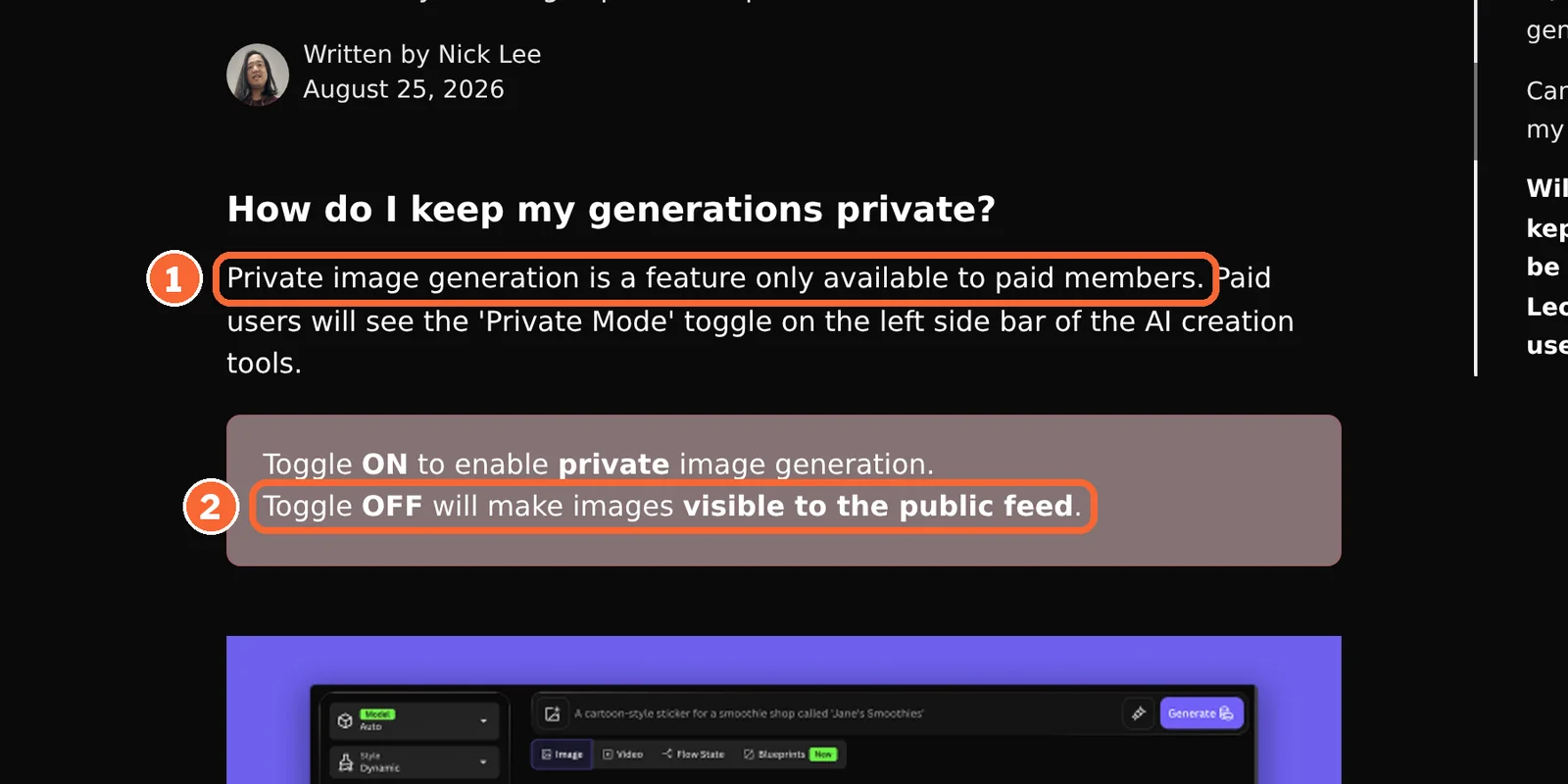
| Midjourney | Any image can appear on the public Explore page, including work made in private Discord servers | Stealth mode, Pro or Mega only; public Discord channels stay visible | Individual creations cannot be deleted; full removal needs an account data deletion request |
| Leonardo.Ai | Free generations go to the public feed and can be remixed | Private Mode, paid plans only | Deleting images needs a paid plan |
Sources: Midjourney privacy, Midjourney Stealth Mode, Leonardo.Ai private and public images, Leonardo.Ai FAQ.
Commercial use, ownership and origin labels
In shortThree of the four state commercial use directly; Adobe’s Firefly pages describe the training data instead. Marketplace image rules are not covered in the sources checked, so check the shop’s own requirements.
| Tool | Commercial use | Ownership | Origin label |
|---|---|---|---|
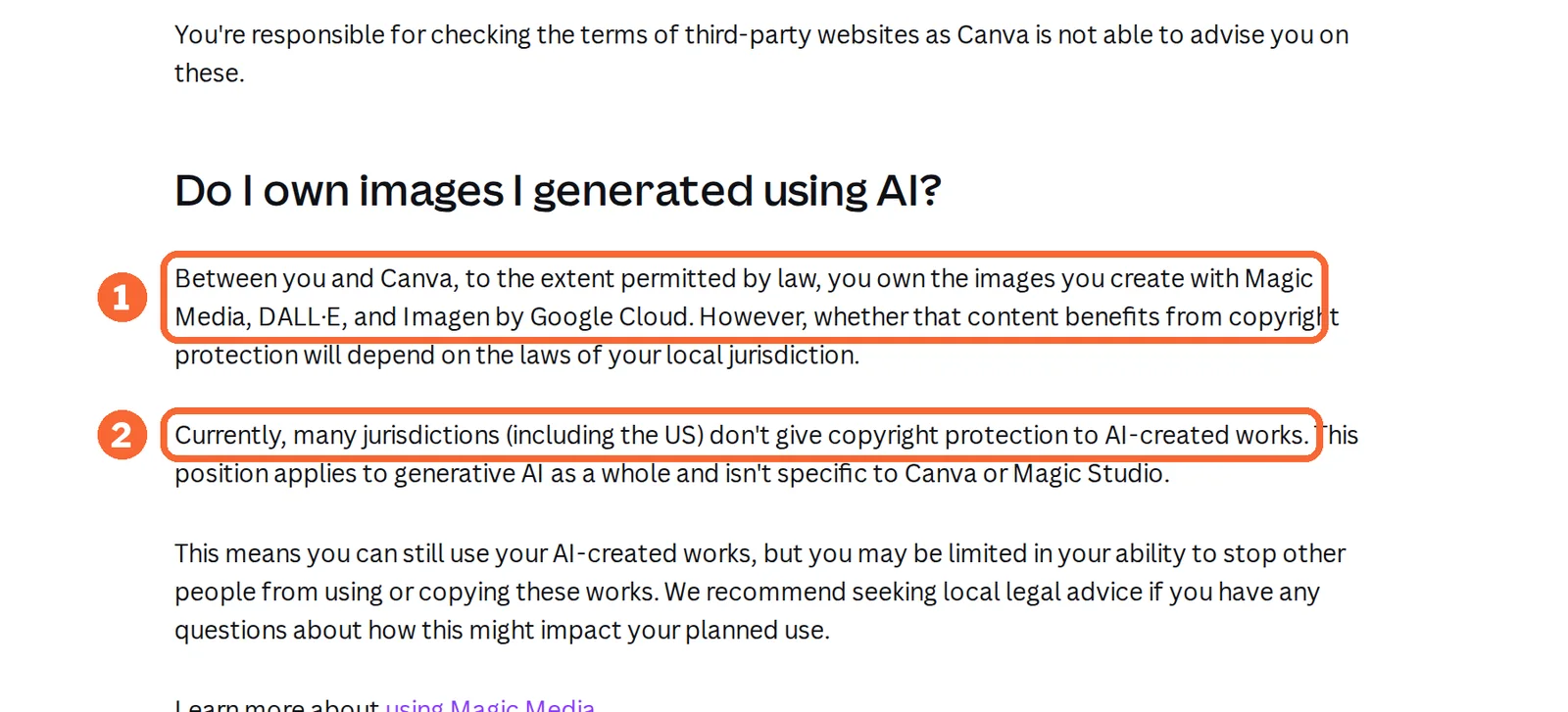
| Canva | Personal and commercial projects; output may not be unique and may resemble existing designs | Yours to the extent the law allows; many jurisdictions, including the US, give AI-created works no copyright | Not covered in the sources checked |
| Adobe Firefly | Adobe says its models are trained on licensed Adobe Stock and public domain content, not on users’ content; partner models are the user’s call | Beta-feature outputs are not indemnified for eligible teams and enterprise customers | Content Credentials on assets where every pixel is generated with Firefly |
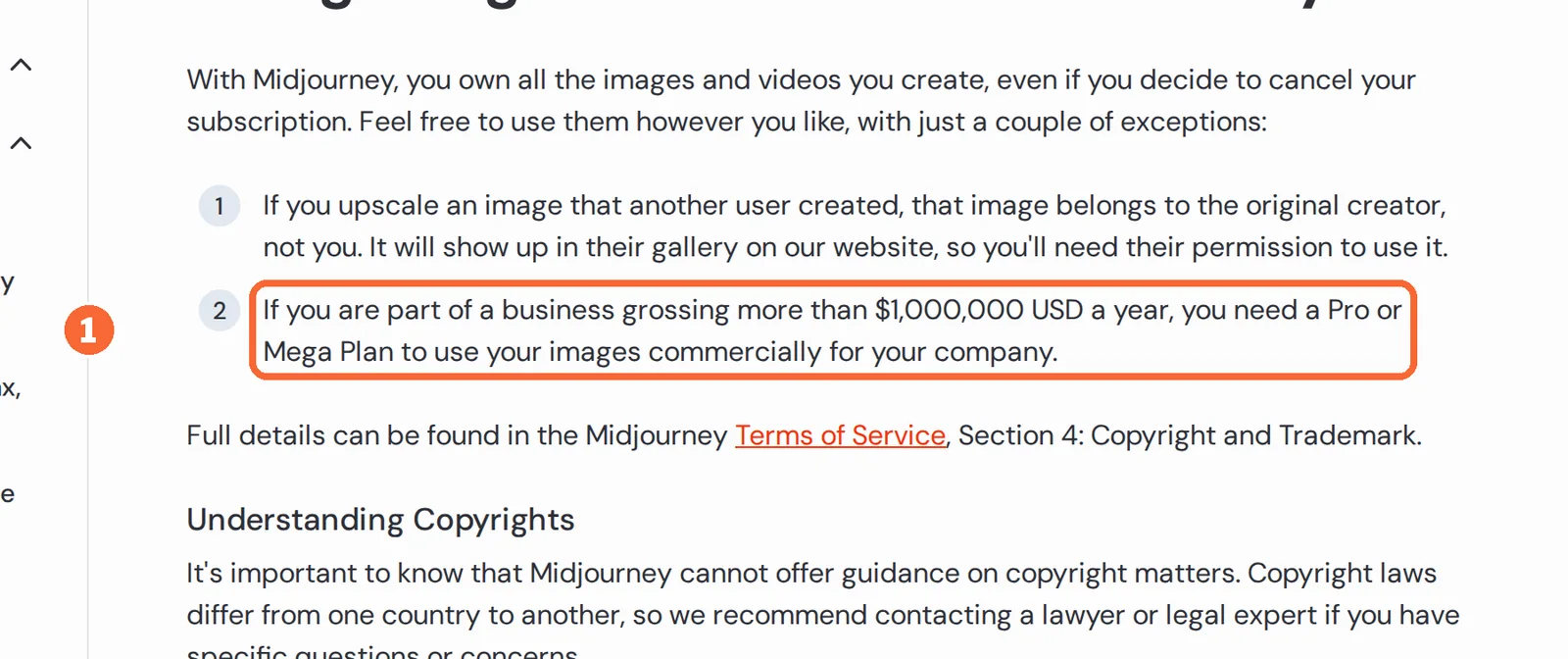
| Midjourney | Yes; a business grossing more than USD 1,000,000 a year needs Pro or Mega for company use | You own what you create, even after cancelling, except upscales of other members’ images | A hidden ID tag readable at midjourney.com/verify; screenshots and edits often strip it |
| Leonardo.Ai | Yes, free users included | For public images, Leonardo.Ai holds a worldwide perpetual license to use and distribute them | Not covered in the sources checked |
A composite carries both your own photograph and a generated backdrop, and the backdrop may have no copyright protection. The notes file in the delivery folder should say which part of each file a person made, because an origin label read later describes only the generated pixels.
Sources: Canva AI FAQ, Canva copyright ownership, Adobe Firefly, Partner models in Adobe products, Firefly Content Credentials, Midjourney commercial use, Midjourney content authenticity, Leonardo.Ai commercial usage.
Questions, and what this guide does not judge
Common questions
Is there an AI tool that can generate image variations?
Yes. Canva's AI Image Generator takes a prompt or a reference photo, Adobe Firefly edits around an uploaded image with Generative Fill, Midjourney's Edit Model generates from up to four reference images, and Leonardo.Ai's Omni editing accepts up to six, depending on the model. For product shots, only a composite keeps the item's own pixels unchanged.
Which AI is best for product images?
It depends on the step, not on a ranking. Canva suits placing a real product photo into sized designs; Firefly suits editing the background around an uploaded photo; Midjourney and Leonardo.Ai suit concept images drawn from references. Check visibility first: Midjourney below Pro and Leonardo.Ai Free show new work publicly.
How do you generate AI images for products without changing the product?
Generate an empty scene with no product in the prompt, place your own cut-out photo on top, and match scale and shadow by hand. Change one variable per variant, compare every file at 100% zoom against a list of locked attributes, and upscale only after a file passes.
Can I make product image variations for free?
Partly. Canva Free gives an estimated 20 AI uses a month, Leonardo.Ai Free 150 tokens a day with public generations, and Firefly Free a daily number Adobe does not publish. Transparent PNG from Canva, private generation in Leonardo.Ai and its Pro Upscaler all need a paid plan, and Midjourney has no free trial.
Can I control how much a variation differs from the original?
On the composite route the product layer is never regenerated, so only the scene changes. On the reference route, Midjourney accepts up to four reference images per job and Leonardo.Ai up to six in Omni editing, or a custom Element trained on 10 to 50 product photos. A similarity setting is not described in the sources checked.
Can I use AI product images for commercial purposes?
Canva allows commercial projects but warns output may resemble existing designs. Midjourney lets you own your images, though businesses grossing over USD 1,000,000 a year need Pro or Mega. Leonardo.Ai allows commercial use on every plan but holds a license to public images. In many jurisdictions, including the US, AI-created parts get no copyright.
What this guide does not judge
Product faithfulness, scene realism, batch speed, ease of use and photo-shoot savings are what the vendor pages ranking for this search promise. None of the sources behind this guide documents them in a way we can check, so they are not judged here.
Morphic, getimg.ai, PromeAI, Describely, OpenArt, Fotogenic and Bandy AI rank for this search with their own variation tools. They are left out until each has a profile with checked plan terms.
On Canva Free, upload your own photo of the blue mug, create three backdrop-only scenes with the AI Image Generator and composite the real mug into each. Record how many monthly AI uses the three accepted scenes consumed.
How this guide was made
Features, plans, units, file limits and rights come from the Canva, Adobe Firefly, Midjourney and Leonardo.Ai profiles on this site, which cite the vendors’ pricing, help and licensing pages and carry their own check dates. Sections follow the topics the top-ranking product image variation pages cover, limited to what the vendors document. No rating is given. See our editorial policy.