AI Tools for a Product Launch Pack: Copy, Visuals, Video, Voice, Page and Deck
A product launch pack is the set of assets that go out together on launch day: announcement copy, product visuals, social formats, a short video, a voiceover, a landing page and a sales deck. This guide gives each asset one tool and builds the pack in eight steps, checking what free plans often fail: privacy before launch, commercial rights and a clean final file.
By Elias Brandt · Updated 11 Oct 2026 · About 13 min read · Plan terms taken from each tool profile
The short answer
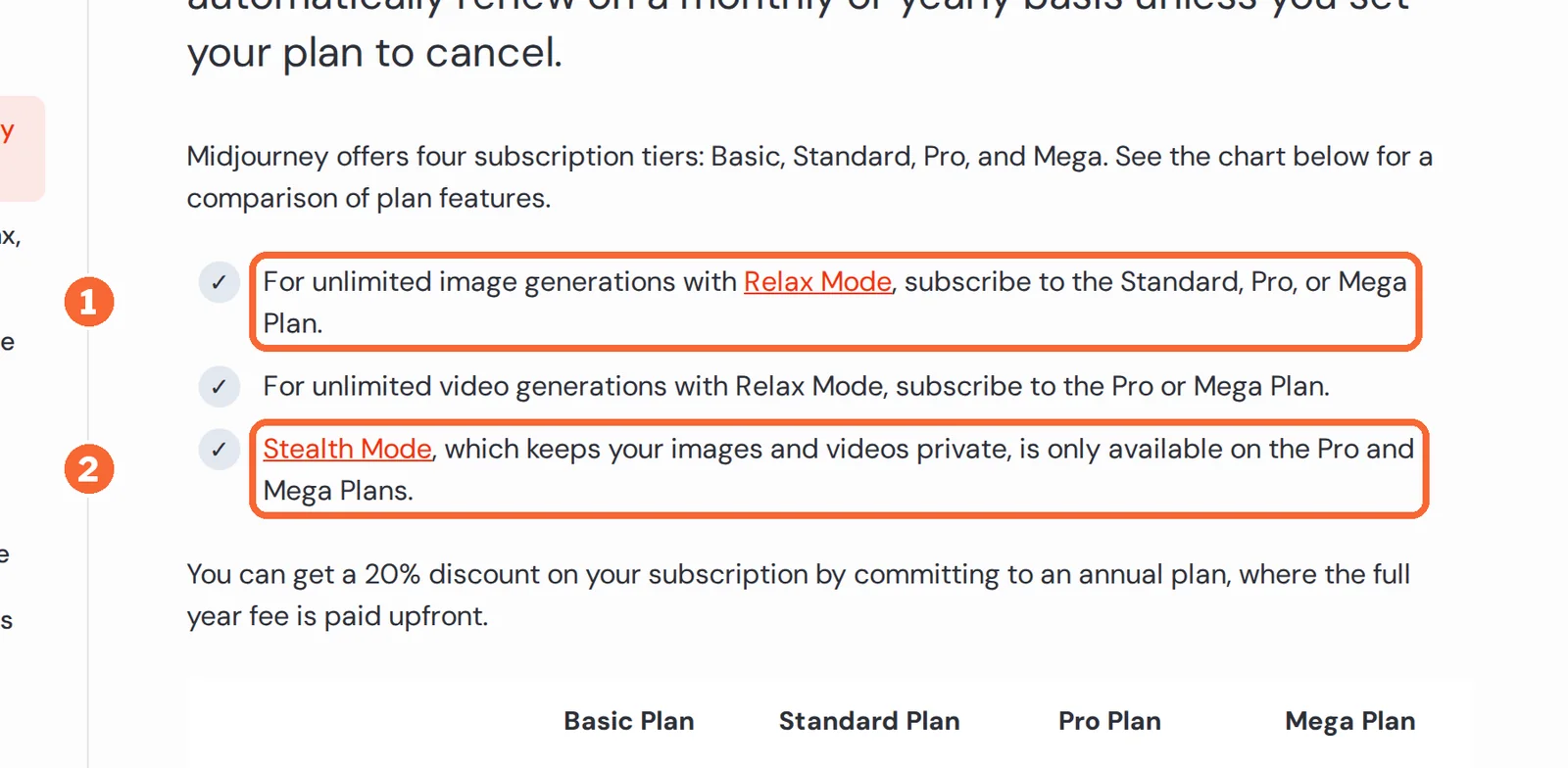
Writing and images? See the Claude profile for plans, limits and sources. drafts every text from one fact sheet kept in a Project. See the Adobe Firefly profile for plans, limits and sources. makes the product visuals; See the Midjourney profile for plans, limits and sources. keeps work off its public Explore page only on Pro or Mega.
Video and voice? On See the HeyGen profile for plans, limits and sources., Creator is the first plan without a watermark. See the ElevenLabs profile for plans, limits and sources. audio is commercial only if it was generated on a paid plan, so subscribe before the final take.
Page, formats and deck? See the Framer profile for plans, limits and sources. Basic adds your own domain and removes the badge, See the Canva profile for plans, limits and sources. Pro unlocks transparent PNG and SVG, and See the Pitch profile for plans, limits and sources. Plus exports PowerPoint without Pitch branding.
Which AI tool handles each part of a product launch?
The eight tools at a glance
Find the asset you need: the fourth column is the plan the final file needs, the last the catch to check. Details and sources follow in the steps.
| Tool | Launch asset | Free plan covers | Plan for the final file | Catch to check |
|---|---|---|---|---|
 Claude Claude | Announcement, product page text, video script | Chat, file creation and up to five projects | Free for one writer; Team, USD 25 per seat billed monthly, to share a project | Individual plans list model training as opt-out |
 Adobe Firefly Adobe Firefly | Product visuals and short clips | Daily generations; Adobe does not publish the number | Standard, EUR 10.98 a month incl. VAT, 2,000 credits | Credits expire monthly; a 5-second 1080p clip uses 500 |
 Midjourney Midjourney | Concept and mood images | No free trial on the website or Discord | Pro, USD 60 billed monthly, for Stealth mode | Creations can appear on the public Explore page by default |
 Canva Canva | Social posts, product cards, resized formats | Up to 20 AI uses a month; one Brand Kit, three colours | Pro, EUR 12 billed monthly, one person | Transparent PNG, SVG and CMYK need a paid plan |
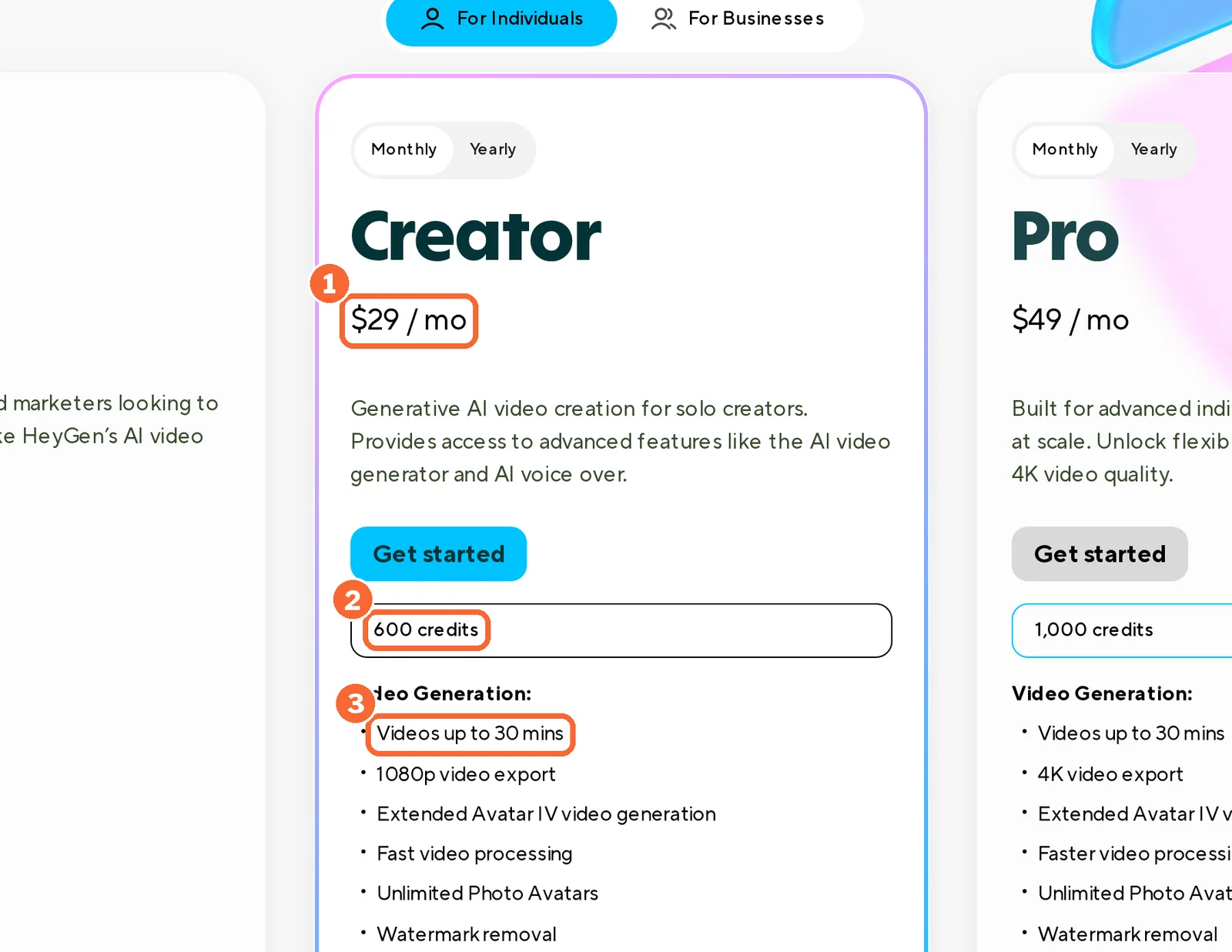
 HeyGen HeyGen | Presenter video and translated versions | Up to 3 videos a month, 1 minute each, watermarked | Creator, USD 29 billed monthly, 600 credits | Comments on share pages cannot be turned off |
 ElevenLabs ElevenLabs | Voiceover for a product demo | 10,000 credits a month, noncommercial with attribution | Starter, USD 6 billed monthly, 30,000 credits | Rights are fixed when the audio is generated |
 Framer Framer | Landing page | A Framer domain with the Made in Framer badge | Basic, EUR 15 billed monthly, custom domain | No HTML export for hosting elsewhere |
 Pitch Pitch | Sales and retailer deck | Up to five members; PDF with a small watermark | Plus, EUR 12 billed monthly, PowerPoint export | PowerPoint export turns videos into thumbnails |
Plan names and amounts from each tool’s profile, which shows the date its plan terms were checked.
How to choose a tool for a launch asset
- It stays private until launch dayAn unannounced product cannot sit in a public gallery or on an open share page.
- The final file carries commercial rightsSeveral free tiers are noncommercial, and some rights are fixed when the file is made.
- It delivers a file or domain you controlA watermark, a badge or a vendor subdomain marks the asset as a draft. Check the format each channel accepts.
- It can work from one fact sheetEvery asset repeats the same facts, so keeping them in one place makes a late change cheaper.
- Its usage unit fits one launch monthCredits, GPU minutes, characters and AI uses run out differently; count the month’s workload first.
How do you build a launch pack with AI, step by step?
Step 1: Write one fact sheet and draft the copy in Claude
Give each fact an ID and leave open fields visibly empty, so no tool fills them with a guess. The example below is a fictional desk lamp.
| ID | Fact | Status |
|---|---|---|
| F1 | USB-C power | Approved |
| F2 | Two brightness levels | Approved |
| F3 | Dispatch date: 15 October | Approved, may change |
| F4 | Price | Open |
| F5 | Battery life | Open |
Claude · Free: up to five projects; sharing a project needs Team or Enterprise
A Claude Project holds uploaded documents and instructions that apply to every chat inside it, so the announcement email, the product page text and the video script all start from the same sheet. File creation on every plan returns Word, PowerPoint, Excel and PDF files. On paid plans, project knowledge expands up to 10x through retrieval.
See the Claude profile for plans, limits and sources.
Visit Claude (opens in a new tab)
Sources: Claude Projects, Claude file creation, Claude pricing.
Step 2: Generate product visuals that stay off public feeds
Adobe Firefly · Standard: 2,000 credits a month; a Firefly Image 5 generation uses 10
Adobe says its Firefly models are trained on licensed Adobe Stock and public-domain content and that it does not train on users’ generated content. Assets whose pixels are all generated with Firefly get Content Credentials automatically, which records how the file was made. Images download as JPG or PNG, up to 2000 x 2000 pixels on the technical requirements page, and clips as MP4. Partner models from other companies run inside Firefly too, and Adobe leaves it to you to judge whether one suits the project.
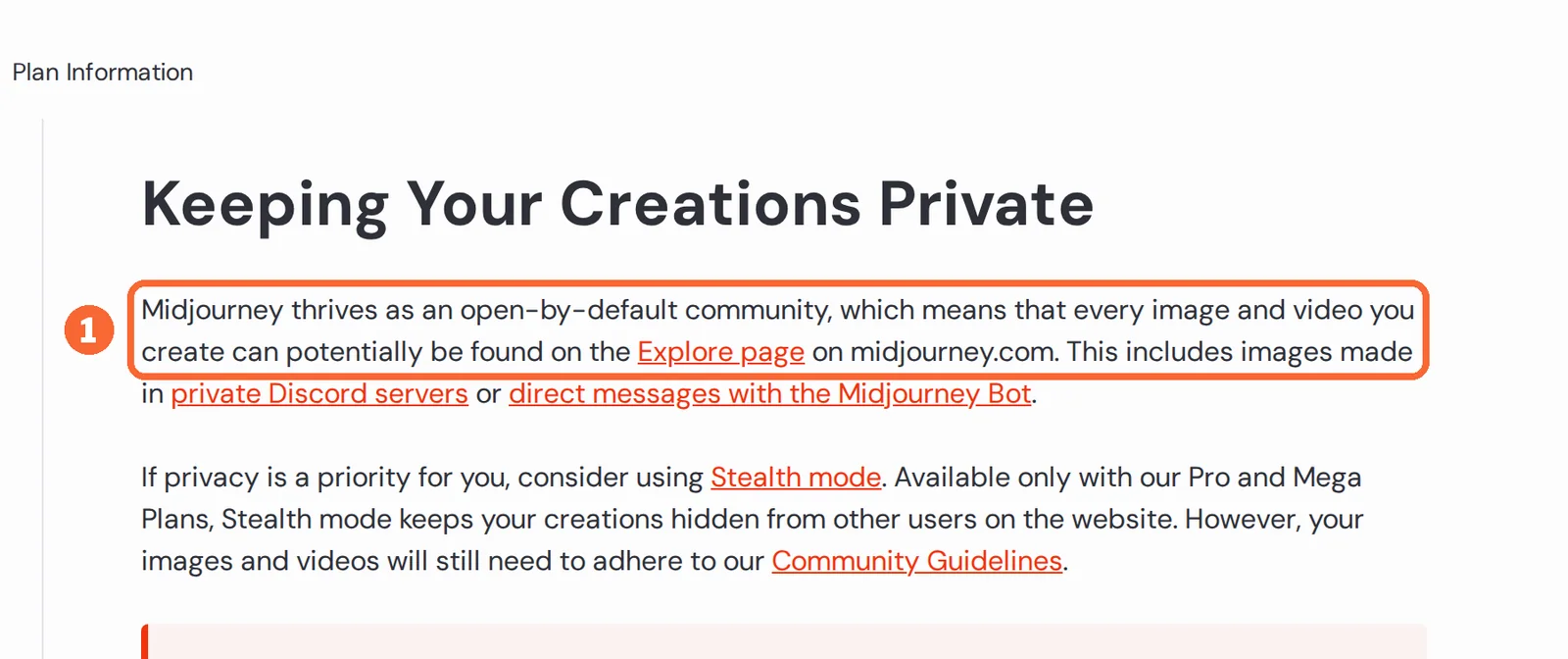
See the Midjourney profile for plans, limits and sources. has no free trial. Every image and video can appear on its Explore page, including work made in private Discord servers, unless Stealth mode is on, and Stealth is part of Pro and Mega only. Two traps follow: work made in public Discord channels stays visible even with Stealth, and individual creations cannot be deleted, while trashed ones are not private. Midjourney says you own what you create; a company grossing more than USD 1,000,000 a year needs Pro or Mega.
Treat generated product images as illustrations until photographs exist. A visual that shows a port or feature the product lacks is a larger risk than a missing image.
See the Adobe Firefly profile for plans, limits and sources.
Visit Adobe Firefly (opens in a new tab)
Visit Midjourney (opens in a new tab)
Sources: Adobe Firefly product page, Firefly Content Credentials, Firefly technical requirements, Keeping Midjourney creations private, Midjourney Stealth Mode, Organizing Midjourney creations, Midjourney commercial use, Midjourney content authenticity.
Step 3: Lay out social and retail formats in Canva
Canva · Free: one Brand Kit with three colours; Pro: five Brand Kits for one person
Brand Kits store logos, colours and fonts, and Brand Controls can restrict a design to the kit’s colours and fonts. Designs download as JPG, PNG, PDF, PPTX, GIF or MP4; transparent PNG, SVG, compressed PDF and CMYK are paid-plan options, and paid plans bulk-download up to 200 designs at once, or 25 as MP4 or GIF. A Free design with premium elements downloads as a watermarked draft unless you buy a Pro Content License or upgrade.
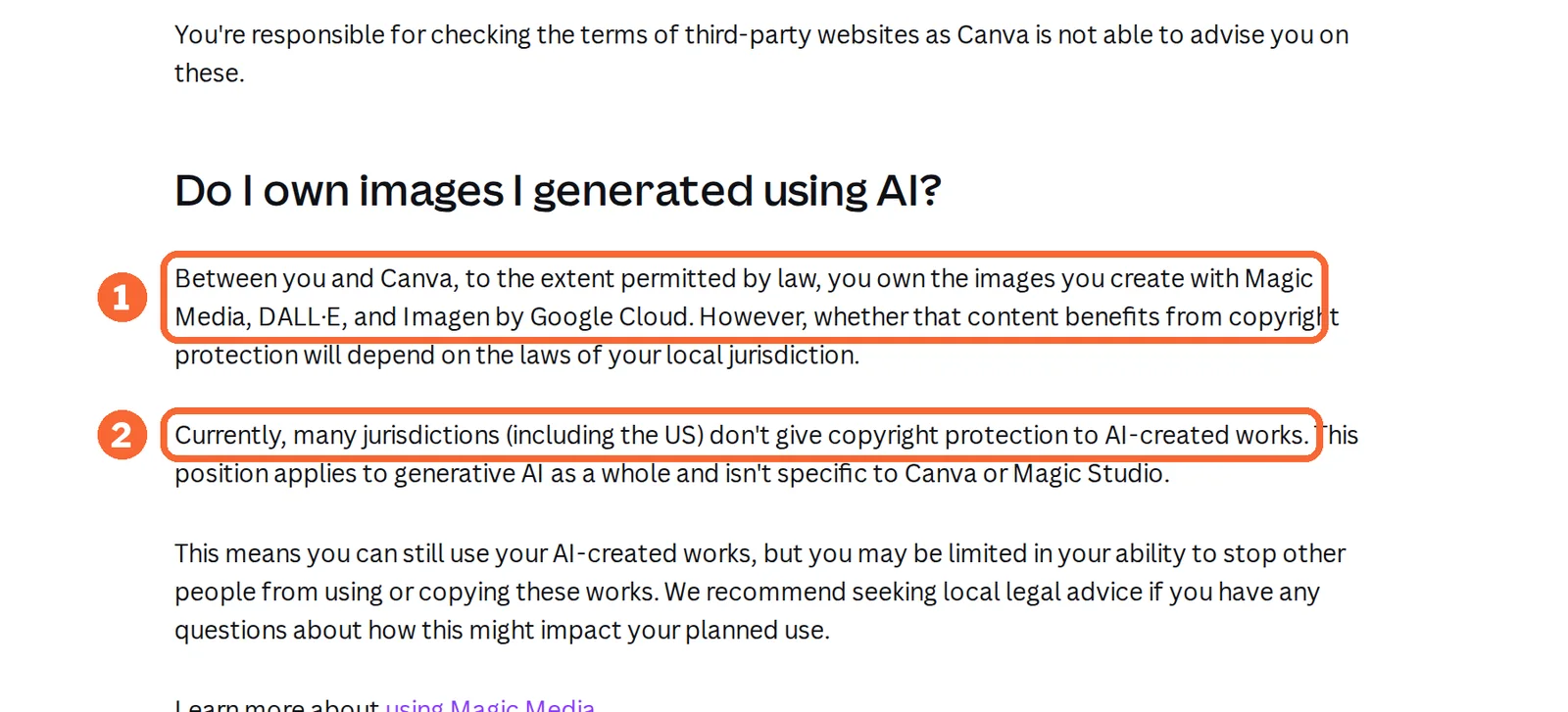
Canva allows its AI output in commercial projects but warns that it may not be unique and may resemble existing designs. Between you and Canva you own AI images as far as the law allows, yet many jurisdictions, the US included, give AI-created works no copyright protection. Keep the logo and the product photography as your own files rather than AI output.
See the Canva profile for plans, limits and sources.
Visit Canva (opens in a new tab)
Sources: Canva download file types, Canva premium elements, Canva copyright and AI images, Canva AI FAQ.
Step 4: Render the presenter video in HeyGen
HeyGen · Creator: 600 credits a month, 1080p, no watermark, videos up to 30 minutes
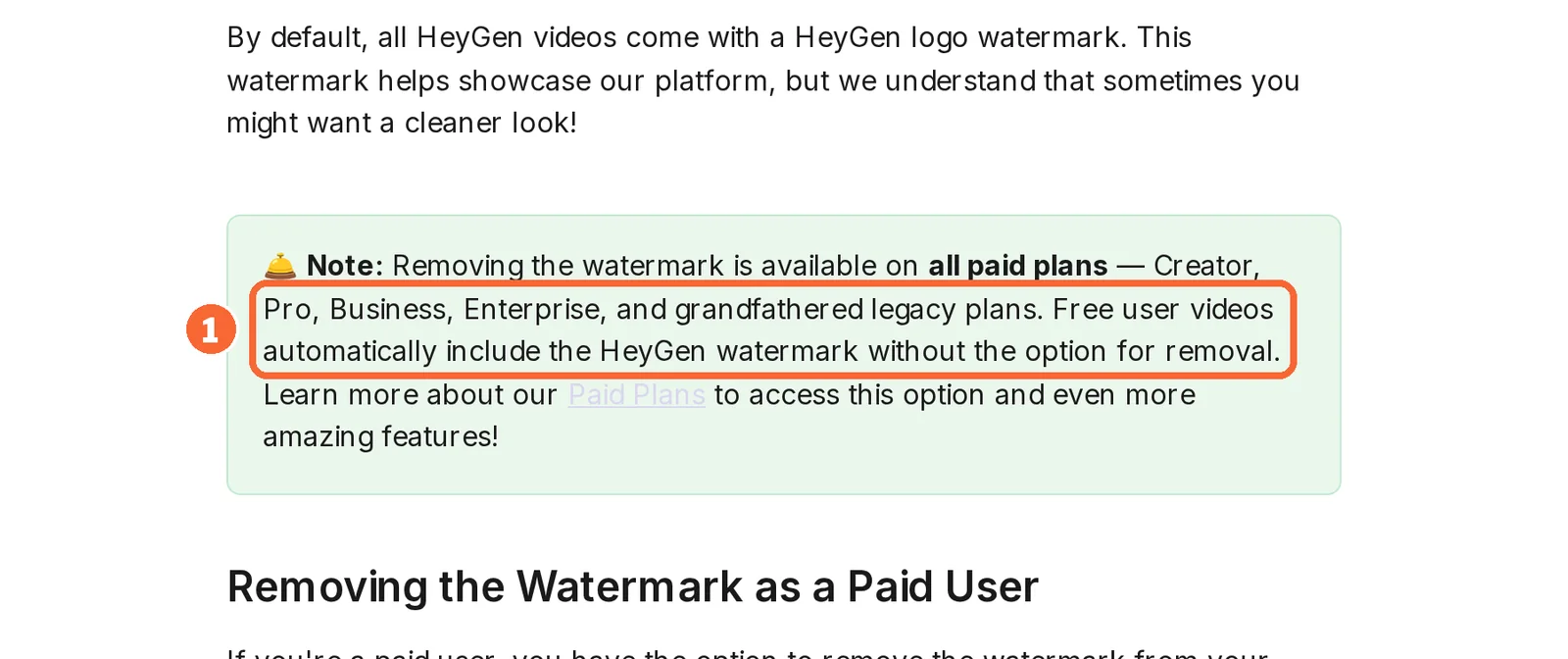
Every Free video carries the HeyGen watermark with no way to remove it, lasts up to a minute and shares at 720p. An Avatar IV video look uses 31 credits per minute and a photo look 16; lip-synced translation in Speed mode uses 6 per minute. Downloads include SRT captions.
Each video also gets a share page with comments that cannot be turned off; password-protected sharing is documented only for Enterprise. Before launch, send reviewers the downloaded file. A Digital Twin of a real presenter needs a consent video under 30 seconds from that person.
See the HeyGen profile for plans, limits and sources.
Visit HeyGen (opens in a new tab)
Sources: HeyGen watermark removal, HeyGen credit usage, HeyGen sharing, HeyGen downloads.
Step 5: Record the voiceover on a paid ElevenLabs plan
ElevenLabs · Starter: 30,000 credits a month and a commercial license, USD 6 billed monthly
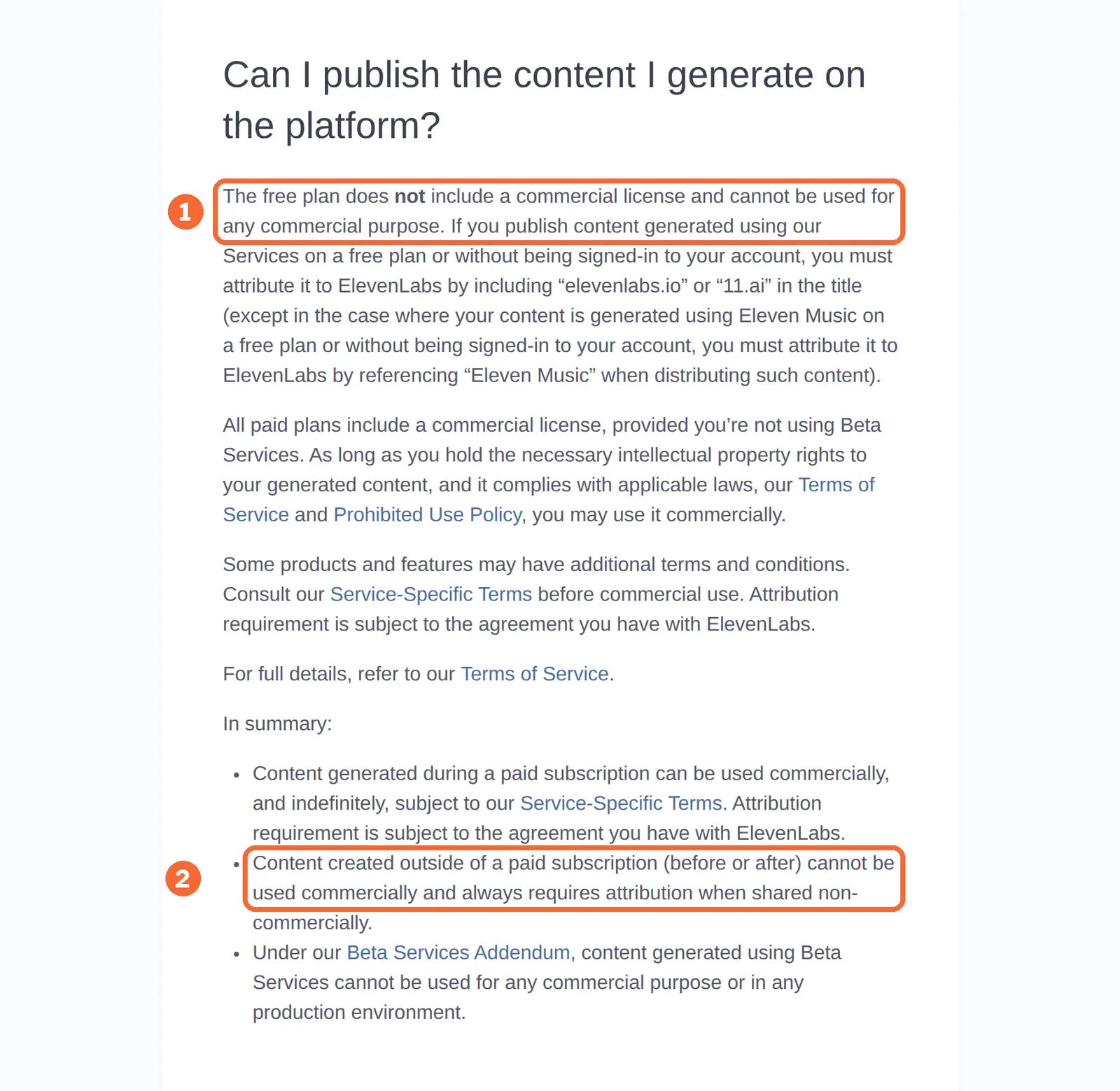
Free audio is noncommercial and needs attribution when published, and upgrading later does not make it commercial. Paid-plan audio carries commercial rights, except for beta features and subject to your rights in the source material. Text to speech on Multilingual v2 uses 1 credit per character, and the pricing table puts Starter at about 30 minutes of speech. Instant voice cloning starts on Starter, after you confirm the right and consent to clone the voice.
See the ElevenLabs profile for plans, limits and sources.
Visit ElevenLabs (opens in a new tab)
Sources: ElevenLabs publishing rights, ElevenLabs pricing.
Step 6: Publish the landing page on your own domain with Framer
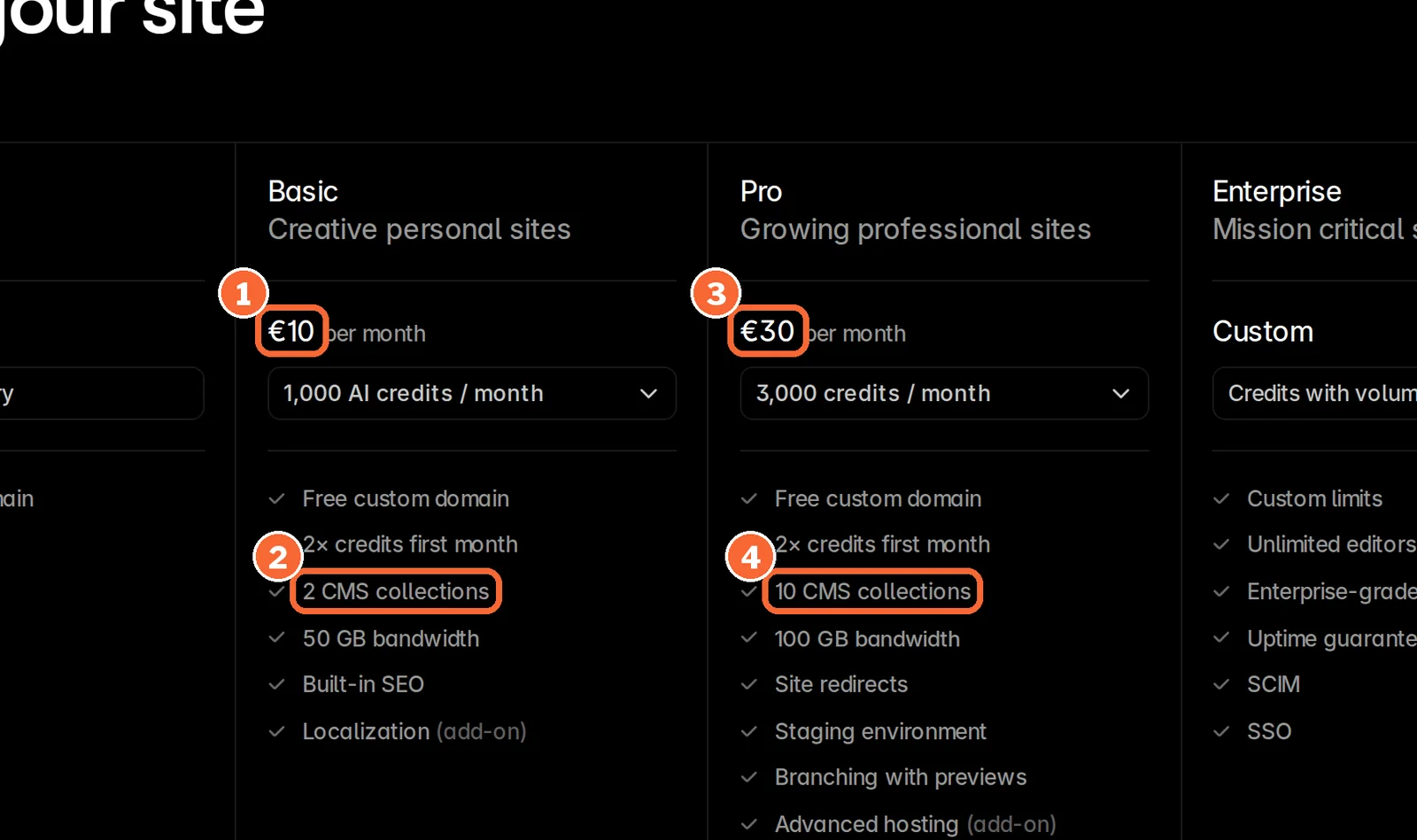
Framer · Basic: custom domain, 30 pages, 2 CMS collections, 50 GB bandwidth
Framer Free publishes only on a Framer domain, shows the Made in Framer badge and includes 1 GB of bandwidth. The badge disappears once the site is upgraded or a custom domain is connected and the site is republished. On Basic, the Agent drafts and edits sections from the same copy using 1,000 AI credits a month. Pro, at EUR 30 billed yearly, adds a staging environment, branching with previews and redirects for a team that has to approve the page before it goes live.
Framer’s help center says there is no HTML export for self-hosting, while a data portability article describes downloadable site files; plan on Framer hosting either way. Yearly plans include a Hover domain that can be redeemed once per subscription, and redeeming it gives up the option to request a refund.
See the Framer profile for plans, limits and sources.
Visit Framer (opens in a new tab)
Sources: Framer pricing, Removing the Made in Framer badge, Framer custom domain, Framer HTML export.
Step 7: Send the sales deck as a tracked link with Pitch
Pitch · Plus: one member, 500 AI credits a month, PowerPoint export without Pitch branding
Pitch records when a shared deck is opened, which tells the team when to follow up, and Pitch Rooms bundle a deck with related files behind one link: two rooms on Team, unlimited on Business. Free allows five members, two guests and 100 AI credits that never renew. Plus is limited to one member, so a shared workspace starts at Team, EUR 18 per seat billed monthly.
| Export | Plan | What the buyer gets | What is lost |
|---|---|---|---|
| Every plan; Free adds a small watermark | A fixed file | Speaker notes and comments; videos become thumbnails | |
| PowerPoint | Plus and higher | An editable PPTX with speaker notes | Animations; videos become thumbnails; fonts can fall back to Calibri |
| Shared link or Pitch Room | Sharing link; Pitch Rooms from Team | The current version, with opens recorded | No conversion; the buyer views it online |
See the Pitch profile for plans, limits and sources.
Visit Pitch (opens in a new tab)
Sources: Pitch pricing, Pitch paid plans, Pitch PowerPoint export, Pitch PDF export.
Step 8: Change one fact without regenerating the pack
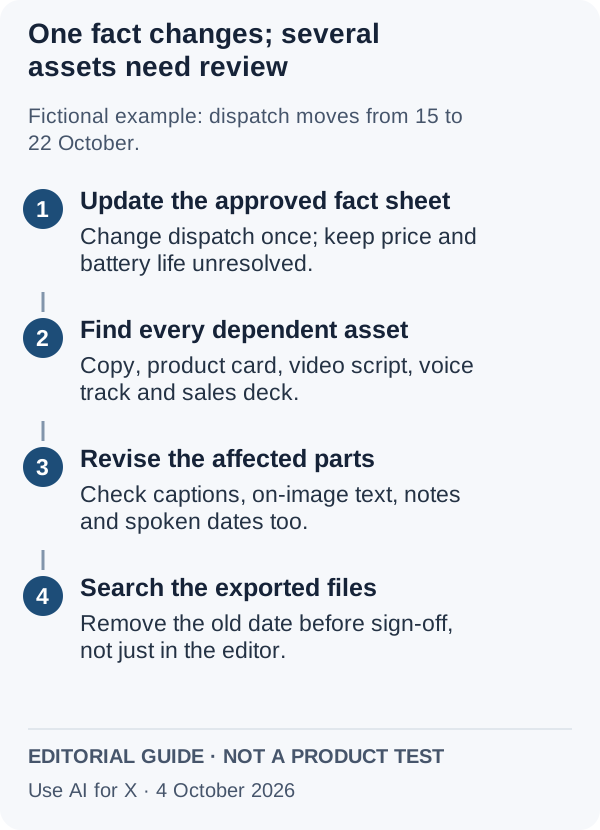
Suppose dispatch moves from 15 to 22 October. Keep a plain spreadsheet with one row per asset and the fact IDs it uses, and the change touches only the rows that list F3. Regenerating everything instead brings new, unreviewed differences into assets that were already approved.
| Asset | Facts used | Where an old value hides |
|---|---|---|
| Announcement email | F1, F2, F3 | Subject line and preview text |
| Product card and social posts | F1, F2 | Text set inside the image, alt text |
| Presenter video | F1, F3 | Script, captions file, translated versions |
| Voiceover | F3 | The spoken date; it needs a new paid-plan take |
| Landing page | F1, F2, F3 | Page title, meta description, CMS items |
| Sales deck | F2, F3 | Speaker notes and exported PDF or PPTX copies |
Which plans keep launch work private, licensed and unbranded?
In shortA dash means the sources checked do not cover it, not that the tool lacks it.
| Capability | Claude | Adobe Firefly | Midjourney | Canva | HeyGen | ElevenLabs | Framer | Pitch |
|---|---|---|---|---|---|---|---|---|
| Before launch | ||||||||
| Work kept off public feeds | Not listed | Not listed | PartlyStealth, Pro and Mega only | Not listed | Partlyshare-page comments always on | Not listed | Partlystaging on Pro | Not listed |
| No training on your content | Partlyopt-out; Team off by default | OfferedAdobe statement | Not listed | Not listed | Not listed | Not listed | Not listed | Not listed |
| Shared workspace | PartlyTeam, 2 to 150 people | PartlyBusiness tab, per license | Not listedone user per account | PartlyBusiness; Pro is one person | PartlyBusiness, shared credits | Partlyseats from Scale | Partlyextra editors paid | OfferedFree, up to 5 members |
| Rights | ||||||||
| Commercial use stated | Not listed | Not listed | Offeredyou own outputs | Offeredoutput may not be unique | Not listed | Partlypaid plans only | PartlyFree: non-commercial | Not listed |
| Provenance marker in the file | Not listed | OfferedContent Credentials | Offeredhidden ID tag | Not listed | Not listed | Not listed | Not listed | Not listed |
| Consent rule for a real face or voice | Not listed | Not listed | Not listed | Not listed | Offeredconsent video | Offeredconfirm before cloning | Not listed | Not listed |
| Final files | ||||||||
| Downloadable final file | OfferedWord, PowerPoint, Excel, PDF | OfferedJPG or PNG to 2000 px, MP4 | Offeredimages; MP4 or GIF video | OfferedJPG, PNG, PDF, PPTX, GIF, MP4 | Partlywatermark-free from Creator | Partlycommercial from Starter | Not listedhosted page | PartlyPDF watermarked on Free |
| Editable deck file | OfferedPowerPoint | Not listed | Not listed | OfferedPPTX | Not listed | Not listed | Not listed | PartlyPPTX from Plus |
| Transparent or vector image | Not listed | Not listed | Partlytransparent PNG of erased areas | Partlypaid plans | Not listed | Not listed | Not listed | Not listed |
offered partly or with limits not listed on the profile.
When each paid plan has to start, and how long it has to run
| Tool | Pay before | Keep paying after launch? |
|---|---|---|
| Midjourney | The first prompt that shows the product | No; ownership stays after cancelling |
| ElevenLabs | The final voice take | No; downgrades and cancellations lose unused credits |
| HeyGen | The final render | No; unused credits are lost on cancelling |
| Claude | Sharing the project with colleagues | Only while the team keeps working in it |
| Canva | Exporting transparent PNG, SVG or CMYK | Only if the formats keep changing |
| Adobe Firefly | Final visuals at volume, since the free daily number is not published | No; credits do not roll over anyway |
| Framer | Connecting the domain | Yes, for as long as the page is live |
| Pitch | Sending an editable PowerPoint | Only while decks are being sent |
Sources: Comparing Midjourney plans, Midjourney commercial use, ElevenLabs publishing rights, ElevenLabs credits, HeyGen watermark removal, Framer HTML export, Pitch paid plans.
What does one launch month cost in each tool’s unit?
The same launch workload, counted per tool
In shortOne month of launch work, priced in each tool’s own unit on the first plan that delivers the final file.
| Tool and plan | Workload | The arithmetic | What is left |
|---|---|---|---|
| Adobe Firefly Standard | 60 hero-image attempts and two 5-second 1080p clips | 60 × 10 = 600 credits; 2 × 5 seconds × 100 = 1,000 credits | 400 credits, about 40 more images |
| Midjourney Pro | The same 60 image prompts | About one Fast GPU minute per prompt: 60 of Pro’s 1,800 | 1,740 Fast minutes; Basic’s 200 would cover the prompts but has no Stealth |
| Canva Pro | 20 product cards with one AI image each | Up to 200 Premium uses a month, on Canva’s estimate for simple tasks | About 180 uses; Free’s up to 20 would be gone |
| HeyGen Creator | A 60-second Avatar IV video plus two translated versions | 31 + 2 × 6 = 43 credits | 557 credits: 17 more complete renders of the English cut |
| ElevenLabs Starter | A one-minute voiceover | About 1,000 credits per take at 1 credit per character | Room for about 30 takes; one minute of Dubbing Studio uses 10,000 |
| Framer Basic | Agent drafts and edits of the page | 1,000 AI credits a month, doubled in the first month; credits per request are not covered in the sources checked | Features pause at 100% until credits reset or more are bought |
| Pitch Plus | AI drafting of the deck | 500 AI credits a month; credits per slide are not covered in the sources checked | Extra credits can be bought on Plus |
| Claude Free or Pro | All launch copy | A five-hour session allowance plus a weekly cap on Pro, shared with any other Claude use | No per-document count is published |
Sources: Firefly generative credits FAQ, Midjourney GPU speed, Canva AI usage, HeyGen credit usage, ElevenLabs pricing, Framer AI credits, Pitch paid plans.
The monthly bill, by currency
In shortTotals are added only within one currency. USD and EUR prices stay apart because the vendors list them that way.
| Currency | Plans, billed monthly | Total for one month |
|---|---|---|
| USD | HeyGen Creator 29, ElevenLabs Starter 6; add Midjourney Pro 60 only if it is used | USD 35, or USD 95 with Midjourney |
| EUR | Adobe Firefly Standard 10.98 incl. VAT, Canva Pro 12, Framer Basic 15, Pitch Plus 12 | EUR 49.98; Firefly’s price includes VAT, and the others may add tax at checkout |
A launch rarely needs a year of anything except the landing page: Framer Basic billed yearly is EUR 10 a month against EUR 15 monthly, the one plan worth moving to yearly once the launch has settled.
Sources: HeyGen pricing, ElevenLabs pricing, Comparing Midjourney plans, Adobe Firefly plans, Canva pricing, Framer pricing, Pitch pricing, Claude pricing.
Questions, and what this guide does not judge
Common questions
Can a product launch pack be made with free AI tools?
Drafts can, but most final files cannot. Claude Free covers the copy and Canva Free covers simple formats, while HeyGen Free videos keep the watermark, ElevenLabs Free audio is noncommercial, Framer Free shows its badge on a Framer domain and Pitch Free PDFs are watermarked. Midjourney has no free trial at all, so budget at least one paid month for the voice, video and deck tools.
Which AI tool should make the product visuals?
It depends on where the image goes. Adobe Firefly suits visuals that ship, since fully generated assets carry Content Credentials and download as JPG or PNG. Midjourney suits style exploration, but only its Pro and Mega plans keep work off the public Explore page. Canva then places either result into product cards and resized social formats using your Brand Kit.
Should launch assets disclose that AI was used?
The sources behind this guide do not set disclosure rules, so check each channel the launch runs on before export. Some files already carry a marker: Adobe applies Content Credentials to assets fully generated in Firefly, and every Midjourney image has a hidden ID tag that midjourney.com/verify can read, although screenshots and edits often strip it. A marker in the file is not a visible label.
How long should the paid launch subscriptions run?
Most only for the production month. ElevenLabs rights are fixed when the audio is generated and Midjourney ownership stays after cancelling, so neither has to run past launch. HeyGen loses unused credits on cancelling, so time the last render before the renewal date. Framer is the exception: the page lives on Framer hosting, so its plan runs for as long as the page stays online.
Can the whole team work in the same tools before launch?
Only on some plans. Pitch Free already allows five members, while Plus is for one. Claude shares projects on Team, for 2 to 150 people, and Canva Pro is for one person, with team tools on Business. Each Midjourney account is for one user, and Framer charges for extra editors at EUR 20 a month billed yearly or EUR 30 monthly.
What this guide does not judge
Which tool writes the more persuasive copy, makes the more convincing image or the more natural presenter and voice, and which assets convert better are what other launch lists rank on. The vendor pages behind this guide do not document them in a way we can check, so they are not judged here, and neither is ease of use.
Launch planning, market research and requirements tools such as ChatPRD, Productboard and Zeda appear in other product launch lists. They are left out because this guide covers the published assets, and they have no profile here with checked plan terms.
From the fictional lamp sheet, produce a 60-word announcement email, one product card, a 60-second video script with a voiced take and a one-slide summary, on the plans named in the glance table. Then change only the dispatch date and ask each tool for targeted revisions.
How this guide was made
Plans, units, rights and file formats come from the Claude, Adobe Firefly, Midjourney, Canva, HeyGen, ElevenLabs, Framer and Pitch profiles on this site, which cite the vendors’ pricing, help and licensing pages and carry their own check dates. Sections follow the topics the top-ranking product launch pages cover, limited to what the vendors document. No rating is given. See our editorial policy.