Midjourney vs Adobe Firefly: GPU Time, Credits and Rights
These two image generators charge for different things. Midjourney sells GPU time on its own models and shows your work in public unless you pay for privacy. Firefly sells credits that also pay for Photoshop and Express features, starts free, and lets you pick partner models. Read the short answer, then check the difference that matters for your work.
By Elias Brandt · Updated 8 Oct 2026 · About 9 min read · Plan terms taken from each tool profile
The short answer
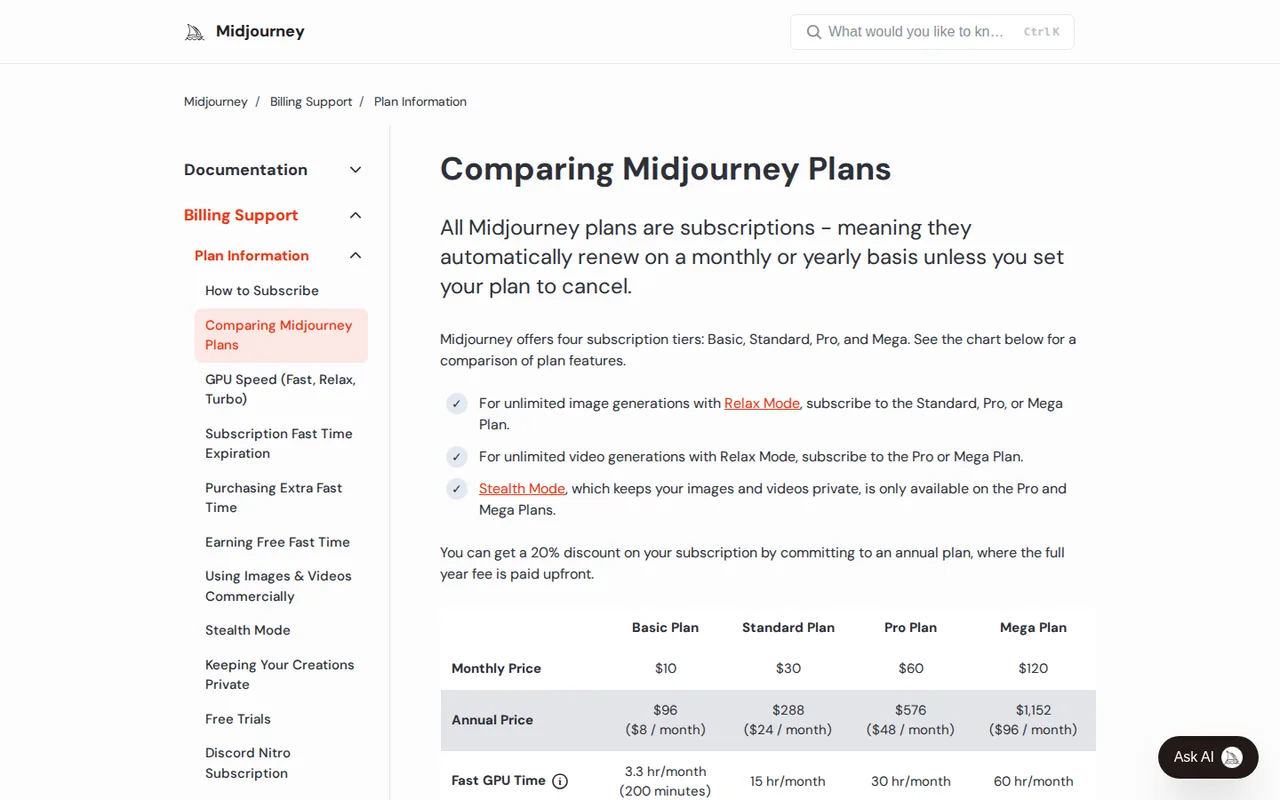
Choose Midjourney if you generate images most days, can pay at least USD 10 a month, and accept public output or pay USD 60 for Pro with Stealth; from Standard at USD 30, unlimited Relax images outlast the Fast hours. Choose Adobe Firefly if you want a free start, finish work in Photoshop or Express, need Content Credentials, or mix images with video, audio and partner models.
Midjourney or Firefly: which one, when?
Pick by the work you do most
In shortEach card names a kind of work and the tool that suits it, with the reason.

Midjourney for high-volume concept and style work
Standard keeps generating in the Relax queue after its 15 Fast hours, which suits illustrators iterating on hundreds of prompts a month; Style References and Personalization profiles let you reuse a look across prompts.
Firefly for images that end up in Adobe files
One login covers generation, Generative Fill edits and handoff to Photoshop or Express, and the Free plan lets a designer check the fit before paying.
Firefly when clips must be 1080p
Midjourney video stops at 720p, so sharper clips point to Firefly; at 100 credits per second, Pro Plus's 10,000 credits give about 100 seconds of 1080p a month, or about 100 five-second clips at 540p.
The same five jobs in each tool
In shortRead across a row to see how each tool handles the same job and what it costs in its own unit.
| If the job is… | Midjourney | Adobe Firefly |
|---|---|---|
| Explore 40 concepts for a mood board | About 10 prompts of four images, roughly 10 Fast minutes, or no Fast time at all in Relax on Standard and above | Generate onto a shared Firefly Boards canvas; standard generations are unlimited on paid plans, Image 5 costs 10 credits each |
| Remove an object or extend a background | Editor inpainting and outpainting driven by the Edit Model | Firefly image editor with object removal, background expansion and Generative Fill as standard features |
| Deliver a large still | Subtle or Creative upscaler doubles an SD image to 2048 x 2048; HD images cannot be upscaled further | JPG or PNG up to 2000x2000 on the technical requirements page; some partner models are advertised with 4K output |
| Animate a product shot for social | 5-second image-to-video clip, extendable in 4-second steps, as MP4 or GIF | Generate Video from a reference image; a 5-second 720p clip costs 250 credits |
| Hand off to layout | Bulk-download from the Organize page and sort into folders | Open in Photoshop, Premiere or Adobe Express on the same credit balance |

Side by side
In shortThe basics, read live from each profile.
| What do you need? | Midjourney | Adobe Firefly |
|---|---|---|
| In short | Generate and edit images and short videos from text and image prompts. | Adobe's AI generator, with credits shared across Creative Cloud. |
| Free access | No free tier | Free access available |
| Plans |
|
|
| Price check | Pricing review due · Sep 24, 2026 | Pricing review due · Sep 24, 2026 |
| Full profile | Midjourney profile | Adobe Firefly profile |
Values come from each tool’s profile and update with it, in the currency each vendor shows.
What actually differs between them?
Six differences that decide most choices
In shortBilling, free access and privacy settle most decisions. Output size matters only for print and video.
- Billing unit
- Midjourney meters GPU time: an image prompt of four images usually uses about one Fast minute. Firefly meters generative credits: paid plans keep standard image features such as Generative Fill unlimited, while Firefly Image 5, partner models, video and audio spend credits. Source: docs.midjourney.com
- Worked example
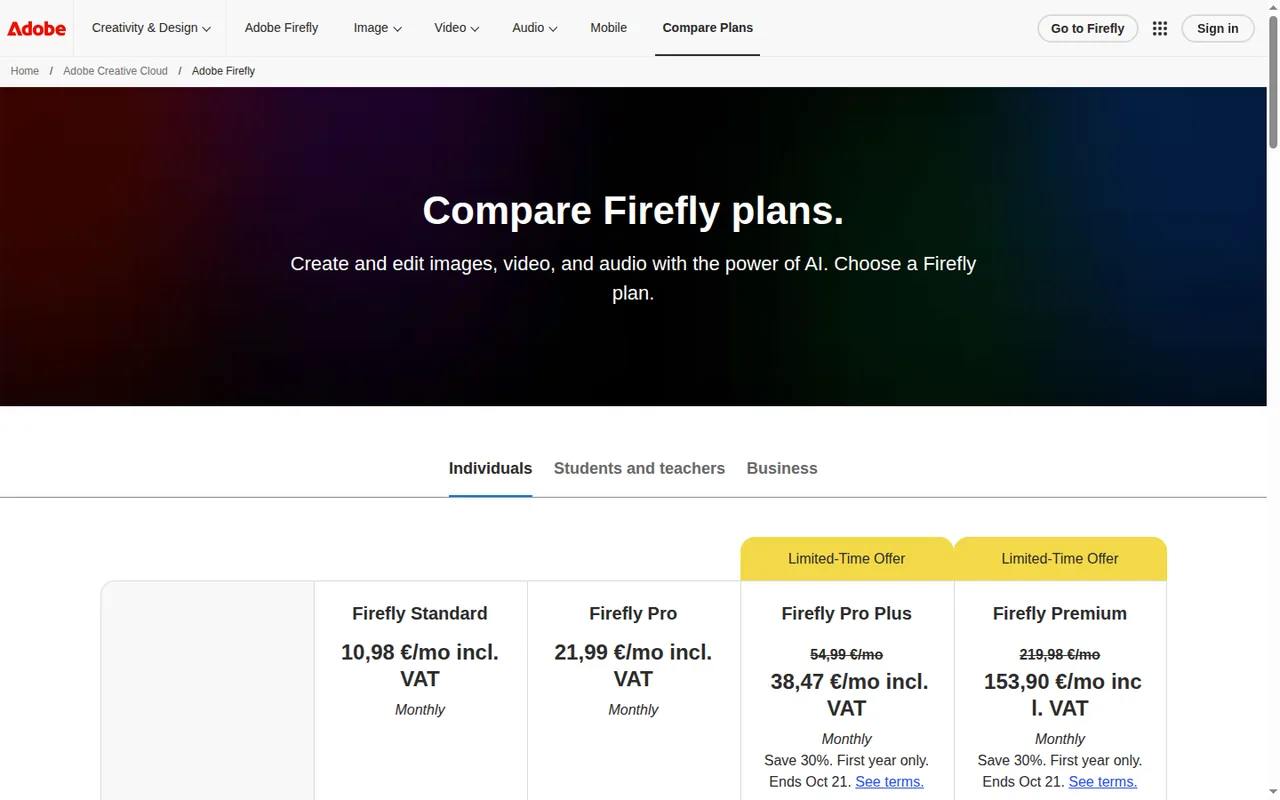
- At entry price, Midjourney Basic (USD 10 a month) buys 200 Fast minutes, about 200 prompts or 800 images; Firefly Standard (EUR 10.98 including VAT) buys 2,000 credits, about 200 Firefly Image 5 generations at 10 credits each, assuming no credits go to video or audio. Source: helpx.adobe.com
- Free access
- Midjourney has no free plan or trial on the website or Discord; only the separate niji journey app offers a limited trial. Firefly Free gives daily generations across image, video and audio on select models, with the daily number unpublished. Source: docs.midjourney.com
- Privacy
- Midjourney output can appear on the public Explore page unless you use Stealth mode, which starts with Pro at USD 60 a month. Adobe says it does not train Firefly on subscribers' personal or generated content. Source: docs.midjourney.com
- Models and apps
- Midjourney runs its own models on midjourney.com and in Discord. Firefly adds partner models from Google, OpenAI, Runway, Luma AI and others and spends one credit balance across Photoshop, Illustrator, Premiere and Express. Source: helpx.adobe.com
- Output
- Midjourney upscales V8.2 images to 2048 x 2048 pixels and exports video as MP4 or GIF at up to 720p and 21 seconds. Firefly image dimensions depend on the selected model: the technical guide lists 2000x2000 for its documented route, while some partner models advertise 4K; Firefly Video supports up to 1080p. Source: docs.midjourney.com
Feature matrix
In shortTen capabilities, each marked from the two profiles. Firefly covers more kinds of media; Midjourney goes deeper on reusing a visual style.
| Capability |  Midjourney |  Adobe Firefly |
|---|---|---|
| Create | ||
| Make images from a prompt | Offered4 images per prompt | OfferedAdobe and partner models |
| Change an image by describing the edit | OfferedEdit Model, Editor | OfferedGenerative Fill, Prompt to Edit |
| Make video | Partlyfrom a still image, up to 720p | Offeredfrom text or an image, up to 1080p |
| Make music, sound or speech | Not listed | Offeredmusic, effects, speech, dubbing |
| Enlarge an image | OfferedSubtle and Creative upscalers | Offeredupscale |
| Work and handoff | ||
| Reuse a look across prompts | OfferedStyle References, Personalization | Not listed |
| Plan ideas on a board | Partlymoodboards | OfferedFirefly Boards, shared |
| Continue in a design app | Partlydownload, then any app | OfferedPhotoshop, Premiere, Express |
| Start without paying | Not listed | Offereddaily free generations |
| Seats and admin for a team | Not listed | PartlyBusiness licences |
offered partly or with limits not listed on the profile. “Not listed” says nothing about whether a feature is missing; it means the vendor pages behind the profile do not mention it.
Who sees your images, and who may sell them?
In shortMidjourney shows work publicly unless you pay for Stealth; Firefly’s own models come with a commercial-use position, partner models do not.
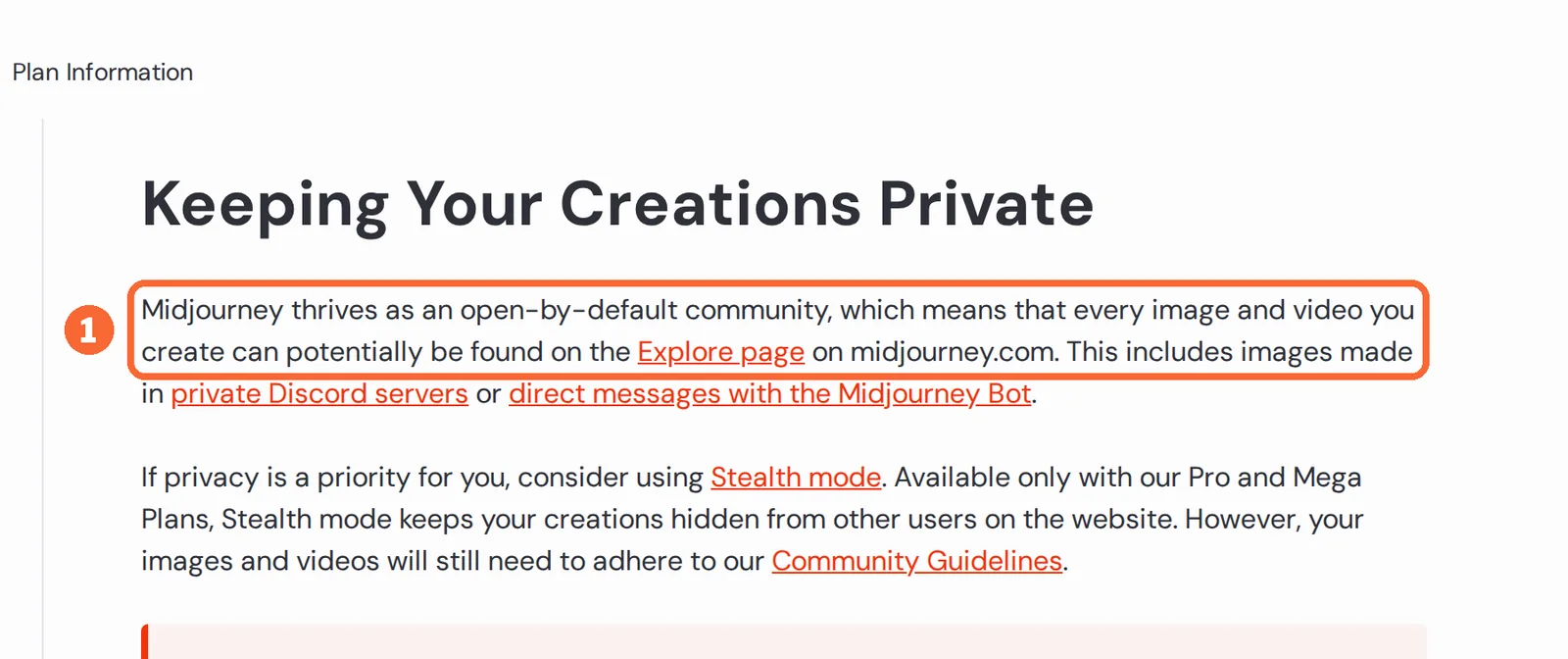
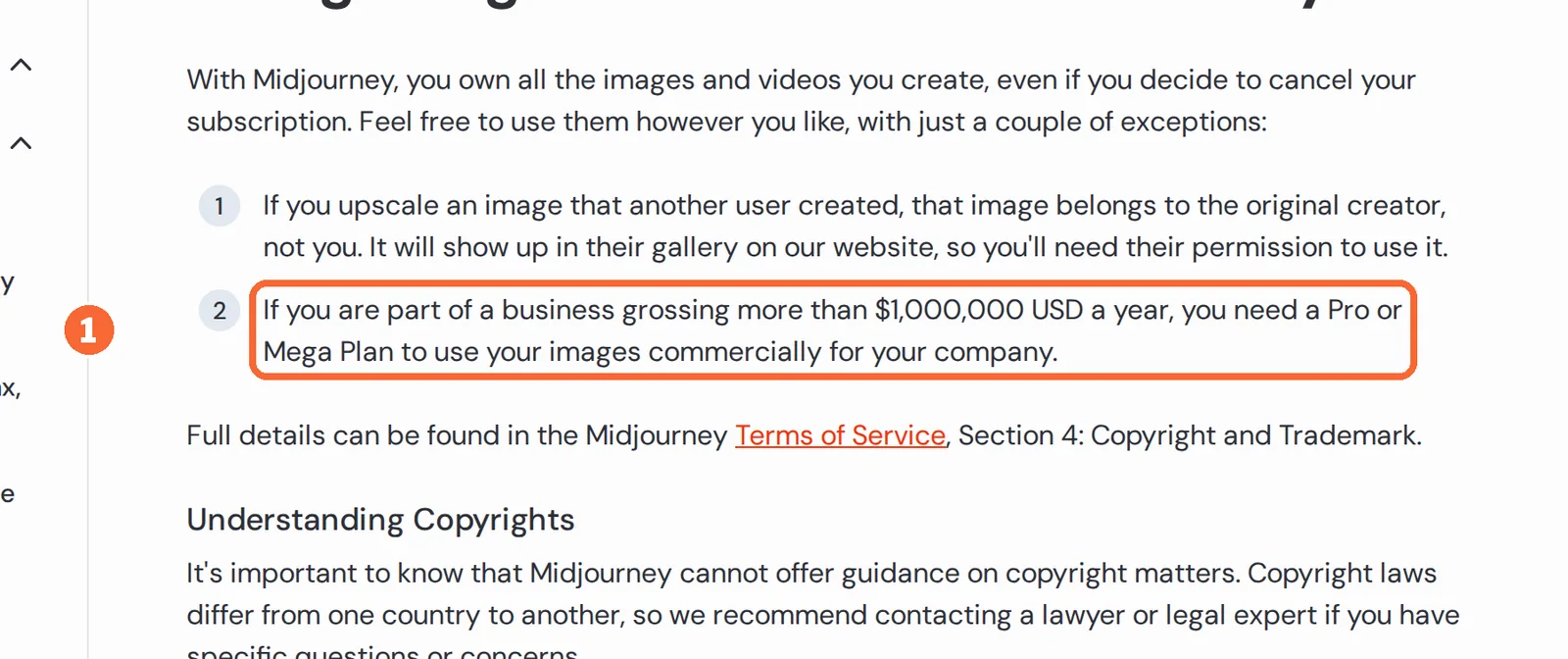
Midjourney describes itself as open by default. New images and videos can show up on its Explore page, and that includes work made in a private Discord server. Ownership stays with you, yet a business with yearly revenue above USD 1,000,000 has to be on Pro or Mega, and upscaling someone else’s image never makes it yours.
Adobe trains its own Firefly models on licensed Adobe Stock and public-domain material, which is the basis of its commercial-use stance. The partner models inside Firefly are a different case: Adobe did not build them, you judge whether they suit a project, and beta outputs fall outside the indemnity Adobe offers eligible teams and enterprises.
Sources: Keeping Midjourney creations private, Midjourney commercial use, Partner models in Adobe products.
Where editing and delivery happen
In shortMidjourney keeps everything on its own site; Firefly hands the file to Adobe apps on the same balance.
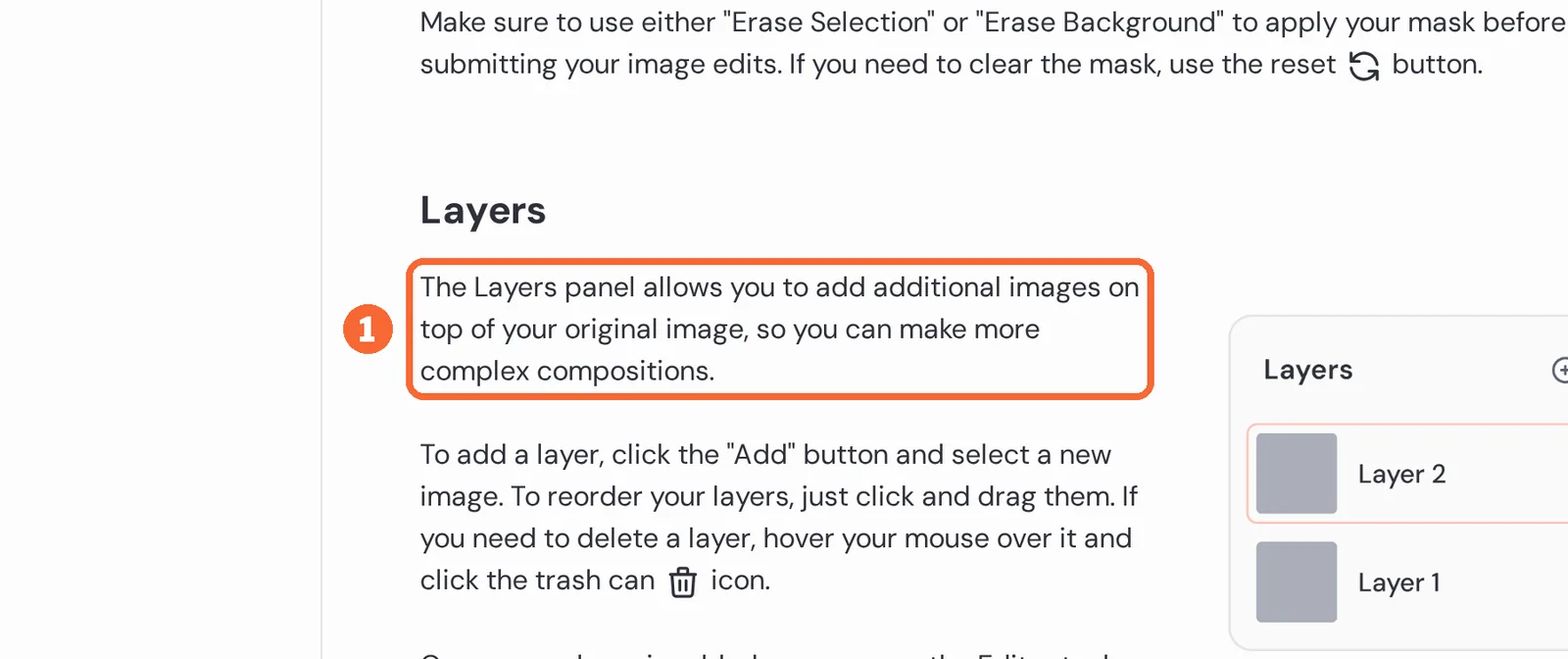
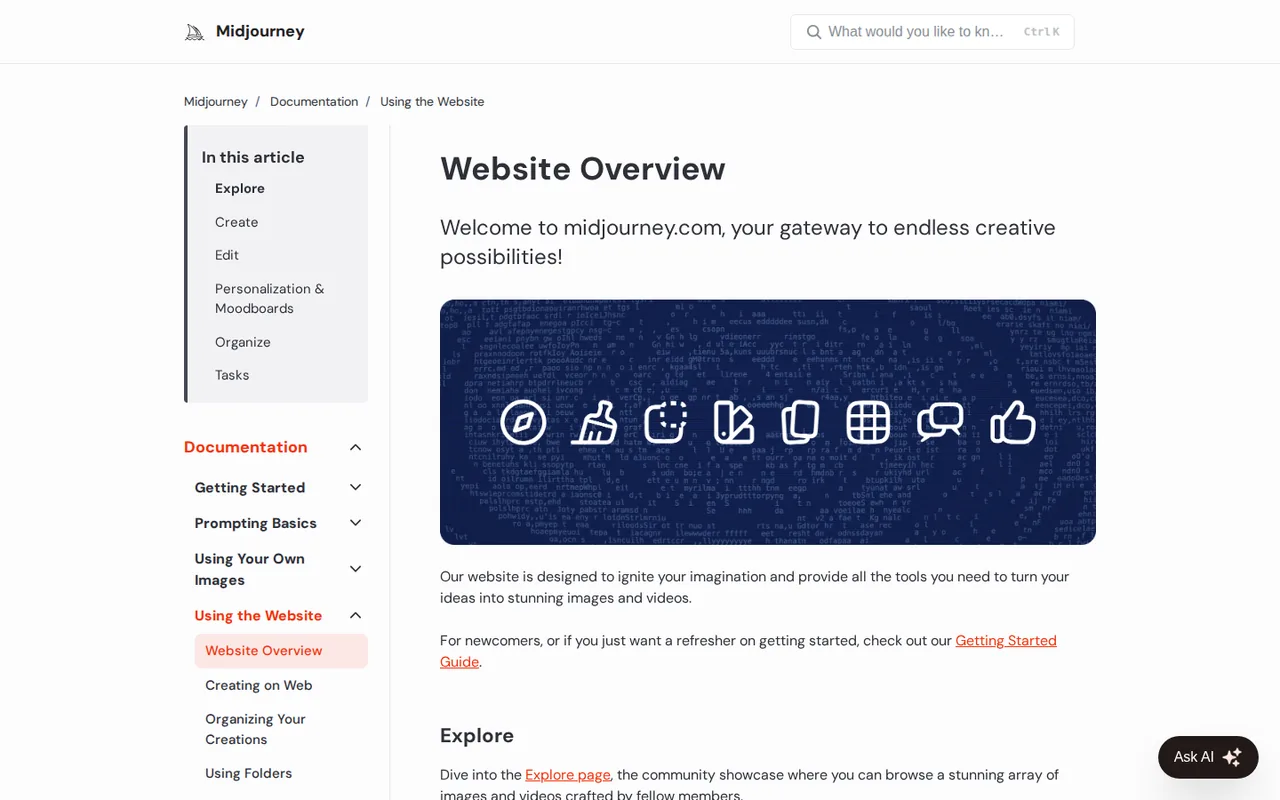
On Midjourney the whole loop stays on midjourney.com or in Discord, and one subscription keeps settings in sync between the two. The web Editor has layers, smart selection and custom aspect ratios, and it can save the erased area as a transparent PNG.
Firefly runs in the browser and in iOS and Android apps. A result opens directly in Photoshop, Premiere or Adobe Express, where the same credits keep working. The web app asks for a recent Chrome, Edge, Firefox or Safari.
Sources: Midjourney Editor, Midjourney web vs Discord, Firefly technical requirements.
What does each tool do, and where is it strong?
In shortWhat each tool does, where it is strong, what to plan around, and its official pages as they looked when the profile was made.
Midjourney
Best for high-volume concept and style work
For people who make many images a month and care about a consistent look more than exact prompt control.
- Free plan none, no trial
- Billing unit GPU time
Midjourney meters GPU time, so a quick prompt costs about a minute and video costs much more. The plan you need depends on how many images you make and whether they may be seen.
What it does
- Make images from a prompt
- Type a description and get four images at a time on the Create page.
- Edit by instruction
- Describe the change, mix reference images, or paint in and extend the frame in the web Editor.
- Animate a still
- Turn an image into a short clip, with an optional prompt to guide the motion.
- Reuse a style
- Copy the look of an image, apply a style code, or build a Personalization profile from images you pick.
- Enlarge
- Upscale a standard image with the Subtle or Creative upscaler, or generate in HD from the start.
- Organize
- Search, filter, bulk-download and file creations into folders on the website.
Strong at
- One subscription works on the website and in Discord, with settings kept in sync.
- From Standard upward, images keep coming in the slower Relax queue after the Fast hours are spent.
- The editing tools, upscalers and video sit on the same page as generation.
Plan around
- There is no free trial on the website or in Discord.
- Work is public unless you are on Pro or Mega with Stealth switched on.
- Unused Fast time is lost at the end of the month, and bought hours expire after 60 days.
- Each account is for one person: no seats, no admin, no SSO.
Where the file goes next
You download the files and take them into any editor; nothing is tied to a design suite.
See the Midjourney profile for plans, limits and sources.
Adobe Firefly
Best for images that end up in Adobe files
For designers who finish work in Photoshop or Express and want to try before paying.
- Free plan limited daily generations
- Billing unit generative credits
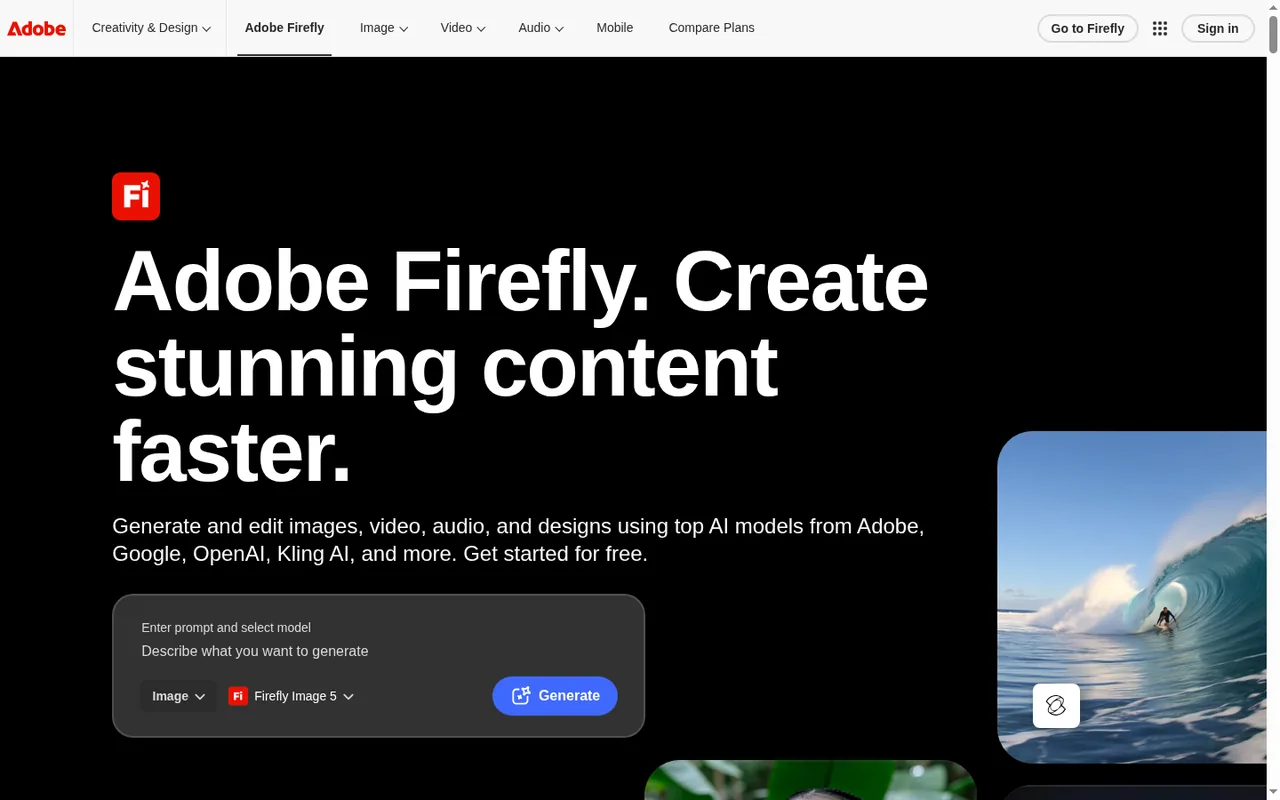
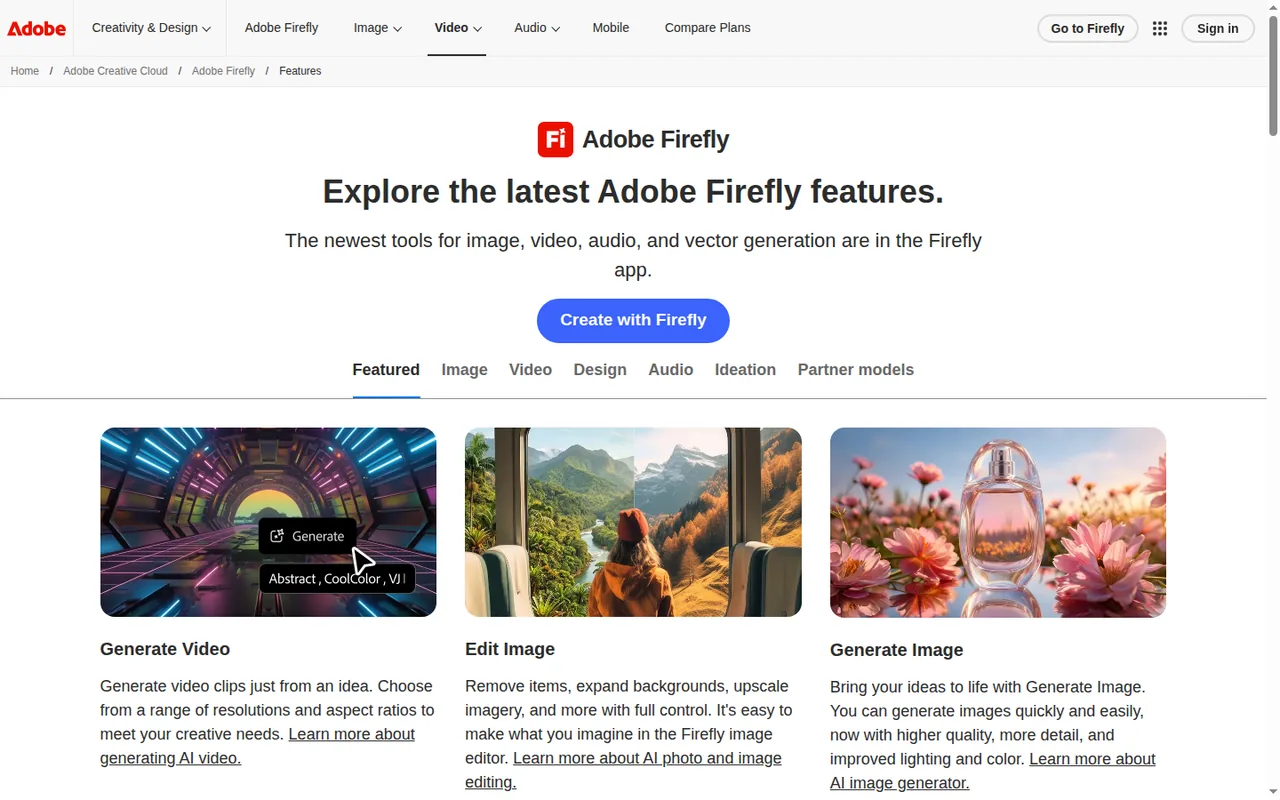
Firefly meters generative credits, but on paid plans everyday edits are free of credits; the balance goes to newer models, partner models, video and audio.
What it does
- Make images from a prompt
- Use Adobe’s Firefly models or partner models from Google, OpenAI, Black Forest Labs and others.
- Edit images
- Remove objects, extend a background, upscale, or change part of an image by describing it.
- Make video
- Create a clip from text or a reference image, in the size and shape you choose.
- Make audio
- Generate music, sound effects and speech, or translate the audio of a video.
- Plan on a board
- Gather, generate and arrange ideas on Firefly Boards, a canvas you can share.
- Hand off
- Open results in Photoshop, Premiere or Express and spend the same credits there.
Strong at
- A free plan lets you test prompts with no subscription.
- Standard image features such as Generative Fill do not use credits on paid plans.
- Many models for image, video and audio sit behind one login and one balance.
Plan around
- Credits reset each billing month and do not roll over.
- Video, audio and partner models use credits fast.
- Adobe does not publish how many free generations a day you get.
- Two higher plans are listed at a first-year price that rises later.
Where the file goes next
The file opens in Photoshop, Premiere or Express on the same credit balance.
See the Adobe Firefly profile for plans, limits and sources.
What will a month cost, and what happens when it runs out?
How each tool’s plans step up
In shortCompare steps inside one tool, not across the two: one bills in US dollars and GPU time, the other in euros and credits.
Price per month on monthly billing, from the Midjourney profile. Bars compare plans of this tool only.
Price per month, as each plan is first listed, from the Adobe Firefly profile; * first-year offer, regular price higher. Bars compare plans of this tool only.
What a month buys
In shortTurn the allowance into images or seconds of video before you choose a plan.
| Plan and use | Rough monthly capacity | How it is worked out |
|---|---|---|
| Midjourney Basic, images only | about 200 prompts, about 800 images | 200 Fast minutes, about one minute per four-image prompt |
| Midjourney Standard, all on SD video | about 112 batches of four clips | 900 Fast minutes at about 8 minutes per batch |
| Firefly Standard, all on 1080p video | about 20 seconds | 2,000 credits at 100 credits per second |
| Firefly Pro, all on Image 5 | about 400 images | 4,000 credits at 10 credits per image |
Worked from the allowances and per-use costs on each tool profile; real use mixes images and video, so treat these as upper bounds.
When the allowance runs out
In shortMidjourney Standard and up slow down instead of stopping; Firefly paid plans keep everyday edits going but stop credit work.
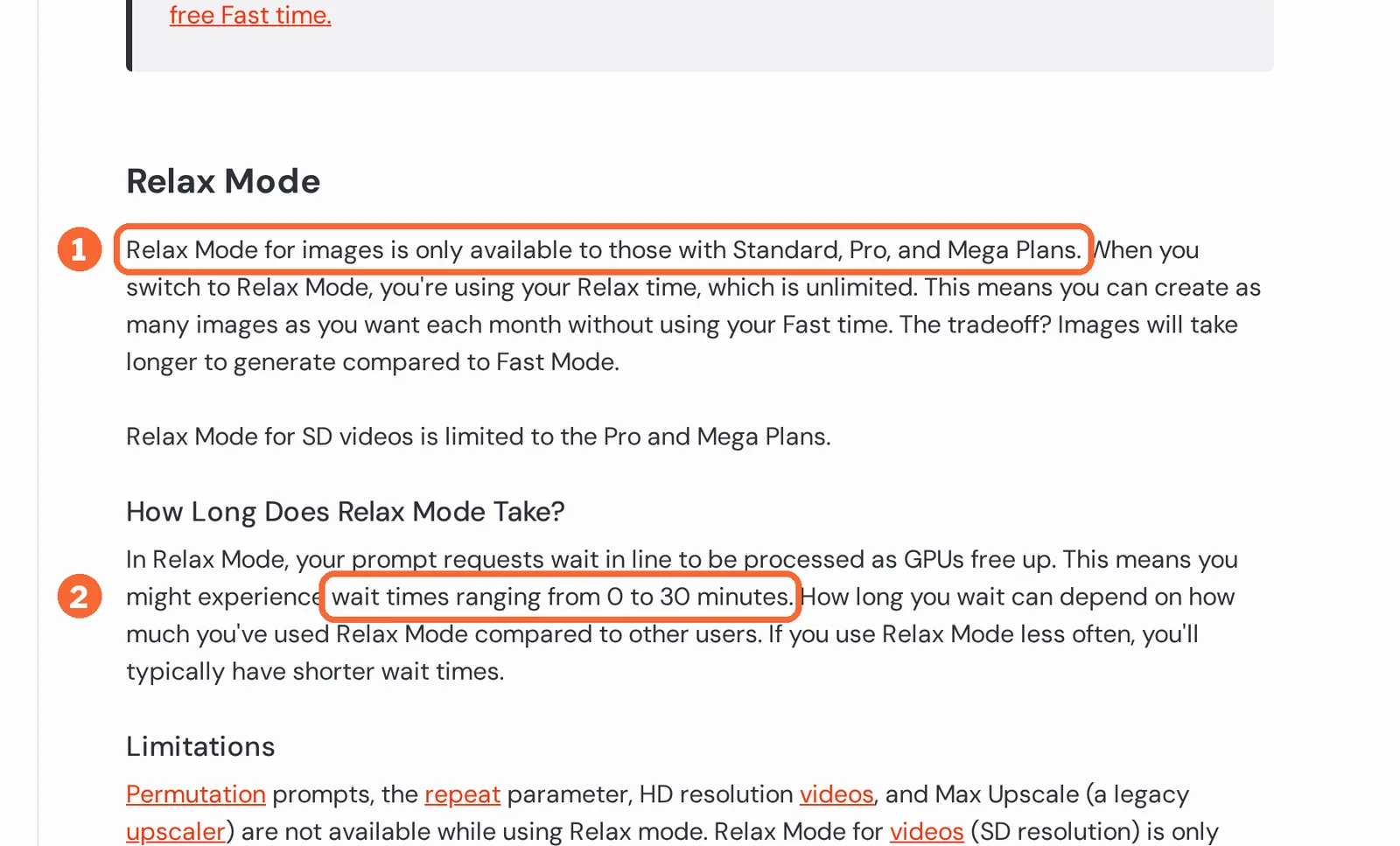
Neither tool carries unused allowance into the next month. On Midjourney Standard, Pro and Mega, image prompts move to the Relax queue, where a wait of up to about half an hour is normal. Basic has no Relax queue, so once its Fast minutes are gone the only way on is to buy extra hours, which expire after 60 days.
On a paid Firefly plan, Generative Fill and other standard image edits keep working at zero credits; only credit work pauses, such as Firefly Image 5, partner models, video and audio. From there you can wait for the billing date, move up a plan, or buy a credit pack.
- Lots of stills, little video: Midjourney Standard never locks you out of images.
- Stills you finish in Adobe apps: Firefly Standard keeps everyday edits free of credits.
- Video every week: both allowances drain fast, so price video separately before you choose.
Sources: Midjourney GPU speed, Midjourney extra Fast time, Generative credits FAQ.
Videos, questions and plain words
Watch Midjourney make a first image
In shortAn official video from the vendor. It loads from YouTube only when you press play. Adobe does not list a Firefly YouTube channel on its product pages, so no Firefly video is shown.

Common questions
Which is cheaper, Midjourney or Adobe Firefly?
Firefly to start, because its Free plan costs nothing and Midjourney has no free tier. Among paid entry plans, Midjourney Basic lists USD 10 a month billed monthly, or USD 96 a year billed annually, while Firefly Standard shows EUR 10.98 a month including VAT on the German page. Midjourney Standard at USD 30 is its first plan with unlimited Relax images.
Can a design team share one account or credit pool?
Neither pools usage by default. Midjourney allows one user per account, with no seat or admin management and no SSO; bulk invoicing starts at 50 yearly Pro or Mega plans. Firefly sells Business licenses at EUR 18.48, EUR 46.21 or EUR 184.86 a month excluding VAT on annual plans billed monthly, and each user keeps a separate credit allocation unless the enterprise buys Shared Credits.
How long and how sharp can the video be?
A Midjourney clip starts at 5 seconds and can be extended to 21 seconds, at 480p on every plan or 720p on Standard and above in Fast Mode. Firefly renders 540p, 720p or 1080p at 24 frames per second, costing 20, 50 or 100 credits per second, and Premium adds unlimited Firefly Video Model use in Generate Video.
Can a client check where an image came from?
Both tools mark their output. Every Midjourney image carries a hidden ID tag that the free checker at midjourney.com/verify can read, although screenshots and edits often remove it. Adobe attaches Content Credentials, tamper-evident metadata naming the AI tool used, to assets whose pixels are fully generated in Firefly, so platforms that read them can show the origin.
Can I remove Midjourney images later?
Only in bulk. Single creations cannot be deleted, and trashing an image does not hide it; removing everything takes an account deletion request that completes within 30 days. After upgrading to Pro or Mega, older public images must be made private one by one, and work made in public Discord channels stays visible even with Stealth switched on.
Try it on your own brief
Take five prompts from a real brief and run them in both tools on the plan you would buy. Write down the Fast minutes or credits each prompt used, the pixel size of every download, and how many attempts each image needed before it was usable. Keep the tool whose cost per usable image fits your month.
Plain words used here
- Fast GPU time
- Midjourney’s paid allowance. A four-image prompt uses about a minute; video uses far more.
- Relax queue
- Midjourney’s slower lane on Standard and higher plans. Images still come, after a wait.
- Stealth mode
- A Pro and Mega setting that keeps new work off Midjourney’s public Explore page.
- Generative credits
- Firefly’s allowance. Newer models, partner models, video and audio spend them.
- Partner models
- Models from Google, OpenAI and others that run inside Firefly under their own terms.
- Content Credentials
- A label Adobe attaches to fully generated assets that records how they were made.
How this comparison was made
Every plan, limit and price comes from the two tool profiles on this site, which cite the vendors’ own pricing and help pages and carry their own check dates; the prices and tables on this page are read from those profiles each time it loads. Screenshots are captures of the vendors’ public pages, and the marked documentation images say which sentences we highlighted. We ran no hands-on comparison, give no rating, and keep every price in the currency the vendor shows. See our editorial policy.