

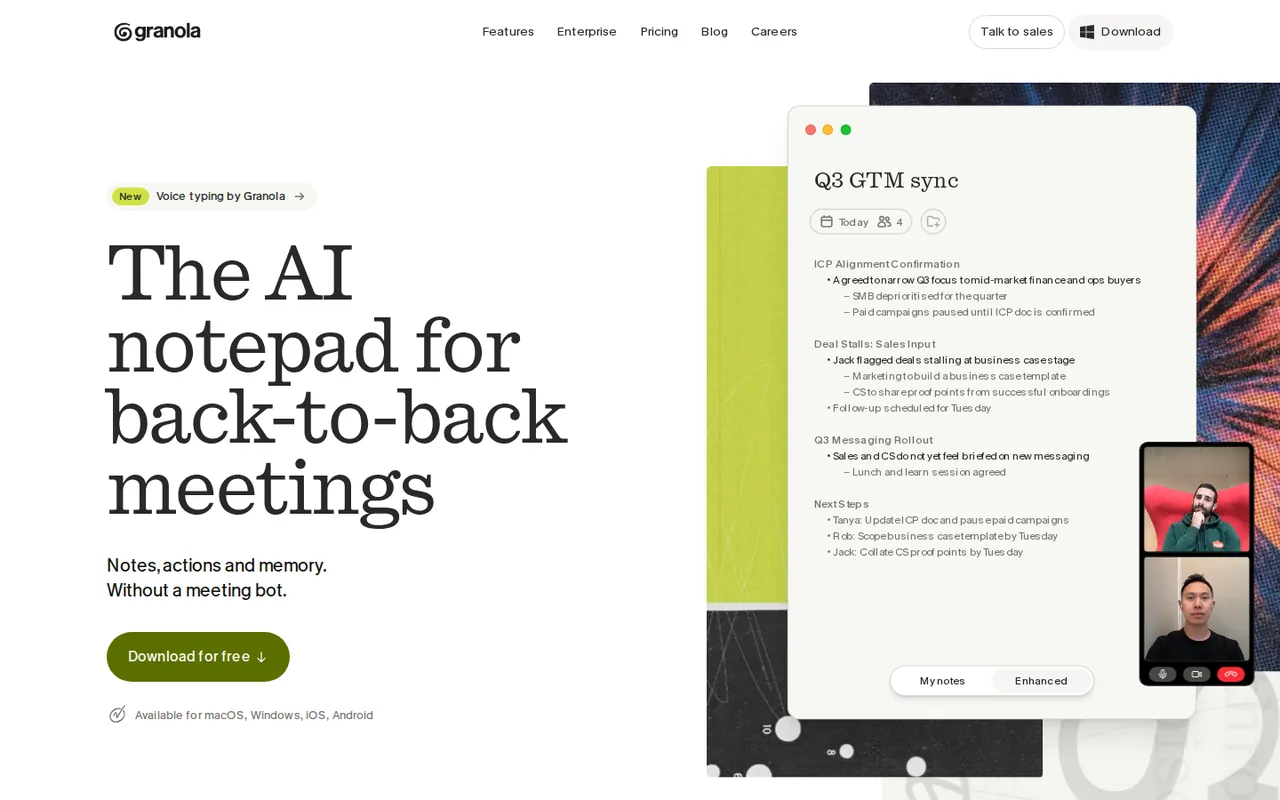
What is Granola, in short?
Updated November 12, 2026 · By Elias Brandt · Documentation review, not tested hands-on
Pros
- No bot on the call
- Free plan with real features
- Audio is not kept
- Independent security attestation
Cons
- Billing period is not stated
- Basic history stops at 30 days
- Anonymized data trains Granola's models by default
- SSO, HIPAA and audit API are Enterprise only
Best forSales, customer and project calls on a laptopPeople who want to take light notesSmall teams using Notion, HubSpot or SlackNot for buyers who need local-only processing
Strengths, limits and who it suits, in full
Strengths
- No bot on the call The security page says Granola uses your computer audio and does not add a bot to your video call, and works with any meeting platform.
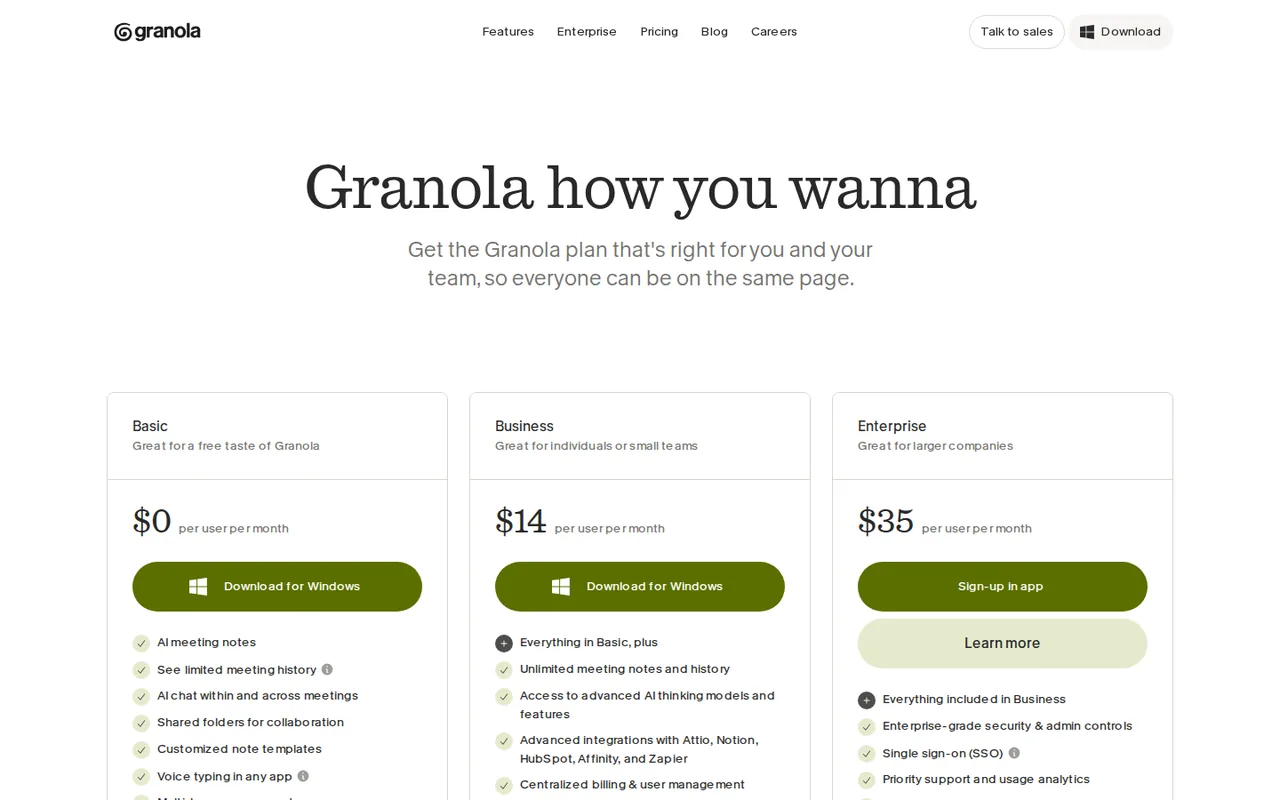
- Free plan with real features The pricing page lists AI meeting notes, AI chat, shared folders, templates, voice typing and multi-language support on Basic, with meeting history limited to 30 days.
- Audio is not kept The security page says Granola does not store meeting audio; it keeps the transcript and your notes.
- Independent security attestation The security page says Granola reached SOC 2 Type 2 compliance in July 2025 and links a trust center.
Limits
- Billing period is not stated The pricing page shows $14 and $35 per user per month without saying whether they are billed monthly or annually, and no annual discount is shown.
- Basic history stops at 30 days The comparison table lists 30 days of meeting history on Basic and unlimited on Business and Enterprise.
- Anonymized data trains Granola's models by default The security page says Granola trains on anonymized data unless you opt out in Settings; Enterprise users have it off by default.
- SSO, HIPAA and audit API are Enterprise only The comparison table lists them as not included on Basic and Business, and the FAQ says SSO is for enterprise workspaces with 50+ users.
Who it suits
- Sales, customer and project calls on a laptop Granola captures your computer audio and works with Zoom, Meet and Teams.
- People who want to take light notes The product is built around your own jottings enhanced by the transcript.
- Small teams using Notion, HubSpot or Slack Business adds those integrations, MCP and API access.
- Not for buyers who need local-only processing The security page says transcription and summaries run in the cloud with providers such as Deepgram, Assembly, OpenAI and Anthropic.
How much does Granola cost?
Prices confirmed · checked
Regional prices: Prices are read from the pricing page text on 2026-11-12.
The page shows $0, $14 and $35 per user per month and does not state whether the paid prices are billed monthly or annually, whether there is an annual discount, a seat minimum or a trial; we list only the headline amounts. The Enterprise card says Learn more and the FAQ sends buyers to sales for SSO, which is for workspaces with 50+ users, so the $35 figure may not be what a 50-seat Enterprise contract costs. The Basic plan's 30 days of history is from the comparison table. Voice typing is free for all Granola users on Mac, Windows and iOS, with Android listed as coming soon on the voice typing page.
| Plan | Price | What you get |
|---|---|---|
| Basic | $0 sourceFrom granola.ai/pricing, checked Nov 12, 2026 (opens in a new tab) | AI meeting notes, 30 days of meeting history, AI chat with automatic model, shared folders, custom templates, voice typing, multi-language support, Slack integration; MCP limited to personal notes from the last 30 days. |
| Business | $14 per user per monthbilling period not stated sourceFrom granola.ai/pricing, checked Nov 12, 2026 (opens in a new tab) | Everything in Basic plus unlimited meeting history, model selection in chat, pre-meeting briefs, follow-up emails, workspace-wide dictionary, Notion, Zapier, HubSpot, Attio and Affinity integrations, MCP for personal and public workspace notes, API access, centralized billing and user management. |
| Enterprise | $35 per user per monthbilling period not stated sourceFrom granola.ai/pricing, checked Nov 12, 2026 (opens in a new tab) | Everything in Business plus SSO and SCIM, workspace-wide retention and model-training controls, admin controls for MCP, API and integrations, HIPAA-compliant workspaces, audit API, usage analytics, advanced integrations such as Salesforce and dedicated support. |
How far does it go?
- What a small team pays on BusinessBusiness is listed at $14 per user per month. For a team of five that is $70 a month, or $840 over twelve months if the price is a monthly charge. This is arithmetic on the listed price, not a quote: the pricing page does not say whether $14 is billed monthly or annually, shows no seat minimum or annual discount, and the Basic plan's 30-day history limit is the only quantified free restriction. Enterprise at $35 would be $175 a month for five users, but SSO is described for workspaces of 50+ users, so treat that figure as a starting point for a sales conversation.
Arithmetic from the published allowances above, not a usage test.
Taxes, currency and promotions can change the price you see at checkout.
Try Granola free (opens in a new tab)
Key features
| Feature | What it does | Watch out |
|---|---|---|
| Meeting capture from computer audio with no bot joining, on Mac and Windows; mobile app for in-person meetings | The security page says Granola accesses your microphone and your computer's meeting audio and does not add a bot to the call; you must start it manually, and it will not auto-join or auto-record. | Decide who in the meeting needs to know. The pricing page lists a per-user message that tells participants Granola is in use, and Enterprise admins can enforce it. |
| Enhanced notes that merge your own jottings with the transcript, with speaker tagging and custom templates | — | |
| AI chat across your meetings, plus Recipes for reusable prompts | — | |
| Pre-meeting Briefs and follow-up emails on paid plans | — | |
| Voice typing into any app, free for all Granola users | — | |
| You write, Granola fills in the rest | The homepage says you can write as much or as little as you like and Granola uses meeting context to write clear notes personal to you. Notes, action items and follow-ups are ready when the meeting ends. | Type only decisions and names in your next call, then compare the enhanced notes against what you would have written. |
| Notes can leave Granola through MCP and integrations | The pricing page lists Slack on every plan, Notion, Zapier, HubSpot, Attio and Affinity on Business, and MCP into tools like Claude and ChatGPT. On Basic, MCP covers personal notes from the last 30 days only. | List the one tool your notes must reach and check that it is in your plan before paying. |
What does the free plan leave out?
The comparison table gives Basic 30 days of meeting history, automatic model choice in chat and no pre-meeting briefs, follow-up emails, API or advanced integrations. Business removes the history limit; the page does not say how it is billed.
How does it capture a meeting without a bot?
The security page says Granola records your microphone and the meeting audio on your computer, so nobody is added to the call, and you must start it manually. The pricing page lists a per-user message that tells participants Granola is in use, which matters where consent to transcribe is required.
Where do your notes and audio go?
Per the security page, audio is not stored; the transcript and your notes sit in an encrypted US-hosted AWS environment, transcribed and summarized by cloud providers. Granola trains on anonymized data unless you opt out, and Enterprise has it off by default. The Enterprise page words this more strongly than the security page.
What changes between plans?
Business adds unlimited history, Notion, HubSpot and Zapier integrations, MCP and API. Enterprise adds SSO, SCIM, HIPAA workspaces, workspace-wide retention rules and an audit API; the FAQ says SSO is for workspaces with 50+ users.
How to test it in an afternoon
Proposed evaluation · not performed yet
Install the free app, run it on two real calls while typing only names and decisions, and compare the enhanced notes with what was said. Check the training opt-out first, tell participants, and pay only if the 30-day history or a missing integration stops you.
Granola alternatives
Other audio & voice tools checked with the same method. Pick by the job, not by a score.

Browser cleanup and text editing of speech

Turning instrumental recordings into editable sheet music or MIDI

Free local voice conversion and voice model training

Producers and songwriters who want to hear or release a vocal take in another singer's AI voice

Narrated e-learning and presentation voiceovers

Producers and singers who want to turn their own vocals into other voices or clone their own voice for demos

Creators who want royalty-free songs, instrumentals or sound effects from a prompt and may need remix, extend or text to speech on a paid plan

Quick AI songs and instrumentals for personal or licensed creator use
Used Granola? Write the first review. Visitor opinions are moderated and kept separate from our source checks.
Frequently asked questions
Is Granola free?
Yes. The Basic plan is $0 and includes AI meeting notes, AI chat, shared folders, templates and voice typing, with meeting history limited to 30 days. Business is $14 per user a month for unlimited history.
Does Granola join my meeting as a bot?
No. The security page says it uses your computer audio and does not add a bot to the video call. You start it yourself; it does not auto-join or auto-record. The pricing page says a per-user message can tell participants you are using it.
Does Granola train AI models on my meetings?
The security page says third parties such as OpenAI and Anthropic may not train on your data, but Granola trains on anonymized data unless you opt out with one click in Settings. Enterprise users have training off by default.
Does Granola store my meeting audio?
The security page says no. It transcribes in real time on Mac and Windows, or after the meeting from temporarily cached audio on mobile, and stores the transcript and your notes in US-hosted AWS.
Sources and method5 official sources · 7 details checked · Nov 12, 2026
How we checked this profile
7 details on this page were checked against Granola's own pages and help documentation (Nov 12, 2026).
See the checks by section7 documented
| Section | Checks | Last checked | Sources |
|---|---|---|---|
| Article text | 1 documented | granola.ai | |
| Plans and prices | 3 documented | granola.ai/pricinggranola.ai/voice-typing | |
| Questions | 2 documented | granola.ai/security | |
| Strengths and limits | 1 documented | granola.ai/pricing |
Sources for this profile
- Pricing page, plan comparison and FAQgranola.ai
- Homepagegranola.ai
- Security, privacy and data FAQgranola.ai
- Voice typing pagegranola.ai
All 5 sources
Official pages read on 2026-11-12: homepage, pricing page with plan comparison and FAQ, security page with data FAQ, voice typing page and Enterprise page. The linked Terms of Service and Privacy Policy documents were not read; only the security page's summary of data handling was used. We did not install Granola or run a meeting, so note quality, transcription accuracy, speaker tagging and latency were not observed. The provider's figures (for example 4x faster writing on the voice typing page and the Enterprise page's time-saved statistics) are its own marketing claims and were not verified. The security page says Granola does not allow third parties such as OpenAI or Anthropic to train on customer data and that Granola trains on anonymized data unless opted out, while the Enterprise page says conversation data is never used to train AI models; the pricing FAQ says Enterprise has training off by default, so we follow the security and pricing pages. Third-party listings and reviews were not used.
Sources checked Nov 12, 2026. Found something out of date? See how we correct profiles.