

What is Magic Patterns, in short?
Updated October 24, 2026 · By Elias Brandt · Documentation review, not tested hands-on
Pros
- Visible spend
- Free actions
- You own the output
- Several ways out
Cons
- Free credits unquantified
- Free work trains the service
- Key hand-off is paid
- Figma export is static
- Hosting limits unpublished
Best forProduct designers and PMsTeams handing UI to engineersSales and research demosSmall teams of up to ten paid seatsNot for a hosted marketing site with set limits
Strengths, limits and who it suits, in full
Strengths
- Visible spend Each reply reports its credit cost and model, and the docs publish typical credits for one generation up to a 50-version project.
- Free actions Manual and visual edits, "Fix with AI", retries, exports and sharing use no credits.
- You own the output The Terms assign designs, code and interfaces you generate to you; Magic Patterns claims no ownership.
- Several ways out Zip, GitHub sync, Figma, MCP and an API all start from the same design.
Limits
- Free credits unquantified The pricing page and docs say "free monthly credits" without a number, so the free allowance cannot be planned.
- Free work trains the service The Terms let Magic Patterns train on Free plan inputs and output and show Free designs in public galleries.
- Key hand-off is paid GitHub sync, MCP and design systems are marked as paid-plan features in the docs.
- Figma export is static Exported frames keep layout and styling but lose routing, hover states and other interactivity.
- Hosting limits unpublished No bandwidth, page-view or form limits are listed for published designs.
Who it suits
- Product designers and PMs The tool targets feature prototypes in an existing product style, with design system import and Plan mode.
- Teams handing UI to engineers GitHub sync, MCP and the integration skill move a design into Cursor, Claude Code or Codex.
- Sales and research demos Password-protected published designs can be shared with clients or test users before a launch.
- Small teams of up to ten paid seats Starter covers up to 10 paid seats, and free seats can join at no cost.
- Not for a hosted marketing site with set limits with no published traffic or form limits, a site builder with hosting plans is easier to budget.
How much does Magic Patterns cost?
Prices confirmed · checked
Regional prices: Plans are billed per seat and apply to a workspace, not to your whole account.
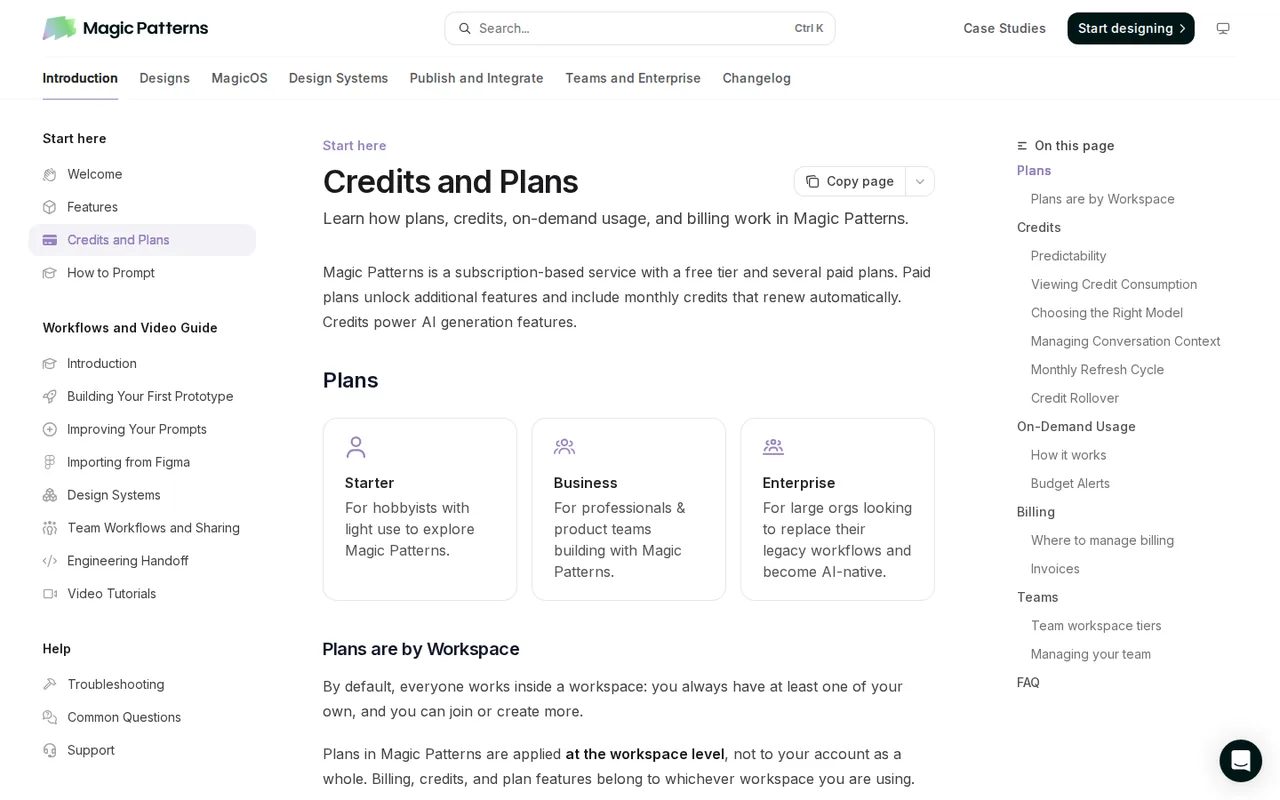
On monthly plans credits renew when the invoice is paid; on annual plans at 2:00 AM UTC the day after the billing date. Unused monthly credits roll over and expire one month after they are added; when a paid plan is cancelled, unused and rolled-over credits expire at the end of the period. Upgrades apply at once with prorated billing and downgrades at the next cycle. The current plans started on 20 March 2026, when Hobby became Starter, Pro became Business and existing credit balances were multiplied by 10.
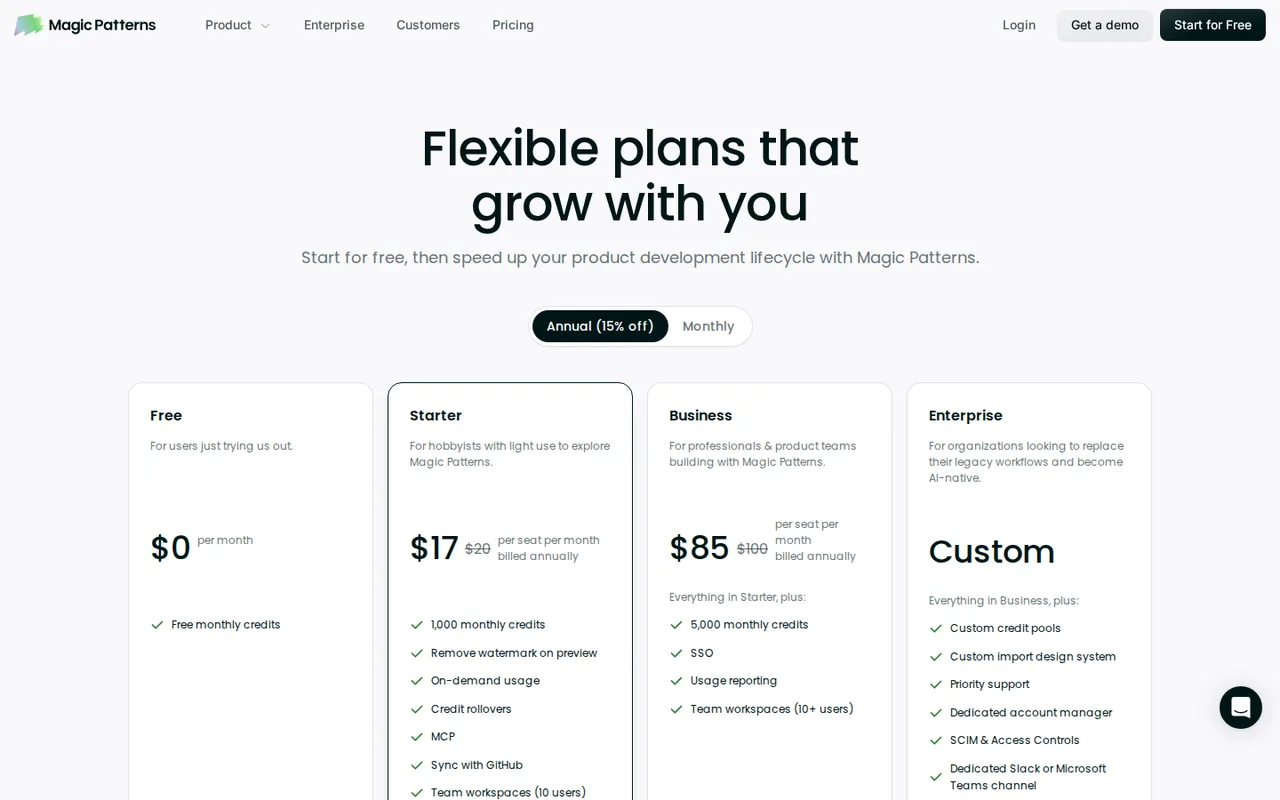
| Plan | Price | What you get |
|---|---|---|
| Free | $0 sourceFrom magicpatterns.com/pricing, checked Oct 24, 2026 (opens in a new tab) | Free monthly credits (amount not published); watermark on previews and a "Built with Magic Patterns" badge on public designs; no design systems, GitHub sync, MCP or on-demand usage. |
| Starter | $20 per seat per month billed monthly$17 billed annually sourceFrom magicpatterns.com/pricing, checked Oct 24, 2026 (opens in a new tab) | 1,000 monthly credits on top of the free credits; on-demand usage; credit rollover; design systems; GitHub sync; MCP; no watermark; up to 10 paid seats. |
| Business | $100 per seat per month billed monthly$85 billed annually sourceFrom magicpatterns.com/pricing, checked Oct 24, 2026 (opens in a new tab) | 5,000 monthly credits on top of the free credits; everything in Starter plus self-serve SSO, user roles, usage reporting; required for 11 or more paid seats. |
| Enterprise | Custom quote with annual commitment | Custom and shared credit pools, SCIM and audit logs, technical account manager, priority support, custom contracts and flexible invoicing. |
| On-demand usage | $0.02 per credit sourceFrom magicpatterns.com/pricing, checked Oct 24, 2026 (opens in a new tab) | Paid plans only; opt-in; keeps generating after monthly credits run out, billed on the next invoice, with budget limits and alert thresholds. |
Which plan fits?
Smallest plan whose monthly credits cover your number with 15% spare for regenerations. Arithmetic from the plan table above, not a usage test.
How far does it go?
- One three-page site, priced in creditsAssume a three-page small-business site (home, services, contact) built as one design over about 30 versions, then 3,000 page views a month. Magic Patterns' usage table puts a project of 21 to 50 versions at about 950 credits, measured with Claude Opus 5.5. That fits Starter's 1,000 monthly credits with about 50 to spare, for $20 billed monthly or $17 a seat billed annually. At 1,900 credits, the extra 900 on-demand credits at $0.02 add $18, about $38 that month. The Free credit amount and any traffic limit are not published, so neither the free build nor the 3,000 views can be priced. Editorial arithmetic on published figures and an assumed workload, not a Magic Patterns estimate.
Arithmetic from the published allowances above, not a usage test.
Taxes, currency and promotions can change the price you see at checkout.
Try Magic Patterns free (opens in a new tab)
Key features
| Feature | What it does | Watch out |
|---|---|---|
| Prompt to interactive prototype: a design is one chat plus a live preview, generated as React code you can click through (Docs: What is a Design) | — | |
| Multi-page designs: name a route such as /settings in the prompt and it becomes a page and, once published, a live URL path (Multiple Pages docs) | — | |
| Design systems: import components, colours, fonts and rules from GitHub, an npm package, a zipped code folder, Figma or a live website (importing docs) | — | |
| Plan mode: the agent asks one to three questions and drafts an editable plan before it writes any code; planning uses credits (Plan Mode docs) | — | |
| Publishing: every design can go live at a Magic Patterns address or your own domain, with password protection and editable metadata (Sharing docs) | — | |
| Hand-off: zip download, two-way GitHub sync, Figma export, copy code as prompt, an MCP server and a v3 REST API (exporting docs) | — | |
| Credit meter per reply | After each AI generation the chat shows the credits used, tool calls, lines changed and the model, so the cost of every step is visible. | There is no way to know a request's cost before it runs; it depends on the task and the model's response. |
| Model picker with Auto | You can pick the model for each generation; the docs recommend Auto, which chooses the model per task. | A cheaper model that needs several retries can use more credits overall than a capable model used once. |
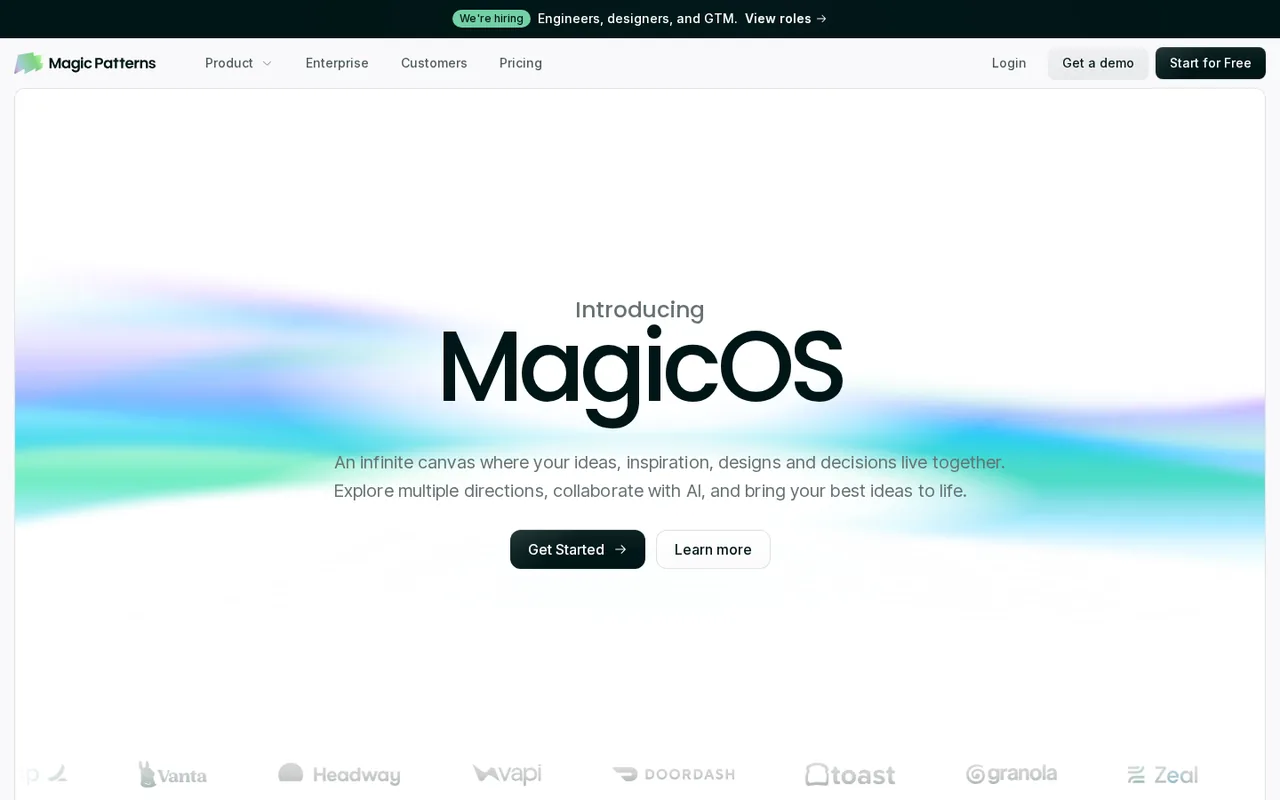
| MagicOS canvas | An infinite canvas that holds designs, documents, images, GitHub repos and notes, where a coordinator runs related tasks as parallel threads; a design on the canvas downloads as a ZIP (changelog, 14 October 2026). | Separate from single designs; existing designs are brought in through File > Import Existing Design. |
What does a Magic Patterns credit pay for?
Only AI generation. The credits guide says prompting, agent mode and component generation use credits, and the cost scales with the input and output tokens of each request. Manual edits, visual edits, “Fix with AI”, retries, exports and sharing use none. Magic Patterns publishes typical figures from real designs: about 70 credits for one generation, 100 for two or three versions, 110 to 200 for a small prototype of four to ten versions and about 400 for a full page or flow. Those numbers were measured with Claude Opus 5.5, so another model changes them.
Two habits move the count most. Every follow-up prompt carries the earlier conversation as context, which raises the cost of later replies; the /Clear command resets it when you start an unrelated change on the same design. And a cheaper model is not always cheaper: the guide warns that retries with a weaker model can cost more than one pass with a capable one. Plan mode, where the agent drafts a plan before writing code, also spends credits.
What does the Free plan trade away?
More than credits. The Terms of Service say that on the Free plan Magic Patterns may use your inputs and the designs you generate to train and improve the service, may show those designs in public galleries and promotional material, and may add a “Built with Magic Patterns” attribution to public-facing work. On paid plans the Terms say your content is not used for training and is treated as confidential information.
The Free allowance itself is described only as “free monthly credits”, and the pricing FAQ calls the free tier limited. The plan table in the docs leaves design systems, GitHub sync, the MCP server and on-demand usage off Free, so a team that needs its own components in every design starts on Starter.
Can a design go live as a website?
Yes; the docs say every design is a website. You add pages by naming a route in the prompt, such as /settings, and that path becomes part of the live address when you publish. Publishing from the Share menu gives the design a random Magic Patterns address. A chosen address such as project-my-portfolio.magicpatterns.app is a paid feature. To use your own domain, the custom domain guide asks for an A record to 149.248.202.188 on a root domain or a CNAME to magicpatterns.dev on a subdomain; the metadata guide says this route needs no paid plan, but hiding the badge does.
Published designs can sit behind a password, and since 4 August 2026 new designs are private until you publish or invite people. What the docs do not give is any traffic, bandwidth or form limit for published designs. If you are choosing a host for a marketing site, the Framer profile lists its page and bandwidth limits per plan.
How does a design reach your codebase?
Six routes start from the same design, according to the export overview. A zip download hands over the code. GitHub sync, on paid plans, creates a new repository from a React and Vite template and syncs both ways, and Magic Patterns keeps every version when you pull changes back. “Copy code as prompt” packs the code for pasting into an AI editor, and an integration skill teaches Cursor or Claude Code to adapt it to your conventions. Figma export copies a static snapshot of whatever is on screen, so open menus or states must be set before you export, and interactivity does not carry over.
The v3 API creates designs, sends prompts, reads and writes files and publishes, drawing on the same credit balance as the web app; calls that need credits return 402 once it is empty. If you would rather have a coding agent drive a design canvas without spending that canvas’s own credits, the MagicPath profile explains how it bills agent work.
How do seats and refunds work for a team?
Plans are per paid seat inside a team workspace. You can invite unlimited members on free seats, which get the free monthly credits; a paid seat gets its own monthly credits and full access. All paid members must be on the same tier. Starter allows up to 10 paid seats, a workspace with 11 or more needs Business or Enterprise, and Enterprise starts at 10 paid seats. When someone leaves, an admin can reassign the paid seat, and credits already used on it move with the seat.
Downgrading or cancelling never deletes projects or code; you keep viewing, editing and exporting them without the plan’s features. For refunds the docs point to support@magicpatterns.com, while the Terms say ending the agreement does not entitle you to a refund of prepaid fees unless agreed in writing. Rolled-over credits are non-refundable.
How could you check Magic Patterns before paying?
Proposed evaluation · not performed yet
Build a three-page site on the Free plan and record what each step costs and where the plan stops you.
- Create a design and ask for a home page with routes /services and /contact, each linked from the navigation.
- After every reply, write down the credits and model shown under the response, and use visual edit for text changes.
- Publish from the Share menu, open the random address on a phone and check that both routes load.
- Download the zip, follow the instructions it contains to run it locally, and compare it with the preview.
- Try Export to Figma on the contact page and note what arrives as layers.
Accept if the three routes work in the published site and the local build, and the credit total stays inside your free allowance. Reject if the free credits run out before the third page, the zip does not build, or the training clause rules out putting client material into a Free design. No result is recorded here.
Magic Patterns alternatives
Other website builders tools checked with the same method. Pick by the job, not by a score.

Small businesses and agencies that want an AI-built site on WordPress with hosting, backups and a domain in one bill

Founders and product teams turning a prompt into a hosted web app

All-in-one AI websites for small service businesses

Non-developers and small teams who want to turn a described idea into a working web or mobile app prototype

Designer-led marketing sites and portfolios

AI-built web apps with synced code

Designing UI screens and prototypes with AI and coding agents

Non-developers and small teams who want a store-ready iOS and Android app built by chat, with the Flutter source code to keep
Used Magic Patterns? Write the first review. Visitor opinions are moderated and kept separate from our source checks.
Frequently asked questions
Does Magic Patterns work with an existing design system?
Yes. You can seed a design system from a GitHub repository, a published npm package of React components, a zipped code folder, a Figma file or a live website. Magic Patterns scans the source and proposes components, colours, fonts and tokens for you to review before import, and rules you write act as a default prompt for every design.
Can I use Magic Patterns from Claude, Cursor or Codex?
Yes, through its MCP server, which needs a paid plan. There is an official connector in the Claude directory, a Cursor Marketplace plugin that bundles skills, a Codex plugin, and a custom setup for other MCP clients with OAuth or an API key. The MCP works both ways: it pulls designs into your editor and imports layouts from your codebase.
Can Magic Patterns make slide decks?
Yes. A deck can be generated from a prompt or converted from an existing design, presented full screen in the browser, or downloaded. PDF pages render at 1280 by 720 pixels. The PowerPoint file uses editable text boxes and shapes, carries speaker notes and swaps custom fonts for basic ones. Removing the badge from either export needs a paid plan.
Who owns what Magic Patterns generates?
You do. The Terms make designs, code and interfaces you generate the property of the user who created them and assign Magic Patterns' rights in them to you. They also note that similar prompts can produce similar output for other users. The service is run by North Park Labs, Inc. under Delaware law.
Where does Magic Patterns store data?
In the United States: the FAQ says the primary database is hosted on AWS and the company is a Delaware corporation based in San Francisco. The security page says sensitive data is encrypted before it reaches storage, and SOC 2 and ISO 27001 reports can be requested through the Magic Patterns Trust Center.
Sources and method23 official sources · 27 details checked · Oct 24, 2026
How we checked this profile
27 details on this page were checked against Magic Patterns's own pages and help documentation (Oct 24, 2026).
See the checks by section26 documented1 editorial assessment
| Section | Checks | Last checked | Sources |
|---|---|---|---|
| Plans and prices | 6 documented 1 editorial | magicpatterns.com/pricingmagicpatterns.com/credits-and-billingmagicpatterns.com/termsmagicpatterns.com/new-plans-and-pricing | |
| Article text | 11 documented | magicpatterns.com/credits-and-billingmagicpatterns.com/termsmagicpatterns.com/adding-pagesmagicpatterns.com/publish-urlmagicpatterns.com/metadatamagicpatterns.com/sharingmagicpatterns.com/overviewmagicpatterns.com/sync-to-githubmagicpatterns.com/getting-startedmagicpatterns.com/team-workspaces | |
| Features | 2 documented | magicpatterns.com/credits-and-billingmagicpatterns.com/changelog | |
| Questions | 5 documented | magicpatterns.com/termsmagicpatterns.com/overviewmagicpatterns.com/overviewmagicpatterns.com/export-and-presentmagicpatterns.com/faq | |
| Strengths and limits | 1 documented | magicpatterns.com/figma-plugin | |
| Official channels and media | 1 documented | magicpatterns.com |
Sources for this profile
- Pricing page and pricing FAQmagicpatterns.com
- Magic Patterns homepagemagicpatterns.com
- Docs: Credits and Plansmagicpatterns.com
- Docs: Common Questionsmagicpatterns.com
All 23 sources
- Docs: Custom Publish URLmagicpatterns.com
- Docs: Host on a Custom Domainmagicpatterns.com
- Docs: Website Metadatamagicpatterns.com
- Docs: Sharing Designsmagicpatterns.com
- Docs: Multiple Pagesmagicpatterns.com
- Docs: Plan Modemagicpatterns.com
- Docs: Overview of exportingmagicpatterns.com
- Docs: Sync with GitHubmagicpatterns.com
- Docs: Export to Figmamagicpatterns.com
- Docs: MCP overviewmagicpatterns.com
- API v3: Getting Startedmagicpatterns.com
- Docs: Team Workspacesmagicpatterns.com
- Docs: importing a design systemmagicpatterns.com
- Docs: slide deck exportmagicpatterns.com
- Docs: Securitymagicpatterns.com
- Docs: Changelogmagicpatterns.com
- Blog: New Plans, Credits, and On-Demand Usage (1 March 2026)magicpatterns.com
- Terms of Service, last updated 1 April 2025magicpatterns.com
- Privacy Policy, last updated 1 April 2025magicpatterns.com
Official pages read on 24 Oct 2026: the pricing page in a local browser (its FAQ from the page's structured data), the homepage and the 1 March 2026 pricing announcement over plain HTTP, and the documentation in its Markdown form: credits and plans, common questions, publishing, custom domains, metadata, sharing, multiple pages, Plan mode, exporting, GitHub sync, Figma export, MCP, the v3 API, team workspaces, design system import, slide deck export, security, the changelog, and the Terms and Privacy Policy (both last updated 1 April 2025). We did not sign up or generate a design. The Free credit amount and hosting limits are not published. The pricing FAQ lists Figma export as a Starter addition while the Figma export guide carries no plan note. Customer counts on the homepage are the provider's and were not used, nor were third-party prices or reviews.
Sources checked Oct 24, 2026. Found something out of date? See how we correct profiles.