

MagicPath: free gives 20 credits a day, but Pro credit packs start at $30 and credits never roll over
Updated September 29, 2026 · By Elias Brandt · Documentation review, not tested hands-on
Pros
- Agent work does not use credits
- Linear pack pricing
- Code you can take away
Cons
- Unpublished cost per design
- No rollover and rigid downgrades
- Dated legal pages
Bottom line
20 credits a day, up to 120 a month; component libraries, own design system, custom fonts, Chrome extension, code download; 5 Figma imports and 3 exports a month; 50 external agent calls a week; no credit card.
Your Claude Code, Codex or Cursor sessions would do most of the generating, because that work is billed by the agent provider and not from the MagicPath credit balance.
You need a predictable cost per screen, because credits follow token usage with a minimum per generation and no per-design price is published.
Best forDevelopers using coding agentsProduct designers prototyping UIFounders without a designerTeams needing SSO and shared credits
Strengths, limits and who it suits, in full
Strengths
- Agent work does not use credits Designs driven by Claude Code, Codex or Cursor are billed by that provider, not the MagicPath balance.
- Linear pack pricing Every Pro pack costs the same per credit, so moving up a pack does not change the unit price.
- Code you can take away Designs download as React code, and the FAQ says generated code may be used commercially.
Limits
- Unpublished cost per design Credits follow token usage with a minimum per generation, so a screen can cost more than expected.
- No rollover and rigid downgrades Credits reset each cycle; moving to monthly billing or a smaller pack requires cancelling first, and purchases are non-refundable.
- Dated legal pages The terms and privacy policy date from May 2025, before MagicPath 2.0, and the terms still describe a 7-day trial and monthly-only billing.
Who it suits
- Developers using coding agents Builder suits developers whose Claude Code, Codex or Cursor sessions do most of the generation, since that work bypasses credits.
- Product designers prototyping UI canvas chat and Figma connect fit exploring several screen variants before committing to one.
- Founders without a designer Free is enough to test a few screens, but a full flow usually needs a Pro pack.
- Teams needing SSO and shared credits Teams adds SSO, admin controls and 1,000 credits per seat under an annual contract.
How much does MagicPath cost?
Prices confirmed · checked
- $10Builder
- $30Pro
Regional prices: Prices are in USD; the annual toggle is labelled 30% off and is billed once a year.
Pro is sold as a monthly credit pack, so there is no single Pro price. Credits reset at the start of each billing cycle and do not roll over. Upgrading to a bigger pack is prorated; switching from annual to monthly or to a smaller pack requires cancelling first. The terms say all purchases are non-refundable.
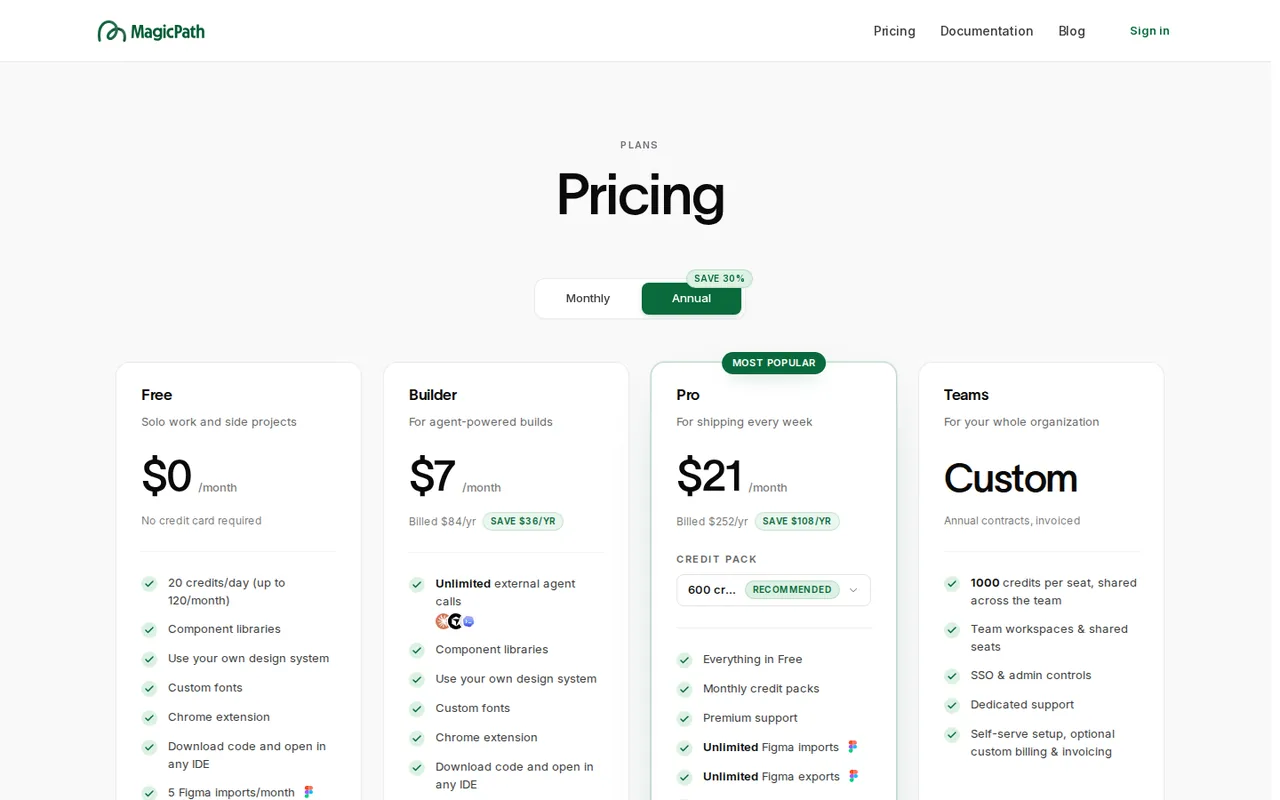
| Plan | Price | What you get |
|---|---|---|
| Free | $0 sourceFrom magicpath.ai/pricing, checked Sep 29, 2026 (opens in a new tab) | 20 credits a day, up to 120 a month; component libraries, own design system, custom fonts, Chrome extension, code download; 5 Figma imports and 3 exports a month; 50 external agent calls a week; no credit card. |
| Builder | $10 per monthbilled monthly · or $7 per month, $84 billed yearly sourceFrom magicpath.ai/pricing, checked Sep 29, 2026 (opens in a new tab) | Unlimited external agent calls; 25 Figma imports a month and unlimited Figma exports; the plan card lists no credit allowance of its own. |
| Pro | $30 per monthbilled monthly, for 600 credits · or $21 per month, $252 billed yearly sourceFrom magicpath.ai/pricing, checked Sep 29, 2026 (opens in a new tab) | Chosen monthly pack: 600 credits at $30, 1,000 at $50, 1,500 at $75, 2,000 at $100 or 3,000 at $150 monthly; yearly $21, $35, $53, $70 or $105 a month; premium support; unlimited Figma imports, exports and agent calls. |
| Teams | Custom pricing | Annual contracts, invoiced; 1,000 credits per seat shared across the team; team workspaces, SSO, admin controls and dedicated support. |
How far does it go?
- Price per credit on Pro packsMonthly: $30 / 600 = $0.05, and $150 / 3,000 = $0.05, so every monthly pack costs $0.05 a credit. Yearly: $21 / 600 = $0.035 and $105 / 3,000 = $0.035. Free: 120 credits a month is 6 days of the full 20-credit daily grant. Credits per screen are not published, so this does not convert into a number of designs.
Arithmetic from the published allowances above, not a usage test.
Taxes, currency and promotions can change the price you see at checkout.
Try MagicPath free (opens in a new tab)
Key features
| Feature | What it does | Watch out |
|---|---|---|
| Prompt-to-UI generation on an infinite multiplayer canvas | — | |
| External agent plugin for Claude Code, Codex, Cursor and other MCP clients | — | |
| Figma import by frame link and export back to Figma | Pastes a Figma frame link and converts it into working code, keeping images, typography, colors and layout. | Custom fonts get the closest match, and Free allows 5 imports and 3 exports a month. |
| Downloadable React code for Next.js | — | |
| Own design systems, component libraries and custom fonts | — | |
| Import from screenshots, URLs and live web elements | — | |
| Chrome extension on every plan | — | |
| macOS desktop app and browser app | — | |
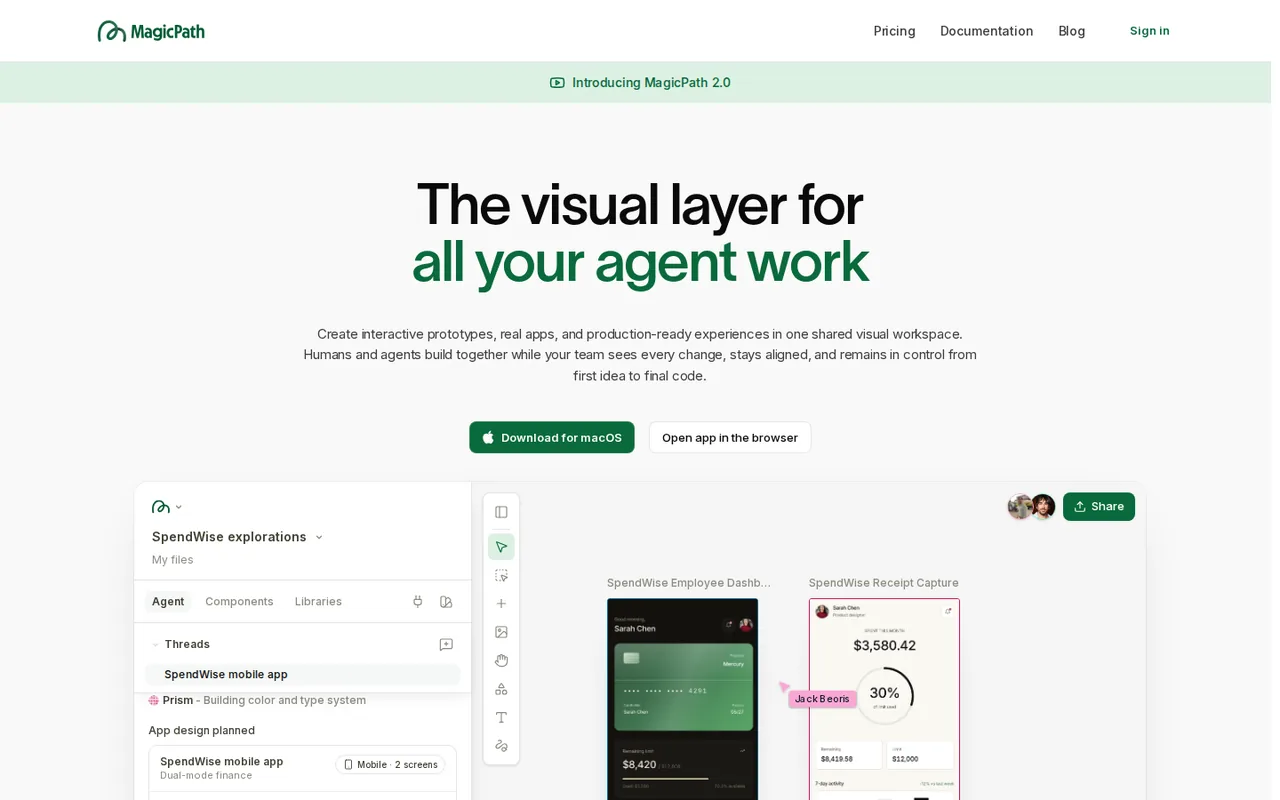
| Canvas chat | Reads a brief, mentions, selected items, images and design systems, then generates several screens or variants in parallel. | Credits scale with complexity and there is a minimum cost per generation; no per-design price is published. |
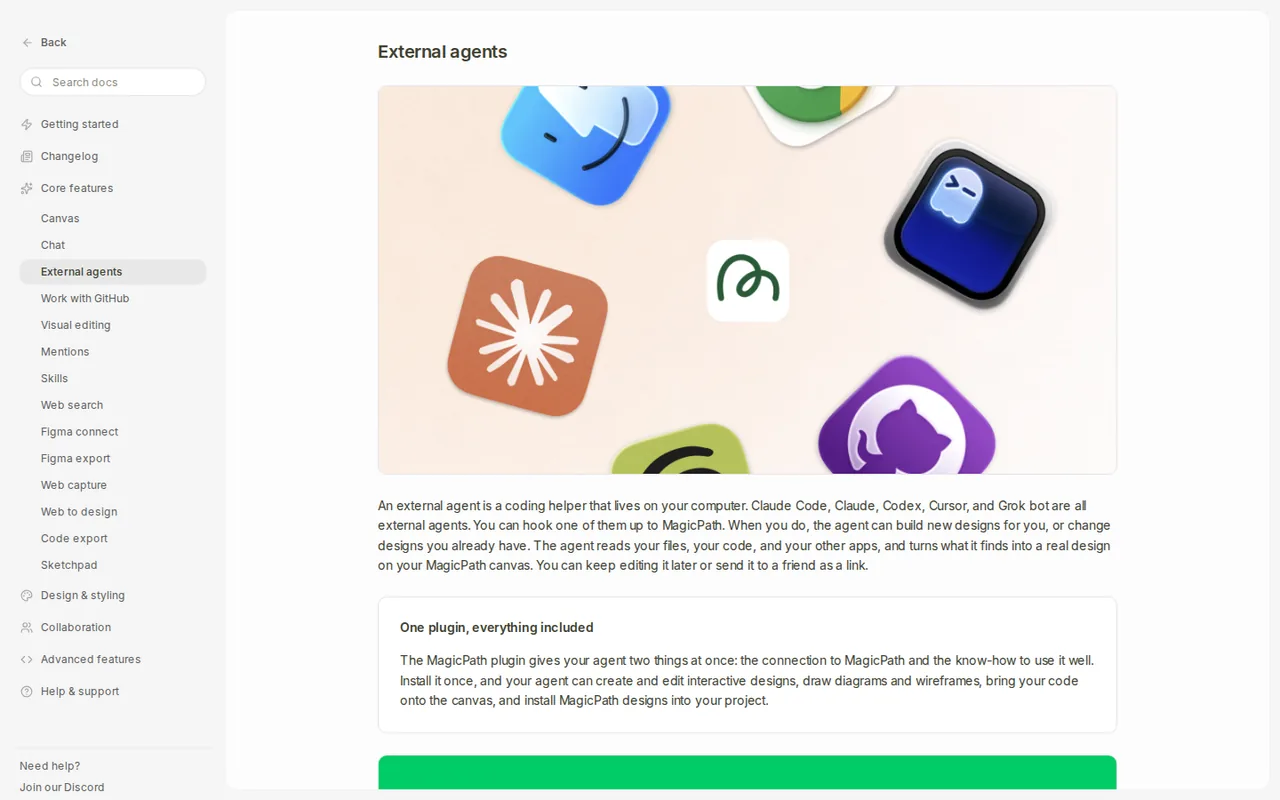
| External agents | A plugin lets Claude Code, Codex, Cursor or any MCP client create or edit designs and move them into your repository. | That work is billed by the agent provider, but Free is limited to 50 external agent calls a week on the pricing page. |
What do 20 free credits a day actually cover?
Free gives 20 credits a day, capped at 120 a month, so the full daily grant can be used on about six days. Credits pay only for AI generation inside MagicPath. Manual edits, exports and component library use do not cost credits, which makes it sensible to generate once and then refine by hand.
The help FAQ says credits follow token usage and task complexity, with a minimum cost per generation. A button costs less than a multi-screen dashboard, and one canvas request can produce several designs at once. No per-screen rate is published, so check Settings > Usage after the first requests to learn your own rate.
Why does work from Claude Code or Codex not use MagicPath credits?
When an external agent such as Claude Code, Codex or Cursor drives MagicPath through its plugin, the generation is billed by that agent provider. Your MagicPath balance is untouched, and the only limit is the weekly allowance of external agent calls: 50 on Free and unlimited on Builder, Pro and Teams according to the pricing page.
The plugin signs in through the browser, with no API key to paste, and the agent sees only projects your account can see. It can read your repository, tickets and notes to build designs, and pull a finished design back into your codebase. The MagicPath site does not need to be open while the agent works.
Builder or a Pro pack: which one pays off?
Builder removes the weekly agent-call limit and the Figma export cap, but its card lists no credit allowance of its own, so it suits people whose coding agent does the generating. Pro is for designing inside MagicPath itself: you pick a monthly credit pack, and every pack costs the same per credit.
Editorial assessment
Start on Free, move to Builder if the 50 weekly agent calls run out first, and choose a Pro pack only when in-canvas generation is the bottleneck. Monthly pack prices are:
- 600 credits: $30 a month, or $21 a month billed yearly.
- 1,000 credits: $50, or $35 billed yearly.
- 1,500 credits: $75, or $53 billed yearly.
- 2,000 credits: $100, or $70 billed yearly.
- 3,000 credits: $150, or $105 billed yearly.
What code do you get, and can you ship it?
MagicPath generates React code optimized for Next.js, which can be downloaded and opened in any editor on every plan. The help FAQ says all generated code is yours to use in any project, including commercial ones, and that private projects are never used to train its models.
The formal terms are thinner. They date from May 2025, do not address AI-generated code, and include a generic clause limiting commercial use to purposes the company approves. Before shipping client work, save the FAQ statement with the project and ask support@newcompute.ai to confirm the licence in writing.
Where do prompts, images and designs go?
The privacy policy says AI features run through third-party providers, naming Anthropic, Google Cloud AI and OpenAI, and that inputs, outputs and personal information are shared with them to deliver those features. The service is hosted in the United States, and the policy also mentions Google Analytics.
The help FAQ adds that data is encrypted in transit and at rest. Screenshots of internal tools, customer dashboards or unreleased products therefore pass through several companies. Replace real customer names and figures with placeholders before asking MagicPath to recreate a screen.
What are the billing rules to know before paying yearly?
Pack credits reset at the start of each billing cycle and never roll over. You can upgrade to a bigger pack at any time and the difference is prorated, but switching from yearly to monthly billing or to a smaller pack means cancelling first and waiting for the paid period to end.
The terms state that all purchases are non-refundable. They also still describe a 7-day free trial that converts to a paid plan and a monthly billing cycle, which does not match the current free plan and yearly option. Treat the pricing page as current and keep a screenshot of the plan you buy.
Can the free plan produce a settings screen you can run locally?
Proposed evaluation · not performed yet
On a Free account, write a short brief for a fictional account settings page with profile, notification and billing sections, using no real customer data. Stay within one day’s 20 credits and do not use an external agent.
- Note the credit balance in Settings > Usage.
- Paste the brief into canvas chat and generate one design.
- Change one label and one color by hand, which should not use credits.
- Download the code and run it in a fresh Next.js project.
- Record credits used and any build errors.
Accept a page that builds, shows all three sections and keeps the manual edits. Reject missing sections, code that fails to compile or edits that consumed credits. No output or credit figure is reported until the exercise is run.
To publish a finished marketing site instead of prototyping app screens, compare Framer and Webflow. For AI help inside the code editor itself, see Cursor.
Is MagicPath worth it?
Documentation review plus dated public user reports. Documentation review, not tested hands-on. Not scored.
Worth it if
- Your Claude Code, Codex or Cursor sessions would do most of the generating, because that work is billed by the agent provider and not from the MagicPath credit balance.
- You already have Figma frames and want to turn them into React code, since Free covers 5 imports a month and Builder raises that to 25.
- You want to try the canvas first, as Free needs no credit card and the daily grant resets every day.
Probably not if
- You need a predictable cost per screen, because credits follow token usage with a minimum per generation and no per-design price is published.
- You expect to bank unused credits or switch plans freely, since packs reset each cycle, downgrades require cancelling first and purchases are non-refundable.
- You will send confidential screenshots or customer data, because prompts and images pass to Anthropic, Google Cloud AI and OpenAI under the privacy policy.
MagicPath alternatives
Other website builders tools checked with the same method. Pick by the job, not by a score.

Small businesses and agencies that want an AI-built site on WordPress with hosting, backups and a domain in one bill

Founders and product teams turning a prompt into a hosted web app

All-in-one AI websites for small service businesses

Non-developers and small teams who want to turn a described idea into a working web or mobile app prototype

Teams reviewing a small web interface

Visually designed marketing and content websites

Non-coders and small teams who want a working booking page, internal tool or client portal built by chat, without running servers

Small business sites and landing pages drafted by AI, then refined by hand
Used MagicPath? Write the first review. Visitor opinions are moderated and kept separate from our source checks.
Frequently asked questions
Can MagicPath bring in an existing website or app?
Yes, as context rather than as code import. You can paste a URL, upload a screenshot, capture a live web element or paste a Figma frame link. Since June 2026 the blog also describes pulling interfaces from a GitHub repository through a coding agent. MagicPath then recreates the screen and extends it.
How does Figma connect work, and what is preserved?
Connect your Figma account once, copy a frame link with Cmd+L or Ctrl+L and paste it into MagicPath; no Figma plugin is needed. The help FAQ says images, icons, typography, colors, layout, spacing and effects are kept, while custom fonts are replaced with the closest match. Imported frames can then be mentioned in canvas chat.
Can teammates edit my MagicPath projects?
Project invites currently support viewer access, according to the help FAQ, and any account can create shared component libraries. Live multiplayer editing with teammates and agents is shown on the homepage for the canvas. Organizations that need shared seats, SSO and admin controls are pointed to the Teams plan through a demo booking.
Is there a desktop app?
Yes. The site offers a download for macOS alongside the browser app, and every plan lists a Chrome extension. No Windows or Linux desktop build is listed, so users on those systems work in the browser. Coding agents can reach the cloud canvas from any system through the MCP server.
Can I use MagicPath if I am under 18?
The legal pages disagree. The terms allow users from 13, with parent or guardian supervision for minors, while the privacy policy says the service does not knowingly collect data from anyone under 18. Until the company aligns them, younger users should have a parent or guardian contact support@newcompute.ai before signing up.
How much does MagicPath AI cost?
Builder costs $10 a month billed monthly, or $84 billed yearly. Pro is sold as monthly credit packs, from $30 for 600 credits up to $150 for 3,000 credits, with yearly billing working out to $21 to $105 a month. Teams uses custom annual pricing. MagicPath does not publish a credit cost per screen, so the price of one design is unknown.
Is MagicPath AI free?
Yes, MagicPath has a Free plan that needs no credit card. It gives 20 credits a day, up to 120 a month, plus 50 external agent calls a week, 5 Figma imports and 3 exports a month, and code download. Unused credits do not roll over. Work driven by Claude Code, Codex or Cursor does not spend MagicPath credits.
Sources and method7 official sources · 8 details checked · Sep 29, 2026
How we checked this profile
8 details on this page were checked against MagicPath's own pages and help documentation (Sep 29, 2026).
See the checks by section8 documented
| Section | Checks | Last checked | Sources |
|---|---|---|---|
| Plans and prices | 5 documented | magicpath.ai/pricingapp.termly.io/policy.html | |
| Features | 1 documented | magicpath.ai/pricing | |
| Strengths and limits | 1 documented | app.termly.io/policy.html | |
| Other details | 1 documented | app.termly.io/policy.html |
Sources for this profile
- Plans, credit packs and FAQmagicpath.ai
- Product overviewmagicpath.ai
- External agents guidemagicpath.ai
- Help and FAQmagicpath.ai
All 7 sources
The terms (at /tos, updated May 6, 2025) and privacy policy (May 5, 2025) name NewCompute, Inc., 325 Hudson St, New York; both are embedded Termly documents and predate MagicPath 2.0. The terms describe a 7-day trial and monthly billing, while current pricing shows a free plan and annual billing. The help FAQ lists 125 weekly agent calls on Free and 5 Figma imports on Builder, while the pricing page lists 50 and 25; the pricing page is used. The privacy policy says users must be 18, while the terms say 13.
Sources checked Sep 29, 2026. Found something out of date? See how we correct profiles.