

Key features
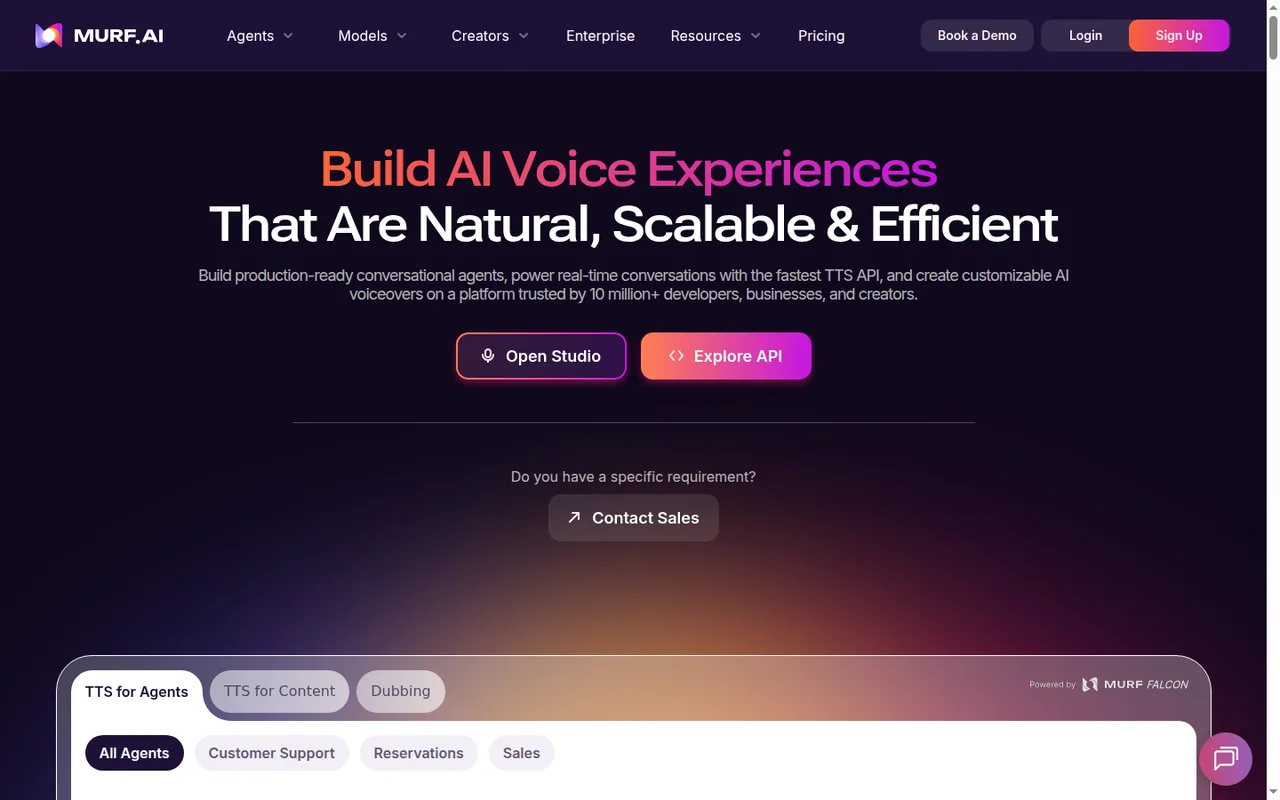
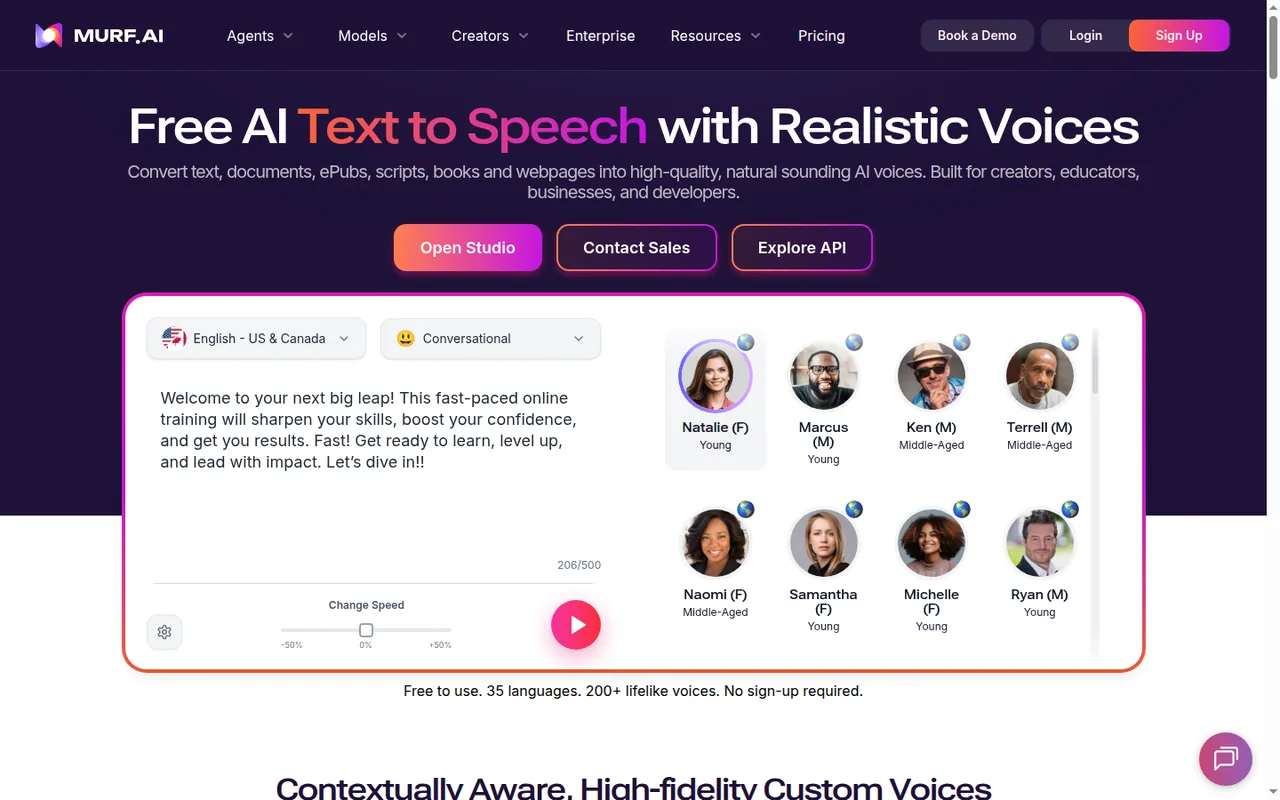
- Text to speech studioWrite or import a script, pick from the pricing page's 200+ voices and adjust pitch, speed, pauses and pronunciation block by block.
- Timeline with mediaAdd images, video and background music to the voiceover and export the result as audio or video.
- Audio to TextUpload a recording, transcribe it and regenerate it in an AI voice; listed on Business and higher plans.
- AI DubbingMurf Dub translates video or audio into other languages and exports dubbed video, audio and subtitles.
- IntegrationsOn Business and higher plans, add Murf voices in PowerPoint, Google Slides and Windows apps.
- Text to speech APIDevelopers call Falcon or Gen2 voices through a pay-as-you-go API billed per 1,000 characters.
- Voice generation timeStudio usage is metered in minutes of generated speech, and changing voice, style, pitch, speed or pronunciation on unchanged text costs nothing.
Falls short Editing text in a block regenerates the whole sub-block, so repeated script edits draw down the allowance.
- ExportsVoiceovers export as MP3, WAV, FLAC, a-law or u-law at up to 48 kHz, and video exports as MP4 or MOV with optional subtitles.
Falls short Downloads require a paid plan, and music tracks cannot be exported on their own.
- Script and media importScripts can be imported or pasted, and images, video and soundtracks have no stated upload size limit.
Falls short Each script upload is capped at 15,000 words and Audio to Text uploads at 45 minutes.
- Canva appGenerate a voiceover in Canva and add it to a design, using VGT from the connected Murf workspace.
Falls short Each block is limited to 1,000 characters, a design to 50 audio blocks, and Free Trial users can only preview.
Strengths and limits
Strengths
- Free plan has no end date: The 10 free minutes of voice generation do not expire, and unused free minutes carry over when you upgrade.
- Voice tweaks do not cost minutes: Changing voice, style, pitch, speed or pronunciation on the same text does not consume voice generation time.
- Wide export choice: Paid plans export MP3, WAV, FLAC and telephony formats, plus MP4 or MOV video with subtitles.
- Works inside existing tools: Canva and PowerPoint integrations and an HTML embed player bring voiceovers into other workflows.
More limits to plan around
- Self-serve voice cloning not offered: The help center says voice cloning is handled through the Enterprise team rather than self-service.
Who else is it for?
Editorial assessment, based on documented features
- Developers building voice featuresConsider the API when speech is generated from code and pay-as-you-go character billing fits your volume.
How much does Murf cost?
Prices confirmed · checked
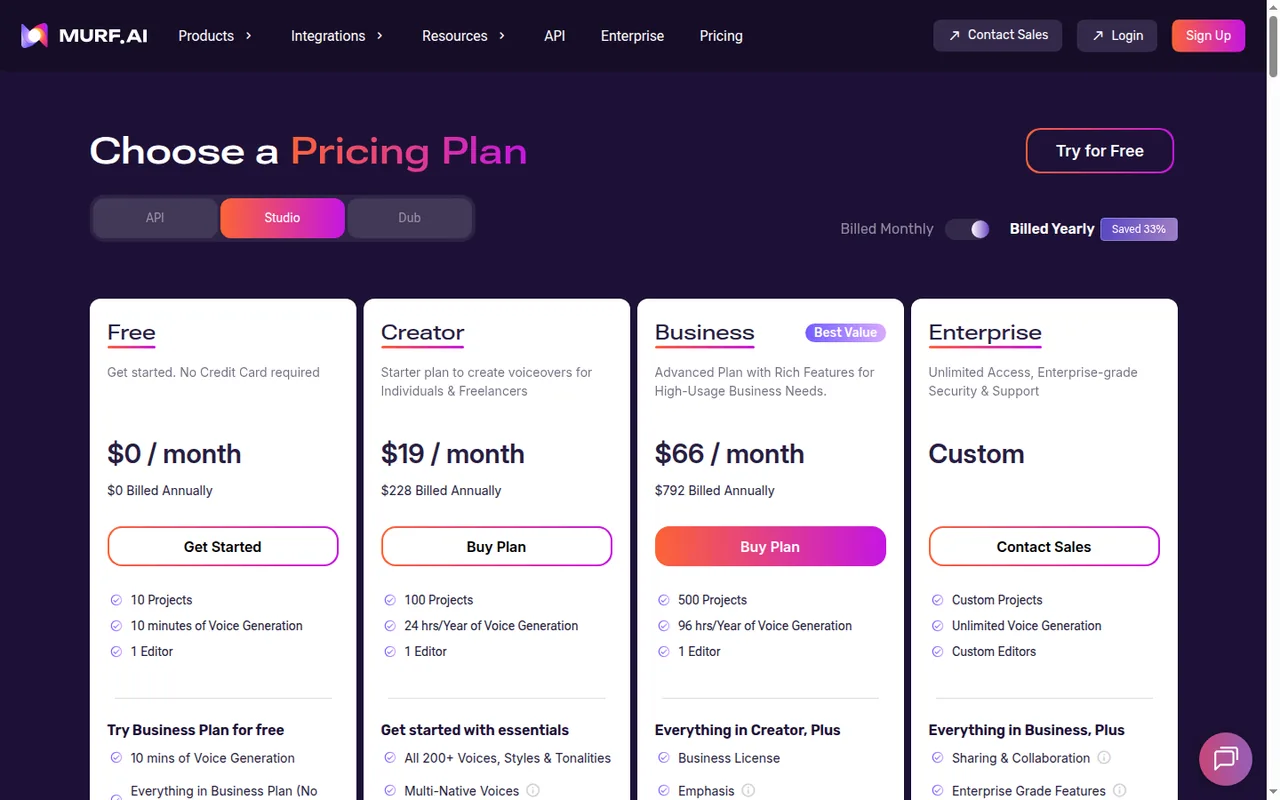
Prices are listed in USD. Yearly billing is labeled Save 33%; yearly plans are charged upfront, and the hours allowance can be used at any point in the year. Taxes are added at checkout where applicable, and the pricing FAQ says subscription payments are not refundable. The API and Murf Dub are billed separately from Studio, each with its own free and pay-as-you-go plans; the API also has a Contact Sales Enterprise tier with data residency, on-premise deployment and an SLA.
Free
USD 0no credit card required
10 minutes of voice generation (one-time), 10 projects, 1 editor; no downloads and no commercial rights.
Creator
USD 19 per monthbilled yearly · USD 228 a year; USD 29 billed monthly
24 hours of voice generation per year (2 hours per month on monthly billing), 100 projects, 1 editor, unlimited downloads, commercial rights, Canva.
Business
USD 66 per monthbilled yearly · USD 792 a year; USD 99 billed monthly
96 hours of voice generation per year (8 hours per month on monthly billing), 500 projects, 1 editor, Business License, PowerPoint, Audio to Text.
Enterprise
Contact provider
Unlimited voice generation, 5+ editor seats, SSO, sharing and collaboration, AI Translation, custom voice clones as an add-on.
API pay as you go
USD 0.01 per 1,000 charactersFalcon model; Gen2 text to speech USD 0.03 per 1,000 characters
Usage-based API credit that the pricing page says never expires; voice changer USD 0.10 per minute, translation USD 0.02 per 1,000 characters.
API free trial
USD 0no credit card required
USD 10 of API credit for all endpoints, 150+ voices in 35+ languages, 5 concurrent requests; the plan card says every month, the API FAQ says once at signup.
Dub Free
USD 0no credit card required
100 credits, 2 projects at a time, standard support; output carries a watermark.
Dub pay as you go
From USD 0.25 per credit
No watermarks and 5 projects at a time; credits are bought as needed.
Dub Enterprise
Contact provider
QA-assured dubbing, unlimited projects, volume discounts, sharing and collaboration, SSO, PO and invoicing.
How far does it go?
- Creator monthly in 1,000-word scriptsMurf estimates about 6 minutes of voice generation per 1,000-word English script, so Creator's 2 hours (120 minutes) a month cover about 20 such scripts (120 / 6), fewer when text edits force re-renders.
- The free minutes as a script testThe one-time 10 free minutes cover about 1,700 words of English narration (10 / 6 x 1,000 = 1,667), not quite two 1,000-word scripts, none of which can be downloaded.
- Business yearly in scriptsBusiness billed yearly includes 96 hours, or 5,760 minutes, which at about 6 minutes per 1,000 words is about 960 scripts a year (5,760 / 6), or about 80 a month on average.
Arithmetic from the published allowances above, not a usage test.
Taxes, currency and promotions can change the price you see at checkout.
Which Murf plan fits your script volume?
Editorial assessment
Size the plan by finished words of script per month, using Murf’s own estimate of about 6 minutes of voice generation per 1,000 English words, then leave headroom for text edits that trigger re-renders.
- Free only for auditioning voices and pronunciation on a sample script; nothing can be downloaded.
- Creator for up to about twenty 1,000-word scripts a month on monthly billing, when one editor seat is enough and you need downloads with commercial rights.
- Business above that, up to about eighty such scripts a month, and for any registered company, since Murf recommends it for the Business License; it also adds Audio to Text, PowerPoint and Google Slides.
- Enterprise once you need five or more editors, SSO, a custom voice clone or unlimited generation.
- The API when speech is generated from code rather than edited in Studio.
Yearly billing saves about a third and pools the hours for the whole year, which suits uneven production, but the full year is charged upfront and subscription payments are not refunded. If you start from a recording rather than a script, the Auphonic and Adobe Podcast profiles are the closer fit; ElevenLabs is the other script-to-speech option in the audio tools category.
How does Murf count voice generation time?
Murf Studio meters usage in voice generation time, or VGT: the total length of speech it renders from your text. VGT is spent when you generate a new block or change its words, and editing text regenerates that whole sub-block. Switching voice, style, pitch, speed, pauses, emphasis or pronunciation on unchanged text uses no time at all.
Unused VGT carries forward once. On a monthly plan the remainder moves into the next month and expires if it is not used there; yearly plans do the same across annual cycles. Carried-over time survives a paused subscription but is lost on cancellation or a failed renewal payment.
Continue reading · 5 more sectionsShow lessWhat can you do on the free plan without downloads? · Which audio and video files can you export? · How are Murf Dub and the API billed? …
What can you do on the free plan without downloads?
The Studio Free plan gives 10 projects, one editor and 10 minutes of voice generation, plus 10 minutes of transcription, preview sharing and embed links. The minutes are a one-time credit with no end date rather than a monthly refill, and any left over are added to the account when you upgrade. Free projects cannot be downloaded or exported and carry no commercial rights, so the plan is a test bench for voices and scripts, not a way to publish.
Which audio and video files can you export?
Paid plans export the voice track alone as MP3, WAV or FLAC at 8, 24 or 48 kHz in mono or stereo, or as a-law and u-law files for telephony systems. Voice plus music comes out as one mixed file, and music cannot be exported on its own.
Projects with images or video export as MP4 or MOV, with subtitles as a separate track or burned into the picture, and the script downloads as SRT or VTT. When a project uses tracks from Murf’s stock library, a YouTube code is generated to help clear copyright claims.
How are Murf Dub and the API billed?
Dubbing and developer access sit outside the Studio subscriptions. Murf Dub has its own Free, pay-as-you-go and Enterprise plans, and automated dubbing uses 2 credits per minute per language, so the free credits cover about 50 minutes of dubbing into one language. Help articles describe 200 free credits and USD 1 per credit instead, so compare the rate shown in your account before a large job.
The API tab charges per 1,000 characters for text to speech, with the Falcon model at the lowest rate, and bills voice changer per minute. Purchased API credit never expires, which suits spiky or experimental use. New API accounts start on a free trial, but its size is described three ways: the plan card says USD 10 every month, the API FAQ says USD 10 once at signup, and help articles say 100,000 characters.
What happens to projects and minutes if you cancel?
Cancellation takes effect at the end of the billing cycle. After that you can no longer render or download, and both plan VGT and carried-over VGT are lost. Projects stay in the workspace until you delete them, and Trash is emptied permanently after 30 days. On a downgrade, projects above the new plan’s cap stay stored but may be locked for editing until you reduce the count or upgrade again.
How can you test a real script before paying?
Proposed evaluation · not performed yet
Generate a real script of about 1,000 words on the Free plan and note how many minutes the first render and each text revision use. Try the voices and pronunciation settings your audience needs and share a preview with a reviewer. Then check whether 2 hours a month on Creator or 8 on Business covers your volume, remembering that downloads start only on a paid plan.
Murf alternatives
Other audio & voice tools profiled with the same source-checked method. Pick by the job, not by a score.
| Tool | Free access | Paid plans from | Consider it for |
|---|---|---|---|
| MurfThis profile | Free access available | USD 19 per month | Narrated e-learning and presentation voiceovers |
| Auphonic | Free access available | USD 11 per month | Automatic post production for spoken audio |
| Adobe Podcast | Free access available | EUR 21.99 per month incl. VAT | Browser cleanup and text editing of speech |
| ElevenLabs | Free access available | USD 5 per month | Narration and voice work |


Murf user reviews
Visitor opinions, moderated before publishing. Separate from our source checks; we do not score tools.
Frequently asked questions
Is Murf free?
Yes. The Studio Free plan costs USD 0 and needs no credit card, and it gives access to the voice library and premium features for testing. Because the allowance never renews, a sensible way to use it is to render one representative script, check pronunciation of names and product terms, and share the preview link with whoever signs off before you buy.
Can I clone my own voice in Murf?
Not through self-service. Murf's help center says voice cloning is arranged through its Enterprise team, and the pricing page lists custom voice clones as an Enterprise add-on. Cloning is documented for English, Spanish, Portuguese, French and German, so a team working mainly in other languages should ask about coverage before starting that process.
Does Murf work inside Canva or PowerPoint?
Yes, with plan limits. The Canva app is included from Creator and draws on the connected workspace's minutes, with each voiceover block capped at 1,000 characters and 50 audio blocks per design. The PowerPoint plugin, Google Slides and Murf voices for Windows apps are listed on Business and Enterprise only, not Creator.
Can I embed Murf audio in a website or course?
Yes. HTML Embed is available on all plans, including Free, and the help center names WordPress, Notion and Articulate 360 as places to use the player. Removing Murf branding from that player is limited to Enterprise, so a white-label course or client site would need that tier or a downloaded file instead.
How large a script or recording can I import?
Script uploads are capped at 15,000 words each, and Audio to Text accepts recordings up to 45 minutes, with 48 hours of transcription time listed for Business. Images, video and soundtracks have no stated upload size limit. A long manual or course therefore needs splitting into several imports rather than one file.
Can an AI assistant call Murf directly?
Yes. Murf documents an MCP server that lets MCP-compatible clients such as Claude Desktop use its text to speech, alongside the regular API. The API tab also lists translation at USD 0.02 per 1,000 characters and voice changer at USD 0.10 per minute, billed from the same pay-as-you-go credit.
How we checked this profile
35 details on this page were checked against Murf's own pages and help documentation (Sep 24–25, 2026). 2 are still open and listed below.
See the checks by section31 documented2 editorial assessment2 open
| Section | Checks | Last checked | Sources |
|---|---|---|---|
| Article text | 3 documented 2 editorial | help.murf.ai/what-is-murfhelp.murf.ai/is-murf-free-to-usehelp.murf.ai/how-are-dub-credits-consumedhelp.murf.ai/what-happens-to-my-account…murf.ai/pricing | |
| Plans and prices | 11 documented 2 open | murf.ai/pricinghelp.murf.ai/murf-api-plans-and-limitshelp.murf.ai/murf-dub-planshelp.murf.ai/what-is-voice-generation-t… | |
| Questions | 10 documented | help.murf.ai/how-long-does-the-free-tri…help.murf.ai/voice-onlyhelp.murf.ai/video-exporthelp.murf.ai/import-limitshelp.murf.ai/canva-app-limitshelp.murf.ai/what-is-murf-voice-cloningmurf.ai/pricinghelp.murf.ai/html-embed-feature-guidemurf.ai/mcp-server | |
| Strengths and limits | 4 documented | murf.ai/pricinghelp.murf.ai/vgt-carry-forwardhelp.murf.ai/can-i-download-my-project-… | |
| Features | 2 documented | help.murf.ai/what-is-voice-generation-t…help.murf.ai/voice-music | |
| Who it suits | 1 documented | murf.ai/pricing |
Still open
- The size of Murf's API free trial is not consistent across official pages.Not confirmed · checked · Source (opens in a new tab)
- Murf Dub's free credits and price per credit differ between the pricing page and the help center.Not confirmed · checked · Source (opens in a new tab)
Sources for this profile
- Murf pricing: Studio, Dub and API tabsmurf.ai
- Free trial featureshelp.murf.ai
- Introduction to voice generation timehelp.murf.ai
- VGT carry forward termshelp.murf.ai
All 22 sources
- Voice export formatshelp.murf.ai
- Video exporthelp.murf.ai
- Murf Dub planshelp.murf.ai
- Account and projects after cancelinghelp.murf.ai
- Voice and music exporthelp.murf.ai
- Murf Dub pricinghelp.murf.ai
- Murf MCP server documentationmurf.ai
- Audio to Text transcription timehelp.murf.ai
- Murf Dub export formatshelp.murf.ai
- Murf help: what is Murfhelp.murf.ai
- Murf help: free trial lengthhelp.murf.ai
- Murf help: downloads during the free trialhelp.murf.ai
- Murf help: import limitshelp.murf.ai
- Murf help: Canva app limitshelp.murf.ai
- Murf help: voice cloninghelp.murf.ai
- Murf help: HTML embedhelp.murf.ai
- Murf help: API plans and limitshelp.murf.ai
- Murf help: Dub credit usehelp.murf.ai
Studio, Dub and API prices come from Murf's pricing page; voice generation time, exports, imports, integrations, Dub and cancellation rules come from the Murf help center. Where the pricing page and help articles give different figures, such as Dub free credits and per-credit price, the pricing page figure is shown and the help figure is named alongside it.
Sources checked Sep 24–25, 2026. We read the vendor's documentation; we did not test the product or score it. Found something out of date? See how we correct profiles.


