

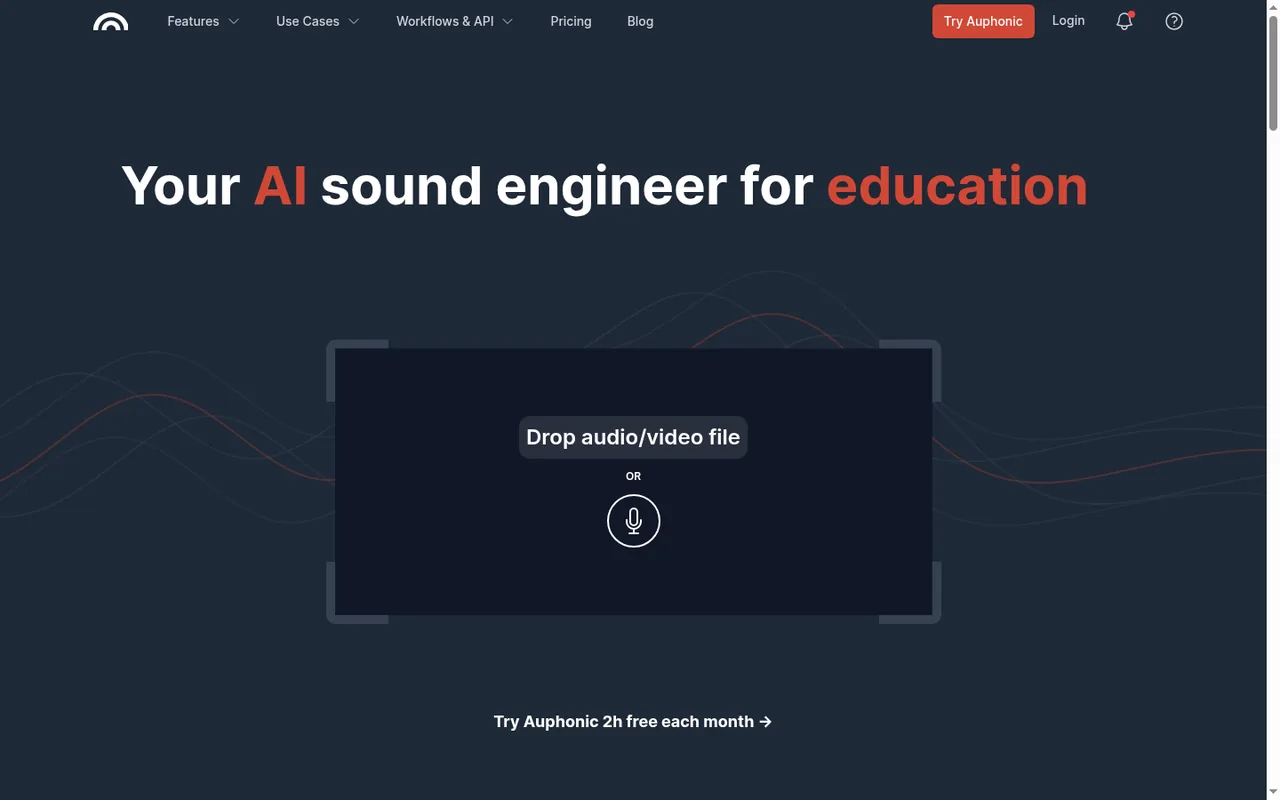
Key features
- Intelligent LevelerBalances levels between speakers, music and speech and applies dynamic range compression without manual compressor settings.
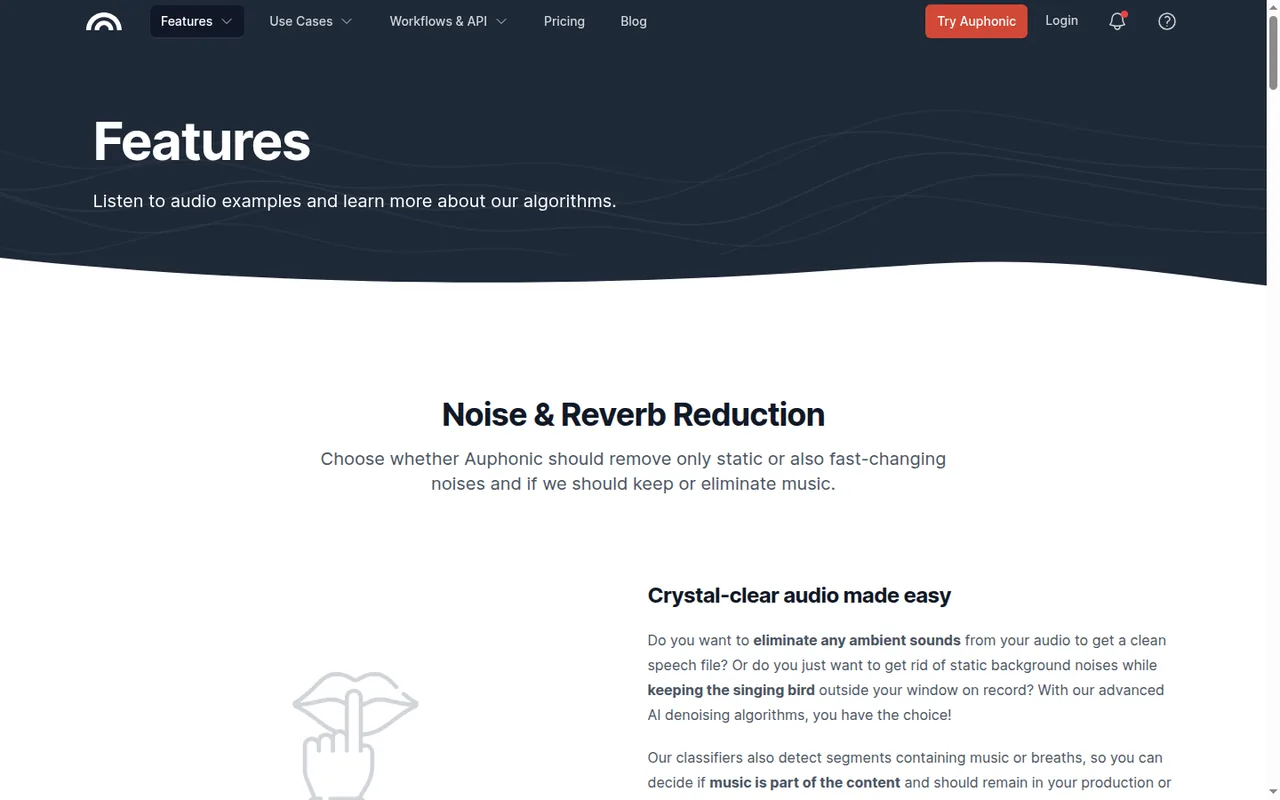
- Noise and Reverb ReductionRemoves static or fast-changing noise, reverb and breaths, with separate reduction amounts and an option to keep music.
- Filler, cough and silence cuttingDetects and cuts pauses, coughs and filler words in multiple languages, with cut lists for manual review or export.
- Loudness specificationsProduces audio to targets such as integrated loudness, true peak and MaxLRA, for example -16 LUFS for podcasts or EBU R128.
- Multitrack mixdownCombines separate speaker and music tracks with automatic ducking, per-track denoising, adaptive noise gates and mic bleed removal.
- Speech recognition and shownotesTranscribes with a self-hosted Whisper engine and generates summaries, chapters and a shareable transcript editor on paid credits.
- Free re-processingA production can be edited and re-run with different settings at no extra cost as long as the same input files are used.
Falls short Changing an input file or creating a new production is charged again, and credits are charged even with all audio algorithms switched off.
- Multitrack productionsSeparate speaker and music tracks are processed into one mixdown, and billing follows the length of the output file rather than the number of tracks.
Falls short Accounts without paid credits can only run multitrack productions shorter than 20 minutes.
- Watch folders and batch productionsWatch folders start productions automatically from connected storage, and batch productions process many files in one go.
Falls short Both require paid credits, watch folders work for singletrack productions only, and a per-hour production cap applies as a safety limit.
- Studio Voice (beta)Reconstructs a clear voice from recordings with codec artifacts, clipping or missing high frequencies, and can be applied to selected sections only.
Falls short Auphonic labels it beta and says problems might still appear in some recordings while the model is improved.
Strengths and limits
Strengths
- Usable free allowance: Two hours of processed audio each month include the leveler, noise reduction, loudness targets and filler cutting.
- One-time credits never expire: Pay-as-you-go credit packs do not expire, which fits irregular production schedules.
- Re-runs do not cost extra: Changing settings and re-processing the same input files in the same production uses no additional credits.
- Broad output and publishing options: Many audio formats, video, chapters, transcripts and direct publishing to podcast hosts and storage services are documented.
More limits to plan around
- Three-minute minimum charge: Every production is billed for at least 3 minutes, which adds up with many very short clips.
- No refunds on part periods: Subscriptions can be cancelled at any time, but partly used periods are not refunded and a tier change means buying a new plan.
Who else is it for?
Editorial assessment, based on documented features
- Developers and media teams automating workflowsConsider the API, CLI or watch folders when files arrive from storage and should be processed and published without manual steps.
How much does Auphonic cost?
Prices confirmed · checked
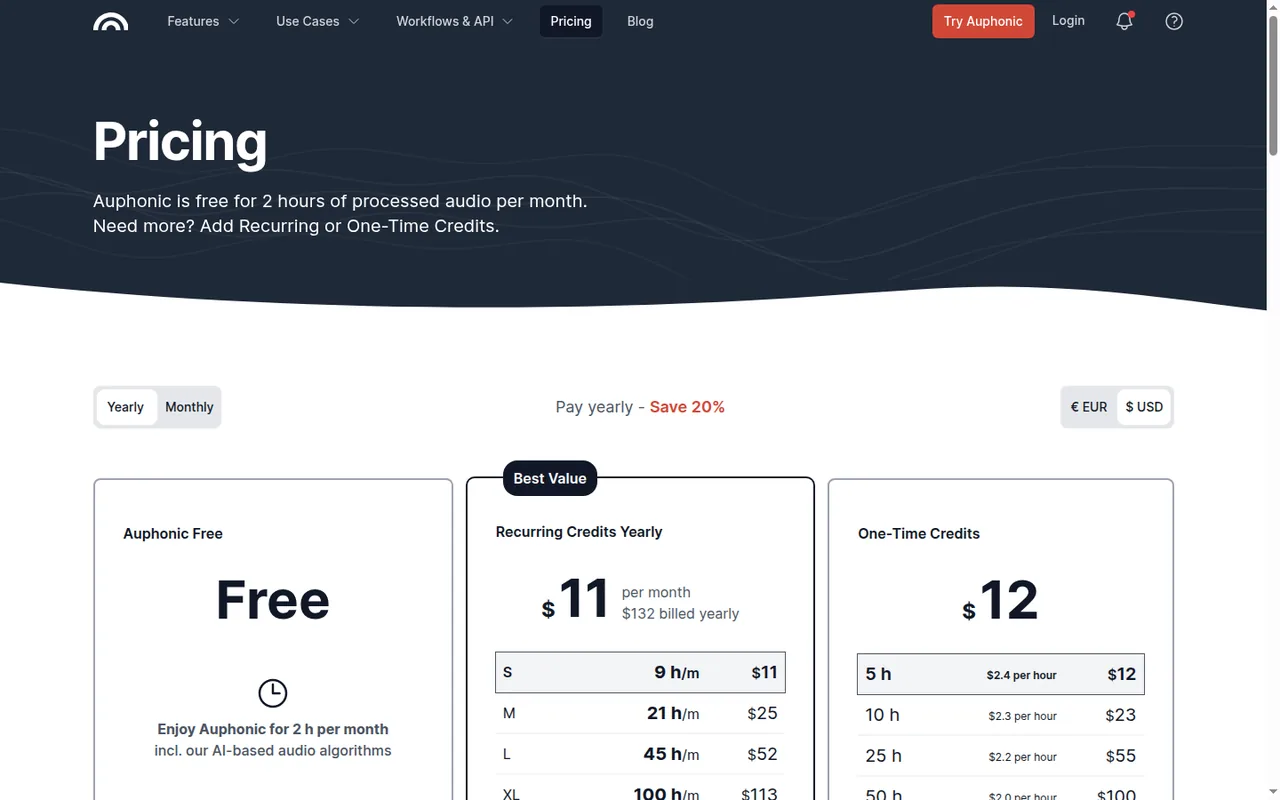
Prices are shown in USD and EUR, excluding VAT. In euros, Auphonic S is EUR 10 per month billed yearly (EUR 120 per year) or EUR 12 monthly, up to XXL at EUR 210 or EUR 250, and one-time credits run from EUR 11 for 5 hours to EUR 2,520 for 3,000 hours. Yearly billing is labeled Save 20% and is charged as one annual amount, but the listed USD prices work out to 15 to 19% off (S: USD 132 against 12 x 13 = USD 156; L: USD 624 against 12 x 64 = USD 768). Subscriptions can be cancelled at any time with no refunds for partially used periods. Recurring credits reset monthly without rollover, while one-time credits never expire and can auto-renew when the balance falls below 1 to 10 hours.
Auphonic Free
Free
2 hours of processed audio per month; productions include an Auphonic jingle; unused free hours do not carry over; no speech recognition, watch folders or batch productions.
Auphonic S (recurring)
USD 11 per monthbilled yearly · USD 132 a year; USD 13 billed monthly
9 hours of processed audio per month, reset monthly; no jingle; speech recognition, shownotes, watch folders and batch productions included.
Auphonic M (recurring)
USD 25 per monthbilled yearly · USD 300 a year; USD 30 billed monthly
21 hours per month, reset monthly.
Auphonic L (recurring)
USD 52 per monthbilled yearly · USD 624 a year; USD 64 billed monthly
45 hours per month, reset monthly.
Auphonic XL (recurring)
USD 113 per monthbilled yearly · USD 1,356 a year; USD 136 billed monthly
100 hours per month, reset monthly.
Auphonic XXL (recurring)
USD 245 per monthbilled yearly · USD 2,940 a year; USD 290 billed monthly
250 hours per month; more than 1,000 hours per month on request.
One-Time Credits
USD 12 for 5 hoursUSD 2.4 an hour, up to USD 2,925 for 3,000 hours · USD 0.975 an hour
Credits never expire; used after recurring credits and before free credits; optional auto-renew; more than 3,000 hours on request.
How far does it go?
- Free plan in 45-minute episodesFree covers 2 hours, or 120 minutes, a month, so it processes two 45-minute episodes (90 minutes) with 30 minutes to spare, assuming single-track files with no intro.
- Auphonic S for a weekly showS includes 9 hours, or 540 minutes, a month, enough for about twelve 45-minute episodes (540 / 45), so a weekly one-hour show (about 4.3 hours a month) leaves roughly half the allowance for extras.
- Short clips and the minimum chargeEvery production is billed for at least 3 minutes, so ten 1-minute clips processed one by one use 30 minutes (10 x 3), a quarter of the Free plan's monthly 2 hours.
Arithmetic from the published allowances above, not a usage test.
Taxes, currency and promotions can change the price you see at checkout.
Which Auphonic plan fits your monthly hours?
Editorial assessment
Count the minutes of audio you send in each month, intros included, and pick the smallest allowance that covers them. Free and paid credits unlock different features. Decide first whether you need paid processing, then whether an expiring subscription allowance or a non-expiring pack fits your schedule.
- Free if you process up to 2 hours a month, can live with the jingle and do not need transcripts or multitrack sessions of 20 minutes or longer.
- One-time credits if you publish irregularly: a 5-hour pack never expires and also unlocks paid processing features. Compare the pack price with the subscription total over the months you will actually use it; regular use and annual billing can change the cheaper choice.
- S for a recurring workload that fits its 9-hour allowance, when the recurring price is better than buying packs for that same volume. Transcripts, shownotes, watch folders and batch runs alone do not require a subscription; paid one-time credits also unlock them.
- M, L and larger tiers for networks and daily shows, stepping up at 21, 45, 100 and 250 hours; beyond that, Auphonic quotes on request.
Yearly billing saves 15 to 19% on the listed prices but is charged upfront, and switching tier later means cancelling and buying again, so start on monthly billing until your volume is stable. If your job starts from a script rather than a recording, compare the Murf and ElevenLabs profiles; for recording and cleanup in one browser tool, see Adobe Podcast and the wider audio tools category.
How does Auphonic count the time you pay for?
You pay for the length of the files sent for processing, measured in milliseconds, with a minimum charge of 3 minutes per production. An intro counts, so a 20-minute file with a 1-minute intro uses 21 minutes, while adding more output formats does not change the charge. Multitrack productions are charged by the length of the output, so four one-hour tracks mixed into one hour use one hour.
Only successful productions are charged, and the Refund credits link on a production page returns used credits when you describe the problem. Credits are still charged if every audio algorithm is switched off, and a failed transfer to an external service is charged once but can be retried free.
Continue reading · 5 more sectionsShow lessWhat does the free plan leave out? · Can you change settings and reprocess without paying again? · What comes out of a finished production? …
What does the free plan leave out?
Free includes the core processing: the Intelligent Leveler, noise and reverb reduction, filtering, loudness targets, filler and silence cutting, encoding, video and audiograms, publishing, the API and the CLI. The feature comparison holds these back for paying users:
- Speech recognition: multilingual transcription and automatic shownotes and chapters.
- Multitrack: free productions must be shorter than 20 minutes.
- Automation: watch folders and batch productions.
- Service level: priority processing and team accounts appear only for yearly and business customers, while the team account page offers them to business users on request.
Can you change settings and reprocess without paying again?
Yes, as long as the input files stay the same: a production can be edited and re-run with different settings at no extra cost. Swapping an input file or starting a new production is charged again. If credits run out, the production is created but processing fails, and after buying credits you can restart it without uploading again.
Automatic cuts for silence, coughs and filler words can be reviewed and edited by hand, or exported as cut lists for another editor. Studio Voice, a voice model announced in July 2026, is labeled beta, and Auphonic says problems might still appear in some recordings while it works on the model.
What comes out of a finished production?
Audio outputs include MP3, AAC (M4A, MP4, M4B), Opus, Ogg Vorbis, FLAC, ALAC and 16- or 24-bit WAV, plus video, waveform audiograms, individual processed tracks from multitrack productions and chapter files. Filler and silence cut lists export for Audacity, Adobe Audition, Reaper or as EDL, and metadata and chapter marks are written into every output file.
Transcripts arrive as an HTML file with a built-in editor, as WebVTT or SRT subtitles and as JSON or XML, and can be burned into video. Results can be copied to Dropbox, Google Drive, OneDrive, Amazon S3, FTP, SFTP or WebDAV, or published to YouTube, Libsyn, Spreaker, Buzzsprout, PodBean, Captivate, Acast and RSS.com.
Where does your audio go during processing?
Speech recognition can run on Auphonic’s self-hosted Whisper engine, which handles about 100 languages with no external account and no charge beyond your paid credits, and keeps the audio on Auphonic’s servers. External engines such as Amazon Transcribe, Google Cloud Speech API, Speechmatics or Wit.ai need your own account with that provider and may bring its charges.
Auphonic keeps audio files only for a limited number of days, which is why intro and outro files in presets should come from a URL or an external service. The audio behind the transcript editor is password protected and deleted after 21 days, so keep masters and final files in your own storage.
How can you try Auphonic on one real episode?
Proposed evaluation · not performed yet
Process one real episode or lecture of 30 to 60 minutes on the Free plan with default settings. Then edit the same production to turn on filler cutting and stronger noise reduction, which costs nothing extra for unchanged input, and compare the loudness readings and the audio around each cut. Keep any multitrack test under 20 minutes, and decide whether the jingle is acceptable for your audience.
Auphonic alternatives
Other audio & voice tools profiled with the same source-checked method. Pick by the job, not by a score.
| Tool | Free access | Paid plans from | Consider it for |
|---|---|---|---|
| AuphonicThis profile | Free access available | USD 11 per month | Automatic post production for spoken audio |
| Murf | Free access available | USD 19 per month | Narrated e-learning and presentation voiceovers |
| Adobe Podcast | Free access available | EUR 21.99 per month incl. VAT | Browser cleanup and text editing of speech |
| ElevenLabs | Free access available | USD 5 per month | Narration and voice work |


Auphonic user reviews
Visitor opinions, moderated before publishing. Separate from our source checks; we do not score tools.
Frequently asked questions
Is Auphonic free?
Yes. Auphonic Free needs no payment and renews 2 hours of processed audio every month, but unused free hours are lost at the reset rather than saved up. Free credits are also spent last: any one-time credits you buy are used first, and free hours only after both paid balances run out, so a small pack does not change how the free allowance renews.
How much do Auphonic's paid credits cost?
Recurring plans run from S at USD 11 a month billed yearly, or USD 13 monthly, up to XXL at USD 245 or USD 290. In euros, S is EUR 10 billed yearly or EUR 12 monthly and XXL EUR 210 or EUR 250. One-time packs go from USD 12 for 5 hours to USD 2,925 for 3,000 hours, all before VAT.
What happens when one-time credits run low?
With auto-renew switched on, Auphonic tops up your one-time credit balance whenever it falls below a set level of 1 to 10 hours. That suits teams with unattended watch folders or API jobs, where an empty balance would otherwise leave productions created but unprocessed until someone buys more credits by hand.
Can Auphonic work inside Adobe Audition or Premiere?
Yes. Auphonic publishes add-ons for Adobe Audition and Premiere on Mac and Windows, alongside the web app, a REST API and a command-line tool. The external services list also includes Zapier, Hindenburg and SoundCloud, so finished files can move into an existing editing or publishing setup without downloading and uploading them by hand.
What loudness targets can Auphonic hit?
Loudness is set as a target rather than adjusted by ear. The features page lists settings for integrated loudness, true peak and maximum loudness range, with examples such as -16 LUFS, a common podcast level, or the EBU R128 broadcast standard. That makes it practical to match the delivery specs of a podcast host or broadcaster.
What does the Studio Voice beta fix?
Studio Voice rebuilds a clearer voice from recordings with codec artifacts, clipping or missing high frequencies, and it can be limited to selected sections of a file. Because Auphonic bills by the length of audio sent in rather than per algorithm, switching it on inside a production does not add a separate charge.
How we checked this profile
33 details on this page were checked against Auphonic's own pages and help documentation (Sep 24–25, 2026). 1 is still open and listed below.
See the checks by section30 documented2 editorial assessment1 open
| Section | Checks | Last checked | Sources |
|---|---|---|---|
| Article text | 4 documented 1 editorial 1 open | auphonic.com/featuresauphonic.com/pricingauphonic.com/pricing_faq.htmlauphonic.com/speech_recognition.html | |
| Plans and prices | 12 documented 1 editorial | auphonic.com/pricingauphonic.com/pricing_faq.html | |
| Questions | 8 documented | auphonic.com/pricingauphonic.com/pricing_faq.htmlauphonic.com/production.htmlauphonic.com/speech_recognition.htmlauphonic.com/adobe.htmlauphonic.com/featuresauphonic.com/studio-voice-beta | |
| Strengths and limits | 1 documented | auphonic.com/pricing_faq.html | |
| Features | 3 documented | auphonic.com/watch.htmlauphonic.com/studio-voice-betaauphonic.com/features | |
| Platforms and integrations | 1 documented | auphonic.com/services.html | |
| Other details | 1 documented | auphonic.com/pricing |
Still open
- Who can get team accounts differs between Auphonic's pricing table and its help page.Not confirmed · checked · Source (opens in a new tab)
Sources for this profile
- Auphonic pricingauphonic.com
- Auphonic featuresauphonic.com
- Pricing FAQauphonic.com
- Production settings and output filesauphonic.com
All 10 sources
Plans, credit types and billing rules come from Auphonic's pricing page and pricing FAQ; processing, output, speech recognition and storage details come from the Auphonic help documentation and features page. Prices are listed in USD and EUR.
Sources checked Sep 24–25, 2026. We read the vendor's documentation; we did not test the product or score it. Found something out of date? See how we correct profiles.


