How to Make an AI Voiceover: Script, Pronunciation Fixes and File Delivery
An AI voiceover is finished when a listener hears the approved words, the file matches what the recipient asked for and the plan lets you publish it. This guide walks through seven steps, from agreeing the file to handing over a delivery record, with four tools listed on this site: TTSMaker, ElevenLabs and Murf generate the speech, and Auphonic finishes it. It also counts what one script and its fixes use in each tool’s own unit.
By Elias Brandt · Updated 9 Oct 2026 · About 13 min read · Plan terms taken from each tool profile
The short answer
Want a free file you can publish? See the TTSMaker profile for plans, limits and sources.’s free web plan downloads MP3 files and its terms allow commercial use, within 20,000 characters a week. See the ElevenLabs profile for plans, limits and sources. Free audio is noncommercial with attribution, and See the Murf profile for plans, limits and sources. Free cannot download at all.
Is a name or number read wrong? Fix a separate spoken copy of the script, never the approved one, and change one thing per take. In Murf, pronunciation, pitch and speed changes on unchanged text use no generation minutes.
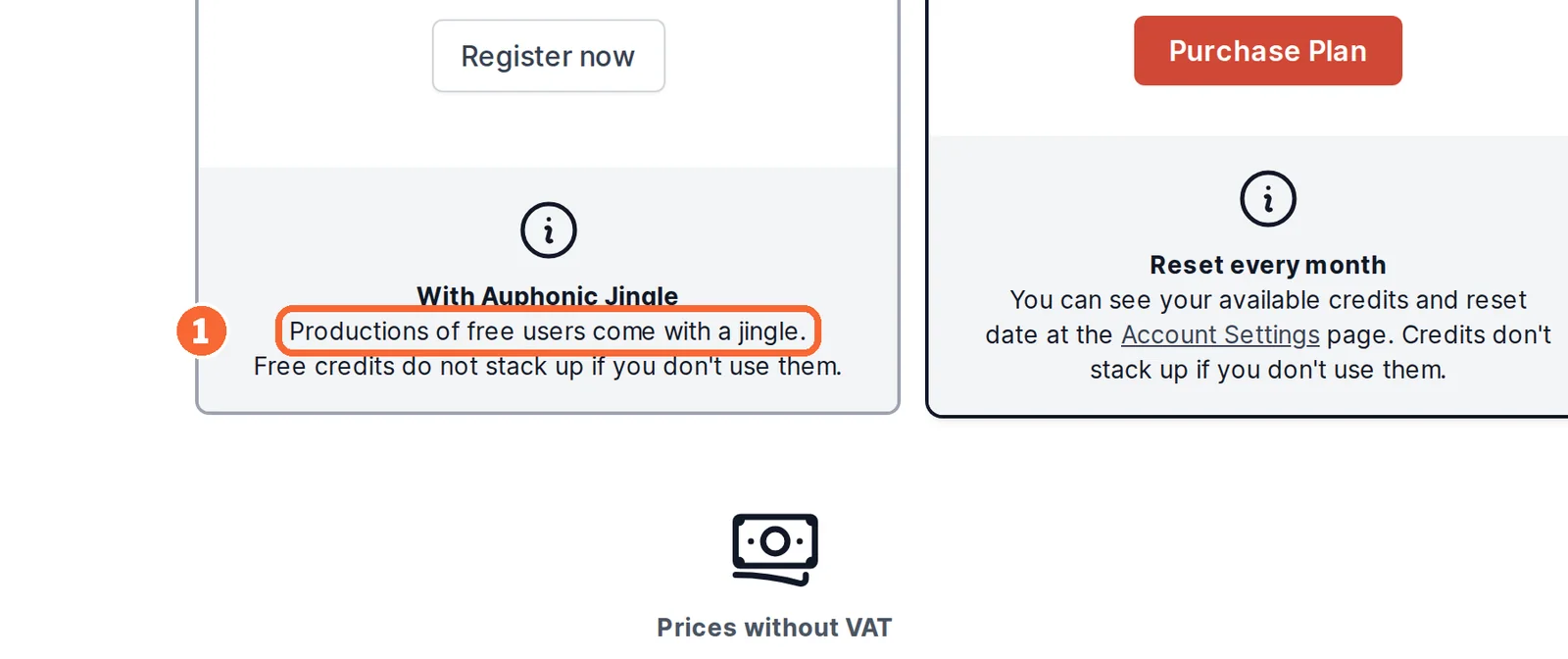
Does the file have to meet a loudness spec? See the Auphonic profile for plans, limits and sources. finishes the approved file to targets such as -16 LUFS. Its free productions carry an Auphonic jingle.
Which tool handles which step, and what does a free plan let you deliver?
The four tools at a glance
In shortThree tools turn text into speech; Auphonic only finishes audio that already exists. The two free-route columns decide whether a free plan can produce the file you hand over.
| Tool | Step it covers | Free: download | Free: publish commercially | First paid plan | Usage counted in |
|---|---|---|---|---|---|
 TTSMaker TTSMaker | Text to speech in the browser, stock voices | Yes, MP3; save it before the short-lived history expires | Yes, under its terms, if you hold the rights to the text | Lite; the total is confirmed at checkout | Characters: 20,000 a week on Free |
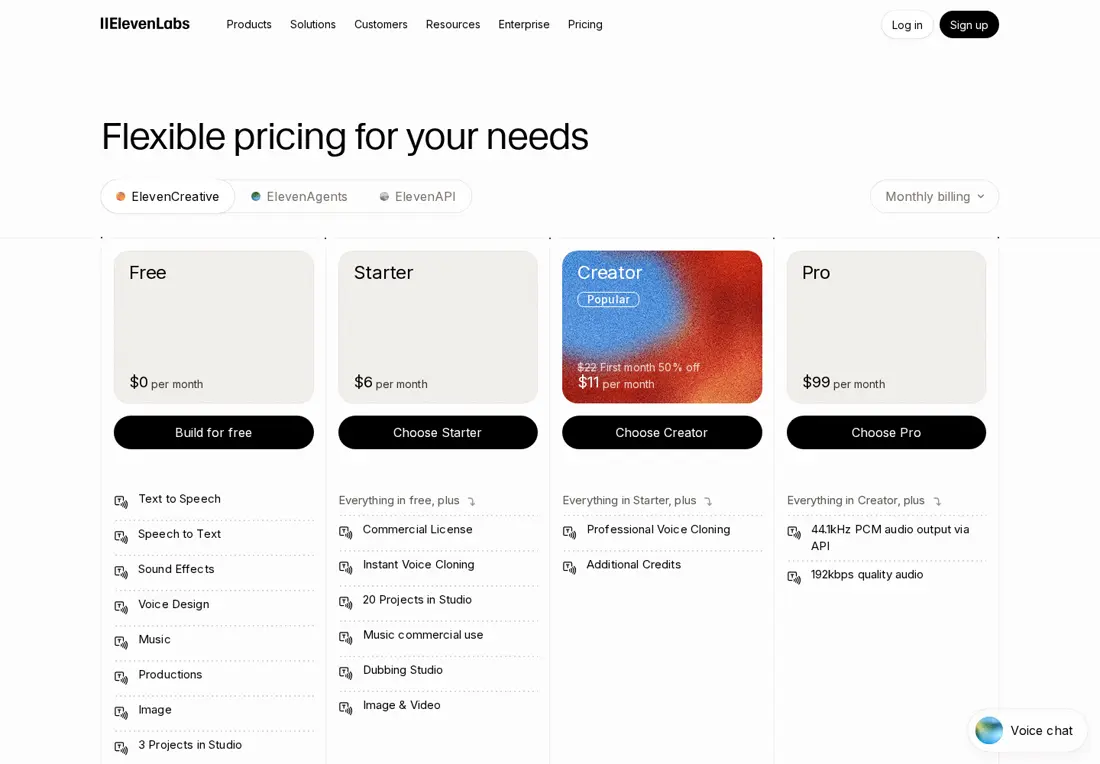
 ElevenLabs ElevenLabs | Text to speech in 74 languages, cloning and dubbing | Yes, for noncommercial use | No: noncommercial, attribution required, and a later upgrade does not change it | Starter, USD 6 billed monthly (USD 5 billed yearly) | Credits: 1 per character on Multilingual v2 |
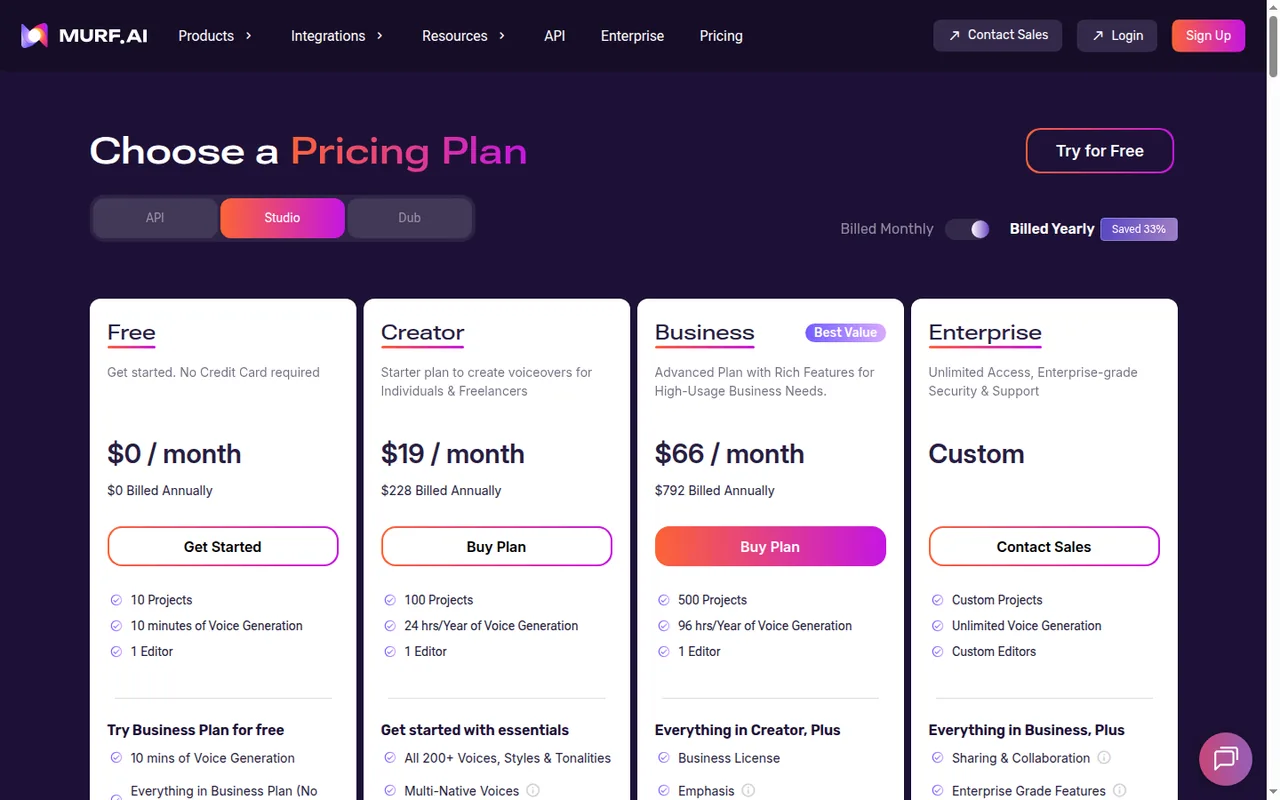
 Murf Murf | Text to speech in a studio with images, video and music | No: previews and share links only | No | Creator, USD 29 billed monthly (USD 19 billed yearly) | Minutes of generated speech: 10 one-time on Free |
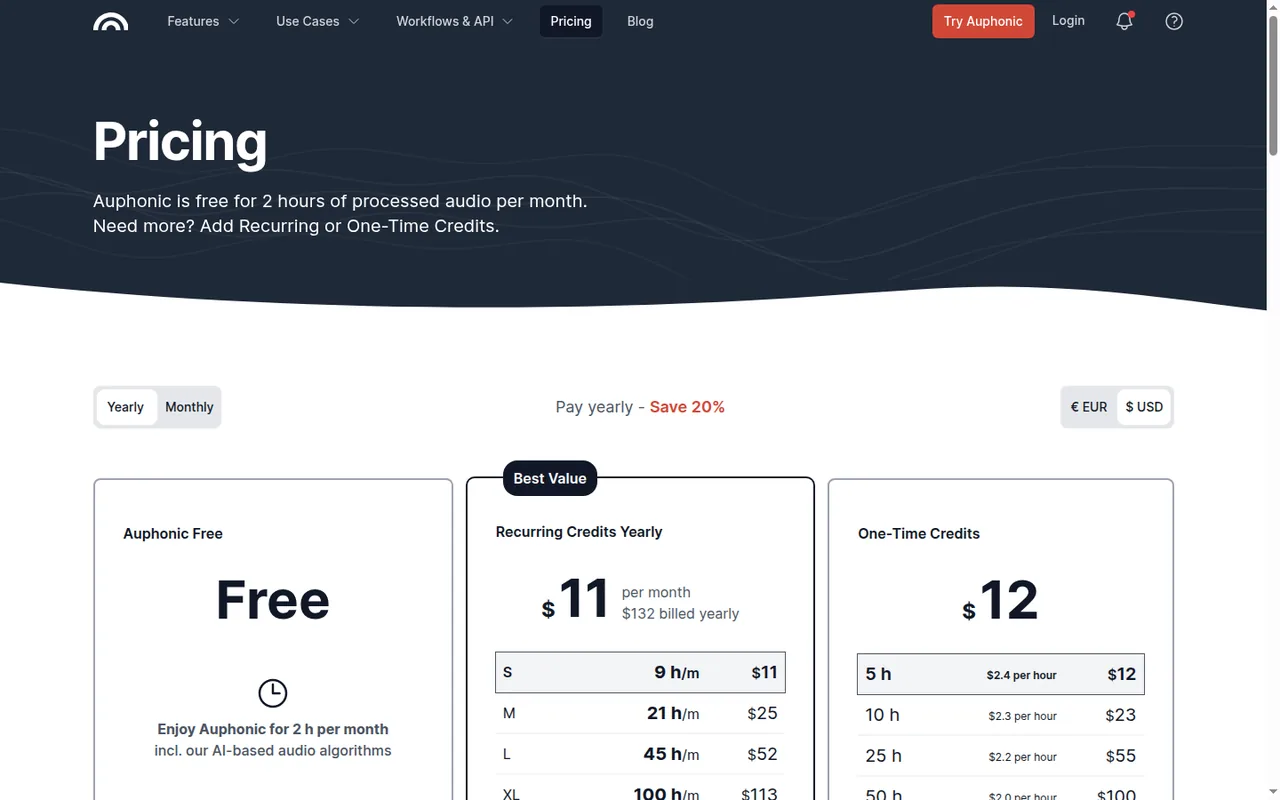
 Auphonic Auphonic | Finishing: leveling, noise reduction, loudness targets | Yes | Commercial terms are not covered in the sources checked; free productions carry an Auphonic jingle | Auphonic S, USD 13 billed monthly (USD 11 billed yearly) | Hours of processed audio: 2 a month on Free |
Plan names and amounts from each tool’s profile, which shows the date its plan terms were checked. TTSMaker’s paid totals could not be confirmed with a single billing period and currency, so none is shown.
Visit TTSMaker (opens in a new tab) Visit ElevenLabs (opens in a new tab) Visit Murf (opens in a new tab) Visit Auphonic (opens in a new tab)
Free plans: what the file can be used for
In shortA free plan that downloads is not the same as one whose audio you may publish. Check both before the first take.
ElevenLabs fixes rights at the moment of generation, so render the final take on the plan you will publish under and keep Free for auditions that stay unpublished. Murf’s free trial is for auditioning Studio voices, and its unused free minutes are added to the paid plan after an upgrade.
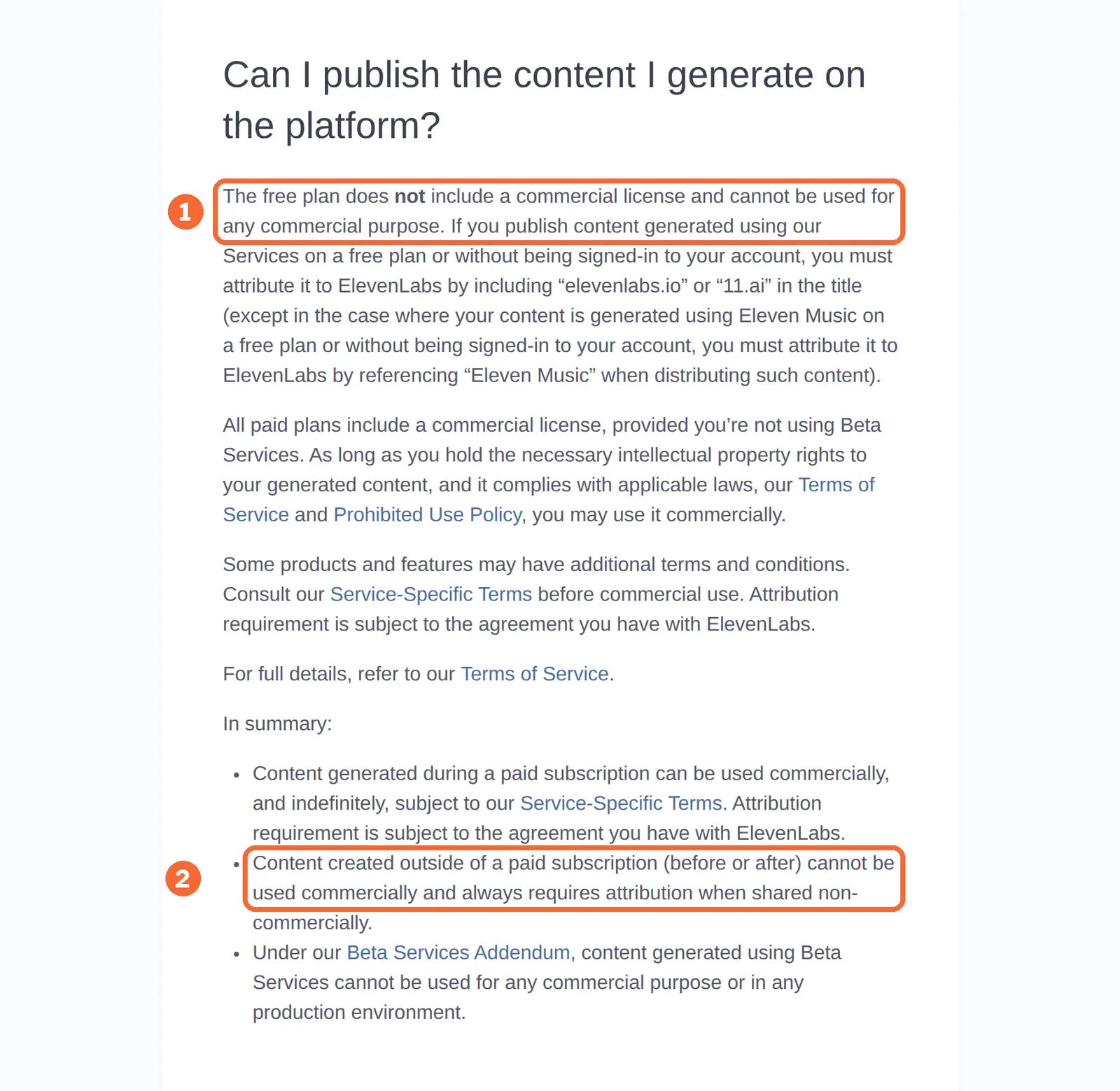
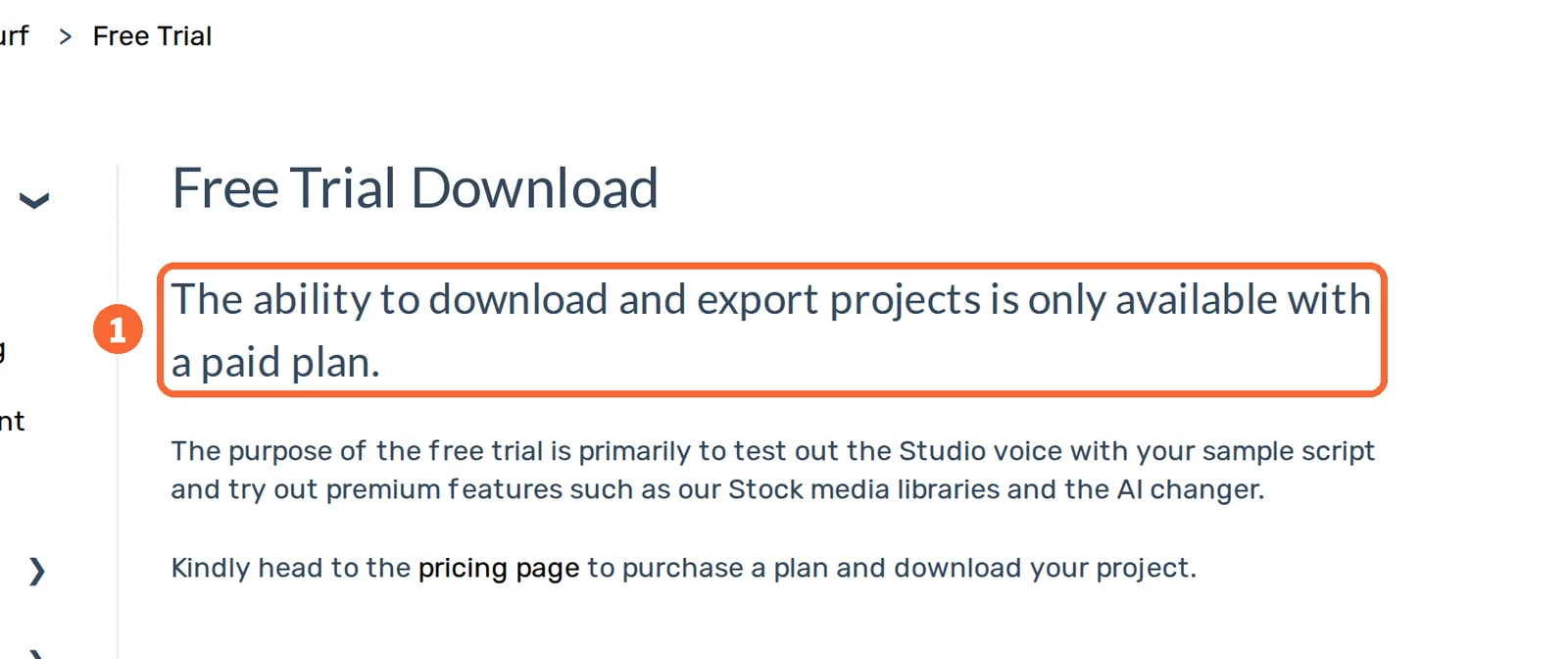
Sources: TTSMaker free web converter, TTSMaker terms of service, ElevenLabs publishing rights, Murf downloads on the free trial, Murf pricing.
How do you make an AI voiceover, step by step?
Step 1: Agree the file before you choose a voice
In shortAsk for format, channels, sample rate, maximum length and any loudness target first. Then pick the route that can hand over that file on the plan you can use.
If the recipient gives no specification, agree one before rendering. A web preview is not a downloadable file, and renaming an MP3 to .wav does not change its encoding.
| Route | Files listed | Plan needed | Check before you start |
|---|---|---|---|
| TTSMaker | MP3 downloads from the web converter; API results arrive as a temporary URL valid for 24 hours | Free for web downloads; API from PRO Mini, not on Free or Lite | WAV or other formats are not covered in the sources checked |
| ElevenLabs | 44.1kHz PCM output via the API and 192kbps audio, both listed on Pro | Pro, USD 99 billed monthly, for those two | File formats on lower plans are not covered in the sources checked |
| Murf | MP3, WAV, FLAC, a-law or u-law up to 48 kHz; video as MP4 or MOV with optional subtitles | Creator or higher: Free cannot download | Music tracks cannot be exported on their own |
| Auphonic | Many audio formats plus video, chapters and transcripts, per its production help | Free for finishing, with a jingle; S and up without it | Speech recognition, shownotes and chapters are paid |
Sources: TTSMaker API documentation, ElevenLabs pricing, Murf voice export formats, Murf video export, Auphonic production settings.
Step 2: Keep the approved script apart from the spoken script
In shortThe approved script fixes meaning and spelling. The spoken copy says the same thing in words a voice reads correctly.
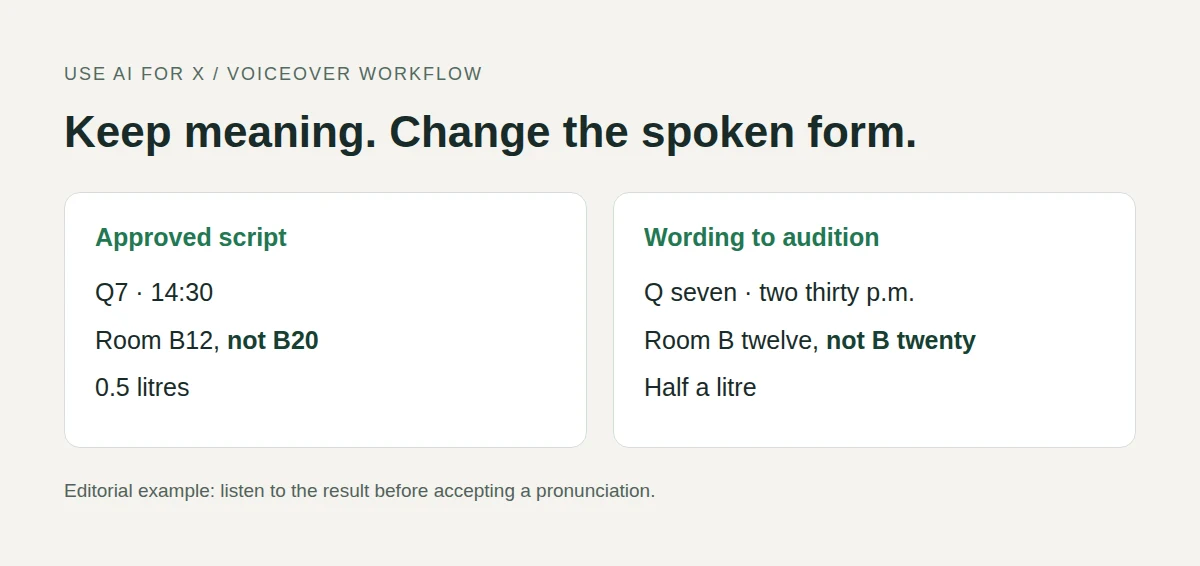
Keep two text files. Changing “14:30” to “two thirty p.m.” keeps the meaning; changing the appointment time does not. When a name has no agreed pronunciation, ask the script owner instead of guessing. The table shows the kind of rewrites to try on a short fictional announcement.
| Written in the brief | Spoken version to try | What to listen for |
|---|---|---|
| Q7 | Q seven | The letter and the number stay separate |
| 3 March, 14:30 | the third of March, at two thirty p.m. | Date and time keep their meaning |
| Room B12, not B20 | room B twelve, not B twenty | The “not” is audible |
| 0.5 litres | half a litre | The quantity does not become five litres |
These are wording suggestions, not guaranteed pronunciations. Enter plain text first: tags or pause syntax written for one product can be read aloud or dropped by another.
Step 3: Check the limits for your script length
In shortEach tool caps one piece of text differently. A long script may have to be split before it is converted.
| Tool | Limit on one piece of text | What it means for a long script |
|---|---|---|
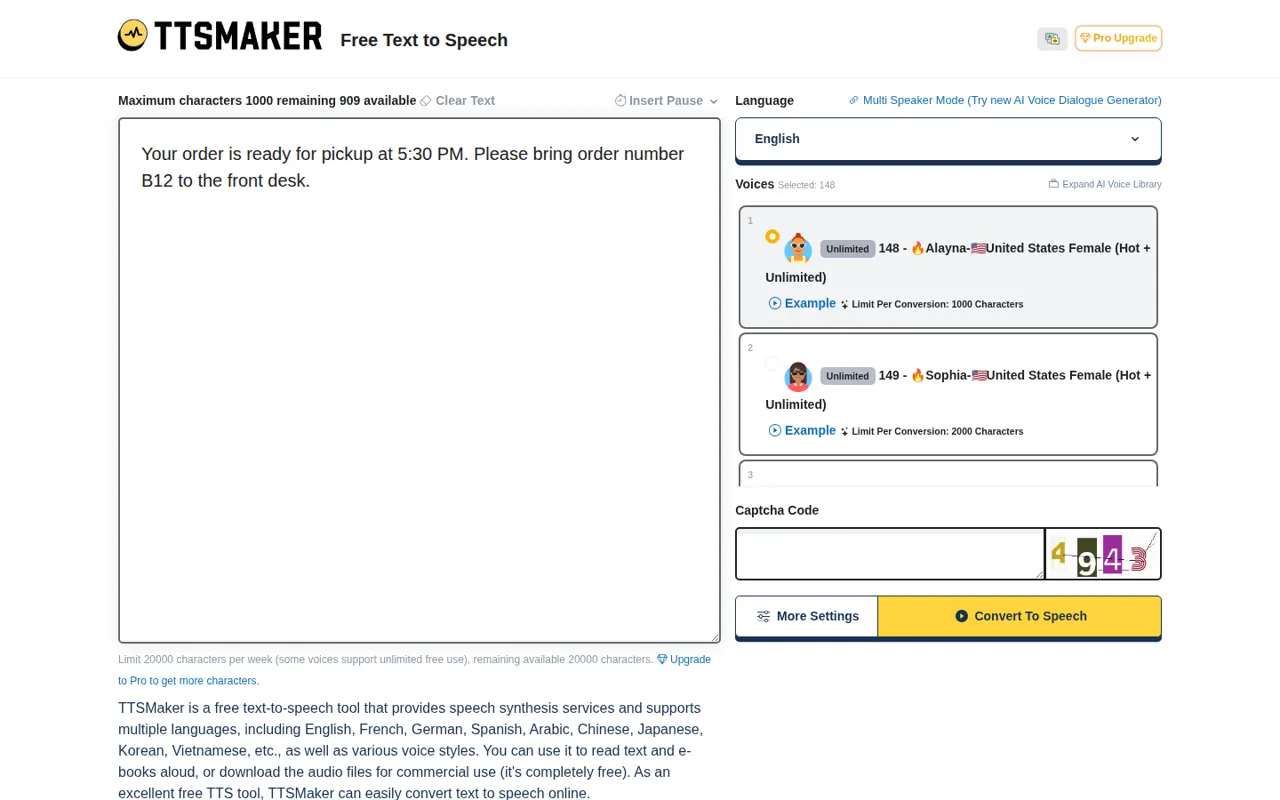
| TTSMaker | The Free comparison lists 500 characters per conversion; voices in the live converter show their own limits, such as 1,000 or 2,000. Lite takes up to 10,000, PRO Mini 20,000 | Split the script on Free and keep the parts numbered; check the limit on the voice you picked |
| ElevenLabs | Studio projects for long-form audio: 3 on Free, 20 on Starter | A per-request character limit is not covered in the sources checked |
| Murf | 15,000 words per script upload; 1,000 characters per block in the Canva app, with 50 audio blocks per design | Upload long scripts in parts; in Canva, Free Trial users can only preview |
| Auphonic | Multitrack productions under 20 minutes without paid credits | A single narration file is not affected |
Sources: TTSMaker free web converter, TTSMaker plan comparison, ElevenLabs pricing, Murf import limits, Auphonic pricing.
Step 4: Fix pronunciation, pauses and pacing
In shortStart with respelling in the spoken copy, which works everywhere. Use a tool’s own controls only after checking that your plan and voice offer them.
- TTSMaker lists speed, volume and pitch controls and pause insertion. Some advanced controls need a paid plan and depend on the voice; no pronunciation dictionary is documented, so fixes stay as respellings.
- Murf adjusts pitch, speed, pauses and pronunciation block by block, with custom IPA, an alternative spelling or a locale change for a word, applied to one block or the whole project. Changing the voice, pitch, speed or pronunciation of unchanged text uses no voice generation time.
- ElevenLabs takes pronunciation dictionaries with phoneme or alias rules. Phoneme rules work only on the eleven_v4, eleven_flash_v2 and eleven_v3 models, so on other models use alias rules, which swap a word for a written replacement.
Keep the decision for each difficult word in one list with the written form, the approved spelling and the respelling that worked, so the next script starts from it. The ElevenLabs vs Murf comparison covers the two studios side by side.
Sources: TTSMaker free web converter, Murf pronunciation help, Murf voice generation time, ElevenLabs pronunciation dictionaries.
Step 5: Audition one sentence, then correct one thing at a time
In shortRender the hardest sentence before the whole script, and change one variable per take so you know what fixed it.
Pick the sentence with the most important number or correction. Listen once without reading, write down what you heard, then compare it with the approved script; this catches the word your eyes would otherwise supply.
Set a small take budget before you start; retakes are charged differently in each tool, and the cost section below counts one.
Sources: ElevenLabs credits, Murf voice generation time.
Step 6: Finish the sound only after the words are approved
In shortLeveling and loudness cannot repair a wrong date. Approve the words, keep an untouched original, then make a separate finished file.
If the recipient names a loudness target, use it and record the result. See the Auphonic profile for plans, limits and sources. levels speech, reduces noise and reverb, cuts fillers and silences, and produces audio to targets such as integrated loudness, true peak and MaxLRA, for example -16 LUFS for podcasts or EBU R128. Re-running a production with different settings costs nothing while the input file stays the same; a new input file or a new production is charged again, for at least 3 minutes each time.
| What failed | Next action | Recheck |
|---|---|---|
| A number or name is misread | Revise its spoken form; keep the approved spelling separately | The corrected word and the sentence around it |
| A correction sounds like a new speaker | Match voice and settings, or regenerate the whole sentence | The join, pacing and level |
| The script runs over the agreed length | Shorten the wording with the script owner before forcing a faster rate | Meaning, clarity and total length |
| The file opens but breaks the spec | Change the export settings or the plan | Actual format, channels and usage terms |
| A jingle appears on the finished file | Finish on Auphonic S or higher, or skip finishing | The first and last seconds of the file |
Sources: Auphonic features, Auphonic pricing FAQ, Auphonic pricing.
Step 7: Deliver a version someone else can verify
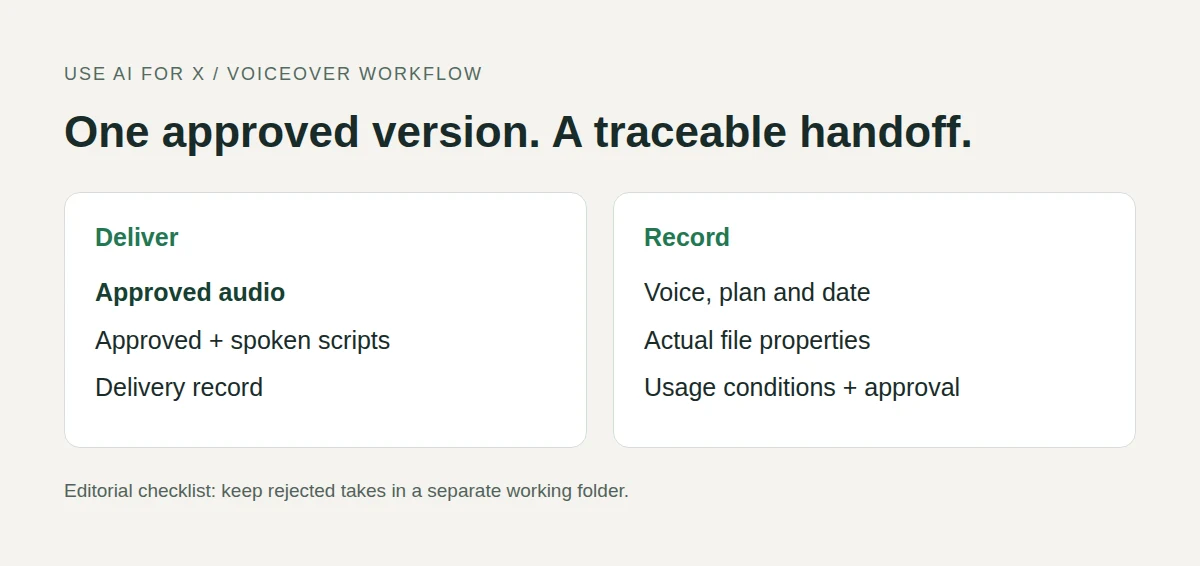
In shortHand over the approved file, both scripts and a short record. Anyone can then trace what was generated, on which plan, under which terms.
Keep the delivered file apart from auditions and rejected takes, and name it so the extension matches the encoding, such as q7-announcement-v03-approved.mp3. Supply a WAV master only when the route really exported one; converting an MP3 to WAV cannot restore what was discarded.
Delivery record: fill from actual evidence
Approved audio filename and version:
Approved script / spoken script filenames:
Product, plan and generation date:
Voice, model and settings:
Format, channels, sample rate, length:
Loudness target and measured result:
Usage terms URL; attribution or jingle:
Known limitations and recipient approval:
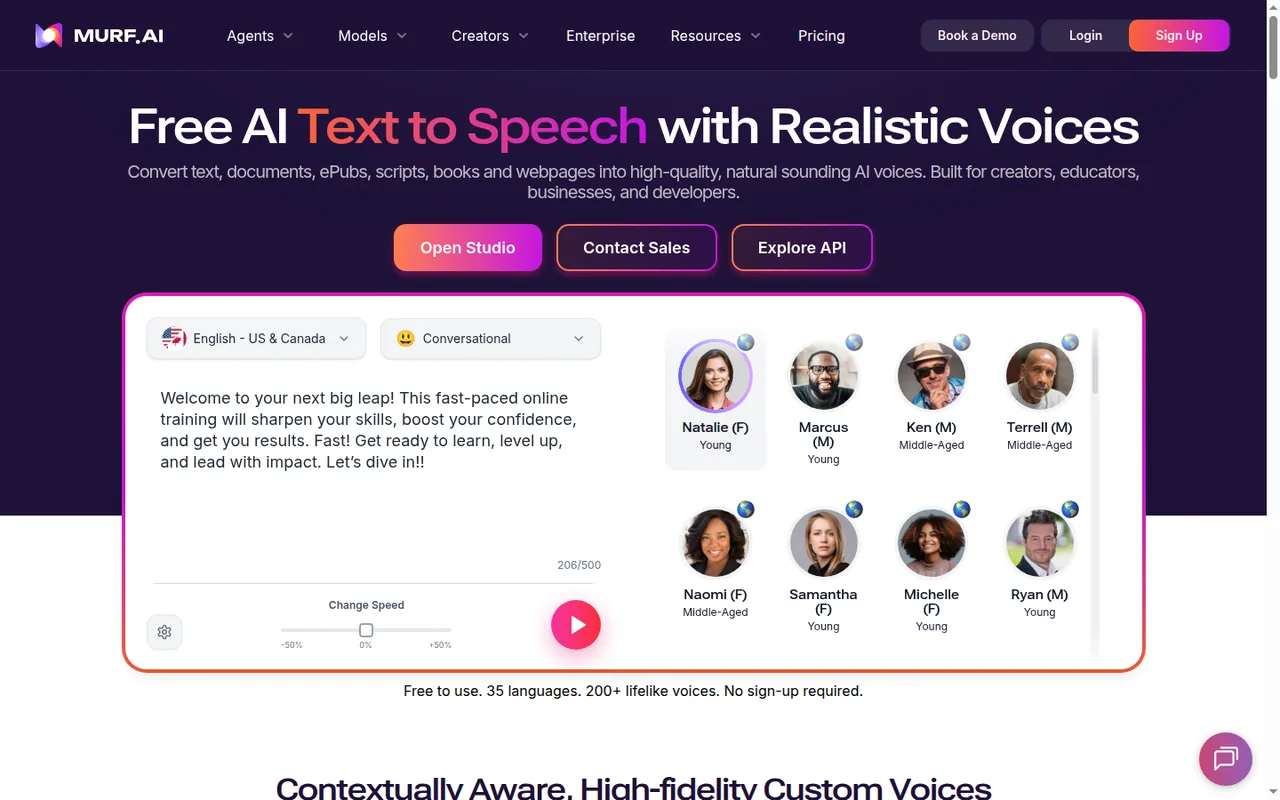
If the voiceover goes on a video, Murf’s Studio places it on a timeline with images, video and music and exports MP4 or MOV on paid plans; otherwise pass the approved script and matching audio to the video captions workflow, because a text change after approval moves caption timing.
Sources: ElevenLabs publishing rights, TTSMaker free web converter, Murf video export.
What does one script and its fixes use in each tool’s unit?
A 1,000-word script, auditioned, rendered and fixed twice
In shortThe same job counted in each tool’s unit: one 200-character audition, one full render, two rewritten paragraphs and one voice change after the client listens. Credits from different tools are never compared with each other.
Murf estimates about 6 minutes of speech per 1,000 English words, and ElevenLabs about 1,000 credits, one per character, per minute of speech, so the script is taken as about 6,000 characters. Each rewritten paragraph is about 600 characters, or 0.6 minutes. Take counts are assumptions; replace them with yours.
| Tool | How a take is charged | The arithmetic | What that means for the plan |
|---|---|---|---|
| ElevenLabs | Every regeneration, at 1 credit per character on Multilingual v2 | 200 + 6,000 + 2 × 600 + 6,000 for the voice change = 13,400 credits | Above Free’s 10,000, which is noncommercial anyway; Starter’s 30,000 cover two such scripts a month |
| Murf | Minutes of generated speech; a text edit regenerates its sub-block, a voice change on unchanged text is free | 0.2 + 6 + 2 × 0.6 + 0 = 7.4 minutes, if each fix stays inside one sub-block | Free’s 10 one-time minutes cover it but cannot download; Creator’s 120 a month on monthly billing cover about 16 (120 / 7.4) |
| TTSMaker | Characters converted, if the voice charges the full text each time | 200 + 6,000 + 1,200 + 6,000 = 13,400 characters | Inside Free’s 20,000 a week, but the 6,000-character render has to be split: 3 parts at 2,000 or 12 at 500. Lite takes it in one |
| Auphonic | Length of each production, at least 3 minutes; re-runs on the same input are free | Finishing once: 6 minutes. If both fixes arrive after finishing, two new inputs: 6 + 6 + 6 = 18 minutes | Inside Free’s 120 minutes a month, with a jingle; a 30-second audition finished on its own still counts 3 |
Two rules follow from the table. Ask for the client’s voice decision before the full render, because a voice change after it costs a full render on ElevenLabs, and on TTSMaker voices that charge the full text, but nothing on Murf. Finish in Auphonic only after the words are approved, so a fix does not start a new production.
Sources: ElevenLabs pricing, ElevenLabs credits, Murf pricing, Murf voice generation time, TTSMaker plan comparison, Auphonic pricing FAQ.
Which controls and files does each tool list?
In shortFourteen capabilities marked from the four profiles. A dash means the sources checked do not cover it, not that the tool lacks it.
| Capability | TTSMaker | ElevenLabs | Murf | Auphonic |
|---|---|---|---|---|
| Making the speech | ||||
| Text to speech with stock voices | Offeredlanguage and voice choice | Offered74 languages | Offered200+ voices | Not listedfinishing only |
| Pronunciation control | Not listedno dictionary documented | Offeredphoneme or alias rules | OfferedIPA, spelling, locale | Not listednot covered in the sources checked |
| Pauses, speed and pitch | Offeredsome controls paid | Not listednot covered in the sources checked | Offeredblock by block | Not listednot covered in the sources checked |
| Voice change without a new charge | Not listednot covered in the sources checked | Not listedevery regeneration charged | Offeredon unchanged text | Not listednot covered in the sources checked |
| Voice cloning | Not listednot covered in the sources checked | Offeredinstant from Starter | PartlyEnterprise team | Not listednot covered in the sources checked |
| Video, images and music on a timeline | Not listednot covered in the sources checked | Not listednot covered in the sources checked | OfferedStudio | Not listednot covered in the sources checked |
| Finishing | ||||
| Loudness targets | Not listednot covered in the sources checked | Not listednot covered in the sources checked | Not listednot covered in the sources checked | OfferedLUFS, true peak, MaxLRA |
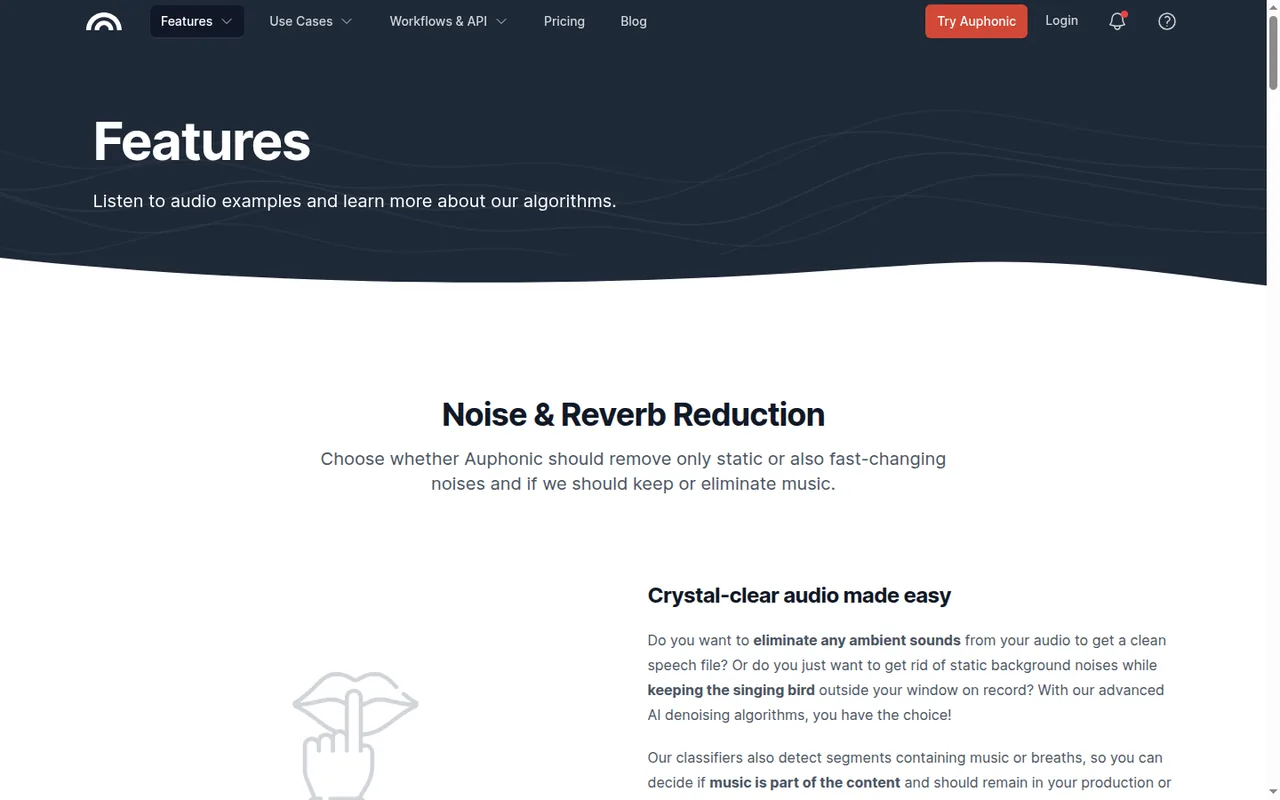
| Noise and reverb reduction | Not listednot covered in the sources checked | PartlyVoice Isolator, recordings | Not listednot covered in the sources checked | Offeredevery plan |
| Filler and silence cutting | Not listednot covered in the sources checked | Not listednot covered in the sources checked | Not listednot covered in the sources checked | Offeredevery plan |
| Getting the file out | ||||
| Download on the free plan | OfferedMP3 | Offerednoncommercial | Not listedpreviews only | Partlywith a jingle |
| Commercial use | OfferedFree, under its terms | Partlyfrom Starter | Partlyfrom Creator | Not listednot covered in the sources checked |
| WAV export | Not listednot covered in the sources checked | PartlyPCM via API on Pro | Offeredpaid plans, up to 48 kHz | Not listednot covered in the sources checked |
| Video export with subtitles | Not listednot covered in the sources checked | Not listednot covered in the sources checked | OfferedMP4 or MOV | Partlyvideo output listed |
| API | Partlyfrom PRO Mini | OfferedElevenLabs API | Offeredseparate API billing | OfferedREST API |
offered partly or with limits not listed on the profile.
Cells come from each tool’s profile on this site, which cites the vendor pages and the date they were checked.
Sources: TTSMaker plan comparison, ElevenLabs pricing, Murf pricing, Auphonic features.
Questions, and what this guide does not judge
Common questions
Can you make an AI voiceover for free?
Yes, within limits. TTSMaker's free web converter downloads MP3 files and allows commercial use under its terms, up to 20,000 characters a week. ElevenLabs Free gives 10,000 credits a month, but that audio is noncommercial and needs attribution when published. Murf Free gives 10 one-time minutes for previews and share links, with no downloads.
How do you fix a word an AI voice mispronounces?
Respell the word in a spoken copy of the script and keep the approved spelling in a separate file. Murf also accepts custom IPA, an alternative spelling or a locale change per word, and ElevenLabs takes pronunciation dictionaries with alias or phoneme rules. Change only that word, then listen again to the sentence around it.
How do you add pauses to an AI voiceover?
TTSMaker lists pause insertion next to its speed, volume and pitch controls, although some advanced controls depend on the voice and plan. Murf sets pauses block by block in its Studio. Pause syntax written for one product can be read aloud or ignored by another, so add pauses in the tool you render with and recheck the timing.
Can I use an AI voiceover commercially?
That depends on the plan in use when the audio was generated. ElevenLabs grants a commercial license from Starter, USD 6 billed monthly, and audio made on Free stays noncommercial after an upgrade. Murf adds commercial rights from Creator. TTSMaker permits commercial use of free downloads under its terms, provided you hold the rights to the text.
How do you add an AI voiceover to a video?
Agree the video's length first, then render the audio to fit it. Murf Studio places a voiceover on a timeline with images, video and music, and exports MP4 or MOV with optional subtitles on paid plans. With the other tools, deliver the audio file and lock the script before the captions are timed, since later text changes shift them.
What this guide does not judge
The pages that rank for this search lead with realistic voices, emotional range, the size of the voice library and how fast audio is generated. None of the vendor pages behind this guide document those in a way we can check, so no tool is ranked on them; the same goes for multi-speaker scenes and ease of use.
Clipchamp, Epidemic Sound, Voicebooking, MiniMax and Google AI Studio appear in the same results. They are left out until each has a profile with checked plan terms, and the Canva, Adobe Firefly and Speechify profiles do not yet cover their voiceover plan terms. For which free plans let you keep and publish an output in other tasks, see the free AI tools guide; more narration tools sit in the audio category.
Use TTSMaker’s free web converter with an English stock voice and MP3 output on this fictional script: “The Q7 demonstration is on 3 March at 14:30. Meet in room B12, not B20. Bring 0.5 litres of water.” Make the spoken copy from Step 2, download the file, reopen it in a local player and write down what is heard for six items: Q7, the date, the time, B12, “not B20” and half a litre. Fix only the phrases that fail and compare both versions.
How this guide was made
Plans, units, limits, controls and file formats come from the TTSMaker, ElevenLabs, Murf and Auphonic profiles on this site, which cite the vendors’ pricing, help and terms pages and carry their own check dates; pronunciation controls come from the ElevenLabs and Murf help pages listed above. Sections follow the topics the pages ranking for this search cover, limited to what the vendors document. The practice script and diagrams are editorial material; no audio was generated for this guide and no rating is given. See our editorial policy.