

What is CAMB.AI, in short?
Updated November 1, 2026 · By Elias Brandt · Documentation review, not tested hands-on
Pros
- Dubbing keeps the voice
- One credit pool
- Six paid steps
- API on every plan
Cons
- Free plan is a one-time grant
- Dubbing minutes are few
- Fees are non-refundable
- Output rights unclear
- Live dubbing is Expert only
Best forVideo creators who localize contentDevelopers building voice productsMedia and sports broadcastersNot for large unlimited dubbing at a flat price
Strengths, limits and who it suits, in full
Strengths
- Dubbing keeps the voice The pages describe dubbing that keeps the original speaker's voice and emotion in the target language.
- One credit pool Text to speech, dubbing, subtitles and translation draw on the same credits, so one plan covers several jobs.
- Six paid steps Plans run from $5 to $900 a month, plus Enterprise, so a small creator and a studio can start at different points.
- API on every plan The usage table lists API limits for text to speech, dubbing and speech to text on each plan, with concurrency from 1 to 30.
Limits
- Free plan is a one-time grant The Free plan gives 5K credits once rather than every month, and its dubbing column shows 0 minutes.
- Dubbing minutes are few Pro includes 4 dubbing minutes a month and Premier 16, so regular video work moves to the $75 plan or higher.
- Fees are non-refundable The Terms say fees are non-refundable, renew automatically and exclude taxes.
- Output rights unclear The Terms say you keep your uploaded content but do not spell out commercial-use rights for generated audio and video by plan.
- Live dubbing is Expert only The plan table lists live-stream minutes and website translation only for Expert at $900 a month.
Who it suits
- Video creators who localize content Dubbing into other languages with the original voice is the core use, from 4 minutes a month on Pro.
- Developers building voice products The API, SDKs and four MARS8 models target apps, agents and devices.
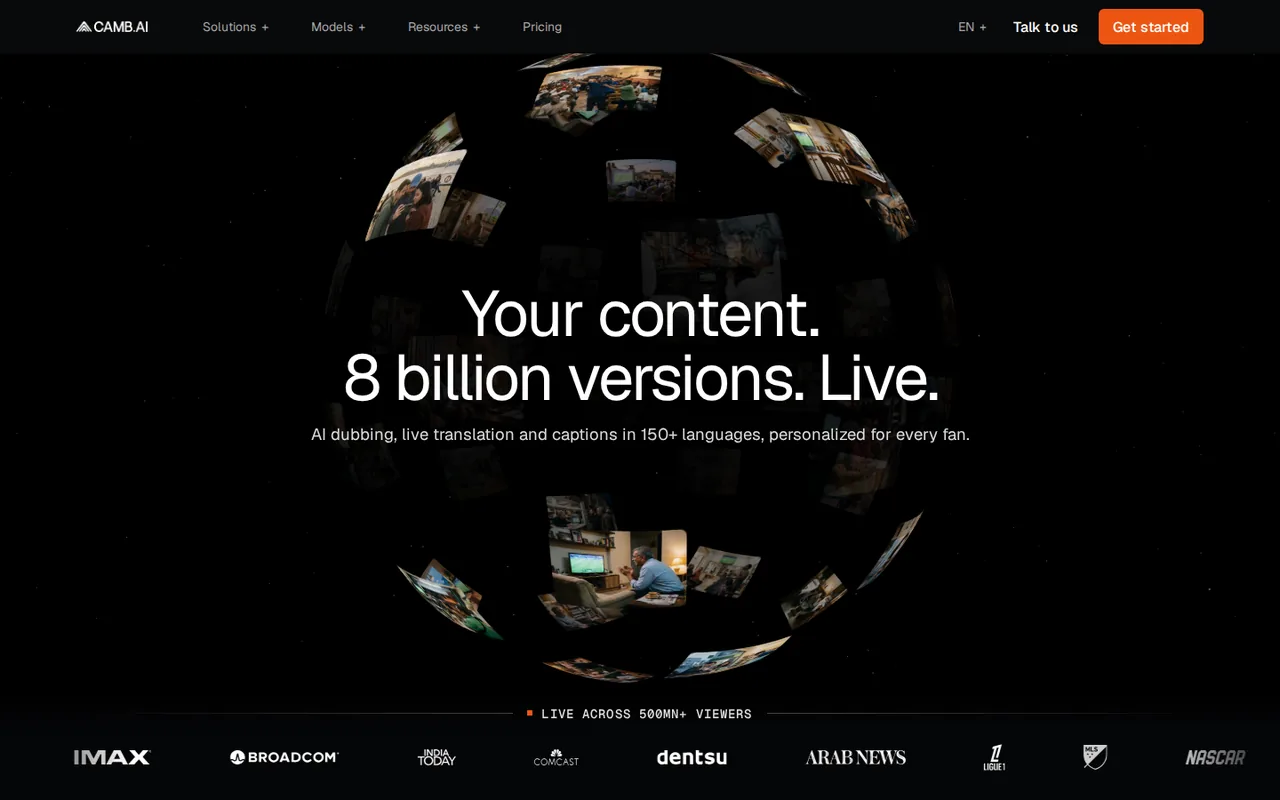
- Media and sports broadcasters The homepage presents live dubbing and commentary for large broadcasters; Enterprise pricing is by quote.
- Not for large unlimited dubbing at a flat price Dubbing minutes are capped by credits on every listed plan.
How much does CAMB.AI cost?
Prices confirmed · checked
Regional prices: Prices are the monthly dollar amounts on the pricing page on 2026-11-01.
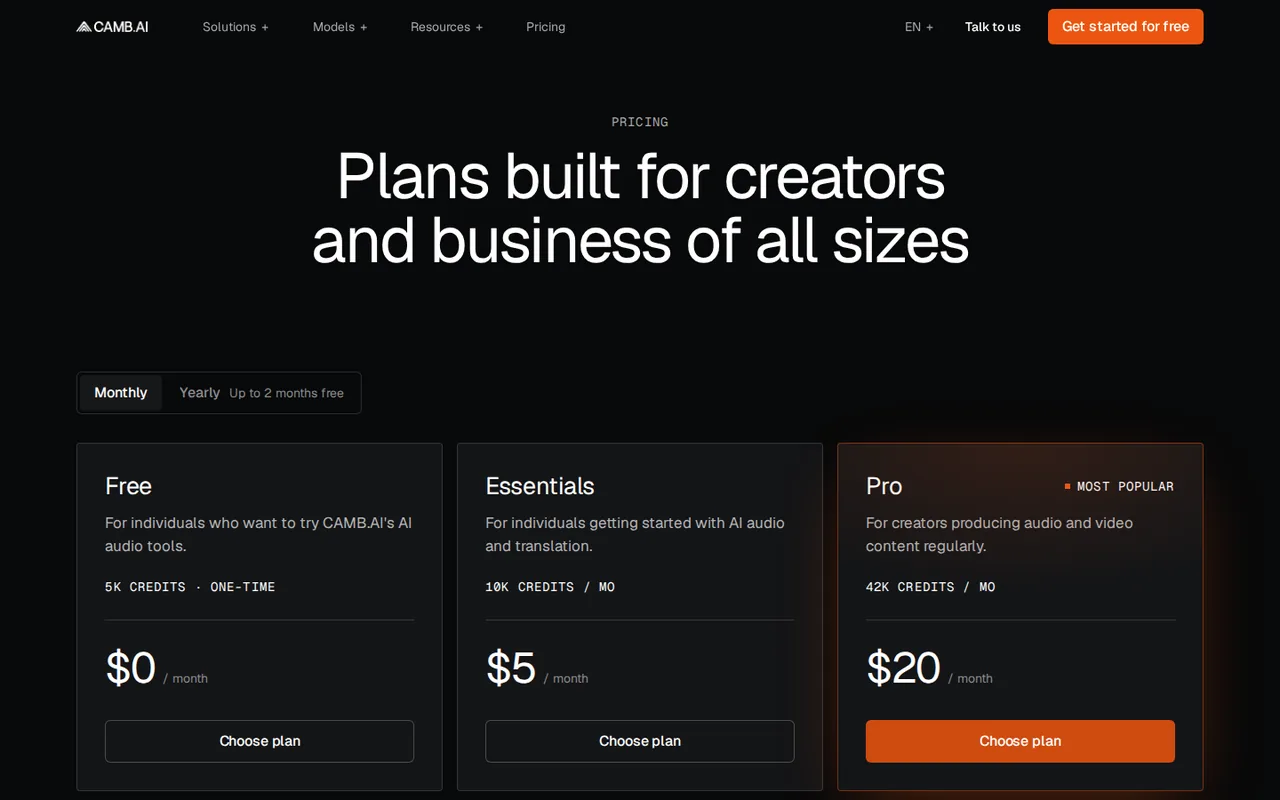
A Monthly/Yearly switch on the page lists yearly prices of $55, $220, $750, $2,500 and $9,000 for the five paid plans, shown next to higher crossed-out prices ($60, $240, $900, $3,000 and $10,800), with the yearly credits equal to twelve months of the monthly amount; the Free plan is unchanged. The Terms say subscriptions renew each cycle and that prices can change without notice, fees exclude taxes and fees are non-refundable. Credit amounts come from the plan cards and the per-tool minutes from the usage table; credits are shared across tools, so the minutes are alternatives, not additions. The Free column lists 0 dubbing minutes and also a watermark on dubbed video, which the page does not explain. The pricing page also lists a startup program with 33M characters of text-to-speech credits for approved applicants; its terms were not read.
| Plan | Price | What you get |
|---|---|---|
| Free | 5K credits once sourceFrom camb.ai/pricing, checked Nov 1, 2026 (opens in a new tab) | One-time credit grant with $0 a month; 500 characters per text-to-speech generation, 0 dubbing minutes and watermarked video in the usage table. |
| Essentials | $5 per month sourceFrom camb.ai/pricing, checked Nov 1, 2026 (opens in a new tab) | 10K credits a month; 1 dubbing minute, 3,000 characters per text-to-speech generation and 2 custom voices. Yearly billing: $55 per year for 120K credits (page shows $60 crossed out). |
| Pro | $20 per month sourceFrom camb.ai/pricing, checked Nov 1, 2026 (opens in a new tab) | 42K credits a month; 4 dubbing minutes, 5,000 characters per generation and 10 custom voices. Marked most popular. Yearly billing: $220 per year for 504K credits (page shows $240 crossed out). |
| Premier | $75 per month sourceFrom camb.ai/pricing, checked Nov 1, 2026 (opens in a new tab) | 165K credits a month; 16 dubbing minutes, 13 audio description minutes and 25 custom voices. Yearly billing: $750 per year for 1.98M credits (page shows $900 crossed out). |
| Advanced | $250 per month sourceFrom camb.ai/pricing, checked Nov 1, 2026 (opens in a new tab) | 575K credits a month; 58 dubbing minutes, 45 audio description minutes and 50 custom voices. Yearly billing: $2,500 per year for 6.9M credits (page shows $3,000 crossed out). |
| Expert | $900 per month sourceFrom camb.ai/pricing, checked Nov 1, 2026 (opens in a new tab) | 1.35M credits a month; 136 dubbing minutes, 24 live-stream minutes, website translation and 150 custom voices. Yearly billing: $9,000 per year for 16.2M credits (page shows $10,800 crossed out). |
| Enterprise | Custom pricing | Quote through the sales team; adds analytics, audio mastering, unlimited workspaces and team members, MXF support and highest queue priority. |
Which plan fits?
Smallest plan whose monthly credits cover your number with 15% spare for regenerations. Arithmetic from the plan table above, not a usage test.
How far does it go?
- Dubbing a 10-minute video into one languageAt the listed minutes, Pro ($20 a month, 4 minutes) and Essentials ($5 a month, 1 minute) fall short, and Premier ($75 a month, 16 minutes) covers it with 6 minutes left. If all of Premier's credits went to dubbing, that is about $4.69 per dubbed minute, against $5.00 on Pro. The pricing page does not say whether minutes count per target language, so a video dubbed into two languages may use more. Paying yearly for Pro costs $220 against $240 for twelve monthly payments. Arithmetic on published plan amounts, not a statement by CAMB.AI; taxes excluded.
Arithmetic from the published allowances above, not a usage test.
Taxes, currency and promotions can change the price you see at checkout.
Try CAMB.AI free (opens in a new tab)
Key features
| Feature | What it does | Watch out |
|---|---|---|
| AI dubbing of video into other languages that keeps the original voice and emotion, with an agentic dubbing workflow for films and series (homepage) | You upload a video and the tool translates and re-voices it, aiming to keep the speaker's voice and emotion. The homepage describes an agentic dubbing flow for films, series and unscripted content. | Output quality across languages is not shown on the pages read, so listen to a sample in your language pair before buying. |
| Live dubbing and translation for broadcasts, listed on the Expert plan with 24 live-stream minutes (homepage and pricing page) | — | |
| Text to speech with four MARS8 models: Flash, Pro, Instruct and Nano (text-to-speech page) | — | |
| Voice cloning from a short reference sample, with the documentation citing audio as short as 2 seconds (documentation and text-to-speech page) | — | |
| Translation of text, documents, images and websites, plus subtitles with translation and timing (homepage and pricing page) | — | |
| Speech to text, audio separation, sound effects and music generation from text, and an API with Python and TypeScript SDKs (documentation) | — | |
| Credits | Every plan has one pool of credits that pays for text to speech, dubbing, subtitles, translation and other tools. The usage table turns the pool into per-tool amounts. | Credits are shared, so using them on narration leaves fewer dubbing minutes in the same month. |
| MARS8 voices | The text-to-speech page lists MARS-Flash for real time, MARS-Pro for production and cloning, MARS-Instruct for emotion control and MARS-Nano for on-device use. | Characters per generation are capped by plan, from 500 on Free to unlimited on Expert. |
| Language coverage | The text-to-speech page says 150+ languages and the documentation says 140+ languages. | The pages do not say which count applies to dubbing on each plan, so confirm your language pair. |
Is CAMB.AI free?
Only as a one-time start. The pricing page lists a Free plan with 5K credits that are not renewed monthly, a 500-character limit per text-to-speech generation and a watermark on video; its dubbing column shows 0 minutes. The first paid step is Essentials at $5 a month for 10K credits, or $55 if billed yearly; a yearly switch on the page shows each paid plan cheaper than twelve monthly payments. Enterprise has no listed price and is quoted by the sales team.
How far do the credits go for dubbing?
Credits are one pool, and the usage table turns the pool into dubbing minutes: 1 on Essentials, 4 on Pro, 16 on Premier, 58 on Advanced and 136 on Expert. A creator who dubs one 10-minute video a month needs Premier at $75, and the page does not say whether a second target language uses more minutes. Spending credits on narration or subtitles lowers the dubbing minutes left in the same month.
Who runs CAMB.AI and how are the pages inconsistent?
The Terms of Use name ENTO.AI FZ-LLC as the company behind the platform. The text-to-speech page says 150+ languages while the documentation introduction says 140+, so confirm your language pair before relying on either figure. The Terms keep ownership of uploaded content with you but give no per-plan rules for commercial use of generated audio or video, and they state that fees are non-refundable.
How could you check CAMB.AI before paying?
Proposed evaluation · not performed yet
Use the Free credits on a short clip in your own language pair.
- Create a Free account and pick a clip of under a minute.
- Run text to speech with MARS-Pro and a cloned voice, then check how the voice sounds.
- Check the credits used and the account page for dubbing minutes and the watermark.
- Ask support in writing about commercial use of generated output.
Accept if the voice and timing suit your language pair and the credits used match the usage table. Reject if the Free dubbing is unavailable and no sample clip is offered. No result is recorded here.
CAMB.AI alternatives
Other video & editing tools checked with the same method. Pick by the job, not by a score.

Developers and small teams who want a conversational video avatar for support, sales or tutoring and need to budget by minutes

Short animated stories from a script or prompt

Teachers, students and math YouTubers who want 3Blue1Brown-style explainer clips from a description, with an editable Manim code playground when they want control

Creators and teams who make many AI videos and need the same characters, locations and look to carry across every one

Creators and marketers who want text, image and reference-based AI video, including anime-style clips, from one web app

Relighting or changing the background of short video clips

Dubbing and subtitling existing videos into other languages

Editing and polishing 3D character animation with AI assist
Used CAMB.AI? Write the first review. Visitor opinions are moderated and kept separate from our source checks.
Frequently asked questions
How much does CAMB.AI cost per month?
The pricing page lists Essentials at $5, Pro at $20, Premier at $75, Advanced at $250 and Expert at $900 a month, plus a Free plan with 5K credits once and Enterprise at custom pricing. Yearly billing lists $55, $220, $750, $2,500 and $9,000 a year. Taxes are excluded, subscriptions renew automatically, and the Terms say fees are non-refundable.
Does CAMB.AI have a free plan?
Yes, but it is a one-time grant of 5K credits, not a monthly allowance. The usage table shows 500 characters per text-to-speech generation, 0 dubbing minutes and watermarked video on Free, so test dubbing needs a paid plan.
Who owns CAMB.AI?
The Terms of Use name ENTO.AI FZ-LLC as the company behind the Camb.ai website and platform. The pages read do not list shareholders or investors.
What does CAMB.AI do?
It provides AI dubbing, text to speech with MARS8 voices, voice cloning, translation, subtitles and speech to text in a web studio and through an API. The homepage also describes live dubbing for broadcasters.
How many dubbing minutes does CAMB.AI include?
Per month, the usage table lists 1 minute on Essentials, 4 on Pro, 16 on Premier, 58 on Advanced and 136 on Expert, drawn from the same credits as text to speech and other tools.
Sources and method6 official sources · 12 details checked · Nov 1, 2026
How we checked this profile
12 details on this page were checked against CAMB.AI's own pages and help documentation (Nov 1, 2026).
See the checks by section12 documented
| Section | Checks | Last checked | Sources |
|---|---|---|---|
| Article text | 1 documented | camb.ai/about | |
| Other details | 1 documented | camb.ai/terms | |
| Plans and prices | 5 documented | camb.ai/pricingcamb.ai/terms | |
| Features | 3 documented | camb.ai/text-to-speechcamb.ai/about | |
| Strengths and limits | 1 documented | camb.ai/terms | |
| Who it suits | 1 documented | camb.ai |
Sources for this profile
All 6 sources
Official pages read on 2026-11-01: the homepage, the pricing page, the text-to-speech page, the documentation introduction, the Terms of Use and the Privacy Policy headline. The pricing page was read through the official-page fetcher and a browser, which showed the monthly and yearly views. We did not sign up, spend credits, dub a video or listen to voices, so dubbing quality, voice similarity and speed were not observed; benchmark figures on the text-to-speech page are the provider's own and were not checked. The Privacy Policy was not analysed in detail. Customer and sports case studies are provider statements. Review sites, user reviews and search-volume figures were not used.
Sources checked Nov 1, 2026. Found something out of date? See how we correct profiles.