

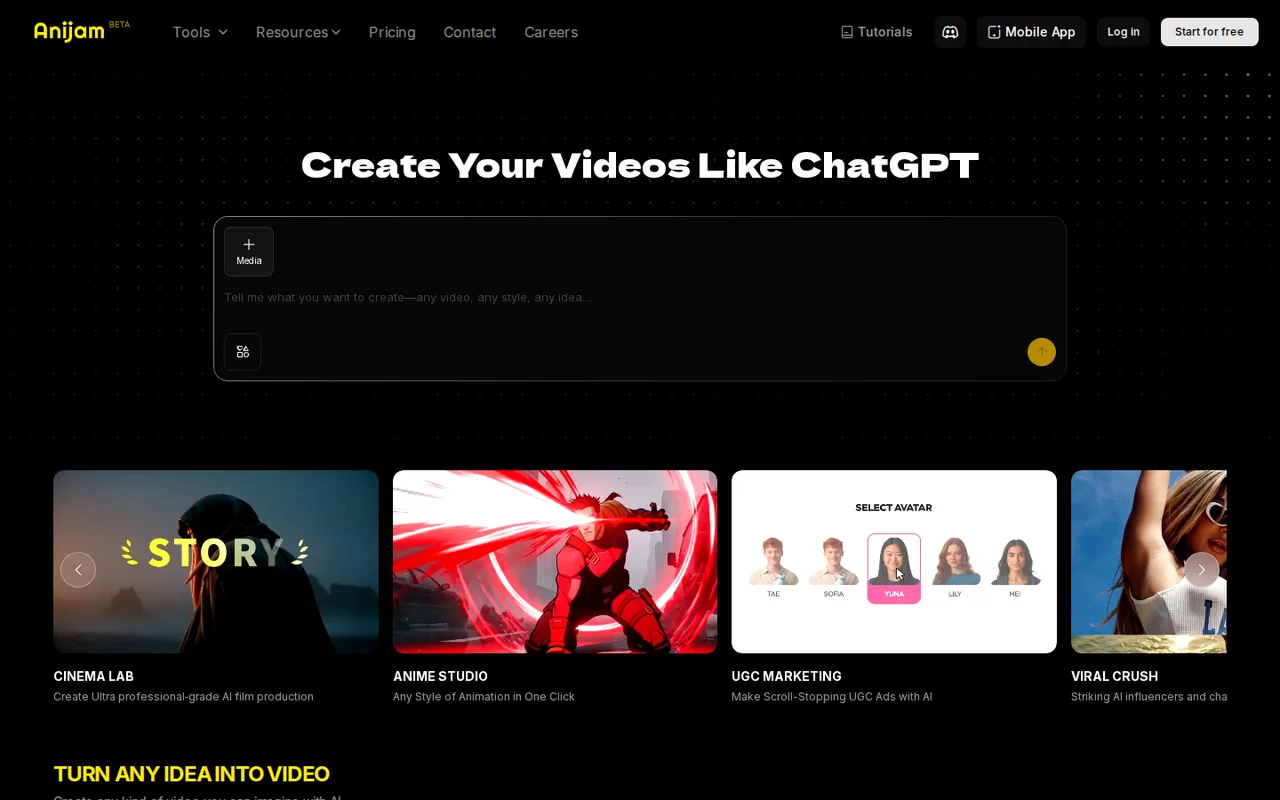
Anijam: script-to-animation with per-second model pricing, but free exports are watermarked and non-commercial
Updated September 29, 2026 · By Elias Brandt · Documentation review, not tested hands-on
Pros
- Several input routes
- Transparent per-model rates
- Commercial rights on every paid plan
Cons
- Watermarked free exports
- Strict no-refund policy
- Content goes to third-party model providers
Bottom line
Signup, daily check-in and invite bonus credits (amounts not stated on the pricing page); watermarked exports; non-commercial use only.
You want to turn a script you wrote into short animated scenes and are willing to pick cheaper models to stretch 3,000 monthly credits.
You need predictable costs for repeated regeneration, because every re-rendered scene is charged again at the model's per-second rate.
Best forStorytellers making animated shortsTeachers and explainer creatorsMarketers testing animated adsAnyone animating real people
Strengths, limits and who it suits, in full
Strengths
- Several input routes Start from a text prompt, a full script or a reference image.
- Transparent per-model rates The pricing table lists credits per second or per image for each model.
- Commercial rights on every paid plan The terms allow commercial use of generated content on any paid tier.
Limits
- Watermarked free exports The pricing page says free users export with a watermark and for non-commercial use only.
- Strict no-refund policy Payments are non-refundable, including unused periods and unintentional purchases.
- Content goes to third-party model providers Prompts and uploads are sent to the provider behind the selected model.
Who it suits
- Storytellers making animated shorts the script-to-scene agent fits narrated stories where a full animation tool would be too slow.
- Teachers and explainer creators lesson scripts can become animated explainers, provided every scene is checked for accuracy.
- Marketers testing animated ads commercial use needs a paid plan, so test on Free but publish from a paid account.
- Anyone animating real people face and voice features require rights and consent from the person shown.
How much does Anijam cost?
Prices confirmed · checked
- $19Beginner
- $29Creator
- $69Master
- $199Master Pro
Regional prices: Prices are shown in USD.
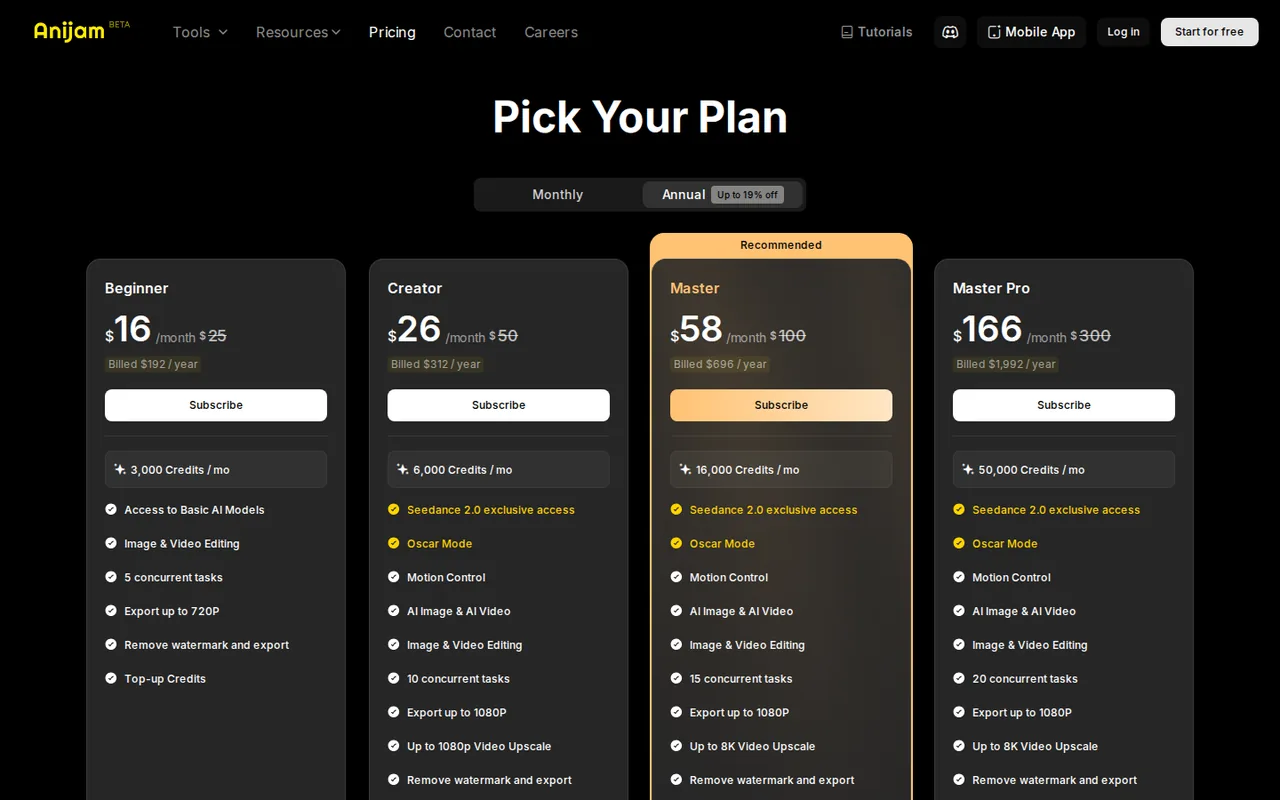
The monthly toggle shows an introductory first-month price, then the regular monthly rate; struck-through prices of $25, $50, $100 and $300 appear beside them. Top-up credits, 1,500 for $10, are for subscribers only and stay valid for 365 days. Subscriptions renew automatically, and all payments are non-refundable. Switching plans charges the full new price and resets the billing cycle.
| Plan | Price | What you get |
|---|---|---|
| Free | $0 sourceFrom anijam.ai/pricing, checked Sep 29, 2026 (opens in a new tab) | Signup, daily check-in and invite bonus credits (amounts not stated on the pricing page); watermarked exports; non-commercial use only. |
| Beginner | $19 per monthbilled monthly · $9 for the first month; or $16 per month, $192 billed annually sourceFrom anijam.ai/pricing, checked Sep 29, 2026 (opens in a new tab) | 3,000 credits a month; basic AI models; export up to 720p; no watermark; 5 concurrent jobs; 1 GB asset library. |
| Creator | $29 per monthbilled monthly · $19 for the first month; or $26 per month, $312 billed annually sourceFrom anijam.ai/pricing, checked Sep 29, 2026 (opens in a new tab) | 6,000 credits; Seedance 2.0, Oscar Mode and Motion Control; export up to 1080p; 1080p upscale; 10 concurrent jobs; 10 GB. |
| Master | $69 per monthbilled monthly · $39 for the first month; or $58 per month, $696 billed annually sourceFrom anijam.ai/pricing, checked Sep 29, 2026 (opens in a new tab) | 16,000 credits; up to 8K upscale; 15 concurrent jobs; 100 GB. |
| Master Pro | $199 per monthbilled monthly · $99 for the first month; or $166 per month, $1,992 billed annually sourceFrom anijam.ai/pricing, checked Sep 29, 2026 (opens in a new tab) | 50,000 credits; up to 8K upscale; 20 concurrent jobs; 200 GB. |
How far does it go?
- A 60-second Seedance 2.0 clip at 720p60 s × 55 credits per second = 3,300 credits. On Creator, 6,000 − 3,300 = 2,700 credits remain, not enough for a second full attempt. The same minute on Seedance 2.0 Mini 480p costs 60 × 16 = 960 credits. Arithmetic on the listed rates, not an observed yield; retries and extra scenes cost more.
Arithmetic from the published allowances above, not a usage test.
Taxes, currency and promotions can change the price you see at checkout.
Try Anijam free (opens in a new tab)
Key features
| Feature | What it does | Watch out |
|---|---|---|
| Prompt, script or image to animated video through an AI agent | — | |
| Automatic scene breakdown, character design and storyboard | — | |
| AI lip sync and voices, including Eleven Multilingual v2 | — | |
| Timeline editor for motion, timing and transitions | — | |
| Choice of third-party image and video models per task | — | |
| Video upscaling up to 8K on higher plans | — | |
| Concurrent generation jobs from 5 to 20 by plan | — | |
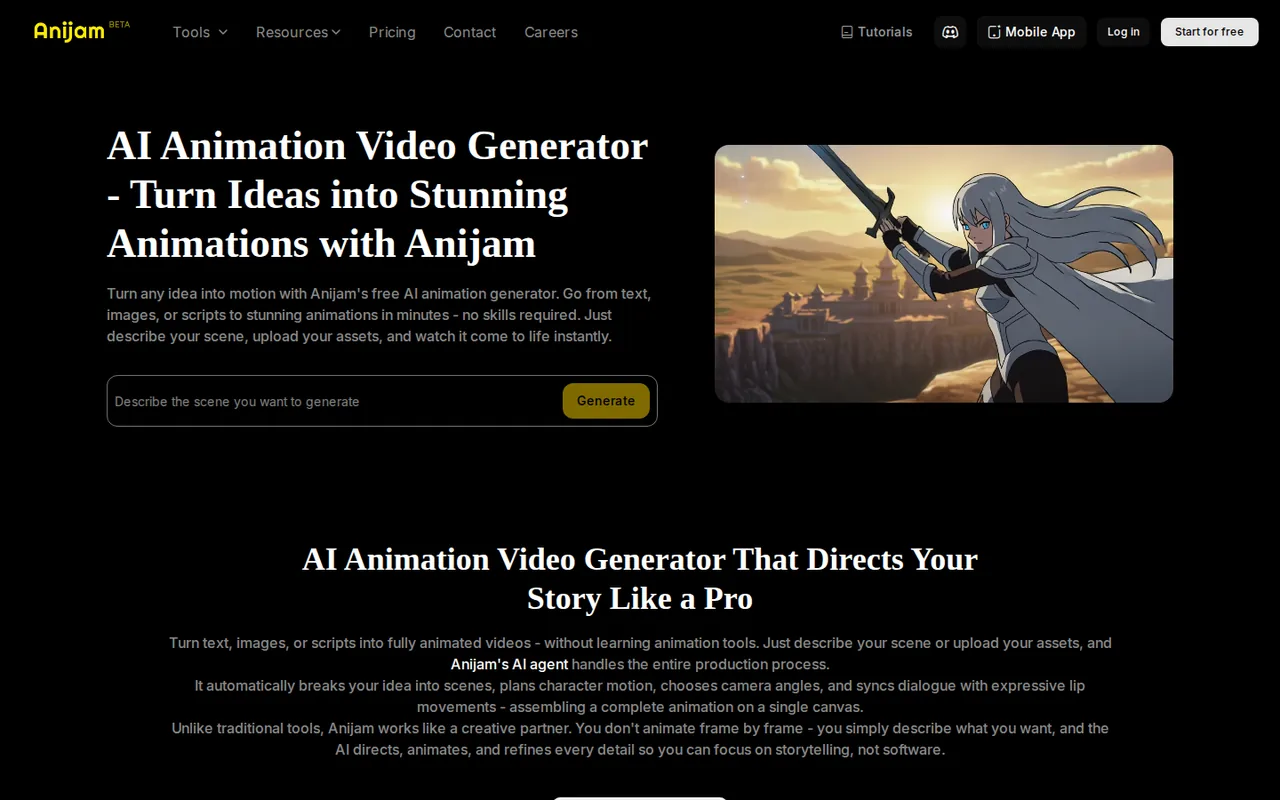
| Script to animation | Splits a pasted script into scenes, generates characters and syncs dialogue with lip sync. | Every regenerated scene is charged again at the chosen model rate. |
| Model choice | Lets you pick image and video models such as Seedance 2.0, Kling, Wan or GPT Image 2 for each generation. | Rates vary widely, from 16 to 138 credits per second of video. |
| Consistent characters | Keeps a designed character across scenes for series and episodes. | The public pages do not explain how many character slots each plan includes in plain terms. |
What can the free plan actually produce?
Free accounts run on bonus credits rather than a monthly allowance. The pricing page lists signup bonuses valid for 31 days, daily check-in credits valid for 7 days and invite bonuses valid for 7 days, but it does not state how many credits each one gives. Plan the free balance around a few short clips, and check the Credits History panel after each generation.
The pricing page states that free users download and export with watermarks and that free-plan output is for non-commercial use only; the terms say the same about commercial use. One tool page describes watermark-free exports on free plans, which contradicts that rule. Treat free exports as watermarked personal drafts unless the downloaded file shows otherwise.
How far do credits go for video?
Video is priced per second of output, and the rate depends on the model and resolution you choose. Seedance 2.0 at 720p costs 55 credits per second and at 1080p 138, while Seedance 2.0 Mini at 480p costs 16 and Wan 2.7 at 720p 32. Images cost from 3 to 165 credits each, and Eleven Multilingual v2 voices are listed as unlimited on every paid plan.
Plan credits refresh each billing cycle and do not roll over. When several credit types are in the account, those expiring soonest are spent first: daily check-in, invite and signup bonuses, then plan credits, then top-ups. A draft scene regenerated three times costs three times the listed rate, so settle the script and characters before choosing an expensive model.
- Seedance 2.0 1080p: 138 credits per second, about 43 seconds on Creator.
- Kling O3 1080p: 44 credits per second.
- Minimax Hailuo H3 768p: 20 credits per second.
- Gemini Omni Flash 720p: 375 credits per video.
Which plan unlocks Seedance 2.0, 1080p export and upscaling?
Beginner lists access to basic AI models, export up to 720p and watermark removal. Creator is the first tier with Seedance 2.0 access, Oscar Mode, Motion Control, 1080p export and upscaling to 1080p. Master and Master Pro raise credits, storage and concurrent jobs and allow upscaling up to 8K, but their export ceiling is still listed as 1080p.
Editorial assessment
Beginner suits 720p social clips on the cheaper models. Anyone planning Seedance 2.0 scenes or 1080p delivery should price Creator, since at 138 credits per second a Creator allowance covers well under a minute of top-quality footage. Master makes sense only for heavy weekly output or 8K upscaling.
Where do your prompts, photos and voices go?
The privacy policy says prompts, images, video, audio and settings are sent to the provider of the model you select: Google for Nano Banana Pro, OpenAI for GPT Image 2, Kuaishou for Kling, Volcengine for Seedance 2.0 and Alibaba Cloud for Wan 2.7. For Seedance 2.0, an in-app notice asks for agreement first, and Volcengine keeps the submitted media for up to 24 hours.
The terms let Anijam and its affiliates use generated content to develop and improve the services. Lip sync, face editing and voice workflows process facial and voice content, and the terms require you to own the rights, including publicity rights, in uploaded images. Animate a real person or clone a voice only with that person’s explicit permission.
What does a monthly subscription commit you to?
The monthly toggle shows a discounted first month, such as $9 for Beginner, followed by the regular rate of $19 a month. Struck-through list prices sit beside both toggles, so compare the amount actually billed. The annual option charges the yearly total up front, $192 for Beginner and $312 for Creator.
The billing rules say payments are non-refundable, including unused periods and unintentional purchases. Subscriptions renew automatically unless cancelled before the renewal date, and switching plans charges the full price of the new plan and resets the cycle. Remaining plan credits do not carry over after a cancelled period ends.
Can a free account turn a short script into a 20-second animated scene?
Proposed evaluation · not performed yet
On a free account, paste a four-line script you wrote yourself about a fictional character, with no real person’s face or voice. Choose the cheapest video model the free balance allows and aim for about 20 seconds. A watermarked, non-commercial export is the expected free result; a paid plan is not part of this test.
- Record the credit balance and the bonus credits shown in Credits History.
- Paste the script and review the agent’s scene breakdown before generating.
- Generate once, then change one line of dialogue and regenerate only that scene.
- Export the clip and check duration, lip sync, watermark and resolution in a separate player.
- Record the credits used by the first render and by the scene change.
Accept a clip close to 20 seconds whose dialogue matches the script and whose lip sync follows the voice. Reject missing audio, a character that changes appearance between scenes or an export that will not play. No output quality or credit figure is reported until the exercise is run.
For talking-presenter videos with licensed avatars, compare HeyGen. For general text-to-video and editing, see Runway, and for faceless vertical shorts from a script or URL, see Cliptalk.
Is Anijam worth it?
Documentation review plus dated public user reports. Documentation review, not tested hands-on. Not scored.
Worth it if
- You want to turn a script you wrote into short animated scenes and are willing to pick cheaper models to stretch 3,000 monthly credits.
- You plan to publish commercially and can pay for a plan, since Free is limited to non-commercial use.
Probably not if
- You need predictable costs for repeated regeneration, because every re-rendered scene is charged again at the model's per-second rate.
- You may need to cancel or switch mid-term, because payments are non-refundable and a plan change resets the billing cycle.
Anijam alternatives
Other video & editing tools checked with the same method. Pick by the job, not by a score.

Developers and small teams who want a conversational video avatar for support, sales or tutoring and need to budget by minutes

Teachers, students and math YouTubers who want 3Blue1Brown-style explainer clips from a description, with an editable Manim code playground when they want control

Relighting or changing the background of short video clips

Dubbing and subtitling existing videos into other languages

Localizing short talking-head videos into several languages

Creators planning short licensed clips

Animators, game developers and 3D creators who want rough-to-usable character motion from phone footage and will clean it up in their own 3D tool

Generated video and footage editing
Used Anijam? Write the first review. Visitor opinions are moderated and kept separate from our source checks.
Frequently asked questions
Is anijma the same as Anijam?
Anijma is a common misspelling. The AI animation service discussed here is Anijam at anijam.ai, whose terms name SeeKoo LLC, a US private company, as the operator. Searches for the misspelling also return personal social media accounts with that name, so check the domain before signing in or entering payment details.
Can I pay without a credit card?
The pricing page says limited PayPal and Wise payment options exist, arranged by contacting the team at contact@anijam.ai. Standard checkout is by card. Ask before paying which plans and billing periods the alternative methods cover, because the refund rules still apply to every payment once it has been processed.
Can I share one Anijam account with a colleague?
No. The terms prohibit sharing, transferring or allowing others to access an account, and say each account is for individual use. Detected sharing can lead to restrictions or termination. A team that needs several people generating at once should budget separate subscriptions rather than one higher tier.
How are disputes with Anijam handled?
The terms send claims to final and binding arbitration rather than court, governed by the Federal Arbitration Act and the laws of the State of Washington. Read that section before subscribing to an annual plan, particularly since payments are non-refundable. The terms were last updated on December 25, 2025.
Is Anijam suitable for children to use?
The privacy policy says the services are not intended for children under 13, or under the minimum age required where they live. Parents who want a child to try animation should create and supervise the account themselves. Content rules in the terms also forbid material that could exploit or endanger minors.
Sources and method6 official sources · 6 details checked · Sep 29, 2026
How we checked this profile
6 details on this page were checked against Anijam's own pages and help documentation (Sep 29, 2026).
See the checks by section6 documented
| Section | Checks | Last checked | Sources |
|---|---|---|---|
| Plans and prices | 3 documented | anijam.ai/pricing | |
| Strengths and limits | 2 documented | anijam.ai/pricinganijam.ai/privacy-policy | |
| Other details | 1 documented | anijam.ai/terms |
Sources for this profile
- Plans, credits and billing rulesanijam.ai
- Product overviewanijam.ai
- Terms of use (updated December 25, 2025)anijam.ai
- Privacy policy (updated July 23, 2026)anijam.ai
The terms name SeeKoo LLC, a US private company, as operator. The pricing page says free exports carry a watermark, while the AI animation generator page describes watermark-free output on free and premium plans and 4K export on premium plans; the pricing page is used. Bonus credit amounts for free accounts are not stated on the official pages checked, so none are given. The annual toggle label says up to 19% off, which does not match the listed monthly and annual rates exactly.
Sources checked Sep 29, 2026. Found something out of date? See how we correct profiles.