

Cascadeur: free animation tools for non-commercial use, but FBX export starts at $19 a month on Indie
Updated September 30, 2026 · By Elias Brandt · Documentation review, not tested hands-on
Pros
- Free plan has no time limit
- Perpetual fallback on yearly plans
- AI tools run locally
Cons
- Free cannot export common formats
- Indie has a revenue ceiling
- No perpetual licence on monthly or Teams plans
Bottom line
No time limit; complete animation, rigging, physics and inbetweening tools; export to .casc only; non-commercial use only.
You are a solo developer or small team under the Indie revenue ceiling who needs to move animation into a game engine, because Indie is the first plan that exports FBX.
You want a finished video from a text or image prompt, because Cascadeur is animation software for rigged characters and not a generative video tool.
Best forIndie game developersAnimators editing mocapStudents and teachersStudios that need seat management
Strengths, limits and who it suits, in full
Strengths
- Free plan has no time limit The Free plan includes the animation, rigging, physics and inbetweening tools, within non-commercial use and CASC export.
- Perpetual fallback on yearly plans Yearly Indie and Pro convert to a perpetual licence after the 12-month minimum term.
- AI tools run locally The vendor says its AI tools work on your machine and do not collect your animations as training data.
Limits
- Free cannot export common formats Free exports CASC only, so FBX, DAE, USD and glTF need Indie or higher.
- Indie has a revenue ceiling Gross revenue or funding must stay under $100,000 a year, checked at download and every renewal.
- No perpetual licence on monthly or Teams plans Only yearly Indie and Pro convert to a perpetual licence.
Who it suits
- Indie game developers Indie fits a solo developer or small studio that needs FBX export to a game engine while under the revenue ceiling.
- Animators editing mocap suited to polishing existing motion capture or keyframes, not to producing a clip from a text prompt.
- Students and teachers the $49 yearly educational licence gives Pro features for non-commercial learning and needs status confirmation.
- Studios that need seat management Teams adds an admin dashboard and roles but does not convert to a perpetual licence.
How much does Cascadeur cost?
Prices confirmed · checked
- $19Indie
- $49Pro
Regional prices: Prices are in USD as listed in the plans FAQ.
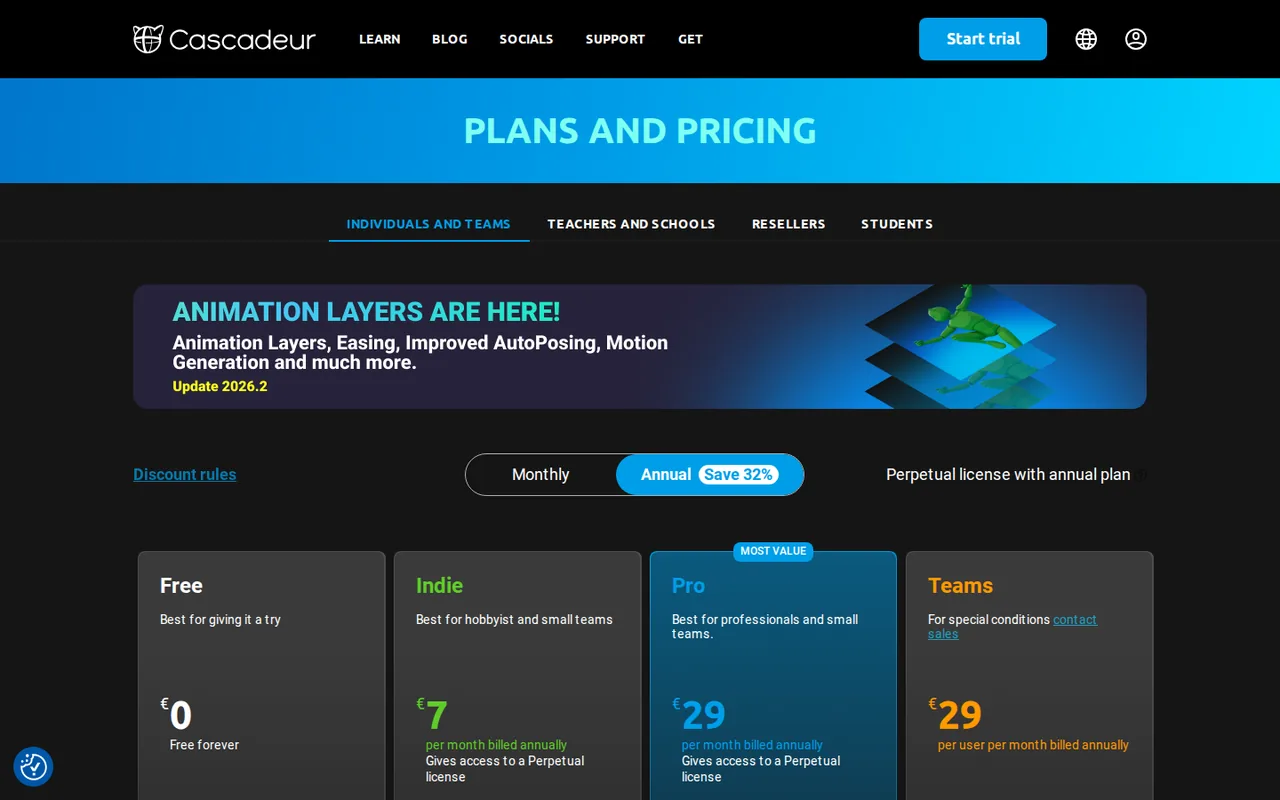
The plan cards show local currency: a render from a German server showed EUR 17 and 43 a month for Indie and Pro on monthly billing, and EUR 7 and 29 a month on annual billing. Payments run through Paddle, which adds taxes by country, and promo codes apply to the first period only. Refund requests are handled if sent within 14 days of the first purchase. The licence says downloading the software ends consumer cancellation rights.
| Plan | Price | What you get |
|---|---|---|
| Free | $0 sourceFrom cascadeur.com/plans, checked Sep 30, 2026 (opens in a new tab) | No time limit; complete animation, rigging, physics and inbetweening tools; export to .casc only; non-commercial use only. |
| Indie | $19 per monthbilled monthly · or $96 billed yearly sourceFrom cascadeur.com/plans, checked Sep 30, 2026 (opens in a new tab) | Export to FBX, DAE, USD and glTF; priority support; revenue or funding under $100,000 a year; yearly billing converts to a perpetual licence after 12 months. |
| Pro | $49 per monthbilled monthly · or $396 billed yearly sourceFrom cascadeur.com/plans, checked Sep 30, 2026 (opens in a new tab) | Unlimited commercial use; dedicated chat support; retargeting, environment interaction in AutoPhysics, scene linking and quadruped AutoPosing; 14-day free trial; yearly billing converts to a perpetual licence. |
| Teams | $49 per user per monthbilled monthly · or $396 per user billed yearly sourceFrom cascadeur.com/plans, checked Sep 30, 2026 (opens in a new tab) | Everything in Pro plus a Discord chat, admin dashboard and role-based permissions; no perpetual licence; 14-day free trial. |
| Educational | $49 per year sourceFrom cascadeur.com/plans, checked Sep 30, 2026 (opens in a new tab) | Cascadeur Pro for confirmed students and teachers; non-commercial only; does not renew automatically. |
How far does it go?
- Yearly against monthly billingPro: 12 × $49 = $588 on monthly billing against $396 yearly, a difference of $192, or about 33% (192 ÷ 588). Indie: 12 × $19 = $228 against $96, a difference of $132, or about 58%. The toggle label says Save 32%, which matches Pro, not Indie.
Arithmetic from the published allowances above, not a usage test.
Taxes, currency and promotions can change the price you see at checkout.
Try Cascadeur free (opens in a new tab)
Key features
| Feature | What it does | Watch out |
|---|---|---|
| AI inbetweening between keyframed poses | Predicts motion between keyframed poses from their timing, number and animation style, and runs on your own machine. | The licence says AI suggestions may be inaccurate and need user correction. |
| AutoPosing for characters and quadrupeds | — | |
| Physics-based AutoPhysics polish | — | |
| Animation unbaking for mocap and asset editing | — | |
| Video mocap from imported footage | — | |
| Unreal Engine Live Link streaming | Streams animation from Cascadeur into Unreal Engine in real time, so timing can be judged in scene. | Per the 2026.1 post, the plugin is a separate manual download, not part of the installer. |
| Additive animation layers (alpha) | — | |
| FBX, DAE, USD and glTF export on paid plans | — | |
| Mocap cleanup | Animation unbaking turns baked mocap or imported assets back into editable keys, and physics tools target feet sliding and geometry penetration. | The home page presents these fixes as vendor claims; results depend on the source clip. |
Is Cascadeur a text-to-video tool?
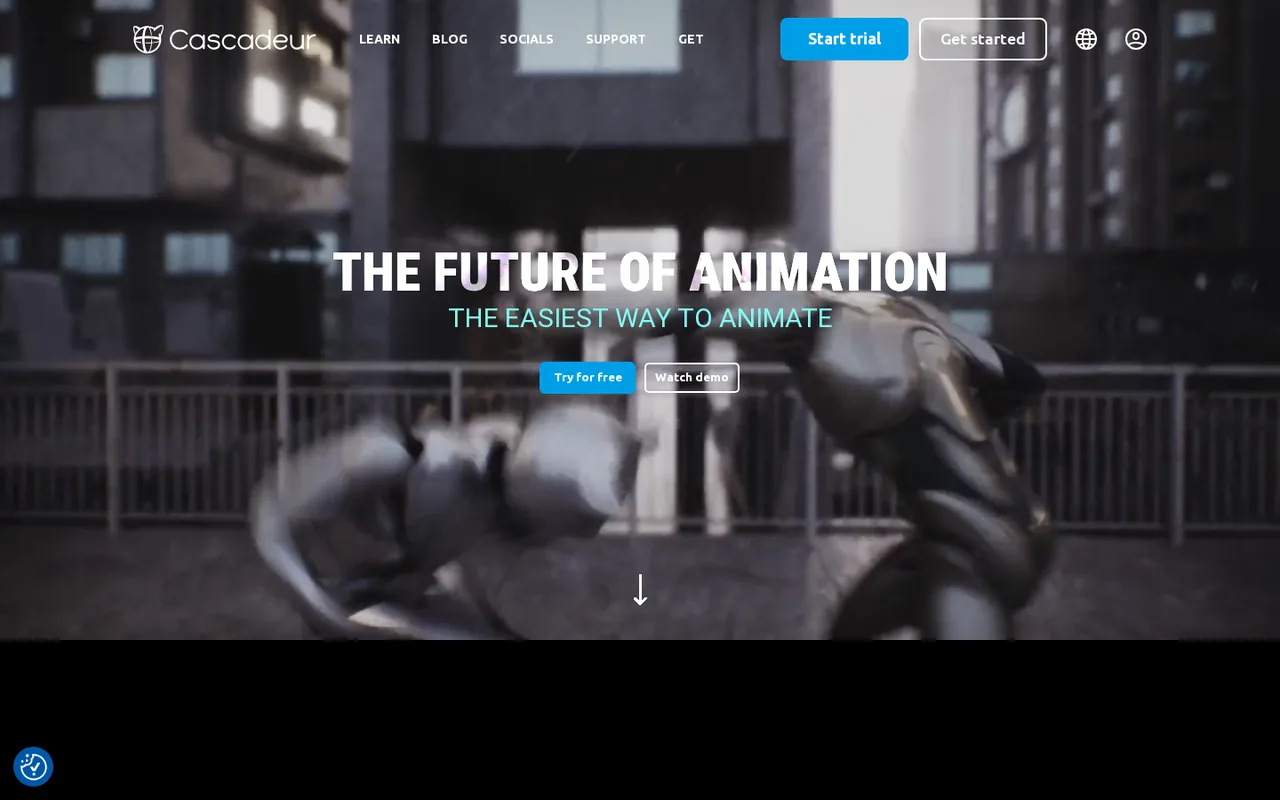
No. Cascadeur is standalone desktop software from Nekki Limited for 3D character animation: you pose a rigged character, edit keyframes or clean motion capture, and export the animation to a game engine or another 3D program. It sits in the video category here because it produces moving characters, not because it renders a video from a prompt.
The licence says its AI features do not autonomously create animations or make final decisions and instead suggest intermediate poses or motion data that stay under the user’s control. Treat it as an animator’s assistant, and look at generative video tools if a text or image prompt is your starting point.
What changed in the 2026 releases?
Version 2026.1 moved the viewport to the Filament rendering engine, added an Unreal Engine Live Link and introduced a Root Motion tool that uses a diffusion model to transfer motion style. Version 2026.2 arrived on August 6, 2026, and the download page lists 2026.2.2 from September 9, 2026 as the current build.
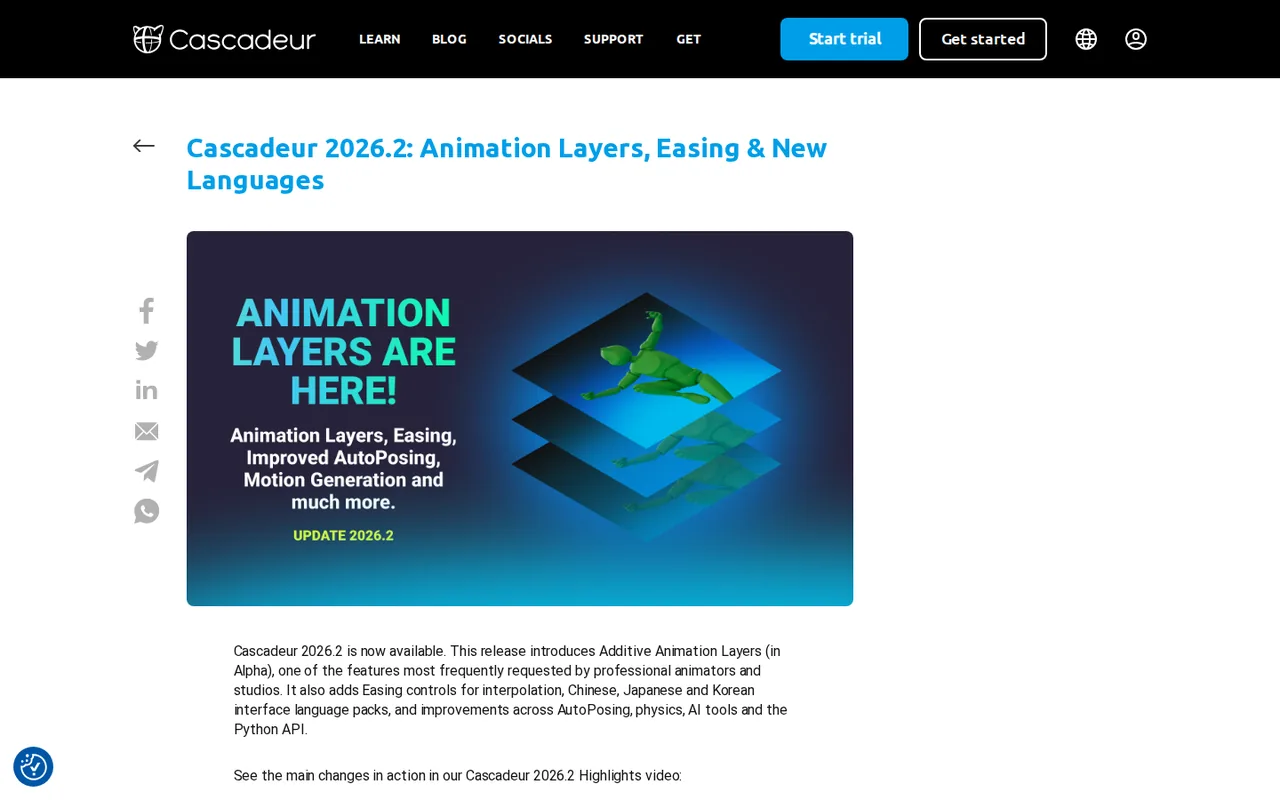
The 2026.2 post lists these main changes:
- Additive animation layers, released as an alpha with more functions planned.
- Easing controls that change how frames are spread along an interpolated path.
- Chinese, Japanese and Korean interface language packs.
- BVH animation import and support for several materials on one mesh.
- Motion Generation, the new name for the Root Motion tool, trained on larger datasets.
What does the Free plan cover, and where does it stop?
Free has no time limit and includes the animation, rigging, physics-based and inbetweening tools plus animation unbaking. Two limits matter in practice: export is restricted to the .casc format, and commercial use is not allowed. An account and a download are still required, and the licence gives Free users no additional authorised users.
The licence defines commercial use broadly, but it excludes reasonably limited promotional posts on free channels such as YouTube, at the vendor’s discretion. A studio delivery, a paid client job or a game that earns revenue falls outside Free, so use it for learning and for tests before choosing a paid plan.
Which paid plan fits commercial work, and what does it cost?
The plans differ mainly by export formats, revenue limit and support level. Indie exports FBX, DAE, USD and glTF and allows commercial use only while the licensee’s gross revenue or funding from any source stays under $100,000 a year. Pro removes that ceiling and adds the retargeting, environment interaction and scene linking tools.
The licence caps Indie at three authorised users, while Pro is one licence per individual and Teams is meant for distributing seats. Editorial assessment: a solo developer under the ceiling can start on Indie, but anyone delivering work for a funded studio should read the revenue definition first.
- Indie: export formats, priority support, revenue or funding under $100,000 a year.
- Pro: unlimited commercial use, dedicated chat support and the advanced animation tools.
- Teams: Pro plus admin dashboard, roles and a team Discord chat; onboarding calls for teams above 4 seats.
- Educational: Pro features for confirmed students and teachers, non-commercial and renewed each year.
What do you keep if you stop paying?
Every yearly Indie or Pro licence converts to a perpetual licence after the 12-month minimum term. If you cancel, you keep the last version released during your paid period, but updates and personal support need an active subscription. Monthly billing and Teams do not convert, and the plans page says the perpetual licence does not apply to Cascadeur Mobile.
An expired Educational licence falls back to the Free licence type under the terms. Because the yearly price is far below twelve monthly payments, the perpetual fallback mostly matters to freelancers who work on one version for a long project.
What do the AI tools do with your files and footage?
The vendor lists four AI tools: AutoPosing, Inbetweening, AutoInterpolation and Video Mocap. AutoPhysics, Ragdoll, Animation Unbaking and Fulcrum Motion Cleaning are described as non-AI. The AI tools run on your machine; only the large Video Mocap component is downloaded from Cascadeur servers, then computes locally.
Nekki says the posing and inbetweening models were trained on its own animation data and purchased third-party packs certified for AI use, and that user animations are not collected for training. Video Mocap extracts poses of an actor from imported video, so import footage only of people who agreed to that use. You keep ownership of the animations you create under the licence.
Can the Free plan clean up a short mocap clip?
Proposed evaluation · not performed yet
On a Free account, import a 3-second FBX motion capture clip of about 90 frames that you own or are licensed to use, with a visible foot slide during a step. Use the current build, 2026.2.2, and note your operating system and graphics card. The goal is to see what Free can fix and what it blocks.
- Record the plan, version and the frame numbers where a foot slides.
- Run animation unbaking on the clip, then apply Fulcrum Motion Cleaning or AutoPhysics foot contact fixes.
- Count the frames that still slide and check for new pops in knees or hips.
- Save the scene as .casc and reopen it.
- Try to export FBX and note any message or per-scene frame or joint limit the app reports.
Accept fewer sliding frames, no new pops and a .casc file that reopens, with FBX export blocked as the plans table states. Reject distorted poses or an unexplained export limit. No cleanup result is reported until the clip is actually processed.
For video from a text or image prompt, compare Runway. Decide first whether you need an editable rigged animation or a rendered clip, because the two tools solve different jobs.
Is Cascadeur worth it?
Documentation review plus dated public user reports. Documentation review, not tested hands-on. Not scored.
Worth it if
- You are a solo developer or small team under the Indie revenue ceiling who needs to move animation into a game engine, because Indie is the first plan that exports FBX.
- You already have motion capture or rough keyframes to polish, since the tools edit and clean existing motion rather than create it.
- You want to learn the software first, because the Free plan has no time limit and includes the core animation and inbetweening tools.
Probably not if
- You want a finished video from a text or image prompt, because Cascadeur is animation software for rigged characters and not a generative video tool.
- You will deliver paid client work on the Free plan, because it allows non-commercial use only and exports to .casc alone.
- Your studio's revenue or funding is above the Indie limit, because Pro is then the plan that covers commercial use.
Cascadeur alternatives
Other video & editing tools checked with the same method. Pick by the job, not by a score.

Developers and small teams who want a conversational video avatar for support, sales or tutoring and need to budget by minutes

Short animated stories from a script or prompt

Teachers, students and math YouTubers who want 3Blue1Brown-style explainer clips from a description, with an editable Manim code playground when they want control

Relighting or changing the background of short video clips

YouTube editing with color and audio in one app

Podcasts and talking-head video

Creators combining permitted images and audio

Publishers, marketers and faceless-channel creators who turn existing articles or product pages into vertical, square or wide videos, one at a time or through automation
Used Cascadeur? Write the first review. Visitor opinions are moderated and kept separate from our source checks.
Frequently asked questions
Is Cascadeur free to use?
Partly. The Free plan has no time limit and includes the animation, rigging, physics and inbetweening tools, but it exports to .casc only and allows non-commercial use only. FBX, DAE, USD and glTF export needs Indie at $19 a month ($96 billed yearly), and Indie commercial use requires revenue or funding under $100,000 a year.
How much does Cascadeur cost?
Cascadeur is $0 on Free, $19 a month on Indie ($96 billed yearly) and $49 a month on Pro ($396 billed yearly). Teams is $49 per user per month, and the Educational licence is $49 a year. These are software licence prices in USD as listed on the plans page; they do not price animation work or a finished minute of 3D animation.
Which computers can run Cascadeur?
Windows 10 (version 1809 or later) and 11, Ubuntu 20.04 to 22.04.1, and Apple silicon Macs on macOS 13.3 or later are supported; Intel Macs are not. The minimum is 4 GB of memory and a GTX 550 Ti class card. The documentation asks for OpenGL 4.1 while the plans FAQ says 3.3, so use the higher figure.
How many computers can one licence use?
One seat can be installed on up to three desktop devices, but only the account owner may use it. Sharing the login is not allowed under the licence. A studio that wants several people working at once should buy Teams seats and assign them from the Administration section of each profile.
How do refunds and cancellation work?
Refund requests go to support by email with the account address and are processed if sent within 14 days of the first purchase. The licence adds that consumers lose statutory cancellation rights once the software is downloaded. Subscriptions are cancelled from the Subscriptions and Billings page or the Paddle customer portal.
How does a student or teacher get the educational licence?
Sign in with a university or school email, complete the verification form and upload a student or teacher ID. Checking takes up to five business days, after which a payment link arrives for the $49 one-year licence. It does not renew automatically, so reapply each year while you remain eligible.
What are the alternatives to Cascadeur for AI video?
There is no like-for-like alternative in this directory, because the listed video tools generate or edit clips from prompts rather than editing a rigged 3D character. If you want a prompt-based clip, start with the Runway profile or the AI video category. If you need editable character animation, look for 3D animation software outside this directory.
Sources and method9 official sources · 8 details checked · Sep 30, 2026
How we checked this profile
8 details on this page were checked against Cascadeur's own pages and help documentation (Sep 30, 2026).
See the checks by section8 documented
| Section | Checks | Last checked | Sources |
|---|---|---|---|
| Plans and prices | 2 documented | cascadeur.com/plans | |
| Strengths and limits | 3 documented | cascadeur.com/planscascadeur.com/285 | |
| Other details | 1 documented | cascadeur.com/cascadeur_end_user_agreement | |
| Features | 1 documented | cascadeur.com/cascadeur-2026-2-animation… | |
| Article text | 1 documented | cascadeur.com/download |
Sources for this profile
- Plans and pricingcascadeur.com
- Product overviewcascadeur.com
- Download and release historycascadeur.com
- Cascadeur 2026.2 release postcascadeur.com
All 9 sources
The plans FAQ lists USD prices while the plan cards show local currency, so USD figures come from the FAQ. The FAQ says Teams is for more than 2 seats, while the licence says it applies when more than one Pro licence is bought. The plans page source also holds a hidden note about Free export limits of 300 frames and 120 joints per scene and a request to credit Cascadeur, which the visible Free card and the licence do not mention; these are not treated as current. The licence is version 2025.1 (July 2025) and the privacy policy is dated June 20, 2025, both older than the 2026 releases. OpenGL is listed as 4.1 in the documentation and 3.3 in the plans FAQ. The operator is Nekki Limited, a Cyprus company.
Sources checked Sep 30, 2026. Found something out of date? See how we correct profiles.