

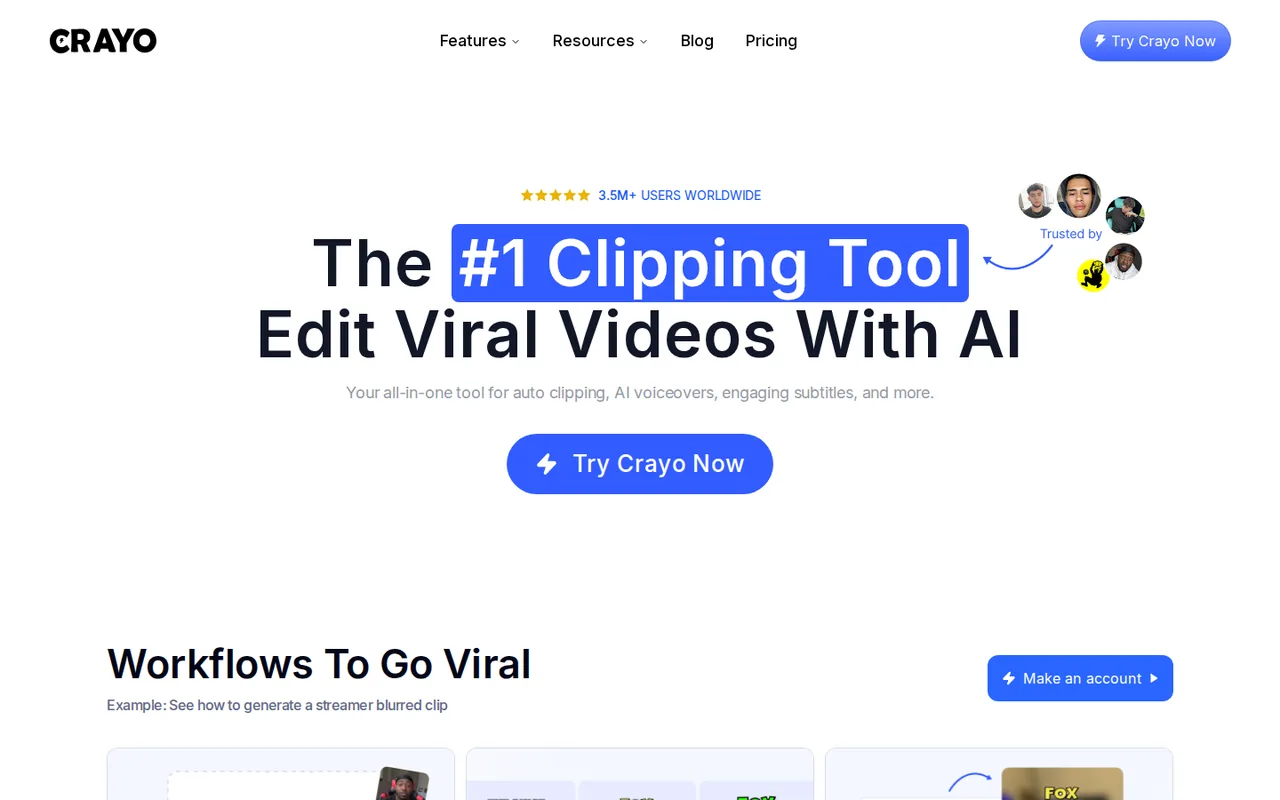
What is Crayo, in short?
Updated October 31, 2026 · By Elias Brandt · Documentation review, not tested hands-on
Pros
- Same tools on every plan
- Credits tied to finished videos
- Free browser tools
- Cancel from the dashboard
Cons
- No free plan or refunds
- Terms and pricing FAQ disagree on commercial use
- Allowances do not roll over
- Face Swap needs care
Best forClippers and podcast or stream repurposersFaceless-channel creatorsDevelopers adding clipping to a productNot for anyone who needs a refund path
Strengths, limits and who it suits, in full
Strengths
- Same tools on every plan The pricing page says every plan includes all Crayo tools.
- Credits tied to finished videos One workflow credit is one generated video rather than a charge per minute uploaded.
- Free browser tools Twelve small tools run without signup or watermark, per the provider.
- Cancel from the dashboard The Refund Policy lets subscribers cancel any time and keep access to the cycle end.
Limits
- No free plan or refunds The pricing page lists paid plans only and the Refund Policy says all sales are final.
- Terms and pricing FAQ disagree on commercial use The 2024 Terms say personal, non-commercial use; the pricing FAQ says you own and can monetize your videos.
- Allowances do not roll over Unused monthly credits are lost, so uneven posting months waste part of the plan.
- Face Swap needs care The provider says it is only for faces you have permission to use.
Who it suits
- Clippers and podcast or stream repurposers Auto Clip is built to cut long recordings into short clips.
- Faceless-channel creators Reddit story, fake-text and voiceover generators are on the features page.
- Developers adding clipping to a product A REST API for auto clipping and rendering is documented by the provider.
- Not for anyone who needs a refund path All sales are final under the Refund Policy.
How much does Crayo cost?
Prices confirmed · checked
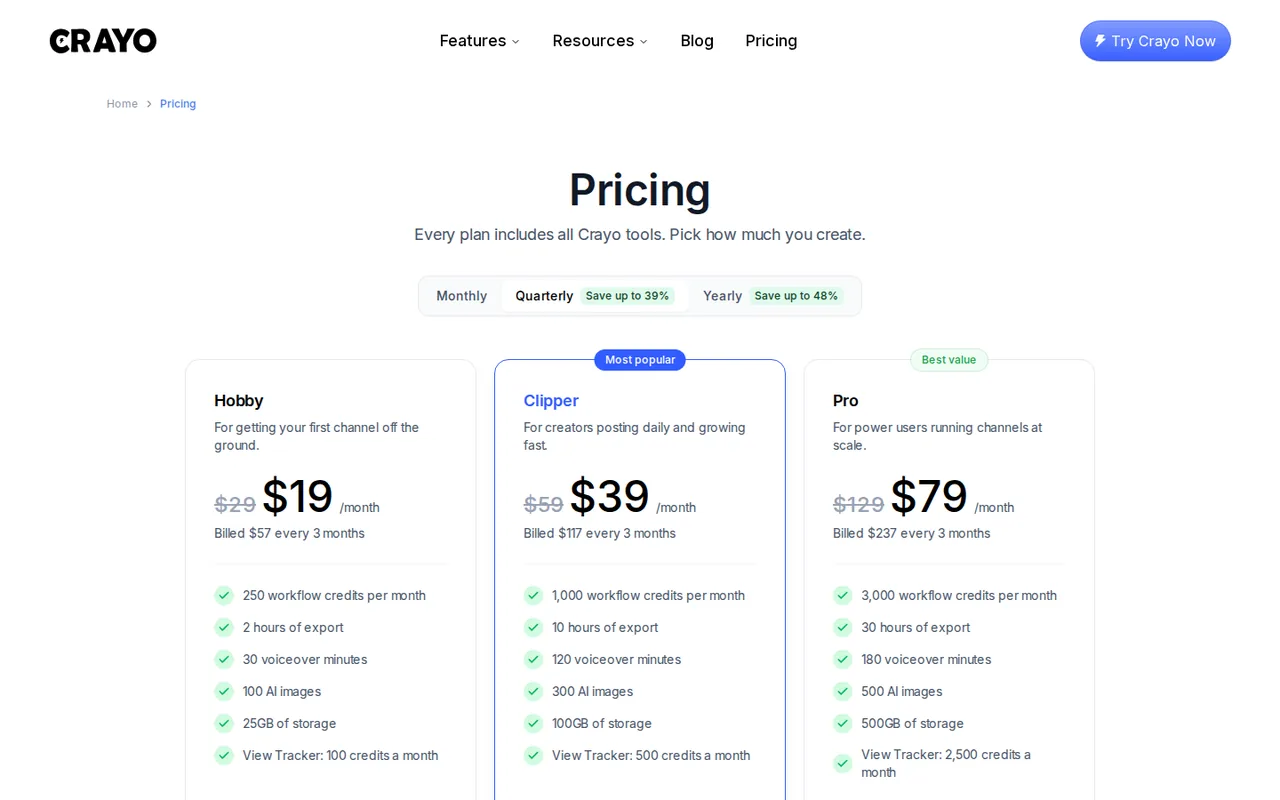
Regional prices: USD figures are the quarterly-view prices on the pricing page on 2026-10-31; each sits beside a crossed-out higher price ($29, $59, $129).
Monthly and yearly views exist ('save up to 48%' yearly) but their amounts were not read. Unused credits do not roll over. The Refund Policy says all sales are final; cancellation keeps access to the end of the cycle.
| Plan | Price | What you get |
|---|---|---|
| Free browser tools | $0 sourceFrom crayo.ai/pricing, checked Oct 31, 2026 (opens in a new tab) | Twelve small file tools, no signup or watermark per the provider; not Auto Clip or the generators. |
| Hobby | $19 per monthbilled $57 every 3 months · crossed-out $29 sourceFrom crayo.ai/pricing, checked Oct 31, 2026 (opens in a new tab) | 250 workflow credits, 2 hours of export, 30 voiceover minutes, 100 AI images, 25GB storage a month. |
| Clipper | $39 per monthbilled $117 every 3 months · crossed-out $59 sourceFrom crayo.ai/pricing, checked Oct 31, 2026 (opens in a new tab) | 1,000 workflow credits, 10 hours of export, 120 voiceover minutes, 300 AI images, 100GB storage a month. |
| Pro | $79 per monthbilled $237 every 3 months · crossed-out $129 sourceFrom crayo.ai/pricing, checked Oct 31, 2026 (opens in a new tab) | 3,000 workflow credits, 30 hours of export, 180 voiceover minutes, 500 AI images, 500GB storage a month. |
How far does it go?
- What each plan costs per generated video at full useHobby is $19 a month for 250 workflow credits, about $0.08 per video if all are used; Clipper is $39 for 1,000, about $0.04; Pro is $79 for 3,000, about $0.03. This is arithmetic on the quarterly-view prices and assumes one credit per finished video and every credit used; credits do not roll over and the export-hours cap may bind first.
Arithmetic from the published allowances above, not a usage test.
Taxes, currency and promotions can change the price you see at checkout.
Try Crayo free (opens in a new tab)
Key features
| Feature | What it does | Watch out |
|---|---|---|
| Auto Clip: upload a long video and get ranked, captioned short clips | — | |
| Reddit story and fake-text chat video generators | — | |
| AI voiceovers with 100+ voices, voice changer and speech enhancer | — | |
| AI images and a multi-track timeline editor with animated captions | — | |
| AI reframe, subtitle remover and background remover | — | |
| Developer REST API and an iOS app | — | |
| Credits count finished videos, not minutes uploaded | The pricing FAQ defines a workflow credit as one AI-generated video, such as an Auto Clip, Reddit video or fake-text video. A separate export allowance caps finished minutes. | Estimate how many clips you post a month and how long they run, then check both numbers against a plan. |
| Every plan has the same tools | The pricing page says every plan includes all Crayo tools; only allowances, storage and View Tracker credits differ. | Pick a plan by volume, not by feature list. |
| Free tools are separate from the paid product | Twelve browser tools such as a compressor and trimmer are described as free, no signup and no watermark. Auto Clip and the generators are on paid plans. | Try the free tools for file jobs only; they are not a trial of Auto Clip. |
Is Crayo free?
There is no free plan on the pricing page. The free tools page lists twelve small browser tools, described as needing no signup or watermark, but Auto Clip and the video generators are on paid plans. A free trial of the paid product was not found.
What a credit buys
The pricing FAQ defines a workflow credit as one AI-generated video, and a separate export allowance caps finished minutes. That differs from tools that charge per minute of source video, so compare on how many clips you post, not minutes uploaded.
Commercial use and your content
The Terms (last updated March 21, 2024) grant a personal, non-commercial right of use, while the pricing FAQ says you own the videos you create and can monetize them. We did not resolve the difference; ask support at support@crayo.ai in writing before client work.
Refunds and cancelling
The Refund Policy says all sales are final. Cancelling from dashboard settings keeps access until the cycle ends.
How to try it in an afternoon
Proposed evaluation · not performed yet
Upload one podcast or stream recording to Auto Clip on the smallest plan, note credits and export minutes used, and check caption accuracy before committing to a longer billing period.
Crayo alternatives
Other video & editing tools checked with the same method. Pick by the job, not by a score.

Developers and small teams who want a conversational video avatar for support, sales or tutoring and need to budget by minutes

Short animated stories from a script or prompt

Teachers, students and math YouTubers who want 3Blue1Brown-style explainer clips from a description, with an editable Manim code playground when they want control

Creators and teams who make many AI videos and need the same characters, locations and look to carry across every one

Creators and marketers who want text, image and reference-based AI video, including anime-style clips, from one web app

Relighting or changing the background of short video clips

Dubbing and subtitling existing videos into other languages

Editing and polishing 3D character animation with AI assist
Used Crayo? Write the first review. Visitor opinions are moderated and kept separate from our source checks.
Frequently asked questions
Is Crayo AI free to use?
There is no free plan. Twelve small browser tools are described as free with no signup, but Auto Clip, voiceovers and the generators need a paid plan from $19 a month, billed $57 every 3 months.
How do I cancel my Crayo AI subscription?
Go to the dashboard, open your profile picture, choose Settings and press Cancel. Access continues to the end of the billing cycle and no refund is given.
Is Crayo AI legit?
Crayo is operated by Crayo, Inc., incorporated January 2, 2024, per its company verification page. We did not test the product, and its Terms and pricing FAQ differ on commercial use.
Can I monetize videos made with Crayo?
The pricing FAQ says you own the videos and can monetize them, but the 2024 Terms describe personal, non-commercial use. Confirm with support before client work.
Does Crayo have an API?
Yes. The provider documents a REST API at api.crayo.ai for auto clipping, voiceovers, images and rendering; its pricing was not read.
Sources and method9 official sources · 10 details checked · Oct 31, 2026
How we checked this profile
10 details on this page were checked against Crayo's own pages and help documentation (Oct 31, 2026). 1 is still open and listed below.
See the checks by section9 documented1 open
| Section | Checks | Last checked | Sources |
|---|---|---|---|
| Article text | 1 documented | crayo.ai/company-verification | |
| Features | 1 documented | crayo.ai/auto-clip | |
| Plans and prices | 4 documented | crayo.ai/pricingcrayo.ai/free | |
| Other details | 1 open | crayo.ai/tos | |
| Questions | 1 documented | crayo.ai/refund-policy | |
| Strengths and limits | 1 documented | crayo.ai/face-swap | |
| Platforms and integrations | 1 documented | crayo.ai/api |
Still open
- The Terms of Service (last updated March 21, 2024) grant a limited right for personal, non-commercial use, while the pricing FAQ says 'You fully own the rights to the videos you create' and that videos can be monetized.Not confirmed · checked · Source (opens in a new tab)
Sources for this profile
All 9 sources
Official pages read on 2026-10-31: homepage, pricing page (read through a proxy fetch), features pages, free tools page, company verification page, Terms of Service (last updated March 21, 2024), Refund Policy (January 24, 2025) and Privacy Policy. We did not create an account or run a generation, so clip quality, caption accuracy, watermark behavior and speed were not observed. The Terms and the pricing FAQ differ on commercial use. Creator quotes and 'billions of views' claims on the site were not used.
Sources checked Oct 31, 2026. Found something out of date? See how we correct profiles.