

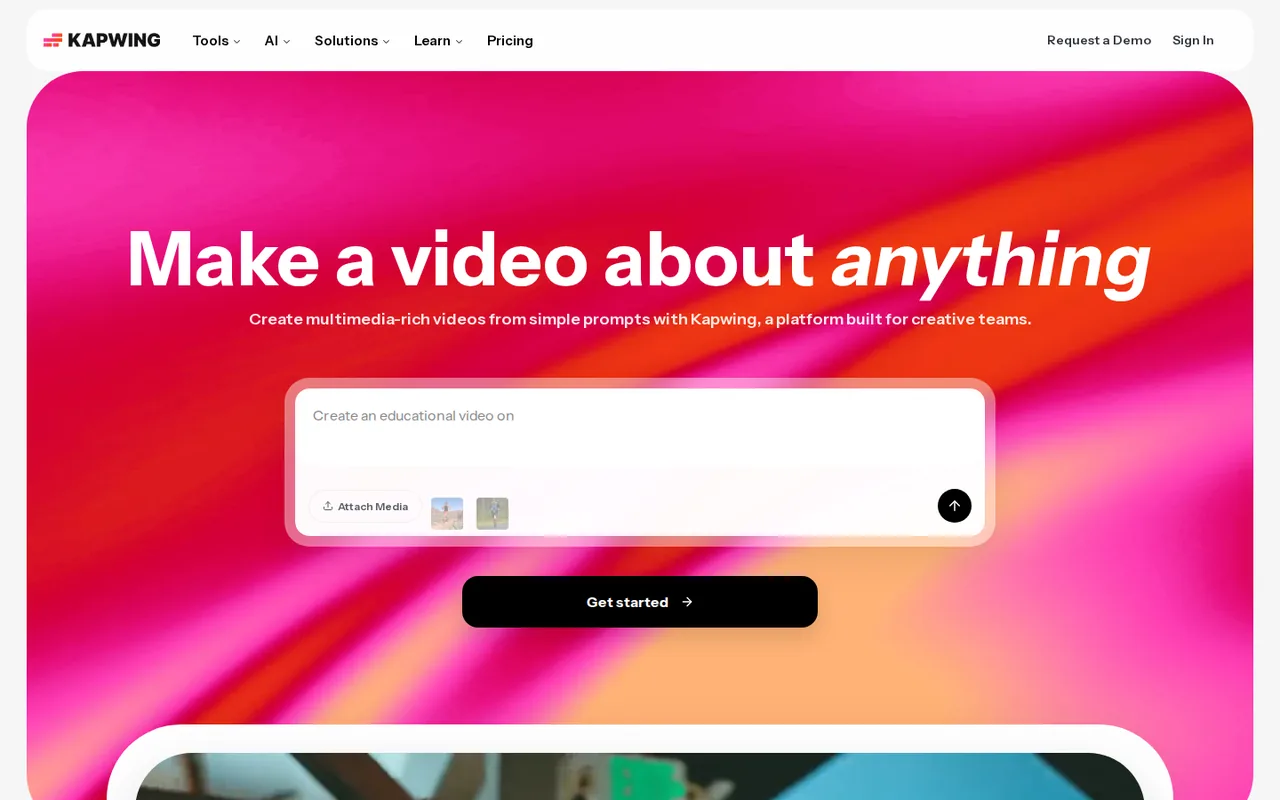
What is Kapwing, in short?
Updated November 16, 2026 · By Elias Brandt · Documentation review, not tested hands-on
Pros
- A free plan covers the editor and a sample of the AI tools
- The watermark is removed on paid plans
- Annual billing lowers the monthly price noticeably
- You keep ownership of what you upload
- Subtitles export as separate files
Cons
- The free plan is limited and watermarked
- Credit costs are not published
- No free trial and no refunds on paid plans
- Language counts differ between pages
- The Terms do not say who owns generated output
Best forCreators who caption and resize short videosSmall teams that share a brand kitTeams localising video with dubbingNot for anyone who wants to test paid features first
Strengths, limits and who it suits, in full
Strengths
- A free plan covers the editor and a sample of the AI tools The pricing page lists Free at $0 with auto-subtitling up to 10 minutes, clean audio up to 5 minutes and text to speech up to 1 minute.
- The watermark is removed on paid plans The pricing table says watermark-free exports apply to all projects on Pro, Business and Enterprise.
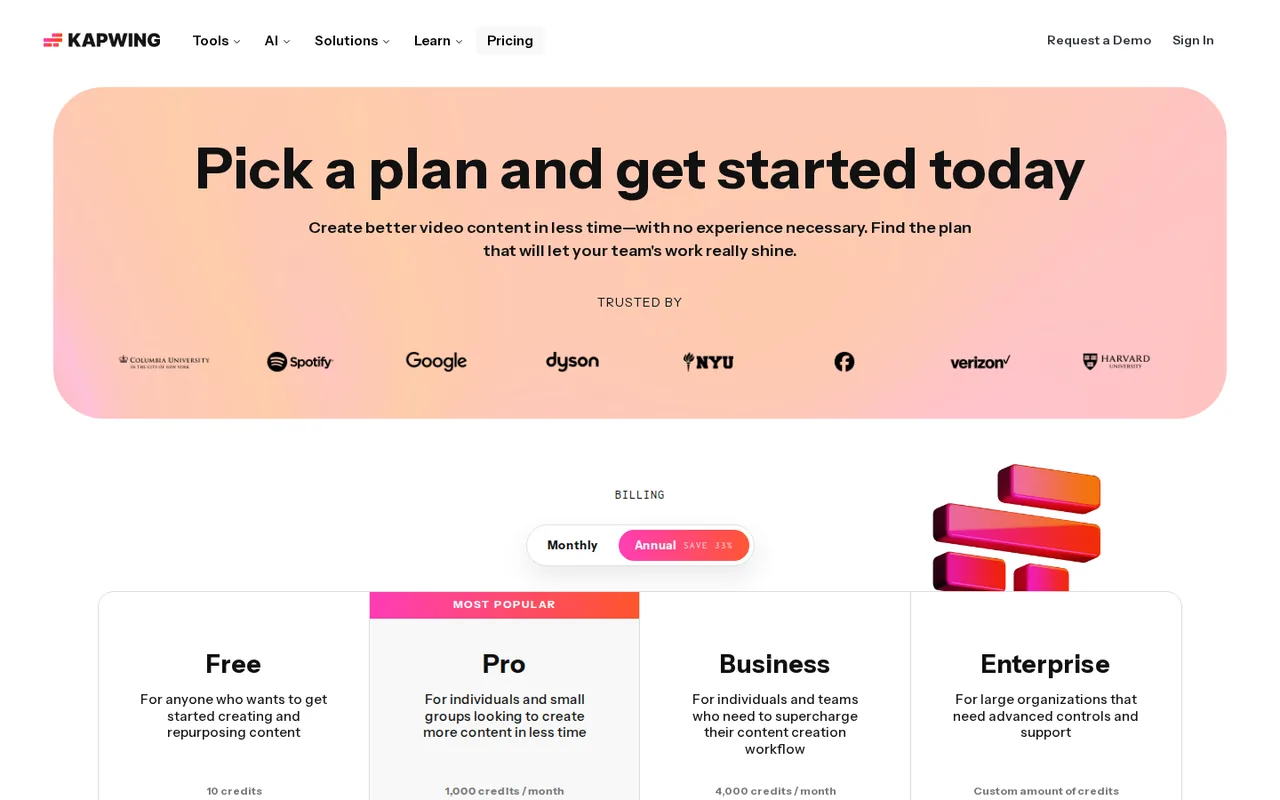
- Annual billing lowers the monthly price noticeably Pro is $24 monthly or $192 a year, Business $64 monthly or $600 a year, which is $96 and $168 less than twelve monthly payments.
- You keep ownership of what you upload The Terms say you retain ownership of content you post and grant Kapwing a non-exclusive licence to host and display it.
- Subtitles export as separate files The subtitle page says captions can be burned in or downloaded as SRT, VTT or TXT.
Limits
- The free plan is limited and watermarked Exports carry the Kapwing watermark, are capped at 4 minutes and 720p, and the table shows a 30-minute monthly export limit and 3-day project storage.
- Credit costs are not published The pricing page says each feature costs a set number of credits but does not list the numbers, so monthly AI use cannot be priced in advance.
- No free trial and no refunds on paid plans The FAQ and Refund Policy say there is no trial of the paid plans, subscriptions auto-renew until cancelled, and refunds are not issued after upgrading.
- Language counts differ between pages Dubbing is described as 40+ languages, subtitle translation as over 60 and the AI overview says 100+; the pages do not reconcile these.
- The Terms do not say who owns generated output The Terms read cover your uploaded content and acceptable use for generated scenes, not ownership of AI-generated results.
Who it suits
- Creators who caption and resize short videos Auto-subtitles, SRT export and platform resizing sit in one browser editor, with a free plan for short clips.
- Small teams that share a brand kit Pro lists a collaborative shared workspace, Brand Kit and custom fonts.
- Teams localising video with dubbing Pro includes dubbing up to 50 minutes a month and Business up to 200, using translation partners and a voice library named on the dubbing page.
- Not for anyone who wants to test paid features first There is no trial of Pro or Business and the Refund Policy excludes refunds after upgrading.
How much does Kapwing cost?
Prices confirmed · checked
- $24Pro
- $64Business
Regional prices: Prices were read from the pricing page on 2026-11-16 in its USD view; the FAQ says all prices are in USD and that fees, taxes and exchange rates are included, while the Terms say pricing and plan availability may vary by location, so confirm the total at checkout.
The page opens on its Annual view ($16 and $50 a month); the Monthly view shows $24 and $64, and the FAQ states the annual totals as $192 and $600 a year, so the monthly figures shown for annual plans are equivalents, not monthly payments. The Free card says unlimited exports with a watermark while the comparison table lists a 30-minute monthly export limit. Credit costs per feature and model are not published on the pages read. The comparison table includes a lip-sync row whose per-plan columns are not clear in the page text, so lip-sync minutes are not assigned to a plan.
| Plan | Price | What you get |
|---|---|---|
| Free | $0 sourceFrom kapwing.com/pricing, checked Nov 16, 2026 (opens in a new tab) | 10 credits. Exports carry a Kapwing watermark, are limited to 4 minutes at 720p, with 5 GB of storage. Credits cover auto-subtitling up to 10 minutes and text to speech up to 1 minute; clean audio up to 5 minutes and auto-translating up to 5 minutes are listed in the table. The table also shows a 30-minute monthly export limit and 3-day storage of projects. |
| Pro | $24 per month billed monthly$192 per year billed annually, shown as $16 a month sourceFrom kapwing.com/pricing, checked Nov 16, 2026 (opens in a new tab) | 1,000 credits a month. No watermark, uploads up to 6 GB, 4K export, exports up to 2 hours, Brand Kit and custom fonts, shared workspace, 200 GB storage. Credits cover auto-subtitling up to 1,000 minutes and dubbing up to 50 minutes a month. |
| Business | $64 per month billed monthly$600 per year billed annually, shown as $50 a month sourceFrom kapwing.com/pricing, checked Nov 16, 2026 (opens in a new tab) | 4,000 credits a month. Everything in Pro plus custom voice clones, lip sync, the option to buy additional credits and 800 GB storage. Credits cover auto-subtitling up to 4,000 minutes and dubbing up to 200 minutes a month. |
| Enterprise | Custom | Custom credits, billing, dedicated account manager, priority support, onboarding and training, SAML single sign-on and custom storage. Contact sales. |
Which plan fits?
Smallest plan whose monthly credits cover your number with 15% spare for regenerations. Arithmetic from the plan table above, not a usage test.
How far does it go?
- Paying monthly or annually for a yearPro costs $24 a month, or $288 over twelve monthly payments, against $192 billed annually, a $96 difference. Business costs $64 a month, or $768 over twelve months, against $600 billed annually, a $168 difference. The annual price only pays off if you keep the plan for the whole year, because the Refund Policy excludes refunds after upgrading. This is arithmetic on the listed prices, not a quote: credit costs per AI feature are not published, so no per-minute AI cost is calculated.
Arithmetic from the published allowances above, not a usage test.
Taxes, currency and promotions can change the price you see at checkout.
Try Kapwing free (opens in a new tab)
Key features
| Feature | What it does | Watch out |
|---|---|---|
| Auto-subtitles with a word-by-word editable transcript, exported as burned-in captions or as SRT, VTT or TXT files | — | |
| Dubbing and translation of video and audio, described as 40+ languages on the dubbing page, with a voice library powered by ElevenLabs | — | |
| Clean Audio for background noise, loudness and popping, and Smart Cut to remove silences automatically | — | |
| AI Clip Maker that cuts clips from long footage from a text prompt and resizes them for each platform | — | |
| AI video generation inside the editor with models such as Veo, MiniMax, Seedance and Kling, plus text-to-video, image-to-video, B-roll and AI avatars | — | |
| Kapwing MCP, which lets Claude or ChatGPT work with Kapwing | — | |
| AI output stays editable in the same editor | The Kapwing AI overview says every generated video, image and audio file remains editable, so text, visuals, timing and branding can be changed without starting over, and the clip maker and B-roll tools write into the same project. | Generate a short draft, then edit the transcript and captions in the project rather than regenerating, because regenerating is what spends credits. |
| Credits are capped per feature, not published per action | The pricing page gives monthly caps such as 1,000 subtitling minutes and 50 dubbing minutes on Pro, and says each AI feature costs a set number of credits, but the pages read here do not list the credit cost of an action or model. | Before choosing Pro or Business, run your real clip through the free credits and see how many credits it uses. |
| Some AI models need a paid plan | The AI models page says most models are free to try but advanced ones such as Veo require a paid plan, and that each model uses a different number of credits. | If AI video generation is your main reason to buy, check which model you want against the plan before paying. |
What does the free plan actually let you finish?
The pricing page lists Free at $0 with 10 credits, exports with a Kapwing watermark, videos up to 4 minutes long, 720p quality and 5 GB of storage. The same page says “Unlimited exports with a watermark” on the card, but its comparison table shows a monthly export limit of 30 minutes for Free; both statements are on the page, so check the limit in your own workspace before planning a series. The table also says Free projects are stored for 3 days, while paid plans keep them for the length of the subscription. For a quick subtitle or clean-up job on a short clip the free plan can be enough; a 20-minute talk cannot be exported on it.
Which AI limits sit behind the credits?
Kapwing says its AI tools run on a credit system with a set number of credits per feature, but the pages read here do not publish those credit costs, so a credit cannot be converted into minutes or dollars. What the pricing page does publish are per-feature caps: auto-subtitling up to 10 minutes on Free, up to 1,000 minutes a month on Pro and up to 4,000 on Business; dubbing up to 50 minutes a month on Pro and 200 on Business; clean audio up to 5, 500 and 2,000 minutes. Some models are gated by plan: the AI models page says most models are free to try but advanced ones such as Veo need a paid plan. Business is the only plan that lists buying additional credits.
Where do Kapwing’s own pages disagree?
Language counts differ by page: the dubbing page says 40+ languages, the pricing table says subtitles can be auto-translated into over 60 languages, and the Kapwing AI overview says dub and translate into 100+ languages. They may describe different features, so confirm that your target language is offered in the tool you will use. The pricing table also has a lip-sync row with limits for only some plans in its text, while the Business card is the one that names lip sync as an addition; this profile does not assign lip-sync minutes to a plan.
What do monthly and annual billing change?
The pricing page opens on its Annual view, where Pro shows $16 and Business $50 a month. Its FAQ states the annual totals as $192 and $600 a year, and the Monthly view shows $24 and $64. Twelve monthly payments would be $288 for Pro and $768 for Business, so the annual option is $96 and $168 lower over a year if you stay that long. The FAQ says paid plans are subscriptions that auto-renew until cancelled, there is no free trial of the paid plans, and the Refund Policy says subscriptions are not refunded once you upgrade, and that the company sends no payment reminders. That makes the free plan the only way to test before paying.
What do the Terms say about your content and generated scenes?
The Terms of Service say you keep ownership of content you post and grant Kapwing a non-exclusive licence to store, display and distribute it on its services, and that advertising may appear on the services. For generated images, audio and video the Terms set acceptable-use rules, including a ban on depicting real people without consent; they do not, in the text read here, say who owns generated output, so that question is not answered by this profile. Dubbing is described as using partners such as Google, DeepL and GPT for translation and ElevenLabs-powered voices, so the terms of those partners are separate from the terms of Kapwing itself.
How would you test it before paying?
Proposed evaluation · not performed yet
Upload one 3-minute clip of your own speech on the Free plan, run auto-subtitling, then Clean Audio and Smart Cut, and note which steps use credits and what the export looks like at 720p with the watermark. Repeat the subtitle step on a clip longer than 10 minutes to see what the free cap does. We have not run this, so no result is claimed.
Kapwing alternatives
Other video & editing tools checked with the same method. Pick by the job, not by a score.

Marketing and training teams that make avatar, translated or face-swapped video from content they own or have permission to use

Developers and small teams who want a conversational video avatar for support, sales or tutoring and need to budget by minutes

Short animated stories from a script or prompt

Teachers, students and math YouTubers who want 3Blue1Brown-style explainer clips from a description, with an editable Manim code playground when they want control

Course creators, YouTubers and small teams that dub or translate existing videos and want to edit the translation line by line before export

Creators who want to turn long YouTube videos or a one-line prompt into vertical shorts and post them to several platforms from one dashboard

Generated video and footage editing

Faceless vertical shorts generated from a one-line idea
Used Kapwing? Write the first review. Visitor opinions are moderated and kept separate from our source checks.
Frequently asked questions
Is Kapwing free?
Partly. The Free plan is $0 with 10 credits, a Kapwing watermark, exports up to 4 minutes at 720p and 5 GB of storage. Pro removes the watermark for $24 a month or $192 a year.
Does Kapwing have a free trial of Pro or Business?
No. The pricing FAQ says the tools are free to try but there is no trial of the paid plans, and the Refund Policy says subscriptions are not refunded after you upgrade.
How much does Kapwing cost per month and per year?
Pro is $24 a month or $192 billed annually ($16 a month); Business is $64 a month or $600 billed annually ($50 a month). Prices are listed in USD.
Which AI features are included on the free plan?
The pricing page lists auto-subtitling up to 10 minutes, clean audio and auto-translating up to 5 minutes each, and text to speech up to 1 minute. Some AI models, such as Veo, need a paid plan.
Does Kapwing renew automatically?
Yes. The FAQ says Pro and Business are subscriptions that auto-renew until cancelled, and the Refund Policy says no payment reminders are sent.
Sources and method10 official sources · 12 details checked · Nov 16, 2026
How we checked this profile
12 details on this page were checked against Kapwing's own pages and help documentation (Nov 16, 2026).
See the checks by section12 documented
| Section | Checks | Last checked | Sources |
|---|---|---|---|
| Article text | 1 documented | kapwing.com/overview | |
| Plans and prices | 5 documented | kapwing.com/pricing | |
| Strengths and limits | 2 documented | kapwing.com/refundkapwing.com/terms-of-service | |
| Features | 3 documented | kapwing.com/modelskapwing.com/subtitleskapwing.com/dubbing | |
| Platforms and integrations | 1 documented | kapwing.com/overview |
Sources for this profile
- Pricing page, Monthly and Annual views and FAQkapwing.com
- Homepagekapwing.com
- Kapwing AI overviewkapwing.com
- AI models pagekapwing.com
All 10 sources
Official pages read on 2026-11-16: homepage, pricing (Monthly and Annual views and FAQ, read in a browser), Kapwing AI overview, AI models, dubbing, auto-subtitles, remove background noise, silence remover, Refund Policy and Terms of Service. The pages do not show an effective date for the Terms or Refund Policy. The Privacy Policy was not read, so data handling beyond the Terms was not checked. We did not create an account or process a file, so subtitle accuracy, dubbing quality, generated video quality and credit use were not observed. Provider statements such as 99% accurate subtitles, creator counts and customer testimonials are marketing claims and are not used. The Google questions tool could not be queried on this run (it returned an authorization error), so the questions below come from the provider's own pricing FAQ, not search data.
Sources checked Nov 16, 2026. Found something out of date? See how we correct profiles.