

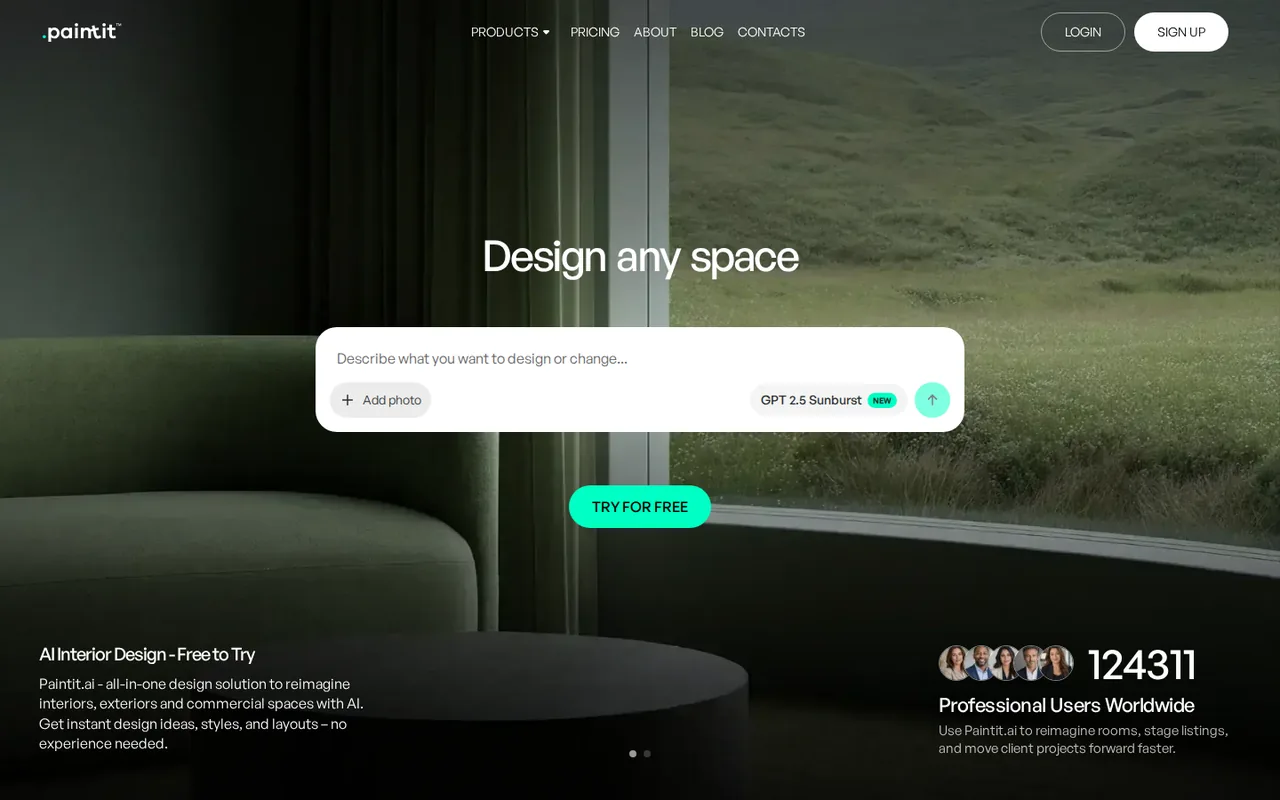
What is PaintIt AI, in short?
Updated October 17, 2026 · By Elias Brandt · Documentation review, not tested hands-on
Pros
- Free plan to try it
- Cost shown before generating
- Top-ups for subscribers
- Cancel any time
Cons
- Credits expire monthly
- Refund wording differs
- Content may train its models
- Commercial use unclear by plan
Best forHomeowners and DIY renovatorsReal estate agents and stagersShort-term rental hostsNot for sensitive or confidential spaces
Strengths, limits and who it suits, in full
Strengths
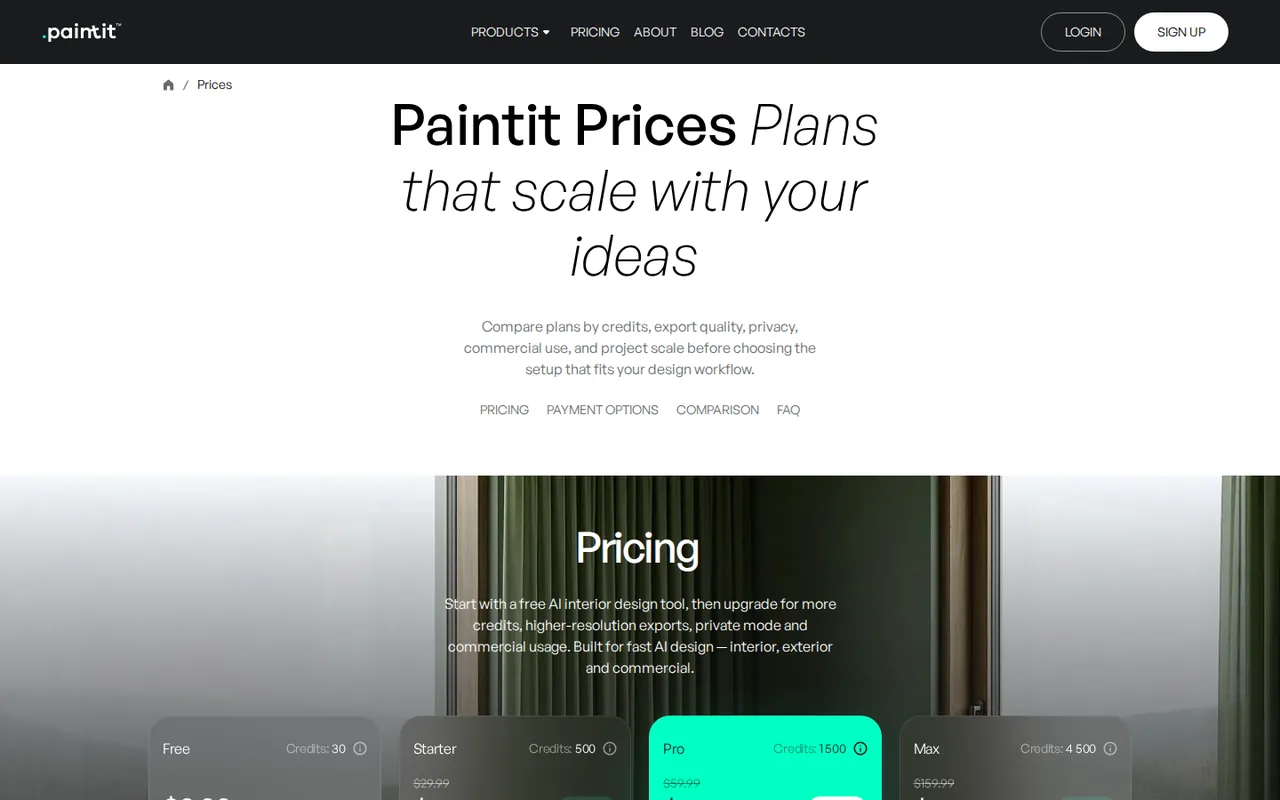
- Free plan to try it The pricing page lists 30 credits with 1K resolution, the basic model, chat guidance and furniture suggestions at $0.
- Cost shown before generating The pricing FAQ says the credit cost is shown before supported actions.
- Top-ups for subscribers The pricing FAQ says active subscribers can buy extra credits without changing plan.
- Cancel any time The pricing FAQ says you can cancel from your account and paid features usually last until the paid period ends.
Limits
- Credits expire monthly The pricing FAQ says unused credits do not roll over to the next billing period.
- Refund wording differs The pricing page promises a 7-day money-back guarantee, its FAQ says refunds are case by case, and the terms limit refunds to 7 days and no more than 50% of credits used.
- Content may train its models The terms license your input to the provider, including to train and fine-tune internal AI models; the FAQ says private mode does not make data invisible to it.
- Commercial use unclear by plan The pricing table lists the commercial licence from Pro, but the FAQ steers commercial and client work to Pro or Max.
Who it suits
- Homeowners and DIY renovators The homepage positions the free tier for testing ideas before spending money.
- Real estate agents and stagers The homepage describes listing visuals and virtual staging; commercial use needs a plan that includes it.
- Short-term rental hosts The homepage describes testing colours, furniture and decor to refresh listing photos.
- Not for sensitive or confidential spaces The FAQ warns against uploading confidential material, since photos and chats are processed by the provider.
How much does PaintIt AI cost?
Prices confirmed · checked
Regional prices: Prices are from the pricing page on 2026-10-17 and are shown as 50% off a struck-through list price; the FAQ says promotions vary by plan, region and period, and the final price is shown before purchase.
Only monthly billing was found. The pricing page promises a 7-day money-back guarantee, while its FAQ says refunds are reviewed case by case and the terms allow a refund within 7 days if no more than 50% of the period's credits were used; we did not resolve this. The pricing table lists the commercial licence under Pro, but the FAQ points commercial work to Pro or Max. Whether the Free 30 credits renew was not stated. Top-up prices were not shown.
| Plan | Price | What you get |
|---|---|---|
| Free | $0 sourceFrom paintit.ai/prices, checked Oct 17, 2026 (opens in a new tab) | 30 credits, 1K image resolution, basic AI model, AI chat guidance, enhanced prompts, style browsing and real furniture suggestions. |
| Starter | $14.99 per month sourceFrom paintit.ai/prices, checked Oct 17, 2026 (opens in a new tab) | 500 credits a month, 2K resolution, more advanced AI models, token top-ups and private mode. Shown at a 50% promotional price; the struck-through list price is $29.99. |
| Pro | $29.99 per month sourceFrom paintit.ai/prices, checked Oct 17, 2026 (opens in a new tab) | 1,500 credits a month, 4K upscale, Pinterest connection, watermark-free results, commercial usage license and the most advanced AI models. Promotional price; list price $59.99. |
| Max | $79.99 per month sourceFrom paintit.ai/prices, checked Oct 17, 2026 (opens in a new tab) | 4,500 credits a month, prioritised generation, discounted top-ups and shared projects. Promotional price; list price $159.99. |
Which plan fits?
Smallest plan whose monthly credits cover your number with 15% spare for regenerations. Arithmetic from the plan table above, not a usage test.
How far does it go?
- What the credits buyThe FAQ says an image costs at least 3 credits and more for advanced models, higher resolution or upscales. At that minimum, the 30 free credits cover about 10 images, Starter's 500 about 166 and Pro's 1,500 about 500 a month. Real counts will be lower with higher-quality models, and unused credits do not roll over, so Starter at $14.99 suits a few rooms a month, not volume work.
Arithmetic from the published allowances above, not a usage test.
Taxes, currency and promotions can change the price you see at checkout.
Try PaintIt AI free (opens in a new tab)
Key features
| Feature | What it does | Watch out |
|---|---|---|
| Redesign a room from an uploaded photo, a preset or a text prompt (homepage) | — | |
| AI chat to discuss ideas and request changes in plain language (homepage, pricing page) | — | |
| Real furniture suggestions and style browsing in every plan, including Free (pricing page) | — | |
| Interior, exterior and commercial space concepts, including virtual staging for listings (homepage) | — | |
| Pinterest connection, 4K upscale and watermark-free results on Pro (pricing page) | — | |
| Credits set the cost of each image | The pricing FAQ says the minimum image cost starts at 3 credits and rises with model, quality, resolution and operation, and the service shows the cost before supported actions. | Use basic quality to explore directions, then spend credits on a higher-quality model only for the layout you pick, as the FAQ itself suggests. |
What does the free plan include?
The pricing page lists 30 credits, 1K image resolution, the basic AI model, AI chat guidance and real furniture suggestions. Its FAQ says the minimum image cost starts at 3 credits, so the free credits cover a small number of first tests.
Which plan lets you use images commercially?
The pricing table lists the commercial usage license under Pro, while the FAQ says Max is best for commercial projects and client work. Confirm the license scope in the terms and at checkout before using renders in listings or client decks.
What happens to the photos you upload?
The terms say you keep rights to your input but license it to the provider, including to train internal AI models. The pricing FAQ says private mode gives more control but does not make data invisible to the provider, so avoid uploading sensitive rooms.
How could you check PaintIt before paying?
Proposed evaluation · not performed yet
Use one real room.
- Upload a photo of an empty or dated room on the free plan and note the credit cost shown before each generation.
- Ask for one change at a time, such as wall colour or furniture, and check that doors and windows stay in place.
- Check resolution and any watermark against your use, then decide between Starter and Pro.
PaintIt AI alternatives
Other images & design tools checked with the same method. Pick by the job, not by a score.

AI images, video and audio inside an Adobe workflow

Rigged 3D avatars from a selfie for games and apps

AI images placed straight into templated designs

Turning a written story into a character-consistent comic series, and optionally a short film

Photorealistic renders from architectural model screenshots and sketches

Turning a reference image or prompt into a textured 3D model

Depth maps and relief files for laser or CNC work

Teams that want to generate or edit images by API at a published per-image price
Used PaintIt AI? Write the first review. Visitor opinions are moderated and kept separate from our source checks.
Frequently asked questions
Is PaintIt AI free?
Yes, with limits. The pricing page lists a free plan with 30 credits, 1K image resolution, the basic AI model, chat guidance and furniture suggestions. Paid plans add credits, resolution and features.
How much does PaintIt AI cost?
Starter is $14.99 a month, Pro $29.99 and Max $79.99 at the 50% promotional prices on the pricing page, against list prices of $29.99, $59.99 and $159.99. Promotions vary, so check checkout.
Do unused credits roll over?
No. The pricing FAQ says unused credits do not roll over; credits refresh at the start of each billing period. Active subscribers can buy top-up credits.
Can I use PaintIt AI images for client or listing work?
Only on a plan that includes commercial use. The pricing table lists the commercial licence under Pro, but the FAQ points commercial work to Pro or Max, so confirm before using renders for clients.
Does PaintIt AI train on my room photos?
The terms license your input to the provider, including to train and fine-tune internal AI models. The FAQ says private mode gives more control but does not make data invisible to it.
Sources and method3 official sources · 8 details checked · Oct 17, 2026
How we checked this profile
8 details on this page were checked against PaintIt AI's own pages and help documentation (Oct 17, 2026).
See the checks by section8 documented
| Section | Checks | Last checked | Sources |
|---|---|---|---|
| Article text | 1 documented | paintit.ai | |
| Plans and prices | 4 documented | paintit.ai/prices | |
| Strengths and limits | 3 documented | paintit.ai/terms-of-servicepaintit.ai/prices |
Sources for this profile
- Pricing page: plans, credits, comparison table and FAQpaintit.ai
- Homepage: product description, audiences and plan summarypaintit.ai
- Terms of service: credits, refunds, content licence (last updated June 26, 2026; checked 2026-10-17)paintit.ai
Official PaintIt pages read on 2026-10-17: homepage, pricing page with its FAQ, and the terms of service (last updated June 26, 2026). The privacy policy and about page were not reviewed. The homepage FAQ answers were collapsed on the page and were not used. The G2 badge on the homepage and the pricing page's comparison with other tools are vendor claims and were not used as evidence. We did not create an account, generate a design or test output quality. Gaps: whether free credits renew, per-image credit costs by model, top-up prices, regional prices and the exact commercial licence scope. Directory listings and third-party reviews were not used.
Sources checked Oct 17, 2026. Found something out of date? See how we correct profiles.