

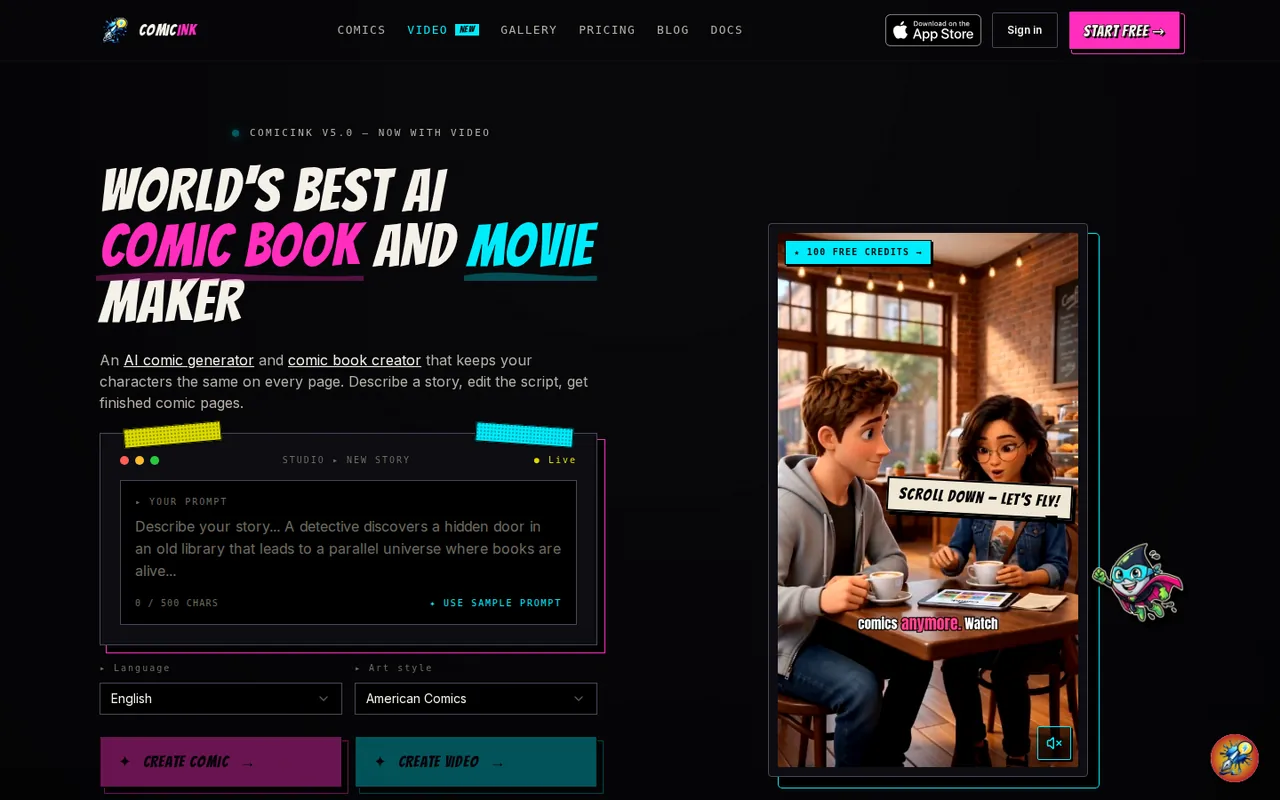
What is ComicInk, in short?
Updated October 21, 2026 · By Elias Brandt · Documentation review, not tested hands-on
Pros
- Costs shown in credits
- Credits do not expire
- Output ownership
- Print-ready exports
- Named operator
Cons
- Free start is unclear
- Video is expensive
- Credits spent on bad results
- Third-party model terms
- Prompts go to several providers
Best forWriters who cannot drawIndie creators selling issuesEducators and explainer makersNot for adult or fan-art contentNot for long films on a small budget
Strengths, limits and who it suits, in full
Strengths
- Costs shown in credits Pages, covers, characters and settings have fixed credit rates, and video shows an estimate before rendering.
- Credits do not expire Credit packs never expire, and the homepage says subscription credits stay even after cancelling.
- Output ownership The terms give users ownership of generated work, commercial use included, with no royalty owed to ComicInk.
- Print-ready exports Comics export as PDF or page images, and the app reads issues in a flipbook.
- Named operator Ink Ideas LLC gives a Spokane address, a DMCA agent and a TAKE IT DOWN removal route in the terms.
Limits
- Free start is unclear The homepage promises 100 free credits, but the pricing FAQ says a plan unlocks the studio.
- Video is expensive About 1,500 credits per ten-second scene means a 30-second film uses a whole Plus month.
- Credits spent on bad results Failed output that is not a system error is not refunded, including imperfect lip-sync.
- Third-party model terms Veo and Wan outputs may carry their providers' own usage terms for commercial use.
- Prompts go to several providers Anthropic, Google, OpenAI via OpenRouter and others process content, and support staff can open drafts.
Who it suits
- Writers who cannot draw You write the story; the AI draws, letters and keeps the cast consistent across an issue.
- Indie creators selling issues the built-in store, PDF export and ownership terms suit publishing without a separate storefront.
- Educators and explainer makers The homepage gallery shows an educational issue on how plants eat sunlight, and the site links an educators page that was not reviewed.
- Not for adult or fan-art content The terms ban sexual content and real-person likenesses, even for fictional characters.
- Not for long films on a small budget video credits are about 1,500 per ten seconds, so a three-minute film needs far more than a monthly plan.
How much does ComicInk cost?
Prices confirmed · checked
Regional prices: Prices are in US dollars and web payments go through Stripe; in the iOS app credits are bought through the App Store, where the terms say pricing may vary by region and currency.
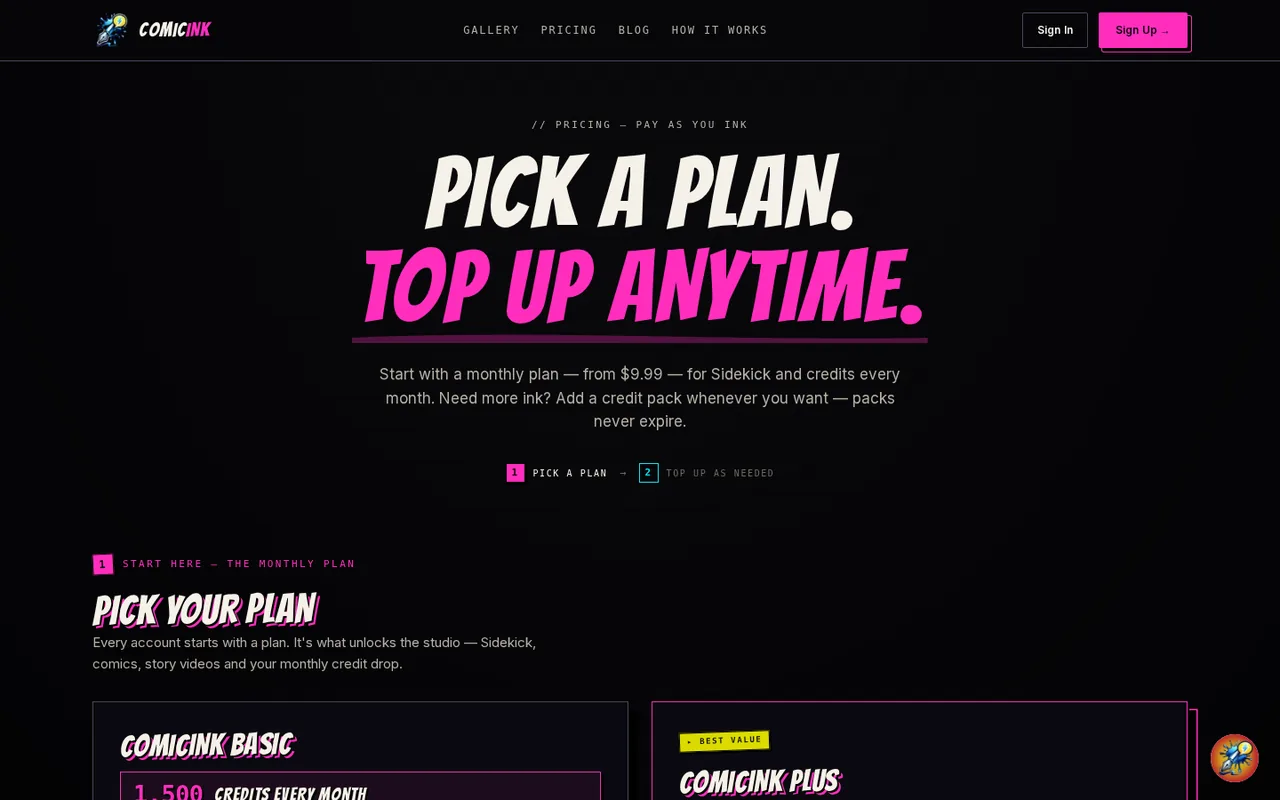
Plans renew monthly until cancelled. Credits cost 50 per comic page or cover, 10 per character or setting image (regenerations included) and about 1,500 per ten-second video scene; the homepage and pricing page show the same rates. The creator store separately sells readers single issues from $1.49, with 70% going to the creator. The homepage and iOS page give new accounts 100 free credits with no card, but the pricing FAQ answers 'Do I need the subscription?' with yes, so whether the free credits can be used before subscribing was not confirmed.
| Plan | Price | What you get |
|---|---|---|
| Free credits | $0 sourceFrom comicink.ai/pricing, checked Oct 21, 2026 (opens in a new tab) | 100 credits on a new account with no card, per the homepage and iOS page; a page costs 50 credits and the first two comic renders are free. The pricing FAQ says a plan unlocks the studio. |
| ComicInk Basic | $9.99 per month sourceFrom comicink.ai/pricing, checked Oct 21, 2026 (opens in a new tab) | 1,500 credits a month (about 30 comic pages or about ten seconds of video), 150 Sidekick messages a month, rollover credits, cancel anytime. |
| ComicInk Plus | $19.99 per month sourceFrom comicink.ai/pricing, checked Oct 21, 2026 (opens in a new tab) | 4,500 credits a month (about 90 pages or about 30 seconds of video), unlimited Sidekick, rollover credits, cancel anytime. |
| Lite credit pack | $9.99 one-time sourceFrom comicink.ai/pricing, checked Oct 21, 2026 (opens in a new tab) | 1,500 credits on top of an active plan; never expires. |
| Starter credit pack | $24.99 one-time sourceFrom comicink.ai/pricing, checked Oct 21, 2026 (opens in a new tab) | 4,500 credits; never expires. |
| Creator credit pack | $54.99 one-time sourceFrom comicink.ai/pricing, checked Oct 21, 2026 (opens in a new tab) | 12,000 credits (about 240 pages); never expires. |
| Video credit pack | $109.99 one-time sourceFrom comicink.ai/pricing, checked Oct 21, 2026 (opens in a new tab) | 30,000 credits (about 600 pages or about 3 minutes 20 seconds of video); never expires. |
Which plan fits?
Smallest plan whose monthly credits cover your number with 15% spare for regenerations. Arithmetic from the plan table above, not a usage test.
How far does it go?
- Budgeting a 24-page comic and a short filmAssumption for illustration, not a ComicInk figure: a 24-page issue with a cover and five characters costs 24 x 50 + 50 + 5 x 10 = 1,300 credits, which fits inside one Basic month of 1,500 credits ($9.99) and leaves 200 for re-rolls. A 30-second film at about 1,500 credits per ten seconds needs 4,500 credits, a full Plus month ($19.99). At the listed prices a comic page works out to about $0.33 on Basic, $0.22 on Plus and $0.18 on the Video pack ($109.99 for 30,000 credits), while a ten-second video scene is about $10 on Basic. Failed renders caused by a system error are restored; unsatisfactory ones are not.
Arithmetic from the published allowances above, not a usage test.
Taxes, currency and promotions can change the price you see at checkout.
Try ComicInk free (opens in a new tab)
Key features
| Feature | What it does | Watch out |
|---|---|---|
| Script to comic: describe a story, edit the AI script, and get lettered pages in 12 comic art styles, with covers and multi-issue series (homepage) | Point the editor at a finished issue and it directs a moving version from the existing characters and art style, re-renderable scene by scene. | It costs about 1,500 credits per scene, the same rate as a prompt-made film, and video is only available on the web. |
| Character Lock and asset memory: characters, props and locations are fingerprinted once and reused across pages, issues and film scenes (homepage) | Each character, prop and location is fingerprinted once and re-applied to every page and scene, so a series keeps one cast. | The provider states this but the terms warn that scene consistency and lip-sync can vary between renders, and credits are spent on every render. |
| Story video: a prompt becomes a multi-scene film with spoken dialogue, music and captions, up to 16 scenes per script, exported as 720p MP4 or WebM (homepage) | — | |
| Comic to film: convert a finished issue into a moving version that reuses its characters and art style (homepage) | — | |
| Sidekick, an in-editor AI assistant that writes scripts, adds characters and edits pages from plain instructions (homepage) | — | |
| Creator store: a branded storefront with per-issue pricing from $1.49 and a 70% creator share via Stripe Connect (sell-comics page) | Publish issues to a branded storefront with free, preview or paid access per issue and keep 70% of each sale. | The sell-comics page lists prices from $1.49 per issue and Stripe payouts; it makes no claim about how many readers a store reaches. |
What do credits actually pay for?
Everything runs on one credit balance. According to the pricing page, a comic page or cover costs 50 credits, a character or setting image 10, and these rates are the same on monthly credits and on packs. The homepage prices video at roughly 1,500 credits per ten-second scene, and the terms add that the cost depends on the video model and the length you choose, with an estimate shown before you render. Regenerating a character image costs the same 10 credits again.
Credits granted by a subscription are described as rolling over and, on the homepage FAQ, as never expiring even if you cancel. Sidekick messages on Basic are different: the terms say the 150-message allowance resets each billing period and unused messages do not carry over. One point is unresolved: the homepage, iOS page and pricing FAQ promise 100 free credits without a card, while the pricing FAQ also says a plan is what unlocks the studio. We could not resolve this without creating an account, so treat the free start as stated but unconfirmed.
How does Character Lock keep a cast consistent?
The homepage says each character, prop and location is fingerprinted once and re-applied to every page, issue and film scene, so a hero keeps the same face and jacket across a series. The same project memory feeds the comic-to-film conversion, which reuses an existing issue’s characters, art style and palette. A script generates up to 16 scenes in one pass, and more can be added by hand.
The consistency claim is the provider’s and was not tested here. The terms themselves warn that video can show mismatched lip movement, garbled or mistimed speech, and variation between renders and scenes, and that credits are spent even on an unsatisfactory result. Plan for re-renders when budgeting.
Who owns what you generate?
The terms state that you own all pages, characters, scripts, images, video, audio and synthetic voices, with no royalty or attribution owed, and may sell, license and print them. Three limits sit beside that: the built-in background music is licensed only inside the videos you make, video and audio come from third-party models (such as Google Veo and Alibaba Wan) whose own terms may apply to commercial use, and the terms note that some jurisdictions may not recognise copyright in AI-generated works. ComicInk also keeps a licence to display content you publish in its public gallery.
Content rules are strict for a creative tool: no nudity or sexual content even for fictional characters, no deepfakes, and no likeness or voice of a real identifiable person without consent. Fiction, history, satire and depictions of violence in a story are allowed, and accounts are 18+.
What does the built-in creator store pay?
The sell-comics page describes a branded storefront where readers buy single issues and read them in a flipbook, with a 70/30 split in the creator’s favour, payouts through Stripe Connect, and per-issue prices starting at $1.49. The page lists no monthly fee. The sales analytics (views, purchases, revenue) are in the same dashboard. Whether any given comic finds buyers is not something the page claims.
Where do your prompts and drafts go?
The privacy policy says story prompts, character and world details and, for conversions, text extracted from an uploaded PDF go to Anthropic (with Google Gemini as fallback). The in-editor assistant sends the open script, page text and any page image or attachment through OpenRouter to the current model, named as GPT-5.6 Luna from OpenAI, and the policy says that model may change. Anthropic and Google are described as not retaining the data for training under the API agreements; OpenRouter and OpenAI handle assistant requests under their own terms. Separately, the terms allow ComicInk staff to open unpublished content when you contact support.
What happens if you cancel or want money back?
Cancelling stops future charges and credit grants, and credits already granted stay in the account. Refunds are narrow: per the terms, unused credits bought on the web may be refunded within 14 days of purchase at ComicInk’s sole discretion, App Store purchases go through Apple, and credits used for generation are not refundable. Credits are restored only when a render fails because of a system error on ComicInk’s side. Banned accounts forfeit their remaining credits.
How could you check ComicInk before paying?
Proposed evaluation · not performed yet
Check what a first comic costs and whether the cast stays consistent, using an invented story and no real person.
- Create a free account and note whether the balance shows 100 credits without asking for a plan or card.
- Write a two-sentence story about an invented lighthouse keeper and a paper kite, pick one art style, and add one character.
- Record the credit balance before and after generating the character image and the first comic page.
- Open the page and check whether the character looks the same on a second page, and whether the credits deducted match the listed 10 and 50.
Accept if the free credits work without a plan, the deductions match the listed rates and the character stays recognisable across pages. Reject if the studio is locked until a plan is bought, or credits are charged for a failed page. No result is recorded here.
ComicInk alternatives
Other images & design tools checked with the same method. Pick by the job, not by a score.

AI images, video and audio inside an Adobe workflow

Rigged 3D avatars from a selfie for games and apps

AI images placed straight into templated designs

Low-cost image generation paid per request, without a subscription

Finding prompts for a specific image model before generating

Designers and sellers who need editable vector or brand-style image output

One-off lettering for posters, cards and social graphics

Photorealistic renders from architectural model screenshots and sketches
Used ComicInk? Write the first review. Visitor opinions are moderated and kept separate from our source checks.
Frequently asked questions
Is ComicInk free?
New accounts are stated to get 100 free credits with no card, which covers two comic pages at 50 credits each; the homepage also says the first two comic renders are free. After that, ComicInk Basic is $9.99 a month and ComicInk Plus is $19.99 a month. The pricing page FAQ says a plan unlocks the studio, which conflicts with the free-credit start, so confirm at sign-up.
Can I make videos in the ComicInk iOS app?
Not yet. The iOS page says video creation is web-only, and the app is the comic studio for creating, editing, reading and publishing comics. Comics, characters and credits sync to the web through the same account, so you can start on iPhone and render a film in the browser.
Do I own the comics and videos I make?
The terms give you ownership of everything you generate, commercial use included, and ComicInk claims no royalty. Two exceptions matter: the background music is licensed only inside your own videos, and the video and audio models (for example Google Veo and Alibaba Wan) may have usage terms of their own. The terms also warn that some countries may not give AI-generated work copyright.
How many languages does ComicInk support?
The homepage says 22 languages for comics and film, while the iOS page says 20 comic languages and a 10-language app interface. The provider gives no list on either page that settles the difference, so check the language picker before planning a translated series.
Does ComicInk allow adult or NSFW content?
No. The terms ban nudity, pornography and sexually explicit content even for fictional characters, and they ban deepfakes and the likeness or voice of a real, identifiable person without consent. Ordinary clothed depictions such as swimwear are allowed, and violence is allowed inside a story. Accounts must be 18 or older.
What can I export from ComicInk?
Comics export as a print-ready PDF or a ZIP of page images. Video exports as a 720p MP4, with WebM also available. The homepage says more formats are on the roadmap, so higher resolutions are not offered yet.
Sources and method6 official sources · 15 details checked · Oct 21, 2026
How we checked this profile
15 details on this page were checked against ComicInk's own pages and help documentation (Oct 21, 2026). 1 is still open and listed below.
See the checks by section13 documented1 editorial assessment1 open
| Section | Checks | Last checked | Sources |
|---|---|---|---|
| Plans and prices | 3 documented 1 editorial 1 open | comicink.ai/pricingcomicink.ai | |
| Platforms and integrations | 1 documented | comicink.ai/ios | |
| Features | 4 documented | comicink.aicomicink.ai/sell-comics-online | |
| Strengths and limits | 3 documented | comicink.ai/terms | |
| Who it suits | 1 documented | comicink.ai/terms | |
| Other details | 1 documented | comicink.ai/privacy |
Still open
- New accounts get 100 free credits with no card, and the homepage adds that the first two comic renders are free.Not confirmed · checked · Source (opens in a new tab)
Sources for this profile
- Pricing page with plans, credit packs and pricing FAQcomicink.ai
- ComicInk homepage, plan cards, credit costs and FAQcomicink.ai
- Terms of Service, last updated October 2026comicink.ai
- Privacy Policy, last updated September 2026comicink.ai
Official pages read on 21 Oct 2026 with plain HTTP requests: homepage with plan cards and FAQ, pricing page, Terms of Service (October 2026), Privacy Policy (September 2026), the iOS app page and the sell-comics page. We did not create an account, generate a comic or video, or open the App Store listing. Official pages differ in places: the homepage, iOS page and pricing FAQ promise 100 free credits with no card, while the pricing page FAQ says a plan is what unlocks the studio; the homepage lists 22 languages and the iOS page 20; the homepage links a docs page that returned 404. User counts and gallery examples are the provider's and were not used. Third-party directory prices and reviews were not used.
Sources checked Oct 21, 2026. Found something out of date? See how we correct profiles.