

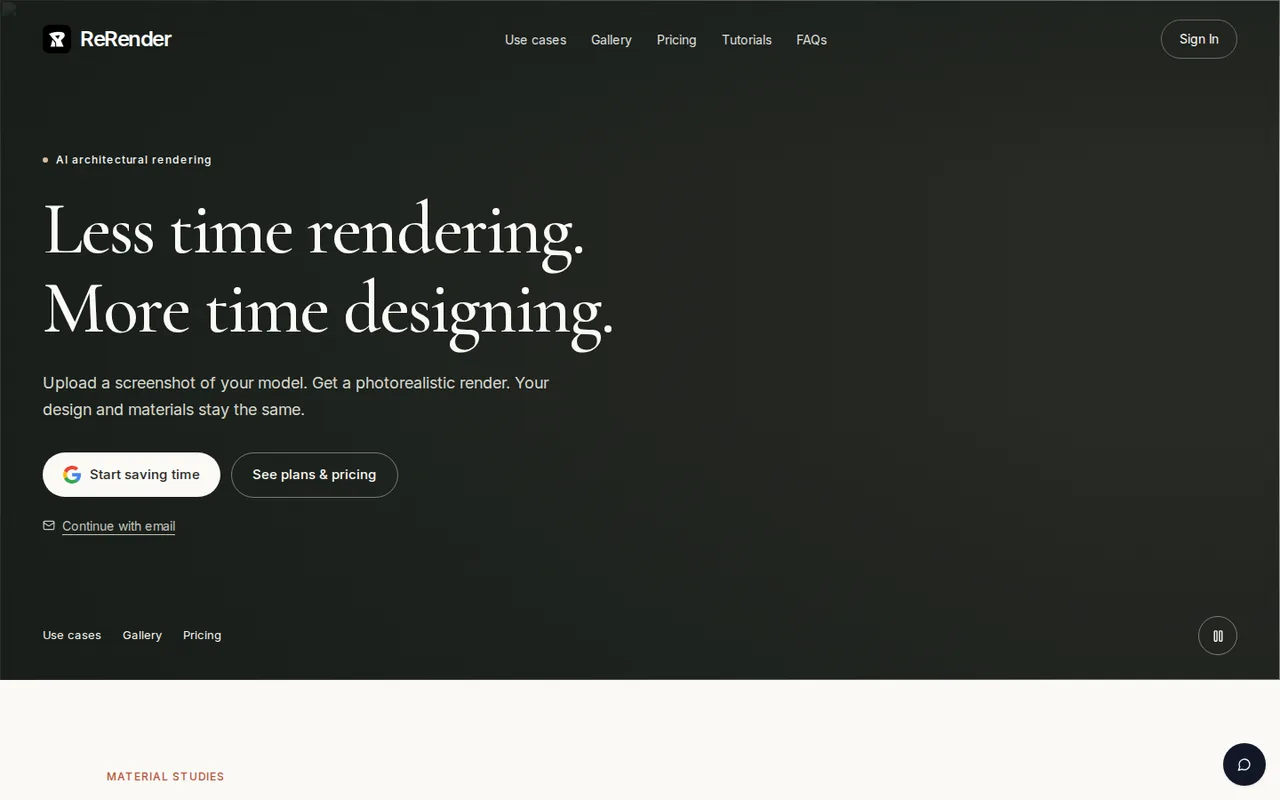
ReRender AI: free renders are watermarked, non-commercial and may be public; Pro costs $45 a month
Updated September 29, 2026 · By Elias Brandt · Documentation review, not tested hands-on
Pros
- Built around an existing design
- No training on your files
- Low student entry price
Cons
- Free output is exposed
- No refunds
- Third-party model providers
Bottom line
3 renders a day; non-commercial use; standard image quality; watermarked renders shared to the public gallery; simple lighting and theme-based rendering.
You are an architect or designer who needs to turn a model screenshot or sketch into a presentation image: the design, layout and materials are kept as they are.
You work on confidential client projects without a paid plan: free output may be public or used in promotion, so private rendering needs a paid plan.
Best forArchitects showing early conceptsInterior designersArchitecture studentsSmall studios sharing work
Strengths, limits and who it suits, in full
Strengths
- Built around an existing design The FAQ says renders keep the model shape, proportions, layout and materials.
- No training on your files The terms say uploads, prompts and outputs are not used to train models Stylefie develops or controls.
- Low student entry price Students with an education email can pay $9 per two weeks for Pro features.
Limits
- Free output is exposed Free renders are watermarked, non-commercial and may appear in public galleries or promotion.
- No refunds The terms make all purchases final unless the law or a separate agreement says otherwise.
- Third-party model providers Content may be sent to outside AI providers whose own terms govern whether they train on it.
Who it suits
- Architects showing early concepts a screenshot from the working model becomes a presentation image without a separate render setup.
- Interior designers interior mode and moodboards suit quick mood studies, while furniture needs the separate staging step.
- Architecture students the Student plan gives Pro features at $9 per two weeks, provided the account uses an education email.
- Small studios sharing work Team adds shared projects and team moodboards; confirm seat pricing before inviting staff.
How much does ReRender AI cost?
Prices confirmed · checked
- $45Pro
- $55Team
Regional prices: Prices are shown in USD and paid through Stripe.
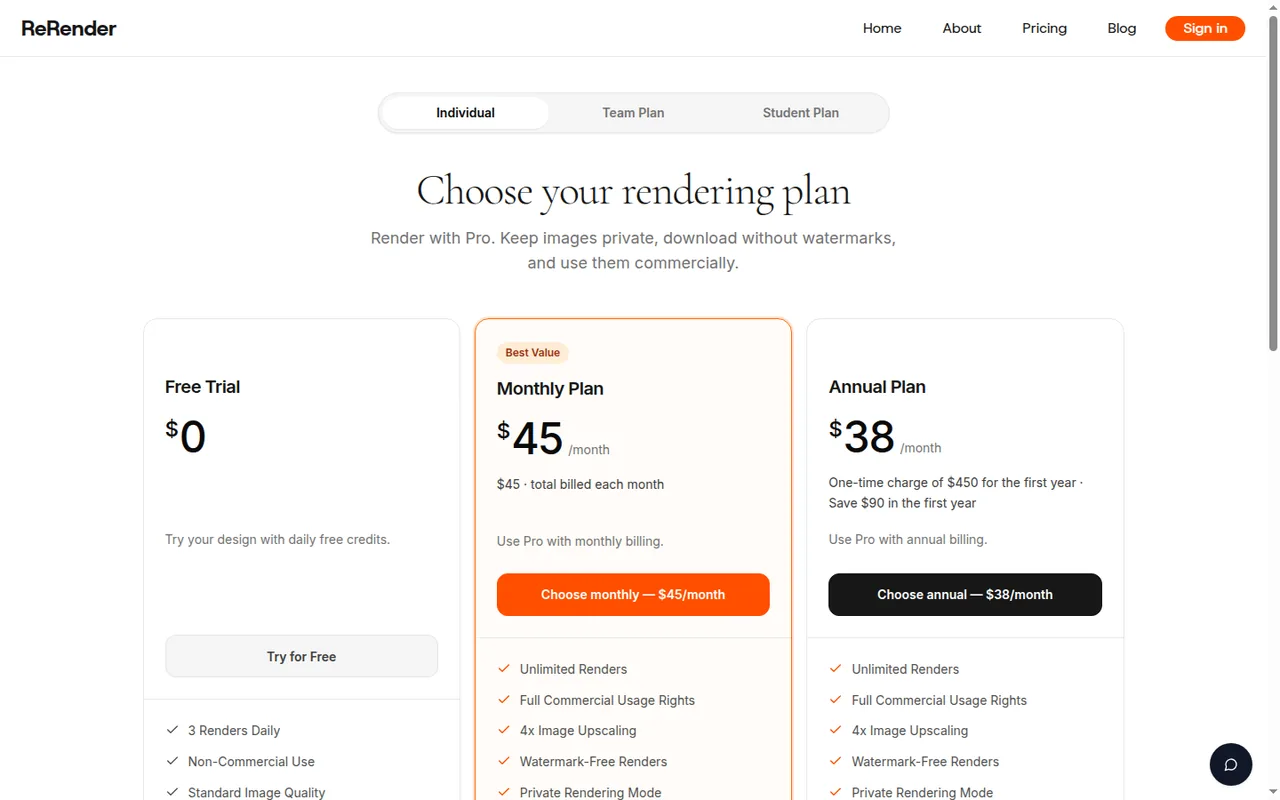
The annual Pro and Student cards describe a one-time charge for the first year and do not state the renewal price. The Team annual card shows a monthly rate without an annual total. Under the terms, all purchases are final and non-refundable except where the law or a separate written agreement requires otherwise.
| Plan | Price | What you get |
|---|---|---|
| Free Trial | $0 sourceFrom rerenderai.com/support/pricing, checked Sep 29, 2026 (opens in a new tab) | 3 renders a day; non-commercial use; standard image quality; watermarked renders shared to the public gallery; simple lighting and theme-based rendering. |
| Pro | $45 per monthbilled monthly · or $38 per month, $450 for the first year sourceFrom rerenderai.com/support/pricing, checked Sep 29, 2026 (opens in a new tab) | Unlimited renders; full commercial usage rights; 4x upscaling; watermark-free and private rendering; advanced and prompt-based controls; SketchUp plugin support; video generation credits. |
| Team | $55 per monthbilled monthly · or $46 per month on annual billing sourceFrom rerenderai.com/support/pricing, checked Sep 29, 2026 (opens in a new tab) | All Pro features plus centralized billing, email invites, role and seat management, shared projects and team moodboards; the card does not say whether the price is per seat. |
| Student | $9 per two weeksor $15 per month, $180 for the first year sourceFrom rerenderai.com/support/pricing, checked Sep 29, 2026 (opens in a new tab) | Pro features, including unlimited, private and commercial renders, for students who sign up with a valid education email. |
How far does it go?
- Monthly versus first-year billingPro monthly for a year: 12 × $45 = $540, against a $450 first-year charge, a $90 difference ($450 ÷ 12 = $37.50, shown as $38). Student: 26 two-week payments × $9 = $234, against $180 for the first year, a $54 difference. Renewal prices after the first year are not stated.
Arithmetic from the published allowances above, not a usage test.
Taxes, currency and promotions can change the price you see at checkout.
Try ReRender AI free (opens in a new tab)
Key features
| Feature | What it does | Watch out |
|---|---|---|
| Photorealistic renders from model screenshots, sketches or photos | — | |
| Design, layout and materials kept unchanged by default | — | |
| Material studies that swap facade finishes on one model | — | |
| Moodboards that store materials, colors and references for reuse | — | |
| Coloring of plans, elevations and 3D views in watercolor, marker or real materials | — | |
| 4x image upscaling and private rendering on paid plans | Keeps non-public renders visible only to your account or authorized workspace on paid plans that include it. | Free and trial renders may be public by default or used in ReRender promotion. |
| Exterior, interior, multi-angle and sketch-to-image modes | — | |
| SketchUp plugin support and video generation credits on Pro | — | |
| Design-preserving render | Converts a model screenshot, sketch or photo into a photorealistic image while keeping shape, proportions, layout and materials. | Changing a material or style needs the editing tools, and adding furniture needs virtual staging. |
| Moodboards and Coloring | Moodboards collect references for the next render; Coloring gives drawings a watercolor, marker or real-material finish. | The terms say output is not a substitute for architectural, engineering or code-compliance review. |
What do the 3 free daily renders let you do?
The free trial allows 3 renders a day at standard image quality with simple lighting effects. Every free render is watermarked, marked for non-commercial use and shared to the public gallery. That is enough to judge whether ReRender keeps a design intact, but not to deliver an image to a client.
The terms go further than the pricing card. Output made on free or trial accounts, or outside a paid private-rendering feature, may appear in public galleries, community pages, ads, product demos and social posts. ReRender advises against confidential client renders on a free account unless the service clearly marks the render as private.
When does client work require Pro?
Editorial assessment
The free trial suits checking one design direction, while any image that leaves the studio needs Pro or a Team plan. The pricing page ties watermark-free output, private rendering and full commercial usage rights to paid plans, and the free card says non-commercial use. Pro also adds 4x upscaling, prompt-based controls and SketchUp plugin support.
The FAQ lists commercial uses for owned renders, such as competitions, planning submissions, client decks, proposals and marketing. Read that list together with the plan card: the rights belong to renders made under a plan that includes commercial use. Keep a record of the plan that was active when a client image was generated.
Will the render change your design?
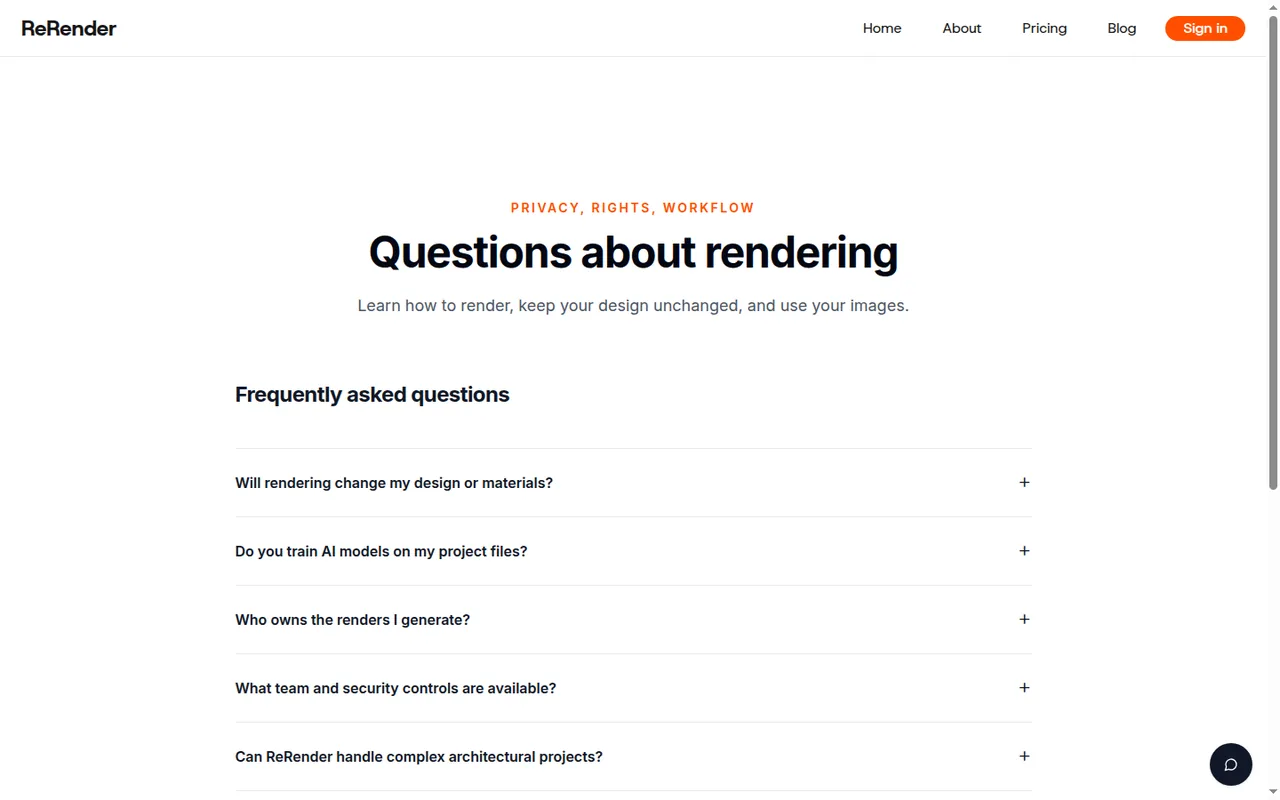
The FAQ says the shape, proportions, layout and materials of the model stay the same, and the result is a photorealistic render of that design. Changing a material or style is a separate step with the editing tools, and furniture is added through virtual staging rather than the main render.
The terms add limits that matter for architecture. Output may be inaccurate or similar to what other users receive, and the service is not a substitute for architectural, engineering, construction, code-compliance or real estate advice. Check window counts, openings and material joints against the model before an image goes into a planning or sales document.
What happens to uploaded plans and client files?
Stylefie says it does not use uploads, designs, plans, sketches, prompts, references, client materials or outputs to train, fine-tune or improve generative models it develops or controls. The same section says content may be sent to third-party AI model providers, whose own terms decide how they handle it; ReRender does not promise that those providers will not train on it.
The terms also forbid uploading client materials, plans, logos or copyrighted works without the necessary rights and consents. Deleted content may remain in backups, logs or security records for a limited period. For unreleased projects, crop out title blocks, client names and site addresses before uploading a view.
How do the Team and Student plans differ from Pro?
Team costs $55 a month on monthly billing or $46 a month on annual billing and includes all Pro features plus centralized billing, email invites, role and seat management, shared projects and team moodboards. The card does not state whether the price covers one seat or a whole workspace, so confirm the invoice before adding members.
Student costs $9 per two weeks or $180 for the first year and carries the same Pro features, but signup needs a valid education email. Controls such as single sign-on, audit logs, configurable retention, data isolation or regional hosting are described as available only where the plan or a separate agreement includes them.
What does the annual commitment cost, and can you get a refund?
Pro annual billing is a one-time $450 charge for the first year, $90 less than twelve monthly payments of $45. The page describes it as a first-year price and does not show the renewal amount. The Student annual plan works the same way at $180.
The terms make every purchase final and non-refundable unless the law or a separate written agreement requires otherwise, and credits or paid features may expire under plan rules shown at checkout. Use the free daily renders to check whether the design is preserved before paying, and prefer a monthly Pro cycle for a single project.
Can the free plan turn a model screenshot into a render that keeps the facade?
Proposed evaluation · not performed yet
On a free account, render a screenshot of a simple, non-confidential massing model you created, with a facade of 12 windows, one entrance and one visible material change. Because free renders are public and watermarked, do not use a client project.
- Export a 1600-pixel-wide screenshot from the model and count the windows, doors and material zones.
- Upload it, choose an exterior style and render once without a text prompt.
- Render the same view a second time to see whether the result is consistent.
- Download both results and compare openings, roof line and material boundaries with the screenshot.
- Note how many of the 3 daily renders the test used.
Accept renders that keep all 12 windows, the entrance and the material change in place, with the watermark as the only addition. Reject added or removed openings, a changed roof line or swapped materials. No render or comparison is reported until the exercise is run.
For concept images from a text prompt rather than an existing model, compare Midjourney and Leonardo AI. For editing an existing photo with generative fill, see Adobe Firefly.
Is ReRender AI worth it?
Documentation review plus dated public user reports. Documentation review, not tested hands-on. Not scored.
Worth it if
- You are an architect or designer who needs to turn a model screenshot or sketch into a presentation image: the design, layout and materials are kept as they are.
- You are a student with an education email: Student gives Pro features at $9 per two weeks, which is a lower entry price than Pro at $45 a month.
- You want to judge the result before paying: the free trial allows 3 renders a day, though they are watermarked and non-commercial.
Probably not if
- You work on confidential client projects without a paid plan: free output may be public or used in promotion, so private rendering needs a paid plan.
- You need refunds or a clear renewal price: all purchases are final, and the first-year annual cards do not state what renewal costs.
- You need single sign-on or audit logs by default: these controls come only where the plan or a separate agreement includes them.
ReRender AI alternatives
Other images & design tools checked with the same method. Pick by the job, not by a score.

AI images, video and audio inside an Adobe workflow

Rigged 3D avatars from a selfie for games and apps

AI images placed straight into templated designs

Turning a written story into a character-consistent comic series, and optionally a short film

Depth maps and relief files for laser or CNC work

Teams that want to generate or edit images by API at a published per-image price

Creators who want one credit balance across several image and video models

Game-ready 3D assets from text or images
Used ReRender AI? Write the first review. Visitor opinions are moderated and kept separate from our source checks.
Frequently asked questions
Who operates ReRender AI?
The terms and privacy policy name Stylefie, Inc. as the owner and operator of the ReRender website. The terms apply the law of the jurisdiction where Stylefie is incorporated but do not name that state or country. Questions about the terms, privacy or billing go to feedback@rerenderai.com, the only contact address listed on the legal pages.
Does ReRender offer an API?
The site footer links to an API reference page, but on the check date its specification failed to load with a 403 error, and a linked API host returned a 502 error. No plan card mentions API access or API pricing. Contact the provider before planning an integration that depends on programmatic rendering.
Can I remove a render from the public gallery?
The terms let you ask ReRender to stop public promotional use of content you shared or that was public by default, by contacting the company. Removal may not reach copies already distributed or cached by third parties. To avoid the problem, generate confidential images only with a paid private-rendering feature.
Could another user receive the same render as mine?
The terms say similar or identical output may be generated for other users from their own inputs, and your rights cover only the output you generated. ReRender also does not guarantee that output is unique, non-infringing or eligible for intellectual-property protection, so check distinctive images before registering or licensing them.
Are single sign-on and audit logs part of the Team plan?
Not by default. The FAQ says team workspaces can include access controls, single sign-on, audit logs, configurable retention, data isolation or regional hosting when the plan or agreement includes them. The Team card lists billing, invites, roles, shared projects and moodboards, so request the security controls in writing before buying.
Sources and method5 official sources · 7 details checked · Sep 29, 2026
How we checked this profile
7 details on this page were checked against ReRender AI's own pages and help documentation (Sep 29, 2026).
See the checks by section7 documented
| Section | Checks | Last checked | Sources |
|---|---|---|---|
| Plans and prices | 4 documented | rerenderai.com/pricingrerenderai.com/terms-of-service | |
| Strengths and limits | 1 documented | rerenderai.com/terms-of-service | |
| Features | 2 documented | rerenderai.com/terms-of-service |
Sources for this profile
- Plans for individuals, teams and studentsrerenderai.com
- Product overviewrerenderai.com
- Terms of service (updated May 23, 2026)rerenderai.com
- Privacy policy (updated May 23, 2026)rerenderai.com
All 5 sources
The pricing page marks the free trial as non-commercial, while the FAQ and terms describe commercial use of outputs without naming a plan; the plan rule on the pricing page is treated as governing for free renders. The Team card does not say whether its price is per seat, and the Student annual card reuses copy aimed at professionals. The terms do not name the state or country where Stylefie, Inc. is incorporated. The API reference page failed to load its specification (403) and the linked API host returned 502 on the check date. Several service pages returned a Cloudflare verification screen to our crawler. Third-party claims of Revit or Rhino integration were not found on official pages; only SketchUp plugin support is listed.
Sources checked Sep 29, 2026. Found something out of date? See how we correct profiles.