

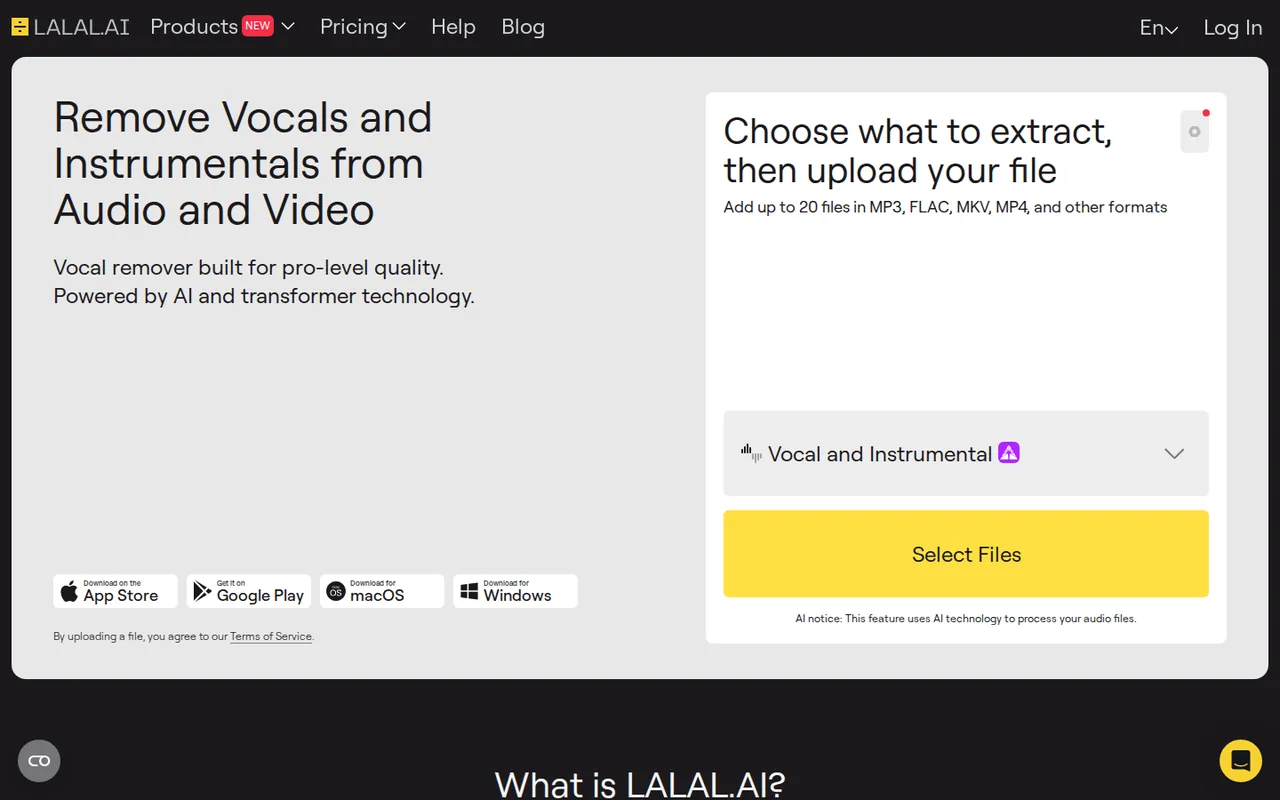
LALAL.AI: minutes multiply per stem type, and free Starter only previews, with downloads from $7.50 a month
Updated October 1, 2026 · By Elias Brandt · Documentation review, not tested hands-on
Pros
- Free quality check before paying
- Clear minute formula
- No training on uploads
Cons
- No downloads on the free plan
- Refunds are narrow
- Unused Fast minutes expire
Bottom line
10 minutes in the Relaxed Queue; result previews only, with no full downloads; 200 MB per file; no card required.
Lite fits you if you download a few separations a week and can wait in the Relaxed Queue once the 90 Fast minutes are used.
It is not for you if you need a free downloadable stem, because Starter only plays previews.
Best forMusicians and remixersVideo editors and podcastersProducers working in a DAWOccasional karaoke or practice users
Strengths, limits and who it suits, in full
Strengths
- Free quality check before paying Starter previews come from the same processing quality as paid output, according to the refund policy.
- Clear minute formula The pricing FAQ states how file length and stem types combine into charged minutes.
- No training on uploads The privacy policy says user files are not used for AI training or shared with third parties.
Limits
- No downloads on the free plan Starter lets you hear previews but not download full results.
- Refunds are narrow Processing a file in full counts as accepting the preview quality, and used minutes are not refunded.
- Unused Fast minutes expire Fast Queue minutes reset each billing period and do not roll over.
Who it suits
- Musicians and remixers fits isolating a vocal or drum part from a mix you have the rights to rework.
- Video editors and podcasters Voice Cleaner and de-echo suit dialogue buried under music or room noise.
- Producers working in a DAW the VST plugin and offline Lyra mode are on Pro only, so budget that tier.
- Occasional karaoke or practice users the free plan only previews, so even one downloadable backing track needs a paid plan.
How much does LALAL.AI cost?
Prices confirmed · checked
Regional prices: US-dollar prices are from the annual tab, which the pricing page opens by default for a US connection; the month-to-month dollar price sits behind the Monthly tab and is not listed here.
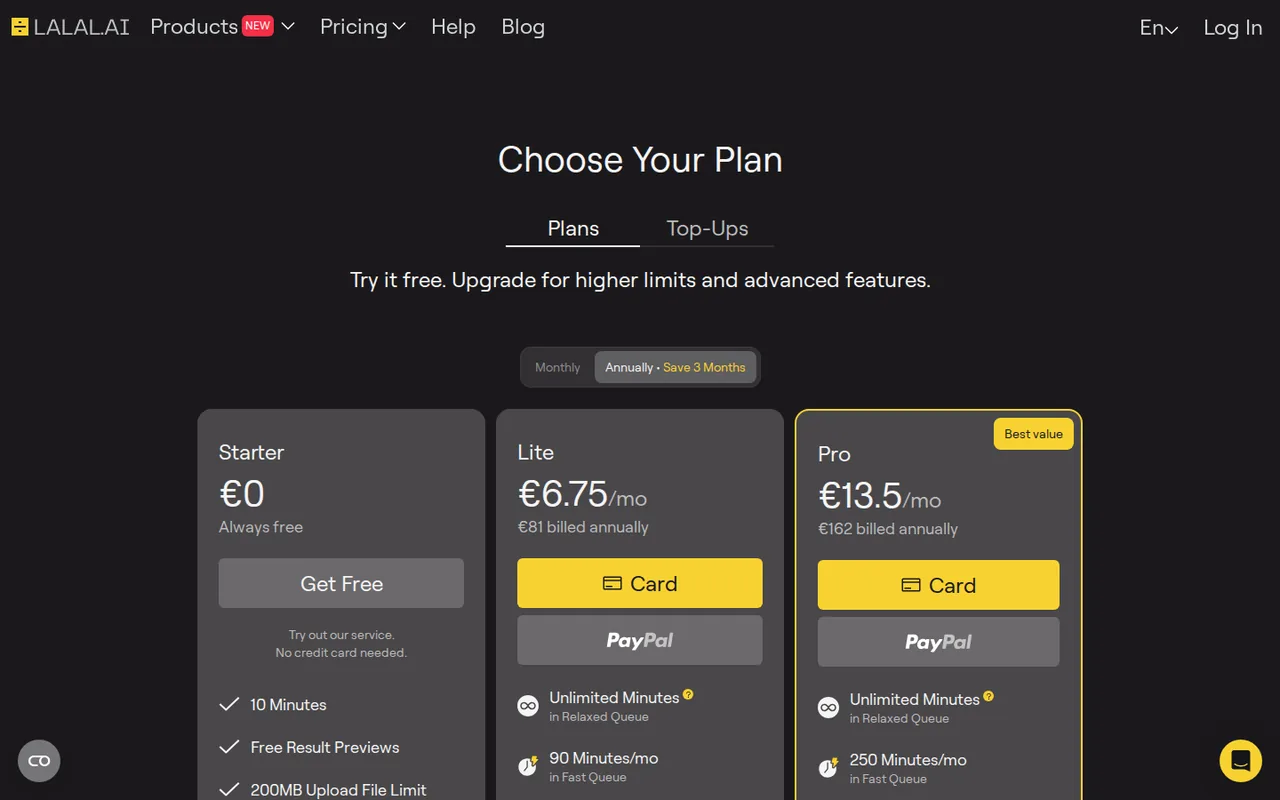
From a server in Germany the same page showed euros: Lite €8.99 billed monthly or €81 a year, Pro €17.99 or €162. Nothing is converted between currencies. One-time Top-Ups add Fast Queue minutes: Master 750 minutes for $50, Premium 3,000 for $190 and Enterprise 5,000 for $300. Subscriptions renew until cancelled and are non-refundable once used.
| Plan | Price | What you get |
|---|---|---|
| Starter | $0 sourceFrom lalal.ai/pricing, checked Oct 1, 2026 (opens in a new tab) | 10 minutes in the Relaxed Queue; result previews only, with no full downloads; 200 MB per file; no card required. |
| Lite | $7.50 per month$90 billed annually · US view; monthly billing also offered sourceFrom lalal.ai/pricing, checked Oct 1, 2026 (opens in a new tab) | Unlimited Relaxed Queue minutes; 90 Fast Queue minutes a month; 2 GB per file; result downloads; batch processing; 1 voice pack slot. |
| Pro | $15 per month$180 billed annually · US view; monthly billing also offered sourceFrom lalal.ai/pricing, checked Oct 1, 2026 (opens in a new tab) | Unlimited Relaxed Queue minutes; 250 Fast Queue minutes a month; 2 GB per file; downloads and batch processing; VST plugin; offline Lyra processing; API access; 3 voice pack slots. |
How far does it go?
- A 4-minute song under the minute formulaVocal and Instrumental only: 4 × 1 = 4 minutes. Adding Drums and Bass: 4 × 3 = 12 minutes, which exceeds the 10 free Starter minutes. On Lite, 90 Fast minutes ÷ 12 = 7.5, so about seven such three-type splits a month run in the Fast Queue before processing moves to the Relaxed Queue. Arithmetic on the published formula, not a measured result.
Arithmetic from the published allowances above, not a usage test.
Taxes, currency and promotions can change the price you see at checkout.
Try LALAL.AI free (opens in a new tab)
Key features
| Feature | What it does | Watch out |
|---|---|---|
| Vocal and instrumental separation from audio or video | — | |
| Drums, bass, guitar, piano, synth, strings and wind stems | — | |
| Lead and backing vocal split into four output tracks | — | |
| Voice Cleaner for background noise, plus de-echo | — | |
| Voice Cloner and Voice Changer for synthetic voice output | Trains a voice pack from up to five recordings and applies it in Voice Changer. | Voice pack slots are limited to 1 on Lite and 3 on Pro, and cloning another person needs their permission. |
| Batch upload of up to 20 files on paid plans | — | |
| Desktop app with offline Lyra processing on Pro | Runs separation on the Pro subscriber's own computer in the desktop app, offline and without uploading audio. | It is a Pro-only desktop mode; the web, mobile and default desktop processing stay in the cloud. |
| VST plugin and API access on Pro | — | |
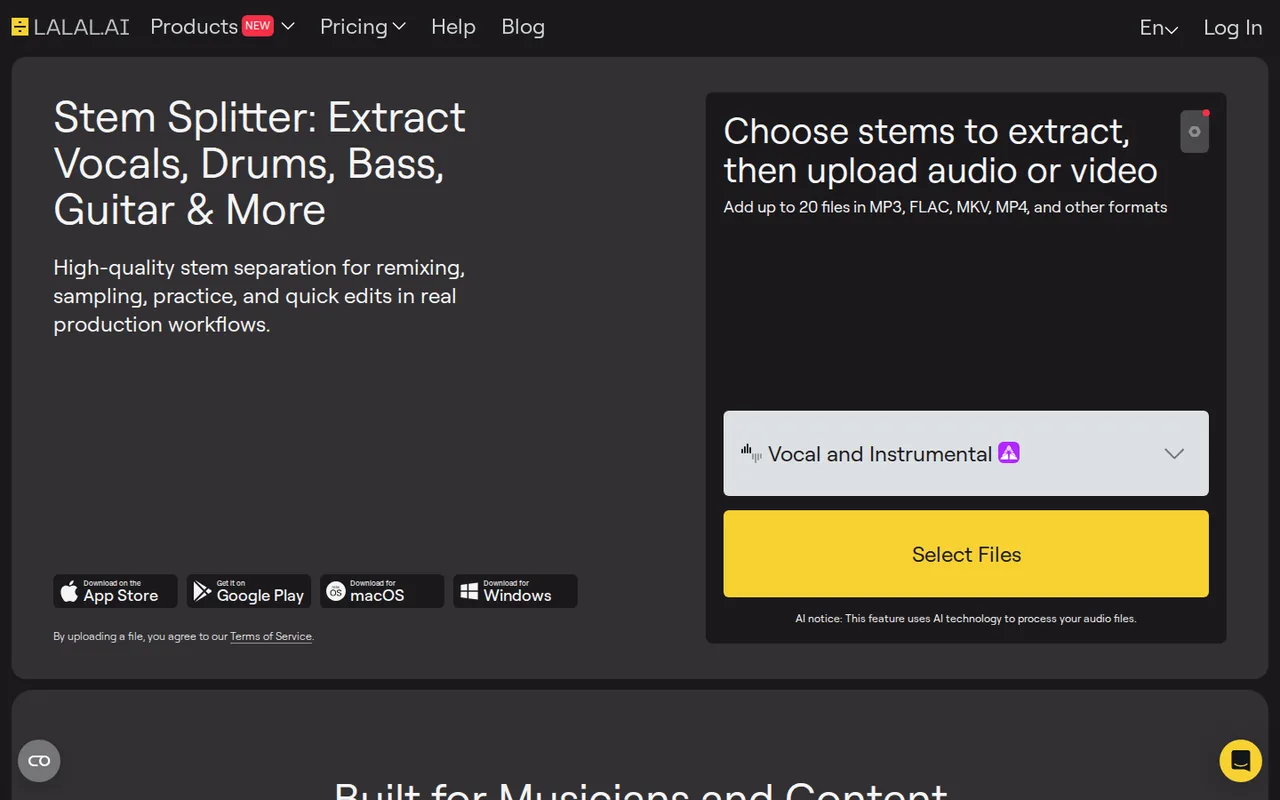
| Stem separation | Splits a mix into a pair of stems per separation type, such as vocals and instrumental or drums and drumless. | Each extra separation type multiplies the minutes charged for the same file. |
What can you do on the free Starter plan?
Starter includes 10 minutes in the Relaxed Queue and accepts files up to 200 MB. You can upload a track, pick a separation type and listen to previews of the resulting stems. Downloading the full result is not included on Starter, according to the homepage and desktop app FAQs, so the free plan is a listening test rather than a way to obtain a finished file.
The refund policy says audio quality on free and paid versions is identical, and it asks buyers to judge the preview first. That makes the free plan the right place to decide which separation type and neural network setting suit a given mix. The public pages do not say whether a preview alone uses Starter minutes, so check the balance before and after.
How are minutes counted when you split several stems?
Minutes are deducted as total file length multiplied by the number of separation types selected. One separation type returns a pair of stems, such as vocals and instrumental, or drums and a drumless track. The homepage example is a 5-minute file split into Drums, Piano and Vocal/Instrumental, which costs 15 minutes.
Voice Changer is charged differently: minutes follow the duration of the generated output. For stem work, choose only the separation types you will actually use, because a three-way split of a full album quickly outgrows a monthly Fast allowance. Uploading a trimmed section of a song rather than the whole file also reduces the charge.
Which plan fits how often you process audio?
Both paid plans include unlimited processing in the Relaxed Queue, which runs as server capacity allows. The difference is priority time: Lite includes 90 Fast Queue minutes a month and Pro 250. Processing starts in the Fast Queue at the beginning of each period and switches to Relaxed automatically once the Fast minutes run out; you cannot choose the queue manually.
Editorial assessment
Lite suits someone who downloads a few separations a week and can wait when the queue is busy. Pro is justified by features rather than minutes alone: the VST plugin, offline Lyra processing and API access are Pro-only. For a single large batch, a one-time Top-Up of Fast minutes can be cheaper than moving up a tier for a month.
- Starter: previews only, 10 Relaxed minutes, 200 MB per file.
- Lite: downloads, batch processing, 90 Fast minutes a month, 1 voice pack slot.
- Pro: 250 Fast minutes, VST plugin, Lyra local processing, API access, 3 voice pack slots.
What does offline processing with Lyra change?
Lyra is the on-device model in the desktop app, available to Pro subscribers. The desktop FAQ says local processing works without an internet connection, does not upload audio to LALAL.AI servers and does not deduct processing minutes. An internet connection is still needed occasionally to validate the subscription.
This matters for unreleased music, client stems or confidential dialogue that should not leave the machine. By default the desktop app processes in the cloud like the website, so switch to local mode deliberately before loading sensitive material. The desktop FAQ presents it as a desktop advantage over the browser version.
Who owns the stems, and can you use songs you did not write?
The privacy policy says OmniSale GmbH does not assume rights to uploaded audio and video, does not use user files for AI training and does not share uploaded media with third parties. The terms place responsibility for using and distributing both the uploaded files and the resulting stems entirely on the user.
Separating a commercial song is technically possible, but publishing an isolated vocal, a remix or a karaoke track still needs permission from the rights holders. The terms also describe voluntary compliance with the DMCA takedown process. Voice Cloner can copy a real voice, so clone only your own voice or one whose owner has given explicit permission.
When is a refund possible after you subscribe?
The refund policy treats payments as generally non-refundable once minutes are used. Refunds may be granted at the provider’s discretion for unresolved technical errors, duplicate purchases with unused minutes or payment processing errors. Processing a file in full counts as accepting the quality shown in the preview.
The statutory 14-day withdrawal right applies only before the plan is activated; uploading a file for processing starts the service and ends that right. Cancelling a subscription keeps paid features until the end of the billing period, after which the account returns to Starter and any remaining Fast minutes expire.
Can the free previews tell you whether a vocal will separate cleanly?
Proposed evaluation · not performed yet
On a Starter account, use a 3-minute song you recorded yourself, or one whose rights holder has agreed, with a lead vocal, backing harmonies and reverb. Run only the Vocal and Instrumental type, which the formula prices at 3 minutes. The full download is a separate paid step and is not part of this free test.
- Note the Starter minute balance before uploading.
- Upload the file and preview the vocal and instrumental stems.
- Change the neural network in the widget settings and regenerate the previews once.
- Listen for vocal remnants in the instrumental and instrument bleed in the vocal, especially in the reverb tails.
- Record the minute balance again after both previews.
Accept previews where the instrumental carries no audible lead vocal and the balance change matches the formula. Reject previews with clear vocal bleed, or a balance drop that the formula does not explain. No separation quality or minute result is reported until the exercise is run.
For cleaning spoken recordings rather than music, compare Adobe Podcast and Auphonic. For generating new synthetic speech rather than transforming an existing recording, see ElevenLabs.
Is LALAL.AI worth it?
Documentation review plus dated public user reports. Documentation review, not tested hands-on. Not scored.
Worth it if
- Lite fits you if you download a few separations a week and can wait in the Relaxed Queue once the 90 Fast minutes are used.
- Pro fits you if you need the VST plugin, offline Lyra processing or API access, which the plans list only on Pro.
Probably not if
- It is not for you if you need a free downloadable stem, because Starter only plays previews.
- It is not for you if you plan to split whole albums into many stem types, because charged minutes multiply per type and unused Fast minutes expire.
LALAL.AI alternatives
Other audio & voice tools checked with the same method. Pick by the job, not by a score.

Browser cleanup and text editing of speech

Turning instrumental recordings into editable sheet music or MIDI

Free local voice conversion and voice model training

Producers, editors and developers who need stems, dialogue or lyric timing from existing audio

Royalty-free background music for videos and ads

Personal read-aloud for study and work documents

Original songs with vocals from prompts

Streamers who want chat to trigger AI voices, personas and images on screen
Used LALAL.AI? Write the first review. Visitor opinions are moderated and kept separate from our source checks.
Frequently asked questions
Is LALAL.AI the same service as Lalals?
No. Lalals runs on a different domain, lalals.com, with its own plans. LALAL.AI is the stem splitter at lalal.ai, and its legal pages name OmniSale GmbH of Risch-Rotkreuz, Switzerland, as the operator. Check the address bar before signing in or paying, because the two names are easy to confuse in search results.
Which file formats can I upload and download?
Uploads accept MP3, OGG, WAV, FLAC, AIFF, AAC and M4A audio, plus AVI, MP4, MKV, MOV and M4V video. By default the result keeps the uploaded format, but before full processing you can pick MP3, OGG, AAC, AIFF, WAV or FLAC. Video results can stay in the original container or be converted.
Can it separate lead vocals from backing vocals?
Yes. Enabling Lead/back separation in the upload widget settings splits the main vocal from background vocal layers. The preview offers Lead Vocal, Backing Vocal and Instrumental. After you choose Split in Full, a fourth track combining the backing vocals and instrumental is generated, which is useful for practice tracks that keep the harmonies.
Does one subscription cover the phone apps and the desktop app?
Yes. The pricing FAQ says a subscription is tied to the account and works on the website, the desktop app and the iOS and Android apps. The minute balance is shared across all of them, so Fast minutes used on a phone reduce what remains for the desktop during the same billing period.
What happens if Fast minutes run out during a big project?
Processing continues in the Relaxed Queue on paid plans, only slower. For more priority time, Top-Ups add Fast minutes without changing the plan. On the Premium and Enterprise packs, Auto Payments can buy the same pack again automatically when the balance drops below 150 minutes, so switch that off if the budget is fixed.
Sources and method8 official sources · 8 details checked · Sep 29 – Oct 1, 2026
How we checked this profile
8 details on this page were checked against LALAL.AI's own pages and help documentation (Sep 29 – Oct 1, 2026).
See the checks by section8 documented
| Section | Checks | Last checked | Sources |
|---|---|---|---|
| Plans and prices | 5 documented | lalal.ailalal.ai/pricing | |
| Features | 1 documented | lalal.ai/desktop-app | |
| Strengths and limits | 2 documented | lalal.ai/privacy-policylalal.ai/refund-policy |
Sources for this profile
- Plans, minutes and top-upslalal.ai
- Product overview and FAQlalal.ai
- Terms of service (updated July 30, 2026)lalal.ai
- Privacy policy (updated July 30, 2026)lalal.ai
All 8 sources
Dollar prices come from the pricing page as served to a US connection, where the annual tab is the default; euro prices come from the same page served to a server in Germany. Third-party pages quoting other USD figures were not used. The pages do not say whether a preview alone deducts Starter minutes.
Sources checked Sep 29 – Oct 1, 2026. Found something out of date? See how we correct profiles.