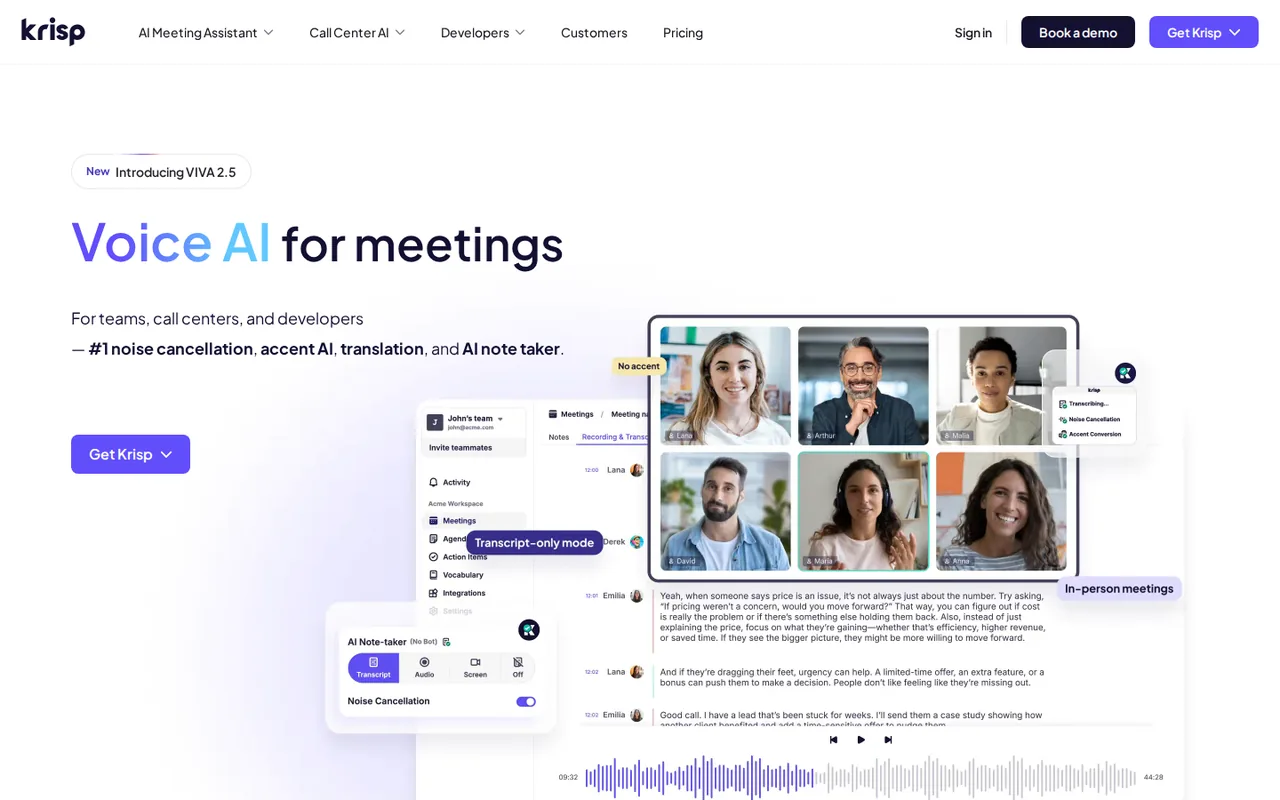
Krisp: noise removal and bot-free notes, but free access ends with a 7-day trial and Core starts at $8 per user a month
Updated September 28, 2026 · By Elias Brandt · Documentation review, not tested hands-on
Pros
- No card for the trial
- Works across calling apps
- Stated training limit
Cons
- No lasting free plan on current pages
- Calendar connection at signup
- Summaries use third-party services
Bottom line
All premium features, no credit card; access ends when the trial expires, with 90 days to export content.
You take calls from noisy rooms and want background noise removed in whatever calling app you already use, since the audio-level approach works across Zoom, Google Meet and Teams.
You expect a permanent free plan to fall back on, because current pages describe only a trial after which access stops and content can be exported for 90 days.
Best forRemote workers in noisy spacesTeams that dislike meeting botsSales teams using SalesforceHealthcare and regulated teams
Strengths, limits and who it suits, in full
Strengths
- No card for the trial All premium features can be tried for 7 days without payment details.
- Works across calling apps Operates at the audio level with Zoom, Google Meet, Microsoft Teams and Slack Huddles.
- Stated training limit The pricing FAQ says meeting data is never used to train Krisp models.
Limits
- No lasting free plan on current pages The terms say access ends after the trial unless a subscription starts.
- Calendar connection at signup Signup asks for a Google or Outlook calendar by default; a zero-permission route involves sales.
- Summaries use third-party services Opting into AI summaries shares transcripts with an authorized service provider.
Who it suits
- Remote workers in noisy spaces the core use case; noise cancellation runs on the desktop app in any calling tool.
- Teams that dislike meeting bots bot-free capture suits guests who object to an extra participant, provided they are told about recording.
- Sales teams using Salesforce Salesforce and ConnectWise sit on Advanced, not Core, so price that tier.
- Healthcare and regulated teams a BAA is offered only for Enterprise teams of 100+ seats; confirm before recording patient calls.
How much does Krisp cost?
Prices confirmed · checked
Regional prices: Prices are in USD per user per month.
The page labels annual billing as a 50% saving but does not print the annual invoice total. Every teammate added to a paid team counts as a seat. The terms say fees are non-refundable except as stated there, and subscriptions renew automatically. Call Center AI, from $15 per agent a month billed annually, and the developer SDK are separate products under different agreements.
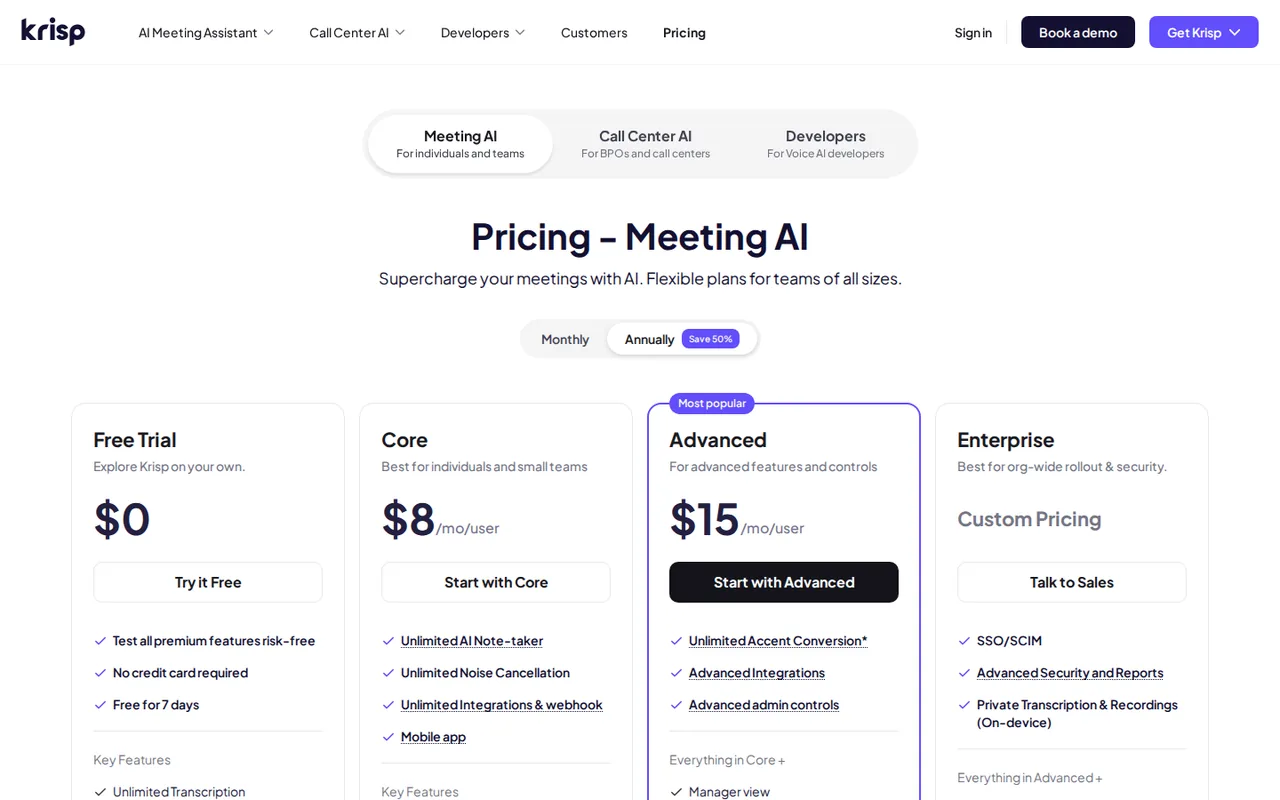
| Plan | Price | What you get |
|---|---|---|
| Free Trial | $0 for 7 days sourceFrom krisp.ai/pricing, checked Sep 28, 2026 (opens in a new tab) | All premium features, no credit card; access ends when the trial expires, with 90 days to export content. |
| Core | $8 per user per monthbilled annually · or $16 billed monthly sourceFrom krisp.ai/pricing, checked Sep 28, 2026 (opens in a new tab) | Unlimited bot-free note-taking, transcription, recording and noise cancellation; 1 hour a day of accent conversion each side; 10 GB storage; MCP integration. |
| Advanced | $15 per user per monthbilled annually · or $30 billed monthly sourceFrom krisp.ai/pricing, checked Sep 28, 2026 (opens in a new tab) | Everything in Core; 4 hours a day of speaker-side and unlimited listener-side accent conversion; Salesforce and ConnectWise; admin controls; 60 GB storage. |
| Enterprise | Custom pricing | SSO and SCIM, SOC 2 report access, on-device private transcripts and recordings, data-center choice, BAA for 100+ seats, unlimited storage. |
How far does it go?
- Seat cost for a three-person teamCore on annual billing: 3 × $8 = $24 per month equivalent. Core on monthly billing: 3 × $16 = $48 per month. Taxes and the exact annual invoice are not shown on the pricing page, so confirm the checkout total before budgeting.
Arithmetic from the published allowances above, not a usage test.
Taxes, currency and promotions can change the price you see at checkout.
Try Krisp free (opens in a new tab)
Key features
| Feature | What it does | Watch out |
|---|---|---|
| AI noise cancellation for both sides of a call | Removes background noise, voices and echo at the audio level in any calling app, including noise from other participants. | The homepage FAQ says the mobile app does not include noise cancellation yet. |
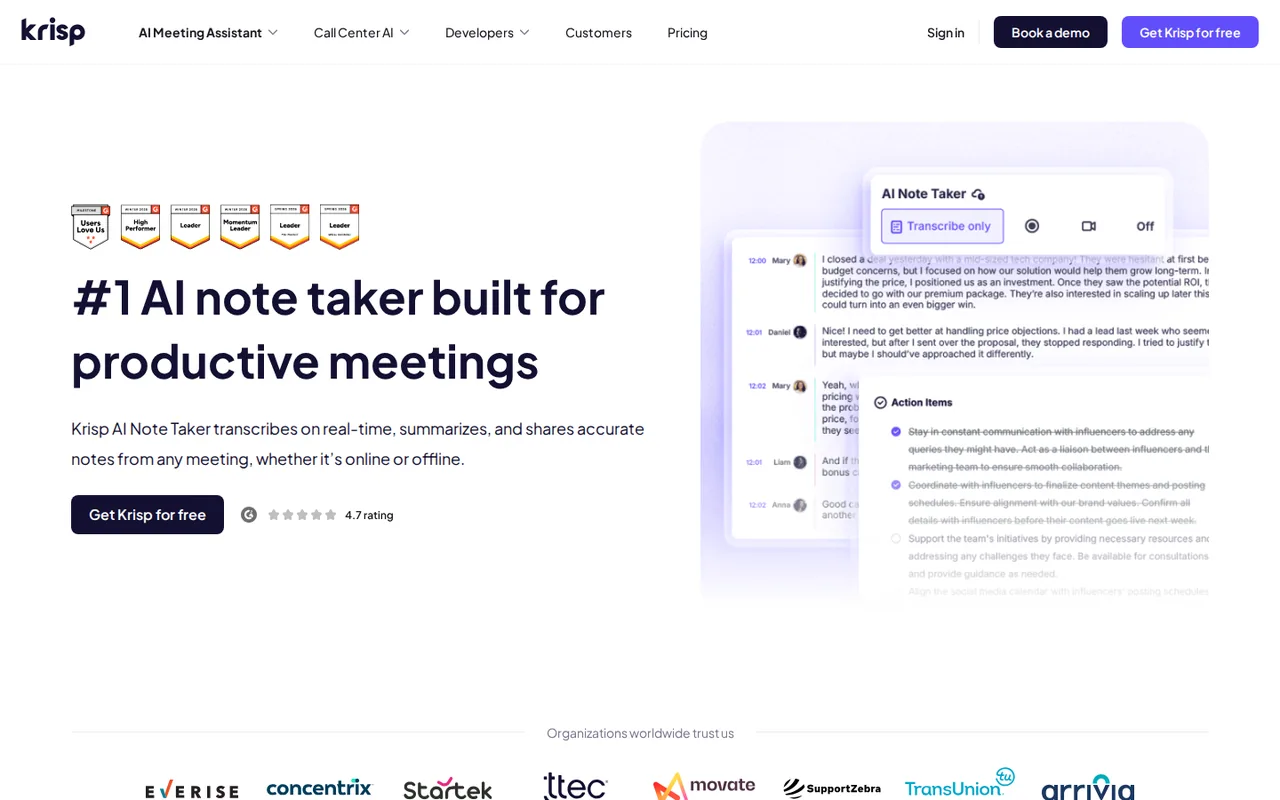
| Bot-free meeting transcription and recording | Captures meetings from the desktop app and produces transcripts, summaries and action items without a bot joining. | Recording-consent laws still apply; the terms make notifying guests your responsibility. |
| AI notes, summaries and action items | — | |
| In-person meeting capture on desktop and mobile | — | |
| Accent conversion for speaker and listener | Converts the speaker’s or listener’s accent in real time for supported accents. | Core allows 1 hour a day on each side; Advanced allows 4 hours a day speaker-side. |
| Transcripts and summaries in 16 languages | — | |
| Custom vocabulary of up to 750 terms | — | |
| CRM, workspace and MCP integrations | — |
What happens when the 7-day free trial ends?
The terms describe the trial as a limited period without charge. Unless a paid subscription starts before it ends, the trial expires and all access to Krisp stops. You then keep 90 days of access to your content solely to export it, after which the account and content may be deleted.
Many older reviews describe a permanent free tier with daily noise-cancellation minutes. The current pricing page shows only a 7-day trial, and the help articles that described the Free plan now ask for a sign-in. Export any transcripts you want to keep during the trial or the 90-day window rather than assuming a free fallback.
Can you use noise cancellation without the meeting assistant?
The pricing FAQ says there is no separate noise-cancellation plan because the feature is part of every Meeting AI plan. You can disable the meeting assistant and keep Krisp only for clean audio, but you still pay the Core seat price after the trial.
The homepage FAQ adds that Meeting AI, Call Center AI and the developer SDK are installed separately and that one does not include the others. The mobile app records and transcribes in-person meetings but does not yet include noise cancellation, so noisy calls taken on a phone are not covered.
What do you need to tell other meeting participants?
Because Krisp captures meetings without a bot joining the call, other participants may not see that a transcript is being made. The terms make compliance with recording laws your responsibility, including giving notice and obtaining consent from meeting guests, and say you should not use the recording features if you cannot do so.
The terms also mention optional recap emails sent to participants after a meeting, which can be switched off in account settings. Decide before the first call whether guests receive recaps, and add a line to invitations that the meeting is transcribed.
Where do transcripts, recordings and summaries go?
The pricing FAQ states that data is encrypted with AES-256 at rest and TLS 1.3 in transit and that meeting data is never used to train Krisp models. English transcription can run on the device, while the other supported languages are transcribed on servers.
The privacy policy, updated September 9, 2026, says transcripts, recordings and summaries may be stored on Krisp servers, and that meeting content is shared with listed third-party providers to produce AI summaries. When non-English speech is detected in transcribe-only mode, audio may be recorded temporarily and deleted once the transcript exists. On-device private transcripts and recordings are listed only for Enterprise.
Which plan fits accent conversion and CRM needs?
Most notes and noise features are unlimited on both paid tiers, so the choice usually comes down to accent conversion, CRM and storage. The pricing table sets these limits:
- Core: 1 hour a day of accent conversion on the speaker side and 1 hour on the listener side, 10 GB storage, Slack, Notion, Zapier, HubSpot, Pipedrive and MCP.
- Advanced: 4 hours a day speaker-side, unlimited listener-side, Salesforce and ConnectWise, manager view, team-level webhooks and 60 GB storage.
- Enterprise: custom accent limits, SSO and SCIM, SOC 2 report access and unlimited storage.
How are seats counted for a team?
Any teammate added to a paid Krisp team counts as a billed seat. The terms warn that members can invite new users, which can add fees, and that this ability can be disabled in account settings. Turn it off before sharing the workspace widely.
The pricing FAQ offers volume discounts above 50 members. The help center says a cancelled subscription keeps the paid plan until the end of the current cycle, with the stop date shown on the Plan Details card. Renewals that are not cancelled in advance are non-refundable under the terms.
Can the trial produce usable notes from a noisy two-person call?
Proposed evaluation · not performed yet
During the 7-day trial, hold a 10-minute scripted video call between two colleagues who have agreed to be recorded. Play steady fan noise and keyboard typing on one side. The script contains three decisions, three action items with named owners and two product terms added to custom vocabulary beforehand.
- Record the plan, desktop app version and calling app used.
- Run the call with noise cancellation on for both sides.
- Open the transcript and AI notes, then compare them with the script.
- Check that each action item has the correct owner and that both custom terms are spelled correctly.
- Export the transcript and notes before the trial ends.
Accept notes that capture all three decisions and all three owners without invented tasks. Reject missing owners, misheard custom terms or an export that cannot be opened. No transcript accuracy or audio result is reported until the call is actually run.
For cleaning recorded audio after the fact rather than live calls, compare Adobe Podcast and Auphonic. To edit a recorded meeting by its transcript, see Descript.
Is Krisp worth it?
Documentation review plus dated public user reports. Documentation review, not tested hands-on. Not scored.
Worth it if
- You take calls from noisy rooms and want background noise removed in whatever calling app you already use, since the audio-level approach works across Zoom, Google Meet and Teams.
- Your guests object to a bot joining the call and you are ready to tell them the meeting is being transcribed, as the terms put recording consent on you.
- You want to try every premium feature for a week without entering a card before deciding on a seat price.
Probably not if
- You expect a permanent free plan to fall back on, because current pages describe only a trial after which access stops and content can be exported for 90 days.
- You need noise cancellation on a phone, since the mobile app currently covers in-person meeting capture but not noise removal.
- You need Salesforce or on-device private transcripts, which sit on Advanced and Enterprise rather than the cheaper Core seat.
Krisp alternatives
Other audio & voice tools checked with the same method. Pick by the job, not by a score.

Individuals and teams who want searchable meeting transcripts and action items

Meeting transcripts, summaries and action items

Browser cleanup and text editing of speech

Turning instrumental recordings into editable sheet music or MIDI

Free full songs with vocals from a prompt or lyrics

Short scripted voiceovers and pronunciation checks

Short MP3 voice clips with SSML control on a small budget

Transcribing recorded audio and video files into text or subtitles
Used Krisp? Write the first review. Visitor opinions are moderated and kept separate from our source checks.
Frequently asked questions
Is Krisp free or paid?
Krisp is paid after a free trial. Current pricing offers a 7-day free trial with all premium features and no credit card, not a lasting free plan. The terms say access stops when the trial expires unless a paid subscription starts, and you then have 90 days to export your content. Older help articles about a Free plan now require a sign-in.
How much does Krisp cost?
Core costs $8 per user a month billed annually, or $16 billed monthly. Advanced costs $15 per user a month billed annually, or $30 billed monthly. Enterprise is custom priced. Every teammate added to a paid team counts as a seat, so three people on annual Core is 3 × $8 = $24 a month equivalent. Call Center AI is priced separately.
Can I sign up without connecting my calendar?
By default the meeting assistant asks for a Google or Outlook calendar during signup so meetings are captured on time. The pricing FAQ says a zero-permission connection is available for teams that do not want to share calendar data, and that sales can help skip the calendar step during an internal validation.
Can different teams in one company use different plans?
Yes. The pricing FAQ says one workspace can contain several teams, each on its own plan, so a sales team could be on Advanced while others use Core. Each team is billed per seat for its own plan, and the arrangement avoids separate accounts for each department.
Which languages are supported for transcripts and summaries?
The pricing page lists 16 languages: English, French, German, Italian, Dutch, Polish, Portuguese, Russian, Spanish, Hindi, Danish, Swedish, Norwegian, Czech, Ukrainian and Korean. Meetings in other languages are not covered by that list, so check a sample call before relying on notes for a multilingual team.
Does the Call Center AI product use these same plans?
No. Call Center AI is sold separately under a master subscription agreement, not these terms. Its CC Core plan starts at $15 per agent a month on annual billing, and CC Advanced adds voice translation, accent packs and agent assist with a 14-day evaluation. Seats on one product do not include the other.
What happens if I cancel a paid plan in the middle of a cycle?
The help center says you keep the plan you paid for until the end of the current monthly or annual cycle, and the Plan Details card shows the date features stop. The terms say a renewal that was not cancelled in advance is non-refundable, so note the renewal date when you subscribe.
Sources and method5 official sources · 6 details checked · Sep 28, 2026
How we checked this profile
6 details on this page were checked against Krisp's own pages and help documentation (Sep 28, 2026).
See the checks by section6 documented
| Section | Checks | Last checked | Sources |
|---|---|---|---|
| Plans and prices | 2 documented | krisp.ai/pricing | |
| Article text | 1 documented | krisp.ai/terms-of-use | |
| Strengths and limits | 1 documented | krisp.ai/pricing | |
| Features | 2 documented | krisp.ai/terms-of-usekrisp.ai |
Sources for this profile
- Meeting AI planskrisp.ai
- Product overview and FAQkrisp.ai
- Terms of use (updated March 4, 2026)krisp.ai
- Privacy policy (updated September 9, 2026)krisp.ai
All 5 sources
Current pricing and the terms updated March 4, 2026 describe a 7-day trial after which access stops. Older help-center articles about a Free plan now require sign-in, so earlier reports of daily free noise-cancellation minutes are not treated as current. The pricing FAQ still mentions Business and Pro plan names that the plan table no longer uses. Prices refer to the Meeting AI plans, not Call Center AI or the SDK.
Sources checked Sep 28, 2026. Found something out of date? See how we correct profiles.