


What is Wava AI, in short?
Updated November 18, 2026 · By Elias Brandt · Documentation review, not tested hands-on
Pros
- Templates for faceless video are the whole product
- All plans carry the same feature list
- Cancel in profile settings
- Voice import and image generator are on every plan
- Monthly and yearly prices are both published
Cons
- No free plan or trial was listed
- The FAQ says the return policy is non-refundable
- The Yearly price unit is not printed
- What a 'video' costs is not defined
- Commercial rights and licences are not stated on the pages read
Best forFaceless short-video creatorsCreators who want one tool for script, voice and captionsBeginnersNot for anyone who needs a free tier or a refund path they can read before paying
Strengths, limits and who it suits, in full
Strengths
- Templates for faceless video are the whole product The homepage lists text story, split screen, story video and voice-over templates, and says almost every template supports custom auto captions.
- All plans carry the same feature list The three pricing cards list identical features, so the choice is only minutes and credits.
- Cancel in profile settings The FAQ says you can cancel at any time in your profile settings.
- Voice import and image generator are on every plan The pricing cards list custom voice import and an image generator on Basic, Pro and Elite.
- Monthly and yearly prices are both published The pricing page has a Monthly and a Yearly view with a price for each plan.
Limits
- No free plan or trial was listed The homepage and pricing page show only Sign Up buttons; a free allowance may exist after sign-up but was not stated, and no account was created.
- The FAQ says the return policy is non-refundable It points to a policy at the bottom of the checkout pages, which require an account and were not read.
- The Yearly price unit is not printed The Yearly view shows $132, $228 and $468 with no 'per year' or 'per month' label on the cards read.
- What a 'video' costs is not defined The cards show a per-video price but no minutes per video, a credit table or what happens when credits run out.
- Commercial rights and licences are not stated on the pages read Nothing on the homepage or pricing page says who owns the output or how the background clips and voices are licensed; no terms page was linked.
Who it suits
- Faceless short-video creators The FAQ names faceless content creators, YouTubers, TikTok creators, podcasters, agencies and brands.
- Creators who want one tool for script, voice and captions The pages list voice-over, custom voice import and custom auto captions on every plan.
- Beginners The FAQ says no video-editing skills are required.
- Not for anyone who needs a free tier or a refund path they can read before paying No free plan was listed and the refund terms sit behind checkout.
How much does Wava AI cost?
Prices confirmed · checked
Regional prices: Prices were read from the pricing page on 2026-11-18 in USD, in a browser that clicked the Monthly and Yearly toggle.
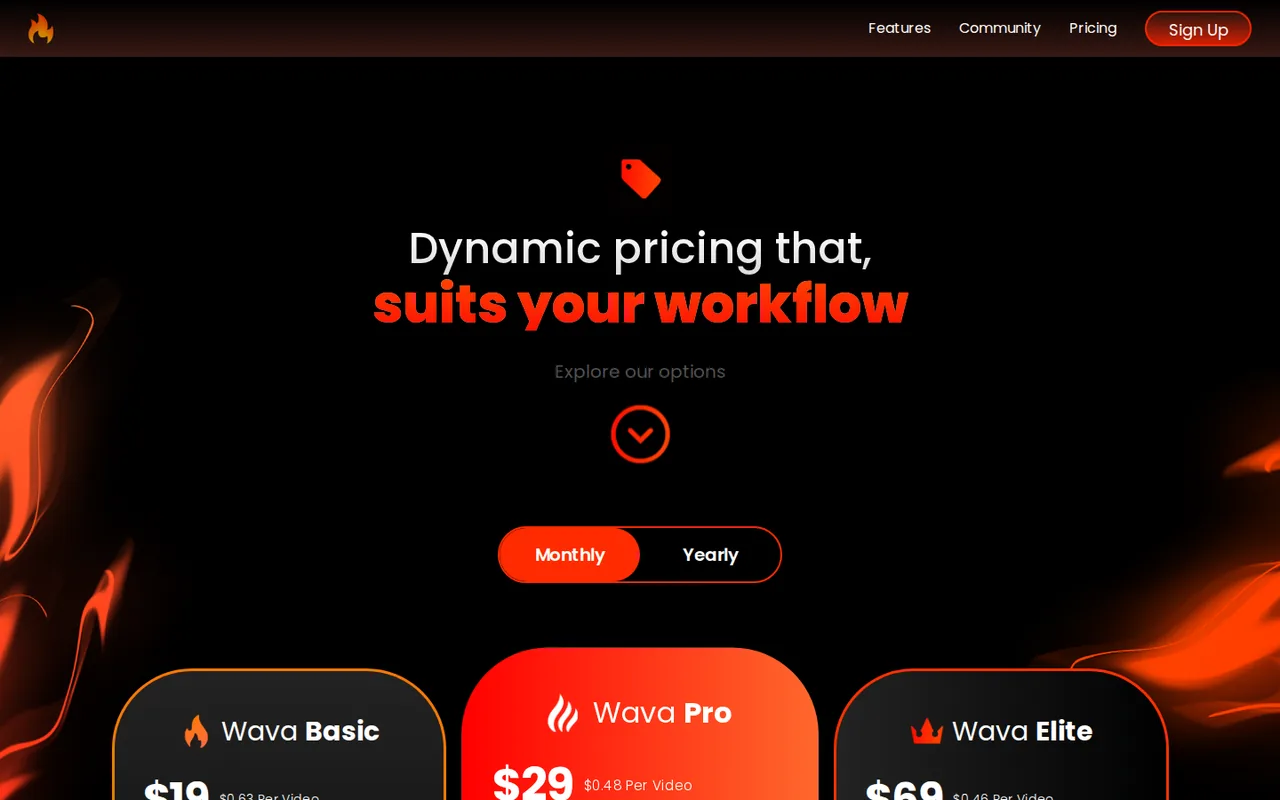
Monthly: Basic $19, Pro $29, Elite $69. Yearly view: Basic $132, Pro $228, Elite $468. The cards do not print whether the yearly figure is per month or per year; the yearly per-video figures ($0.37, $0.32, $0.26) match the yearly price divided by 12 and by the credits, which suggests a yearly total, but that is our reading, not the page's statement, so confirm it at checkout. No free plan, trial, credit top-up, overage price, tax rule or rollover rule appeared on the pages read. The FAQ says you can cancel in profile settings and describes a non-refundable return policy shown at the bottom of the checkout pages, which were not read.
| Plan | Price | What you get |
|---|---|---|
| Basic | $19 per month on the Monthly view; the Yearly view shows $132billing unit not printed on the card sourceFrom wava.ai/pricing, checked Nov 18, 2026 (opens in a new tab) | 30 minutes of video generation and 30 AI credits. Free background video clips, text-to-speech voice-over, custom voice import, image generator, custom auto captions and max AI generation speed. The card shows $0.63 per video monthly and $0.37 yearly. |
| Pro | $29 per month on the Monthly view; the Yearly view shows $228billing unit not printed on the card sourceFrom wava.ai/pricing, checked Nov 18, 2026 (opens in a new tab) | 60 minutes of video generation and 60 AI credits, with the same feature list as Basic. The card shows $0.48 per video monthly and $0.32 yearly. |
| Elite | $69 per month on the Monthly view; the Yearly view shows $468billing unit not printed on the card sourceFrom wava.ai/pricing, checked Nov 18, 2026 (opens in a new tab) | 150 minutes of video generation and 150 AI credits, with the same feature list as Basic. The card shows $0.46 per video monthly and $0.26 yearly. |
How far does it go?
- What the listed prices give per creditMonthly billing: Basic $19 for 30 credits is about $0.63 a credit, Pro $29 for 60 about $0.48, Elite $69 for 150 about $0.46, which matches the page's per-video figures. If a 1-minute video spends 1 credit, Basic covers 30 such videos a month for $19 and Elite covers 150 for $69; if your videos run 3 minutes, divide those counts by 3. The pages publish no credit table, no price for extra credits and no overage rule, so a month in which you run out is not priced. This is division on the listed prices, not a quote or a measured result.
Arithmetic from the published allowances above, not a usage test.
Taxes, currency and promotions can change the price you see at checkout.
Visit Wava AI (opens in a new tab)
Key features
| Feature | What it does | Watch out |
|---|---|---|
| Text Story Videos: the homepage describes text-story videos made from a prompt | — | |
| Split Screen Clips: AI-narrated split-screen videos of the kind the homepage says you see on your timeline | — | |
| Generate Story Videos from a prompt, with custom AI voice-overs from your own script | — | |
| Custom auto captions, which the FAQ says almost every template and feature supports | — | |
| Free background video clips, a custom voice import and an image generator on every plan | The cards show $0.63, $0.48 and $0.46 per video on monthly billing. These match $19 ÷ 30, $29 ÷ 60 and $69 ÷ 150, so the page's 'video' appears to equal one credit. | Treat 'per video' as price per credit; if your videos run longer than the unit the page counts, your real cost per finished video is higher. |
| A credit is tied to a minute of generation | The pricing cards pair '30 mins of video generation' with '30 AI Credits', '60 mins' with '60 AI Credits' and '150 mins' with '150 AI Credits'. The pages do not say whether every template spends one credit per minute. | Before paying, ask support or read the checkout how many credits one finished 30- to 60-second video spends in the template you would use; the page does not define a 'video'. |
| All three plans list the same features | Basic, Pro and Elite show an identical feature list: free background video clips, text-to-speech voice-over, custom voice import, image generator, custom auto captions and max AI generation speed. Only the minutes and credits differ. | Pick the plan by how many minutes you generate a month, not by features; the page gives no feature that unlocks on a higher plan. |
Is there a free plan?
None was listed. The homepage and the pricing page show only Basic, Pro and Elite, each with a Sign Up button, and the sign-up page asks for an email and password or a Google login with no mention of a trial. A free allowance could appear after you register, but the pages do not say so, and we did not create an account. If you need to see output before paying, ask support whether a trial exists.
What does a credit buy?
The pricing cards pair minutes with credits: 30 minutes and 30 AI credits on Basic, 60 and 60 on Pro, 150 and 150 on Elite. The cards also show a per-video price, $0.63, $0.48 and $0.46 on monthly billing, which equals the plan price divided by credits, so the page’s ‘video’ appears to equal one credit. The pages do not say how long that video is, whether every template spends one credit per minute, or what extra credits cost. A creator making 3-minute videos should expect fewer videos than the plan’s credit count suggests.
Are the yearly prices per month or per year?
The pricing page has a Yearly view showing $132, $228 and $468 for Basic, Pro and Elite, with no unit printed on the cards. The yearly per-video figures match those prices divided by 12 and by the credits, which points to a yearly total, but that is a reading of the numbers, not a statement from the provider. Confirm the billing period and total at checkout before committing, and do not compare the yearly figure to the monthly one until you have.
What happens when credits run out or a month ends?
The pages do not say. No price for extra credits, rollover rule, overage charge or credit table appears on the homepage or the pricing page, so a heavy month cannot be priced from them. The cancellation and return lines in the FAQ below point to checkout pages for the full policy, which we could not read without an account.
Who owns the videos and the clips?
The pages do not say. Every plan lists free background video clips and text-to-speech voice-over, with ElevenLabs named on the pricing page, but no linked terms page covers commercial use of the output, the licence of the clips or the voices, or how uploaded voices are handled. If you publish for clients or monetised channels, get this in writing before building a workflow on it.
How would you test it before paying?
Proposed evaluation · not performed yet
Before choosing a plan, read the return policy at checkout, then ask support what one credit buys for the template you would use and whether a trial exists. Compare the answer with the 30, 60 and 150 credits on the plans. We have not run this, so no result is claimed.
Wava AI alternatives
Other video & editing tools checked with the same method. Pick by the job, not by a score.

Marketing and training teams that make avatar, translated or face-swapped video from content they own or have permission to use

Developers and small teams who want a conversational video avatar for support, sales or tutoring and need to budget by minutes

Short animated stories from a script or prompt

Teachers, students and math YouTubers who want 3Blue1Brown-style explainer clips from a description, with an editable Manim code playground when they want control

Short vertical videos from a script, product or URL

Creators and clippers who turn long videos or scripts into captioned vertical clips at volume

Teams and creators who want short talking-avatar videos or an embedded avatar agent, and who accept metered minutes and a watermark on lower plans

YouTube editing with color and audio in one app
Used Wava AI? Write the first review. Visitor opinions are moderated and kept separate from our source checks.
Frequently asked questions
Does Wava AI have a free plan?
The homepage and pricing page list only Basic, Pro and Elite with Sign Up buttons, and no free plan or trial is mentioned on the pages read. A free allowance could exist after you register, but it is not stated, so check the sign-up flow before assuming one.
How much does Wava AI cost per month?
On the pricing page's Monthly view, Basic is $19 for 30 AI credits, Pro is $29 for 60 and Elite is $69 for 150. A Yearly view shows $132, $228 and $468, and the cards do not print whether those are per month or per year.
Can I cancel Wava AI or get a refund?
The FAQ says you can cancel at any time in your profile settings. It also says there is a non-refundable return policy, shown at the bottom of the checkout pages, which require an account and were not read here.
What can I make with Wava AI?
The homepage lists text story videos, split screen clips, custom AI voice-overs and generated story videos, and the FAQ says almost every template supports custom auto captions. It says the feature list keeps changing, so check the homepage for the current templates.
Do I need video editing skills to use Wava AI?
The FAQ says no editing skills are needed and that the tool is designed for every level of experience. That is the provider's statement; we did not run the tool.
Sources and method3 official sources · 9 details checked · Nov 18, 2026
How we checked this profile
9 details on this page were checked against Wava AI's own pages and help documentation (Nov 18, 2026).
See the checks by section9 documented
| Section | Checks | Last checked | Sources |
|---|---|---|---|
| Article text | 1 documented | wava.ai | |
| Features | 2 documented | wava.ai | |
| Plans and prices | 5 documented | wava.ai/pricingwava.ai | |
| Who it suits | 1 documented | wava.ai |
Sources for this profile
Official pages read on 2026-11-18: homepage with its FAQ, pricing page (Monthly and Yearly views) and sign-up page. Plain HTTP returned the page text; the FAQ answers and the yearly prices appeared only in a headless browser, where we clicked each FAQ item and the Yearly toggle. We did not create an account, open checkout or run any tool, so output quality, speed, credit use per template and any free allowance after sign-up were not observed. No terms, privacy or refund page was linked from the pages read, and guessed paths such as /terms and /privacy returned 404, so rights and data handling are not covered here. The '1.5M+ creators' line, the three testimonials and the 'viral' claims are marketing statements and are not used. The Google questions tool and the proxy fetcher returned authorization errors on this run, so the questions below come from the provider's own FAQ and pricing page, not search data.
Sources checked Nov 18, 2026. Found something out of date? See how we correct profiles.