DaVinci Resolve: free edits 8-bit Ultra HD at 60fps, but 10-bit footage and most AI tools need the $295 Studio
Updated September 29, 2026 · By Elias Brandt · Documentation review, not tested hands-on
Pros
- Free version without a time limit
- Direct YouTube delivery
- One-time listed price for Studio
Cons
- Free version stops at 8-bit and 60fps
- Most AI tools are Studio-only
- Forum-only help for the free version
Bottom line
Edit, cut, color, Fusion, Fairlight and Photo pages; 8-bit formats up to Ultra HD 3840 x 2160 at up to 60fps; multi-user collaboration and HDR grading; support through community forums.
Your camera records 8-bit footage at up to 60fps in Ultra HD, because the free version then covers editing, color, audio and YouTube upload without a license.
You shoot 10-bit log footage or projects above 60fps, because those formats and up to 120fps need the paid Studio license.
Best forYouTubers filming 8-bit 4K up to 60fpsCreators shooting 10-bit log or high frame ratesEditors who cut talking-head videos by transcriptSmall teams sharing one project
Strengths, limits and who it suits, in full
Strengths
- Free version without a time limit Editing, color, effects and audio are all available without buying a license.
- Direct YouTube delivery Quick Export renders and uploads in one step after you link an account.
- One-time listed price for Studio The page shows a single $295 price rather than a monthly subscription.
Limits
- Free version stops at 8-bit and 60fps 10-bit footage, 120fps projects and resolutions above Ultra HD need Studio.
- Most AI tools are Studio-only Magic mask, AI noise reduction, text-based editing and the version 21 AI tools sit in Studio.
- Forum-only help for the free version Release notes say technical support for the free version is available only through the community forums.
Who it suits
- YouTubers filming 8-bit 4K up to 60fps the free version covers the edit, color, audio and upload steps for this footage.
- Creators shooting 10-bit log or high frame rates Studio is needed to decode 10-bit formats and to edit at up to 120fps.
- Editors who cut talking-head videos by transcript text-based editing is listed with Studio, so budget the license or pair the free version with a transcript editor.
- Small teams sharing one project the free version already includes multi-user collaboration, so a paid license is not the first requirement.
How much does DaVinci Resolve cost?
Prices confirmed · checked
Regional prices: Prices are shown in USD.
The product page states that MSRP includes duties but excludes sales tax and shipping costs, and it lists Studio at a single price with no monthly or yearly term. Studio updates require a license dongle, a Blackmagic Cloud license or a software activation code, according to the release notes. The pages checked do not describe upgrade pricing for future major versions.
| Plan | Price | What you get |
|---|---|---|
| DaVinci Resolve (free) | $0free download sourceFrom blackmagicdesign.com/products/davinciresolve/studio, checked Sep 29, 2026 (opens in a new tab) | Edit, cut, color, Fusion, Fairlight and Photo pages; 8-bit formats up to Ultra HD 3840 x 2160 at up to 60fps; multi-user collaboration and HDR grading; support through community forums. |
| DaVinci Resolve Studio | $295 purchaseMSRP includes duties, excludes sales tax and shipping sourceFrom blackmagicdesign.com/products/davinciresolve/studio, checked Sep 29, 2026 (opens in a new tab) | Adds the DaVinci AI Neural Engine, text-based editing, magic mask, temporal and AI spatial noise reduction, 45+ extra Resolve FX, 10-bit formats, up to 120fps and 32K, multiple GPUs and hardware H.264 and H.265 encoding. |
How far does it go?
- Studio price spread over time$295 ÷ 12 months = about $24.58 a month over one year; $295 ÷ 24 months = about $12.29 a month over two years. This assumes no paid upgrade in that period, which the pages checked do not address, and excludes sales tax and shipping.
Arithmetic from the published allowances above, not a usage test.
Taxes, currency and promotions can change the price you see at checkout.
Try DaVinci Resolve free (opens in a new tab)
Key features
| Feature | What it does | Watch out |
|---|---|---|
| Edit, color, Fusion effects and Fairlight audio in one application | — | |
| Quick Export that renders and uploads to YouTube, Vimeo or Dropbox | Renders the timeline with a preset and, once an account is linked, uploads to YouTube, Vimeo, Dropbox, TikTok or X. | The upload uses the preset settings; for a specific bitrate or codec, build a custom preset on the Deliver page first. |
| Square and vertical project resolutions for Shorts and other social formats | — | |
| Subtitle tracks with SRT, VTT and TTML import and export | — | |
| DaVinci AI Neural Engine tools such as magic mask, Super Scale and smart reframe in Studio | Powers facial recognition, Super Scale, speed warp, magic mask, smart reframe, object removal and scene cut detection. | The Studio page describes these as features found only in Studio, so the free version lacks them. |
| Multi-user collaboration and Blackmagic Cloud project hosting | — | |
| Photo page for RAW still images in version 21 | — | |
| Subtitles and text-based editing | Subtitle tracks can be created by hand, imported or exported as SRT, VTT or TTML files. | Automatic transcription feeds text-based editing, which the product page lists among Studio additions. |
Is the free version enough for a YouTube channel?
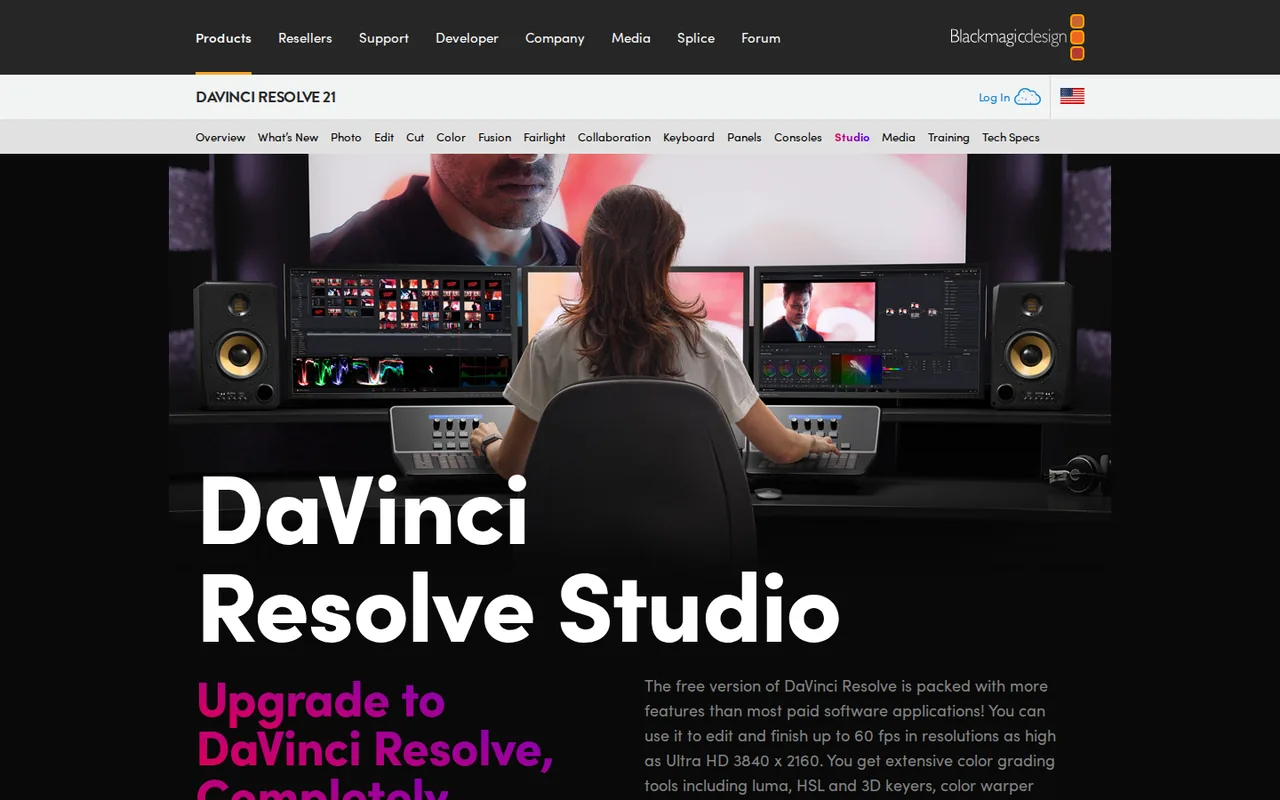
For most talking-head, tutorial and vlog footage, the limits that matter are format, frame rate and resolution. The free version works with virtually all 8-bit formats at up to 60fps and resolutions as high as Ultra HD 3840 x 2160, and it includes the edit, color, Fusion and Fairlight pages. A 4K 30fps or 4K 60fps upload therefore fits without a license.
Delivery is covered too. Quick Export renders the timeline and, once you enter account details, uploads the finished video to YouTube, Vimeo or Dropbox in one step. Version 21 also offers square and vertical resolutions in project settings for Shorts, TikTok and Instagram, and lets you link social accounts to upload as you export.
Which AI tools require DaVinci Resolve Studio?
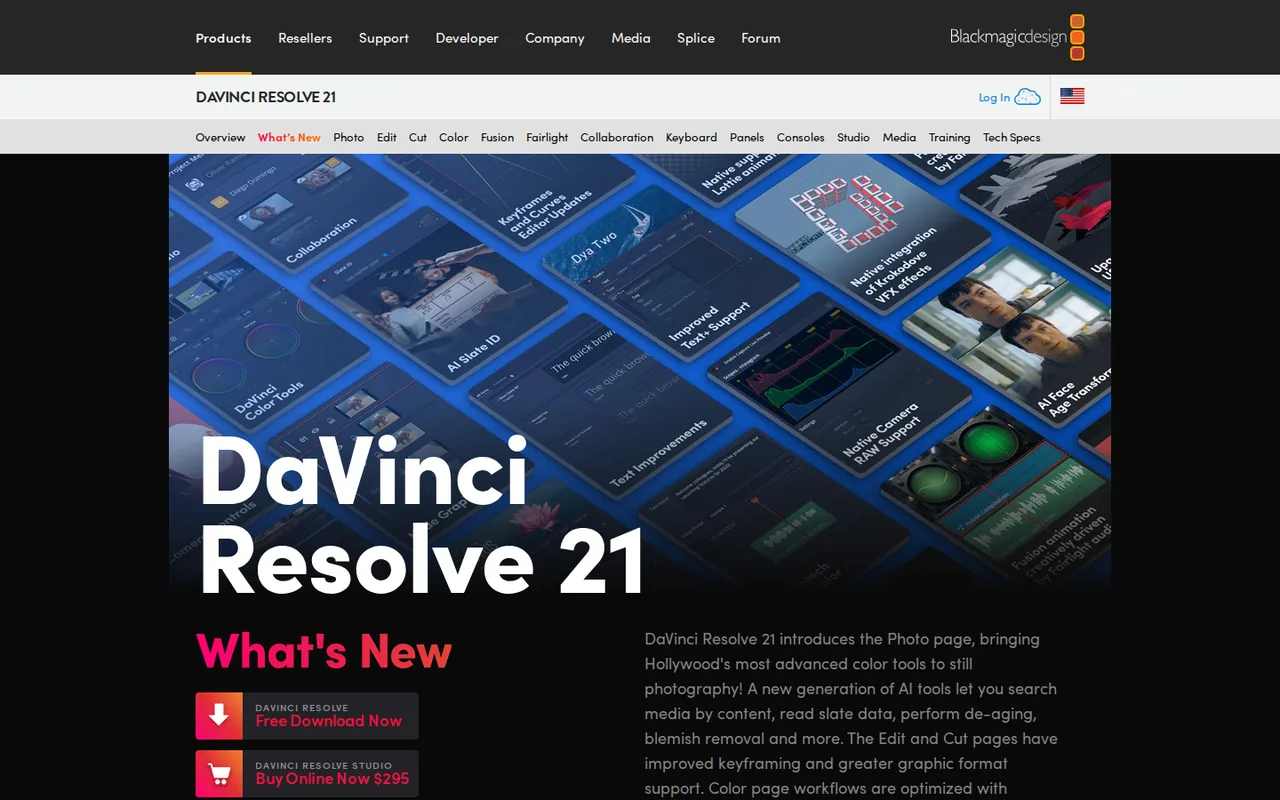
The Studio page describes the DaVinci AI Neural Engine as powering features found only in Studio. Those include the tools YouTube editors most often ask about. For version 21, the Studio release note names new AI tools, IntelliSearch, CineFocus and facial refinement, that the free release note does not mention.
- Magic mask for isolating and tracking a person or object, and smart reframe for turning a 16:9 edit into a vertical cut.
- Temporal and AI spatial noise reduction, AI UltraNR and Super Scale for upscaling HD sources to 4K.
- Text-based editing, which relies on transcribing clips; the edit page describes transcription as the route to subtitles or text-based editing.
- Voice isolation, music remixer and dialogue separator for cleaning up recorded audio.
What does your camera footage decide before you buy?
Check the footage before paying. The free version is limited to 8-bit formats, while Studio adds professional 10-bit formats, all-intraframe H.264 camera formats, 10-bit encoding, projects up to 120fps and resolutions beyond 4K. Many cameras can record 10-bit log profiles, and those clips are the common reason a creator moves to Studio rather than the AI tools.
Hardware acceleration differs as well. The Studio page lists support for multiple GPUs and accelerated H.264 and H.265 hardware decoding and encoding. If long 4K renders are the bottleneck, try a render of your usual timeline in the free version first and note the time, so the difference can be measured after activation.
What does the $295 Studio license include?
The product page lists Studio at $295 as a purchase, with no monthly or yearly subscription shown. The same page states that MSRP includes duties but excludes sales tax and shipping, so the checkout total depends on where you buy. The release notes say Studio updates require a license dongle, a Blackmagic Cloud license or a software activation code.
Support is another difference. The release notes for the free version state that technical support for it is available only through the Blackmagic Design community forums. The pages checked do not describe upgrade pricing for a future major version, so do not budget on the assumption that every later version is included.
Can you clone a voice with the AI Speech Generator?
Version 21 adds an AI Speech Generator that creates speech from written text with one of Blackmagic’s voice models or a sample of your own voice. The What’s New page says the Neural Engine can create a unique voice from as little as a 10-second clip, with controls for speed, pitch and inflection. The page does not state which edition includes it.
A voice sample is personal data about a real person. Record only your own voice, or a voice whose owner has agreed in writing to this specific use, and never build a narrator from a creator or public figure taken from another video. Label synthetic narration where your platform requires disclosure of altered or synthetic content.
Where do your projects and account data go?
DaVinci Resolve runs as a desktop application on macOS, Windows and Linux, and the Neural Engine is GPU-accelerated on the computer running it. Blackmagic Cloud is an optional service for hosting projects and media so several people can work on the same project at the same time.
The privacy policy names Blackmagic Design Pty Ltd of South Melbourne, Australia, and says information may be stored in Australia, the United States, the UK, Ireland, Germany, Japan, Singapore or India. Linking a YouTube or TikTok account for direct upload also shares the finished file with that platform, so check the privacy setting chosen in the export dialog before rendering.
Can the free version deliver a captioned 4K YouTube video?
Proposed evaluation · not performed yet
On the free version, edit a 10-minute talking-head video from your own 8-bit 4K footage at 30fps, confirming the bit depth in the camera settings or a media information tool before import. Add a subtitle track from an SRT file you wrote, and upload through Quick Export as a private video. Stop if the footage turns out to be 10-bit, because that needs Studio.
- Record the app version, computer, GPU and the footage format.
- Create an Ultra HD 3840 x 2160 timeline at 30fps and cut the video on the edit page.
- Import the SRT file and check subtitle timing against the audio.
- Use Quick Export to render and upload to YouTube as private, noting the render time.
- Play the private upload and check resolution, audio sync and subtitles.
Accept a private YouTube video at 2160p with synced audio and correct subtitles, produced without a Studio license. Reject a render that fails, drops to a lower resolution or loses the subtitle track. No render time or quality result is reported until the edit is actually run.
To edit spoken videos mainly through a transcript, compare Descript. For upscaling or repairing footage as a separate step, see Topaz Video, and for generating new shots from prompts, Runway. More options sit in AI tools for video editing.
Is DaVinci Resolve worth it?
Documentation review plus dated public user reports. Documentation review, not tested hands-on. Not scored.
Worth it if
- Your camera records 8-bit footage at up to 60fps in Ultra HD, because the free version then covers editing, color, audio and YouTube upload without a license.
- You want one app for edit, color, effects and sound, since all four pages come with the free download and have no time limit.
- You work with a small team on one project, as multi-user collaboration is already part of the free plan.
Probably not if
- You shoot 10-bit log footage or projects above 60fps, because those formats and up to 120fps need the paid Studio license.
- You expect AI tools such as magic mask or text-based editing at no cost, since the pages list these as Studio additions.
- You need direct technical support on the free version, because the release notes say help comes only through the community forums.
DaVinci Resolve alternatives
Other video & editing tools checked with the same method. Pick by the job, not by a score.

Developers and small teams who want a conversational video avatar for support, sales or tutoring and need to budget by minutes

Short animated stories from a script or prompt

Teachers, students and math YouTubers who want 3Blue1Brown-style explainer clips from a description, with an editable Manim code playground when they want control

Relighting or changing the background of short video clips

Dubbing and subtitling existing videos into other languages

Editing and polishing 3D character animation with AI assist

Short vertical videos from a script, product or URL

Teams and creators who want short talking-avatar videos or an embedded avatar agent, and who accept metered minutes and a watermark on lower plans
Used DaVinci Resolve? Write the first review. Visitor opinions are moderated and kept separate from our source checks.
Frequently asked questions
Do YouTubers actually use DaVinci Resolve?
Blackmagic Design does not publish how many YouTube channels use the software, and surveys by third parties measure different groups. What its pages do document is direct upload to YouTube and vertical project sizes for Shorts. A better test than popularity is whether your camera footage fits the free version limits of 8-bit and 60fps.
Which computers can run DaVinci Resolve 21?
Downloads are listed for macOS, Linux, Windows on x86 processors and Windows on ARM. The What's New page says the Neural Engine is fully supported on Apple M series and Snapdragon X Elite chips. Read the Tech Specs page for current system requirements before installing on an older laptop, because editing and effects lean heavily on the graphics card.
Is Studio a separate download from the free version?
Yes. The support page lists separate DaVinci Resolve and DaVinci Resolve Studio updates, and each Studio release note says it requires a license dongle, a Blackmagic Cloud license or a software activation code. Install the Studio build and activate it with the code from your purchase, or with a dongle or Blackmagic Cloud license if that is how you bought it.
Where should I download DaVinci Resolve from?
Use the Blackmagic Design website or its support page, which host both editions and their update notes. Searches for a free download also return third-party sites that repackage installers or advertise Studio keys. Those copies are not distributed by Blackmagic Design, so there is no assurance the installer is unmodified; avoid them even when the version number matches.
Do I need a hardware editing keyboard or panel?
No. The software works with a mouse and keyboard. Blackmagic sells optional hardware such as the DaVinci Resolve Speed Editor, listed at $435, and color panels that let you use both hands at once. For a YouTube channel, try the free version with keyboard shortcuts first and consider hardware only when editing time becomes the constraint.
Sources and method6 official sources · 6 details checked · Sep 29, 2026
How we checked this profile
6 details on this page were checked against DaVinci Resolve's own pages and help documentation (Sep 29, 2026).
See the checks by section6 documented
| Section | Checks | Last checked | Sources |
|---|---|---|---|
| Plans and prices | 3 documented | blackmagicdesign.com/davinciresolve | |
| Features | 1 documented | blackmagicdesign.com/edit | |
| Strengths and limits | 1 documented | blackmagicdesign.com/davinci-resolve-and-fusion | |
| Other details | 1 documented | blackmagicdesign.com/whatsnew |
Sources for this profile
- DaVinci Resolve Studio features and priceblackmagicdesign.com
- Product overview, free and Studio versionsblackmagicdesign.com
- What's new in DaVinci Resolve 21blackmagicdesign.com
- Edit page, Quick Export and subtitlesblackmagicdesign.com
All 6 sources
The product and Studio pages list Studio at $295 in USD when viewed from a server in Germany; regional prices were not checked. The What's New page for version 21 does not label each new AI tool by edition; the Studio 21 release note names IntelliSearch, CineFocus and facial refinement tools, while the free 21 release note does not. The plan edition for the AI Speech Generator is not stated. The operator is Blackmagic Design Pty Ltd of South Melbourne, Australia, per the privacy policy.
Sources checked Sep 29, 2026. Found something out of date? See how we correct profiles.