

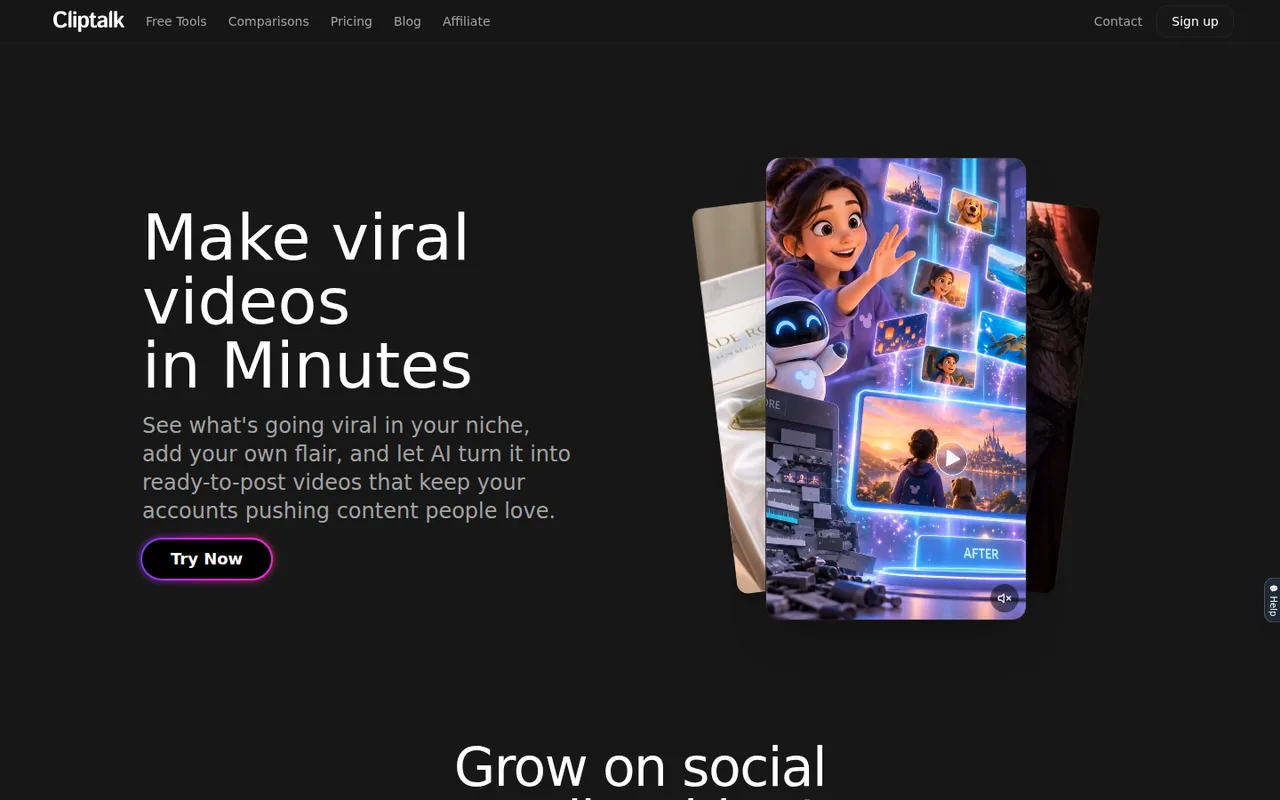
Cliptalk: 500 free credits cover about 5 videos, paid from $19 a month, with no refunds once credits are used
Updated September 28, 2026 · By Elias Brandt · Documentation review, not tested hands-on
Pros
- Several input routes
- Editing does not drain credits
- Clear monthly allocations
Cons
- Non-refundable after use
- Inputs may train models
- Export details unstated
Bottom line
500 credits, about 5 videos by the provider’s estimate; no card required at signup.
You make faceless Shorts, Reels or TikToks from a script, product photo or page URL and want voiceover and captions generated together, because those are the inputs the tool is built around.
You work with confidential launch material or client scripts, because the terms let the company use inputs and outputs to train and improve its AI models.
Best forFaceless short-form channelsEcommerce sellersMarketers repurposing articlesCreators who want their own voice
Strengths, limits and who it suits, in full
Strengths
- Several input routes Start from a prompt, script, product photo or page URL.
- Editing does not drain credits Caption and cut adjustments are separated from generation charges.
- Clear monthly allocations Each tier lists credits plus approximate video and image counts.
Limits
- Non-refundable after use The terms rule out refunds once credit-consuming features have been used.
- Inputs may train models The terms let the company use inputs and outputs to train and improve its AI.
- Export details unstated Public pages do not state resolution, watermark or maximum length for free videos.
Who it suits
- Faceless short-form channels suited to narrated stories or explainers where stock characters replace an on-camera host.
- Ecommerce sellers product photos or product URLs can seed batches of ad variants; verify every product claim.
- Marketers repurposing articles URL-to-video fits recycling existing posts, provided the script is reviewed first.
- Creators who want their own voice voice cloning is tied to Pro in the FAQ; clone only a voice you are entitled to use.
How much does Cliptalk cost?
Prices confirmed · checked
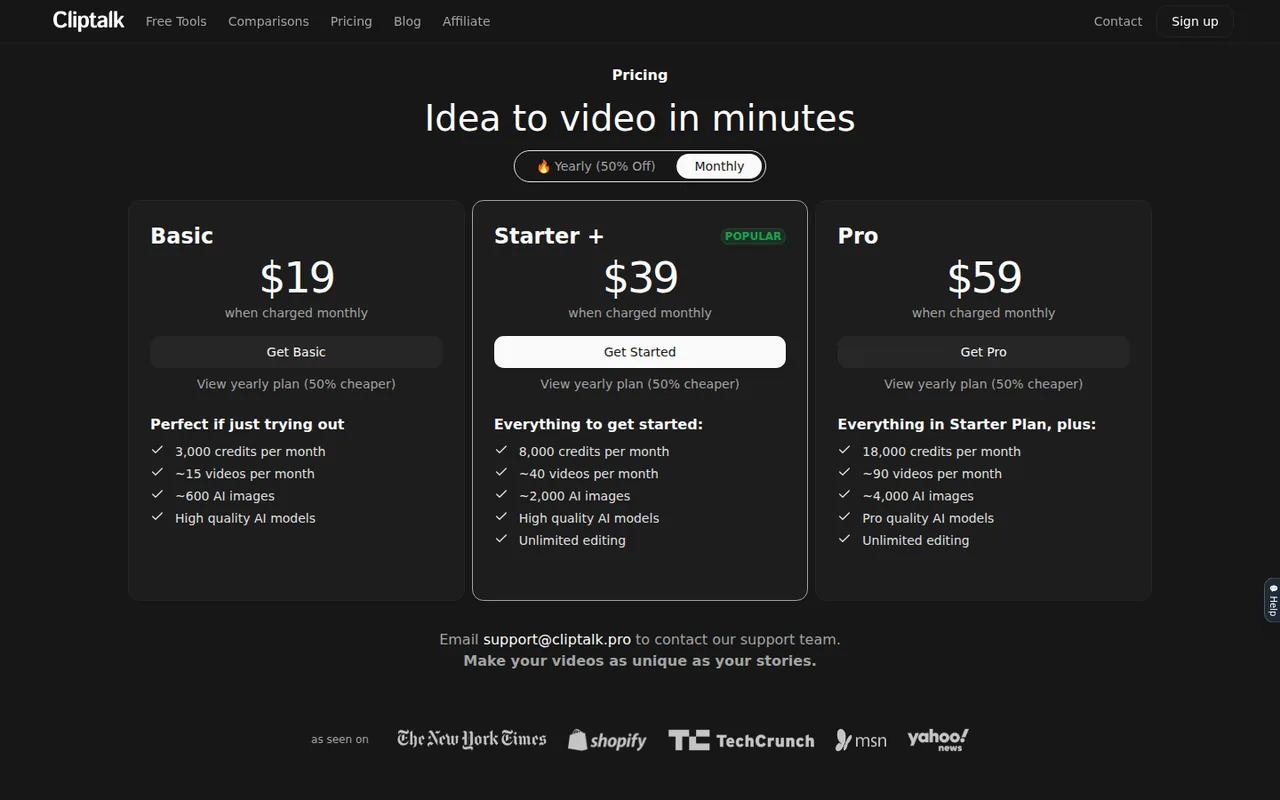
- $19Basic
- $39Starter +
- $59Pro
Regional prices: Prices are shown in USD.
The yearly toggle is labelled 50% off, but the listed Pro yearly rate of $32 a month is about 46% below $59, so compare the billed totals. Extra credits can be bought only by subscribed users. The terms, last updated April 11, 2024, say fees are non-refundable once credit-consuming features are used and that subscriptions renew automatically at the then-current price.
| Plan | Price | What you get |
|---|---|---|
| Free | $0 sourceFrom cliptalk.pro/pricing, checked Sep 28, 2026 (opens in a new tab) | 500 credits, about 5 videos by the provider’s estimate; no card required at signup. |
| Basic | $19 per monthbilled monthly · or $9.99 per month, $119.88 billed annually sourceFrom cliptalk.pro/pricing, checked Sep 28, 2026 (opens in a new tab) | 3,000 credits a month, about 15 videos or 600 AI images; high-quality AI models. |
| Starter + | $39 per monthbilled monthly · or $19 per month, $228 billed annually sourceFrom cliptalk.pro/pricing, checked Sep 28, 2026 (opens in a new tab) | 8,000 credits a month, about 40 videos or 2,000 AI images; unlimited editing. |
| Pro | $59 per monthbilled monthly · or $32 per month, $384 billed annually sourceFrom cliptalk.pro/pricing, checked Sep 28, 2026 (opens in a new tab) | 18,000 credits a month, about 90 videos or 4,000 AI images; pro-quality AI models; voice cloning per the FAQ. |
Which plan fits?
Smallest plan whose monthly credits cover your number with 15% spare for regenerations. Arithmetic from the plan table above, not a usage test.
How far does it go?
- Provider estimates imply different per-video ratesFree: 500 credits ÷ about 5 videos = about 100 credits per video. Basic: 3,000 ÷ about 15 = about 200 credits per video, and Starter + and Pro give the same 200. The pricing page does not state video length or model per estimate, so treat both ratios as provider approximations, not measured output.
Arithmetic from the published allowances above, not a usage test.
Taxes, currency and promotions can change the price you see at checkout.
Try Cliptalk free (opens in a new tab)
Key features
| Feature | What it does | Watch out |
|---|---|---|
| Prompt, script, photo or URL to short video | Reads a page, drafts a script and generates visuals, voiceover and captions. | The crawl only knows what is on the page; check claims and prices in the script before rendering. |
| Script, visuals, voiceover and captions generated together | — | |
| Stock AI voices and characters in several languages | — | |
| Natural-language timeline editing | — | |
| Auto-captions, b-roll and silence removal without credits | — | |
| Voice cloning from a short sample | Builds an AI voice from a short recorded sample, about 30 seconds per the homepage. | Requires the speaker’s consent; the privacy policy says voiceprints may be collected. |
| Batches of videos from product photos | — | |
| Credit-free editing | Auto-editing, auto-captions and silence or filler removal do not consume credits. | Regenerating a scene, image or voice is generation and does use credits. |
What will the 500 free credits actually produce?
Cliptalk equates the free 500 credits to about five videos, which works out to roughly 100 credits per video. The paid tiers imply about 200 credits per video, so the free estimate either assumes shorter clips or lower-cost models. The pricing page does not say which, and it gives no target length for an “average” video.
Plan the free balance as two or three complete attempts rather than five finished shorts. A first render usually needs at least one regenerated scene or voice change, and each regeneration is a new charge. Keep a note of the balance before and after each video to learn your own rate before choosing a plan.
Which actions spend credits, and which do not?
The pricing FAQ separates editing from generation. Auto-editing, auto-captions and removing silences or filler words do not use credits. Creating an image, a video clip or an audio track does. The practical rule is to fix a script, caption style and timing first, and only then regenerate visuals.
Additional credits can be purchased only on a subscription, so a free account that runs out has to upgrade to continue. The FAQ also answers a question about “minutes” being allocated monthly, although the plan cards count credits. Read the balance in credits in the dashboard rather than relying on a minutes figure.
How does a page URL become a script, and what should you check?
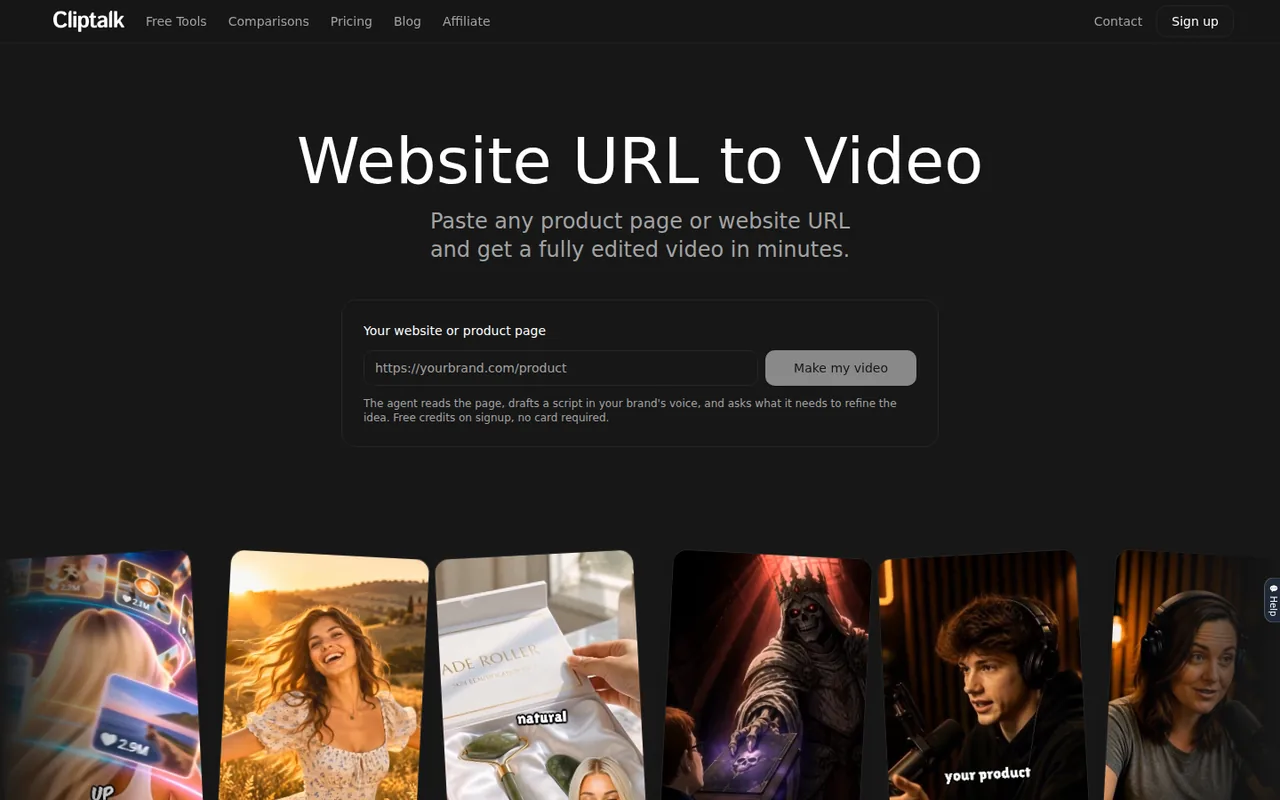
The website-to-video page says the agent reads a blog post, landing page, product page, news article or social post, drafts a script in your brand voice and asks follow-up questions before generating. It then adds visuals, b-roll, a voiceover from its voice library and captions, and you can change voices or swap visuals before downloading.
The crawl can only repeat what the page says, and it may compress claims into punchier lines. Before rendering, check prices, guarantees, health or safety statements and any competitor names in the draft script. For a marketplace listing you do not own, confirm that you are allowed to reuse its photos and descriptions.
Can you clone a voice or build a character from a photo?
The homepage offers voice cloning from a short recording, about 30 seconds, and custom characters built from a single photo. The pricing FAQ places voice cloning with the Pro plan, so check your tier before planning a series around your own voice.
The privacy policy says the portrait and voice-cloning features may collect face scans or voiceprints. Use only your own voice and likeness, or those of people who have given written permission for this use. Do not clone a public figure, a client’s staff member or a voice taken from someone else’s video.
Who can use your inputs and the finished video?
The terms say Cliptalk does not claim ownership of your inputs or outputs, and the pricing FAQ says the videos can be monetized. The same terms also grant the company a perpetual, sublicensable license to use inputs and outputs to train and improve its AI models, including for labeling and moderation.
That training clause matters for unreleased products, client scripts or recordings of real people. Keep confidential launch material out of the tool, or use a neutral placeholder script until the details are public. Rights in any footage or photos you upload remain your responsibility under the terms.
What does the yearly discount commit you to?
The yearly toggle bills 12 months up front: $119.88 for Basic, $228 for Starter + and $384 for Pro. Although the toggle says 50% off, the Pro rate is about 46% below the monthly price. The terms say subscriptions renew automatically for the same period at the price current at renewal.
The terms also state that using credit-consuming features forfeits any full or partial refund, and that cancellation does not refund the current period. Try the free credits and, if needed, one monthly cycle before paying for a year; a yearly plan cannot be tested and then returned once generation has started.
Can one product page become a 30-second vertical ad?
Proposed evaluation · not performed yet
On a free account, use a product page you own or a fictional page you host yourself, with a stock voice rather than a clone. Target a 30-second 9:16 video with captions. Stop if the export needed for the brief requires a paid plan you have not chosen.
- Record the starting credit balance and the page URL.
- Paste the URL and review the draft script for unsupported claims before generating.
- Generate once, then change one scene and the caption style.
- Download the MP4 and check duration, caption timing, watermark and resolution outside the editor.
- Record the credits used by the first render and by the scene change.
Accept a downloadable video close to 30 seconds whose claims match the page and whose captions follow the voice. Reject invented product features, missing audio or an unusable export. No output, watermark status or credit figure is reported until the test is run.
For presenter-led videos with licensed avatars, see HeyGen or Synthesia. To edit recorded footage by transcript, compare Descript. Match the input you have, a script, a URL or real footage, before comparing prices.
Is Cliptalk worth it?
Documentation review plus dated public user reports. Documentation review, not tested hands-on. Not scored.
Worth it if
- You make faceless Shorts, Reels or TikToks from a script, product photo or page URL and want voiceover and captions generated together, because those are the inputs the tool is built around.
- You expect to revise a draft several times, since auto-editing, captions and silence removal do not use credits and only regeneration does.
- You want to try the tool first, because the free account gives 500 credits with no card at signup.
Probably not if
- You work with confidential launch material or client scripts, because the terms let the company use inputs and outputs to train and improve its AI models.
- You want to test a yearly plan and return it, because the terms rule out refunds once credit-consuming features have been used.
- You need to know free-video resolution, watermark or maximum length before committing, because the public pages do not state them.
Cliptalk alternatives
Other video & editing tools checked with the same method. Pick by the job, not by a score.

Developers and small teams who want a conversational video avatar for support, sales or tutoring and need to budget by minutes

Short animated stories from a script or prompt

Teachers, students and math YouTubers who want 3Blue1Brown-style explainer clips from a description, with an editable Manim code playground when they want control

Relighting or changing the background of short video clips

Storyboarding and producing short AI videos from a script

Short AI video and image variants across several models

Creators and small teams who want video, image and audio generation under one credit balance

Small businesses that want social posts and clips generated and scheduled
Used Cliptalk? Write the first review. Visitor opinions are moderated and kept separate from our source checks.
Frequently asked questions
Is this the same product as other items called ClipTalk?
Searches for the name also return a two-way radio product and a voice messaging app. The AI video maker discussed here is the one at cliptalk.pro, whose legal pages name Cliptalk AI, Inc. Check the domain in the address bar before creating an account or entering card details.
Can I top up credits without subscribing?
No. The pricing FAQ says additional credits are available to subscribed users. A free account that runs out of its 500 credits therefore has to choose a paid tier to keep generating. If you expect to need only a few more clips, compare the monthly Basic plan with the cost of a yearly commitment first.
How do I cancel a paid subscription?
The pricing FAQ says to open the dashboard, choose Account and then Open Customer Portal, where the subscription can be cancelled. Support is available at support@cliptalk.pro. Cancelling stops the next renewal, but under the terms it does not refund the current period, so cancel before the renewal date.
Are videos made on the free plan allowed on monetized channels?
The pricing FAQ says Cliptalk videos can be monetized and does not separate free from paid output. Platform rules on AI content, the rights in anything you uploaded and any visible watermark still apply. Check the downloaded file itself and your platform’s disclosure settings before publishing to a monetized channel.
Can I upload my own clips and images instead of generating everything?
Yes. The homepage describes an editor where you drop in your own media, remove backgrounds and regenerate individual scenes. Uploaded material counts as input under the terms, so the same training license applies. Upload only footage and images you own or have permission to use in AI-assisted editing.
Sources and method5 official sources · 6 details checked · Sep 28, 2026
How we checked this profile
6 details on this page were checked against Cliptalk's own pages and help documentation (Sep 28, 2026).
See the checks by section6 documented
| Section | Checks | Last checked | Sources |
|---|---|---|---|
| Plans and prices | 3 documented | cliptalk.pro/pricingcliptalk.pro/terms-of-use | |
| Features | 2 documented | cliptalk.pro/pricingcliptalk.pro/privacy-policy | |
| Strengths and limits | 1 documented | cliptalk.pro/terms-of-use |
Sources for this profile
- Plans and creditscliptalk.pro
- Product overviewcliptalk.pro
- Website-to-video workflowcliptalk.pro
- Terms of usecliptalk.pro
All 5 sources
The terms and privacy policy name Cliptalk AI, Inc., while the site footer calls Cliptalk a registered trademark of Cliptalk.pro, Inc.; the pages do not explain the relationship. The homepage lists 140+ voices in 30+ languages, while the URL-to-video page lists 130+ voices in 20+ languages. Watermark and export resolution are not stated on the public pages. The /updates page returned 404.
Sources checked Sep 28, 2026. Found something out of date? See how we correct profiles.