

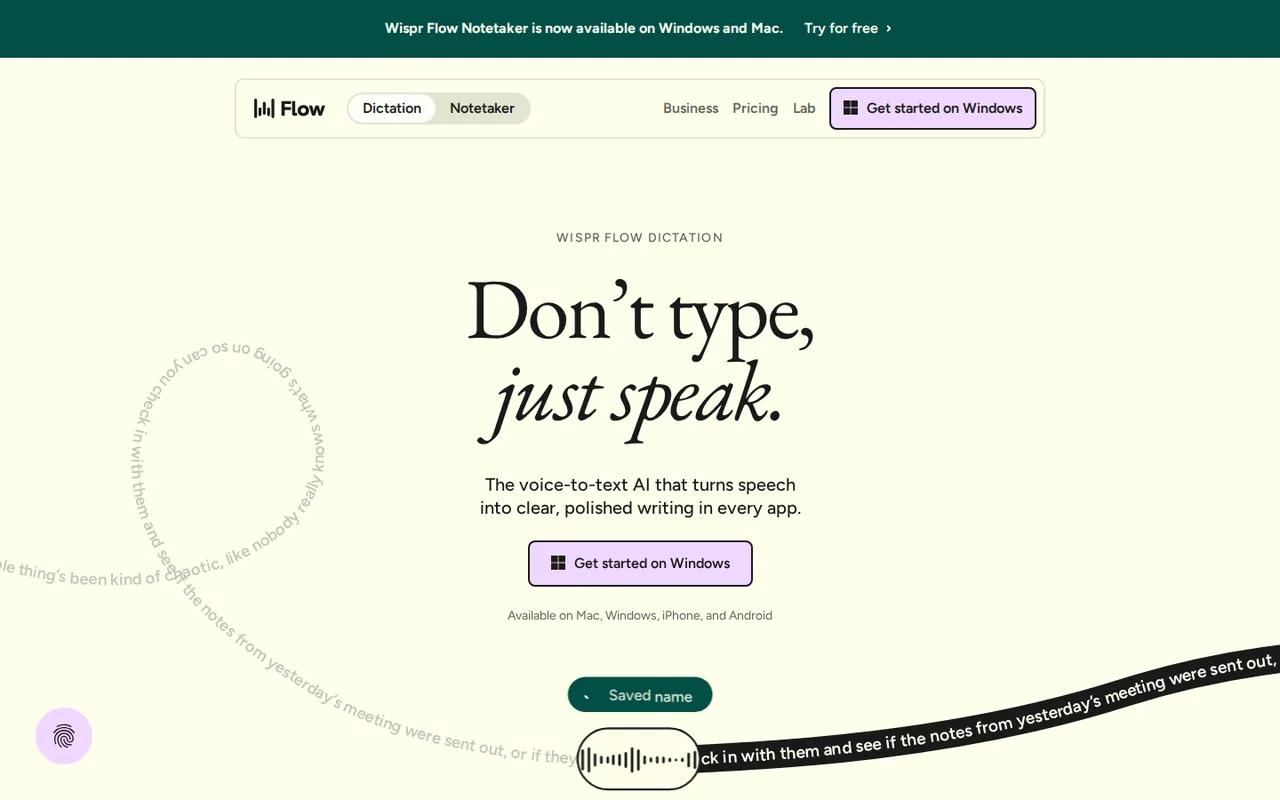
What is Wispr Flow, in short?
Updated November 12, 2026 · By Elias Brandt · Documentation review, not tested hands-on
Pros
- Works in any text field
- Free on all four platforms
- Clear data switches
- No bot in meetings
Cons
- Free word limit is not quantified
- Audio goes to the cloud
- Notetaker is desktop only
- Billing terms are strict
Best forHeavy writers of email and chatPeople who switch between laptop and phoneTeams that need shared vocabularyNot for buyers who need fully offline dictation
Strengths, limits and who it suits, in full
Strengths
- Works in any text field The homepage FAQ says Flow types wherever your cursor is, with no integrations to set up.
- Free on all four platforms The pricing page says Flow is free on Mac, Windows, iPhone and Android, and the FAQ says no credit card is needed to start.
- Clear data switches The privacy page lets you turn off model training and cloud storage, and says audio is discarded after transcription by default.
- No bot in meetings The FAQ says the Notetaker works on your device with no bot joining calls.
Limits
- Free word limit is not quantified The pricing table says 'Limited words per week' for Free without a figure on the pages we read.
- Audio goes to the cloud The privacy page says audio is sent to Wispr servers over TLS and transcribed there, so it is not an on-device engine.
- Notetaker is desktop only The pricing page says Notetaker runs on Mac and Windows, with mobile on the roadmap.
- Billing terms are strict The Terms say refunds are only issued if required by law and fees may change on renewal with notice.
Who it suits
- Heavy writers of email and chat Dictation works in any app and removes filler words and corrections.
- People who switch between laptop and phone One account is listed for Mac, Windows, iPhone and Android.
- Teams that need shared vocabulary Pro adds a shared dictionary, snippets and centralized billing.
- Not for buyers who need fully offline dictation The privacy page describes cloud transcription.
How much does Wispr Flow cost?
Prices confirmed · checked
Regional prices: Prices are read from the pricing page text on 2026-11-12.
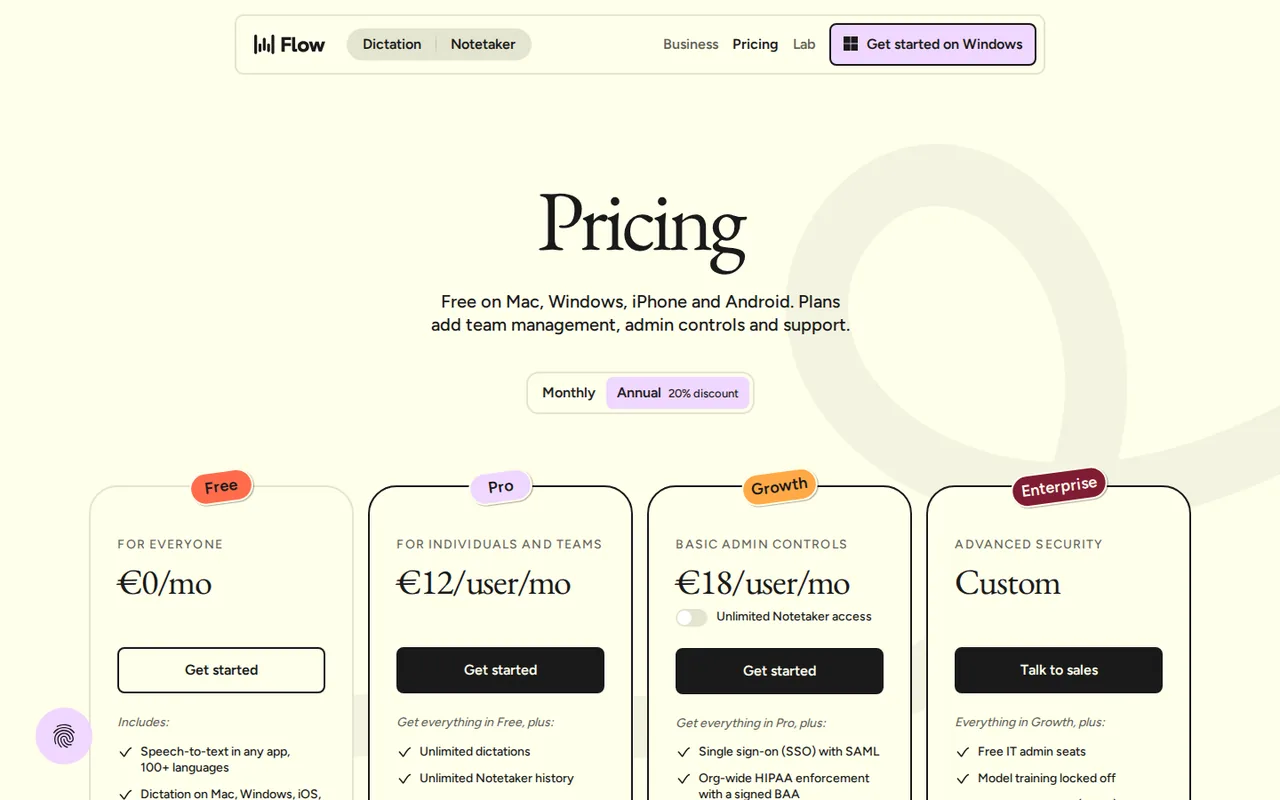
The page has a Monthly and an Annual toggle with a 20% annual discount; Pro shows $15 monthly and $12 annually, Growth $23 monthly and $18 annually. A second, higher figure ($33 and $26) appears beside the Growth price and the page does not explain it, so we list only the headline amounts. The Free plan's weekly word limit and meeting limit are not quantified. The page says students get 50% off Pro, educators 40% off and non-profits a discounted rate; we did not verify the discount process. Notetaker is shown as unlimited on paid plans and as an add-on on Growth and Enterprise, subject to abuse limits, and the page says it is rolling out gradually to existing Pro users. The Terms (last updated 2026-08-19) say paid plans renew automatically, fees may change on renewal with notice, and refunds are only issued if required by law.
| Plan | Price | What you get |
|---|---|---|
| Free | $0 sourceFrom wisprflow.ai/pricing, checked Nov 12, 2026 (opens in a new tab) | Dictation on Mac, Windows, iOS and Android in 100+ languages; limited words per week (figure not stated); dictionary and snippets; limited Notetaker access. |
| Pro | $15 per user per month billed monthly; $12 per user per month billed annually sourceFrom wisprflow.ai/pricing, checked Nov 12, 2026 (opens in a new tab) | Unlimited dictation; unlimited Notetaker history; shared dictionary and snippets; shared team workspace; centralized billing; basic team usage dashboard; priority support; early access to new features. |
| Growth | $23 per user per month billed monthly; $18 per user per month billed annually sourceFrom wisprflow.ai/pricing, checked Nov 12, 2026 (opens in a new tab) | Everything in Pro plus SSO with SAML, org-wide HIPAA enforcement with a signed BAA, admin control over model training, individual usage reporting and admin tools; Notetaker unlimited as an add-on. |
| Enterprise | Customcontact sales | Everything in Growth plus SCIM provisioning, audit logs and managed deployment, domain capture, model training locked off, custom contract terms, invoicing and PO billing, premium support. |
How far does it go?
- What the annual discount savesPro costs $15 per user a month billed monthly, or $12 billed annually. For one user that is $180 against $144 over twelve months, a difference of $36; for a team of five it is $900 against $720. This is arithmetic on the listed per-user prices, not a quote: it assumes the annual price is charged per user for twelve months, the page does not state a minimum seat count beyond saying there is none for Pro teams, and the Free plan's weekly word limit is not stated, so we cannot say how many dictated words Free covers before Pro is needed.
Arithmetic from the published allowances above, not a usage test.
Taxes, currency and promotions can change the price you see at checkout.
Try Wispr Flow free (opens in a new tab)
Key features
| Feature | What it does | Watch out |
|---|---|---|
| Dictation into any app where you can type, on Mac, Windows, iOS and Android | — | |
| Automatic removal of fillers, repeats and spoken corrections, with punctuation and formatting | — | |
| 100+ languages, with a language picker in the Flow bar | — | |
| Personal dictionary and snippets that expand a spoken shortcut into saved text | — | |
| Notetaker for meetings and voice memos with speaker identification, no bot joining the call (Mac and Windows) | — | |
| Cleanup is the difference from built-in dictation | The homepage FAQ says built-in dictation writes every um, false start and correction, while Flow turns 'let's meet at 5... actually 6pm' into 'Let's meet at 6pm' and formats lists and paragraphs. | Dictate one real email and one chat reply, then count the edits you still make before deciding it is worth a subscription. |
| Names and jargon come from a dictionary | The homepage says Flow learns your names and terms automatically or lets you add them, and snippets expand a spoken shortcut into saved text such as an address or link. | Add the five names and terms you mistype most before judging accuracy, and pick one spoken language at a time as the FAQ advises. |
| You choose what is stored | The privacy page lists separate switches for model training, dictation cloud storage, context awareness and local history. Audio is deleted once transcribed unless cloud storage is on. | Open these settings before first use, especially if you dictate client or health information. |
What does the free plan leave out?
The pricing table marks Free as limited words per week and limited Notetaker access, against no limits on Pro. It gives no number for either limit, so we cannot say how long Free lasts for a heavy writer; the only way to find out is to use it for a week.
What does it do differently from built-in dictation?
The homepage FAQ says built-in dictation transcribes every filler word and correction, while Flow removes them, adds punctuation and formats lists as you speak. That is the provider’s description; we did not run a side-by-side test.
Where does your audio go?
The privacy page says audio is captured only after you press your shortcut, sent over TLS to Wispr servers, transcribed and then deleted unless Dictation cloud storage is on. Model training is a separate switch. On Growth and Enterprise it is off by default and locked; the pages do not state the default for Free and Pro.
What changes between plans?
Pro adds unlimited dictation, shared dictionary and snippets and centralized billing. Growth adds SSO, a signed HIPAA BAA and admin control over training; Enterprise adds provisioning and audit logs. The Terms say refunds are only issued if required by law.
How to test it in an afternoon
Proposed evaluation · not performed yet
Install the free app, add the names you mistype most to the dictionary, then dictate three real messages in the apps you use daily and count the edits you still make. Check the privacy switches first, and upgrade only if the weekly limit stops you.
Wispr Flow alternatives
Other writing & content tools checked with the same method. Pick by the job, not by a score.

Comparing answers from several AI models and using image, video, slide and website tools from one token pool

Self-publishing authors, ghostwriters and non-fiction writers who want one place to outline, draft in their own style, edit and prepare a book for Amazon KDP

General drafting, files and everyday research

Drafting, document work and coding

People who want a private journal that answers back and spots patterns, and who accept that entries are sent to third-party AI providers

Individuals and families who want one assistant across mail, calendar, files and shared plans, and small teams on Plus

Turning plain or AI-drafted text into templated Word and PDF documents

Correcting and polishing everyday writing
Used Wispr Flow? Write the first review. Visitor opinions are moderated and kept separate from our source checks.
Frequently asked questions
Is Wispr Flow free?
Yes. The pricing page says Flow is free on Mac, Windows, iPhone and Android, with a weekly word limit and limited Notetaker access, and no credit card is needed to start. The figure for the weekly limit is not stated on the pages we read.
Does Wispr Flow use my voice to train its models?
There is a setting called Improve the model for everyone; turned off, nothing you say is used to train the models. On Growth and Enterprise it is off by default and locked. The pages we read do not state the default on Free and Pro, so check it in settings.
Does the Wispr Flow Notetaker join meetings as a bot?
No. The FAQ says Flow works on your device with no bot joining the call, and Notetaker runs on Mac and Windows only for now.
Is there a discount for students?
The pricing page says students get 50% off Pro, educators 40% off and non-profits a discounted rate. Flow itself is free for everyone, students included.
Sources and method4 official sources · 6 details checked · Nov 12, 2026
How we checked this profile
6 details on this page were checked against Wispr Flow's own pages and help documentation (Nov 12, 2026).
See the checks by section6 documented
| Section | Checks | Last checked | Sources |
|---|---|---|---|
| Article text | 1 documented | wisprflow.ai | |
| Plans and prices | 3 documented | wisprflow.ai/pricingwisprflow.ai/terms-of-service | |
| Questions | 2 documented | wisprflow.ai/privacywisprflow.ai/pricing |
Sources for this profile
- Pricing page and FAQwisprflow.ai
- Homepage and FAQwisprflow.ai
- Privacy and data controls pagewisprflow.ai
- Terms of Service, last updated 2026-08-19wisprflow.ai
Official pages read on 2026-11-12: homepage with FAQ, pricing page with FAQ, privacy and data controls page, and Terms of Service (last updated 2026-08-19). The FAQ is built from the questions on the provider's own pricing and homepage FAQs. We did not install the app or dictate anything, so accuracy, latency, accent handling and cleanup quality were not observed. The provider's accuracy, speed and time-saving figures (for example 4x faster than typing and the savings calculator) are its own marketing claims and were not verified. Third-party listings and reviews were not used.
Sources checked Nov 12, 2026. Found something out of date? See how we correct profiles.