

Format Magic: about 35 free pages a month, but watermark-free Word files are listed only on paid plans from $9.95
Updated September 29, 2026 · By Elias Brandt · Documentation review, not tested hands-on
Pros
- Free plan without a card
- Short retention for one-off jobs
- Commercial use of your documents
Cons
- Character limits, not pages
- Text goes to third-party AI
- Branding needs higher tiers
Bottom line
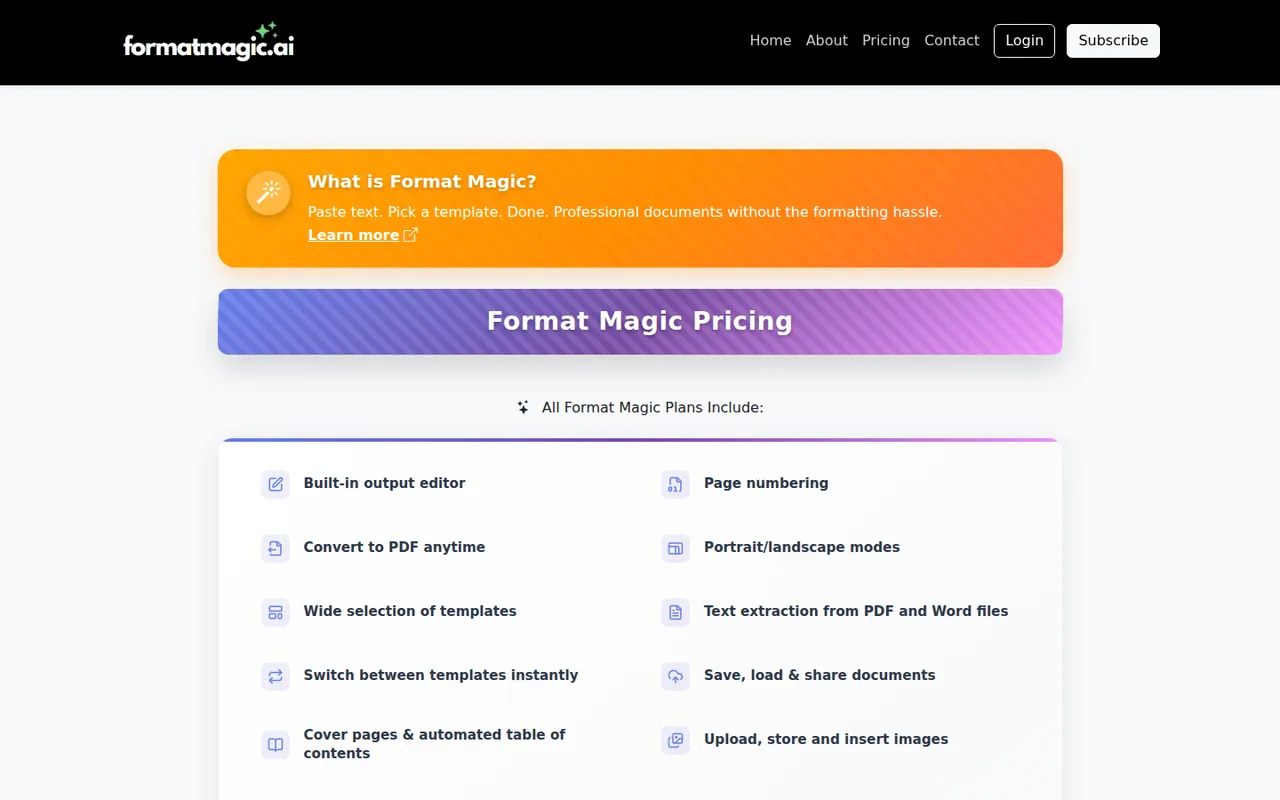
About 35 pages (75,000 characters) a month and about 15 pages (30,000 characters) per document; first 5 images extracted from files; unlocked, watermark-free Word files are listed for paid plans.
You format occasional short reports or CVs, because the free plan covers about 35 pages a month and 30,000 characters per document without a card.
You need your own brand template, because uploading Word templates is limited to the $19.95 Premium plan and Pro only adds basic customizing.
Best forConsultants and freelancersPeople polishing AI chat outputStudents and teachersTeams with a house style
Strengths, limits and who it suits, in full
Strengths
- Free plan without a card About 35 pages a month can be formatted after a free sign-up.
- Short retention for one-off jobs The privacy policy says unsaved input and output are deleted within 12 hours.
- Commercial use of your documents The terms allow personal and business use of documents you create.
Limits
- Character limits, not pages Allowances are counted in characters, so page estimates vary with tables and images.
- Text goes to third-party AI Content is processed by providers such as Google Gemini and OpenAI.
- Branding needs higher tiers Template customization starts on Pro, and your own Word templates need Premium.
Who it suits
- Consultants and freelancers fits turning drafted notes into a client report layout without building a Word template by hand.
- People polishing AI chat output suits pasting a long ChatGPT or Claude answer and getting a structured document back, provided the text is checked afterwards.
- Students and teachers the 50% academic discount makes paid tiers cheaper for coursework and handouts with equations.
- Teams with a house style only Premium accepts your own Word template, so price that tier if brand fidelity matters.
How much does Format Magic cost?
Prices confirmed · checked
Regional prices: Prices are in USD per month; no annual option is shown.
New subscribers see a 30% first-month welcome offer ($6.96, $10.46 or $13.96) that reverts to the standard price after one month. A verified academic email gives 50% off paid plans ($4.97, $7.47 or $9.97). Plans renew automatically; cancelling keeps features to the end of the period, without pro-rata refunds except where Australian Consumer Law requires.
| Plan | Price | What you get |
|---|---|---|
| Free | $0 per monthno credit card sourceFrom formatmagic.ai/pricing, checked Sep 29, 2026 (opens in a new tab) | About 35 pages (75,000 characters) a month and about 15 pages (30,000 characters) per document; first 5 images extracted from files; unlocked, watermark-free Word files are listed for paid plans. |
| Basic | $9.95 per month sourceFrom formatmagic.ai/pricing, checked Sep 29, 2026 (opens in a new tab) | About 200 pages (400,000 characters) a month, about 25 pages (50,000 characters) per document; unlocked Word documents without a watermark; image extraction. |
| Pro | $14.95 per month sourceFrom formatmagic.ai/pricing, checked Sep 29, 2026 (opens in a new tab) | About 750 pages (1,500,000 characters) a month, about 50 pages (100,000 characters) per document; basic template customizer and saved custom templates. |
| Premium | $19.95 per month sourceFrom formatmagic.ai/pricing, checked Sep 29, 2026 (opens in a new tab) | About 2,500 pages (5,000,000 characters) a month, about 75 pages (150,000 characters) per document; full template customizer, your own Word templates and priority support. |
How far does it go?
- Maximum-size documents per monthFree: 75,000 ÷ 30,000 = 2.5, so two documents at the 30,000-character cap fit in a month. Basic: 400,000 ÷ 50,000 = 8 documents at its cap. A 3,000-word report at about 6 characters per word including spaces is roughly 3,000 × 6 = 18,000 characters, inside the free per-document cap; this is an estimate, not a measured count.
Arithmetic from the published allowances above, not a usage test.
Taxes, currency and promotions can change the price you see at checkout.
Try Format Magic free (opens in a new tab)
Key features
| Feature | What it does | Watch out |
|---|---|---|
| Template formatting of pasted text, AI output, Word and PDF files | Detects headings, lists, tables and emphasis in plain text and applies the styles of the selected template. | The terms warn that AI output may omit or change text, so every document needs a read-through. |
| Word (.docx) and PDF output | Extracts text and images from existing Word or PDF files and reformats them with a new template. | Headers and footers are not extracted, and the free plan extracts only the first 5 images. |
| Cover pages, automatic table of contents and page numbering | — | |
| Built-in output editor and template switching after processing | — | |
| Image library with extraction from Word and PDF files | — | |
| Saved documents with shareable live links | — | |
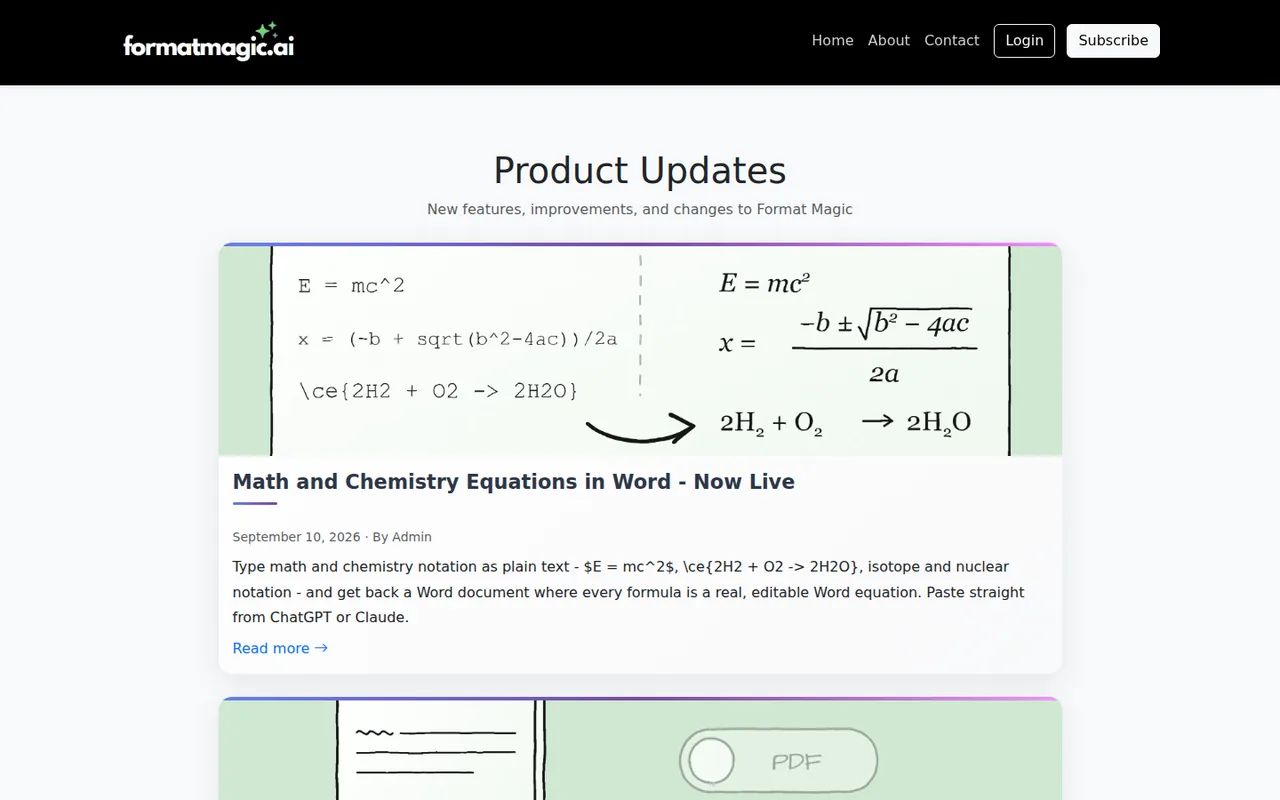
| Math and chemistry notation converted to Word equations | — | |
| Connector for Claude and ChatGPT | — | |
| Template customizer | Adjusts template styles and saves them for reuse; Premium also accepts your own Word templates. | Customizing starts on Pro, and full customization and uploaded templates need Premium. |
What does the free plan format each month?
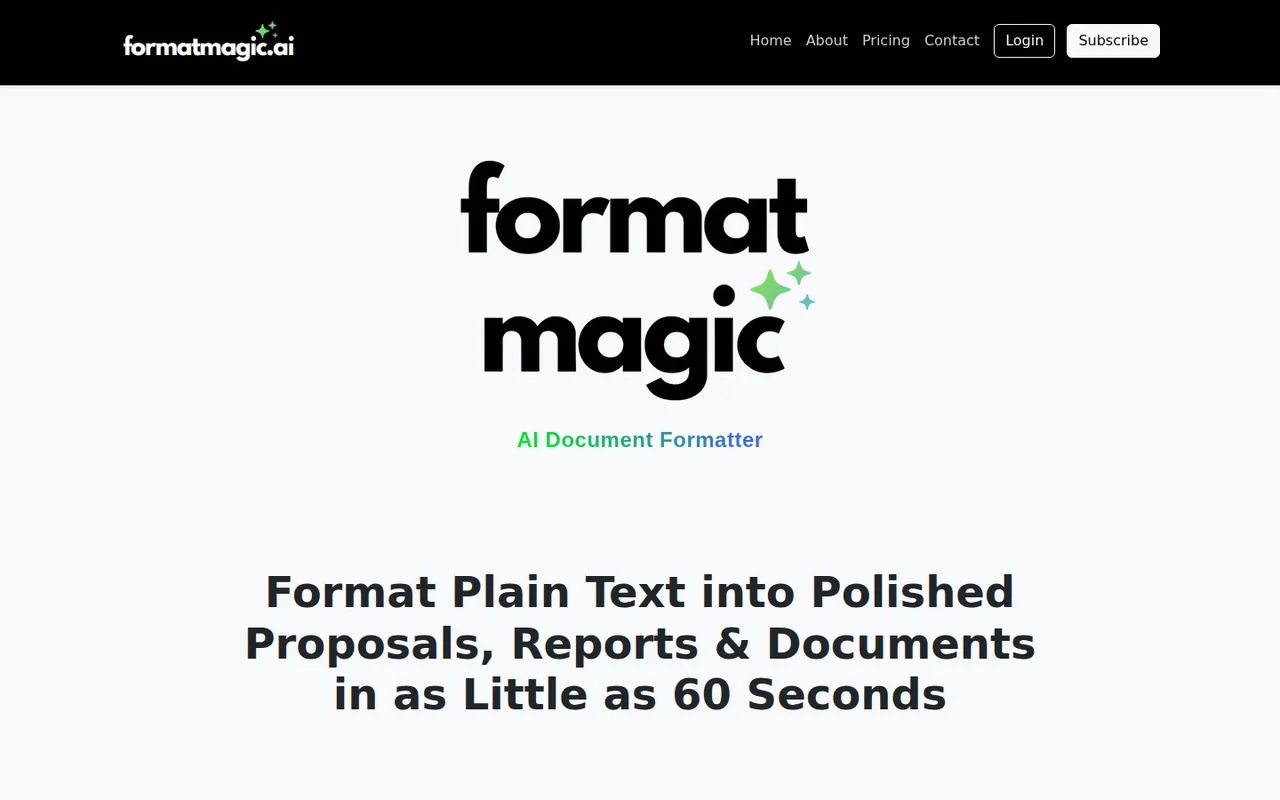
Format Magic can be tried without an account, but guest downloads open read-only with a small watermark. A free account, with no credit card, allows about 35 pages a month, measured as 75,000 characters, and about 15 pages, or 30,000 characters, in a single document. All plans include cover pages, a table of contents, page numbers, the output editor and PDF export.
The free limit on Word files is less clear. The homepage says signing up free makes downloads editable, but the pricing table marks “no watermark, fully unlocked Word documents” as a paid feature. Download one test file on the free plan and check it before promising an editable Word file to anyone.
How are characters counted, and when is Basic or Pro worth paying for?
Usage is metered in characters, and the page counts on the pricing page are estimates that change with headings, tables and images. The per-document cap matters as much as the monthly total: a 40-page report cannot be formatted in one pass on Free or Basic, whatever the remaining allowance.
Editorial assessment
Free covers an occasional short report or CV. Basic suits a few client documents a month up to about 25 pages each. Pro is the tier for longer reports up to about 50 pages or saved custom styles, and Premium is needed only for your own Word templates or very long documents. Unused allowance does not roll over.
- Free: 75,000 characters a month, 30,000 per document.
- Basic: 400,000 a month, 50,000 per document.
- Pro: 1,500,000 a month, 100,000 per document.
- Premium: 5,000,000 a month, 150,000 per document.
What is the first-month discount worth against the standard price?
The pricing page shows a 30% welcome offer for new subscribers, labelled for the first month only and “while spots last”. Basic at $6.96 becomes $9.95 from the second month, so the offer saves one month’s difference, not 30% of a year. Budget with the standard monthly price.
The larger saving is the education offer: 50% off every paid plan for users with an academic email from a list of about 50,000 institutions, applied automatically at checkout. No annual billing option is listed, and the terms do not give pro-rata refunds for a partly used month, apart from rights under Australian Consumer Law.
Does the AI change your wording, and where does the text go?
Format Magic says it changes how a document looks, not what it says. The terms are more careful: because the output is produced by AI, it may occasionally contain errors, omissions or unintended changes to your text, and you must review every document before sending it. Compare headings, figures and names with the source before delivery.
Text is processed by third-party AI providers, named as Google Gemini and OpenAI, and PDF-to-Word conversion by Adobe PDF Services. The privacy policy says input and output for unsaved documents are deleted within 12 hours; saved documents stay until you delete them. Keep that in mind for confidential client material.
Can you use your own brand template?
Branding depends on the tier. Pro adds the basic template customizer and lets you save customized templates. Premium adds the full customizer and uploading your own Word templates, which is the closest route to an existing house style. Free and Basic use the built-in designed and formal templates.
The terms let you use and sell the documents you make, including for business, but not the templates themselves. You may not copy, extract or resell template designs or prompts, recreate them from output, or use the output to train a competing product. Accounts are for one user and cannot be shared.
Can it reformat Word files, PDFs and AI chat answers?
You can paste text or drop in a Word, PDF or text file for extraction. Images in the file are pulled into your image library and placed back into the formatted document; the free plan extracts the first 5 images and headers and footers are not extracted. Toggles keep your own bold, italic or heading structure if you want the template to follow it.
Recent updates added editable Word output for all users on August 20, 2026 and conversion of plain-text math and chemistry notation into Word equations on September 10, 2026. A connector lets Claude or ChatGPT send text to your account; the privacy policy says those requests follow the same retention rules as the website.
Can the free plan turn a plain-text report into a usable Word file?
Proposed evaluation · not performed yet
On a free account, paste a 3,000-word plain-text report you wrote, with six headings, one bulleted list, one three-column table and two figures written as numbers. Choose a formal template with cover page, table of contents and page numbers, and download the Word file.
- Record the plan, template name and the characters used shown in the usage dashboard.
- Paste the text with both keep-source toggles off and create the Word document.
- Open the file in Word and check whether it is editable or read-only and whether a watermark appears.
- Compare every heading, table cell and number with the source text.
- Update the table of contents in Word and confirm the page numbers match.
Accept an editable file with all six headings in the contents, an intact table and unchanged figures. Reject missing paragraphs, reworded sentences or a locked file that would require a paid plan. No result is reported until the test is run.
To draft the text before formatting it, compare ChatGPT and Claude, both of which can send text through the connector. For designed one-page layouts with heavy imagery rather than long reports, see Canva.
Is Format Magic worth it?
Documentation review plus dated public user reports. Documentation review, not tested hands-on. Not scored.
Worth it if
- You format occasional short reports or CVs, because the free plan covers about 35 pages a month and 30,000 characters per document without a card.
- You turn long AI chat answers into structured Word or PDF documents and will read every page afterwards, since the terms warn that output can omit or change text.
- You are a student or teacher, because the 50% academic discount brings paid plans to the $4.97 to $9.97 range.
Probably not if
- You need your own brand template, because uploading Word templates is limited to the $19.95 Premium plan and Pro only adds basic customizing.
- You handle confidential client material, since text is processed by third-party AI providers and only unsaved documents are deleted within 12 hours.
- You want one subscription for a whole team, because the terms limit each account to a single user and no multi-seat plan is listed.
Format Magic alternatives
Other writing & content tools checked with the same method. Pick by the job, not by a score.

Self-publishing authors, ghostwriters and non-fiction writers who want one place to outline, draft in their own style, edit and prepare a book for Amazon KDP

General drafting, files and everyday research

Drafting, document work and coding

Brand-consistent sales and marketing content for teams

Shortlisting brand names before buying a domain

Pay-per-use access to many AI models without separate subscriptions

AI help inside a Notion team workspace

Students and writers who rewrite their own short passages and want to review each change
Used Format Magic? Write the first review. Visitor opinions are moderated and kept separate from our source checks.
Frequently asked questions
Is Format Magic connected to the Magic: The Gathering formats?
No. Searches for "format magic" mostly return pages about the card game's play formats. The document formatter described here is at formatmagic.ai and is run by Format Magic Pty Ltd, ABN 64 681 504 030, from Perth, Western Australia. Check the .ai domain before signing up or paying.
Does unused character allowance carry over to the next month?
No. The terms say unused monthly allowance does not roll over between billing periods. They also mention one-time character purchases, which are drawn down as you use them and cannot be refunded once consumed. If a long project is coming, time the subscription so the heavy month falls inside one billing period.
Can I cancel at any time and get money back?
You can cancel from account settings at any time, and paid features stay active until the end of the current billing period. The terms rule out pro-rata refunds for a partly used month, except where the law requires. Australian Consumer Law guarantees still apply to services that are faulty or not as described.
Can I share a formatted document without sending a file?
Yes, for saved documents. Saving a document to your account lets you share it as its own Format Magic web page with anyone who has the link. When you edit and regenerate the document, the shared page shows the changes, so there is no need to resend attachments after every revision.
Can a team share one Format Magic subscription?
No. The terms say accounts are for a single user and must not be shared or resold, and they prohibit offering access to the service to others as your own service. Each person who formats documents needs their own account, and the pricing page shows no team or multi-seat plan.
Sources and method7 official sources · 6 details checked · Sep 29, 2026
How we checked this profile
6 details on this page were checked against Format Magic's own pages and help documentation (Sep 29, 2026).
See the checks by section6 documented
| Section | Checks | Last checked | Sources |
|---|---|---|---|
| Plans and prices | 3 documented | formatmagic.ai/pricingformatmagic.ai/education-offer | |
| Features | 1 documented | formatmagic.ai/terms-and-conditions | |
| Strengths and limits | 2 documented | formatmagic.ai/privacyformatmagic.ai/pricing |
Sources for this profile
- Plans and usage limitsformatmagic.ai
- Product overviewformatmagic.ai
- Student and educator pricingformatmagic.ai
- Terms and conditions (updated 17 July 2026)formatmagic.ai
All 7 sources
The homepage says guest downloads open read-only with a small watermark and that a free sign-up makes them editable, while the pricing table lists unlocked, watermark-free Word documents only for paid plans; the difference is unresolved. Page counts are the provider's estimates from character limits. The homepage HTML contains a hidden debug line that is not shown to visitors. Customer testimonials on the homepage are not repeated.
Sources checked Sep 29, 2026. Found something out of date? See how we correct profiles.