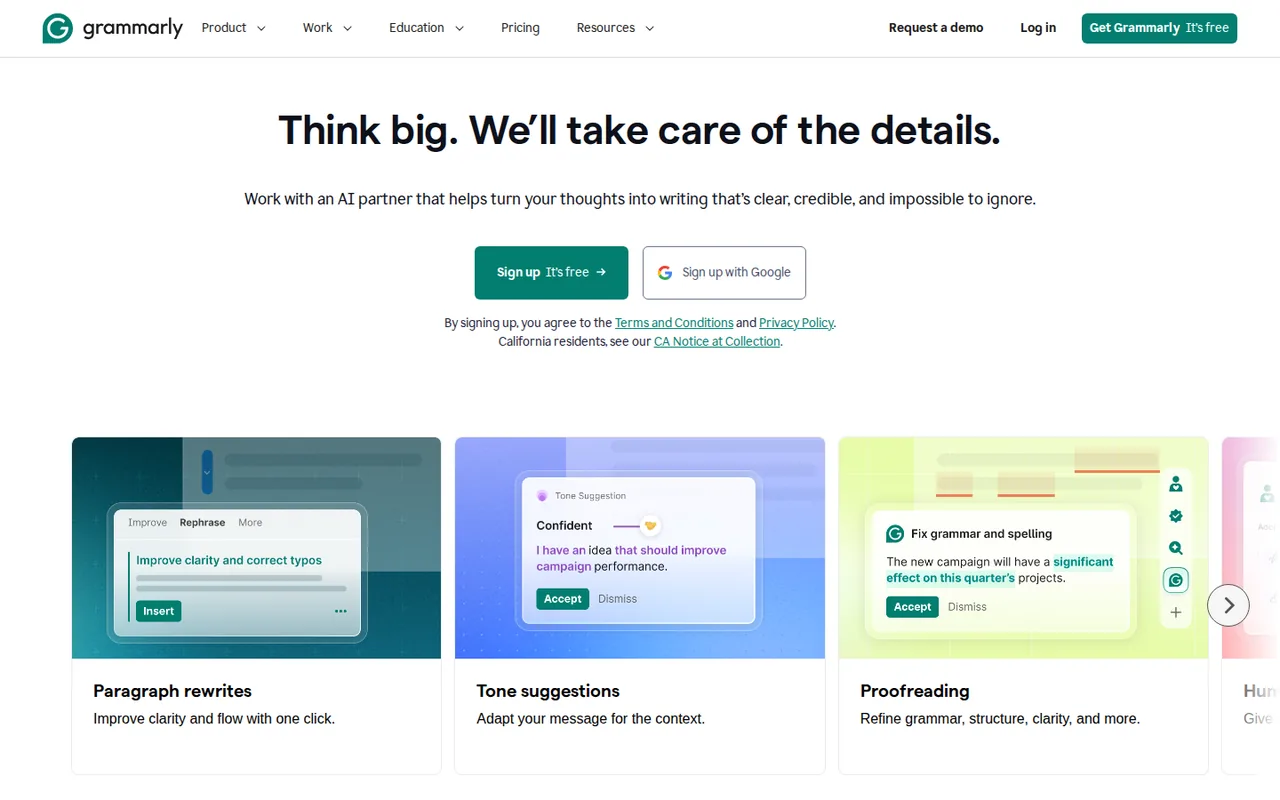
Grammarly: in-app writing fixes; Free allows 100 AI prompts a month, Pro is USD 12 per member billed yearly
Updated September 27, 2026 · By Elias Brandt · Documentation review, not tested hands-on
Pros
- Works where you already write
- Usable free tier
- Flexible Pro billing
- Training opt-out
Cons
- Refunds only where law requires
- Review agents are paid
- Own rewrites can trip the detector
- Checking caps apply
Bottom line
Spelling, grammar and tone detection; 100 AI prompts per month; one AI Grader scan per day.
You want spelling, grammar and tone corrections inside browsers, Office, Google Docs and mobile keyboards, because the same suggestions follow you across those apps.
You need plagiarism, AI-text or citation checks, because those review agents sit behind the paid Pro plan and Free gets one AI Grader scan a day.
Best forStudents checking assignmentsPeople writing at work in a second languageSmall teams standardizing wordingRegulated organizations
Strengths, limits and who it suits, in full
Strengths
- Works where you already write The same suggestions run in browser extensions, desktop apps, Office and Google Docs add-ins and mobile keyboards.
- Usable free tier Free has no time limit and includes spelling, grammar, tone detection and a monthly prompt allowance.
- Flexible Pro billing Pro can be paid monthly, quarterly or yearly per member, and a team account can grow to 149 seats.
- Training opt-out Free and single-user Pro accounts can switch off the use of their content for model training.
Limits
- Refunds only where law requires You can cancel at any time, but paid time is refunded only when local law requires it.
- Review agents are paid Plagiarism Checker, AI Detector and Citation Finder need Pro, and Free gets a single AI Grader scan a day.
- Own rewrites can trip the detector Text rewritten by Grammarly's agents is likely to be flagged by its AI Detector.
- Checking caps apply Help articles limit checks by documents and words per day and per 30 days, and uploads by size and file type.
Who it suits
- Students checking assignments Free covers proofreading and a daily grader scan; Pro makes sense when plagiarism checks, citation help and the full grader are needed before each submission.
- People writing at work in a second language Pro's fluency suggestions and in-line translation suit daily emails and documents written in English or another supported language.
- Small teams standardizing wording a Pro team account gives members one shared style guide, one brand tone and snippets without an enterprise contract.
- Regulated organizations consider Enterprise when data loss prevention, BYOK encryption, audit logs and custom roles are requirements.
How much does Grammarly cost?
Prices confirmed · checked
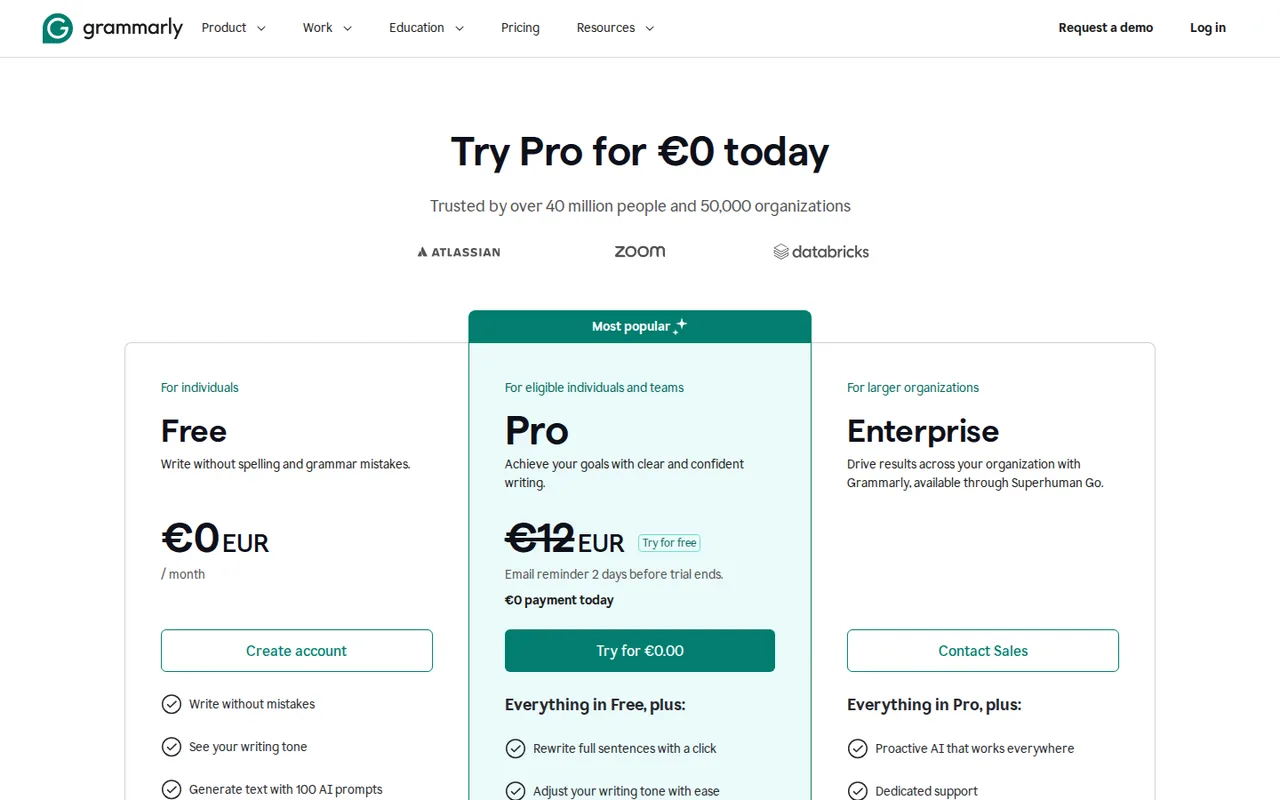
Regional prices: From a server in Germany the plans page showed Free at EUR 0 and Pro at EUR 12 without a billing period beside it.
The help center lists Pro in US dollars per member for monthly, quarterly and yearly billing and says euro, pound and rupee rates appear at checkout. Taxes were not checked. Refunds are issued only where the law requires them.
| Plan | Price | What you get |
|---|---|---|
| Free | USD 0EUR 0 shown sourceFrom grammarly.com/plans, checked Sep 26, 2026 (opens in a new tab) | Spelling, grammar and tone detection; 100 AI prompts per month; one AI Grader scan per day. |
| Pro | USD 12 per member per monthbilled yearly · USD 30 billed monthly sourceFrom grammarly.com/plans, checked Sep 26, 2026 (opens in a new tab) | USD 144 per member per year or USD 60 per quarter; 2,000 AI prompts per member per month; rewrites, tone adjustment, plagiarism and AI-text checks; up to 149 seats. |
| Enterprise | Contact provider | Unlimited prompts per member; unlimited style guides and brand tones; SSO, SCIM, data loss prevention and BYOK encryption; sold through Superhuman Go. |
How far does it go?
- Pro yearly against monthlyYearly Pro costs USD 144 per member, about the price of 5 months at USD 30 (144 / 30 = 4.8), so monthly billing is cheaper only if you need Pro for 4 months or less.
- Prompts per working dayAssuming 22 working days a month, Free's 100 prompts allow about 4 a day (100 / 22 = 4.5) and Pro's 2,000 about 90 a day (2,000 / 22 = 91).
- Documented Free/Premium monthly word allowanceThe article also applies this cap per authorized Enterprise user: 150,000 words in 30 days averages 5,000 per day (150,000 / 30), below the 50,000-word daily cap. It does not name Pro; this average is not a separate daily allowance.
Arithmetic from the published allowances above, not a usage test.
Taxes, currency and promotions can change the price you see at checkout.
Try Grammarly free (opens in a new tab)
Key features
| Feature | What it does | Watch out |
|---|---|---|
| Real-time suggestions | Spelling, grammar, clarity and tone underlines appear in browser extensions, the Windows and Mac apps, Office, Google Docs and mobile keyboards. | — |
| Generative AI prompts | Draft, rewrite or reply from a prompt, with a monthly allowance that depends on the plan.Each typed request or one-click suggestion such as Improve it uses one prompt, and the allowance refills monthly on your account's own start date. | Paid users who run out before the refill must contact support, and no prompt top-up is listed. |
| Docs with agents | A writing surface where AI Chat, Paraphraser, Humanizer, Reader Reactions, Citation Finder and AI Grader work beside your text. | — |
| Plagiarism and AI-text checks | Compare writing with web and academic sources and estimate how much of it reads as AI-generated. | — |
| Multilingual suggestions and translation | Suggestions in 24 languages besides English, plus paid in-line translation of your own text.Translates selected text you are writing into 19 language options from the Windows and Mac apps and the Chrome extension. | Paid plans only, capped at 4,000 characters at once, and it does not work on static text such as web pages or received emails. |
| Team style guides and brand tones | Shared terminology rules, a brand tone, snippets and analytics for Pro teams, with no cap on Enterprise. | — |
| AI Detector | Shows what percentage of a text looks AI-generated and marks the passages in docs, Google Docs or Word. | Grammarly calls the score a probability rather than an objective result, and rewrites made by its own agents are likely to be flagged. |
| Docs exports | Documents written or uploaded in docs export to PDF or Word from the editor menu. | Uploaded files lose images, charts, citations, comments, formulas and text columns on export. |
Is Grammarly Free enough, or do you need Pro?
Editorial assessment
The dividing line is whether you want corrections only or AI work on top of them. The plans table gives Free 100 AI prompts a month, Pro 2,000 per member and Enterprise an unlimited allowance, and it reserves full-sentence rewrites, tone adjustment and plagiarism and AI-text checks for Pro.
- Free fits people who mainly need spelling, grammar and tone detection and send fewer than about 100 prompts a month.
- Pro fits writers who rewrite or draft with AI most days, need plagiarism or AI-text checks, or want one shared style guide and brand tone for a team of up to 149 members.
- Enterprise fits organizations that need unlimited prompts, data loss prevention, BYOK encryption, custom roles or more than one style guide.
For long-form marketing copy rather than correction, the Jasper and Copy.ai profiles cover tools built around campaigns, and the AI writing tools category lists the rest of the field.
How do Grammarly’s AI prompts refill and run out?
A prompt is any request typed into the prompt field, and clicking a ready-made suggestion such as Improve it also uses one. A single prompt can be a few words or several paragraphs long. The allowance refills monthly on the day generative AI first became available in your account, not on the first of the month, and a counter under the lightbulb icon shows what is left.
Paid users who reach zero before their refill date are told to contact support; no prompt top-up is listed.
What do the Grammarly agents check before you submit?
Docs, the editor at app.grammarly.com, puts a panel of agents beside your text. Each one handles a different review job:
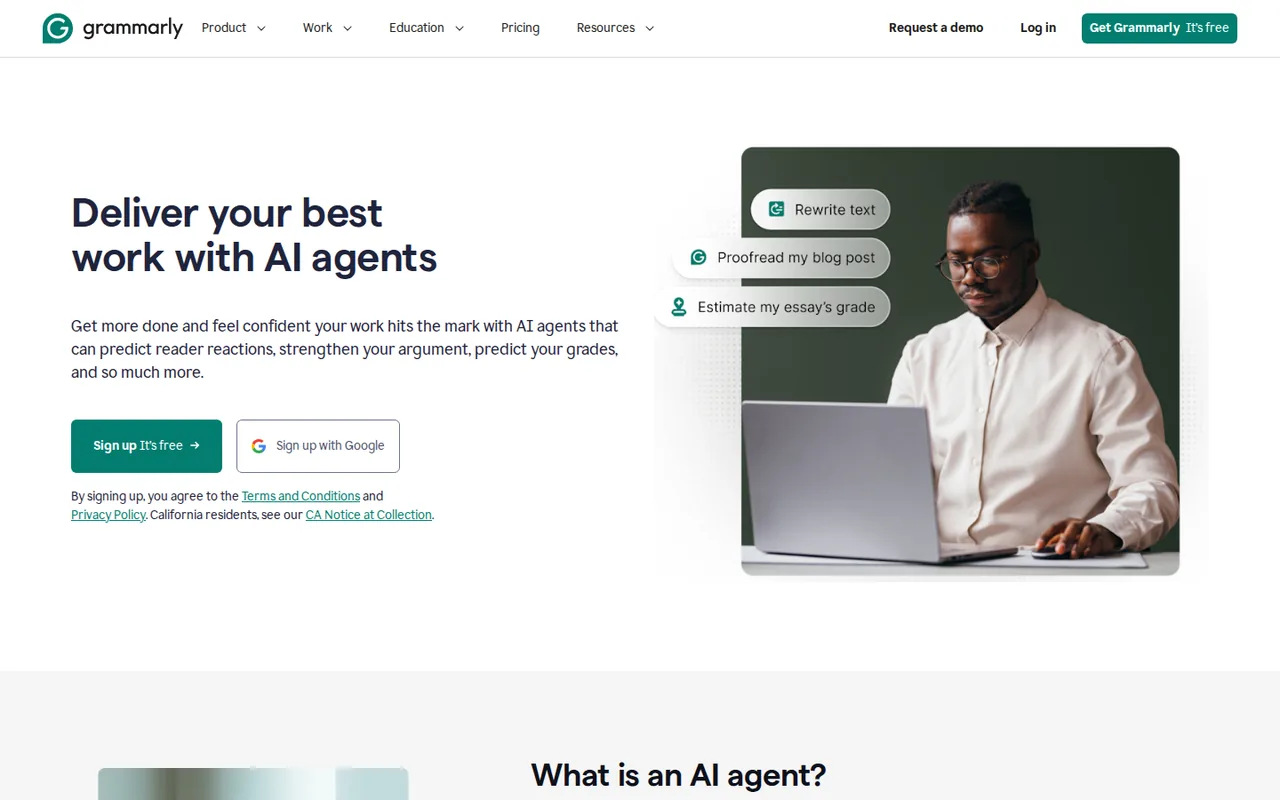
- AI Grader estimates a grade against a rubric you add; Free users get one document scan per day with limited suggestions.
- Citation Finder looks for public sources that support or contradict your points and formats citations in APA, MLA and other styles.
- Reader Reactions predicts the takeaways and open questions of a chosen audience.
- Plagiarism Checker compares text with web, academic and published sources and suggests MLA, APA or Chicago references.
- Authorship records how a text was written so you can show the process later.
The grader, citation, plagiarism and AI-detection agents are listed for Pro subscribers, while Enterprise, Business and Education admins decide which agents members can open. Uploaded files lose images, charts, comments, formulas and text columns when exported back to PDF or Word.
Does Grammarly work beyond English?
Grammarly lists suggestions in 24 languages besides English, from Spanish and German to Korean, Hindi, Japanese and Chinese, and it recognizes American, British, Canadian, Australian and Indian English. Paragraph-level rewrites are narrower and cover Spanish, French, Italian, German, Portuguese and Ukrainian.
In-line translation is a paid feature in the Windows and Mac apps and the Chrome extension, with 19 language options. It handles up to 4,000 characters at once and works only on text you are writing, so a received email or a web page cannot be translated with it.
Who controls how your writing is used?
For Free and single-user Pro accounts, the Product Improvement and Training setting is on by default, which lets Grammarly use your content to train and validate its models. You can switch it off in account settings; writing statistics such as words written and suggestions accepted may still be collected. On Pro accounts with more than one member, only an administrator can change the setting.
Team controls grow with the plan. Pro includes one style guide, one brand tone and two user groups, while Enterprise lifts those to unlimited and adds SAML single sign-on, SCIM, audit logs and data loss prevention. Enterprise is sold through Superhuman Go, whose agents and connectors to apps such as Gmail, Google Calendar and Jira can also be switched on inside Grammarly’s desktop app and extension.
A task to evaluate before choosing
Proposed evaluation · not performed yet
Take a 1,500-word draft you are allowed to share, check it on Free, and count how many of the 100 monthly prompts one full revision pass uses. Start the Pro trial if it is offered, run the Plagiarism Checker and AI Detector on the same text before and after accepting agent rewrites, and export the result to Word. Pass if the rewrites keep your meaning and the export keeps your formatting; fail if the detector flags passages you wrote yourself.
Is Grammarly worth it?
Documentation review plus dated public user reports. Documentation review, not tested hands-on. Not scored.
Worth it if
- You want spelling, grammar and tone corrections inside browsers, Office, Google Docs and mobile keyboards, because the same suggestions follow you across those apps.
- You write casually and can live within 100 AI prompts a month, since the Free plan has no time limit.
- You manage a small team, because Pro is priced per member and can grow to 149 seats.
Probably not if
- You need plagiarism, AI-text or citation checks, because those review agents sit behind the paid Pro plan and Free gets one AI Grader scan a day.
- You must hand in text that passes an AI detector, because rewrites from Grammarly's own agents are likely to be flagged.
- You expect a refund after a billing mistake, because paid time is returned only where local law requires it.
Grammarly alternatives
Other writing & content tools checked with the same method. Pick by the job, not by a score.

General drafting, files and everyday research

Brand-consistent sales and marketing content for teams

On-brand marketing copy with stored brand context

Students and writers who rewrite their own short passages and want to review each change

Transactional lawyers and in-house legal teams who review and draft contracts in Word

Teams that live in Gmail or Outlook and will pay per seat to triage email faster, or individuals who want a free AI assistant across apps

Drafting YouTube scripts, titles, descriptions and tags in one paid tool

Writing, scheduling and analyzing posts for X accounts
Used Grammarly? Write the first review. Visitor opinions are moderated and kept separate from our source checks.
Frequently asked questions
Is Grammarly free?
Yes. The Free plan costs nothing and has no time limit, covering spelling, grammar, tone detection and 100 AI prompts a month. Suggestions in the 24 extra languages are included on every plan, Free among them. A free Pro trial appears only at certain times, and when it does the plans page shows an email reminder two days before the trial ends.
What happened to Grammarly Premium and Business?
Both plans were folded into Grammarly Pro. The plans page says a Premium subscriber who switches to Pro has Premium cancelled with a prorated refund for the unused time, and Pro keeps Premium's writing features while adding the old Business team tools. Help articles still mention Premium's 1,000 monthly prompts for existing accounts.
Can I pay for Grammarly in euros?
Yes. US dollars are the default, but Grammarly offers regional pricing in euros, British pounds and Indian rupees, shown at checkout. Accepted methods are most credit and debit cards except Visa Electron, Maestro and Interac, plus PayPal, Apple Pay and Google Pay. Teams buying 10 or more annual seats can request an invoice.
How much text can I check with Grammarly?
The limits article names Free and Premium: 300 documents or 150,000 words per 30 days, and 100 documents or 50,000 words per 24 hours. Enterprise applies these document caps per authorized user; Pro is not named. Membership allows five devices. The classic web editor accepts 100,000 characters at once and files up to 4 MB.
Will text edited by Grammarly be flagged as AI-written?
It can be. The AI Detector guide warns that rewrites from the Grammarly, Paraphraser and Humanizer agents come from a large language model, so the detector is likely to flag them. If AI-use rules apply to you, the guide suggests using agents for feedback and making the changes by hand. The Authorship agent can record your writing process.
Sources and method18 official sources · 37 details checked · Sep 26–27, 2026
How we checked this profile
37 details on this page were checked against Grammarly's own pages and help documentation (Sep 26–27, 2026).
See the checks by section34 documented3 editorial assessment
Sources for this profile
- Grammarly plansgrammarly.com
- How much does Grammarly Pro cost?support.grammarly.com
- How many generative AI prompts do I have?support.grammarly.com
- Docs: Grammarly's AI writing surfacesupport.grammarly.com
All 18 sources
- Grammarly Programmarly.com
- Out of prompts messagesupport.grammarly.com
- Does Grammarly offer a trial?support.grammarly.com
- Can I get a refund?support.grammarly.com
- Languages other than Englishsupport.grammarly.com
- Grammarly translation featuresupport.grammarly.com
- AI Grader user guidesupport.grammarly.com
- AI Detector user guidesupport.grammarly.com
- Plagiarism Checker user guidesupport.grammarly.com
- Product Improvement and Training Controlsupport.grammarly.com
- Limitations when using Grammarlysupport.grammarly.com
- Superhuman Go agents and connectorssupport.grammarly.com
- Grammarly AI agentsgrammarly.com
- Grammarly Docs: PDF uploadssupport.grammarly.com
Grammarly's plans, Pro and AI agents pages and help center articles on pricing, prompts, trials, refunds, languages, translation, docs, agents, training controls and usage limits were read; no hands-on product test was performed. Prices were shown in EUR from a German server without a billing period, and the help center lists USD rates per billing period. The document-limits article names Free and Premium accounts and applies the same caps per authorized Enterprise user; it does not name Pro. Its character and upload caps describe the classic web editor.
Sources checked Sep 26–27, 2026. Found something out of date? See how we correct profiles.