


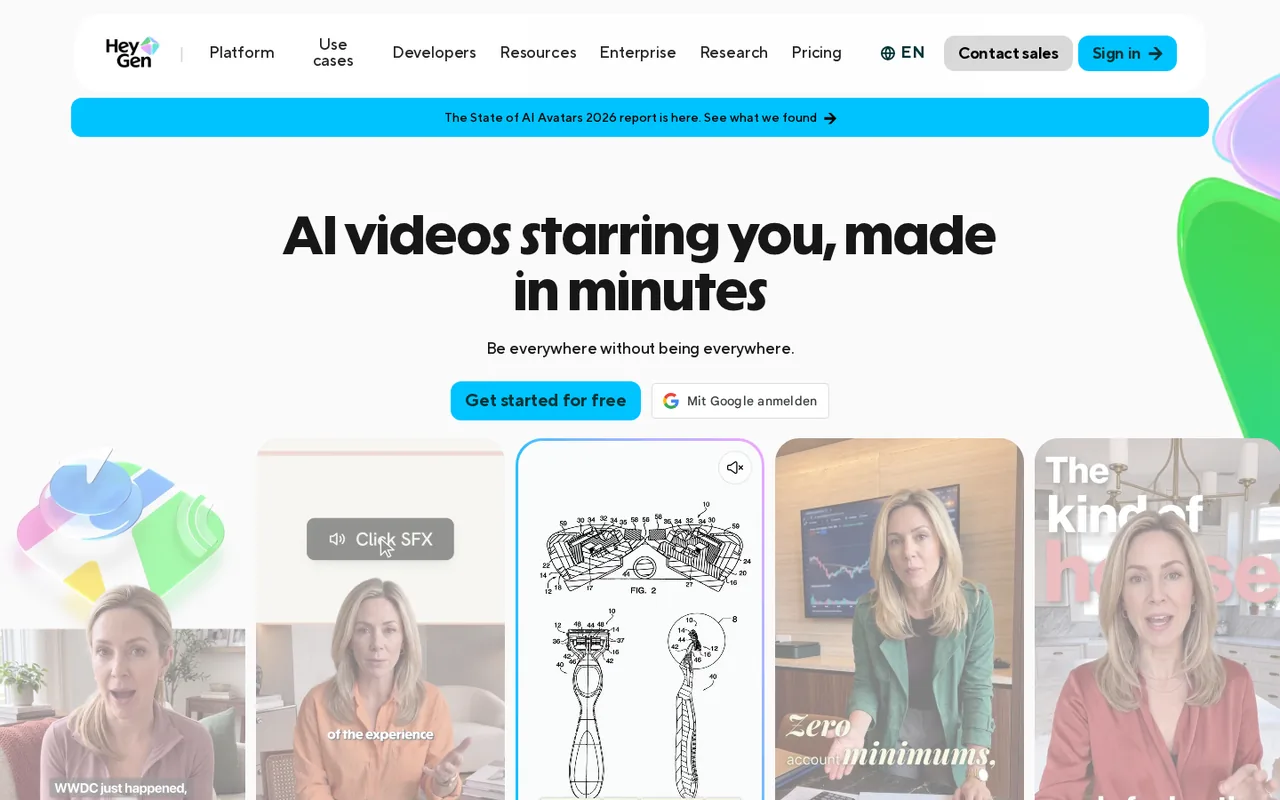
Key features
- AI Studio editorBuild videos from a script in a text-based editor with avatar, voice, gesture, caption and B-roll controls.
- Stock and custom avatarsUse 500+ stock avatars or create a Digital Twin from your own footage after recording a consent video.
- Video AgentGenerate a video from a prompt, with credit costs of 40 per minute in standard mode on paid plans.
- Video translationTranslate videos into 175+ languages and dialects on paid plans, with or without lip-sync.
- PPT/PDF to VideoTurn PowerPoint or PDF decks into avatar-led video projects that open in AI Studio for editing.
Uploads PPT, PPTX or PDF decks and converts slides into editable layouts or static images with an avatar overlay.
Falls short Files are capped at 50 MB, only the first 50 slides are imported, and speaker-note scripts work only with PowerPoint uploads.
- Brand Kit and sharingApply logos, colors and fonts on paid plans and share videos by link, embed or email with viewer insights.
- Credit-based generationPaid plans draw from one monthly credit balance, with per-minute rates such as 16 credits for Avatar IV photo looks and 48 for Avatar V.
Falls short Newer avatar models cost several times more per minute, and Creator cannot buy extra credit packs on web.
- Downloads and exportsFinished videos download at 720p, 1080p or 4K, with audio-only and captions SRT options, and SCORM export for e-learning.
Falls short The top resolution depends on both the plan and the avatar footage, and e-learning packages need a team plan.
- Share pageEach video gets a page with comments, reactions, captions, translation and viewer insights such as completion rate.
Falls short Comments cannot be turned off, and password-protected sharing is documented only for Enterprise.
Strengths and limits
Strengths
- Published credit rates: The help center lists the credit cost per minute or per generation for each avatar model and feature.
- Free plan without a card: The Free plan needs no credit card and gives access to the editor, stock avatars and Avatar IV.
- Several export formats: Videos download at up to 4K on higher plans, with separate audio, captions SRT and SCORM options.
- Slides to video: PowerPoint and PDF decks can be converted into avatar-led video projects, with editable slide elements for PowerPoint files.
More limits to plan around
- Refunds are restricted: Payments are generally non-refundable, with case-by-case review within 15 days for web purchases.
Who else is it for?
Editorial assessment, based on documented features
- Solo creators testing AI avatarsConsider the Free plan first to judge avatar quality, then Creator if 1080p, watermark removal and 30-minute videos are needed.
How much does HeyGen cost?
Prices confirmed · checked
Prices are shown in USD, and the page does not say whether taxes are included; yearly prices are billed once a year as a single charge. On web subscriptions, monthly subscribers keep unused credits for one extra cycle and annual subscribers receive credits monthly and keep them until renewal. On web, only Business can buy extra credits or use auto-reload. The pricing page's comparison table labels Business as USD 149 per seat per month, while the Business card and help center price additional seats at USD 20 per seat per month.
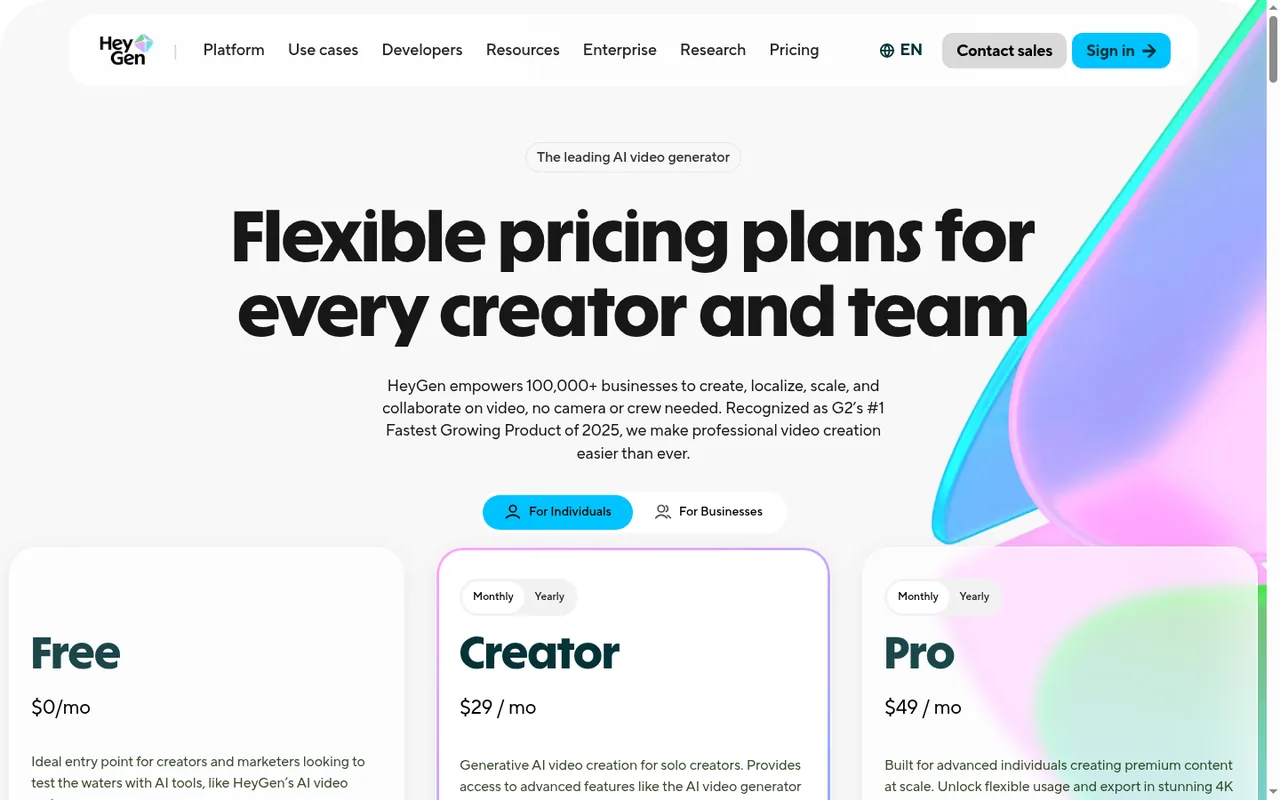
Free
USD 0 per monthno credit card required
3 videos per month on the pricing page (help center: 1 to 3 depending on region); videos up to 1 minute; watermark on all videos; 720p sharing link; no credits.
Creator
USD 24 per monthbilled yearly as USD 288 · USD 29 billed monthly
600 credits a month; videos up to 30 minutes; 1080p export; watermark removal; voice cloning; no one-time credit packs on web.
Pro
From USD 41 per monthbilled yearly as USD 488 · USD 49 billed monthly
1,000 credits a month at entry; HeyGen rounds the yearly price to USD 41 a month (488 / 12 = 40.67). Tiers go up to 100,000 credits a month at USD 4,300 per month billed monthly; 4K export; translation proofreading.
Business
USD 119 per monthbilled yearly as USD 1,428 · USD 149 billed monthly; extra seats USD 20 each per month
1,500 credits a month shared by the workspace; videos up to 60 minutes; SSO; SCORM export; extra credits USD 5 per 100.
Enterprise
Contact provider
Custom credit terms, SCIM provisioning, multi-workspace control, invoice billing and no video duration maximum.
How far does it go?
- Creator in 2-minute avatar videosAt 31 credits per minute for an Avatar IV video look, 600 monthly credits cover about 19 minutes (600 / 31), roughly nine 2-minute videos; with Avatar V at 48 credits per minute they cover about 12 minutes (600 / 48), or six such videos.
- Pro entry tier and BusinessThe entry Pro tier's 1,000 credits cover about 32 minutes of Avatar IV video-look output (1,000 / 31); Business's 1,500 shared credits cover about 31 minutes of Avatar V (1,500 / 48) for the whole workspace.
- Translating existing videos on CreatorLip-synced translation costs 6 credits per minute in Speed mode, so 600 credits translate about 100 minutes of video (600 / 6), or 60 minutes in Precision mode at 10 credits per minute.
Arithmetic from the published allowances above, not a usage test.
Taxes, currency and promotions can change the price you see at checkout.
Which HeyGen plan fits the minutes you publish each month?
Editorial assessment
Estimate finished minutes per month for the avatar model you will use, then check the longest single video you need and the export resolution. Those three numbers decide the plan more than the feature list does.
- Free is for judging avatar quality and the editor: videos stop at 1 minute and always carry the watermark.
- Creator fits one person whose monthly output stays inside 600 credits, with videos up to 30 minutes and 1080p delivery.
- Pro is the step when you need 4K downloads or more credits than Creator, since you choose a credit tier rather than a new feature set.
- Business fits a team sharing one credit pool, courses that need SCORM, or single videos between 30 and 60 minutes.
- Enterprise is for videos longer than 60 minutes, password-protected sharing or SCIM user provisioning.
What does a finished minute cost in credits?
Paid plans draw on one balance for avatar video, translation, the Video Agent and generated assets. Avatar and translation features are charged per minute of output, while images, looks and some video models cost a fixed amount per generation, and HeyGen shows the cost in the product before you generate when the figure is available. The web help center lists these rates:
- Avatar IV: 16 credits per minute with a photo look and 31 per minute with a video look.
- Avatar V: 48 credits per minute for photo and video looks.
- Video Agent: 40 credits per minute in standard mode and 120 per minute in Seedance mode.
- Video translation: 6 credits per minute in Speed mode, 10 in Precision mode and 4 without lip-sync.
- Generated images: 2 credits per image.
The model choice is the biggest lever: Avatar V costs three times the Avatar IV photo-look rate for the same minute, so a plan that is ample for photo-look videos can run short after a switch.
Continue reading · 5 more sectionsShow lessHow do you get more credits when you run out? · What can you take out of HeyGen after generation? · How do sharing and watermarks work? …
How do you get more credits when you run out?
It depends on the plan. On web, Creator cannot buy one-time credit packs and has to move to Pro, and Pro users move to a higher Pro tier; only Business can buy extra credits, at USD 5 per 100 credits, or turn on auto-reload. Adding Business seats gives more people access to the pool but no extra credits.
What can you take out of HeyGen after generation?
Finished videos download from the Projects tab or the video page, together with audio-only and captions SRT options. Resolution choices are 720p, 1080p and 4K, but 4K needs a Pro, Business or Enterprise plan and 4K avatar footage. SCORM packages for e-learning are limited to Business and Enterprise, and HDR output is not supported.
Slides can come in as well: PPT/PDF to Video turns a deck into an avatar-led project, and PowerPoint files keep the most, since speaker notes become the script and slide elements stay editable. Long decks need splitting, because each upload is capped at 50 MB and 50 slides.
How do sharing and watermarks work?
Each video has a share page with emoji reactions, comments that cannot be turned off, captions, translation into a new draft and viewer insights such as views, average watch time and completion rate. Videos can also go out by link, embed, email, GIF or social post, while password-protected sharing is documented for Enterprise.
Watermark removal is a toggle at submission on every paid plan, and it stays off for later videos until switched back on. Creator and higher plans also include a Brand Kit for logos, colors and fonts.
What does a custom avatar require from the presenter?
Every video-based Digital Twin needs a consent video recorded by the person in the avatar footage and submitted with it. The clip must read the provided text exactly, stay under 30 seconds and be clearly lit; screen recordings are rejected. If the avatar is of a colleague, that person has to record it, from a phone via QR code if needed.
Is HeyGen the right kind of video tool for the job?
Editorial assessment
HeyGen’s documentation centers on presenter avatars, lip-synced translation and slide-to-video, so it fits when a person speaking on screen is the core of the video. If your shortlist includes Synthesia, Runway or Descript, compare the cost of one finished minute, the longest video per plan, export resolution and how extra usage is bought. The AI video tools category lists the other profiles.
Proposed evaluation · not performed yet
Generate a 60-second script you actually need on Free with a stock avatar, then note the watermark, the 720p sharing link and the processing time. Price the same video at your real monthly volume with the per-minute rate of the avatar model you would use.
Compare these options
Read the documented differences, then follow the links to each profile for its sources and plan details.

HeyGen alternatives
Other video & editing tools profiled with the same source-checked method. Pick by the job, not by a score.
| Tool | Free access | Paid plans from | Consider it for |
|---|---|---|---|
| HeyGenThis profile | Free access available | USD 24 per month | Avatar-presented videos and lip-synced video translation |
| Synthesia | Free access available | USD 18 per month | Presenter-led training and explainer videos with AI avatars |
| Descript | Free access available | USD 16 per person per month | Podcasts and talking-head video |
| Runway | Free access available | USD 12 per month | Generated video and footage editing |


HeyGen user reviews
Visitor opinions, moderated before publishing. Separate from our source checks; we do not score tools.
Frequently asked questions
Is HeyGen free?
Yes. Free is shown at USD 0 with no credit card and does not use credits. The pricing page lists 3 videos a month, Avatar IV, standard processing, 500+ stock avatars, one custom video avatar and 30+ languages; the help center instead says 1 to 3 free videos depending on region, plus 3 Video Agent videos a month.
Is a yearly HeyGen plan charged up front?
Yes. Yearly plans are billed once a year as a single charge: USD 288 for Creator, USD 488 for the entry Pro tier and USD 1,428 for Business. Credits still arrive monthly and can build up until renewal. The page did not show whether taxes such as VAT are added, or the yearly price of extra Business seats.
What happens to my credits if I pause or cancel?
Pausing postpones the next charge by 30 days but permanently expires the unused balance. Cancelling returns the account to Free, and remaining credits are lost. Payments are generally non-refundable: web and Google Play purchases may be refunded within 15 days after a case-by-case review, and Apple purchases within 14 days through Apple.
Can I use HeyGen on a phone?
Yes. HeyGen sells plans in iOS and Android apps, though the desktop web version has the fullest feature set. Mobile rules differ: app plan credits expire after 30 days without rollover, Creator subscribers can buy one-time top-ups in the app, and the mobile help lists some lower rates, such as 30 credits per minute for the Video Agent and 2 for translation without lip-sync.
How many custom avatars can I create on HeyGen?
HeyGen's pages disagree. The pricing page shows 1 custom video avatar on Free, 1+ on Creator and Pro and 5+ on Business. Help articles list 5 Digital Twin slots for Creator and Pro and 10 by default for Business, or 5 for some Business purchases made after August 6, 2026. Check the slot count in your account before planning several presenters.
Which apps and languages does HeyGen work with?
Paid plans list 175+ languages and dialects, against 30+ on Free. The Business plan lists integrations with n8n, Make, HubSpot and Zapier plus LMS platforms, and the credits article names Clay for generating videos through integrations. Video generated through these connections draws on the same credit balance as work done in the editor.
How we checked this profile
30 details on this page were checked against HeyGen's own pages and help documentation (Sep 24–25, 2026). 2 are still open and listed below.
See the checks by section26 documented2 editorial assessment2 open
| Section | Checks | Last checked | Sources |
|---|---|---|---|
| Article text | 6 documented 1 editorial | help.heygen.com/15125761-heygen-credit-bas…help.heygen.com/11057301-how-to-remove-the…help.heygen.com/15126059-how-to-use-credit…help.heygen.com/9834825-how-to-download-or…help.heygen.com/11788079-how-to-share-your…help.heygen.com/12092609-recording-your-co… | |
| Plans and prices | 10 documented 1 editorial | heygen.com/pricinghelp.heygen.com/15125761-heygen-credit-bas…help.heygen.com/15126059-how-to-use-credit… | |
| Questions | 6 documented 2 open | heygen.com/pricinghelp.heygen.com/15126059-how-to-use-credit…help.heygen.com/8304328-how-to-cancel-or-p…help.heygen.com/9834825-how-to-download-or…help.heygen.com/13007313-ppt-pdf-to-videohelp.heygen.com/12095329-how-dynamic-non-d…help.heygen.com/8304807-refund-process-and… | |
| Features | 2 documented | help.heygen.com/9889198-how-to-create-a-br…heygen.com/pricing | |
| Platforms and integrations | 2 documented | help.heygen.com/10207693-how-to-get-starte…heygen.com/pricing |
Still open
- HeyGen states the Free video quota differently on its pricing page and in its help center.Not confirmed · checked · Source (opens in a new tab)
- HeyGen states custom video avatar allowances differently across its pages.Not confirmed · checked · Source (opens in a new tab)
Sources for this profile
- HeyGen pricingheygen.com
- Credit-based pricing plans explainedhelp.heygen.com
- How to use credits on HeyGenhelp.heygen.com
- Downloading or exporting a videohelp.heygen.com
All 14 sources
- Sharing your videoshelp.heygen.com
- Removing the HeyGen watermarkhelp.heygen.com
- PPT/PDF to Videohelp.heygen.com
- Recording your consent videohelp.heygen.com
- Cancel or pause your subscriptionhelp.heygen.com
- Refund process and policyhelp.heygen.com
- Getting started with HeyGen for mobilehelp.heygen.com
- How to create a Brand Systemhelp.heygen.com
- Dynamic and non-dynamic limitshelp.heygen.com
- HeyGen AI Studioheygen.com
Based on HeyGen's pricing page, AI Studio page and help center articles on credit-based plans, credit usage, exports, sharing, watermarks, slide import, consent videos, limits, refunds, cancellation and the mobile app. Help articles state the Free video quota, custom avatar slots and some mobile credit rates differently from the pricing page or the web articles; where they differ, both figures are given.
Sources checked Sep 24–25, 2026. We read the vendor's documentation; we did not test the product or score it. Found something out of date? See how we correct profiles.


