

Key features
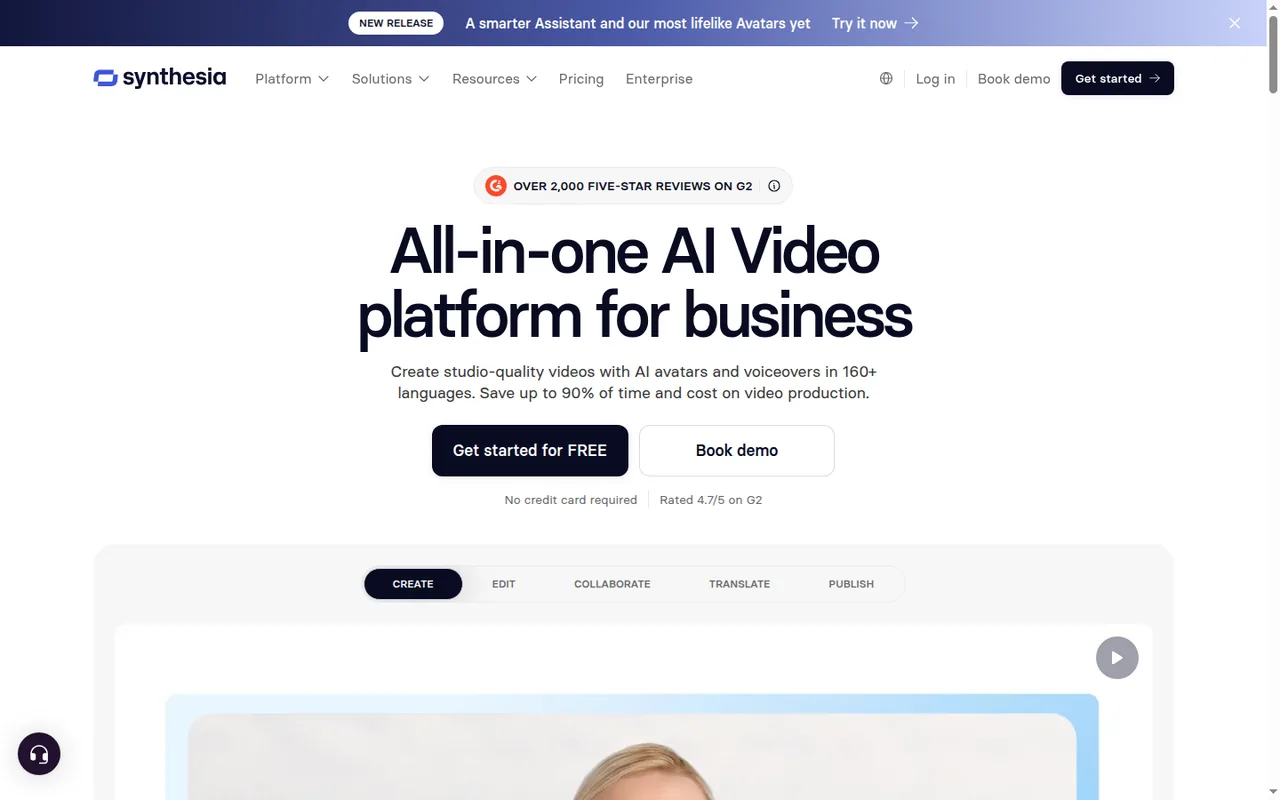
- AI avatarsPresent a script with stock avatars: 9 on Basic, 125+ on Starter, 180+ on Creator and 240+ on Enterprise, according to the pricing page.
- Personal avatarsCreate an avatar of yourself from a single photo or a recorded video on Starter and higher plans.
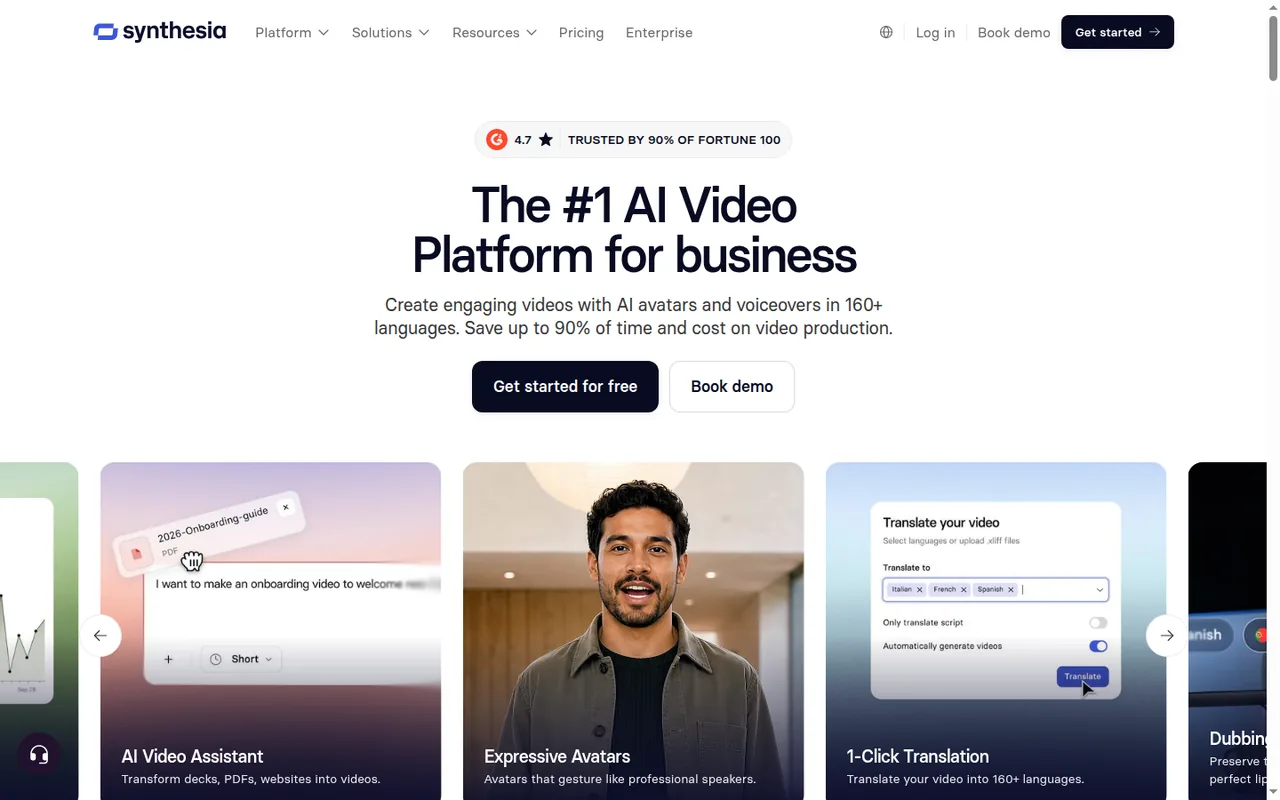
- AI Video AssistantOn Starter and higher plans, start from a prompt, a script or a document such as a deck, PDF or website and get a draft video.
- PowerPoint importTurn .pptx slides into editable scenes, with speaker notes imported as the video script.
Text, shapes, images and tables become editable elements, speaker notes become the script, and slides without notes get an automatic script.
Falls short Files are capped at 1 GB or 150 slides, PowerPoint animations are not imported, and Basic and Starter users cannot upload custom fonts.
- AI DubbingDub uploaded videos or YouTube links into other languages, with optional lip sync, paid for in credits.
Dubbing translates spoken audio into other languages with adaptive or original timing and optional lip sync, and the transcript can be reviewed before credits are spent.
Falls short On-screen text is not translated, transcript editing is Enterprise only, and self-serve plans cannot publish videos dubbed from a YouTube link.
- Sharing and embedsPublish through a public link or embed code, or on Enterprise as a SCORM package for an LMS.
- Credit-metered generationEach second of generated video costs 2 credits, and regenerating an edited video charges only for newly added or replaced seconds.
Falls short Dubbing, Bulk Personalization, API calls and AI images draw on the same balance, so they shrink the minutes left for avatar video.
- MP4 download and interactivityStarter, Creator and Enterprise users can download generated videos as 1080p MP4 files plus WAV audio, SRT and VTT captions and XLIFF files.
Falls short Videos with interactive elements such as buttons or branching cannot be downloaded as MP4 and play only inside Synthesia.
Strengths and limits
Strengths
- Free plan without a card: Basic is shown at USD 0 and needs no credit card, which is enough for testing the editor, avatars and voices.
- Edits charge only new seconds: Regenerating an edited video spends credits on added or replaced seconds rather than on the whole video again.
- Several export files: Paid plans download 1080p MP4 video along with WAV audio, SRT and VTT captions and XLIFF translation files.
- Wide distribution options: Public links, auto-updating embeds and a documented list of LMS and workplace integrations support publishing.
More limits to plan around
- Strict refund and licensing terms: Purchases are non-refundable under the customer terms, and stock-avatar videos may not be used in paid advertising.
Who else is it for?
Editorial assessment, based on documented features
- Teams sending personalized or API-generated videosConsider Creator when videos are produced in batches through Bulk Personalization or the API, and budget 90 or 75 credits per minute for them.
How much does Synthesia cost?
Prices confirmed · checked
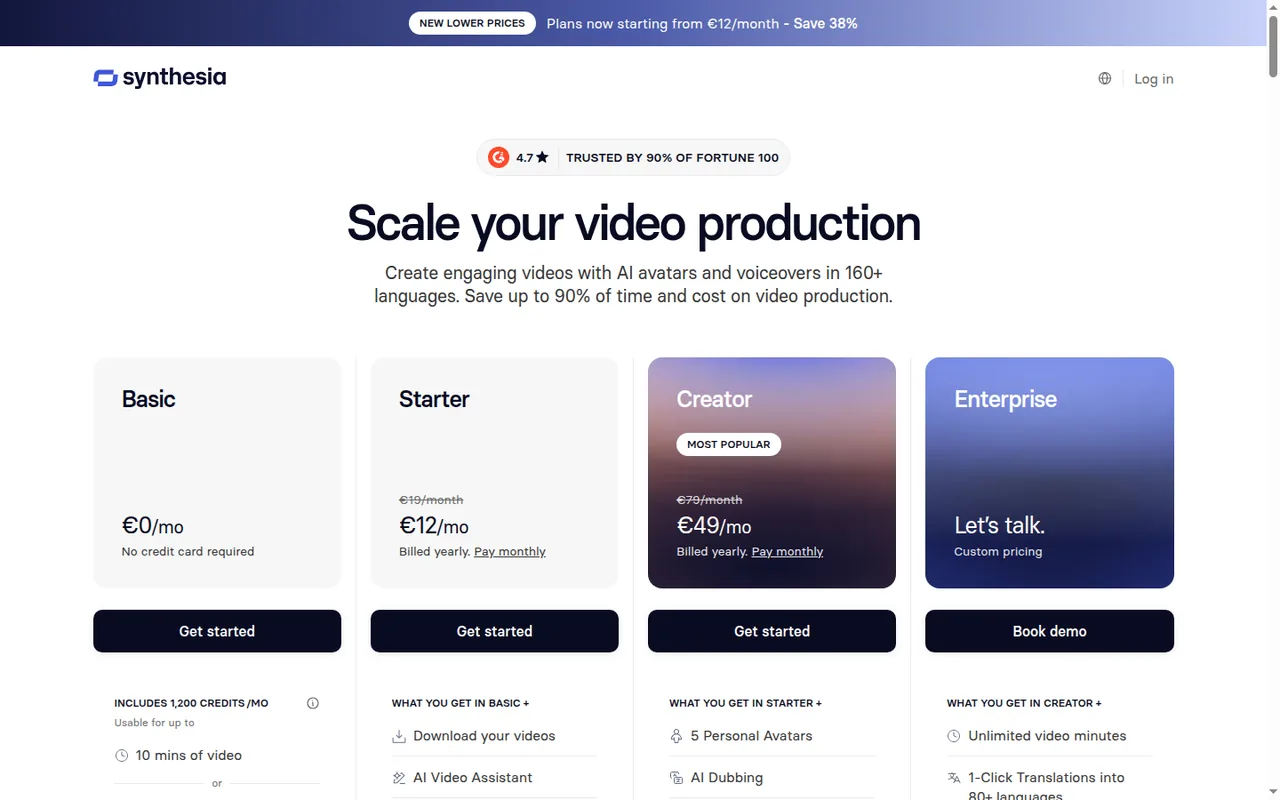
Prices are shown in US dollars, and the page does not say whether sales tax or VAT is added. The EUR version of the page lists Basic at EUR 0, Starter at EUR 12 a month billed yearly (EUR 19 monthly) and Creator at EUR 49 (EUR 79 monthly). Annual plans count credits per year, not per month: the page equates Starter's 14,500 yearly credits to about 120 minutes of video and Creator's 44,000 to about 360 minutes. The page's FAQ quotes yearly totals that differ from the plan cards, set out in the FAQ below. It is also inconsistent on personal avatars: the comparison table lists 3 on Starter and 5 on Creator, while its FAQ says one personal avatar is included with annual Starter and Creator plans. Studio Avatars are a separate paid add-on at $1,000 per year for annual-plan users only.
Basic
USD 0 per monthno credit card required
1,200 credits a month (up to 10 minutes of video); 9 AI avatars; no video downloads.
Starter
USD 18 per monthbilled yearly · USD 29 billed monthly
Monthly billing: 1,200 credits a month. Annual billing: 14,500 credits a year, about 1,208 a month (14,500 / 12). MP4 downloads; Synthesia logo removed; 1 editor and 3 guests.
Creator
USD 64 per monthbilled yearly · USD 89 billed monthly
Monthly billing: 3,600 credits a month. Annual billing: 44,000 credits a year, about 3,667 a month (44,000 / 12). Personal avatars (count differs across Synthesia's pages); API access; branded video pages; 1 editor and 5 guests.
Enterprise
Contact providercustom pricing
Unlimited video minutes, SCORM export, one-click translation into 80+ languages, SAML/SSO and brand kits.
How far does it go?
- Starter in 3-minute videosAt 2 credits per second a finished minute costs 120 credits, so Starter's 1,200 monthly credits cover about 10 minutes (1,200 / 120): three 3-minute videos with about a minute left for regenerating edited scenes.
- Creator at the same rateCreator's 3,600 monthly credits cover about 30 minutes (3,600 / 120), or ten 3-minute videos, assuming none of the balance goes to dubbing, API calls or AI images.
- Dubbing existing video insteadAt 50 credits per minute with lip sync, Starter's 1,200 credits dub about 24 minutes of existing footage (1,200 / 50). The dubbing help article lists 240 credits per minute for lip sync instead, which would cut that to about 5 minutes (1,200 / 240), so check the rate the app shows first.
Arithmetic from the published allowances above, not a usage test.
Taxes, currency and promotions can change the price you see at checkout.
Which Synthesia plan fits your monthly video output?
Editorial assessment
Count finished minutes per month, then check whether you need a file, a learning-platform package or a translated version, because those needs move you up a tier faster than volume does. The thresholds below follow from the plan allowances at 120 credits per minute.
- Basic suits trying the editor, avatars and voices. It covers about 10 minutes a month, but nothing can be downloaded, so a video leaves Synthesia only as a hosted link or embed.
- Starter fits one person publishing up to about 10 minutes of finished video a month who needs MP4 files without the Synthesia logo or access to personal avatars; check the included avatar count for the chosen billing term.
- Creator fits 10 to 30 minutes a month, or any volume that needs API access, additional personal avatars, password-protected sharing or branded video pages.
- Enterprise is the step above 30 minutes a month, and the only route to SCORM packages, one-click translation or SSO-protected viewing, whatever the volume.
What else draws on the same credit balance?
Video generation is not the only charge. AI Dubbing costs 50 credits per minute with lip sync or 25 without on Starter and Creator, but 240 or 120 credits per minute on Basic; Bulk Personalization uses 90 credits per minute, API usage 75 credits per minute, and AI images or video assets are priced per model. The dubbing article itself gives 240 credits per minute for lip sync, so compare the rate the app shows before a long dub.
Editing an existing video is cheap: regenerating charges only new or replaced seconds, while deleting or reordering words and changing an avatar’s look cost nothing. Balances reset at the start of each billing period, an upgrade resets the balance to the new plan’s allowance, and a shortfall can be covered with a manual or automated top-up in Billing.
Continue reading · 4 more sectionsShow lessWhat does annual billing commit you to? · Which delivery routes need a higher plan? · Can Synthesia videos run as paid ads? …
What does annual billing commit you to?
The yearly prices need annual billing, which the page promotes as saving 38%, but the page did not show the total charged per year. Paid plans renew automatically at the same per-unit price; upgrades apply immediately with a prorated charge, and downgrades wait for the next billing period.
Purchases are non-refundable under the customer terms, and Synthesia offers no general, student or non-profit discounts. Cancelling keeps the plan until the period ends, after which every video in the account becomes inaccessible, so download what you need before that date.
Which delivery routes need a higher plan?
Any generated video can be shared through a public link or embed code, viewers need no Synthesia account, and embeds update when the video changes. Creator adds password protection and a call-to-action link on the share page; requiring SSO to watch is Enterprise only.
Interactive scenes with buttons, quizzes or branching are the main exception to file delivery: they cannot become an MP4 and play only inside Synthesia. For a learning platform that means a SCORM 1.2 or 2004 package, which is limited to Enterprise, as are one-click translation and the multilingual player.
Can Synthesia videos run as paid ads?
Not with stock avatars. Videos using stock or synthetic avatars may be used for training, product and FAQ videos and organic social posts, but not for paid placements on TV, Facebook, Instagram, YouTube, TikTok or programmatic networks. A custom avatar follows the agreement with the person depicted, who must be of legal age and give informed consent.
Is Synthesia the right kind of video tool for the job?
Editorial assessment
Synthesia’s documentation is built around presenter-led business video: avatars, slide import, dubbing and LMS delivery. For the same kind of avatar video, read the HeyGen profile; for generating footage see Runway, and for editing recorded media see Descript. The AI video tools category lists related profiles.
Proposed evaluation · not performed yet
Import a real 2- to 3-minute training script with a short .pptx deck on Basic and note how speaker notes, fonts and tables arrive. Change a few sentences after generating and record how many credits the regeneration used, then compare that figure with the monthly allowance of the plan you are considering.
Compare these options
Read the documented differences, then follow the links to each profile for its sources and plan details.

Synthesia alternatives
Other video & editing tools profiled with the same source-checked method. Pick by the job, not by a score.
| Tool | Free access | Paid plans from | Consider it for |
|---|---|---|---|
| SynthesiaThis profile | Free access available | USD 18 per month | Presenter-led training and explainer videos with AI avatars |
| HeyGen | Free access available | USD 24 per month | Avatar-presented videos and lip-synced video translation |
| Descript | Free access available | USD 16 per person per month | Podcasts and talking-head video |
| Runway | Free access available | USD 12 per month | Generated video and footage editing |


Synthesia user reviews
Visitor opinions, moderated before publishing. Separate from our source checks; we do not score tools.
Frequently asked questions
Is Synthesia free?
Yes. Basic costs USD 0 and needs no credit card, and its monthly credits are enough to build and preview videos with 9 stock avatars. What it withholds is the output: Basic and trial accounts cannot download videos, and the Synthesia logo stays until Starter. Dubbing an uploaded file works on Basic, but at the higher Basic credit rate.
Why does Synthesia's pricing FAQ show other yearly totals?
The pricing page FAQ quotes $264 a year for annual Starter and $804 for annual Creator, while the yearly plan cards work out to $216 (12 x $18) and $768 (12 x $64). The monthly figures, $29 and $89, match in both places. Compare the total shown at checkout before paying for a year.
Can I turn PowerPoint slides into a Synthesia video?
Yes. The importer accepts .pptx files up to 1 GB or 150 slides, turns text, shapes, images and tables into editable scene elements and uses speaker notes as the script. Slides without notes get an automatic script. PowerPoint animations are not carried over, and Basic and Starter accounts cannot upload custom fonts, so branded decks may need Creator.
How many videos can Synthesia generate at once?
Up to 10 videos can generate at the same time in one account; anything submitted beyond that waits in a queue. That matters for teams batch-producing localized or personalized versions. Each generation still draws on the shared monthly credit balance, so a batch of ten 3-minute videos needs 3,600 credits, the whole Creator monthly allowance.
Does Synthesia translate videos into other languages?
There are two routes. AI Dubbing works on every plan: it replaces the spoken audio, optionally with lip sync, but leaves on-screen text untouched, and transcript editing before dubbing is Enterprise only. One-click translation, which rebuilds the whole video in 80+ languages with a multilingual player, is an Enterprise feature; Synthesia's features page elsewhere cites 160+ languages.
Can I create an avatar of myself?
Yes, on Starter and above. A personal avatar can be made from a single photo or a recorded video, and the person shown must be of legal age and consent. Synthesia's pages differ on how many are included per plan, so check the count at checkout. Studio Avatars are a separate paid add-on for annual-plan customers.
How we checked this profile
32 details on this page were checked against Synthesia's own pages and help documentation (Sep 24–25, 2026). 1 is still open and listed below.
See the checks by section29 documented2 editorial assessment1 open
Still open
- The number of personal avatars per plan is stated differently across Synthesia's pages.Not confirmed · checked · Source (opens in a new tab)
Sources for this profile
- Synthesia pricingsynthesia.io
- Credits on self-serve planshelp.synthesia.io
- Downloading a Synthesia videohelp.synthesia.io
- Sharing a Synthesia videohelp.synthesia.io
All 14 sources
- Managing plan and billinghelp.synthesia.io
- Refund and billing policyhelp.synthesia.io
- Synthesia video licensinghelp.synthesia.io
- Dubbing a videohelp.synthesia.io
- Synthesia integrationsdocs.synthesia.io
- Exporting a SCORM packagehelp.synthesia.io
- Translating a videohelp.synthesia.io
- Importing PowerPoint slideshelp.synthesia.io
- What is a custom avatarhelp.synthesia.io
- Generating a videohelp.synthesia.io
Based on Synthesia's pricing page (monthly and yearly views), features page, integrations documentation and help center articles on credits, plans, downloads, sharing, SCORM, translation, dubbing, PowerPoint import, billing, refunds and licensing. Where the pricing page FAQ and the comparison table disagree, the plan cards are shown and the differences are noted in the pricing section. Per-plan availability relies on plan cards and help articles, because checkmark-only cells in the comparison table carry no text.
Sources checked Sep 24–25, 2026. We read the vendor's documentation; we did not test the product or score it. Found something out of date? See how we correct profiles.


