Form to Google Sheets Automation: Build It in Zapier, Make or n8n Without Duplicate Rows
Sending form answers to a spreadsheet is the simplest automation there is until the same person submits twice, a field arrives empty or the sheet write fails. This guide starts with the case that needs no tool at all, then builds the flow step by step in Zapier, Make or n8n, with the step names, plan limits and usage units each one uses.
By Elias Brandt · Updated 9 Oct 2026 · About 14 min read · Plan terms taken from each tool profile
The short answer
Is it a Google Form? Link the responses to a sheet from the form itself: Responses, then Select destination for responses. No automation tool is needed.
Is it any other form, or does each row need a check? Zapier Free writes one row per submission in a two-step Zap. A duplicate check needs a third step: Professional on Zapier, while Make Free and n8n fit it.
Will it run often? n8n counts one execution per submission however many steps run; Zapier and Make count each step that does work.
Do you need an automation tool to send form responses to Google Sheets?
Google Forms: link the sheet inside the form
In shortA Google Form already writes every new response to a linked sheet. Reach for Zapier, Make or n8n only when the form lives elsewhere or a row needs checking first.
- Open the form in Google Forms.
- Click Responses, then Summary.
- Click More, then Select destination for responses.
- Pick Create a new spreadsheet or Select existing spreadsheet, then click Create or Select.
Two details matter later. Form collaborators get access to a newly created response spreadsheet, but later permission changes on the form do not carry over to the sheet; update both. Unlinking stops new responses reaching the sheet and leaves the existing rows in place.
When an automation tool earns its place
In shortFind your situation; the right column is the route this guide builds.
| Your situation | Route |
|---|---|
| A Google Form, and every response should become a row | The built-in link above |
| A website form or a form app that is not Google Forms | A webhook into Make, a Form trigger in n8n, or the form app’s trigger in Zapier |
| A repeated submission must not create a second row | A lookup on an event ID before the write: step 4 below |
| Empty or malformed answers should go to a review list instead of the sheet | A validation branch before the write: step 3 below |
| Text such as “=2+2 please” must stay text | A write step set to store values as typed: step 5 below |
Zapier, Make or n8n: which fits a form-to-sheet flow?
The same five steps in each tool
In shortEach row is one step of the build below, with the name the vendor gives it. The last row is the smallest plan that runs every step.
| Step |  Zapier Zapier |  Make Make |  n8n n8n |
|---|---|---|---|
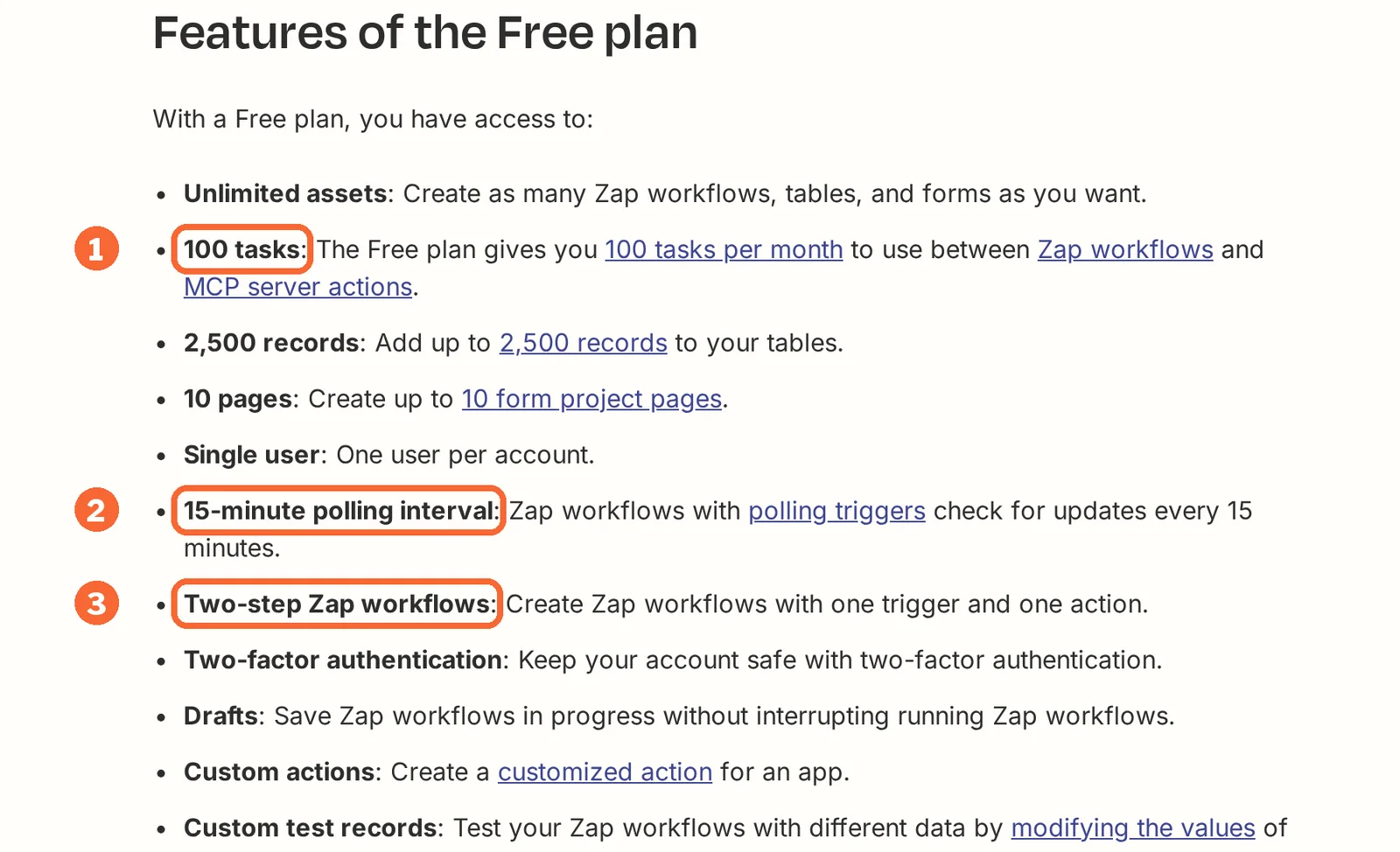
| Start on a submission | The form app’s trigger; checks every 15 minutes on Free, 2 on Professional, 1 on Team. Webhooks from Professional | Custom webhook: starts the moment a request arrives | n8n Form trigger, which hosts the form itself |
| Branch on bad input | Filter or Paths step, which uses no tasks | Router and filters, with a fallback route | Stop And Error node fails the run on purpose |
| Look up the event ID | Lookup Spreadsheet Row, set to proceed when nothing is found | Search Rows, with a filter | Get Row(s) with a filter, or Append or Update Row |
| Write the row | Create Spreadsheet Row | Add a Row | Append Row, or Append or Update Row |
| Keep “=2+2” as text | Not covered in the sources checked | Add a Row: Value input option Raw | Not covered in the sources checked |
| Smallest plan with all of it | Professional: Free Zaps stop at two steps | Free: 1,000 credits, 2 active scenarios | Cloud trial or Starter; Community if you run the server |
Sources: Zapier Google Sheets integration, Make Google Sheets modules, n8n Google Sheets sheet operations, n8n Form trigger.
One tool each, by what the flow has to do
If a two-step flow is enough: Zapier
Best for a plain trigger and one row per submission
Best when no duplicate check is needed, or when the team already pays for Professional.
- Free 100 tasks a month, two-step Zaps
- Entry USD 19.99 / month Professional, billed yearly; USD 29.99 billed monthly, 750 tasks
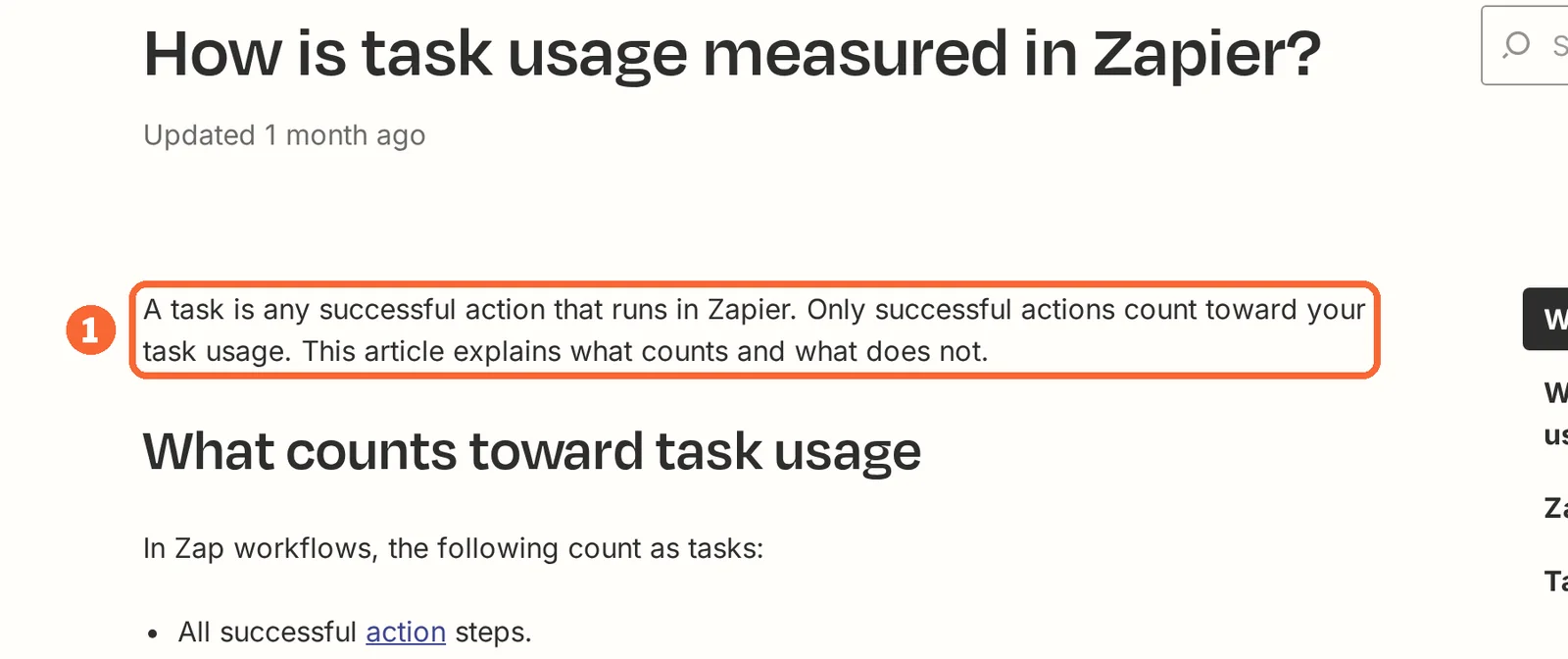
Zapier connects one app’s event to an action in another. Triggers, Filter and Paths steps use no tasks; each successful action uses one, and actions that error or halt are not billed. Every run is logged in Zap history, and unsuccessful runs can be replayed.
Where it fits this flow
Free covers form-to-row with no checks: one task per submission, so about 100 submissions a month. Adding the lookup makes a three-step Zap, which needs Professional.
See the Zapier profile for plans, limits and sources.
Visit Zapier (opens in a new tab)
Sources: Zapier pricing, Zapier task usage, Zapier Google Sheets integration.
If you want the check on a free plan: Make
Best for a webhook flow with a lookup at no cost
Best for a single form that needs validation and a duplicate check without a subscription.
- Free 1,000 credits a month, 2 active scenarios
- Entry Confirm current quote paid plans are priced by credit package
Make draws a scenario as connected modules. An ordinary module run normally uses one credit. Custom webhooks start a scenario when a request arrives, and each module can carry an error handler.
Where it fits this flow
Free fits the whole flow with a webhook trigger. A 15-minute schedule instead would spend about 2,880 credits a month on checks alone, nearly three times the Free allowance.
See the Make profile for plans, limits and sources.
Visit Make (opens in a new tab)
Sources: Make webhooks, Make credits, Make Google Sheets modules.
If submissions are many or steps are long: n8n
Best for one execution per submission, on Cloud or your own server
Best when the flow grows past a few steps, or when the data must stay on infrastructure you run.
- Free Community self-hosted; 14-day Cloud trial
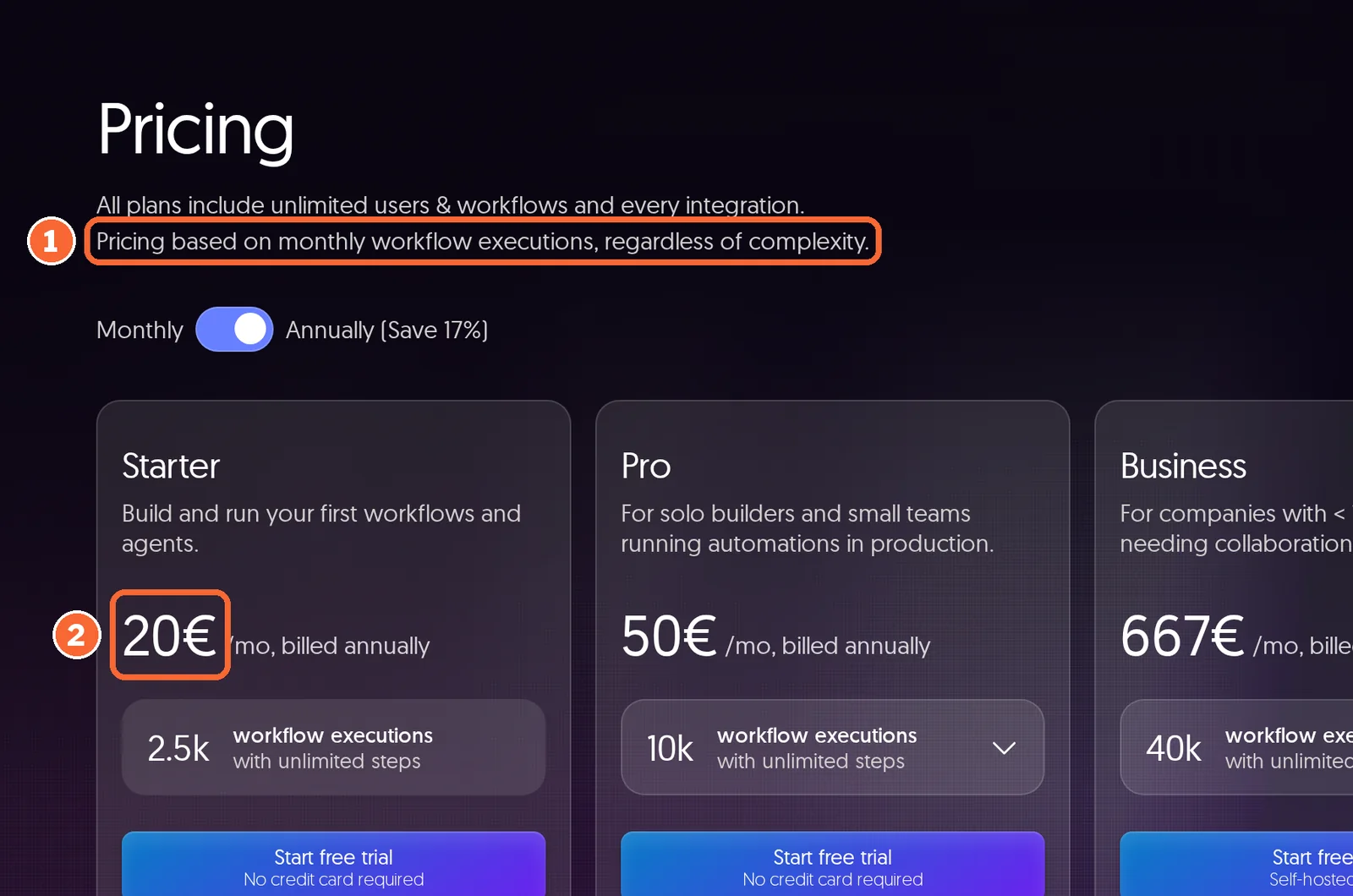
- Entry EUR 20 / month Starter Cloud, billed annually: 2,500 executions
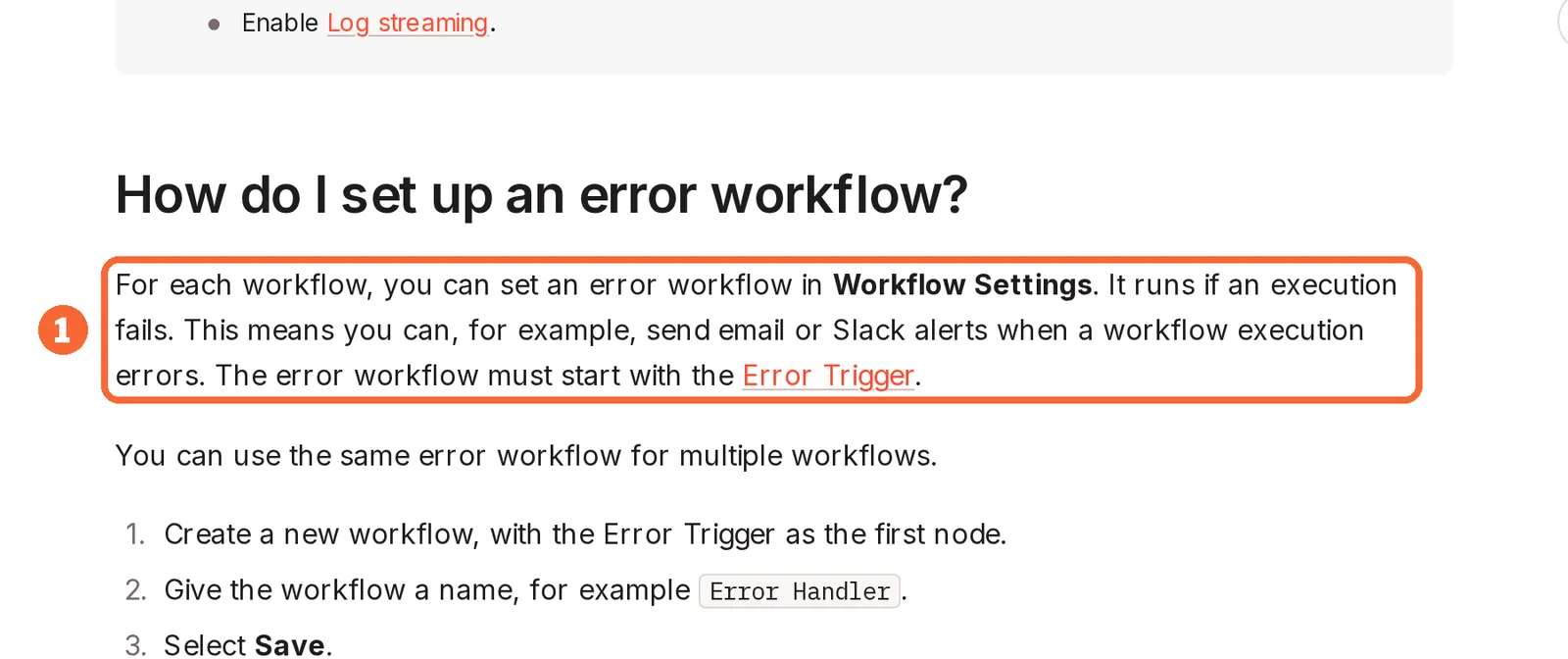
n8n counts one execution per full workflow run, with unlimited steps. Its Form trigger starts a workflow when someone submits an n8n form, and an error workflow can run whenever an execution fails.
Where it fits this flow
Every step from validation to write stays inside one execution. Starter runs 5 executions at once and keeps logs for 7 days; Pro raises that to 20 and 30 days.
See the n8n profile for plans, limits and sources.
Visit n8n (opens in a new tab)
Sources: n8n pricing, n8n Form trigger, n8n: handle errors gracefully.
How do you build the flow step by step?
Step 1: Build a test sheet and a five-event fixture
In shortNever wire the live form and sheet first. Five test events give every later step a known right answer.
Create a test sheet with the columns event_id, submitted_at, email and request, and a test form with matching fields. Use addresses under example.com. Download the automation evaluation pack (ZIP) and its instructions (Markdown); this guide uses form-inputs.json, form-expected.json and form-observations.csv. The ten-order exercise in the pack belongs to the workflow automation task.
| Event | Request text | Expected result | |
|---|---|---|---|
| A01 | one@example.com | Quote for 20 units | One new row |
| A02 | two@example.com | Call me back | One new row |
| A02, sent again within a second | two@example.com | Call me back | No second row |
| A03 | empty | Missing contact | No row; one review item |
| A04 | four@example.com | =2+2 please | One row, text shown as typed |
The accepted outcome is three rows (A01, A02, A04), one review item for A03 and nothing else. The timestamps in the pack are synthetic input, not times of a run.
Step 2: Start the flow when a form is submitted
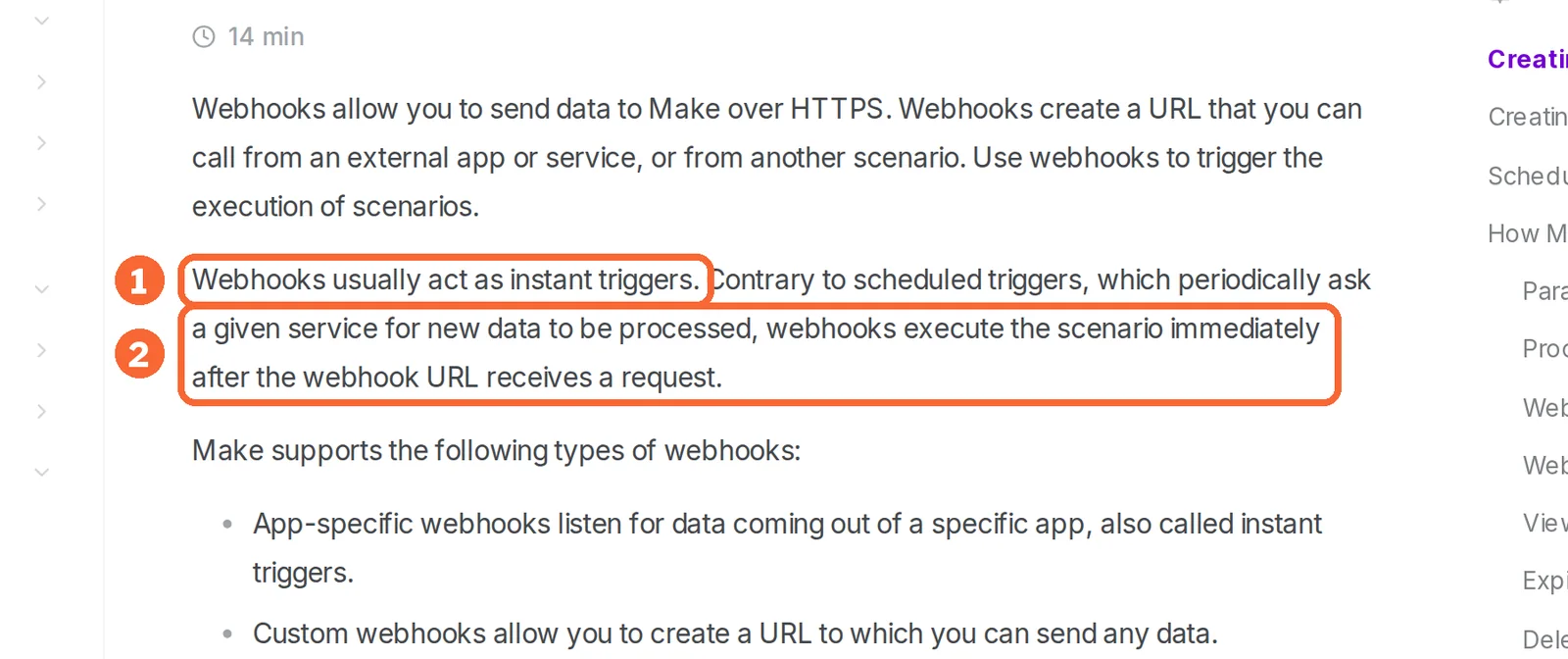
In shortAn instant trigger writes the row within moments; a polling trigger adds a wait, and on Make a scheduled check costs credits even when nothing arrived.
- Zapier: the trigger is checked every 15 minutes on Free, every 2 on Professional and every minute on Team; trigger steps never use tasks. Webhooks are listed from Professional.
- Make: a custom webhook starts the scenario as soon as its URL receives a request, and each webhook keeps its own request queue. A scheduled webhook can instead collect requests and process the queue at set times.
- n8n: the Form trigger takes its fields from the form (text, email, dropdown, file and others). It registers a test URL when you execute the workflow while it is inactive, and a production URL only once the workflow is published; give the real form the production URL.
Sources: Make webhooks, n8n Form trigger, Zapier pricing.
Step 3: Map fields by name and validate before any write
In shortBad input goes to a review list first, so A03 never reaches the sheet.
- Map event_id, submitted_at, email and request explicitly; do not rely on column order.
- Branch on an empty or malformed email. In Zapier, a Filter or Paths step does this without using tasks. In Make, a router with filters sends the record down one route, and a fallback route catches anything unmatched. In n8n, a Stop And Error node fails the execution on purpose, so A03 shows as a failed run rather than a silent skip.
- Record the review item somewhere you check, such as a second tab of the test sheet.
Sources: Make router, n8n: handle errors gracefully, Zapier task usage.
Step 4: Look up the event ID before writing
In shortDeduplicate on the event ID, never on email alone: a second request from the same person is a real new row.
| Tool | Lookup step | Where two copies can still race |
|---|---|---|
| Zapier | Lookup Spreadsheet Row finds a row by column and value. Set it to proceed when nothing is found, which makes the search use 1 task, then filter on whether a row came back | Not covered in the sources checked |
| Make | Search Rows with a filter on event_id, then a filter that stops the route when a row comes back | Instant webhook runs are processed in parallel by default, so two copies of A02 can both pass the lookup. Turn on Process data in order in the scenario settings |
| n8n | Append or Update Row with event_id as the Column to Match On updates the existing row instead of adding one; Get Row(s) with a filter works as a plain lookup | Starter runs up to 5 executions at once; ordering between them is not covered in the sources checked |
Process data in order serializes one Make scenario; a second scenario or person writing to the same sheet can still race. Keep one writer per sheet, and note any exception in the runbook.
Sources: Zapier Google Sheets integration, Make webhooks, Make Google Sheets modules, n8n Google Sheets sheet operations.
Step 5: Write the row so text stays text
In shortA04 checks that “=2+2 please” is stored as the customer typed it, not calculated.
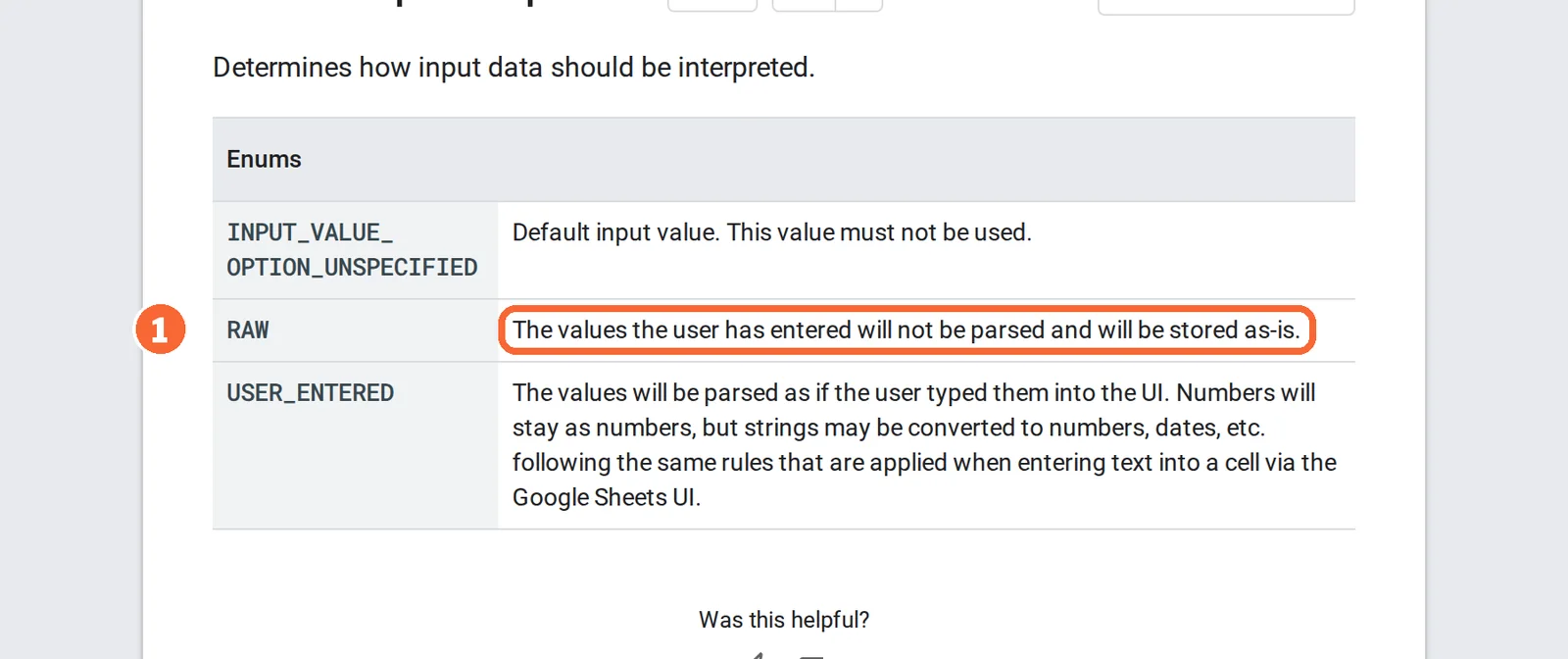
The Google Sheets API has two input modes: USER_ENTERED parses values as if typed into the sheet, so text starting with an equals sign can become a formula, while RAW stores values as given. Make’s Add a Row exposes this as Value input option, with User entered and Raw. Whether Zapier’s Create Spreadsheet Row or n8n’s Append Row offer the same setting is not covered in the sources checked; if no such setting is visible, mark A04 unconfirmed rather than passed. Quoting a CSV field alone does not stop a spreadsheet from reading it as a formula.
Sources: Google Sheets input modes, Make Google Sheets modules.
Step 6: Run the fixture and compare row by row
In shortPass only when the sheet matches the expected column exactly.
- Send the five events one at a time, then send the second A02 straight after the first.
- Compare the sheet with form-expected.json and log what actually happened in form-observations.csv.
- Clear the sheet and repeat once. One clean parallel run does not prove the race cannot happen.
- Rerun the fixture whenever a form field, a sheet column or the plan changes.
What happens when a sheet write fails, and how do you retry it?
Break the write on purpose, then recover
In shortPoint the write at a sheet the connection cannot reach, send A01, restore access and retry. A retry passes only if it leaves one row, not two.
| Tool | Where the failed submission waits | How you retry | What a retry can repeat | Log kept |
|---|---|---|---|---|
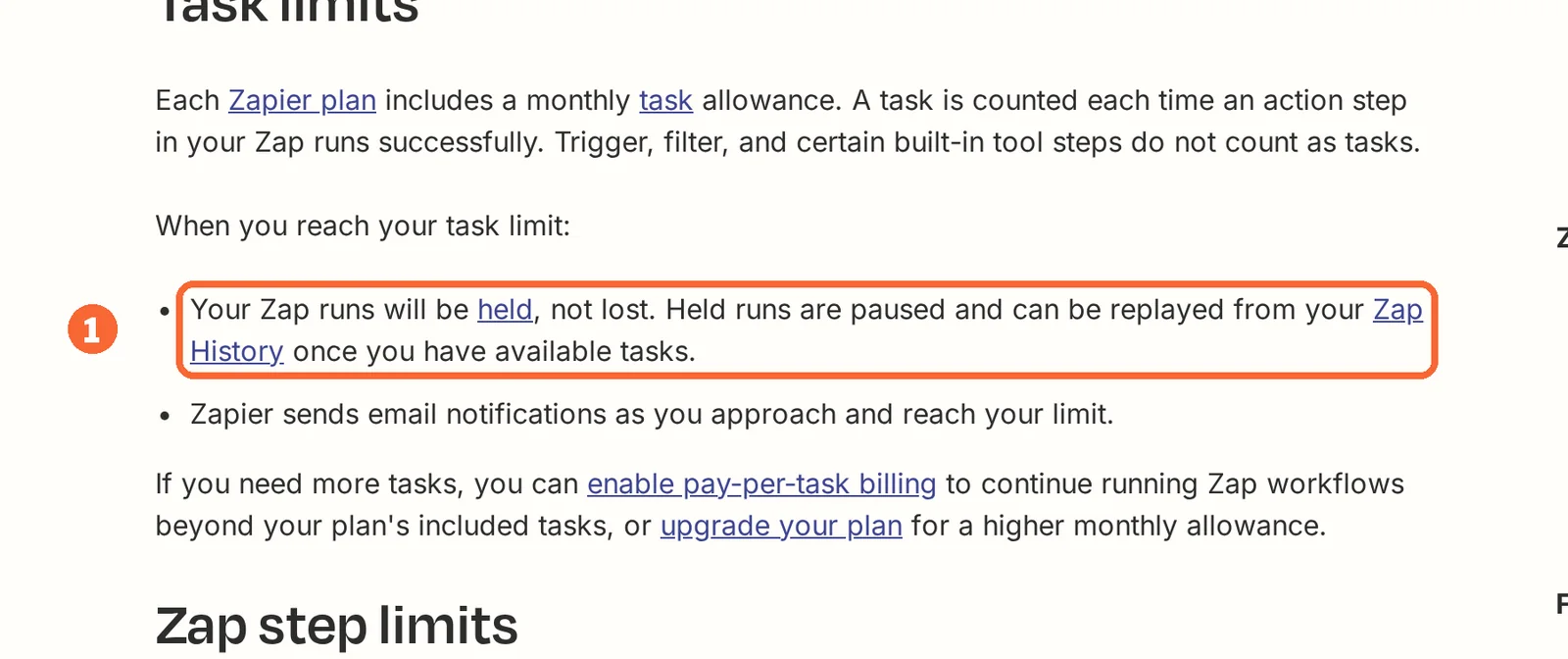
| Zapier | Zap history, with its status; runs over the monthly task limit are held, not lost | Replay from Zap history; automatic replay of errored actions needs a paid plan | Replaying a whole run counts its earlier successful steps again, the lookup included | Zap history; retention not covered in the sources checked |
| Make | Wherever the write module’s error handler sends it: Skip, Retry, Resume, Commit or Rollback | Retry suits a sheet that is briefly unreachable; Skip drops the record unless something else logs it | Not covered in the sources checked | 7 days on Free; longer on paid packages |
| n8n | The executions list, filtered by status; an error workflow starting with the Error Trigger can record it | Retry the failed execution | Not covered in the sources checked | 7 days on Starter, 30 on Pro |
In n8n, if the failure happens in the trigger node or the execution was not saved, the error workflow receives no execution ID or URL, so keep event_id in the failure record. A run marked successful with an empty mapped cell is also a failure, even though nothing raised an error.
Sources: Zapier Zap limits, Zapier Zap history, Make error handlers, n8n: handle errors gracefully, n8n executions.
Hand over the flow with five files
In shortWhoever inherits the flow should be able to rerun the fixture and find a failure without asking you.
- form-inputs.json: the five events, including the duplicate and the formula-like text.
- form-expected.json and form-observations.csv: the three required rows and the review item, kept apart from what was actually observed.
- Workflow export: the workflow file or scenario export where the platform offers one, or annotated screenshots of each step and its mapping.
- runbook.txt: who owns failures, where they are recorded, how to retry and how long the plan keeps logs.
- usage.txt: the monthly submission estimate and the plan limit it was checked against.
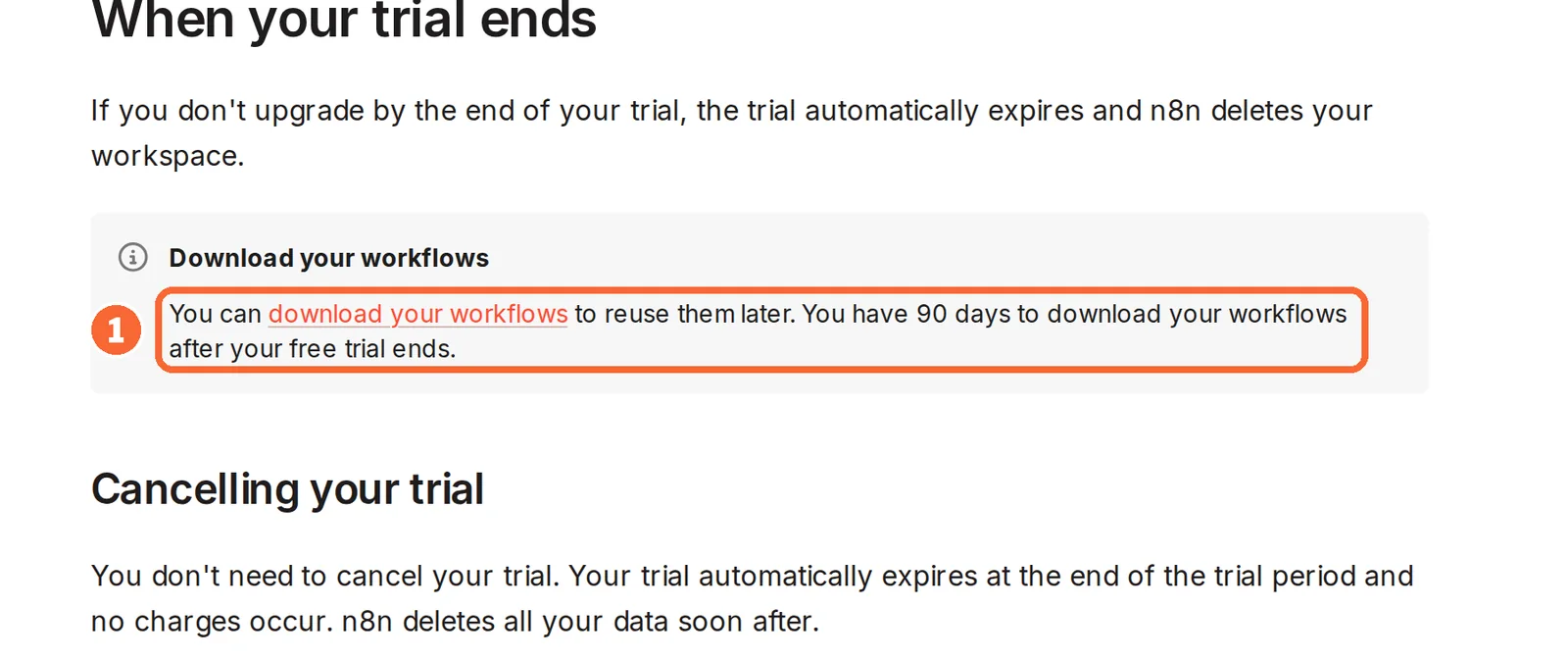
On an n8n Cloud trial that ends without an upgrade, the workspace is removed but workflows stay downloadable for 90 days, so export the file into this folder before the trial ends.
Sources: n8n Cloud trial.
How many form submissions does each plan cover?
What one submission costs in each unit
In shortThe flow from step 2 to step 5: a trigger, a validation branch, a lookup and a write. Different units are never divided into each other.
| Event | Zapier tasks | Make credits | n8n executions |
|---|---|---|---|
| A valid new submission | 2: the lookup and the write; trigger and filter are free | About 3: webhook, Search Rows and Add a Row | 1, whatever the step count |
| A duplicate stopped after the lookup | 1: the lookup | About 2: webhook and Search Rows | 1 |
| An invalid submission sent to review | 0 if the filter stops it; 1 more if a step records the review item | About 1 for the webhook, plus 1 for any module that records it | 1 per run; whether a failed run counts is not covered in the sources checked |
| A failed write, then a successful retry | 3: the failed write is free, the replay recounts the lookup | Not covered in the sources checked | 1 per run; whether the failed run and the retry both count is not covered in the sources checked |
| 300 valid submissions a month | 600 (300 × 2) | About 900 (300 × 3) | 300 |
Arithmetic on the units in each profile, assuming ordinary non-AI steps. A Zapier AI step or a Make AI module would add more per submission.
Sources: Zapier task usage, Make credits, n8n pricing.
How many valid submissions each entry allowance carries
In shortDivide each allowance by the per-submission count above, then keep room for fixture runs and retries.
| Tool | Plan | Allowance | Valid submissions a month |
|---|---|---|---|
| Zapier | Free | 100 tasks | About 100, without the lookup: the two-step Zap uses 1 task each |
| Zapier | Professional | 750 tasks; USD 19.99 per month billed yearly, USD 29.99 monthly | 375 (750 ÷ 2) |
| Zapier | Team | 2,000 tasks; USD 69 per month billed yearly, USD 103.50 monthly | 1,000 (2,000 ÷ 2) |
| Make | Free | 1,000 credits | About 333 (1,000 ÷ 3); 300 leave about 100 credits for tests and retries |
| Make | Paid | Confirm current quote | Credit package divided by 3 |
| n8n | Cloud trial | 1,000 executions in 14 days | 1,000 |
| n8n | Starter Cloud | 2,500 executions; EUR 20 per month billed annually | 2,500 |
| n8n | Pro Cloud | 10,000 executions; EUR 50 per month billed annually | 10,000 |
| n8n | Community | Free software on your own server | No execution allowance listed; servers and upkeep are yours |
The gap widens with each extra step: a fifth app action adds a task per submission on Zapier and a credit on Make, and nothing on n8n. For the same units across other workloads, see Make vs n8n.
Sources: Zapier pricing, Make credits, n8n pricing.
Questions, and what this guide does not judge
Common questions
How do I populate a Google Sheet from a Google Form?
In Google Forms, open the Responses tab and choose Select destination for responses from the More menu. Pick a new spreadsheet or an existing one and confirm. From then on each new response arrives as a row automatically, with no automation tool or plan involved. Sharing is managed separately on the form and on the sheet.
Can a website form that is not a Google Form send responses to Google Sheets?
Yes, through an automation tool. Make starts a scenario from a custom webhook URL that the form posts to, n8n can host the form itself with its Form trigger, and Zapier starts from the form app's own trigger. Each one then writes the answers to the sheet with its Google Sheets step.
Is there a free way to automate a form to Google Sheets?
Several. The Google Forms link costs nothing. Zapier Free runs a two-step Zap on 100 tasks a month, enough for about 100 submissions without a duplicate check. Make Free gives 1,000 credits and two active scenarios. The n8n Community edition is free software, but you run and maintain the server yourself.
How do I stop a form from creating duplicate rows in Google Sheets?
Give every submission an event ID and search the sheet for it before writing; if a row already carries that ID, stop. Do not match on email, because one person can send two real requests. On Make, switch on Process data in order as well, because two copies arriving together are otherwise handled at the same time.
What happens to existing rows if I unlink a Google Form from its sheet?
They stay. Unlinking only stops new responses from reaching the spreadsheet, and the data already collected remains intact. Access is a separate matter: later changes to the form's permissions are not copied to the linked sheet, so check who can still open the spreadsheet and change it there.
What this guide does not judge
Which tool is quickest to set up, how fast each one writes a row and how often each service is down are not documented in the vendor pages behind this guide, so they are not judged here. Neither are AI fields that summarise responses inside the sheet, which some guides add.
Google Apps Script, AppSheet, Zenphi, Jotform and form-specific add-ons also appear in results for this search. They are left out until each has a profile with checked plan terms. Filling a form from a spreadsheet, the reverse direction, is outside this guide. More tools sit in the automation category.
On Make Free, first confirm that the account offers a custom webhook, Search Rows and Add a Row with the Raw option; if one is missing, record it rather than upgrading. Build the flow against the test sheet, post the five fixture events with the second A02 sent straight after the first, and run it once with Process data in order off and once with it on. Record the credits each run used from the scenario history.
How this guide was made
Plans, units and limits come from the Zapier, Make and n8n profiles on this site, which cite the vendors’ pricing and help pages and carry their own check dates. Step names, the Google Forms link and the Sheets input modes come from the Google, Zapier, Make and n8n documentation linked in each section. Sections follow the topics the top-ranking pages for this search cover, limited to what the vendors document. No rating is given. See our editorial policy.