What is Zapier, in short?
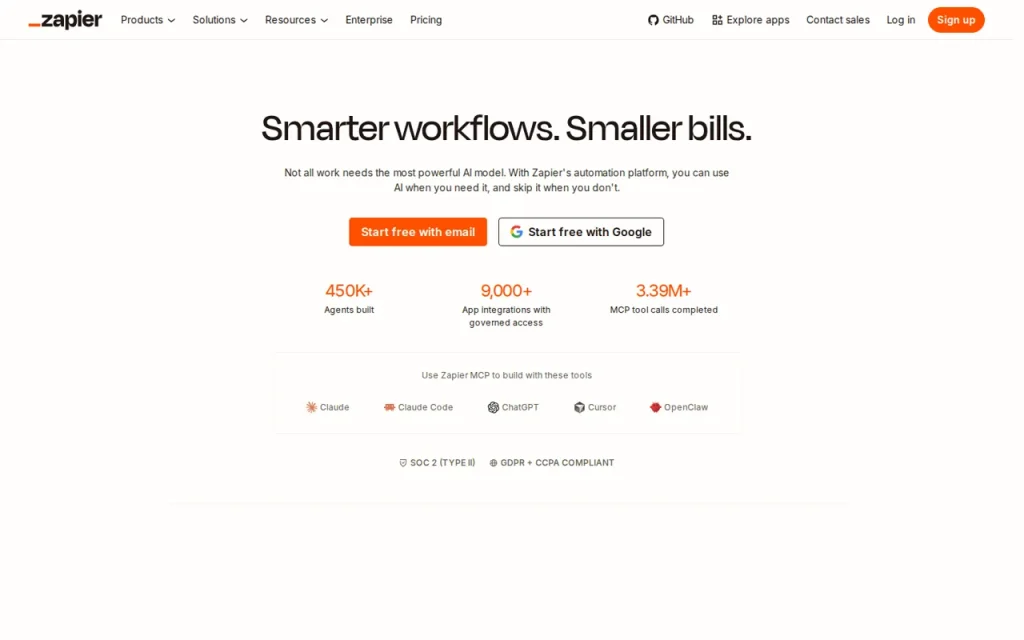
Zapier connects app events to automated actions. Free includes 100 tasks per month with two-step Zaps; paid plans add multi-step workflows. Cost depends on task volume and step type, including AI model and tool-call rates. Check the selected task tier and billing cycle before subscribing.
Key features
- Triggers and actions across a large app catalogue
- Multi-step workflows on paid plans
- AI steps that summarise, classify or draft text
- Polling intervals from 15 minutes down to 1 minute
- Unlimited Zaps on every plan, including Free
- Team plans with shared workflows and 25 users
Feature list taken from the sources listed at the foot of this profile, not from our testing.
What can you actually do with Zapier?
Task accounting
The rates page assigns different task costs to step types.
Where it falls short: One visible action does not always mean one billable task.
AI operations
Model tier affects AI-step rates and supported tool calls are separate.
Where it falls short: Estimate representative runs instead of counting only workflow boxes.
Delivery behaviour
Validate triggers, mappings and error handling against real requirements.
Where it falls short: No unattended reliability test was performed in this review.
Feature descriptions follow the sources listed at the foot of this profile; the limits are our editorial reading of what those sources do and do not promise.
Strengths and limits
Strengths
- Free supports simple two-step Zaps
- Paid plans add multi-step workflows
- Published task-rate guidance separates action types
Limits to plan around
- Task cost depends on step type and AI model tier
- AI tool calls can add separate usage
- Free workflows are limited to two steps
- Confirm the exact app trigger, action and fields your process needs
Derived from documented behaviour and published limits, not from a scored review.
Who is it for?
- Small businessesMoving form responses, orders or sign-ups into a sheet or CRM without code.
- Operations teamsRouting notifications to the right channel when a condition is met.
- MarketersConnecting lead capture to the tools that follow up.
- Solo foundersRemoving repetitive manual transfers between apps.
Our editorial judgement about fit, based on what the documented features support. The vendor makes no such claim about these groups.
How much does Zapier cost?
Pricing check: Unresolved details. Check the current provider terms before subscribing.
| Plan | Price | What it covers |
|---|---|---|
| Free | $0 | 100 tasks per month; two-step Zaps. |
| Professional | Selected-tier total unconfirmed | Pricing page advertises a starting figure; confirm task tier and billing cycle. |
| Team | Selected-tier total unconfirmed | 25 users; confirm selected task tier and billing cycle. |
| Enterprise | Custom | Contact provider for terms. |
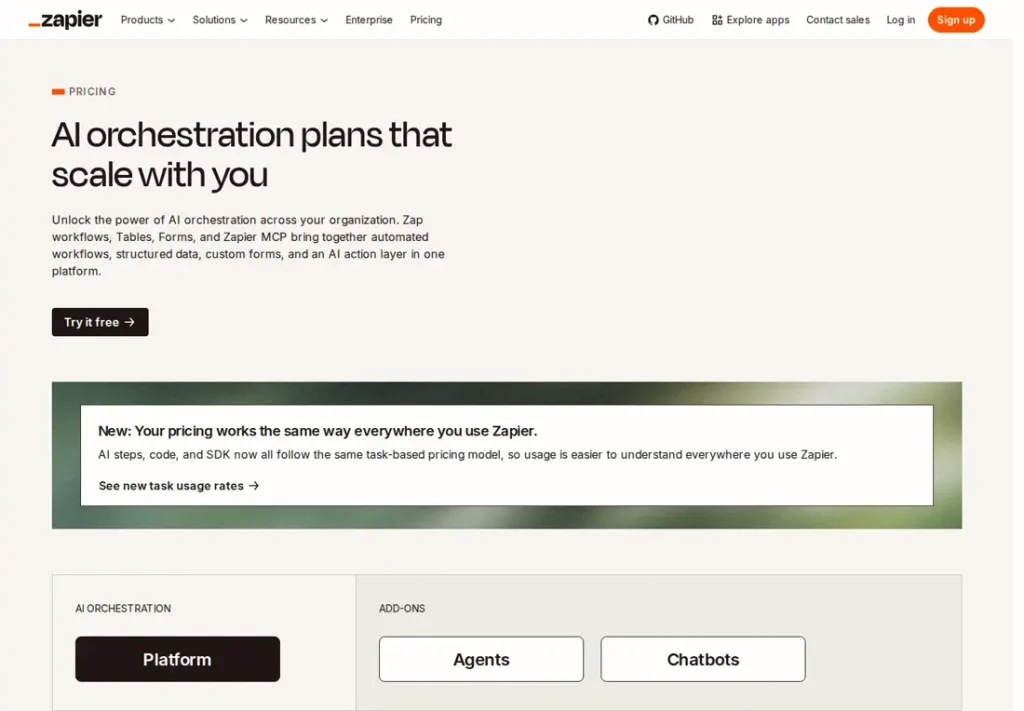
No comparable numeric price range is confirmed here. Individual plan notes may include documented amounts, but unknown billing units, unavailable figures or inconsistent terms are not converted into a single price range. See the evidence checks and original pricing source below.
What is Zapier used for?
Zapier connects web applications so that an event in one triggers an action in another — a form response creating a spreadsheet row, a payment creating a task. Its AI features sit on top of that: steps that classify, summarise or draft text inside a workflow. It suits people who want to remove repetitive manual transfers without writing code. The scope is described on the official site.
The decisive question is not how many apps the catalogue lists, but whether the specific fields you need are exposed in the specific apps you use. Two tools can both “support” an app and still differ on whether the one field your process depends on is available.
Where it fits in a workflow
- Data transfer: moving form responses, orders or sign-ups into a sheet, a CRM or a database.
- Notifications: alerting the right channel when a specific condition is met, instead of watching an inbox.
- Small AI steps: summarising or categorising incoming text as part of a larger automation.
Decide how you will monitor unexpected results and who will investigate them. Validate field mappings and error handling with representative input before relying on an unattended workflow. This is an operating recommendation, not a measured reliability finding.
Plans and limits
Free includes 100 tasks per month and two-step Zaps; Professional adds multi-step workflows and Team lists 25 users. The current rendering did not unambiguously establish the older entry-tier configuration, so confirm the selected task tier and billing cycle before budgeting.
Use the current task-rate table rather than one task per action. Some built-in steps use no tasks, while AI model tiers and supported tool calls can use several. Inspect a representative run and estimate the monthly volume from its recorded usage.
A first task to try
The automation below is small enough to verify end to end. No test result is being reported here.
Build one workflow: a new form response creates a row in a spreadsheet. Then deliberately submit a response with an empty required field, and a second one with an emoji and a very long line of text in a short field.
Check three things: what happens to the malformed entries, whether the row lands in the right columns, and how many tasks the run consumed. The behaviour on bad input, not on the happy path, is what tells you whether the automation can be trusted unattended.
Should you choose Zapier?
Choose it when the same manual transfer happens over and over — a form response that must become a spreadsheet row, an order that must become a task, an alert that must reach the right channel. The free plan’s 100 tasks per month are enough to prove the idea before any payment.
Budget carefully when a trigger branches into many steps or AI tool calls. Task usage depends on the step type and model tier, so the number of visible actions alone is not a reliable cost estimate. For text-generation workflows, review the Claude profile and the automation category.
Before you commit
Count your tasks on one real process before choosing a tier, and check that every app you depend on exposes the fields you need. If an automation step needs drafted or summarised text, the Claude profile covers that side of the work, and you can review options side by side.
Everything above is traceable to the links in the sources section, with the date we checked them, and the editorial policy explains how we check and correct profiles.
Source check: September 22, 2026. This profile is based on the vendor’s official product and pricing pages. It contains no hands-on test, no sponsored review and no user ratings.
Watch Zapier in the vendor's own words
Published by Zapier on their official YouTube channel, September 7, 2026. Nothing loads from YouTube until you press play — the preview image is served from this site. We did not produce this video and do not endorse its claims.
Official Zapier channels
Collected from links published on the vendor's own website, checked September 22, 2026. Use these to verify announcements and current pricing at the source.
Frequently asked questions
Is Zapier free?
Yes. The free plan includes 100 tasks per month, unlimited Zaps and two-step workflows, with a 15-minute polling interval. Multi-step workflows and faster polling require a paid plan. For a single simple automation that runs occasionally, the free allowance is often genuinely enough to start with.
How much does Zapier cost?
Pricing depends on the selected task tier and billing cycle. The reviewed page shows from amounts, but it did not unambiguously establish the older 750-task entry configuration. Confirm the selected tier, currency, cycle and overage behaviour before estimating a monthly total.
What counts as a task in Zapier?
Task cost varies by step type. Some built-in tools use zero tasks, while AI model tiers and tool calls can use more. Consult the current rate table and inspect a representative run; counting each visible action as one task can misstate usage.
How fast does a Zap run?
The published comparison lists polling intervals of 15 minutes on Free, two on Professional and one on Team. Those figures describe polling, not a guarantee of total workflow completion time. Check how the particular trigger operates and measure the process you need.
What is the difference between Professional and Team?
Professional adds multi-step workflows. Team includes 25 users and shared-workflow capabilities. Compare the selected task allocation, member needs and billing cycle directly; this review does not reverify the older numeric entry-tier configuration.
What happens when an automation breaks?
Plan how you will detect an unexpected result and who will fix it. Test invalid inputs and inspect run history before leaving a workflow unattended. This is an editorial operating recommendation; we have not established that Zapier always fails silently.
Evidence for key details
These checks apply to the individual details below. A recent check of one detail does not mean every section was reviewed again.
- Free includes 100 monthly tasks and two-step Zaps.Documented · Provider documentation · Checked . Read the source (opens in a new tab)
- Professional adds multi-step Zaps; Team lists 25 users.Documented · Provider documentation · Checked . Read the source (opens in a new tab)
- Task consumption varies by step type; some built-in tools use zero tasks and some actions use more than one.Documented · Provider documentation · Checked . Read the source (opens in a new tab)
- AI by Zapier lists model tiers at 1, 3 or 5 tasks per AI step; supported tool calls are billed separately.Documented · Provider documentation · Checked . Read the source (opens in a new tab)
- Zapier MCP lists two tasks per tool call.Documented · Provider documentation · Checked . Read the source (opens in a new tab)
- The current static pricing rendering does not unambiguously establish the old 750-task entry tier and monthly toggle amount.Unresolved · Provider documentation · Checked . Do not carry old tier figures forward as reverified. Static page gives from amounts; task selector/billing context must be recorded. Read the source (opens in a new tab)
Sources for this profile
Provider pricing and task-rate documentation reviewed. AI/model/tool-call rates are distinct. The old 750-task entry tier and monthly price need an unambiguous selected-tier checkout check before being reverified. Checked September 22, 2026. Found something out of date? The editorial policy explains how we correct profiles.