Zapier Alternatives: Two Workflow Builders, a Lead Scraper and Two AI Agent Tools
Make and n8n rebuild most multi-step Zaps. Bardeen covers the part of a workflow that collects data from websites, and Gumloop and Lindy take over AI agent jobs rather than app-to-app syncing. This guide matches each tool to the reason you are leaving Zapier, counts the same workloads in each tool’s own unit and lists what has to be rebuilt.
By Elias Brandt · Updated 9 Oct 2026 · About 21 min read · Plan terms taken from each tool profile
The short answer
Leaving over the task bill or branching? Make draws routers and filters as a diagram and bills a credit per module run. n8n bills one execution per complete run, however many steps it has.
Need it on your own server? n8n’s self-hosted Community edition has no licence fee; the servers, updates and restores are yours. Make is documented only as a hosted service.
Is the Zap really web collection or agent work? Bardeen scrapes and enriches lead rows in Chrome. Gumloop and Lindy run AI agents with tool approvals; neither profile documents trigger-and-action app syncing.
Which Zapier alternative fits the reason you are leaving?
The five tools at a glance, with Zapier for reference
In shortFind the row that matches what your Zaps do. The last column is the catch to check before you pay.
| Tool | Best for | Free access | First paid plan, as listed | Usage counted in | Catch to check |
|---|---|---|---|---|---|
 Zapier Zapier | Reference point: one event in one app, actions in others | Free: 100 tasks a month, two-step Zaps | USD 19.99 per month, billed yearly (Professional, 750 tasks) | Tasks: one per successful action | Price rises with the task tier |
 Make Make | Branching workflows drawn as a diagram | Free: 1,000 credits a month, 2 active scenarios, no time limit | Confirm the quote at checkout; public pricing views differ | Credits: one per ordinary module run, per bundle | Every scheduled check and every module run uses credits |
 n8n n8n | Long workflows, or automation on your own server | Self-hosted Community; Cloud has a 14-day trial | EUR 20 per month, billed annually (Starter Cloud) | Executions: one per complete run | Self-hosting leaves servers, updates and restores to you |
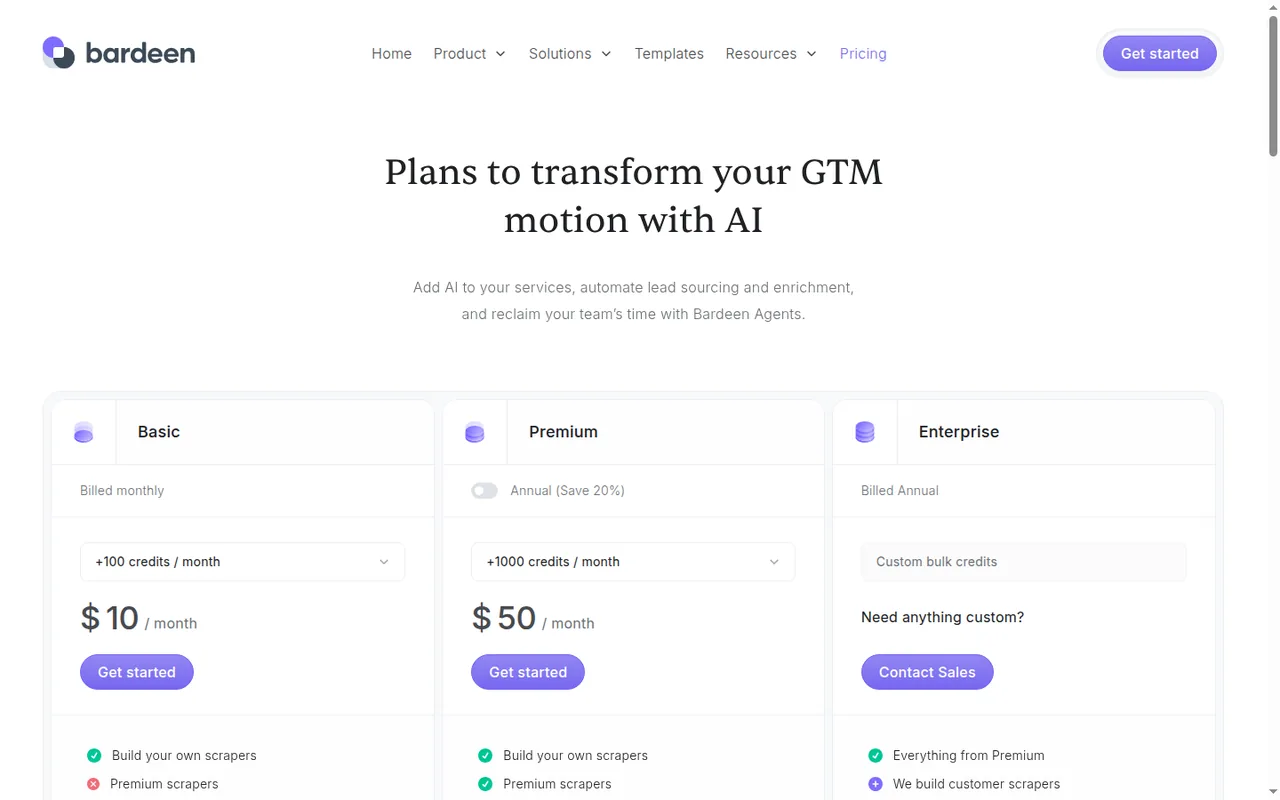
 Bardeen Bardeen | Collecting and enriching lead rows from web pages | 100 credits | $10 per month, billed monthly (Basic, 100 credits) | Credits per output row; 3 per enriched row | No documented direct CRM sync |
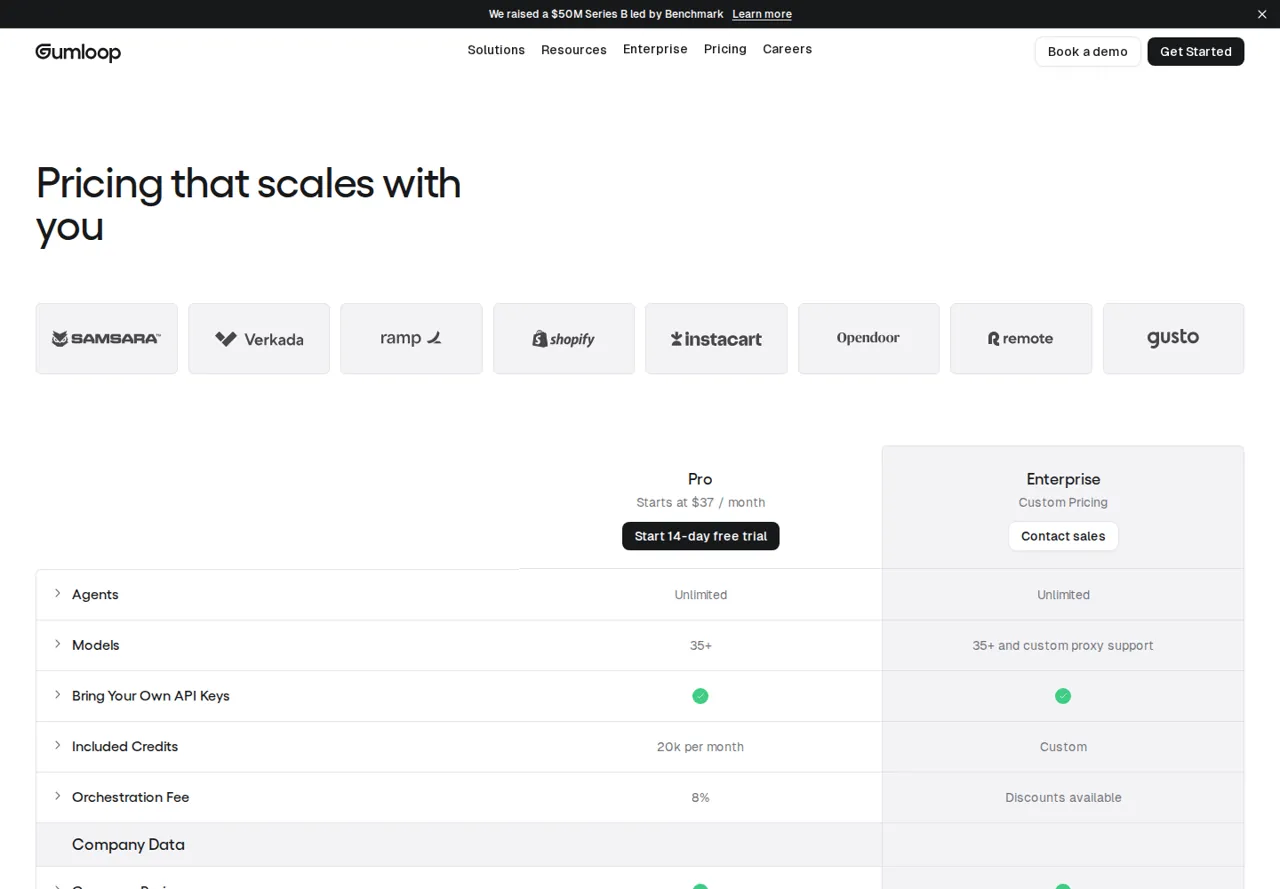
 Gumloop Gumloop | Agent tasks that end in a downloadable file | None: a 14-day Pro trial that needs a card | From $37/month (Pro, 20,000 credits) | Credits for model work, tools, compute and orchestration | Connected tools write without asking by default |
 Lindy Lindy | Delegated drafts requested in Slack | None: a 7-day trial only for new teammates joining through Slack | USD 29.99 per user per month (Plus, 3,000 credits) | Credits per seat, pooled for the workspace | Write approvals cover shared Slack threads only |
Plan names and amounts from each tool’s profile, which shows the date its plan terms were checked. Prices stay in the currency and billing period each vendor lists.
What makes a good Zapier alternative
In shortFive checks that decide whether a switch pays off. Ease of use and the number of app connectors are not among them here, because nothing in the sources lets us compare them.
- Its unit fits the shape of your ZapsZapier counts successful actions, Make counts module runs per bundle, n8n counts whole runs, and the agent tools spend variable credits per run. The same month can cost very different amounts in each.
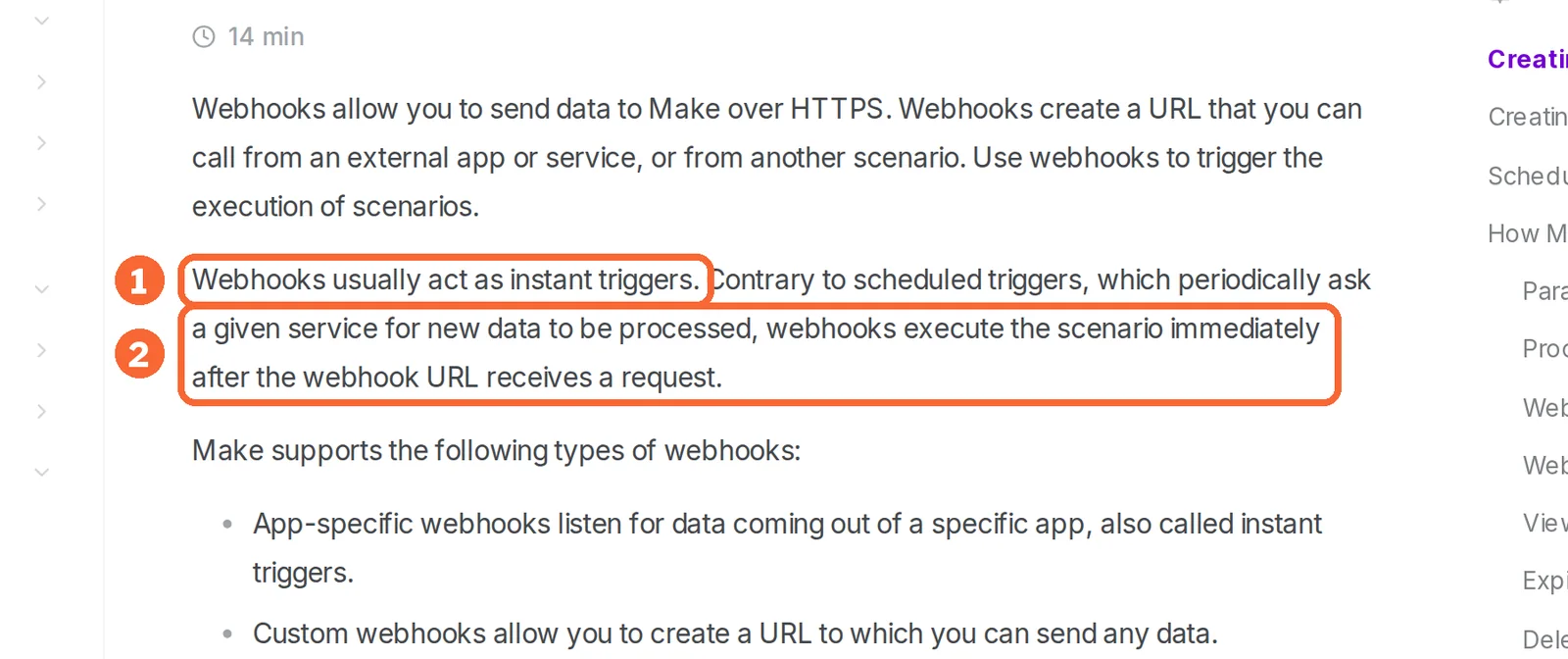
- It starts the way your Zaps startMake starts from app modules that check for new data, from schedules and from webhooks; n8n from schedules and webhooks. Bardeen, Gumloop and Lindy start from a scraping job, an agent request or a Slack message; app-event triggers are not covered in the sources checked for them.
- It handles a failed step the way you needZapier does not bill errored actions and replays them automatically on paid plans; Make sets a handler on each module; n8n runs a separate error workflow.
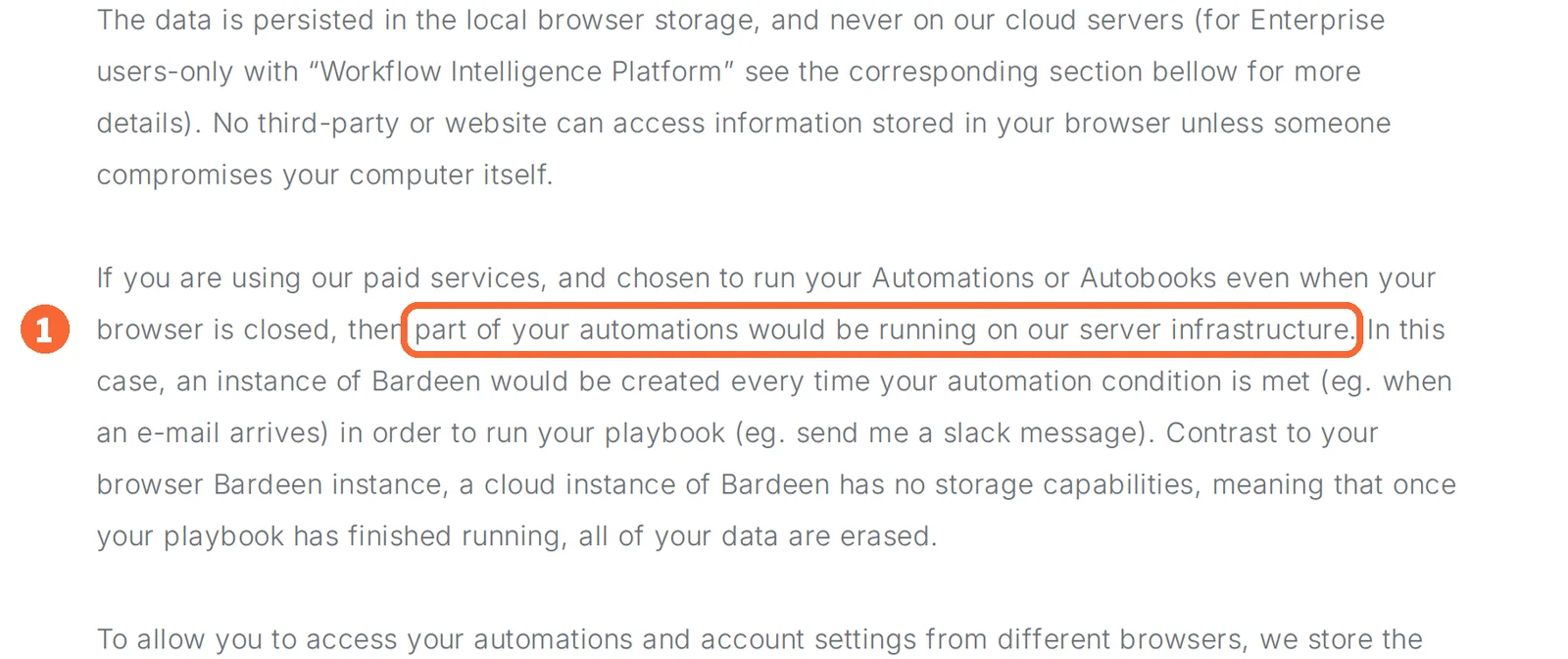
- It runs where your data has to liveOnly n8n documents running on your own servers. Make is a hosted service, and Bardeen runs in your browser, partly on its own servers for paid closed-browser runs.
- You can go backA Zap import is not covered in the sources checked for every tool here, so the way back is the Zap you did not delete and the paid Zapier plan you kept until the new workflow proved itself.
Do you need to leave Zapier at all?
What Zapier counts, step by step
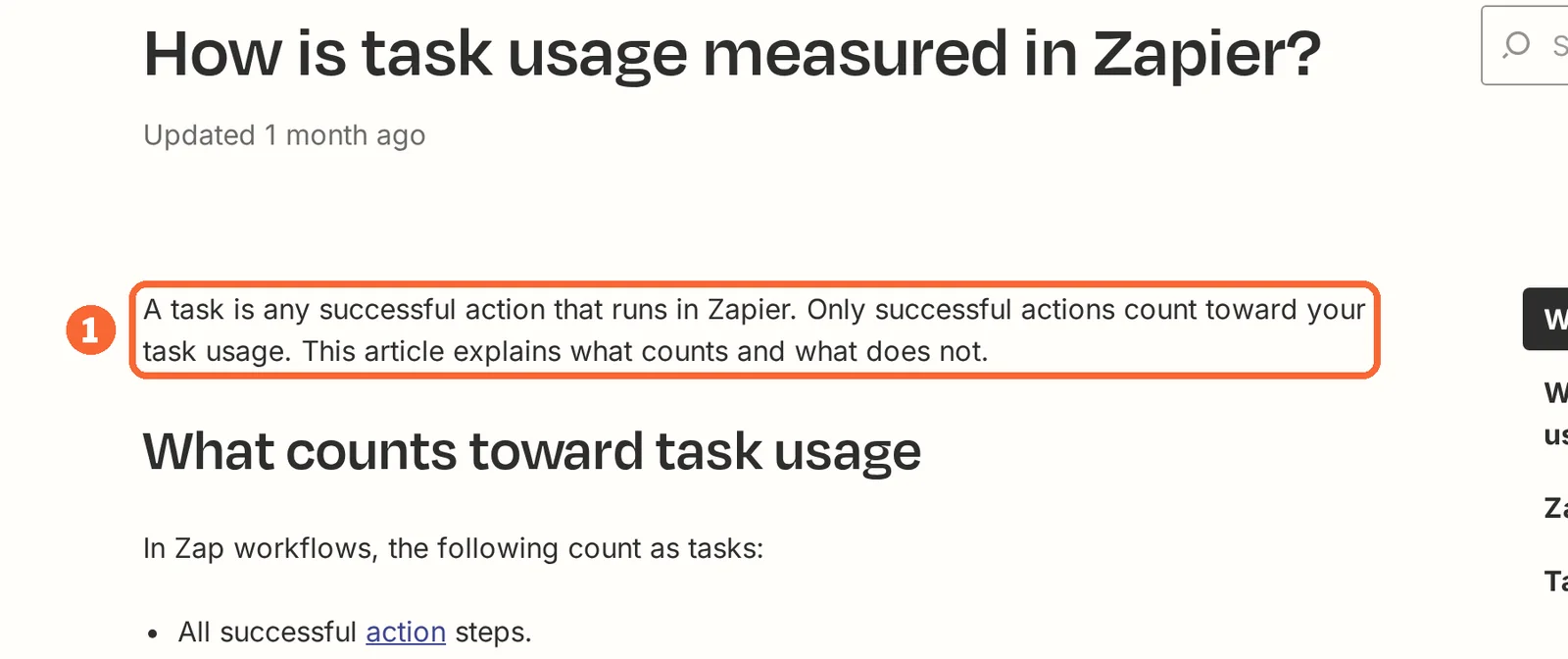
In shortMany Zapier steps cost nothing and a few cost several tasks. Count your step types before you compare prices.
| Zapier step | Tasks used |
|---|---|
| A trigger, including a polling check that finds nothing | 0 |
| Filter, Paths, Formatter, Delay, Looping, Digest, Storage, Tables and Forms steps | 0 |
| An action that errors or halts | 0 |
| A successful app action, including an error-handler step | 1 per run |
| Replaying a whole run | 1 again for each step that reruns, including steps that had already succeeded |
| An AI by Zapier step | 1, 3 or 5, by the model tier you select |
| A Zapier MCP tool call | 2 |
| Lead Router | 5 for each routed lead |
| Zapier Agents | None: they run on a separate activity quota |
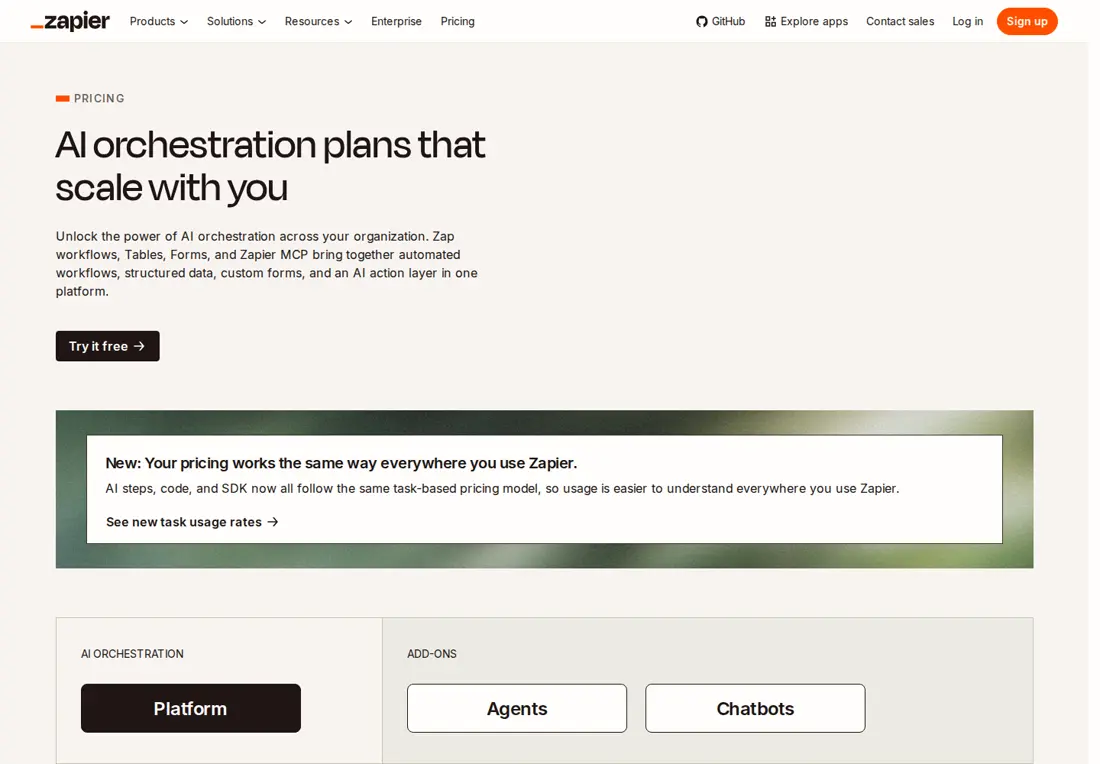
On the entry tiers, Free’s 100 tasks cover a two-step Zap about three times a day (100 ÷ 30 ≈ 3.3), and Professional’s 750 average about 25 a day. A Zap with three app actions that triggers 10 times a day uses about 900 tasks a month (3 × 10 × 30): above Professional’s entry tier, inside Team’s 2,000. If your Zaps look like the first case, Zapier Free or Professional may already be the cheapest option, and a lower list price elsewhere is not a reason to move on its own.
Sources: How Zapier measures task usage, Zapier rates, Zapier pricing.
Reasons that do call for another tool
In shortName your reason first; it points to one tool.
| Your reason | Where to look | Why |
|---|---|---|
| Long Zaps with many app actions push you into higher task tiers | n8n | A complete run is one execution, so a 20-step run counts the same as a 2-step one |
| You want to see every branch before anything runs | Make | Routers, filters and a fallback route for unmatched data are drawn as a diagram |
| The data has to stay on servers you control | n8n | The same product runs on n8n Cloud or on your own infrastructure |
| Several people build automations and seats add up | n8n | Every plan, Starter included, allows unlimited users |
| The Zap mostly copies data out of websites | Bardeen | It scrapes pages your logged-in browser can see and charges per output row |
| An AI step should hand back a spreadsheet or report | Gumloop | Agents deliver downloadable, versioned files and itemise the credits each run used |
| Teammates ask for drafts in Slack and someone reviews them | Lindy | Requests arrive in Slack, and writes in shared threads can require approval |
If you need a different kind of automation: one tool each
In shortEach tool has the same layout: what it does, what it takes over from Zapier, what changes for you, and what carries over.
If you want branches drawn as a diagram: Make
Best for visual branching when you can count modules
Best when your Zaps lean on Paths and filters and you want each record’s route visible before it runs.
- Free 1,000 credits a month
- Entry Confirm current quote public pricing views differ
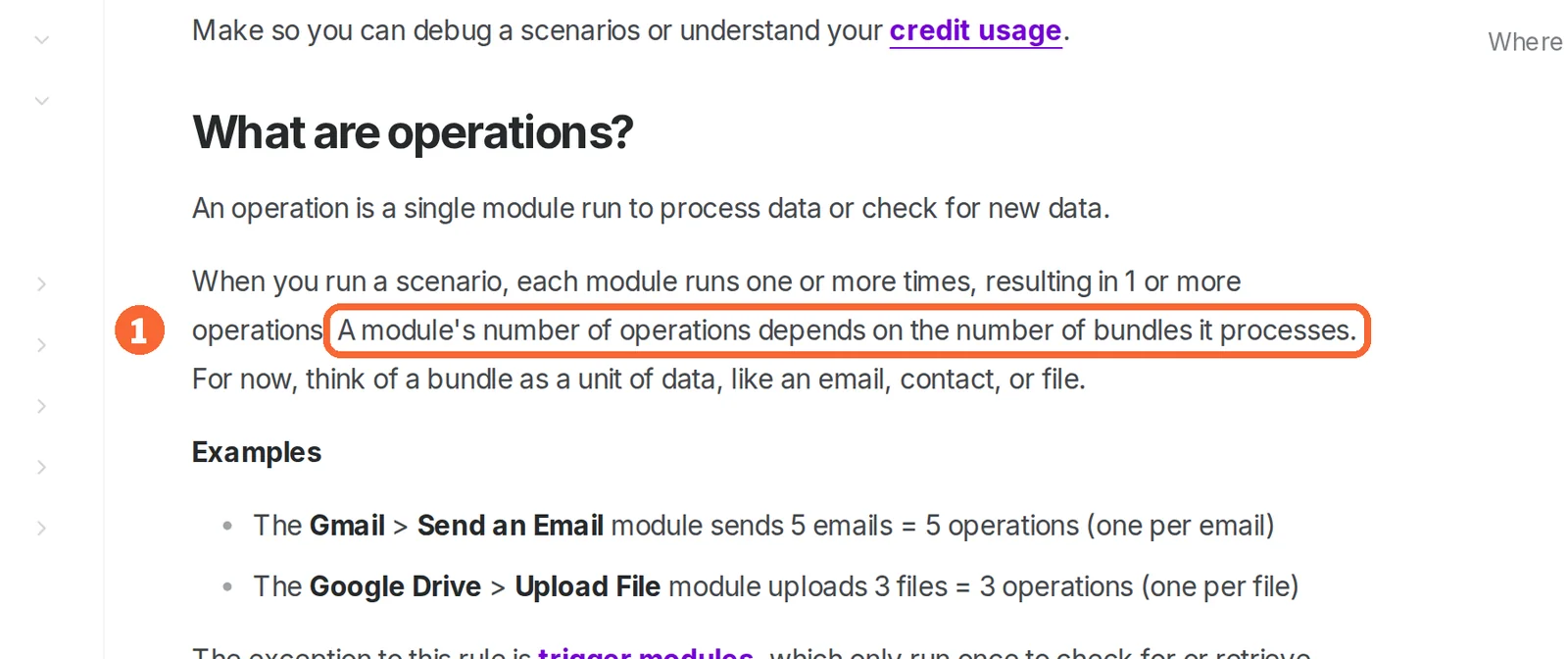
Make links app modules into visual workflows called scenarios, with routers, filters, webhooks and error handlers. An ordinary non-AI module run normally uses one credit, a scheduled trigger uses one each time it checks, and later modules repeat once for every bundle that reaches them. The Free plan has no time limit.
What it does
- Routers and filters
- Branch a scenario, with a fallback route for data that matches no condition.
- Webhooks
- Start a scenario the moment a request arrives; each webhook keeps its own queue.
- Error handlers
- Skip, Retry, Resume, Commit or Rollback on the module that fails.
- Templates
- Public templates covering over 7,500 use cases, on every plan.
- MCP server
- Claude or ChatGPT can run on-demand scenarios; management scopes need a paid plan.
Takes over from Zapier
Multi-step Zaps with Paths, rebuilt as routers; Zaps started by a webhook; Code steps, as Make Code on paid plans.
What changes for you
Steps Zapier does not bill can use credits here: every scheduled check counts, and a module that only reformats data is still an ordinary module run. Free allows two active scenarios, a 15-minute minimum schedule and 7 days of logs. Make Code costs 2 credits per second, and the paid price has to come from your own checkout quote.
What carries over
Your written filter rules and field lists. No Zap import is documented in the sources checked, so each scenario is rebuilt, from a public template where one fits.
See the Make profile for plans, limits and sources.
Visit Make (opens in a new tab)
Sources: Make credits, Make operations and bundles, Make pricing.
If runs are long or must stay on your servers: n8n
Best for long workflows and self-hosted automation
Best when one run has many steps, when many colleagues build, or when hosting control matters.
- Free Community, self-hosted
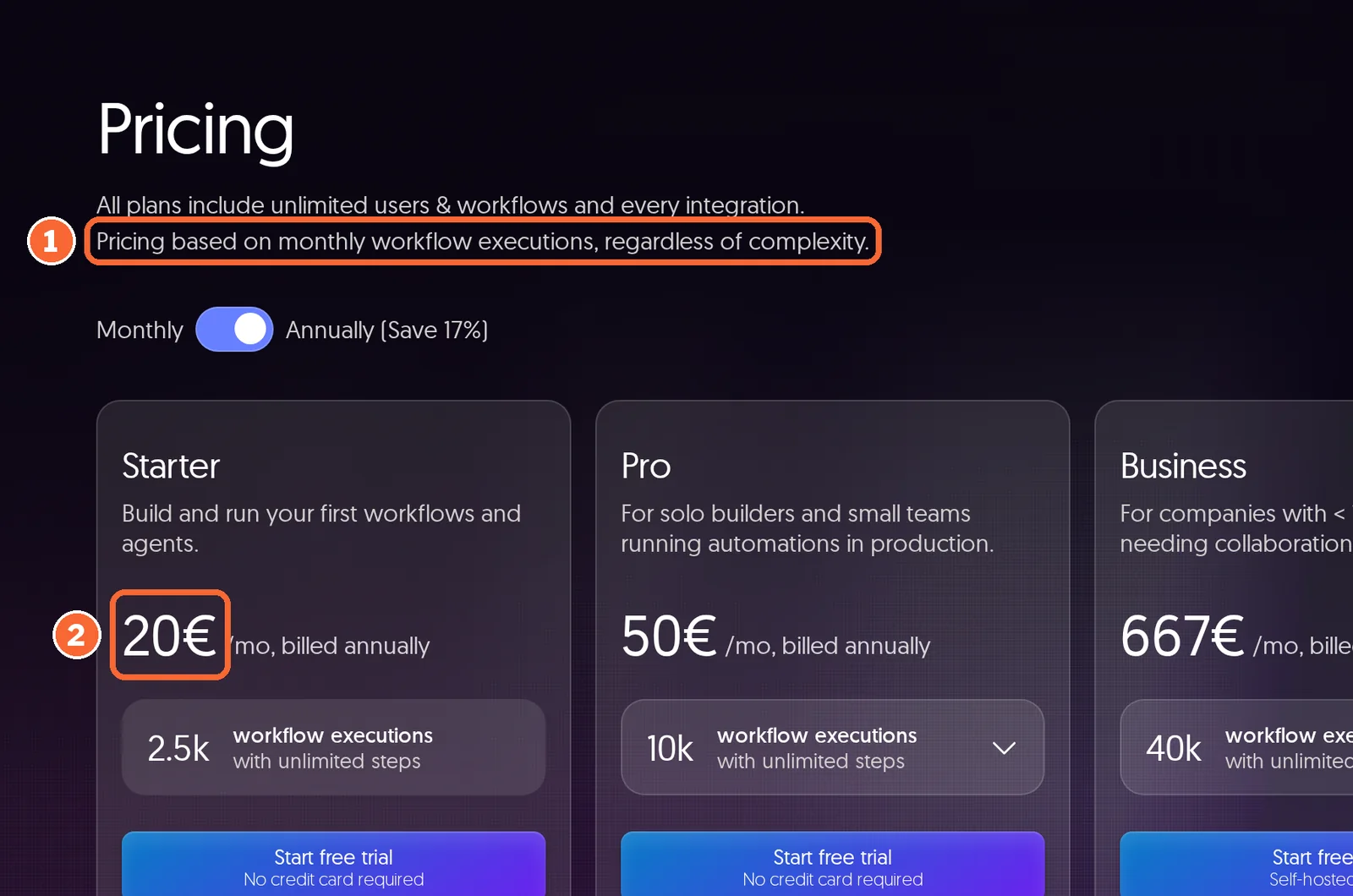
- Entry EUR 20 per month Starter Cloud, billed annually
n8n builds node-based workflows that run on managed n8n Cloud or on infrastructure you operate, and it is the same product either way. Paid plans count one execution per complete run with unlimited steps, and every plan includes unlimited users, workflows and integrations. Cloud has no free plan after its 14-day trial; the ongoing free route is the self-hosted Community edition.
What it does
- Code node
- JavaScript or Python; on Cloud, external npm imports are unavailable and Python imports are restricted.
- HTTP Request node
- Connect any REST API, or paste a cURL command to set the request up.
- Error workflows
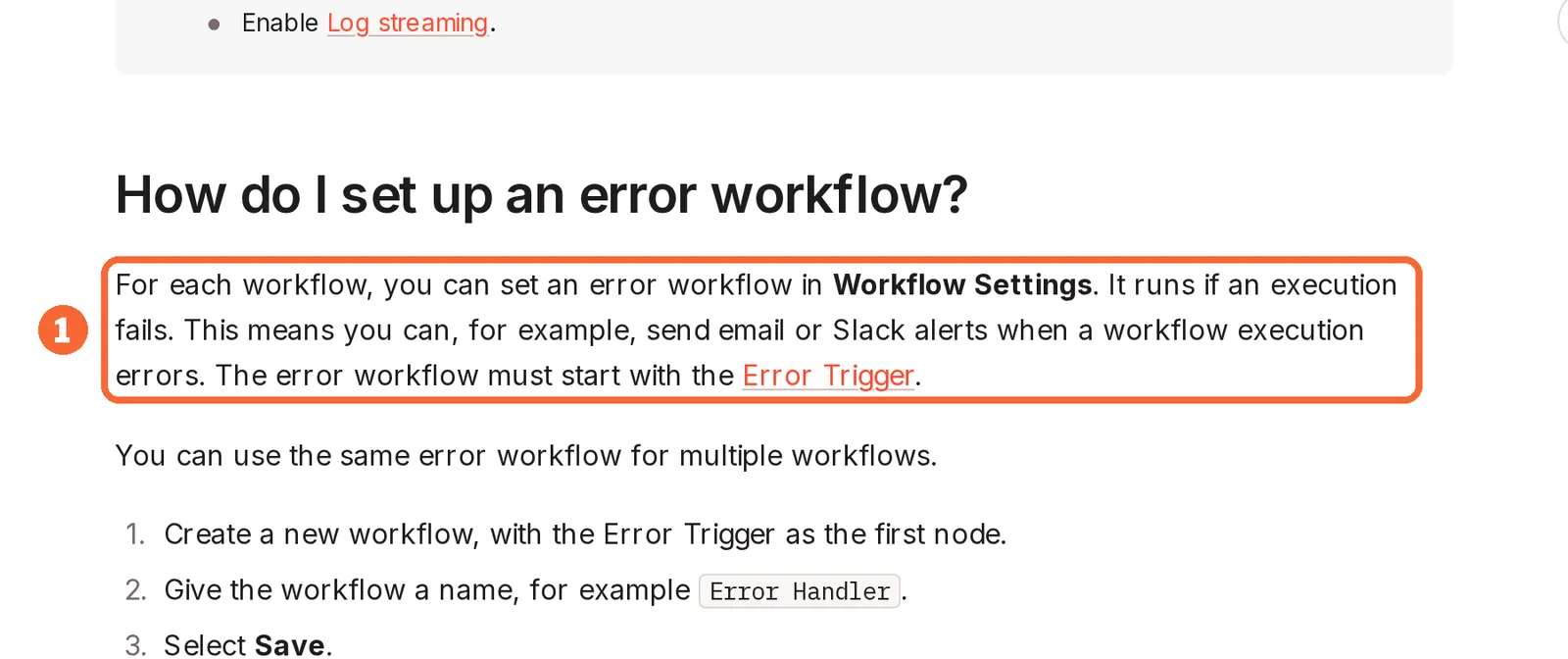
- A separate workflow, starting with the Error Trigger, runs when an execution fails.
- AI agents and MCP
- Combine models from providers such as OpenAI, Anthropic and Google, with MCP servers as agent tools.
- Git-backed environments
- Development and production instances on Git branches, on Business and Enterprise.
Takes over from Zapier
Long multi-step Zaps, Code and webhook steps, and anything that has to run on your own servers.
What changes for you
On your own server, updates, restores and failed-run tracing are yours. SSO, environments, shared projects and Git version control need a paid plan or edition even when self-hosted. Starter allows 5 concurrent executions and keeps logs for 7 days. A Cloud workspace that exceeds its quota keeps running, but overage charges may be invoiced 45 days later.
What carries over
API calls to apps without a ready-made node: the HTTP Request node accepts a pasted cURL command. Zap import is not covered in the sources checked.
See the n8n profile for plans, limits and sources.
Visit n8n (opens in a new tab)
Sources: n8n pricing, Choose how to use n8n, n8n HTTP Request node.
If the Zap really collects data from websites: Bardeen
Best for the web-collection part of a lead workflow
Best when the slow step is copying rows out of directories or listing sites, and a sheet or CSV is enough output.
- Free 100 credits
- Entry $10 per month Basic, billed monthly, 100 credits
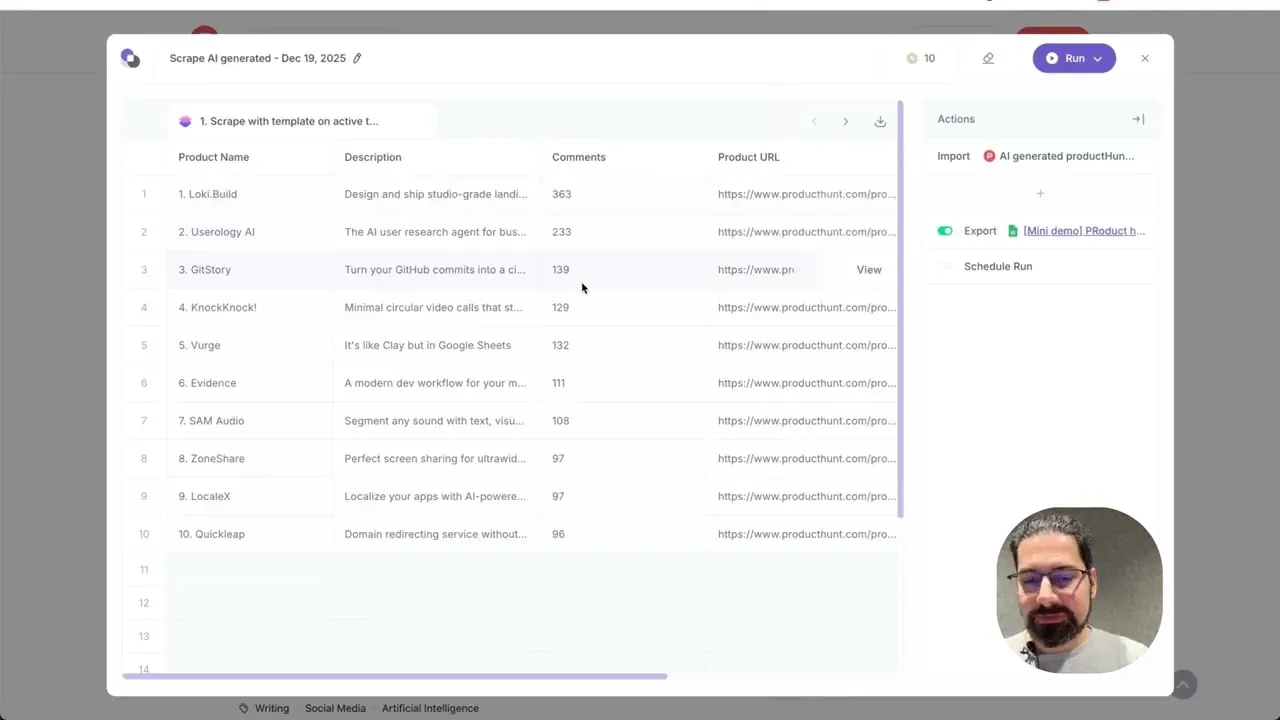
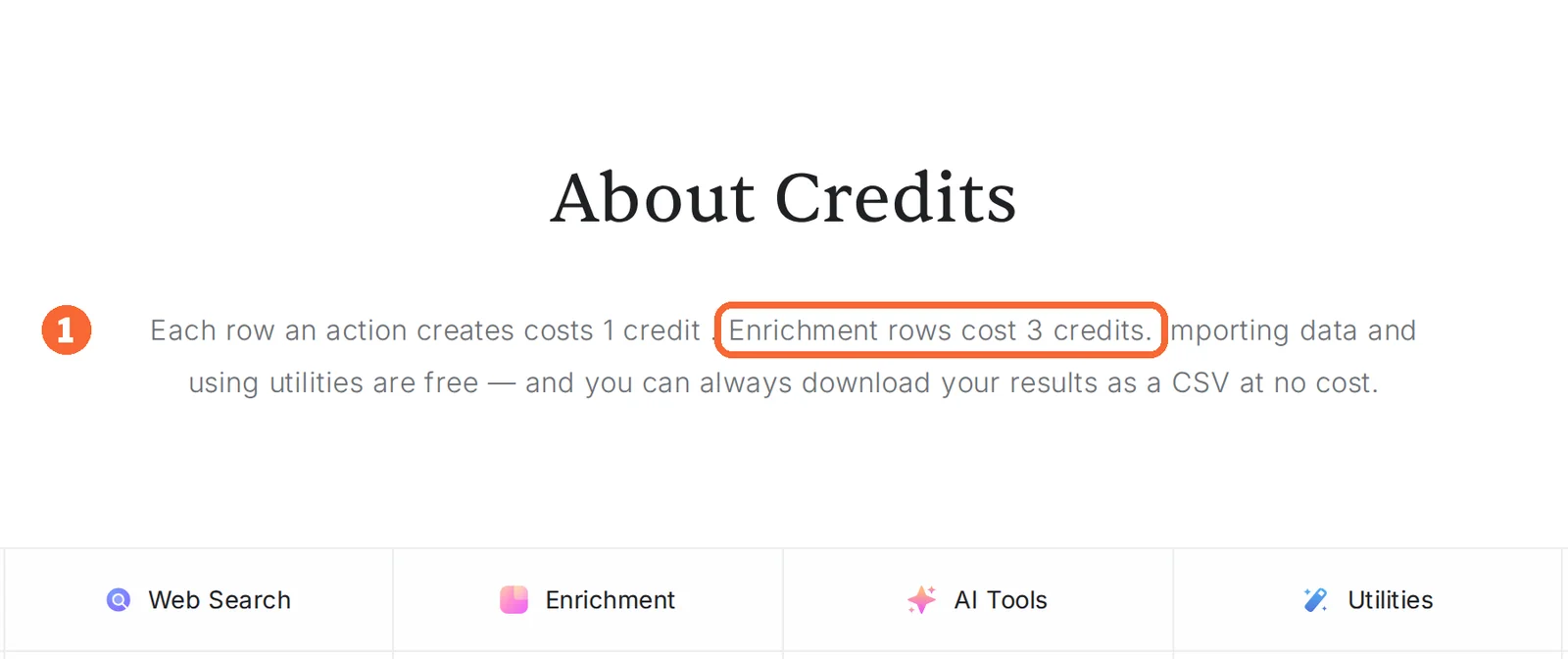
Bardeen is a Chrome extension that scrapes pages, runs web research, enriches contacts and qualifies rows with AI, then exports the results. It replaces a Zap that copies data out of websites, not one that reacts to an event in another app: a trigger from another app is not covered in the sources checked. Scraping, web search and AI steps cost 1 credit per output row and enrichment 3.
What it does
- Web scraper
- Text, links and images, across paginated lists and linked detail pages.
- AI scraper builder
- Describe what to collect and Bardeen builds an editable scraper template.
- Enrichment
- Contact and company lookups and email and phone validation, from Premium.
- Exports
- CSV for free; Google Sheets, Airtable and Notion.
Takes over from Zapier
Collecting rows from pages your logged-in browser can see, without handing over passwords.
What changes for you
There is no documented direct CRM sync: Salesforce and HubSpot are reached through CSV import guides, so a step that pushes rows into a CRM may still need an app automation. Unused credits expire each billing period, and closed-browser runs are a paid service that runs partly on Bardeen’s servers.
What carries over
The Google Sheet an old Zap watched: Bardeen can export rows into it, and whatever automation reads the sheet keeps working.
See the Bardeen profile for plans, limits and sources.
Visit Bardeen (opens in a new tab)
Sources: Bardeen pricing, Bardeen integrations, Bardeen security.
If an AI step should hand back a file: Gumloop
Best for agent tasks that must end in a file someone can open
Best when the result of the automation is a spreadsheet or report, not a record moved between two apps.
- Free None; 14-day Pro trial with a card
- Entry From $37/month Pro, 20,000 credits, unlimited seats
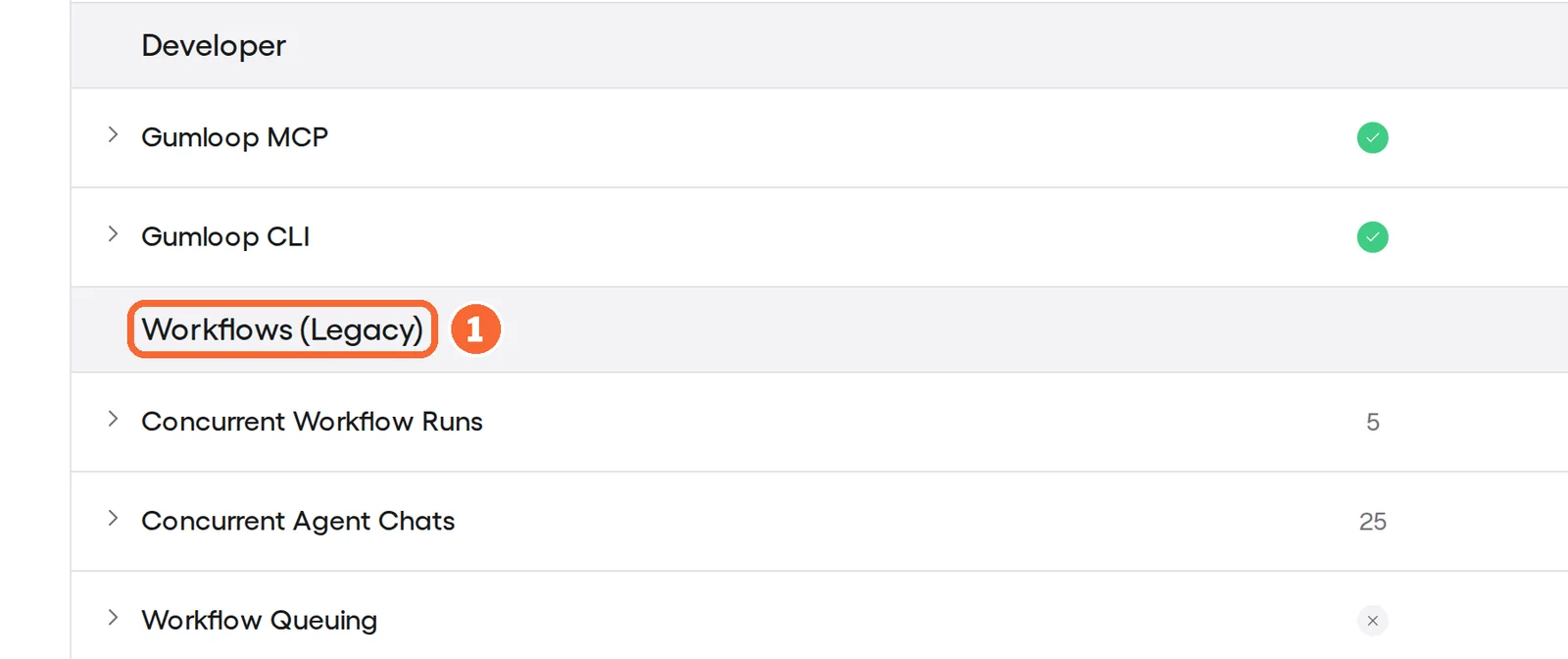
Gumloop is an AI agent platform: an agent works with connected tools such as Gmail, Slack, Google Sheets and GitHub and delivers downloadable files that keep revisions under the same filename. Its pricing page lists Agents separately from Legacy Workflows. Each run is charged for model work, tool calls, active compute and a default 8% orchestration fee, so the cost per run varies.
What it does
- Artifacts
- Generated files as previewable, downloadable cards, versioned under one filename.
- Credit breakdown
- Each run itemises model work, tools, compute and orchestration.
- Approvals
- Per-connector and per-tool modes, plus conditional rules for app actions.
- API
- API keys from the Pro plan.
Takes over from Zapier
Zaps built around an AI step or an agent, where the deliverable is a file to inspect.
What changes for you
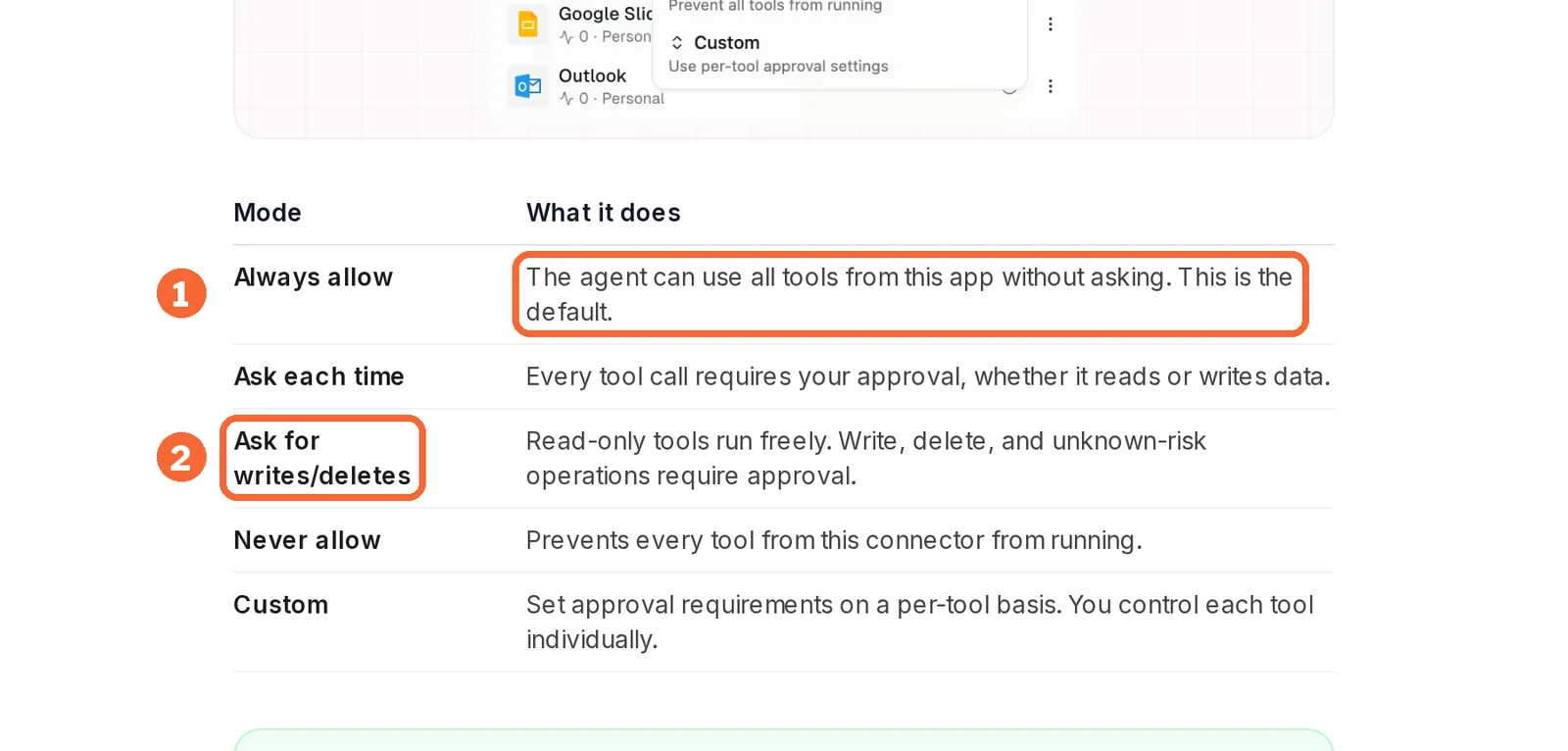
There is no ongoing free plan: the 14-day trial needs a card and converts to a paid subscription unless cancelled. Always allow is the default approval mode, so a connected tool can write to an external account without pausing until you change it. One message can trigger several model and tool steps.
What carries over
The prompts and instructions from your AI steps, as text. App accounts are connected again, and trigger-and-action syncing is not covered in the sources checked.
See the Gumloop profile for plans, limits and sources.
Visit Gumloop (opens in a new tab)
Sources: Gumloop pricing, Gumloop credits, Gumloop tool approvals.
If teammates ask for drafts in Slack: Lindy
Best for delegated drafts with a named reviewer
Best when requests already happen in shared Slack threads and a person checks each result before it is sent.
- Free None; 7-day trial for new Slack teammates
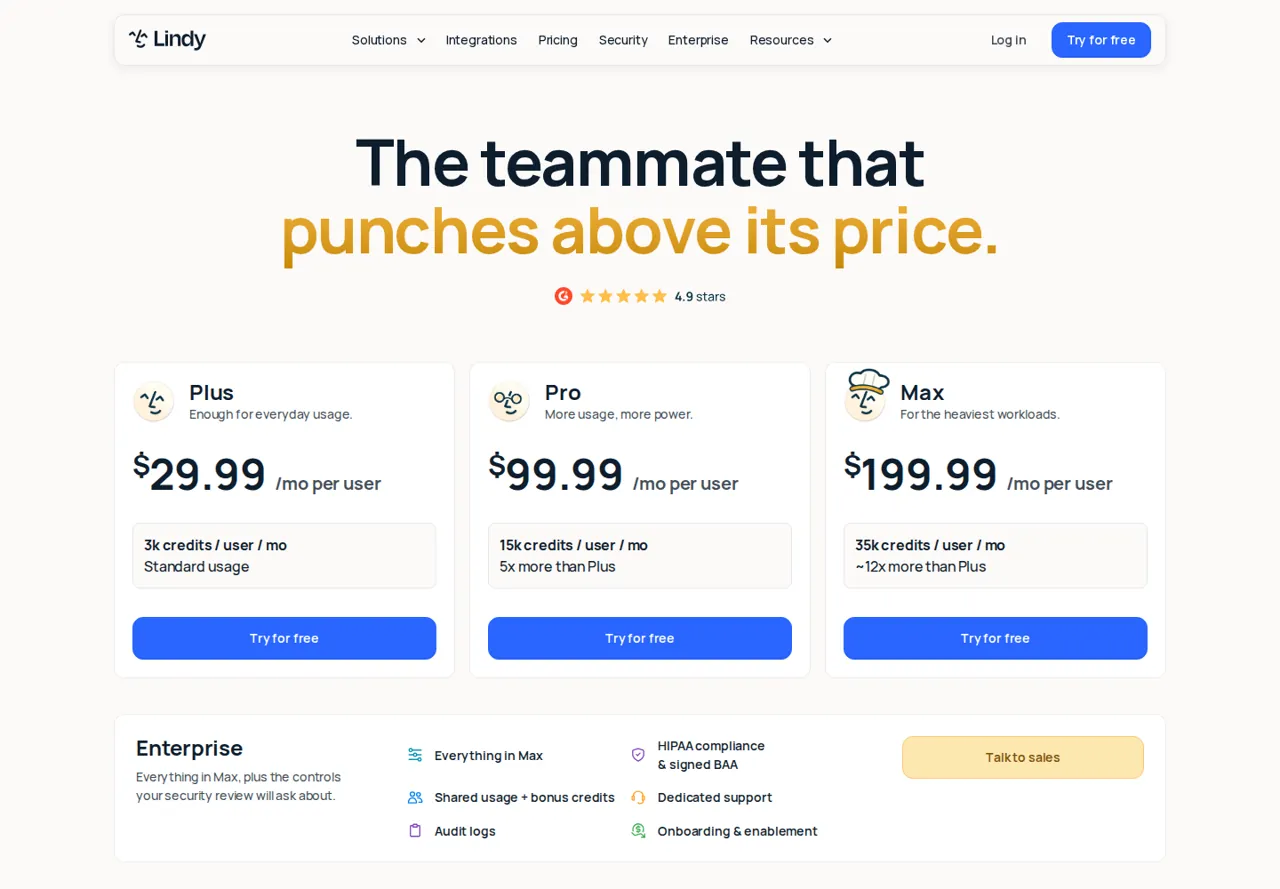
- Entry USD 29.99 per user per month Plus, 3,000 credits per user
Lindy is an AI teammate that takes requests in Slack and works from shared files and connected tools such as Gmail, Google Drive, Notion and HubSpot. Each paid seat adds its credits to one workspace pool, and the files it saves keep earlier versions you can restore.
What it does
- Team requests in Slack
- Ask for a defined result in a shared thread.
- Shared credit pool
- Plus, Pro and Max add 3,000, 15,000 or 35,000 credits per user.
- Files and versions
- Personal, Team and System scopes; owners and admins edit Team files.
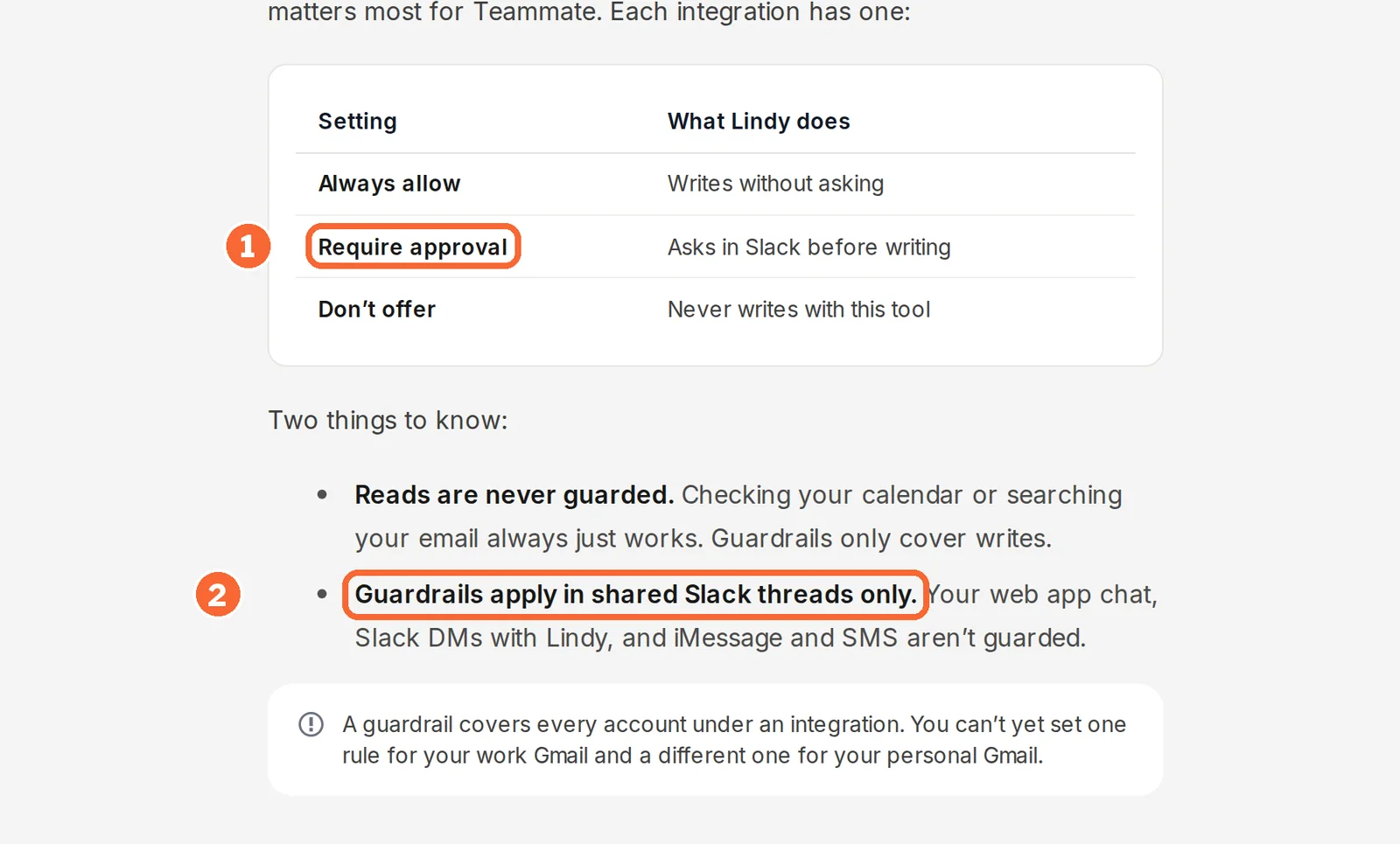
- Write guardrails
- Always allow, Require approval or Don’t offer, per integration.
Takes over from Zapier
Requests that end in a draft for a person to review, such as a reply or an updated reference document.
What changes for you
Write guardrails apply in shared Slack threads only, not in web chat, Slack direct messages or mobile messages. Direct signups are billed at once. The pricing page and the detailed plan table disagree on whether Plus includes computer use.
What carries over
Reference documents and standing instructions, saved as Team files that everyone works from.
See the Lindy profile for plans, limits and sources.
Visit Lindy (opens in a new tab)
Sources: Lindy plan and seat rules, Lindy integration guardrails, Lindy files.
Feature matrix, and where each one runs
What each tool covers
In shortFourteen capabilities marked from the six profiles. A dash means the sources checked do not cover it, not that the tool lacks it.
| Capability | Zapier | Make | n8n | Bardeen | Gumloop | Lindy |
|---|---|---|---|---|---|---|
| Starting a workflow | ||||||
| React to an event in another app | Offeredlarge app catalogue | Offeredapp modules and scheduled checks | Offeredwebhook triggers, one run per event | Not listednot covered in the sources checked | Not listednot covered in the sources checked | Partlyrequests in Slack |
| Start instantly from a webhook | Partlypaid plans | Offeredown queue per webhook | Offeredone execution per event | Not listednot covered in the sources checked | Not listednot covered in the sources checked | Not listednot covered in the sources checked |
| Collect data from web pages | Not listednot covered in the sources checked | Not listednot covered in the sources checked | Not listednot covered in the sources checked | OfferedChrome scraper | Not listednot covered in the sources checked | Not listednot covered in the sources checked |
| Building it | ||||||
| Branch records down different paths | OfferedPaths, no task cost | Offeredrouters, fallback route | Not listednot covered in the sources checked | Not listednot covered in the sources checked | Not listednot covered in the sources checked | Not listednot covered in the sources checked |
| Code in a step | PartlyCode step, rate on the rates page | PartlyMake Code, paid, 2 credits a second | OfferedCode node | Not listednot covered in the sources checked | Not listednot covered in the sources checked | Not listednot covered in the sources checked |
| Call any REST API | Not listednot covered in the sources checked | Not listednot covered in the sources checked | OfferedHTTP Request, cURL import | Not listednot covered in the sources checked | Not listednot covered in the sources checked | Not listednot covered in the sources checked |
| Start from a template | Not listednot covered in the sources checked | Offered7,500+ use cases | Offeredtemplate library | Partlypremium scraper templates | Not listednot covered in the sources checked | Not listednot covered in the sources checked |
| AI | ||||||
| AI agents | OfferedZapier Agents, separate quota | PartlyAI Agent (New), open beta | Offeredtools and memory | Partlyagent mode for scraping | Offeredagent platform | OfferedAI teammate |
| MCP | Offered2 tasks a tool call | OfferedMCP server runs scenarios | OfferedMCP servers as agent tools | Not listednot covered in the sources checked | OfferedMCP tools | OfferedMCP servers |
| Approval before an external write | Not listednot covered in the sources checked | Not listednot covered in the sources checked | Not listednot covered in the sources checked | Not listednot covered in the sources checked | Offeredper connector or tool; Always allow by default | Partlyshared Slack threads only |
| Running and control | ||||||
| Handle a failed step | Partlyunbilled; autoreplay on paid plans | OfferedSkip, Retry, Resume, Commit, Rollback | Offerederror workflow, retry | Not listednot covered in the sources checked | Partlyfailed calls skip the minimum charge | Not listednot covered in the sources checked |
| Run history | Offeredevery run, replay | Offeredbundles and credit use; 7 days on Free | Offered7 days Starter, 30 Pro | Not listednot described | Partlycredit breakdown per run | Not listednot covered in the sources checked |
| Users on one account | PartlyTeam: 25 users | Not listednot covered in the sources checked | Offeredunlimited on every plan | Partlyteams on Premium | Offeredunlimited seats on Pro | Partlypriced per user |
| Single sign-on | PartlyTeam: SAML SSO | Not listednot covered in the sources checked | PartlyBusiness: SSO, SAML, LDAP | Not listednot covered in the sources checked | Not listednot covered in the sources checked | Not listednot covered in the sources checked |
offered partly or with limits not listed on the profile.
Where each one runs, and is any of them open source?
In shortOnly n8n documents running on your own servers, and none of the six profiles lists an OSI open-source licence.
| Tool | Where it runs | On your own server | Licence |
|---|---|---|---|
| Zapier | Zapier’s cloud, from the web | Not covered in the sources checked | Not open source |
| Make | Browser-based cloud service | Not documented; ask Make about deployment and private-network options under your contract | Not open source |
| n8n | n8n Cloud or your infrastructure, the same product | Yes: Community with no licence fee; Business self-hosted at EUR 667 per month, billed annually | Sustainable Use License: source-available, not OSI open source |
| Bardeen | Chrome extension; paid closed-browser runs partly on Bardeen’s servers | Runs in your browser; connected-app data stays in local browser storage | Not open source |
| Gumloop | Web | Enterprise: deployment set by the contract | Not open source |
| Lindy | Web and Slack | Not covered in the sources checked | Not open source |
Self-hosting turns a subscription into an operations job. With n8n Community the software is free, but someone has to apply updates, restore the installation after a failure and trace failed runs; the n8n profile points teams without that person to Cloud. Projects, sharing, SSO, environments and Git version control still need a paid plan or edition on your own server.
Sources: Choose how to use n8n, n8n licence, Bardeen security.
What does one month cost in each tool’s unit?
Four monthly loads, counted three ways
In shortSame work, three meters. A 30-day month, one record per run, ordinary non-AI steps that all succeed.
| Load | Zapier tasks | Make credits | n8n executions |
|---|---|---|---|
| Lead form: 40 submissions a day reach a filter, then a CRM contact and a Slack message (1,200 runs) | 2,400 (2 × 1,200): above Team’s 2,000-task entry tier | About 3,600 (3 × 1,200), counting the trigger and two actions: Free’s 1,000 covers about 333 runs | 1,200: just under half of Starter’s 2,500 |
| The same form with one AI step to classify each lead | 3,600, 6,000 or 8,400, by the AI model tier | About 3,600 plus the AI module, billed by tokens or other usage with Make-managed AI | 1,200; model provider charges are not covered in the sources checked |
| A workflow scheduled every 15 minutes that usually finds nothing | 0 for the checks: triggers use no tasks | About 2,880 (4 × 24 × 30): nearly three times Free’s 1,000 | 2,880: about 380 more than Starter includes; under a third of Pro’s 10,000 |
| A trigger and nine app actions, 100 runs a day (3,000 runs) | 27,000 (9 × 3,000) | About 30,000 (10 × 3,000) | 3,000: above Starter, about 30% of Pro |
Arithmetic on the units in each profile. Make’s count assumes the form starts the scenario through a webhook and the filter sits on a route, so dropped records run no later modules. A Formatter step would add nothing on Zapier; rebuilt as a Make module, it adds one module run per record.
The gap follows the shape of the workflow. On the lead form the three meters land within a factor of three; on the long workflow, n8n’s single execution per run puts it an order of magnitude below the other two; and on frequent empty checks Zapier counts nothing while Make and n8n count every run. An AI step multiplies Zapier’s count by the model tier, which is why the second row spreads widest.
Agent tools and Bardeen: what a run has to stay under
In shortGumloop and Lindy charge variable credits per run, so the only fixed number is the allowance. Divide it by your run count.
| Tool | Allowance on the entry plan | For 1,200 runs a month, each run must average under | What decides it |
|---|---|---|---|
| Gumloop | Pro: 20,000 credits a month | About 16.7 credits (20,000 ÷ 1,200) | Model work, tool calls, compute and the 8% orchestration fee, itemised per run |
| Lindy | Plus: 3,000 credits per user, pooled | 2.5 credits on one seat (3,000 ÷ 1,200); 5 on two seats | Task complexity, corrections and what other teammates spend |
| Bardeen | Basic: 100 credits; Premium: 1,000 | Event-driven runs are not covered in the sources checked; it counts rows instead | Rows produced: 1 credit per scraped row, 3 per enriched row |
Gumloop’s profile works one hypothetical run at 30 credits including the fee; at that rate Pro’s 20,000 credits would cover about 667 runs (20,000 ÷ 30), not 1,200. Run one real task and read its credit breakdown before sizing a plan.
How each plan steps up
In shortRead live from each profile. Each chart compares one tool’s own plans; currencies are never mixed.

Price per month on yearly billing, from the Zapier profile. Bars compare plans of this tool only.

Price per month on yearly billing, from the n8n profile. Bars compare plans of this tool only.

Price per month on monthly billing, from the Bardeen profile. Bars compare plans of this tool only.

Price per month, as each plan is first listed, from the Lindy profile. Bars compare plans of this tool only.
| Tool | Plan | Price as listed | Included |
|---|---|---|---|
| Make | Free | USD 0 | Up to 1,000 monthly credits, 2 active scenarios, 15-minute minimum schedule |
| Make | Paid automation | Confirm current quote | Plan name, credit package and billing term chosen in your account |
| Gumloop | Pro | From $37/month | 20,000 monthly credits, unlimited seats, 8% default orchestration fee |
| Gumloop | Enterprise | Custom agreement | Capacity, deployment and fee terms set by contract |
Zapier’s bars are yearly billing at each entry task tier (monthly billing: USD 29.99 Professional, USD 103.50 Team); n8n’s are monthly equivalents on annual billing, in euros. Gumloop’s 20,000 credits include bonus credits, so multiplying them by the list credit value does not give the subscription price.
Sources: Zapier pricing, n8n pricing, Bardeen pricing, Lindy pricing, Gumloop credits.
What has to move from Zapier, and how do you switch?
Inventory each Zap before you rebuild it
In shortA Zap is more than its steps. List the pieces below for each one you plan to move and keep the list next to the new workflow.
| Zapier item | Does it move? | What to do |
|---|---|---|
| Trigger event and every mapped field, including Formatter output | No, it is rebuilt | Check the exact trigger and each field against the new tool’s connector before building on it |
| Filter and Paths rules | Only as written conditions | Write each rule in plain words, then rebuild it as a Make router or an n8n branch |
| App connections | No | Authorise every account again in the new tool |
| Webhook URLs | No | Point each sender at the new URL; in Make, turn on Process data in order if sequence matters, because instant webhook runs are processed in parallel by default |
| Zapier Tables and Forms | No | Give the records and form pages a new home, such as a spreadsheet or the target app |
| Autoreplay of errored actions | No | Add Make error handlers such as Retry or Rollback, or assign an n8n error workflow |
| AI steps, Agents and Lead Router | Only as text | Copy prompts and routing rules; Agents used a separate quota and Lead Router 5 tasks a lead, so price that volume separately |
Sources: Make webhooks, Make error handlers, n8n error handling.
Switch one trigger at a time, and keep a way back
In shortRun the old and new workflow side by side only on test data; in production, one of them is on at a time.
- Rebuild against test destinationsA test CRM and a private chat channel, with the fields, filters and identifiers from your inventory.
- Force the failuresA duplicate event, a missing value and an unavailable destination, so the error handler or error workflow fires before real data does.
- Cut over at a recorded minuteTurn the Zap off first, then point the form or webhook at the new workflow.
- Reconcile the first dayCompare the new records with Zap history for the day before.
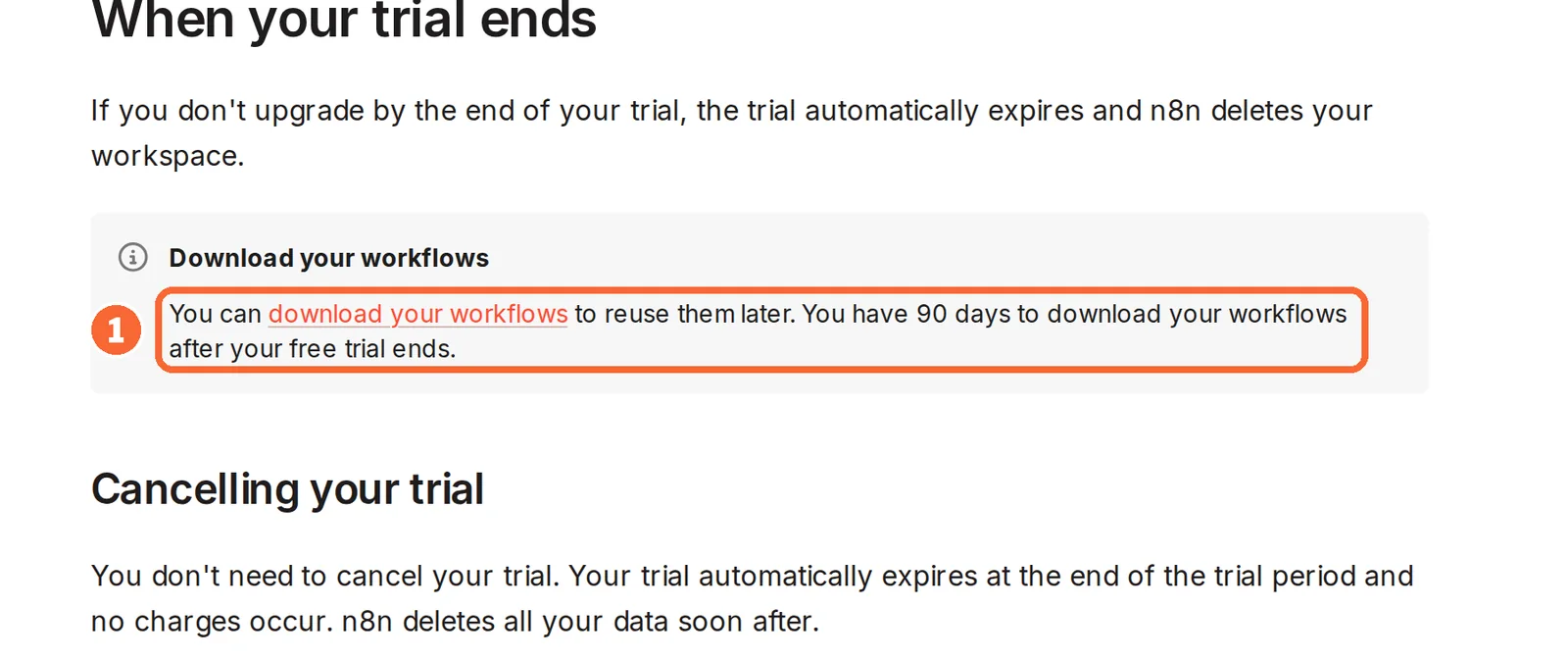
Keep the paid Zapier plan until the new workflow has run a full billing cycle. A downgrade to Free stops premium apps, multi-step Zaps, versions, autoreplay and faster polling, so the old Zap would no longer be ready as a fallback. On n8n Cloud, a trial that is not converted removes its workspace, although its workflows can be downloaded for 90 days. For a worked example of one such migration, see form-to-sheet automation; for choosing between the two workflow builders, see Make vs n8n.
Sources: Zapier Free plan, n8n Cloud trial.
Questions, and what this guide does not judge
Common questions
What is cheaper than Zapier?
That depends on the shape of your Zaps, not on list prices. Short Zaps full of filters and formatting can stay cheapest on Zapier, because those steps use no tasks, while Make bills a credit for each module that runs. Long workflows favour n8n, which counts a whole run as one execution. Count one normal month in each unit before comparing plans.
Is n8n better than Zapier?
Neither is ranked here; they suit different situations. n8n fits when a single run has many steps, when many colleagues build workflows, since no plan charges per seat, or when the work must stay on servers you control. Zapier fits short Zaps whose checks and formatting cost nothing, and teams that would rather the vendor run and update everything for them.
Is there a free Zapier alternative?
Make offers a Free plan with no time limit, capped at 1,000 credits a month and two active scenarios. n8n can be self-hosted at no licence cost through its Community edition, provided someone runs the server and its updates. Bardeen gives each account 100 credits. Gumloop and Lindy have no ongoing free plan, only trials with conditions attached.
Is n8n open source?
Not in the strict sense. Apart from the files its licence lists separately, n8n's code is published under the Sustainable Use License, which makes it source-available rather than licensed under an OSI-approved open-source licence. For most teams the practical point is different: the Community edition can be self-hosted without a fee, while SSO, environments and Git version control require a paid plan or edition.
Can I import my Zaps into Make or n8n?
A Zap import is not covered in the sources checked for either tool, so plan on rebuilding each workflow by hand. Write down the trigger, every mapped field, each filter rule and every app account first, then rebuild against test destinations. For common app-to-app jobs, Make's public template library, covering more than 7,500 use cases, can shorten the first draft.
What this guide does not judge
Ease of setup, the number of app integrations, run speed and the quality of support are what most Zapier alternative lists rank on, and some give each tool a score. None of the profiles documents those in a way we can check, so this guide compares units, hosting and what has to be rebuilt, and gives no score.
Workato, Microsoft Power Automate, Pipedream, Activepieces, Relevance AI, IFTTT, Pabbly Connect and Relay.app also appear on those lists. They are left out until each has a profile with checked plan terms. More tools sit under workflow automation.
Rebuild the lead-form workflow above in a Make Free account or an n8n Cloud trial, pointed at a test CRM and a private Slack channel. Send ten synthetic submissions, including one repeated email address, one personal address the filter should drop and one with a missing required field, then force one destination error. Read the credits or executions used against the counts in the table.
How this guide was made
Plans, units, limits and hosting come from the Zapier, Make, n8n, Bardeen, Gumloop and Lindy profiles on this site, which cite each vendor’s pricing, help and documentation pages and carry their own check dates; plan charts are read from those profiles when the page loads. The Bardeen video comes from Bardeen’s official YouTube channel and loads only when you press play. Sections follow the topics the top-ranking Zapier alternative pages cover, limited to what the vendors document. No rating is given. See our editorial policy.