

Dezgo: a no-account free mode with limits, or prepaid Power Mode from a $10 deposit and no subscription
Updated September 29, 2026 · By Elias Brandt · Documentation review, not tested hands-on
Pros
- No subscription
- Price shown before running
- Usable without an account
Cons
- Deposits are final
- Charged regardless of result
- Video prices are not published
Bottom line
No account needed; rate limits, capped resolution and sampling steps, ads; models and tools marked FREE only; no heavy video models.
You make images in irregular bursts and would rather top up a balance than pay a monthly plan, since Power Mode has no recurring fee and the balance does not expire.
You need a refund path or a way to withdraw unused funds, because the FAQ and terms treat deposits as final.
Best forOccasional image makersBudget-conscious bulk usersDevelopersTeams comparing models
Strengths, limits and who it suits, in full
Strengths
- No subscription Power Mode is a prepaid balance that never expires and has no recurring fee.
- Price shown before running The web app displays the cost of the current settings next to the lightning icon.
- Usable without an account The free version needs no registration for the models and tools marked FREE.
Limits
- Deposits are final The FAQ and terms say payments are non-refundable and a balance cannot be withdrawn.
- Charged regardless of result The terms bill compute used even when an output is wrong or unusable.
- Video prices are not published Public pricing pages cover Flux, upscaling and background removal, not the video models.
Who it suits
- Occasional image makers the free version suits drafts where lower resolution and ads are acceptable.
- Budget-conscious bulk users per-request pricing fits variable volume better than a fixed monthly plan.
- Developers the API uses the same balance and prices as the web app, so one deposit covers both.
- Teams comparing models many model families sit in one interface, which helps side-by-side prompt checks.
How much does Dezgo cost?
Prices confirmed · checked
Regional prices: Prices and balances are in USD; cards in other currencies are converted by the bank.
Each request is priced from its parameters, for example $0.0019 for a default SD1 image and $0.0075 for a default XL image. The FAQ and terms describe all payments as final and non-refundable, and a payment dispute adds a $25 fee.
| Plan | Price | What you get |
|---|---|---|
| Free version | $0 sourceFrom dev.dezgo.com/pricing/overview, checked Sep 29, 2026 (opens in a new tab) | No account needed; rate limits, capped resolution and sampling steps, ads; models and tools marked FREE only; no heavy video models. |
| Power Mode | $10 minimum depositprepaid pay as you go · no subscription sourceFrom dev.dezgo.com/pricing/overview, checked Sep 29, 2026 (opens in a new tab) | All image models, video models and extra parameters; batches of up to 10; no ads; 30-day request history; USD balance that never expires. |
| Volume deposit bonus | $100$500 or $1,000 deposits sourceFrom dev.dezgo.com/pricing/overview, checked Sep 29, 2026 (opens in a new tab) | Extra balance equal to a 10%, 15% or 20% discount; a $1,000 deposit credits $1,250 according to the API documentation. |
How far does it go?
- What a $10 deposit covers at published ratesDefault SD1 text-to-image: $10 / $0.0019 = 5,263 images. Default XL: $10 / $0.0075 = 1,333 images. A 1-megapixel Flux image at 4 steps: 1 x 4 x $0.000725 = $0.0029. Adding background removal adds $0.001. These are arithmetic on published rates; larger sizes, more steps or video cost more.
Arithmetic from the published allowances above, not a usage test.
Taxes, currency and promotions can change the price you see at checkout.
Try Dezgo free (opens in a new tab)
Key features
| Feature | What it does | Watch out |
|---|---|---|
| Text-to-image with Flux, Stable Diffusion, Nano Banana, Qwen Image and other model families | — | |
| Image-to-image editing and inpainting from a text instruction | — | |
| Text-to-video and image-to-video models, mostly in Power Mode | Charges each request from a prepaid USD balance, priced by model, size, steps and add-ons. | Video model prices appear only inside the app, so estimate them there before a large batch. |
| Free tools for background removal, upscaling and controlled text-to-image | — | |
| Per-request price preview before each Power Mode run | — | |
| Up to 10 images per batch in Power Mode | — | |
| REST API that shares the Power Mode balance and prices | — | |
| Free version | Runs several image models and the image tools without registration, supported by ads. | Rate limits, capped resolution and capped sampling steps apply, and compute-heavy video models are not offered. |
| Model catalogue | Lists 114 image models plus video families such as WAN, Seedance, Kling and Veo in one menu. | Each model carries its own license, so check the license named on the app page before commercial use. |
What does the free version actually allow?
The FAQ says the free version works without registering, but it limits request rate, image resolution and quality through capped sampling steps, and some compute-intensive features such as the stronger video models are not included. The free version is supported by ads, and the privacy policy says third-party ad partners may set cookies.
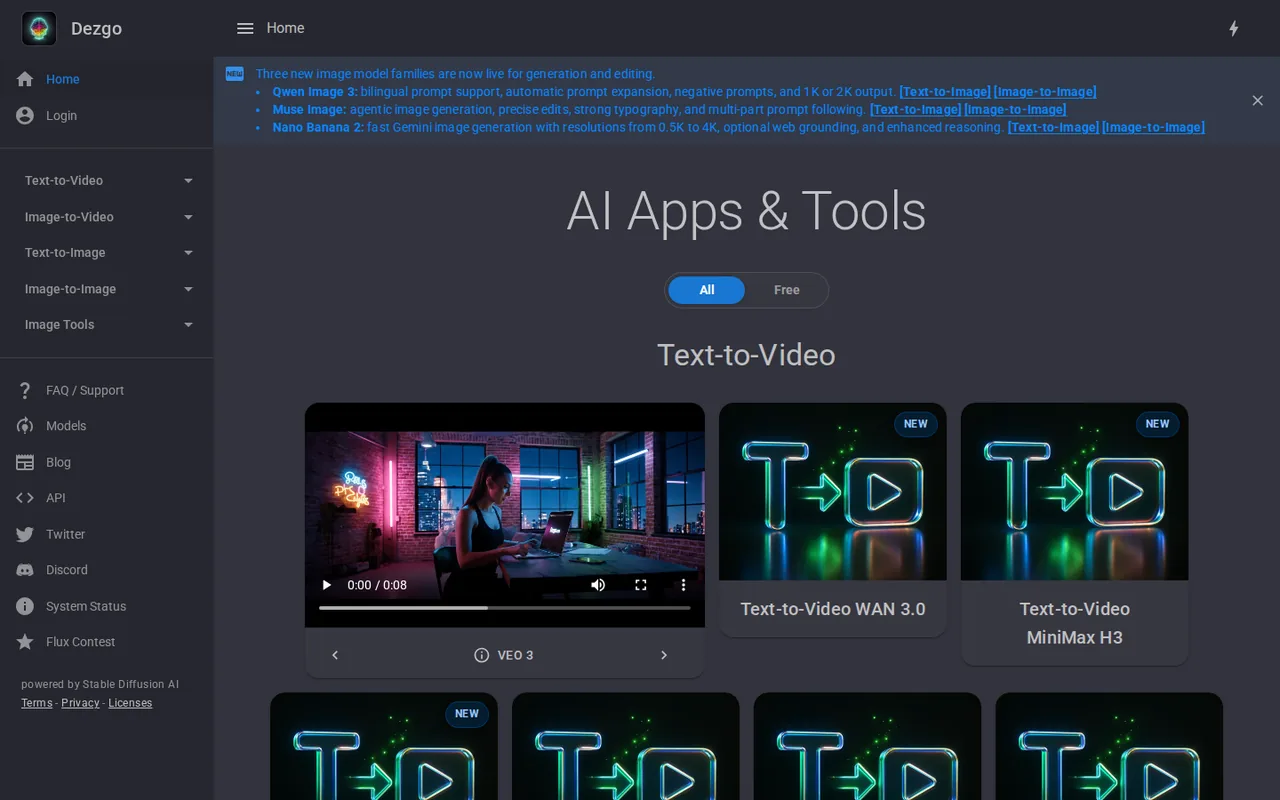
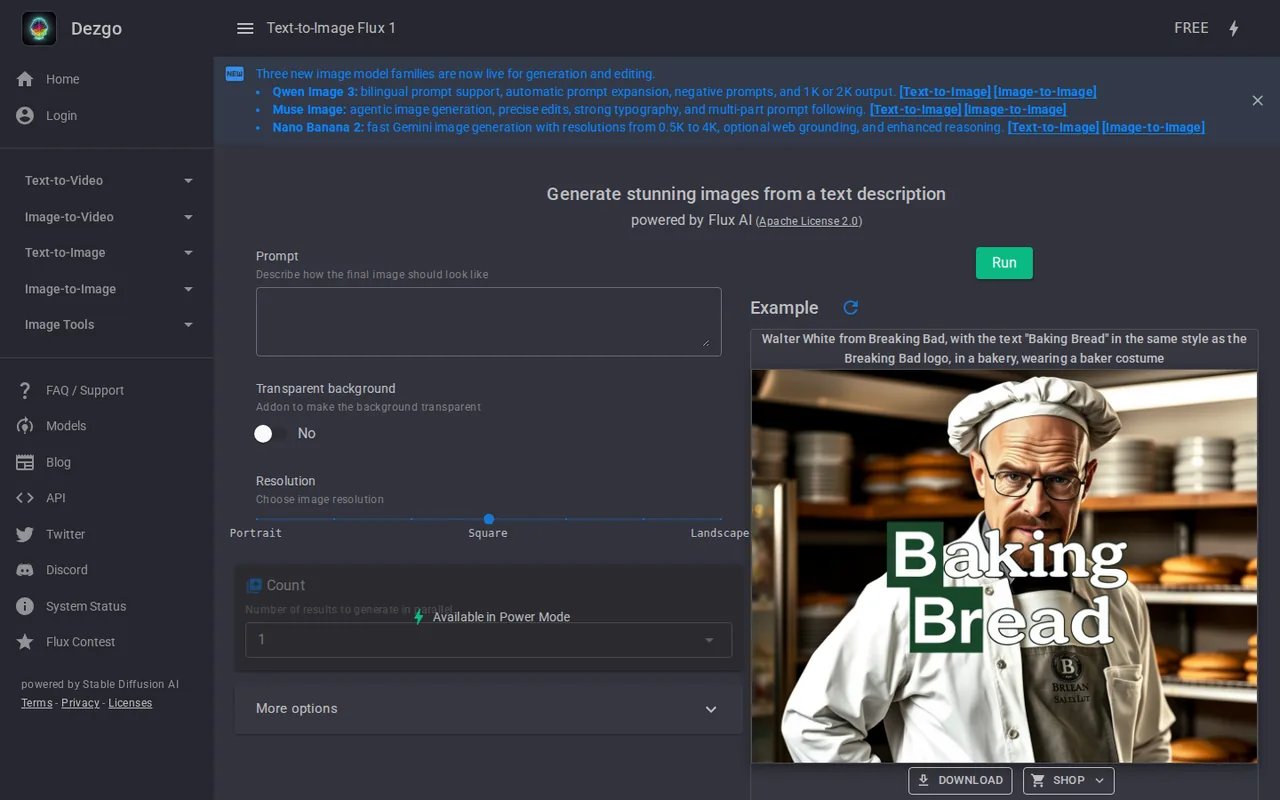
On the home page, Flux 1, SD1, XL, XL Lightning, SD1 image-to-image and the image tools carry a FREE badge. The newer families, including Nano Banana 2, Qwen Image 3, Muse Image and Flux 2, and every video model are shown without it. Plan a free test around the badged models rather than the headline releases.
How is a Power Mode request priced?
Power Mode is a prepaid balance. The price of each request depends on its parameters, such as model, image size and number of steps, and it is shown in real time next to the lightning icon before you press Run. The FAQ gives two defaults: $0.0019 for an SD1 image and $0.0075 for an XL image.
The API documentation spells out several formulas that also apply to the web app. Flux costs $0.000725 per megapixel per step at 4 steps or more, and each attached LoRA adds $0.004. Background removal is a flat $0.001 per image, and upscaling runs from $0.0005 for a 320×320 input to $0.0051 for a 1024×1024 input.
What does a deposit buy, and can you get it back?
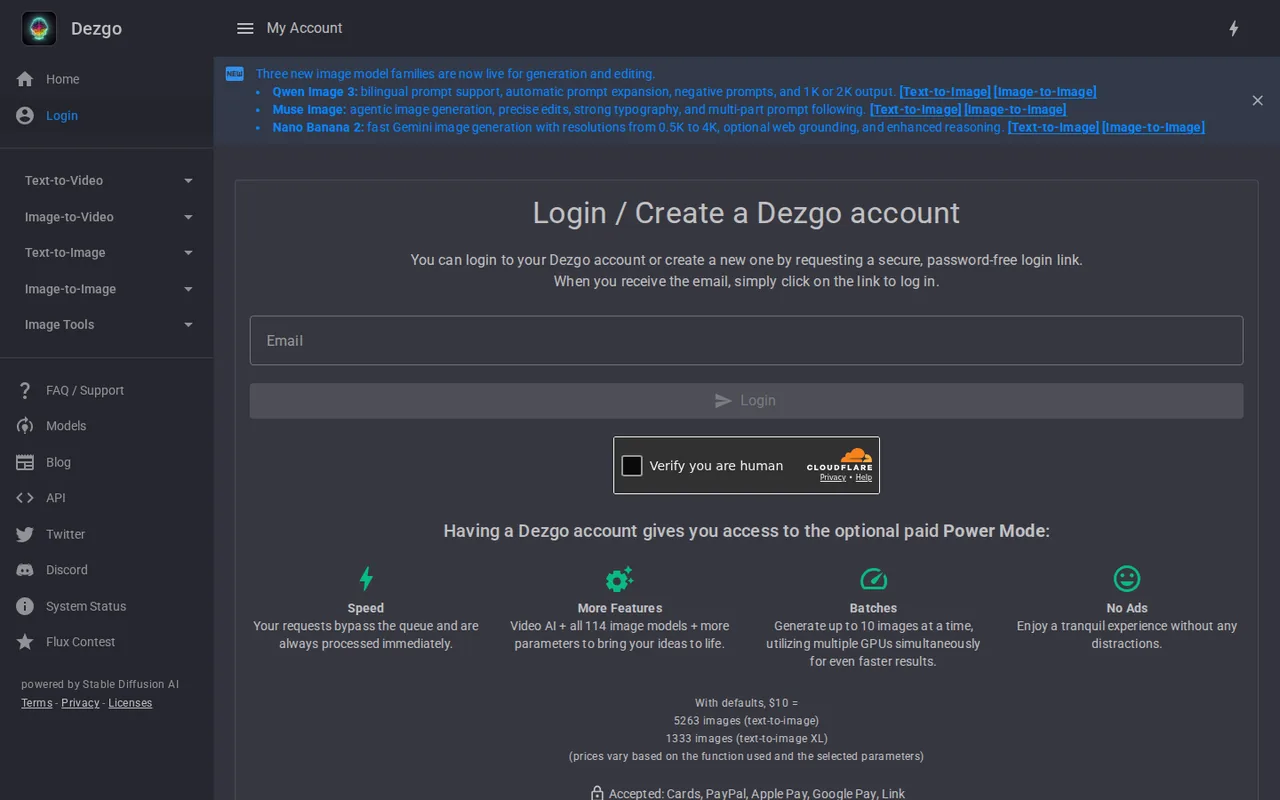
You fund Power Mode from the account page with at least $10, through a Stripe checkout that accepts cards, PayPal, Apple Pay, Google Pay and Link. There is no recurring charge, and the balance does not expire. When it reaches zero, Power Mode stops and the free version remains available.
Deposits of $100, $500 and $1,000 receive extra balance equal to a 10%, 15% or 20% discount. The FAQ says money cannot be withdrawn, and the terms call payments non-refundable. They also bill the compute used even if the result is unsatisfactory, and a payment dispute costs a $25 fee.
Who owns the images, and which model license applies?
The FAQ says each output belongs to the user and may be used commercially, in digital or printed form, on both the free version and Power Mode, as long as the license of the specific AI model is followed. The licenses page lists the Apache License 2.0, CreativeML Open RAIL-M and the Gemini API Additional Terms of Service.
Each app page names the model and its license, for example Flux with Apache License 2.0. Before commercial use, note which model produced the file and read that license. Editorial assessment: a free account is enough for drafts, while Power Mode fits work that needs full resolution, no ads, batches or video.
Which content is not allowed?
The terms revised on September 24, 2026 prohibit pornography and sexually explicit content, sexualized depictions of minors, non-consensual intimate imagery and sexual deepfakes of real people. The rules cover the website and the API, free and paid use, prompts, uploaded files and outputs, and calling prohibited content artistic or fictional does not exempt it.
Users must be at least 18 and must hold the rights and permissions for any uploaded image showing a real person. Dezgo runs automated moderation, may review requests and can suspend accounts or API access without prior warning for serious violations. An accepted request is not proof that the content is allowed.
What changes when you call the API instead of using the web app?
The FAQ says the web interface is built on the API, so both offer the same features and charge the same prices against the same balance. Requests can be forecast in advance with the pricing calculator on the site. An older API sold through RapidAPI is a separate, deprecated service that is not linked to a Dezgo account.
The public API changelog was last updated on May 27, 2025, while the web app lists newer models. Check the endpoint list for the model you want before building a pipeline around it, and keep the API key secure: the terms make the account holder responsible for any use of that key.
Can the free version produce a usable product cut-out?
Proposed evaluation · not performed yet
Without an account, use Flux 1 or SD1, both marked FREE, to create a studio photo of a fictional ceramic mug from one short prompt. Then run the free background removal and upscaling tools on the chosen image. No deposit is needed for this stage.
- Record the model, resolution option and number of attempts.
- Generate four variants and pick the one with the cleanest edges.
- Remove the background and download the PNG.
- Upscale the cut-out and download it again.
- Open both files outside Dezgo and note pixel size and transparency.
Accept a transparent PNG with no leftover background and an upscaled file larger than the original. Reject missing transparency, visible artifacts at the edges or a download that fails. If a sharper result is needed, note the Power Mode price shown for the same settings before paying. Leave the observed result blank until the exercise is run.
For a single-model workflow from the Flux developer, compare FLUX Playground. For subscription-based image tools, see Leonardo AI and Midjourney.
Is Dezgo worth it?
Documentation review plus dated public user reports. Documentation review, not tested hands-on. Not scored.
Worth it if
- You make images in irregular bursts and would rather top up a balance than pay a monthly plan, since Power Mode has no recurring fee and the balance does not expire.
- You want to try a model before paying, because the models and tools marked FREE run without an account, within the rate and resolution limits.
- You build on the API, because it draws on the same balance and prices as the web app.
Probably not if
- You need a refund path or a way to withdraw unused funds, because the FAQ and terms treat deposits as final.
- You need predictable video costs up front, because the public pricing pages do not cover the video models and you can only see the price inside the app.
- You want the newest model families without paying, because the free badge covers only a subset of models and tools.
Dezgo alternatives
Other images & design tools checked with the same method. Pick by the job, not by a score.

AI images, video and audio inside an Adobe workflow

Rigged 3D avatars from a selfie for games and apps

AI images placed straight into templated designs

Turning a written story into a character-consistent comic series, and optionally a short film

Small businesses making on-brand product photos and social posts

Turning photos or video of a real scene into a 3D splat

Finding prompts for a specific image model before generating

Designers and sellers who need editable vector or brand-style image output
Used Dezgo? Write the first review. Visitor opinions are moderated and kept separate from our source checks.
Frequently asked questions
Do I need an account to use Dezgo?
No, not for the free version. The FAQ says the models and tools marked FREE work without registering. An account is needed only for Power Mode: you log in with an emailed magic link rather than a password, add a balance and switch modes with the lightning icon in the top right corner of the app.
Is Power Mode a monthly subscription?
No. The FAQ describes it as a prepaid, pay-as-you-go balance with no recurring fees, so nothing is charged automatically each month. You decide when to top up and by how much, starting at $10. Unused balance never expires, although it cannot be withdrawn or refunded once paid.
Does Power Mode keep a copy of my results?
Yes, for a limited time. Power Mode includes a History feature that stores recent requests for up to 30 days, so a lost file can be downloaded again. The free version does not offer this history, so save the files you want to keep as soon as each generation finishes.
Is the Dezgo API sold on RapidAPI connected to my account?
No. The FAQ says the RapidAPI listing is a separate service that does not share your Dezgo balance, and it is deprecated. For current models and the same prices as Power Mode, the provider points developers to the documentation at dev.dezgo.com, which uses the balance on your Dezgo account.
How do I report an output or challenge a moderation decision?
The terms ask you to use the contact form on the terms page and include the request identifier or URL with a short explanation. Do not attach illegal content or unnecessary copies of intimate imagery. The same form is used to appeal an account restriction or a rejected request.
Sources and method10 official sources · 7 details checked · Sep 29, 2026
How we checked this profile
7 details on this page were checked against Dezgo's own pages and help documentation (Sep 29, 2026).
See the checks by section7 documented
| Section | Checks | Last checked | Sources |
|---|---|---|---|
| Article text | 2 documented | dezgo.com/faqdezgo.com/terms | |
| Plans and prices | 3 documented | dezgo.com/faqdev.dezgo.com/flux | |
| Strengths and limits | 1 documented | dezgo.com/terms | |
| Other details | 1 documented | dezgo.com/terms |
Sources for this profile
- API pricing overviewdev.dezgo.com
- Product overview and model listdezgo.com
- FAQ: free version and Power Modedezgo.com
- Power Mode account paneldezgo.com
All 10 sources
The operator is Dezgo SAS, RCS Paris 951 132 968, per the terms revised September 24, 2026. dezgo.com has no separate pricing page; /pricing loads the app home. Rates come from the FAQ, the account panel and the API pricing pages, which cover Flux, upscaling and background removal but not video models. The API changelog was last dated May 27, 2025. The privacy policy carries no date.
Sources checked Sep 29, 2026. Found something out of date? See how we correct profiles.


