

Dokie AI: editable PPTX export on Free, but the 200 daily credits expire each day; Plus starts at $19 a month
Updated September 28, 2026 · By Elias Brandt · Documentation review, not tested hands-on
Pros
- Daily free allowance
- Standard files on Free
- User ownership in the terms
Cons
- Daily credits do not accumulate
- Credit costs are estimates
- Narrow refund terms
- Third-party model processing
Bottom line
200 credits per visit day (valid that day) plus 300 welcome credits valid for one year; PPTX, PDF and PNG export; limited premium features.
You want to turn an existing PDF, Word or spreadsheet file into a first editable deck, because the converter produces an editable PowerPoint file.
Your project needs several days of free credits, because each unused daily bonus expires at the end of that day.
Best forStudents and teachersConsultants and analystsBrand-bound teamsPeople already working in an AI assistant
Strengths, limits and who it suits, in full
Strengths
- Daily free allowance 200 credits on each visit day plus 300 welcome credits, rather than only a one-time balance.
- Standard files on Free PPTX, PDF and PNG export are listed on the Free plan card.
- User ownership in the terms Inputs stay yours, and outputs belong to you to the extent the law allows.
Limits
- Daily credits do not accumulate Each 200-credit daily bonus is valid for one day only.
- Credit costs are estimates About 100 per new deck and 20 per slide edit, varying with complexity.
- Narrow refund terms Refunds cover duplicate payments or outages longer than seven consecutive days.
- Third-party model processing Prompts and uploaded files can be shared with outside AI providers.
Who it suits
- Students and teachers a day of free credits covers a new deck and several edits for a lesson or assignment.
- Consultants and analysts useful for turning an existing PDF report or spreadsheet into a first editable deck.
- Brand-bound teams uploaded templates and custom themes require a paid plan.
- People already working in an AI assistant the MCP connection builds decks from the conversation without copying text across.
How much does Dokie AI cost?
Prices confirmed · checked
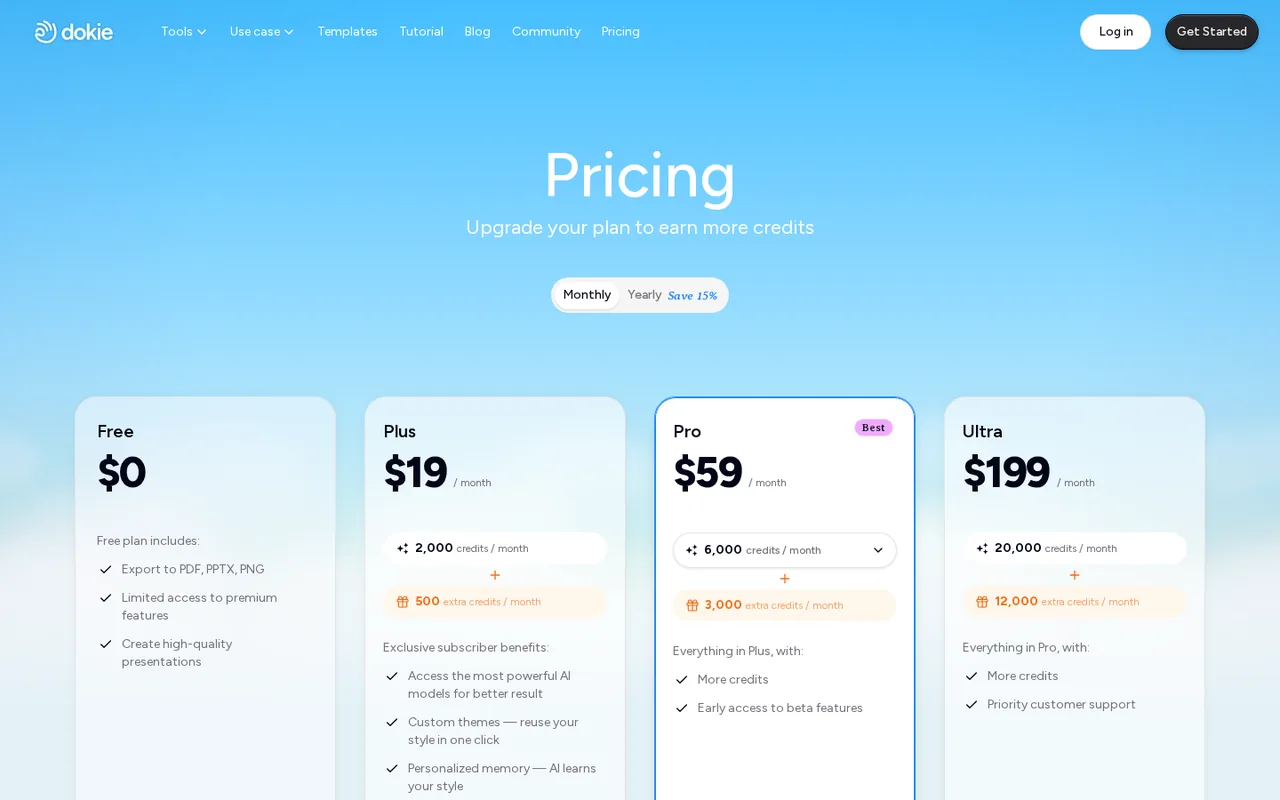
- $19Plus
- $59Pro
- $199Ultra
Regional prices: Prices were shown in US dollars; tax and checkout currency were not confirmed.
The yearly view shows a monthly equivalent billed yearly and advertises a 15% saving, but the annual invoice total is not displayed. The pricing page does not explain how long the listed extra credits last. Upgrades apply immediately; downgrades and cancellations take effect at the end of the billing cycle, and unused time is not refunded except where law requires.
| Plan | Price | What you get |
|---|---|---|
| Free | USD 0 sourceFrom dokie.ai/pricing, checked Sep 28, 2026 (opens in a new tab) | 200 credits per visit day (valid that day) plus 300 welcome credits valid for one year; PPTX, PDF and PNG export; limited premium features. |
| Plus | $19 per month billed monthlyor $17 per month billed yearly sourceFrom dokie.ai/pricing, checked Sep 28, 2026 (opens in a new tab) | 2,000 credits per month plus 500 listed extra credits; custom themes and personalized memory. |
| Pro | $59 per month billed monthlyor $51 per month billed yearly sourceFrom dokie.ai/pricing, checked Sep 28, 2026 (opens in a new tab) | 6,000 credits per month plus 3,000 listed extra credits; early access to beta features. |
| Ultra | $199 per month billed monthlyor $170 per month billed yearly sourceFrom dokie.ai/pricing, checked Sep 28, 2026 (opens in a new tab) | 20,000 credits per month plus 12,000 listed extra credits; priority support. |
| Enterprise | Custom quote | Custom limits, enterprise security and dedicated support. |
Which plan fits?
Smallest plan whose monthly credits cover your number with 15% spare for regenerations. Arithmetic from the plan table above, not a usage test.
How far does it go?
- A free day in credits200 daily credits / about 100 per new deck = 2 new decks, or 1 deck plus (200 - 100) / 20 = 5 single-slide edits. The 300 welcome credits add about 300 / 100 = 3 more decks within their one-year validity. Plus: 2,000 / 100 = about 20 new decks a month before extras. Provider estimates vary with complexity; this is planning arithmetic, not a measured result.
Arithmetic from the published allowances above, not a usage test.
Taxes, currency and promotions can change the price you see at checkout.
Try Dokie AI free (opens in a new tab)
Key features
| Feature | What it does | Watch out |
|---|---|---|
| Presentation generation from a prompt | — | |
| PDF, Word, Excel, image and HTML to slides | — | |
| Export to PPTX, PDF and PNG | — | |
| Chat-based edits to layout, visuals and structure | — | |
| Uploaded brand templates and custom themes on paid plans | — | |
| AI image generation and image search inside slides | — | |
| MCP connection for AI assistants through a personal access token | — | |
| File conversion | Rebuilds an uploaded PDF (50 MB limit on the converter page), Word, Excel or image file as editable slides. | Layout is preserved as much as possible; scanned PDFs may need text recognition first. |
| Chat editing | Describe a change and Dokie reworks layouts, visuals or structure. | Each change spends credits, around 20 for a single-slide modification. |
| Agent connection | A personal access token links Dokie to MCP-compatible assistants such as Codex, Claude Code and Cursor. | The token opens your account to that assistant; store it like a password. |
How far does a free day of credits go?
Dokie meters work in credits. Free accounts start with 300 welcome credits valid for one year and receive 200 bonus credits on each day they visit, and those daily credits expire the same day. The pricing FAQ estimates about 100 credits to generate a new presentation and around 20 to modify one slide, with the exact charge depending on the request.
Plan free work as a single sitting rather than spreading it over several days: an unused daily bonus does not roll forward. A new deck plus a handful of targeted edits fits one day. A long document with many rounds of redesign may need the welcome balance too, so note the balance before and after each request.
Is the PowerPoint file really editable after export?
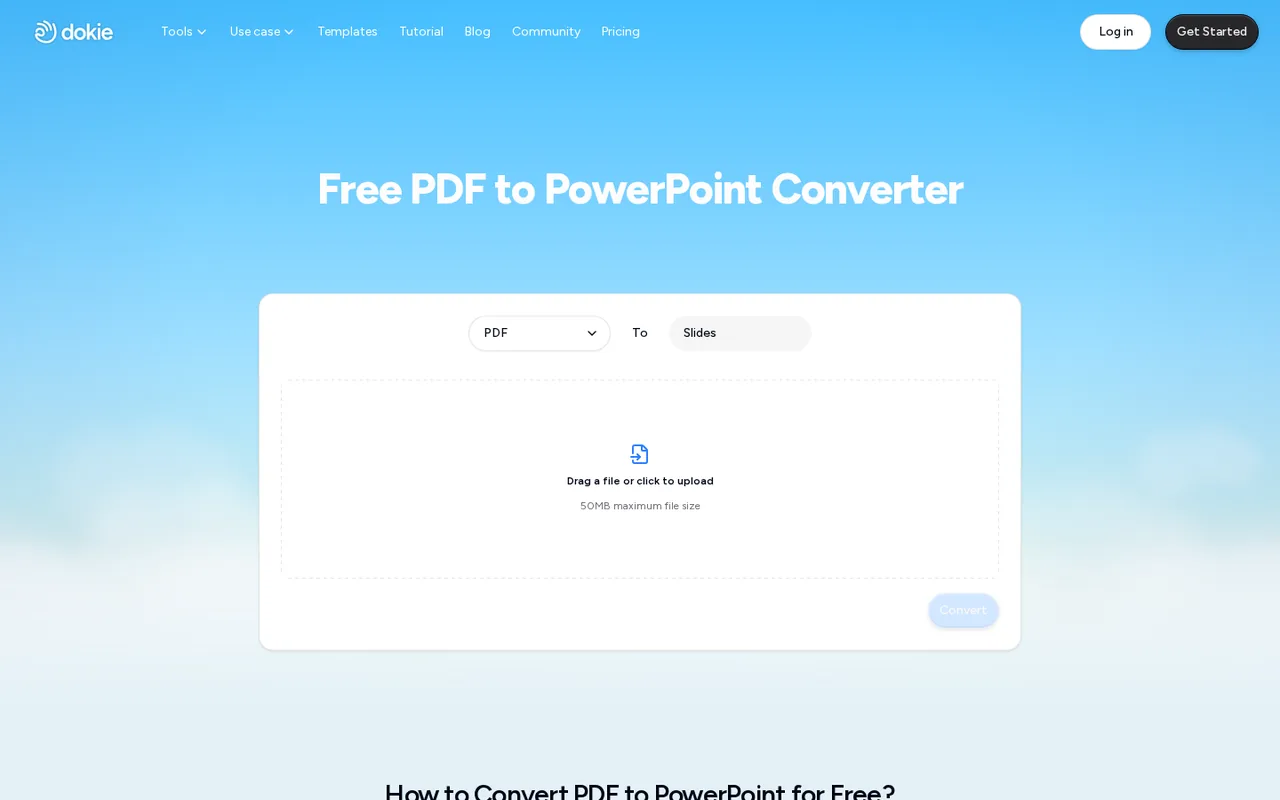
The Free plan card lists PPTX, PDF and PNG export. The PDF to slides converter says the result is an editable PowerPoint file that can be changed in PowerPoint, Google Slides or similar tools, and that it keeps text, images and layout as much as possible. Its upload limit on that page is 50 MB.
Open the downloaded PPTX in the application your audience uses before presenting. Check that headings are live text rather than pictures, that charts can still be edited and that fonts have not been substituted. Scanned PDFs without readable text may need text recognition first. The reviewed pages do not say whether Free exports carry a watermark, so inspect every slide.
When is Plus worth more than the free allowance?
On raw numbers, visiting every day yields up to 200 credits daily, while Plus adds 2,000 credits a month in one balance. The difference is how the credits can be used: Plus lets one large job draw on the monthly pool, and it adds custom themes, personalized memory and access to stronger models listed on the plan card.
Editorial assessment
Stay on Free if each deck fits within a day of about 100 to 200 credits and default designs are acceptable. Consider Plus when a single project needs more than one day of credits at once, or when your slides must follow an uploaded company template. Pro and Ultra mainly add credits and support levels.
What happens to the files you upload?
The privacy policy says prompts and uploaded files may be shared with third-party AI service providers to generate the presentation, and personal information is stored on servers in the United States. The terms give Dokie a license to host and process your content and outputs to run and improve the service, and they note that outputs can resemble what other users receive.
Deleting the account through Settings removes presentation drafts, generation history and remaining credits, including purchased credits, and no refund follows from deletion alone. For confidential reports, remove client names and figures before upload, or check with the provider which third-party model processors are involved.
Can Dokie build a deck from inside an AI assistant?
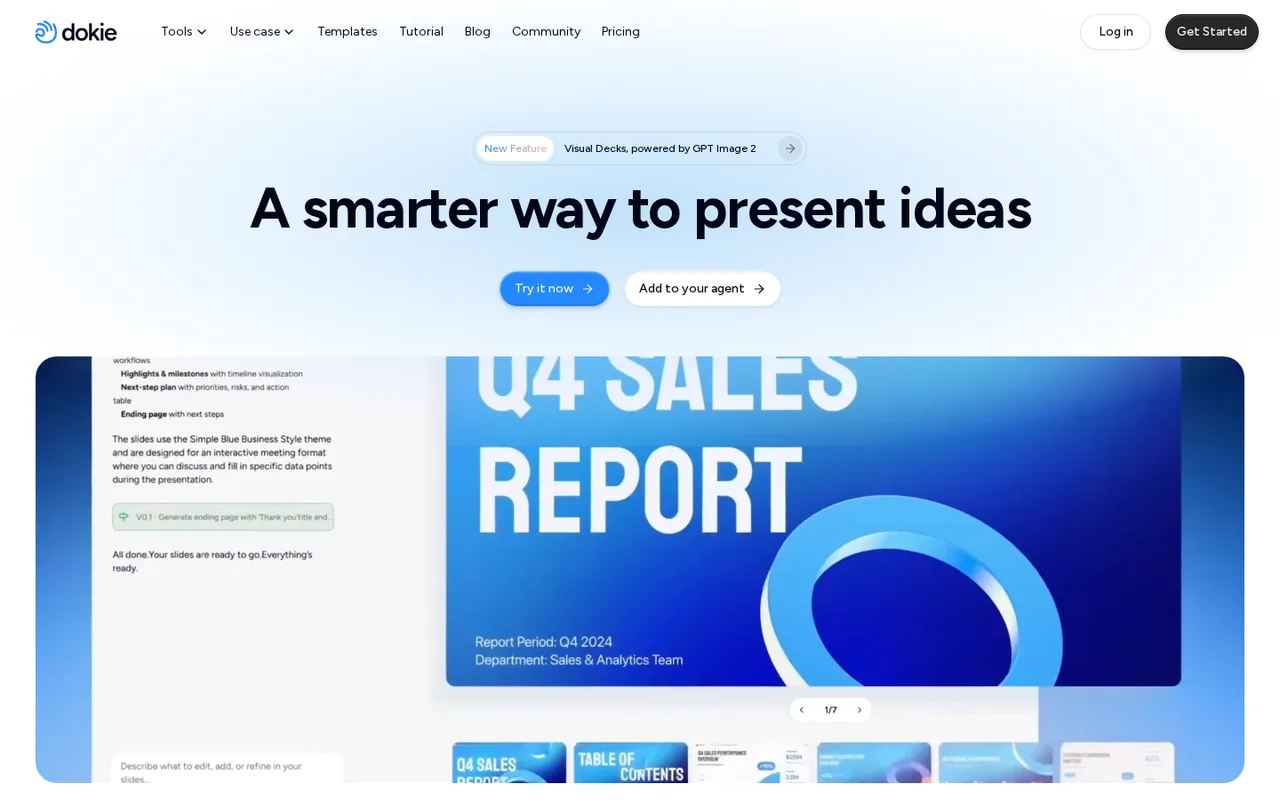
The homepage offers an Add to your agent option. It generates a personal access token and a configuration to paste into Codex, Claude Code, Cursor or another MCP-compatible assistant. You then mention Dokie in a prompt, such as asking it to turn the current conversation into a presentation.
This route suits people who already draft outlines in an assistant and want the deck built from that context. The generated deck still spends Dokie credits and lands in your Dokie account for editing and export. Treat the token like a password and avoid pasting it into shared configuration files.
Can a free account turn a six-page PDF into a usable PPTX?
Proposed evaluation · not performed yet
On a Free account, upload a six-page PDF report you own that contains one table and one bar chart. Ask Dokie to convert it into slides, then request one change to the chart slide. Stop if the process asks for payment.
- Record the credit balance before conversion.
- Convert the PDF and note the credits charged.
- Request one slide edit and note its charge.
- Export the PPTX and open it in PowerPoint or Google Slides.
- Check that headings are editable text, the table is editable and the chart values match the source.
Accept a PPTX with editable text, correct figures and a total charge within the day’s 200 bonus credits. Reject missing pages, charts flattened into images without warning, altered numbers or a watermark that blocks use. Leave the observed charges blank until the test is run.
For decks that also publish as documents or web pages, see Gamma. For template-driven team presentations, compare Beautiful.ai and Pitch.
Is Dokie AI worth it?
Documentation review plus dated public user reports. Documentation review, not tested hands-on. Not scored.
Worth it if
- You want to turn an existing PDF, Word or spreadsheet file into a first editable deck, because the converter produces an editable PowerPoint file.
- Your decks fit within a single sitting, since a free day of credits covers roughly two new decks by the provider's own estimates.
- You already draft outlines in an AI assistant and want Dokie to build slides from that context through the MCP connection.
Probably not if
- Your project needs several days of free credits, because each unused daily bonus expires at the end of that day.
- Your reports are confidential, since prompts and uploaded files can be shared with third-party AI providers.
- You need your own company template on Free, because uploaded templates and custom themes sit on paid plans.
Dokie AI alternatives
Other presentations tools checked with the same method. Pick by the job, not by a score.

Recurring decks and fast drafts

Generating an on-brand deck from a prompt and rehearsing it before you present

Turning notes and reports into diagrams inside one document

AI first drafts of decks, documents and simple websites

Turning a topic or document into an interactive AI-taught lesson

Sales and client-facing decks

Drafting and reformatting slides without leaving Google Slides or PowerPoint

Turning a PDF, Word or Excel document into an editable PowerPoint deck
Used Dokie AI? Write the first review. Visitor opinions are moderated and kept separate from our source checks.
Frequently asked questions
Can a 16-year-old student use Dokie?
The terms set a minimum age of 16 to create an account. Users under 18 may use the free features, but paid subscriptions or purchases require the consent and supervision of a parent or legal guardian. Account holders confirm they meet these conditions, and the provider can suspend accounts that do not.
Is there a refund if the generated deck is disappointing?
The terms list refunds only for duplicate payments caused by a system error or service unavailability longer than seven consecutive days without reasonable notice. Requests go in writing to the support email in the terms. Requests after extensive use can be refused, so test the output on Free credits before paying.
Who owns a deck generated from my notes?
The terms leave ownership of your inputs with you and assign ownership of outputs to you to the extent applicable law permits. They also warn that similar prompts can give different users similar results and that outputs are not guaranteed free of third-party claims, so clear any images or text before commercial use.
When does a plan change take effect?
Upgrades apply immediately, and your balance and billing date update automatically. Downgrades and cancellations take effect at the end of the current billing cycle, and paid plans renew automatically until cancelled. Change plans in Settings under Plans and Pricing, reached from the credits panel at the top right of the app.
Should I cancel before deleting my account?
Yes. The terms make you responsible for cancelling an active subscription before deletion, and deleting the account gives no refund entitlement. Deletion is permanent and removes drafts, generation history and any remaining credits, including purchased ones, so export the presentations you need first.
Sources and method6 official sources · 5 details checked · Sep 28, 2026
How we checked this profile
5 details on this page were checked against Dokie AI's own pages and help documentation (Sep 28, 2026).
See the checks by section5 documented
| Section | Checks | Last checked | Sources |
|---|---|---|---|
| Plans and prices | 3 documented | dokie.ai/pricing | |
| Features | 1 documented | dokie.ai/pdf-to-slide | |
| Strengths and limits | 1 documented | dokie.ai/privacy.html |
Sources for this profile
- Dokie pricing and credit FAQdokie.ai
- Dokie AI homepage and agent connectiondokie.ai
- PDF to slides converterdokie.ai
- File-to-slides toolsdokie.ai
All 6 sources
Pricing and its FAQ supply plan amounts, credit sources and per-task estimates. The PDF converter page describes editable PowerPoint output. Terms were last updated in May 2026 and the privacy policy in July 2026. A model claim seen only in a third-party search snippet is not used. Whether Free exports carry a watermark is not stated on the reviewed pages.
Sources checked Sep 28, 2026. Found something out of date? See how we correct profiles.