

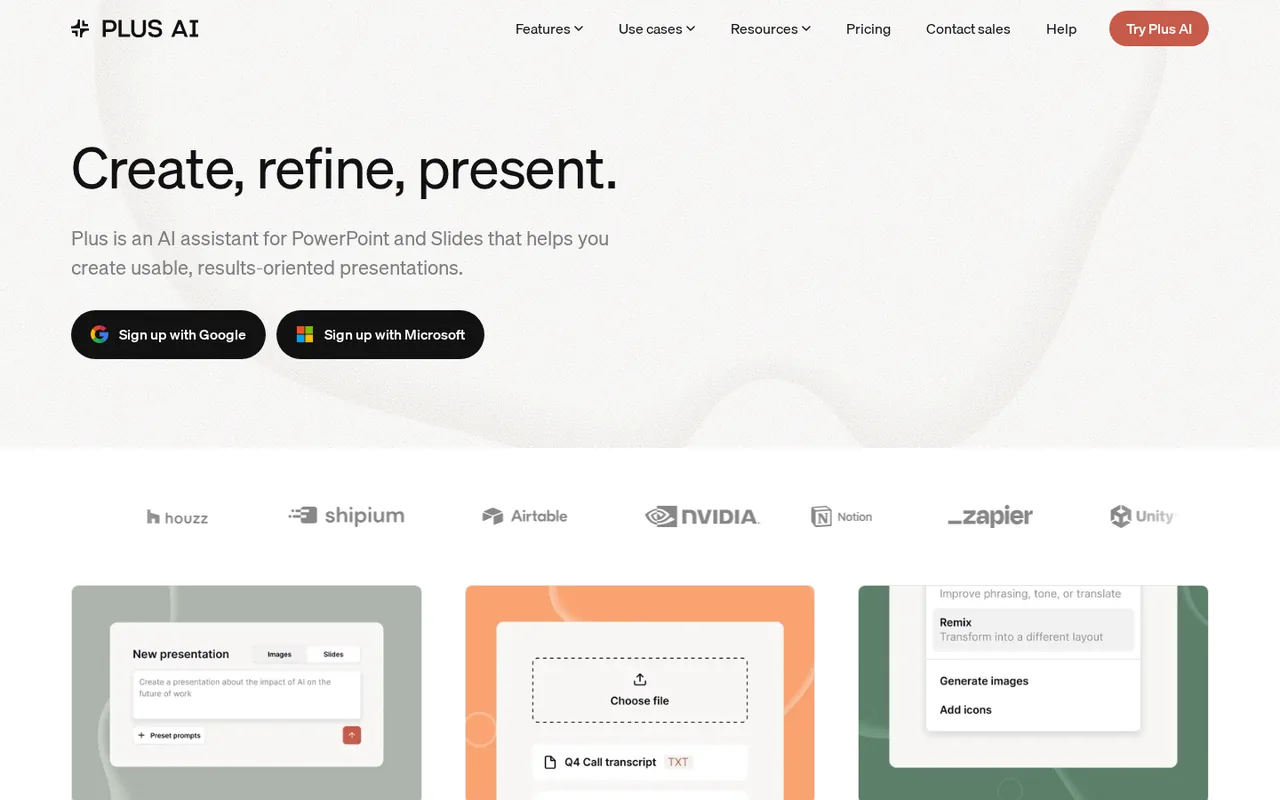
What is Plus AI, in short?
Updated October 24, 2026 · By Elias Brandt · Documentation review, not tested hands-on
Pros
- Works in your own file
- Both editors on one plan
- Text-preserving modes
- Audited security
Cons
- No free plan
- No refunds
- File upload starts on Pro
- Whole organization is billed
- Branding limits in Google Slides
Best forTeams already working in Google SlidesPowerPoint users who want an agentWriters turning documents into decksNot for occasional free useNot for one user inside a larger workspace
Strengths, limits and who it suits, in full
Strengths
- Works in your own file Generated slides are added to the open Google Slides or PowerPoint file and can be edited, shared or exported like any other slide.
- Both editors on one plan The same subscription covers Google Slides, PowerPoint and Google Docs, with no separate purchase for each app.
- Text-preserving modes Preserve and Strict modes keep your wording as close to the source as possible instead of rewriting it.
- Audited security Plus states it has completed an independent SOC 2 Type II audit and encrypts data at rest with AES-256.
Limits
- No free plan Every account needs a paid plan; the 7-day trial requires a card and charges automatically when it ends.
- No refunds The terms and help guide say subscription payments are final, including after cancellation.
- File upload starts on Pro Basic cannot turn a PDF or Word document into slides; that needs Pro at $20 per user a month billed annually.
- Whole organization is billed Paid plans upgrade every member of the organization, and individual users cannot be upgraded on their own.
- Branding limits in Google Slides Custom fonts cannot be used in Google Slides, logos must be JPEG, PNG or GIF, and company templates need Enterprise.
Who it suits
- Teams already working in Google Slides The add-on runs from the Extensions menu, so drafts land in the shared Slides file your team already uses.
- PowerPoint users who want an agent Agent mode, which edits a selected slide on request, is available in the PowerPoint add-in and the API.
- Writers turning documents into decks Pro converts PDF, DOCX or TXT files, and Preserve mode keeps wording close to the original.
- Not for occasional free use someone who needs one deck without a card should start elsewhere, since every plan is paid.
- Not for one user inside a larger workspace Billing is per organization, so one person cannot upgrade without the rest of the team.
How much does Plus AI cost?
Prices confirmed · checked
Regional prices: All paid plans start with a 7-day trial that includes 1,000 credits whichever plan you pick.
A card is required, the plan is charged automatically when the trial ends, unused trial credits do not carry over, and previous customers cannot start another trial. Prices are per user; inviting a member is billed pro rata straight away on annual plans and on the next bill on monthly plans. Upgrades are charged the prorated difference and downgrades become account credit. Payments are processed by Stripe and the terms call them final and non-refundable. Uninstalling the add-on does not cancel the subscription.
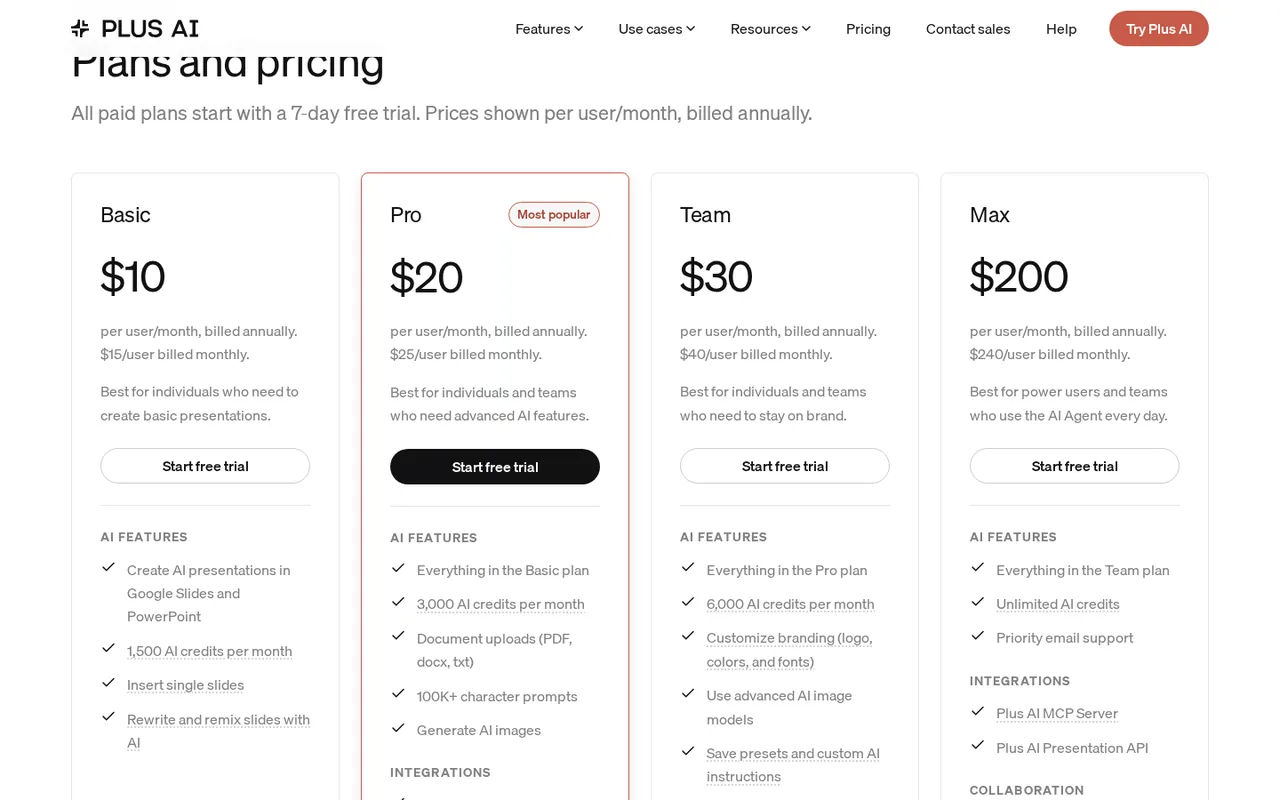
| Plan | Price | What you get |
|---|---|---|
| Basic | $10 per user per month billed annuallyor $15 billed monthly sourceFrom plusai.com/pricing, checked Oct 24, 2026 (opens in a new tab) | 1,500 AI credits a month; AI presentations in Google Slides and PowerPoint; insert single slides; rewrite and remix slides. |
| Pro | $20 per user per month billed annuallyor $25 billed monthly sourceFrom plusai.com/pricing, checked Oct 24, 2026 (opens in a new tab) | 3,000 AI credits a month; document uploads (PDF, DOCX, TXT); prompts over 100K characters; AI image generation; MCP server and Presentations API; unlimited team members. |
| Team | $30 per user per month billed annuallyor $40 billed monthly sourceFrom plusai.com/pricing, checked Oct 24, 2026 (opens in a new tab) | 6,000 AI credits a month; custom branding with logo, colors and fonts; advanced AI image models; saved presets and custom instructions; team-wide branding and shared preset library. |
| Max | $200 per user per month billed annuallyor $240 billed monthly sourceFrom plusai.com/pricing, checked Oct 24, 2026 (opens in a new tab) | Unlimited AI credits; everything in Team; priority email support. |
| Enterprise | Custom quote | Custom templates from your own slide masters, asset libraries, SSO, user management and onboarding. |
Which plan fits?
Smallest plan whose monthly credits cover your number with 15% spare for regenerations. Arithmetic from the plan table above, not a usage test.
How far does it go?
- Agent tasks per monthPlus AI says a typical task uses 40 to 170 credits. Basic: 1,500 / 170 = 8 to 1,500 / 40 = 37 tasks a month. Pro: 3,000 / 170 = 17 to 75 tasks. Team: 6,000 / 170 = 35 to 150 tasks. The trial: 1,000 / 170 = 5 to 25 tasks. On monthly Basic at $15, that is $15 / 37 = about $0.41 to $15 / 8 = about $1.88 per task. How many credits a full deck uses is not published. Arithmetic on the published task range, not a statement by Plus AI.
Arithmetic from the published allowances above, not a usage test.
Taxes, currency and promotions can change the price you see at checkout.
Visit Plus AI (opens in a new tab)
Key features
| Feature | What it does | Watch out |
|---|---|---|
| Generates a presentation inside Google Slides or PowerPoint from a prompt, an outline or slide by slide, after you approve an outline (help guide) | An uploaded PPTX, PDF or Google Slides file can be reformatted into a Plus template while keeping its slide structure, in Default or Strict text mode. | Only about 30 slides are handled at a time, so a longer deck has to be remixed in chapters. |
| Insert a single slide, rewrite text for tone or language, and Remix an existing slide into another layout such as paragraph to three columns (pricing page, help guide) | — | |
| Pro and above turn PDF, DOCX or TXT files into slides, with up to 10 reference files, Enhance or Preserve wording, and about 30 slides per generation (help guide) | — | |
| Team adds saved brand colors, fonts and a logo shared across the organization, plus presets and custom instructions (pricing page, help guide) | — | |
| One subscription covers the Google Slides add-on, the PowerPoint add-in and Google Docs, with a browser app that exports PPTX (pricing FAQ, help guide) | — | |
| Pro and above connect ChatGPT, Claude, Cursor and other MCP clients through a hosted MCP server, plus a Presentations API in beta (MCP page, help guide) | — | |
| Upload a file | Pro and Team users can upload a document, paste text or import from Google Drive and choose Enhance, which rewrites, or Preserve, which quotes as much as possible. | Plus AI cannot extract images, diagrams or charts from the document, and design instructions in the prompt are ignored. |
| Credits per user | Each plan gives monthly credits to each user, and a typical agent task uses 40 to 170 credits depending on complexity. | Credits are not pooled across the organization, and the agent stops working when a user reaches the monthly limit until the billing date. |
What happens when the 7-day trial ends?
Plus AI has no permanent free tier. The plans and billing guide says you need a paid plan to use it, and new customers start with a 7-day trial of whichever plan they choose. The trial needs a card, includes 1,000 credits regardless of the plan, and charges the full plan automatically when it ends. Unused trial credits do not carry over, and anyone who used the old free plan or paid before cannot start a new trial.
Cancelling is done in the Stripe billing portal from the web app, from the PowerPoint sidebar menu or from the New Presentation window in Google Slides, and only the organization owner can do it. Removing the add-on from Google Slides or PowerPoint does not cancel anything. If you want to try an AI deck builder without entering a card, Gamma has a free plan with a one-time credit allowance.
Does Plus AI work inside Google Slides or beside it?
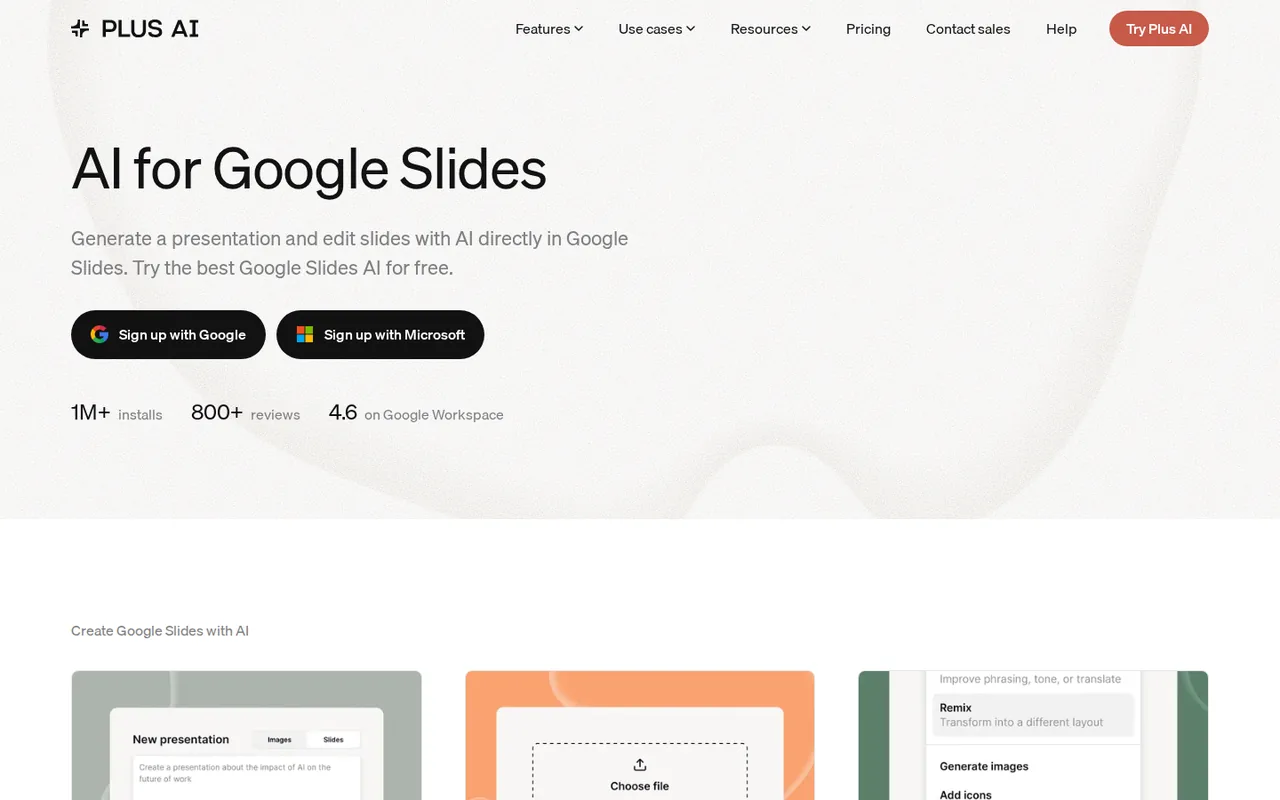
Inside. After installing the add-on, you open it from the Extensions menu and choose New presentation or Edit with Plus AI, as the installation guide describes. Generation in Google Slides offers two modes: Slides mode produces native, editable slides, while Images mode produces more visual slides. You review an outline first, and the finished slides are appended to the open file, so they behave like any other slides in it.
The browser app is more limited. It can generate a presentation and export it as a PPTX file, but the editing tools are not available there, and decks made in the add-ons do not appear in it. The agent that edits a selected slide on request works only in the PowerPoint add-in and through the API, according to the agent guide.
Which plan unlocks uploads and branding?
Basic covers prompt-based generation, single-slide inserts, rewrite and remix. Turning a document into slides needs Pro or Team: the upload guide accepts files from your computer or Google Drive, or pasted text, and offers Enhance or Preserve wording. It cannot extract images, diagrams or charts, and it ignores color or font instructions in the prompt.
Saved branding starts on Team. The branding guide lists brand colors, title and body fonts and a logo that appears on every slide, shared across the organization. Google Slides does not allow custom fonts or SVG logos, so a brand used in both editors needs two font sets and a PNG logo. Your own company template is an Enterprise service that takes a week or two to set up.
How are teams billed?
Prices are per user, and a paid plan upgrades the whole organization; individual members cannot be upgraded on their own. Credits stay with each user rather than a shared pool. For a team of four on Team billed annually, the list price is 4 x $30 = $120 a month in monthly-equivalent terms, against 4 x $40 = $160 on monthly billing.
- Adding a member on an annual plan: prorated charge straight away.
- Adding a member on a monthly plan: prorated charge on the next bill.
- Removing a member: credit applied to the next bill.
What does Plus AI do with Google Workspace data?
The Privacy Policy says Plus Docs Inc. does not use Google Workspace API data to develop, improve or train generalized AI or machine learning models, and that its use of Google API data follows Google’s Limited Use requirements. The security page lists AES-256 encryption at rest, TLS in transit, AWS hosting and a completed SOC 2 Type II audit. Retention periods are set in an internal data management policy available on request.
How could you check Plus AI during the trial?
Proposed evaluation · not performed yet
Check whether a trial deck keeps an outline’s facts in native, editable Google Slides, and cancel before the trial converts.
- Install the add-on, choose Basic and note the trial end date and the 1,000-credit balance.
- Open a blank deck and paste a 10-line outline with two exact figures, in Slides mode.
- Approve the outline, generate, and count the slides against the outline lines.
- Click into a text box on each slide to confirm the text is editable, and check both figures.
- Record the credits used, then cancel in the billing portal before day 7.
Accept if the slides follow the outline, both figures match and the text is editable. Reject if figures change or credits run out before one deck is finished. No result is recorded here.
Plus AI alternatives
Other presentations tools checked with the same method. Pick by the job, not by a score.

Recurring decks and fast drafts

Generating an on-brand deck from a prompt and rehearsing it before you present

Turning notes and reports into diagrams inside one document

Turning existing documents into editable PowerPoint decks

Turning a PDF, Word or Excel document into an editable PowerPoint deck

Sending personalized sales decks as tracked web links instead of PowerPoint files

AI first drafts of decks, documents and simple websites

Turning written text into editable business diagrams
Used Plus AI? Write the first review. Visitor opinions are moderated and kept separate from our source checks.
Frequently asked questions
Is there a free version of Plus AI?
No. The help guide says a paid plan is needed to use Plus AI, and new customers get a 7-day trial with 1,000 credits instead. The pricing FAQ mentions a former Plus free plan only to say that people who signed up for it cannot start a trial now.
Can I get a refund from Plus AI?
No. The terms call subscription payments final and non-refundable, and the help guide repeats that refunds are not offered, even after cancelling. Cancelling stops the next renewal. Downgrading mid-cycle turns the unused time into account credit for future payments, but the account is not credited when you cancel outright.
How long can a generated presentation be?
About 30 slides per run. The upload guide says the AI model handles roughly that many slides at a time and suggests generating or remixing a longer deck one chapter at a time. Newly generated slides are added to the end of the open file, so a chaptered deck builds up in one presentation.
Can I use Plus AI from ChatGPT or Claude?
Yes, on Pro, Team or Max. The hosted MCP server at mcp.plusai.com lets ChatGPT, Claude, Claude Code, Cursor and other MCP clients create native PowerPoint files, edit a deck in follow-up turns or upload a PPTX after an OAuth sign-in. The separate Presentations API is in beta with three creation requests a minute.
Who makes Plus AI?
Plus Docs, Inc., which gives a notice address at 113 Cherry St, PMB 86703, Seattle, Washington, in its terms and support@plusdocs.com for questions. The product used to live at plusdocs.com, which now redirects to plusai.com, and the company social accounts still use the plusdocs handle.
Sources and method16 official sources · 31 details checked · Oct 24, 2026
How we checked this profile
31 details on this page were checked against Plus AI's own pages and help documentation (Oct 24, 2026). 1 is still open and listed below.
See the checks by section28 documented2 editorial assessment1 open
| Section | Checks | Last checked | Sources |
|---|---|---|---|
| Plans and prices | 7 documented 1 editorial | plusai.com/pricingguide.plusai.com/plans-and-billing | |
| Strengths and limits | 5 documented | guide.plusai.com/plans-and-billingguide.plusai.com/custom-brandingplusai.com/pricingplusai.com/security | |
| Other details | 1 open | guide.plusai.com/plans-and-billing | |
| Features | 4 documented | guide.plusai.com/ai-agentguide.plusai.com/upload-a-fileguide.plusai.com/languages | |
| Article text | 3 documented 1 editorial | plusai.com/pricingguide.plusai.com/generate-a-presentationguide.plusai.com/use-plus-in-your-web-browserplusai.com/privacy-policy | |
| Questions | 6 documented | plusai.com/termsplusai.comguide.plusai.com/upload-a-fileplusai.com/mcpguide.plusai.com/presentations-api | |
| Who it suits | 2 documented | guide.plusai.com/install-in-google-slidesguide.plusai.com/ai-agent | |
| Official channels and media | 1 documented | plusai.com |
Still open
- The plans and billing guide describes Basic as unlocking unlimited AI generation and editing, while the pricing page lists 1,500 AI credits a month.Not confirmed · checked · Source (opens in a new tab)
Sources for this profile
- Pricing page and pricing FAQplusai.com
- Homepageplusai.com
- Google Slides add-on pageplusai.com
- MCP server pageplusai.com
All 16 sources
- Security pageplusai.com
- Help guide: plans and billingguide.plusai.com
- Help guide: install in Google Slidesguide.plusai.com
- Help guide: use Plus in a web browserguide.plusai.com
- Help guide: generate a presentationguide.plusai.com
- Help guide: upload a fileguide.plusai.com
- Help guide: AI agent and creditsguide.plusai.com
- Help guide: custom brandingguide.plusai.com
- Help guide: languagesguide.plusai.com
- Help guide: Presentations APIguide.plusai.com
- Terms of Service (Plus Docs, Inc.)plusai.com
- Privacy Policyplusai.com
Official pages read on 24 Oct 2026 with plain HTTP requests: homepage, pricing page and FAQ, Google Slides add-on page, MCP server page, security page, Terms of Service, Privacy Policy and help guide articles on plans and billing, installation, the web app, generating presentations, file upload, the AI agent, custom branding, languages and the Presentations API. plusdocs.com now redirects to plusai.com. We did not install the add-on or start a trial. The help guide still describes Basic as unlimited AI generation, while the pricing page lists 1,500 monthly credits; the pricing page is used here. Marketplace ratings and third-party prices were not used.
Sources checked Oct 24, 2026. Found something out of date? See how we correct profiles.