

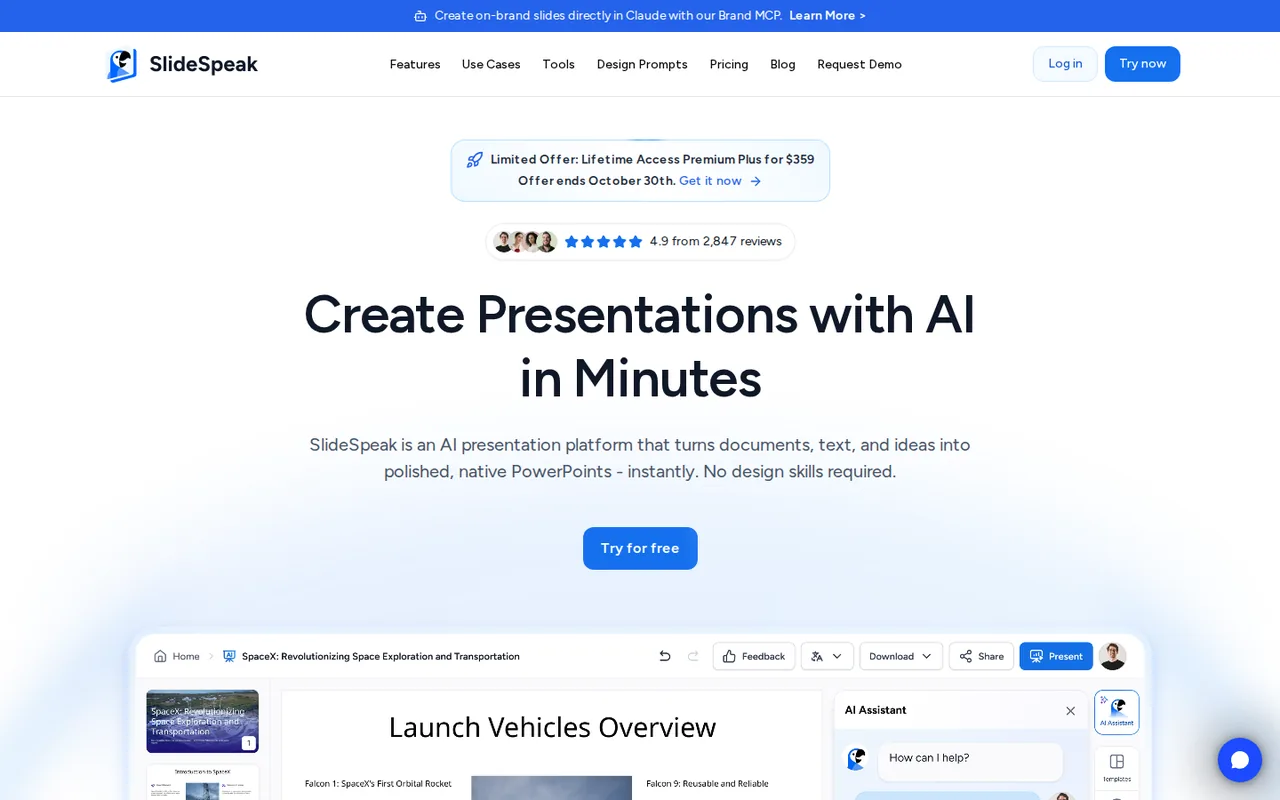
What is SlideSpeak, in short?
Updated October 24, 2026 · By Elias Brandt · Documentation review, not tested hands-on
Pros
- Real PowerPoint file
- Downloads cost nothing extra
- Share links on every plan
- Cost shown before generation
Cons
- Free cannot download
- Small one-time free allowance
- Credits expire monthly
- No security certification yet
- Operator details are thin
Best forConsultants and analysts with source documentsTrainers who need video or LMS packagesTeams with a fixed PowerPoint templateNot for a free downloadable deckNot for buyers who require certified vendors
Strengths, limits and who it suits, in full
Strengths
- Real PowerPoint file The PPTX download keeps editable text, shapes, images, tables, charts, speaker notes and transition timing.
- Downloads cost nothing extra PowerPoint, PDF and Google Slides downloads use no credits once you are on a paid plan.
- Share links on every plan Viewers open a shared deck in the browser without a SlideSpeak account, including decks made on Free.
- Cost shown before generation SlideSpeak calculates the credits a deck needs first and warns you if the balance is too low.
Limits
- Free cannot download Free decks can be shared as links, but PowerPoint, PDF and Google Slides downloads need a paid plan; only translated decks are an exception.
- Small one-time free allowance Free credits are 100 at sign-up and do not refresh, and the AI 5.0 engine is not included.
- Credits expire monthly Unused plan credits do not roll over, and each team member needs a separate paid plan with separate credits.
- No security certification yet The help center says SlideSpeak has neither ISO 27001 nor SOC 2 certification.
- Operator details are thin The terms name only SlideSpeak, with no company name or postal address, and say the service is offered for people located in the United States.
Who it suits
- Consultants and analysts with source documents Reports in PDF, Word or Excel up to 50 MB can be turned into a PPTX that keeps speaker notes for presenting.
- Trainers who need video or LMS packages Paid plans add narrated MP4 video, translation, quizzes and SCORM 1.2 or 2004 export from the same deck.
- Teams with a fixed PowerPoint template The paid custom template add-on applies your own layouts instead of SlideSpeak themes.
- Not for a free downloadable deck anyone who needs a PPTX file without paying should look elsewhere, since Free stops at share links.
- Not for buyers who require certified vendors Organizations that need ISO 27001 or SOC 2 reports cannot get them from SlideSpeak yet.
How much does SlideSpeak cost?
Prices confirmed · checked
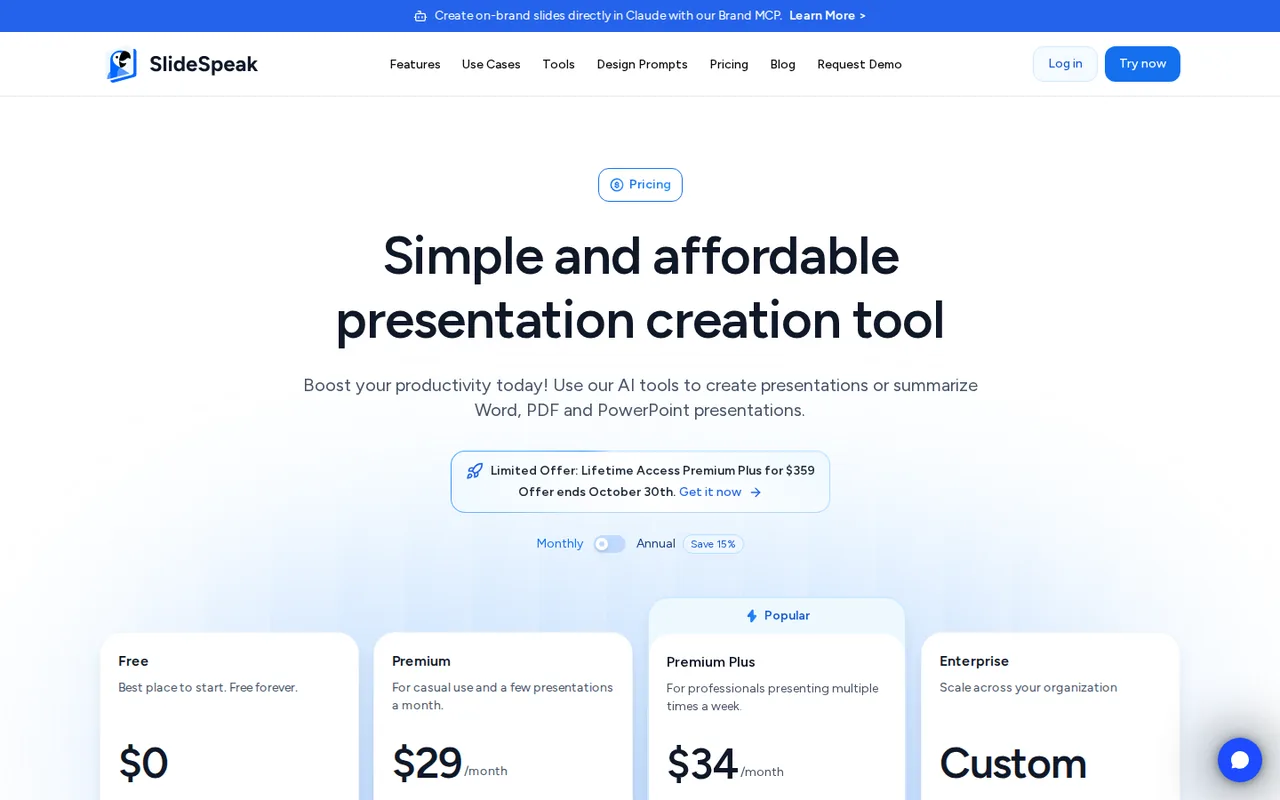
- $29Premium
- $34Premium Plus
Regional prices: Prices are in US dollars and processed by Stripe; invoices are issued in USD for every country, and currency conversion fees come from your bank.
The annual option shows a monthly equivalent of $24.65 or $28.90; the yearly charge is not printed on the page. One-time credit top-ups cost $10 for 500, $30 for 2,000 or $50 for 5,000 credits and are sold on paid plans only. A custom template add-on is listed at $129 per template, and a limited lifetime Premium Plus offer at $359 appears in a banner without stated credit terms. The API is billed separately from these plans. Cancelling stops renewal at the end of the paid cycle.
| Plan | Price | What you get |
|---|---|---|
| Free | $0 sourceFrom slidespeak.co/pricing, checked Oct 24, 2026 (opens in a new tab) | 100 credits once at sign-up; AI 4.0 engine only; share links and viewer or editor invites; AI assistant and document chat; 50 MB file limit; no PowerPoint, PDF or Google Slides download except decks made with the Translate tool. |
| Premium | $29 per month billed monthlyor $24.65 per month on annual billing sourceFrom slidespeak.co/pricing, checked Oct 24, 2026 (opens in a new tab) | 1,000 credits a month; PPTX, PDF and Google Slides download; AI 5.0 engine; AI video with voice cloning and presenters; screen recording, video translation, live quizzes and SCORM export; team workspaces; 30-day version history; no file size limit. |
| Premium Plus | $34 per month billed monthlyor $28.90 per month on annual billing sourceFrom slidespeak.co/pricing, checked Oct 24, 2026 (opens in a new tab) | 2,500 credits a month; everything in Premium plus 90-day version history, brand kits with custom fonts, brand image and icon libraries and design kits for AI 5.0. |
| Enterprise | Custom quote | Multiple custom templates, SSO, priority support and a custom credit volume. |
Which plan fits?
Smallest plan whose monthly credits cover your number with 15% spare for regenerations. Arithmetic from the plan table above, not a usage test.
How far does it go?
- One 15-slide deck in creditsAI 4.0 charges 1 credit per slide and AI 5.0 charges 5, so a 15-slide deck uses 15 or 75 credits. Free: 100 credits cover 6 decks on AI 4.0 (90 credits), but none of them can be downloaded. Premium: 1,000 credits cover 66 decks on AI 4.0 or 13 on AI 5.0 (975 credits). A narrated video of the same deck adds 5 credits per slide, or 75 more, and translating it adds 15. An extra AI 5.0 deck from the $50 pack costs 75 x $0.010 = $0.75. SlideSpeak quotes about 3, 27 and 67 decks for Free, Premium and Premium Plus, assuming a mix of both engines. Arithmetic on published credit rates, not a statement by SlideSpeak.
Arithmetic from the published allowances above, not a usage test.
Taxes, currency and promotions can change the price you see at checkout.
Try SlideSpeak free (opens in a new tab)
Key features
| Feature | What it does | Watch out |
|---|---|---|
| Builds a deck from a topic, pasted text or an uploaded PDF, Word, PowerPoint, Excel or TXT file, with Short (3-8), Informative (8-12), Detailed (12+) or an exact slide count (help center) | — | |
| Two generation engines: AI 4.0 fills fixed template layouts at 1 credit per slide on every plan; AI 5.0 designs a layout per slide at 5 credits per slide on paid plans (help center) | — | |
| Paid plans download an editable PPTX with speaker notes and transitions, a PDF, or a new Google Slides copy in your Drive; downloads use no credits (help center) | — | |
| AI assistant Charles edits slides by chat at 1 credit per message, and a document chat summarizes PDF, Word and PowerPoint files (pricing page, help center) | — | |
| Narrated video from a deck on paid plans: 50+ AI voices in 70+ languages, a cloned voice, 16 lip-synced presenters, MP4 or narrated PPTX download (video feature page) | — | |
| Translation of slides and speaker notes into 150+ languages returned as an editable PPTX, plus quiz slides, Live Quiz and SCORM or QTI export for learning platforms (feature page) | — | |
| Engine choice | AI 4.0 picks from existing template layouts and is the only engine on Free; AI 5.0 creates a custom layout for each slide and costs five times as many credits. | A deck made with one engine cannot be converted to the other; you regenerate it with the other engine and pay the credits again. |
| Credit top-ups | Paid plans can buy 500 credits for $10, 2,000 for $30 or 5,000 for $50; top-up credits stack on the monthly allowance and last 12 months. | Monthly plan credits reset each billing cycle and do not roll over, and top-ups are not offered on Free. |
| Custom template add-on | Your own PPTX or POTX template can be loaded so generated slides follow its layouts; the help article adds a 15-minute onboarding call to configure it. | The pricing page lists the add-on at $129 per template, while the older help article says $59, so the checkout price is the one to trust. |
What can a Free account actually deliver?
Free is enough to see SlideSpeak’s output, not to take a file away. The download help article says PowerPoint, PDF and Google Slides downloads need a Premium, Premium Plus or Lifetime plan, and a Free account that clicks Download gets an upgrade prompt. The one exception is a deck produced with the Translate tool, which downloads on every plan. What Free does keep is the share link: anyone with it can view and present the deck in a browser without signing up.
The allowance is also one-time. According to the credits article, Free gets 100 credits at sign-up that do not refresh, and only the AI 4.0 engine is available. If the deliverable is a PPTX you have to send today without paying, Dokie AI lists PPTX export on its free plan.
Should a deck use the AI 4.0 or AI 5.0 engine?
The engine comparison describes AI 4.0 as template-based: each slide is fitted into an existing layout for 1 credit. AI 5.0 designs a new layout for each slide for 5 credits and is limited to paid plans. Both export the same PPTX and PDF formats. SlideSpeak suggests AI 4.0 when you work from a branded or custom template, which matters if the deck must match a company master.
The choice is not reversible. A finished deck cannot be converted between engines, so trying the other style means generating it again and paying for every slide a second time. Before generation starts, SlideSpeak works out the credits the request needs and stops with a warning if the balance is short, so you can lower the slide count or switch engines first.
What ends up inside the PowerPoint file?
The download article lists every slide with editable text, shapes, images, tables and charts, plus speaker notes for Presenter View and slide transitions with automatic timing. Fonts that are not installed on your computer may display differently. The Google Slides export creates a new file in your Drive after a one-time permission step; later changes in SlideSpeak do not sync to it, so each export is a separate copy.
Only the owner of a deck sees the Download button. People you share with must ask the owner for a copy or duplicate a link-shared deck into their own account. Downloads cost no credits, while an LMS package costs 10.
How many credits does a narrated video add?
Video is switched off on Free. On paid plans, the video FAQ prices narration at 5 credits per slide, or 8 with a cloned voice. Adding one of the 16 lip-synced presenters costs 5 more per slide, so 10 with a stock voice and 13 with a clone. The result downloads as HD MP4, as a PPTX with one narration clip per slide, or as a PDF transcript.
- 15-slide deck on AI 4.0: 15 credits.
- Stock-voice video of it: 75 more credits.
- Cloned voice with a presenter: 195 more credits.
What happens to the documents you upload?
The Privacy Policy says customer data is anonymized before it reaches AI sub-processors, runs on Microsoft Azure and AWS, and is not used to train models. Uploaded data is stored for 180 days by default, and deletion can be requested through support. The ChatGPT app is a separate case: preview images of up to five slides sit at public, unguessable URLs and may remain after you delete the deck. The certification article states that SlideSpeak holds neither ISO 27001 nor SOC 2 certification.
How could you check SlideSpeak before paying?
Proposed evaluation · not performed yet
Check whether one free deck keeps the facts of a source document and what Free really lets you take away, using a document you are allowed to upload.
- Create a free account and note the credit balance of 100.
- Upload a three-page PDF with five specific figures and request 10 slides on AI 4.0.
- Confirm the balance dropped by 10 and compare every figure on the slides with the PDF.
- Turn on the share link and open it in a private window without signing in.
- Click Download and record whether an upgrade prompt appears.
Accept if all five figures match and the shared deck opens for a signed-out viewer. Reject if slides add numbers the PDF does not contain or more credits are charged than slides generated. No result is recorded here.
SlideSpeak alternatives
Other presentations tools checked with the same method. Pick by the job, not by a score.

Recurring decks and fast drafts

Generating an on-brand deck from a prompt and rehearsing it before you present

Turning notes and reports into diagrams inside one document

Turning existing documents into editable PowerPoint decks

Sales and client-facing decks

Drafting and reformatting slides without leaving Google Slides or PowerPoint

Sending personalized sales decks as tracked web links instead of PowerPoint files

AI first drafts of decks, documents and simple websites
Used SlideSpeak? Write the first review. Visitor opinions are moderated and kept separate from our source checks.
Frequently asked questions
Does SlideSpeak work with Google Slides?
Partly. Paid plans can export a finished deck to Google Slides, which creates a new file in your Google Drive. SlideSpeak cannot open a Google Slides link as a starting point; the help center says to download the presentation from Google Slides as a PPTX first and upload that file. Edits made after export are not synced back.
Can I get a refund from SlideSpeak?
Only within narrow limits. The refund policy covers requests made within 7 days of the first sign-up, excludes renewal charges and promotional offers, and rules out refunds once more than 5 presentations were generated in that week. Lifetime and API subscriptions are not refundable. Approved refunds take 5 to 10 working days to arrive.
Who operates SlideSpeak?
The terms refer only to SlideSpeak and support@slidespeak.co, with no company name or postal address. They cite German and international intellectual property law, name the US federal courts for disputes, and say the service is currently offered for people located in the United States. A help article adds that SlideSpeak is an American company charging in USD.
Can a team share one SlideSpeak plan?
No. A team workspace is free to create on any paid plan and shares decks, brands, fonts and folders, but each member needs their own paid plan and spends their own credits. To show a single deck to someone else, a share link or a viewer or editor invite works on every plan, including Free.
Does SlideSpeak have an API?
Yes, priced apart from the app plans. API plans start at $49 a month for 1,000 credits, with 2,500 credits for $99 and 5,000 for $179; one generated slide costs one credit. Failed requests are not charged, unused credits reset each cycle, and the same rate applies through the MCP server, Zapier or Make.com.
Sources and method21 official sources · 37 details checked · Oct 24, 2026
How we checked this profile
37 details on this page were checked against SlideSpeak's own pages and help documentation (Oct 24, 2026). 1 is still open and listed below.
See the checks by section34 documented2 editorial assessment1 open
Still open
- The pricing page lists a custom template add-on at $129 per template; a help article updated in February 2026 describes a one-time $59 purchase per template plus a 15-minute onboarding call.Not confirmed · checked · Source (opens in a new tab)
Sources for this profile
- Pricing page with plan cards, credit top-ups and pricing FAQslidespeak.co
- Homepage and FAQslidespeak.co
- Help center: how credits workslidespeak.co
- Help center: SlideSpeak AI 4.0 vs 5.0slidespeak.co
All 21 sources
- Help center: how to download a presentationslidespeak.co
- Help center: Google Slides exportslidespeak.co
- Help center: supported file typesslidespeak.co
- Help center: choosing the number of slidesslidespeak.co
- Help center: upload size limitslidespeak.co
- Help center: share a presentation with a linkslidespeak.co
- Help center: custom PowerPoint template add-onslidespeak.co
- Help center: currency and paymentsslidespeak.co
- Help center: data storageslidespeak.co
- Help center: ISO 27001 and SOC 2 statusslidespeak.co
- Help center FAQ (cancellation and refunds)slidespeak.co
- Video, translation and export feature page and FAQslidespeak.co
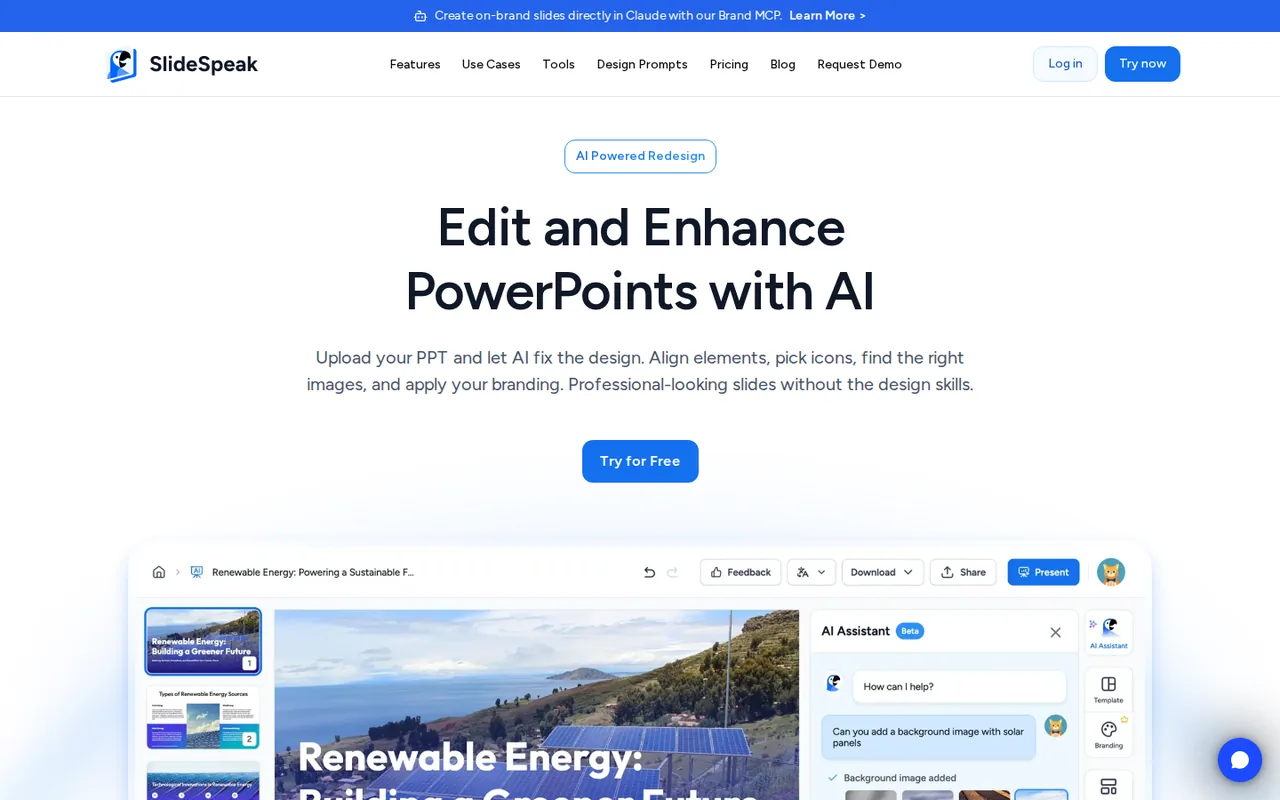
- AI presentation editor feature page and FAQslidespeak.co
- API pricing page and FAQslidespeak.co
- Refund policyslidespeak.co
- Terms of Serviceslidespeak.co
- Privacy Policyslidespeak.co
Official pages read on 24 Oct 2026 with plain HTTP requests; the annual price toggle was read in a local browser: homepage and FAQ, pricing page and pricing FAQ, API pricing, video and export feature page, editor feature page, refund policy, Terms of Service, Privacy Policy and help center articles on credits, AI 4.0 vs 5.0, downloads, Google Slides export, file types, slide counts, upload limits, sharing, custom templates, currency, data storage and certification. We did not create an account or generate a deck. User counts, review scores and testimonials on the provider pages were not used, and neither were third-party directory prices, several of which show older plan prices.
Sources checked Oct 24, 2026. Found something out of date? See how we correct profiles.