Diagrimo: diagrams and text on one page from $6.99 a month billed yearly, but template output is non-commercial
Updated September 29, 2026 · By Elias Brandt · Documentation review, not tested hands-on
Pros
- Low paid entry
- Document and diagrams together
- Cost preview
Cons
- Free credit amount unstated
- Template license limits
- No published team plan
Bottom line
AI credits that reset daily (amount not stated on current pages); basic features; exports carry a watermark; export limits not itemized.
You turn notes or reports into diagrams and want the text and visuals to export together as one PDF page.
You publish diagrams in paid client work before Tenorshare confirms in writing that your plan covers commercial use of template-based output.
Best forStudents summarizing notesReport writersPresenters moving visuals into PowerPointBusinesses publishing diagrams
Strengths, limits and who it suits, in full
Strengths
- Low paid entry Plus is $9.99 a month, starting with 7 days at $0.
- Document and diagrams together Text and visuals sit on one page that exports as a full PDF.
- Cost preview Credit estimates appear before a new layout or style is applied.
Limits
- Free credit amount unstated Current pages say Free credits reset daily without giving a number.
- Template license limits Tenorshare terms restrict output built on its templates to non-commercial use without an extra license.
- No published team plan The pricing page lists Plus only, with no seat or team pricing.
Who it suits
- Students summarizing notes daily free credits suit short study diagrams where a watermark does not matter.
- Report writers page-level PDF export keeps text and diagrams together for a finished document.
- Presenters moving visuals into PowerPoint batch PPT export of visuals is listed as a Plus feature.
- Businesses publishing diagrams confirm commercial rights with Tenorshare first, because the terms limit template-based output.
How much does Diagrimo cost?
Prices confirmed · checked
Regional prices: Prices are in USD, and the page notes that sales tax may be added based on residence.
The monthly plan starts with 7 days at $0 and then renews at $9.99 unless cancelled. Cancelling keeps Plus until the end of the billing cycle, after which the account returns to Free. The Tenorshare terms say fees already paid are generally non-refundable unless the law requires otherwise or Tenorshare states otherwise.
| Plan | Price | What you get |
|---|---|---|
| Free | $0 sourceFrom tenorshare.ai/buy-diagrimo.html, checked Sep 29, 2026 (opens in a new tab) | AI credits that reset daily (amount not stated on current pages); basic features; exports carry a watermark; export limits not itemized. |
| Plus Monthly | $9.99 per month after a 7-day $0 trial sourceFrom tenorshare.ai/buy-diagrimo.html, checked Sep 29, 2026 (opens in a new tab) | 10,000 AI credits a month; unlimited PPT, SVG, JPG and PDF exports; watermark-free batch export; unlimited AI assistant; premium templates; 30-day page history. |
| Plus Yearly | $6.99 per monthbilled annually sourceFrom tenorshare.ai/buy-diagrimo.html, checked Sep 29, 2026 (opens in a new tab) | The same Plus features; the pricing FAQ describes it as 30% off, and the annual invoice total is not printed. |
How far does it go?
- Plus credits per working day10,000 monthly credits ÷ 22 working days = about 454 generations a day at the stated rate of around 1 credit per visual or AI assistant use. Layouts and styles show their own estimate before applying, so some choices may cost more. Arithmetic on the published rate, not measured usage.
Arithmetic from the published allowances above, not a usage test.

Taxes, currency and promotions can change the price you see at checkout.
Try Diagrimo free (opens in a new tab)
Key features
| Feature | What it does | Watch out |
|---|---|---|
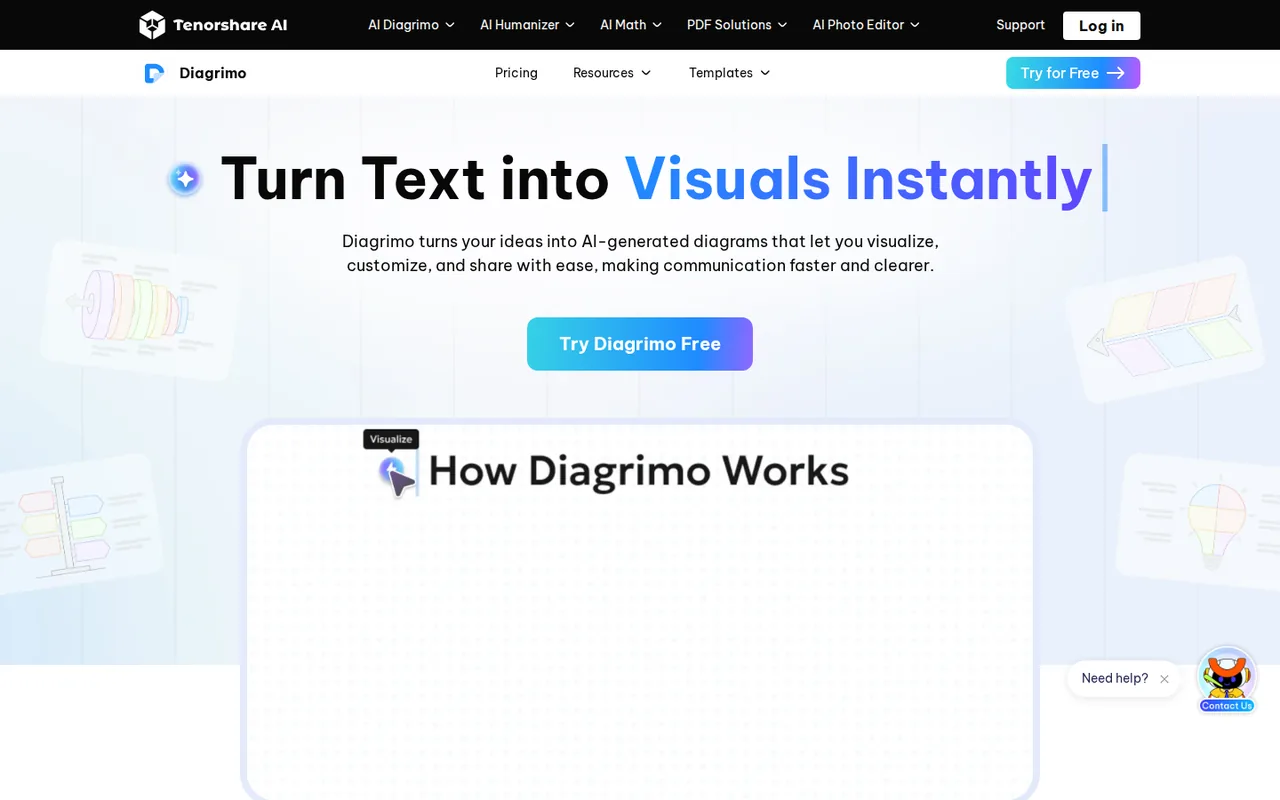
| Highlight text to generate a diagram with AI Visualize | Turns highlighted text in the document into a choice of diagram layouts. | Each generation uses credits, and a new layout or style shows its own credit estimate before it is applied. |
| Flowchart, timeline, mind map, SWOT, pyramid and fishbone layouts | — | |
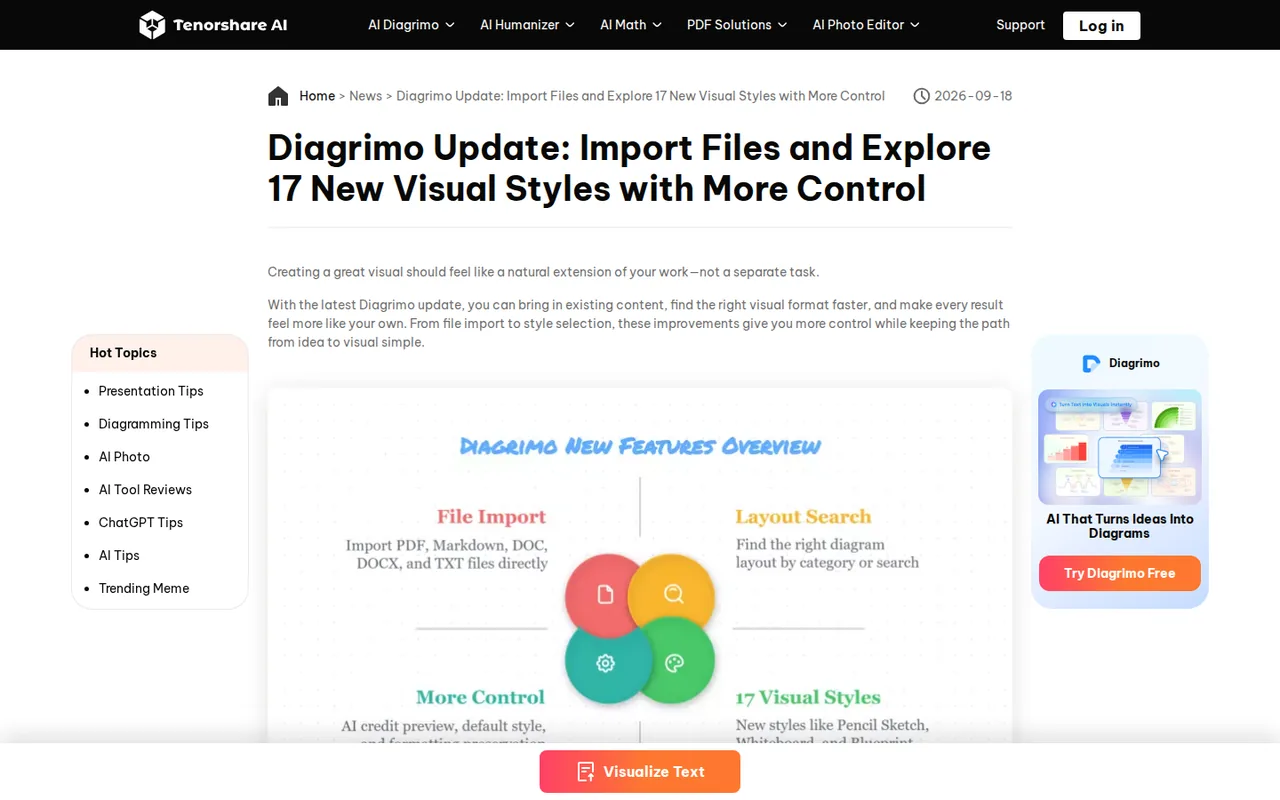
| 17 visual styles such as Whiteboard, Blueprint and Pencil Sketch | — | |
| Import from PDF, Markdown, DOC, DOCX and TXT | — | |
| AI assistant that drafts a first page from a topic | — | |
| Export to PDF, PPT, JPG, PNG and SVG with transparent backgrounds | — | |
| Sharing by link or email invitation, with comments | — | |
| Canvas sizes for A4, US Letter and 16:9 | — | |
| Multi-format export | Exports the full page as PDF, visuals as PPT slides, and assets as JPG, PNG or SVG in a ZIP. | Unlimited, watermark-free exports are listed for Plus; Free export limits are not itemized. |
| File import | Brings PDF, Markdown, DOC, DOCX and TXT content into the editor to visualize. | Formatting preservation is described as improved for HTML and Markdown, not guaranteed for every file. |
What does the Free plan give you each day?
The pricing FAQ describes Free as a plan with basic features whose AI credits reset the next day once used up. Plus credits reset monthly instead. Neither the product page nor the pricing page states how many credits Free receives, and third-party listings that quote a daily figure are not a current Tenorshare source.
Free is therefore best judged in the editor itself. The account credit section shows a consumption trend, added in the January 2026 update, which gives a practical way to learn how many diagrams a typical day of work uses before paying.
How are credits counted?
Credits are used each time you generate a visual or use the AI assistant, at around one credit per use according to the pricing FAQ. Some choices cost more: since the July 2026 update, the editor shows an estimated credit cost before applying a new layout or visual style.
That preview is useful when comparing styles such as Blueprint, Whiteboard or Print-Ready on the same text. Pick a layout category first, check the estimate, and only then try styles, rather than regenerating from scratch each time.
Which exports need Plus?
The June 2026 update lists five export routes. Plus lists unlimited, watermark-free exports; the Free plan’s export limits are not itemized. Editorial assessment: Free suits drafts and personal notes, while anyone handing diagrams to a client or into a slide deck should budget for Plus. If the SVG files will go to a designer for editing, Prepare AI Vector Artwork for an Editable Handoff covers what to check first.
- PDF (full page): the whole document, text and visuals, in its layout.
- PPT: every visual on the page extracted into a PowerPoint file.
- JPG, PNG and SVG: batch export of all visuals as a ZIP.
- Custom resolution (x1, x2 or x3) for JPG and PNG.
- Transparent backgrounds for PNG and SVG.
Can diagrams made with Diagrimo be used commercially?
Diagrimo runs under Tenorshare’s general terms, which include a generative AI appendix. Output made entirely from your own authorized input is assigned to you. Output that includes Tenorshare asset libraries, preset templates or design frameworks is licensed only for non-commercial use, and commercial use needs an additional license from Tenorshare.
Diagrimo visuals are built from its layouts and templates, and the pricing page does not say that Plus includes a commercial license. Before using diagrams in paid client work, ads or a product, ask Tenorshare in writing whether your plan covers commercial use and keep the reply.
What happens to documents you upload?
The pricing FAQ says projects are stored securely, only you have access to your content, data is not shared with third parties, and you can delete work or your account at any time. The terms say Tenorshare will not use your content to train generative AI models unless you choose to submit it to its servers.
Because Diagrimo is a cloud editor, working in it means submitting content to those servers, and the terms do not say how that clause applies. Import redacted versions of confidential reports, and remove client names before generating visuals.
How do the trial and cancellation work?
Plus Monthly starts at $0 for 7 days and then bills $9.99 a month; Plus Yearly bills annually at a rate shown as $6.99 a month. You can cancel at any time and keep Plus until the end of the billing cycle, after which the account returns to Free.
The terms say automatic renewal can be switched off in account settings, and that fees already paid are generally non-refundable unless required by law or stated otherwise by Tenorshare. Cancel before day 7 if the trial is only a test, and note that sales tax may be added at checkout.
Can the free plan turn a project brief into a report timeline?
Proposed evaluation · not performed yet
On a Free account, import a fictional 150-word project brief as a TXT file. It lists six milestones, each with a date and an owner. The deliverable is a timeline inside a PDF page; PPT and batch export are left out because they are listed for Plus.
- Record the credit balance before starting.
- Import the file and highlight the milestone paragraph.
- Use AI Visualize, choose a timeline layout and note the credit estimate for one alternative style.
- Fix any label by editing, not by regenerating.
- Export the page as PDF and check the watermark and label legibility.
Accept a timeline with all six milestones in date order and owners that match the brief. Reject merged or missing milestones or changed dates. Leave the observed credit use and output blank until the task is run.
To build a full slide deck from an outline, compare Gamma and Beautiful.ai. For presentation design with a team, see Pitch.
Is Diagrimo worth it?
Documentation review plus dated public user reports. Documentation review, not tested hands-on. Not scored.
Worth it if
- You turn notes or reports into diagrams and want the text and visuals to export together as one PDF page.
- You mostly make short study or draft diagrams, where the daily credit reset on Free and a watermark on exports are acceptable.
- You move visuals into PowerPoint and are willing to pay for Plus, since PPT and watermark-free batch export are listed there.
Probably not if
- You publish diagrams in paid client work before Tenorshare confirms in writing that your plan covers commercial use of template-based output.
- You need a number you can plan around for Free usage, because current pages do not state how many daily credits it includes.
- You need team pricing or seats, because the pricing page lists a single Plus plan only.
Diagrimo alternatives
Other presentations tools checked with the same method. Pick by the job, not by a score.

Recurring decks and fast drafts

Generating an on-brand deck from a prompt and rehearsing it before you present

Turning existing documents into editable PowerPoint decks

AI first drafts of decks, documents and simple websites

Turning a topic or document into an interactive AI-taught lesson

Sales and client-facing decks

Drafting and reformatting slides without leaving Google Slides or PowerPoint

Turning a PDF, Word or Excel document into an editable PowerPoint deck
Used Diagrimo? Write the first review. Visitor opinions are moderated and kept separate from our source checks.
Frequently asked questions
Is diagrimo.com the official site?
No. On the day checked, diagrimo.com showed a parked page, while the product runs on Tenorshare’s site at tenorshare.ai and signs in through accounts.tenorshare.ai. Check the address bar before entering card details, and bookmark the Tenorshare product page instead of typing the product name as a domain.
Does Diagrimo support collaboration?
Yes. Updates in 2026 added sharing by link or email invitation, permission requests, message notifications and comments with replies inside documents. The pricing page lists no team plan or per-seat price, so if several collaborators need Plus exports or credits, budget a separate Plus subscription for each person.
Which page sizes does the canvas support?
The January 2026 update added page breaks for A4, US Letter and 16:9, plus optional page lines for alignment. The 16:9 option matches common slide dimensions, which helps when diagrams are headed for PowerPoint. The how-to guide says the full-page PDF export is set to A4 by default.
Who operates Diagrimo?
Tenorshare (Hong Kong) Limited, the company behind other Tenorshare software, operates Diagrimo under terms last updated April 10, 2026. Those terms are governed by Hong Kong law. The same account system and privacy policy serve other Tenorshare products, so the documents cover more than this diagram tool.
Does Diagrimo keep earlier versions of a page?
Plus includes 30-day page history, according to the pricing page, while the Free plan’s history is not described. If a diagram matters, export a PDF or image copy before making large edits, rather than relying on the history window to recover an earlier layout later.
Sources and method8 official sources · 6 details checked · Sep 29, 2026
How we checked this profile
6 details on this page were checked against Diagrimo's own pages and help documentation (Sep 29, 2026).
See the checks by section6 documented
| Section | Checks | Last checked | Sources |
|---|---|---|---|
| Plans and prices | 4 documented | tenorshare.ai/buy-diagrimo.html | |
| Strengths and limits | 1 documented | tenorshare.com/terms-and-conditions.html | |
| Other details | 1 documented | tenorshare.com/terms-and-conditions.html |
Sources for this profile
- Plus plan and pricing FAQtenorshare.ai
- Product overview and FAQtenorshare.ai
- Tenorshare terms of service (updated April 10, 2026)tenorshare.com
- Tenorshare privacy policy (updated April 10, 2026)tenorshare.com
All 8 sources
The domain diagrimo.com is a parked page and is not the product; the official page is on tenorshare.ai. The terms updated April 10, 2026 name Tenorshare (Hong Kong) Limited, apply to all Tenorshare products and include a generative AI appendix. Current pages do not state the Free plan’s daily credit amount; third-party listings cite a figure that is not used here. The October 2025 how-to guide describes PNG-only visual export, while the June 2026 update lists five export formats.
Sources checked Sep 29, 2026. Found something out of date? See how we correct profiles.